A canvas app is one of the two primary app types in Power Apps. The maker designs the screen layout freely, in a way comparable to arranging objects on a slide, and then connects the controls on those screens to data by writing Power Fx formulas. The name is also written "Canvas apps" or, in German, "Canvas-App". Because the starting point is the visual design rather than a data model, canvas apps are the Power Apps option where the maker decides exactly how each screen looks and behaves.
In practice, canvas apps are used for task-focused business applications that need a specific design. Typical examples mentioned in the M365.FM material on Power Apps include employee onboarding, asset management, inspections, help desk solutions, inventory tracking, approval processes and field service applications. Data can be brought in through connectors from many different sources, and the apps can integrate with Microsoft 365 services such as SharePoint, Teams, Excel, Outlook, Dynamics 365 and Azure. The freedom of the layout comes with a trade-off: the maker is responsible for how the screens are arranged and how they respond.
The two building blocks that define a canvas app are the screen design and Power Fx. Controls are placed on screens, and Power Fx, the formula language of the Power Platform, defines behavior, data connections and logic. A canvas app therefore sits inside Power Apps as its broader platform and relies on Power Fx for everything that goes beyond the visual layout.
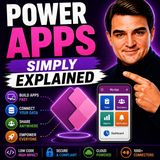
The main decision around canvas apps is the choice against the other app type, the model-driven app. A model-driven app is generated from the Dataverse data model, while a canvas app starts from the screen design. The episode "Canvas Apps vs Model-Driven Apps - Simply Explained" presents these as the two primary ways to build business applications with Microsoft Power Apps and says the right choice depends entirely on the business requirements. It is aimed at IT professionals, citizen developers and Microsoft partners who need to know when each approach delivers the most value. The episode "Power Apps - Simply Explained" places both app types within the wider Power Platform, alongside Power Automate, Power BI, Dataverse and Power Pages.
Several episodes look at how canvas apps relate to newer approaches and to data governance. "Canvas App UI vs Generative Pages: Which Should You Use?" compares manual canvas work with Generative Pages, which turn plain-English prompts into responsive, Dataverse-aware React pages. The episode describes the upside as speed, consistency, accessibility and governance through Dataverse metadata and roles, and the downside as possible fragility, such as read-only generated output, prompt ambiguity and hidden licensing. It also says the technical debt shifts from messy one-offs to platform dependency and regeneration discipline.
"Power Apps Code Apps - Simply Explained" describes Code Apps as a way to build modern React-based web applications with familiar tools such as Visual Studio Code while keeping Power Platform features like Dataverse, Microsoft Entra authentication, connectors, security policies and managed deployments. The episode contrasts them with traditional canvas apps and model-driven apps, and says they extend the platform rather than replace low-code development.
"Move Canvas Apps from SharePoint to Dataverse" addresses where a canvas app's data lives. The episode describes a fork between a fast personal Copilot lane and a governed enterprise Power Platform lane, and discusses stopping accidental data exposure, the point that Copilot amplifies whatever governance already exists, and the role of sensitivity labels in protecting a tenant. For makers, this frames moving a canvas app's data from SharePoint to Dataverse as a governance decision as much as a technical one.
Overview compiled with AI from M365.FM episodes and the facts on this page. You can improve it with the edit button below.
Learn will Copilot Studio replace low-code developers in plain English: practical use cases, architecture, governance, security, and key implementation decision
Power Apps is Microsoft's low-code application platform that enables organizations to build custom business applications quickly without the complexity of traditional software development. In this episode of Microsoft Knowledge Nuggets, Mirko Peters explains…
Build your first Power App step-by-step—from initial idea to a fully working solution. This episode of the M365.fm podcast explains how to turn a simple business need into a functional app using Microsoft Power Apps, even with little or no coding experience.…
“Low-code for everyone” was a great story—but the sequel is Vibe Code: Power Apps Code Apps (React + TypeScript + Git) living inside the same governed Power Platform. Low-code (Canvas/Model-Driven) still wins for speed and business-led prototyping, but it…
Keith shares his background in traditional .NET and SQL development and explains why Power Apps immediately stood out to him: speed. Instead of repeatedly building the same forms, logic, and app structures manually, Power Apps allowed him to focus more on…
Power Apps Code Apps represent the next evolution of Microsoft Power Platform, combining the flexibility of professional software development with the governance and enterprise capabilities of Power Apps. In this episode, we break down what Code Apps are, why…
Dataverse is the core data foundation behind Power Platform apps, not just a database. This episode explains how it provides structured, secure, and scalable data storage with built-in relationships, logic, and governance. The key message is that your data…
Every Power Apps maker eventually hits a wall where the standard controls are not enough. This episode explains the Power Apps component framework in plain English for makers, business users and aspiring developers: what code components are, how they work and…
This episode breaks down model-driven apps in Power Apps and shows you exactly how to master them using Microsoft Learn. If you’ve ever wondered when to use a model-driven app, how Dataverse fits into the picture, or why business logic matters so much, this…
In this episode of the M365 FM Podcast, Mirko Peters sits down with Carike Botha (MVP) to explore the evolution of Power Apps from traditional low-code development to the emerging world of pro-code applications. The discussion challenges the common assumption…
In this episode, we walk through how platform systems fail quietly long before they fail loudly, and how to stop that drift with discipline instead of heroics. The discussion starts with early warning signals: inconsistent SharePoint design, fragile Power…
Why Canvas Apps Are Dead and How Generative Pages Win · Mirko Peters Welcome back to the podcast blog! If you have been listening to our latest episodes, you know we spend a lot of time breaking down the massive shifts happening acro…
Choosing Your First Power App: Canvas vs. Model-Driven · Mirko Peters Navigating the Microsoft Power Apps ecosystem can be overwhelming for beginners. Whether you are an accidental developer looking to automate a team task or an IT pr…
Clean Data Imports: The Power of Alternate Keys in Dataverse · Mirko Peters Welcome back to the podcast and our companion blog! If you have ever stared at a Power Platform environment choking on thousands of duplicate records, missing paren…
Frequently asked questions
Questions marked with AI were written with AI from the facts on this page.
What is a canvas app in Power Apps? (AI)
A canvas app is a Power Apps app type where the maker designs the screen layout freely, like a slide, and connects controls to data using Power Fx formulas. Data can come from many sources through connectors.
How does a canvas app differ from a model-driven app? (AI)
A model-driven app is generated from the Dataverse data model, while a canvas app starts from the screen design chosen by the maker. The episode "Canvas Apps vs Model-Driven Apps - Simply Explained" says the right choice depends on the business requirements.
Which language is used to build logic in a canvas app? (AI)
Power Fx is the formula language used to define behavior and connect data in a canvas app. It is closely related to Power Apps and the Power Platform.
What are the two main types of Power Apps?
Canvas apps give you flexible design control, while model-driven apps handle complex data management. · From the episode: Power Apps - Simply Explained
What is vibe coding in Power Apps?
Vibe coding is the episode's name for Generative Pages, where plain-English prompts produce responsive, Dataverse-aware React pages. It replaces the manual pixel work of positioning controls in canvas apps. · From the episode: Canvas App UI vs Generative Pages: Which Should You Use?
Where do you meet these components?
You meet these custom components in model-driven apps, canvas apps and Power Pages. Building them takes real developer skills, but they are what turns plain forms into maps, custom grids and hand-made interfaces. · From the episode: Power Apps Component Framework - Simply Explained
Relationship map of Canvas app: linked topics
Related topics in brief
Topics linked to Canvas app, each briefly explained:
Power Apps – Low-code tool by Microsoft· Related to A low-code tool for building custom business apps for web and mobile. Canvas apps give full control over the layout, while model-driven apps are generated from the data model in Dataverse.
Power Fx – Concept· Related to Microsoft's open-source low-code formula language, modelled on Excel formulas, used in Power Apps, Power Automate, Dataverse and Copilot Studio.
Figma – Developer tool· Related to Collaborative interface design tool; a plugin turns Figma designs into Power Apps screens for designer-maker hand-off.
Ridwan Adekanye – Person· People working on this topic Ridwan Adekanye is a speaker at M365Con 2026 and M365Con 2027 (PowerApps and Power Automate Specialist. at Independent Consultant) with 2 sessions.
All relationships of Canvas app, grouped by type of relationship:
Short info above, community knowledge below: add practical tips, examples or corrections. New contributions are reviewed first; trusted members publish directly.
 EN
 Deutsch
 Español
 Français
 Italiano
 Português
 Nederlands
 Polski
 Bahasa Indonesia
 Русский
 Українська
 العربية
 עברית
 日本語
 한국어