The cloud email, calendar and contacts service in Microsoft 365. Outlook connects to it, and mail flow rules, anti-phishing and retention policies are managed around it.
Exchange Online is the cloud service for email, calendar and contacts in Microsoft 365. It is developed by Microsoft, is included in Microsoft 365 and counts as a Microsoft tool and a collaboration tool. People usually meet it through Microsoft Outlook or Outlook on the web, which connect to the service, while administrators manage the policies that surround it: mail flow rules, anti-phishing protection and retention policies. The name is often shortened to Exchange.
In practice, Exchange Online is the mail and scheduling backbone of a Microsoft 365 tenant. It holds mailboxes, handles the sending and receiving of messages and stores calendar and contact data. Related services in the same family, such as Microsoft Bookings, build on the calendar side. For administrators, most day-to-day decisions concern how mail moves in and out of the organization, which protection layers are active, and how long data is kept.
Security is a recurring theme in the M365.FM episodes. In "Exchange Online Protection (EOP) - Simply Explained", Exchange Online Protection is described as the baseline cloud email security service in Microsoft 365. The episode explains how it helps filter spam, malware and unwanted messages, where it fits with Microsoft Defender for Office 365, and which operating decisions make protection more effective. It also notes that organizations facing advanced threats can consider Microsoft Defender for Office 365 for additional protection features, and that EOP gives IT administrators access to reports and settings.
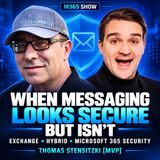
The episode "When Microsoft Messaging Looks Secure but Isn’t — Exchange Server, Hybrid and Microsoft 365 Security with Thomas Stensitzki [MVP]" makes the point that moving email to the cloud does not automatically make it secure. Host Mirko Peters talks with Thomas Stensitzki about security gaps that can hide in Exchange Server, Exchange Online and hybrid deployments, and about how identity protection, careful configuration, secure mail flow and operational discipline work together.
Hybrid setups, where an on-premises Exchange environment coexists with Exchange Online, are covered in two further episodes. "Maintain Hybrid Exchange Beyond the Configuration Wizard" argues that running the Hybrid Configuration Wizard is the easy part, while keeping coexistence healthy depends on aligned directory attributes, OAuth or federation trust, DNS records such as Autodiscover, MX, SPF and DKIM, EOP connectors and firewall paths for EWS and MRSProxy. "Exchange Online Hybrid: When and How to Retire It" addresses the opposite situation: many organizations keep a hybrid long after the migration is finished. The episode covers when a hybrid is still needed, what depends on it, how to check dependencies, plan the cut-over and avoid mail flow and management surprises.
Integrations are another area of change. "Migrate Exchange Web Services to Microsoft Graph with Glen Scales [MVP]" explains that Microsoft is ending support for Exchange Web Services in Exchange Online, with full retirement starting in October 2026. EWS has long been used for mailbox access, calendar synchronization, migrations, archiving and third-party tools, and the episode describes Microsoft Graph as the modern REST-based API that organizations are being directed toward. It is aimed at administrators, developers, ISVs, backup vendors and enterprises that still depend on legacy integrations.
Taken together, the episodes show Exchange Online as more than a mailbox service: its configuration, hybrid history, protection layers and API surface all affect how safely and reliably email works in a Microsoft 365 environment.
Overview compiled with AI from M365.FM episodes and the facts on this page. You can improve it with the edit button below.
Many Microsoft messaging environments look secure on the surface but still run on defaults, weak identities and misunderstood mail flow. This conversation with Exchange MVP Thomas Stensitzki is for Exchange and Microsoft 365 administrators running…
Your Power Automate email flows aren’t clever automations, they’re HR risk wrapped in HTML. You wire a flow to a “service account,” fight through MFA once, get it working, and decide it’s done. It’s not done. It’s brittle, over-privileged, impossible to audit…
Microsoft is ending support for Exchange Web Services (EWS) in Exchange Online, with full retirement starting October 2026. The article explains why this matters for Microsoft 365 administrators, developers, ISVs, backup vendors, and enterprises still relying…
MFA is not your shield – it’s already broken. In this episode, we walk the bridge of a real M365 tenant breach, step-by-step, from the attacker’s cockpit to your shattered inbox. You’ll hear how one phishing click plus an AitM proxy and a “benign” OAuth app…
What if your Zero Trust stack is silently greenlighting a perfect data heist in Microsoft 365? In this episode, we dissect how one “compliant” account quietly pulled 12,000 SharePoint files in 20 minutes—no malware, no DLP alerts, and all your Entra ID and…
A new DLP policy blocks everything on Monday, and by Friday half the finance team is mailing files from personal accounts. This episode is for Microsoft 365 admins and compliance owners who want Purview DLP policies people actually accept. You'll learn how to…
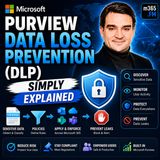
Most data leaks are not attacks but honest mistakes by your own people. This episode explains to IT and security teams how Microsoft Purview Data Loss Prevention protects sensitive data across email, files, Teams chats, devices and Copilot, and how to roll it…
Most tenants run Microsoft Defender for Office 365 on defaults and assume they are protected while attackers test their filters every day. This episode is for email security admins, security engineers and SOC teams who want to tune anti-phishing, Safe Links…
Your Microsoft 365 tenant might already be compromised—and your MFA is effectively useless because of one misconfiguration you’ve probably left on. In this episode, the Office of Corrective Doctrine walks you through five brutal real-world attack paths inside…
Every Microsoft 365 tenant already has email protection, but few admins know where it stops. This episode breaks down Exchange Online Protection's three filtering layers, the zero-hour auto purge safety net and the gaps attackers exploit. Small and mid-sized…
A Dynamics 365 Sales opportunity can look busy while the customer has quietly stopped replying. This episode explains relationship intelligence for sellers, sales managers and CRM admins: relationship analytics, relationship health and who knows whom, and how…
This episode examines the real return on Copilot by focusing on outcomes rather than features. It argues that the biggest cost in modern organizations isn’t failed projects or bad strategy, but the quiet drain of routine work—emails, meetings, drafts…
Outlook Search Not Working? Fixes That Actually Work · Mirko Peters Outlook search not working or showing no results? Check scope, indexing status and Windows Search, then rebuild the search catalog and repair damaged data.
DLP for Exchange Online Email · Mirko Peters Set up DLP for Exchange Online email to detect sensitive information, prevent accidental sharing, and support Microsoft 365 compliance.
Questions marked with AI were written with AI from the facts on this page.
What is Exchange Online? (AI)
Exchange Online is the cloud email, calendar and contacts service in Microsoft 365, developed by Microsoft. Users access it through Outlook, and administrators manage mail flow rules, anti-phishing and retention policies around it.
How does Exchange Online Protection relate to Exchange Online? (AI)
According to the episode "Exchange Online Protection (EOP) - Simply Explained", EOP is the baseline cloud email security service in Microsoft 365 that helps filter spam, malware and unwanted messages. For advanced threats, the episode points to Microsoft Defender for Office 365.
Why does the retirement of Exchange Web Services matter? (AI)
The episode "Migrate Exchange Web Services to Microsoft Graph with Glen Scales [MVP]" says Microsoft is ending EWS support in Exchange Online, with full retirement starting October 2026. Legacy integrations such as migration, archiving and synchronization tools need to move to Microsoft Graph.
Communication activity from Microsoft Exchange integration, response times, engagement, customer sentiment and similar opportunities, supporting opportunity management and pipeline prioritization. · From the episode: Dynamics 365 Relationship Intelligence - Simply Explained
Relationship map of Exchange Online: linked topics
Related topics in brief
Topics linked to Exchange Online, each briefly explained:
Microsoft – Organization· Developed by Microsoft Corporation is a technology company that develops software and cloud services such as Microsoft 365, Azure and Dynamics 365.
Microsoft tool – Category· Is a Microsoft tool is a broad category for software products and services developed by Microsoft, used to group offerings and to frame tool-selection decisions.
Collaboration tool – Category· Is a A collaboration tool supports communication, meetings and joint work on files; M365.FM episodes cover Teams structure, Defender protection and CRM integration.
Microsoft 365 – Collaboration tool by Microsoft· Part of Microsoft 365 is a subscription bundle of productivity apps and cloud services, including Word, Excel, Outlook, Teams, SharePoint and OneDrive.
Tenant-to-tenant migration – Concept· Related to Moving users, mailboxes, files, Teams and settings from one Microsoft 365 tenant to another, for example after a merger or divestiture.
Custom domain in Microsoft 365 – Concept· Related to Own DNS domain verified in Microsoft 365 and used for email addresses, sign-in names and branding, with SPF, DKIM and DMARC records for trust.
Exchange hybrid deployment – Product by Microsoft· Related to A setup that connects an on-premises Exchange organization with Exchange Online so both work as one, for example with shared mail flow and free/busy.
Microsoft 365 Backup – Product by Microsoft· Related to A Microsoft backup and restore service for SharePoint, OneDrive and Exchange Online. It aims at fast recovery after ransomware or accidental deletion.
Outlook: Emails marked with External to be supported as Rules conditions
The External tag on an email, set by the ExternalInOutlook feature, will now be usable as a condition in Outlook Inbox Rules. This change also makes available the ability to create or modify these Rules on the new Outlook for Windows, Outlook Web, and Outlook for Mac.
GA: June CY2026
Older updates (3)LaunchedMicrosoft 365 Roadmap Exchange: Dynamic distribution groups now populate membership faster on creation and modification
We're updating dynamic distribution groups (DDGs) in Exchange Online to make group membership available sooner after creation or a filter change. For DDGs with 5,000 members or fewer, membership is now populated as part of the creation or modification operation — no more waiting up to 2 hours.
GA: May CY2026
LaunchedMicrosoft 365 Roadmap Exchange: High Volume Email for Microsoft 365
High Volume Email is a new service for line of business applications and other high-volume SMTP scenarios that enables you to send internal messages beyond the current limits of Exchange Online.
GA: March CY2026 · Preview: April CY2024
In developmentMicrosoft 365 Roadmap Microsoft 365: Information Barriers (IB) upgrading from IB v1 to IB v2 with new capabilities
Information Barriers (IB) V2 brings new capabilities including larger segment scale support, multi-segment support, and flexible people discoverability etc. Existing IB v1 tenants require an upgrade to IB v2 to take advantage of these new capabilities. This roadmap item is intended only for all IB v1 customers. All other customers will get IB v2 capabilities when they enable IB in their tenants. IB v2 upgrade will be opt-in.
GA: January CY2027 · Preview: October CY2025
Summaries of official Microsoft release information, checked daily.
Community wiki
Short info above, community knowledge below: add practical tips, examples or corrections. New contributions are reviewed first; trusted members publish directly.
Experts and companies for this topic
Community members with expertise in Exchange Online:
 EN
 Deutsch
 Español
 Français
 Italiano
 Português
 Nederlands
 Polski
 Bahasa Indonesia
 Русский
 Українська
 العربية
 עברית
 日本語
 한국어