A service for automating workflows between apps and services. Cloud flows react to triggers such as a new email or file, desktop flows automate Windows applications, and both can include AI steps.
Gráfico de título: Power Automate (Producto)
Descripción
Power Automate builds workflows that connect apps and services. Cloud flows react to triggers such as a new email or SharePoint item, desktop flows automate Windows applications through RPA, and process mining shows where workflows can be improved. It was called Microsoft Flow until 2019.
El mismo cliente aparece en hojas de cálculo, buzones y sistemas distintos, y nadie sabe qué copia es la correcta. Este episodio explica Microsoft Dataverse como la base de datos común detrás de Dynamics 365 y Power Platform. Con la imagen de un archivador…
Hojas de Excel que se actualizan a mano cada mañana, aprobaciones en la bandeja de entrada y datos copiados de un sistema a otro: este episodio muestra cómo Microsoft Power Platform, como capa conectada sobre Microsoft 365, une esas islas sin programar.
El mismo cliente aparece en cinco hojas de cálculo, buzones y carpetas distintos, y nadie sabe qué copia es la correcta. Este episodio explica de forma sencilla qué es Microsoft Dataverse y cómo Dynamics 365, Power Apps, Power Automate y Power BI trabajan…
En muchas oficinas, las solicitudes de información (RFI) en Excel todavía se rellenan a mano, celda por celda: un trabajo repetitivo, propenso a errores y agotador. Este episodio muestra cómo un agente autónomo en Microsoft Copilot Studio, junto con Power…
Los agentes se multiplican en Teams, SharePoint, Power Automate y Copilot más rápido de lo que tu gobernanza puede seguir: condiciones vagas, permisos heredados y derechos de administrador sin caducidad. Narrado desde la perspectiva de una IA, este episodio…
Muchos creen que Power Apps es una sola cosa, pero bajo ese nombre hay dos tipos de aplicación completamente distintos, y elegir mal puede costar semanas de retrabajo. Este episodio muestra que la diferencia entre las aplicaciones de lienzo (Canvas) y las…
Tu Copilot no es tonto: simplemente le falta contexto, sin esquema, sin reglas y sin barreras de protección. Este episodio presenta un patrón repetible de context engineering para Copilot Studio y Power Automate que elimina las alucinaciones, corrige las…
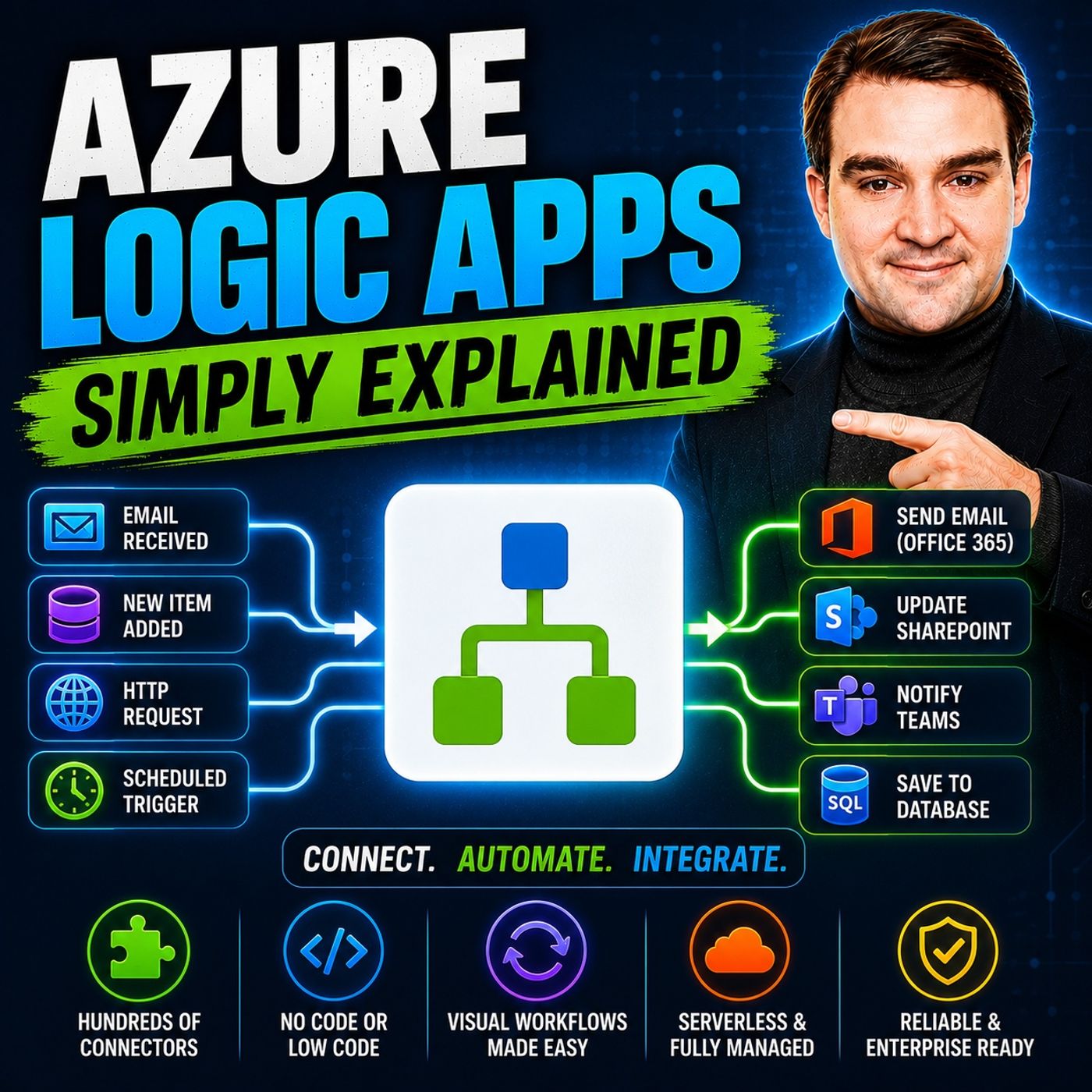
Un archivo llega a SharePoint, el equipo debe enterarse en Teams y hay que actualizar la base de datos: tres sistemas sin conexión, así que alguien lo copia todo a mano. Este episodio explica cómo Azure Logic Apps conecta esos sistemas sin una sola línea de…
Los bots de Copilot Studio, los flujos de Power Automate y los permisos de Graph demasiado amplios convierten a los agentes de IA en un Shadow IT 2.0: mueven datos sin que nadie lo note, a menudo sin identidad propia, sin responsable y sin registros de…
¿Por qué tus listas de marketing se pierden los leads más valiosos? Porque se basan en edad, ciudad y cargo en lugar de en el comportamiento real. Este episodio muestra cómo combinar datos de comportamiento y de transacciones en Dynamics 365 Customer…
Cierras el portátil y te preguntas: ¿qué he conseguido hoy realmente? Las listas de tareas dan sensación de productividad, pero ocultan lo que de verdad importa. Este episodio muestra cómo combinar el método de priorización de Eisenhower con Microsoft 365 y…
Muchos equipos construyen flujos de Power Automate con decenas de pasos para tareas que una sola frase podría resolver. Este episodio compara con honestidad el Workflows Agent de Microsoft 365 Copilot con Power Automate y muestra cuándo gana cada herramienta.
Cronología de episodios sobre Power Automate
Artículos sobre Power Automate (71)
Cómo usar Power Automate: crea, prueba y corrige tu primer flujo · Mirko Peters Cómo usar Power Automate: elige un tipo de flujo, crea un flujo en la nube con un desencadenador y acciones, pruébalo, lee el historial de ejecuciones y corrige los fallos más comu
Guía de integración de Microsoft Forms con Power Automate · Mirko Peters Aprende a conectar Microsoft Forms con Power Automate. Descubre instrucciones paso a paso para automatizar respuestas, aprobaciones y el registro en Excel.
Maximizar el ROI de Microsoft Copilot con Power Automate · Mirko Peters Cuando las organizaciones invierten por primera vez en Microsoft 365 Copilot, el entusiasmo es palpable. Los equipos están deseosos de experimentar las mejoras de productividad pro
Cuándo pasar de Power Automate a Azure Logic Apps · Mirko Peters ¡Bienvenidos de nuevo, podcasters y entusiastas de la automatización! ¿Alguna vez te has topado con un muro mientras creabas un flujo de trabajo de automatización de oficina y te h
Evitar errores comunes en flujos de Power Automate en producción · Mirko Peters ¡Bienvenido de nuevo al blog complementario del podcast! Cuando las organizaciones empiezan a explorar Microsoft Power Platform, el recorrido suele comenzar con una victoria rápida
Por qué la automatización rápida acelera el fracaso · Mirko Peters ¡Bienvenido de nuevo al blog! Hoy profundizamos en un fenómeno que pilla por sorpresa a muchas organizaciones modernas. En nuestra prisa por abrazar la transformación digital, la p
Dominar las capas lógicas basadas en telemetría en Power Automate · Mirko Peters ¡Bienvenido de nuevo al blog! Hoy profundizamos en un tema que está transformando la forma en que las organizaciones modernas abordan la automatización de procesos de negocio y la
Los cuatro pilares de Power Platform explicados · Mirko Peters ¡Bienvenido de nuevo al podcast y a nuestro blog complementario! Si has seguido nuestros episodios recientes, sabes que buscamos constantemente formas de agilizar las operaciones,
Power Automate: Credentials - Integration with Delinea secret server
Power Automate will support Delinea Secret Server as an external credential provider for desktop flows. Organizations can securely use credentials managed in Delinea for machine sign-in and credential retrieval during attended and unattended automation.
GA: March CY2027
Actualizaciones anteriores (13)In developmentMicrosoft 365 Roadmap Power Automate: Direct triggers for desktop flows
Desktop flows will support direct triggers, enabling automations to start in response to supported events without requiring an intermediary cloud flow. This simplifies automation design and reduces the effort required to connect desktop flows to business processes.
GA: March CY2027 · Preview: January CY2027
LaunchedMicrosoft 365 Roadmap Microsoft Copilot (Microsoft 365): Generate documents using forms in SharePoint with Power Automate
We are introducing a new Power Automate action that enables automated document generation using document generation (DocGen) forms in SharePoint.
Generate document from form (Preview) allows customers to create documents from a template by mapping data inputs to predefined template fields.
Documents are generated as part of an automated flow and stored in SharePoint.
This capability supports scenarios such as creating contracts, invoices, letters, or reports using structured templates and form-driven inputs.
The action works by mapping input data to template fields and returns the generated document along with file metadata such as location…
GA: October CY2026 · Preview: May CY2026
In developmentMicrosoft 365 Roadmap Power Automate: AI-assisted UI Automation repair
A new agentic debug run feature will be available in the flow designer. The UI automation repair interface launches while the flow is running, validating each selector used in the flow. It then proposes a new selector in case an existing one does not work as expected, after the user captures the respective element for reference.
GA: March CY2027 · Preview: July CY2026
LaunchedMicrosoft 365 Roadmap Power Automate: Process mining - Get support for normalized schema import for data ingestion
Most systems of record have data stored in data structures that allow you to easily extract information about the analyzed entity (case-level data) and historical changes on those entities (event-level data). The attributes are also stored in a normalized form. The single-table approach to event log creation requires you to do inefficient transformations. With this feature, Power Automate Process Mining supports the case-event entity-based data structure plus a normalized form of attributes. This speeds up the ingestion process in both the transformation and import to process model phases and reduces the storage capacity needed.
Business…
GA: August CY2026 · Preview: June CY2026
LaunchedMicrosoft 365 Roadmap Power Automate: Process mining - Export object-centric process mining data to Microsoft Fabric semantic model
This feature allows seamless integration with Microsoft Fabric for enterprise-wide analytics. It enables direct publishing of object-centric process mining (OCPM) results into Microsoft Fabric semantic models, making process intelligence data available throughout the Microsoft analytics ecosystem.
Key capabilities include:
Semantic model publishing: Export OCPM analysis results, including objects, events, relationships, and attributes, directly to Fabric as structured semantic models.
Multi-object support: Preserve the rich, object-centric structure of your process data, maintaining relationships between different object types (orders,…
GA: August CY2026 · Preview: May CY2026
LaunchedMicrosoft 365 Roadmap Power Automate: Desktop flows - Export work queue items to CSV
You can now export work queue items directly from the Automation Center portal. A new option available in the Work Queues experience lets you download items as a CSV file.
This capability allows you to access work queue data in a portable format for further analysis, reporting, or integration with other tools, without needing to rely on external APIs or custom solutions.
Business Value:
This feature lets you quickly export work queue data from Automation Center into a CSV file, so you can dig deeper into analysis, create custom reports, and share insights across your teams. It helps you boost visibility, streamline collaboration, and make…
GA: July CY2026
LaunchedMicrosoft 365 Roadmap Power Automate: Cloud flows - View property value expanded inline in new cloud flow designer
When you add an action, you can view property values for multiple steps at design time, or output values for multiple steps at runtime. The inline view shows this information directly on the cards, so you can review and compare values across several steps at once.
Without the inline view, you select each card individually to see its value in the side pane, and you can view only one step's value at a time. This makes it harder to compare values across steps.
You can choose which experience you prefer. The current side pane experience remains the default. You can switch to the inline view whenever you want and switch back at any time.
Business…
GA: June CY2026
LaunchedMicrosoft 365 Roadmap Power Automate: Process mining - Analyze processes using object-centric process mining
Real business processes rarely flow as a single, linear instance. Events routinely touch several objects of different types at the same time (for example, creating an invoice for a specific order, or shipping a package that contains items from multiple orders). Object-centric process mining captures that reality by recording events that relate to many objects and object types in one process, preserving their relationships end‑to‑end.
Here's the key idea: Instead of “one case → one sequence of activities,” object-centric process mining lets one event belong to multiple objects (and object types), keeping the full context…
GA: June CY2026 · Preview: November CY2025
LaunchedMicrosoft 365 Roadmap Power Automate: Process mining - Analyze your processes in the process intelligence experience
The process intelligence experience is a modern, flexible workspace designed for comprehensive process analysis. It provides a fully customizable analysis environment that combines multiple visualization and analysis components into cohesive, purpose-built workspaces. The platform empowers users to construct exactly the analytical view they need without technical complexity.
Core capabilities include:
Tab-based navigation: Organize related analyses into separate tabs within a single workspace, maintaining context while exploring different perspectives or process segments.
Flexible layouts: Arrange tiles in customizable grid layouts, allowing…
GA: June CY2026 · Preview: March CY2026
LaunchedMicrosoft 365 Roadmap Power Automate: Process mining - Create and visualize custom KPIs in the process intelligence experience
The process intelligence experience allows flexible metric creation with seamless visualization integration. This feature enables you to define custom KPIs and metrics tailored to specific business requirements within the process intelligence experience. You can create custom metrics using configurable formulas that can incorporate existing process data, standard KPIs, and mathematical operations.
Key capabilities include:
Custom metric creation: Build new KPIs using an intuitive formula editor that supports calculations based on case attributes, event data, timestamps, and existing metrics.
Editing and management: Modify, refine, or delete…
GA: July CY2026
LaunchedMicrosoft 365 Roadmap Power Automate: Cloud flows - Share Process license capacity across workflows
With flow groups, you can share Process license capacity across up to 25 cloud flows, optimizing license allocation and reducing costs for organizations operating higher-volume workflows that don't need their own dedicated capacity.
Prerequisites:
Power Automate Process licenses available to the environment
Cloud flows stored in solutions
Power Automate maker permissions
Business Value:
Save costs, reduce management effort, and improve resource utilization by efficiently sharing capacity across multiple flows.
Enabled for:
Enabled for admins/makers/marketers automatically
GA: July CY2026
LaunchedMicrosoft 365 Roadmap Power Automate: Desktop flows - Configure notifications for desktop flow checker in admin portal
The desktop flow checker in the Power Automate portal extends rule‑based static analysis to provide configurable notifications for violations detected across all desktop flows in an environment. Administrators can select the notification type (error, warning, or informational), adjust severity levels, and define parameters such as thresholds, recurrence, and scope. The checker uses the same rule engine that runs during initialization and analysis of flows, loading default and custom rules to evaluate quality, performance, and maintainability issues.
Business Value:
As an administrator, you need a clear way to track quality issues across the…
GA: July CY2026
LaunchedMicrosoft 365 Roadmap Power Automate: Desktop flows - Encrypt and decrypt data with PGP
This feature introduces PGP-specific encryption and decryption actions that use OpenPGP compatible public and private keys. You can encrypt files or data payloads using a recipient public key and decrypt incoming PGP-encrypted content using a corresponding private key and passphrase. The actions support standard PGP formats, making them suitable for interoperability with third-party systems that rely on PGP for secure data exchange. The actions appear in the action picker with no additional UI changes.
The feature is not enabled automatically. To use it, you add a PGP encryption or PGP decryption action to your workflow and configure the…
GA: July CY2026
Resúmenes de la información oficial de lanzamientos de Microsoft, revisados a diario.
Community wiki
Short info above, community knowledge below: add practical tips, examples or corrections. New contributions are reviewed first; trusted members publish directly.
Expertos y empresas para este tema
Elliot M. · Microsoft MVP | Team Lead Jumpstart, Copilot & Agents at Witivio
Marcel L. · Microsoft MVP | Power Automate & Copilot Studio for SMBs in Switzerland | Founde
 ES
 English
 Deutsch
 Français
 Italiano
 Português
 Nederlands
 Polski
 Bahasa Indonesia
 Русский
 Українська
 العربية
 עברית
 日本語
 한국어