An AI assistant built into Microsoft 365 apps such as Word, Excel, Outlook and Teams. It uses large language models together with the user's own work data from Microsoft Graph to draft, summarise and analyse content, always within the user's existing permissions.
Title graphic: Microsoft 365 Copilot (Product)
Description
Microsoft 365 Copilot is an AI assistant built into Microsoft 365 apps such as Word, Excel, Outlook and Teams. It uses large language models together with the user's own work data from Microsoft Graph to draft, summarise and analyse content, always within the user's existing permissions. It is a paid product.
Microsoft develops it, and on m365.fm it is classified as a Microsoft tool and an AI assistant. It is related to Microsoft 365, Microsoft Graph, Word, Excel, PowerPoint, Outlook and OneNote, as well as Microsoft 365 Copilot Chat, Microsoft Loop, Copilot Cowork and data governance. Because it respects permissions, the quality and safety of its answers depend on how well content is organized and secured.
"Microsoft 365 Copilot Without the Hype" with Paul Keijzers covers adoption, governance and preparing the tenant. "Copilot Inherits Your Mess" with Richard Harbridge explains that Copilot arrives in tenants full of old sites, duplicates and guest accounts. "Power Platform Copilot Integration - Simply Explained" looks at how Copilot works in the apps, flows, reports and agents of the Power Platform.
Overview compiled with AI from M365.FM episodes and the facts on this page. You can improve it with the edit button below.
Di perusahaan rata-rata, pelabelan manual hanya mencapai tingkat adopsi 30 %, sehingga 70 % kekayaan intelektual praktis tidak terlihat oleh alat keamanan. Episode ini menunjukkan cara beralih di Microsoft Purview dari pelabelan oleh pengguna ke tata kelola…
Di perusahaan rata-rata, pelabelan manual hanya mencapai tingkat adopsi 30 %, sehingga 70 % kekayaan intelektual praktis tidak terlihat oleh alat keamanan. Episode ini menunjukkan cara beralih di Microsoft Purview dari pelabelan oleh pengguna ke tata kelola…
Copilot membantu saat Anda bertanya, tetapi apa yang terjadi jika tidak ada yang bertanya? Prospek menumpuk, kasus tidak terjawab, dan email pemasok terus berdatangan. Episode ini menjelaskan apa yang sebenarnya dilakukan agen Dynamics 365, di mana mereka…
Anda menerapkan Copilot, tetapi alih-alih gelombang produktivitas, insiden Data Loss Prevention justru naik 300%. Episode ini menjelaskan mengapa Copilot mewarisi kesalahan izin yang sudah ada, mengapa label statis menciptakan silo data, dan cara beralih…
Di kotak surat bersama, email mati: kasus menumpuk dan triase manual mengikuti suasana hati, bukan logika bisnis. Episode ini bercerita ala film noir tentang tiga agen otonom di Dynamics 365 Customer Service yang membersihkan kotak surat, mulai dari…
Agen AI bukan sekadar chatbot yang lebih pintar: ia bertindak proaktif, mengakses sistem, dan menyelesaikan pekerjaan sendiri. Episode ini menjelaskan perbedaannya dan menunjukkan tiga cara membuat agen sendiri di ekosistem Microsoft, dari formulir tanpa…
Lembar Excel yang diperbarui manual setiap pagi, persetujuan di kotak masuk, dan data yang disalin dari satu sistem ke sistem lain: episode ini menunjukkan bagaimana Microsoft Power Platform, lapisan terhubung di atas Microsoft 365, menyatukan pulau-pulau…
Cognitive Services, Azure AI Studio, Azure AI Foundry, Microsoft Foundry – dengan banyak nama dan dua arsitektur yang berjalan bersamaan, mudah sekali bingung. Episode ini menjelaskan tanpa bahasa pemasaran apa sebenarnya Foundry, apa isinya, dan bagaimana…
Microsoft menyebut konsep yang sama sebagai agen atau skill, tergantung produknya, sehingga membingungkan. Episode ini menjelaskan apa sebenarnya Copilot Skill, di mana tempatnya, dan cara membuat skill pertama Anda tanpa menulis kode.
Prompt engineering saja tidak cukup begitu perusahaan mulai menggunakan Microsoft 365 Copilot secara serius. Pertanyaannya berubah: bagaimana menghubungkan Copilot dengan aplikasi, data, proses bisnis, dan pengetahuan perusahaan? Dalam percakapan dengan…
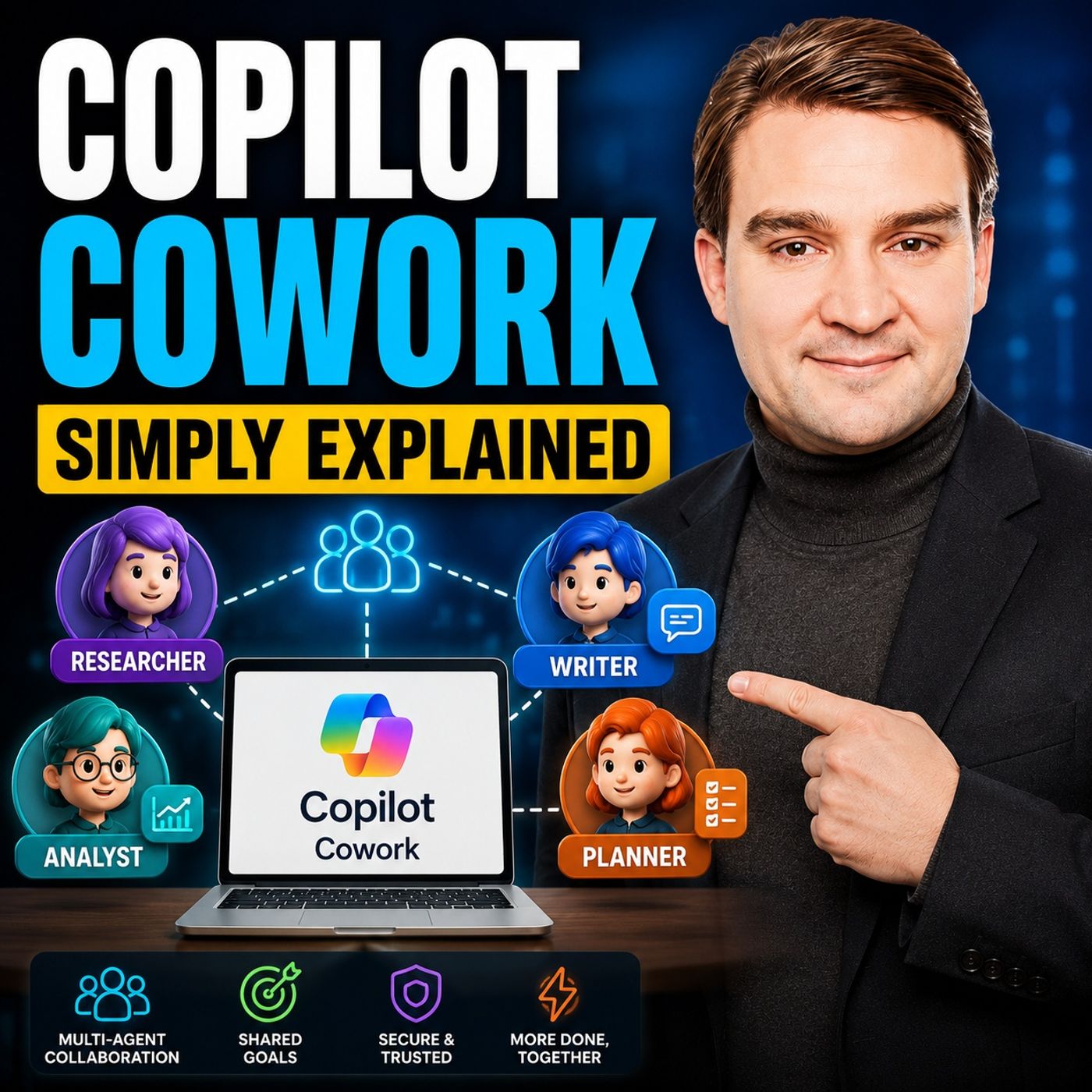
Copilot, Copilot Cowork, dan Scout terdengar mirip, padahal berbeda. Episode ini menjelaskan tiga lapisan AI Microsoft dengan bahasa sederhana dan mengapa Scout, „autopilot“ pertama, tidak menunggu perintah Anda melainkan mengamati dan bertindak sendiri.…
Microsoft 365 Copilot tidak membaca niat Anda, melainkan tenant Anda apa adanya: penyimpangan izin, tim yatim, file usang, dan situs bayangan langsung masuk ke dalam jawabannya. Episode ini menunjukkan mengapa AI hanya mencerminkan kekacauan SharePoint dan…
Menguasai Microsoft 365 Copilot dengan PowerShell · Mirko Peters Selamat datang kembali di blog! Jika Anda pernah merasa kewalahan dengan banyaknya tugas administratif yang diperlukan untuk menjaga lingkungan perusahaan modern tetap berjalan lan
Menghadapi Risiko GDPR dan HIPAA di Microsoft Copilot Notebooks · Mirko Peters Di lanskap digital saat ini, tata kelola yang efektif sangat penting untuk mengelola alat seperti Microsoft Copilot Notebooks. Platform inovatif ini meningkatkan produktivitas, tet
Memaksimalkan ROI Microsoft Copilot melalui Power Automate · Mirko Peters Ketika organisasi pertama kali berinvestasi dalam Microsoft 365 Copilot, antusiasmenya terasa jelas. Tim-tim sangat ingin merasakan peningkatan produktivitas yang dijanjikan, penga
Microsoft Scout vs. Microsoft Copilot: Apa Bedanya? · Mirko Peters Selamat datang kembali, para penggemar tempat kerja digital! Seiring kecerdasan buatan terus mengubah cara kita berinteraksi dengan teknologi, batas kemampuan perangkat lunak kita
Chat naturally with Facilitator without tagging it each time.
GA: December CY2026
Older updates (13)In developmentMicrosoft 365 Roadmap Microsoft Copilot (Microsoft M365): Delegated prompt publishing for organization prompts
This release follows the availability of organization prompts, providing admins the ability to upload custom prompts for their organization in the Copilot app home screen. Now, admins can delegate organization prompt publishing to users, AAD security groups, and distribution groups. These delegated users and groups will be able to create, edit and delete organization prompts at the tenant level through the Prompt Lab, without having to access the Microsoft 365 Admin Center. Admins can continue to monitor and provide oversight through the current experience in the Microsoft 365 Admin Center.
GA: December CY2026
In developmentMicrosoft 365 Roadmap Work IQ: Business Skills to manage your business processes in Work IQ MCP
Business skills are natural-language instructions that capture how your organization gets work done. They represent your business processes, policies, and domain knowledge in a format that agents can understand and follow. Each skill describes how to complete a specific type of work—the steps involved, the information required, and the business rules that apply.
Agents discover and use the business skills they have access to as needed at runtime using Work IQ MCP to complete tasks according to your organization's processes. When multiple agents use the same skill, they follow the same process, ensuring consistent behavior across your…
GA: November CY2026 · Preview: September CY2026
In developmentMicrosoft 365 Roadmap Microsoft Copilot (Microsoft 365): Copilot Cowork: Access Business Applications with Work IQ
Users can access Business Applications through Work IQ in Copilot Cowork and use Business Skills to complete end-to-end business processes grounded in their enterprise data and apps. This helps users move from finding the right business application to taking action across key workflows with less context switching.
GA: December CY2026 · Preview: September CY2026
In developmentMicrosoft 365 Roadmap Microsoft Copilot (Microsoft 365): Enable semantic model in Sales agent
Semantic model helps Sales Agent understand the structure and meaning of an organization’s CRM data. It creates a connected representation of CRM metadata, including tables or objects, fields, descriptions, data types, relationships, views, pick-list values, and glossary terms. Sales Agent can retrieve this context when responding to questions, improving its ability to interpret business language and answer complex questions that span related CRM records.
Dynamics 365 admins can enable and turn on semantic model in Power Apps Maker Portal and configure the data coverage and signals that Sales Agent should use. Admins can configure the…
GA: December CY2026 · Preview: October CY2026
In developmentMicrosoft 365 Roadmap Microsoft Copilot (Microsoft 365): Copilot Chat in OneNote can create, edit, and refine content
Copilot in OneNote can generate new content and directly edit when in edit mode. In this mode you can create, rename, and delete pages, sections, or notebooks as well as add or edit content in pages. Copilot can bring content from across WorkIQ as well as complete actions across other workflows such as creating Word, Excel, and PowerPoint files.
GA: January CY2027 · Preview: November CY2026
In developmentMicrosoft 365 Roadmap Microsoft Copilot (Microsoft 365): Federated Copilot Connectors in Microsoft 365 Copilot
Federated Copilot connectors enable users to securely connect Microsoft Copilot to their favorite third party sources, retrieving data in real-time using the Model Context Protocol (MCP). Federated Copilot connectors do not store or index customer data in Microsoft - access happens in real time using the user’s own identity, while administrators retain full governance and control through the Microsoft 365 Admin Center. With GA, federated Copilot connectors will be supported across Researcher agent and Microsoft 365 Chat, allowing users to bring data into their workflows.
GA: November CY2026
Rolling outMicrosoft 365 Roadmap SharePoint: HTML pages
Create HTML with Copilot in SharePoint or upload your own HTML from another source. Once stored in the pages library, you can render HTML as a page in SharePoint, make additional edits, and share with your audience. HTML gives you new ways to present your content beautifully alongside our existing ASPX pages.
GA: October CY2026
LaunchedMicrosoft 365 Roadmap Microsoft Edge: Upgraded Copilot new tab page
Search, chat, and explore the web from one search box with Copilot-suggested actions and curated work content to help your users get things done faster on the Copilot new tab page. Users will see upgraded Copilot new tab page functionality and features.
GA: November CY2026 · Preview: September CY2026
LaunchedMicrosoft 365 Roadmap Microsoft Copilot (Microsoft 365): MCP-Based Agent Enablement for U.S. Government Clouds
We’re introducing support for Model Context Protocol (MCP)-based agents in Microsoft 365 Copilot . This update enables developers to build Copilot agents using MCP servers and allows users to interact with these agents using familiar experiences. This change supports extensibility and improves agent capabilities for organizations.
GA: June CY2026
In developmentMicrosoft 365 Roadmap Microsoft Copilot (Microsoft 365): Copilot People Connectors introduces people data ingestions with differentiated access control
Copilot People Connector now supports importing people data with access controls into Microsoft 365. This release enables organizations to bring people data from external systems into Microsoft 365 along with associated access control lists (ACLs), ensuring Copilot respects existing permissions defined in source systems. The imported data can be scoped to specific individuals and groups, allowing Copilot to reason over people data while honoring access restrictions.
GA: June CY2027
LaunchedMicrosoft 365 Roadmap Microsoft Copilot (Microsoft 365): [Copilot Extensibility] Users in GCC-H will be able to use custom engine agents
Users in GCC-H will be able to use custom engine agents.
GA: August CY2026
In developmentMicrosoft 365 Roadmap Microsoft Copilot (Microsoft 365): [Copilot Extensibility] Users will be able to upload files stored locally or in one drive to custom engine agents
Users will be able to upload files stored locally or in one drive to custom engine agents.
GA: January CY2027
CancelledMicrosoft 365 Roadmap Microsoft Copilot (Microsoft 365): Edit your Copilot-generated PowerPoint presentation outline via Pages in Chat
You can now edit and collaborate on the presentation outline generated by Copilot in a Page before the PowerPoint deck is created. This item is no longer accurate and is being removed from the roadmap. We apologize for any inconvenience
GA: October CY2026
Summaries of official Microsoft release information, checked daily.
Community wiki
Short info above, community knowledge below: add practical tips, examples or corrections. New contributions are reviewed first; trusted members publish directly.
 ID
 English
 Deutsch
 Español
 Français
 Italiano
 Português
 Nederlands
 Polski
 Русский
 Українська
 العربية
 עברית
 日本語
 한국어