 EN
EN Deutsch
 Español
 Français
 Italiano
 Português
 Nederlands
 Polski
 Bahasa Indonesia
 Русский
 Українська
 العربية
 עברית
עברית हिन्दी
 日本語
日本語 한국어
한국어2026-09-15 · Season 4
APS Software vs. ERP: What's the Difference?
Show notes
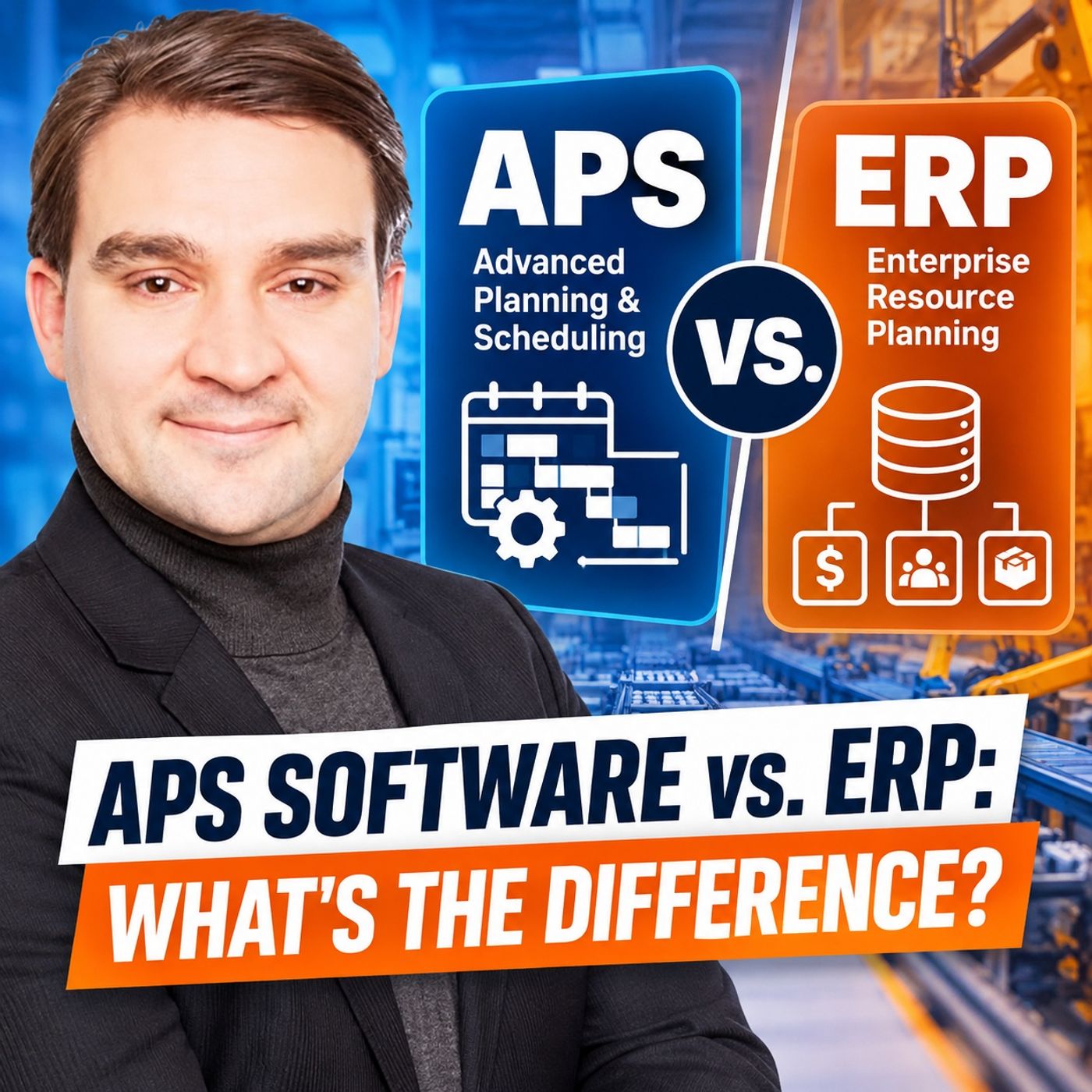
Manufacturers often rely on https://www.m365.fm/categories/dynamics-talk/ systems to manage orders, materials, inventory, purchasing, production orders, and financial transactions. But when a machine goes down, an urgent customer order arrives, or a critical operator is unavailable, a different question suddenly matters: Can the production plan actually run? That is where APS — Advanced Planning and Scheduling — differs fundamentally from ERP. ERP records and governs the business transaction. APS tests whether production can execute the plan under the real constraints of the factory. In https://www.m365.fm/aps-software-vs-erp/, we take a detailed look at APS software vs. ERP, why traditional ERP planning can create a false sense of certainty, and when manufacturers should consider adding finite-capacity scheduling to their production planning architecture. ERP VS. APS: TWO DIFFERENT QUESTIONS An ERP system provides the commercial and transactional backbone of manufacturing. It manages customer demand, bills of materials, routings, inventory, purchasing, production orders, costing, traceability, and financial records. APS looks at those same production requirements from another perspective: ERP asks: What needs to be produced? APS asks: Given our machines, people, materials, tools, calendars, setup rules, and existing workload, what can we actually produce — and when? That distinction becomes critical when several orders compete for the same constrained resources. WHY ERP DATES AREN’T ALWAYS A FEASIBLE SCHEDULE A production order can have a perfectly valid start date, finish date, routing, material list, and due date in ERP. That does not mean an empty machine exists at the required time. Traditional ERP and MRP planning often works with standard lead times, work-center capacity, calendars, and broader planning buckets. These assumptions are extremely useful for enterprise planning, material requirements planning, purchasing, and production control. But the real factory operates with much more specific constraints. A machine may already be occupied. The required operator may not be on shift. Material may technically be in inventory but still waiting for quality inspection. A fixture may be used somewhere else. Changing from one product family to another may require a long setup or cleaning process. This is the gap between a planned date and a feasible https://www.m365.fm/production-schedule-fails/. WHAT APS SOFTWARE ADDS Advanced Planning and Scheduling software brings those physical constraints directly into the scheduling calculation. Instead of simply assigning work to dates, APS can consider finite machine capacity, resource calendars, operator qualifications, tools and fixtures, setup matrices, alternate machines, material readiness, maintenance windows, routing dependencies, campaign rules, changeovers, and production priorities. If a machine only has six available hours, a finite-capacity schedule cannot simply place ten hours of work into that shift and pretend the problem has disappeared. Something has to change. The order may move to another resource. Another order may be delayed. Overtime may be required. The production sequence may change. Or the customer promise may simply be impossible under the current constraints. APS makes those trade-offs visible before production discovers them. https://www.m365.fm/finite-capacity-scheduling-manufacturing/ AND OPTIMIZATION A major difference between APS and traditional production planning is finite capacity scheduling. But creating a feasible schedule is only the first step. A schedule can respect every physical constraint and still be commercially undesirable. Manufacturers may want to optimize for different objectives, including: On-time delivery, higher throughput, reduced setup time, lower work in process, bottleneck utilization, schedule stability, reduced changeovers, or protection of strategic customer orders. There is rarely one universally “best” production schedule. APS can calculate alternatives and expose their consequences. The business still has to determine which objectives matter most. WHAT HAPPENS WHEN A MACHINE GOES DOWN? The difference becomes particularly visible during disruptions. Imagine a critical machine fails on Monday morning while Sales simultaneously asks production to expedite an important customer order. ERP can show the production order, material availability, planned dates, purchasing status, inventory position, and customer commitment. But planners still need answers to operational questions. Can the order move to another machine? Does that machine require a different setup? Is the qualified operator available? Which existing orders would move? Would protecting this order create another late order downstream? Does the alternate machine become the new bottleneck? APS allows planners to test these scenarios against the current constraints instead of rebuilding the entire production sequence manually. ERP, APS AND MES: WHO DOES WHAT? ERP and APS are not the only systems involved. A useful manufacturing architecture separates business transactions, planning decisions, and execution facts. ERP answers what the customer ordered, what supply is required, and which business transactions need to be controlled. APS determines what sequence is feasible under the available resources and constraints. MES captures what is actually happening on the shop floor. This creates a closed planning loop. ERP provides demand and governed business data. APS creates the constraint-aware production schedule. MES reports actual starts, completions, downtime, quantities, scrap, and other execution events. Those execution facts can then update the planning picture, while the corresponding governed transactions flow back into ERP. ONE SOURCE OF RECORD DOESN’T MEAN ONE SYSTEM DOES EVERYTHING Trying to make one platform own every manufacturing decision usually creates more problems than it solves. ERP should remain the source of record for commercial and supply transactions. MES should capture execution facts close to production. APS should own the constrained scheduling view and planning scenarios. This also explains why different systems may legitimately show different dates. ERP may contain the contractual due date, APS the currently feasible completion date, and MES an expected completion based on actual production progress. The important question is not whether every date is identical. It is whether everyone understands what each date means and who owns the decision to change it. WHY GOOD DATA MATTERS MORE THAN THE APS ALGORITHM Installing APS does not automatically fix production planning. The scheduling engine needs accurate information about how production really operates. Resource calendars must reflect actual shifts and maintenance. Routing data must identify usable resources. Setup rules need to reflect real changeovers. Labor qualifications, tools, fixtures, material readiness, alternate resources, and other restrictions must be modeled where they materially affect scheduling. A sophisticated optimizer using inaccurate constraints simply produces an inaccurate schedule faster. This is why APS implementations often expose something important: manufacturing knowledge that previously existed only inside the planner’s head or in spreadsheets. If the same manual workaround occurs every week, it is probably no longer an exception. It has become undocumented production logic. A practical APS implementation can therefore begin with one bottleneck, one product family, or one constrained planning horizon instead of trying to model the entire factory immediately. WHY EXCEL SURVIVES MANUFACTURING PLANNING Excel remains popular because planners can quickly change assumptions, add missing information, and understand exactly why a calculation changed. The problem is not necessarily the spreadsheet itself. The risk appears when the spreadsheet becomes the only place where the real production logic exists. If critical setup rules, priorities, capacity assumptions, or resource restrictions live exclusively inside one planner’s workbook, the organization has created an unofficial planning system. Understanding those spreadsheets can actually be an important step toward designing a better APS implementation. WHEN ERP SCHEDULING MAY BE ENOUGH Not every manufacturer needs dedicated APS software. ERP scheduling may be sufficient when production routes are stable, product variety is manageable, demand is relatively predictable, capacity headroom exists, setup complexity is low, alternate routing is limited, and disruptions do not constantly force planners to rebuild the schedule. In those environments, rough-cut capacity planning, basic finite scheduling, and strong planner routines may provide enough control. Adding another specialized system would then introduce integration, data preparation, training, and operational overhead without necessarily producing enough additional value. WHEN DEDICATED APS BECOMES IMPORTANT The case for APS becomes stronger when multiple orders constantly compete for shared bottlenecks and the production sequence itself changes available capacity. Typical signals include frequent rescheduling, complex setups and changeovers, scarce tools or fixtures, qualified-labor constraints, alternate resources with different processing times, material timing problems, frequent disruptions, multi-stage dependencies, customer-expedite requests, or planners spending large amounts of time manually rebuilding schedules. At that point, the real requirement is not simply “better planning software.” It is the ability to calculate the consequences of a decision before Become a supporter of this podcast: https://www.spreaker.com/podcast/m365-fm-microsoft-365-azure-cloud-power-platform-ai--6704921/support.
Apple Podcasts · Spotify · YouTube · Deezer
Host: Mirko Peters
Related articles
Transcript
Read the full transcript
Here's the problem, most manufacturers don't talk about. Alayed order lands, a machine stops, and material that looked available is actually sitting in the inspection waiting for a QC stamp. Meanwhile, someone's about to promise a customer a date the factory can't possibly meet, and the planner needs an answer before that happens. The ERP plan still exists, the sales order, the work order, the planned dates are all still there, but the physical conditions have changed, and a plan on paper doesn't clear a queue or free a machine, and that's where the split becomes clear. ERP records and controls the business transaction. APS, advance planning and scheduling, tests what can actually run under the conditions the factory is facing right now. Let's follow one order through both systems because the same order can tell two very different stories. One order, two different views of the factory, picture a hypothetical plan that produces several product families. Some jobs need the same machining center, others need a shared test station near the end of the route. Labor is finite, and only a few operators hold the right qualification for certain work. Then a customer calls and needs an order brought forward on the ERP side, that order looks familiar. You've got a sales order with a requested date, a bill of materials that lists the parts and raw materials, and a rooting with the approved production steps. Inventory records show what the system thinks is in stock, and a work order tells production what to build. All of that matters. Without it, you don't know what the customer bought, what to build, or what materials should move through the business. ERP gives the order its commercial and transactional identity, but the order still needs to pass through a real factory. The moment the planner asks whether it can move forward the questions change, which operation comes first, which machine can perform it. Whether that machine is available during the required shift, if another order already occupies that time, and whether an alternate machine can do the work with a different tool or operator. This is where APS looks at the same order through a different lens. It doesn't just see a routing as a sequence of name steps. It looks at each operation in time, checks the current capacity of the machines involved, considers the sequence of work already planned on them, and accounts for rules around product families, two limits, labor skills, and material timing. That last part sounds simple until you get into a real planning meeting. ERP may show material on hand, but the planner needs to know whether it will actually be ready when the operation needs it. Maybe it arrives at receiving, but still needs a quality check. Maybe another order consumes it first. Maybe it's sitting in the wrong location. Inventory is a business fact. Material readiness is a scheduling condition. The same goes for labor, a work center can show available hours, but that doesn't mean the right person is there when the job reaches that step. If the process needs a certified welder, general labor capacity doesn't solve it. The job either waits, moves to another qualified resource, or the schedule changes. Now think about that urgent customer request. The ERP question might be whether to release the work order or change its due date and priority. Those are valid. They control what enters the planning process and what the business commits to. But APS asks something more physical. If we push this order forward, what can we still complete on time? That means it has to test consequences. Maybe the urgent order can run next on machine 12, but only if a current job moves. And that current job might then miss the test station window later in the week. Or the urgent job might fit on an alternate machine, but only after a tool change that delays two smaller orders. The factory doesn't give you a free slot just because a customer needs one. This is why a planner can feel trapped between an approved plan and actual constraints. The approved plan may show the urgent order finishing on Friday, but the machine calendar tells a different story. The supervisor knows one operator will be absent and the material team knows a component is late. Each person holds part of the answer and the planner ends up joining those answers manually, often under time pressure. That's not a failure of the planner. It's what happens when planning records and planning decisions sit in the same mental bucket. ERP gives you the records that govern the order, demand, materials, routing, inventory, and the work order itself. APS takes those records and asks whether the current physical limits actually permit the plan. Both views need to exist, but they answer different questions. Confusion starts when a planned ERP date gets treated as proof that the factory has the capacity to deliver. What ERP actually does well? Before I get into where ERP planning hits its limit, let me give credit where it's due. ERP does one thing extremely well. It gives the business a single controlled source of truth for the facts that govern demand, supply, money, and accountability. Here's how it plays out. A customer order enters the system, a buyer raises a purchase order, warehouse staff posts a goods receipt, production confirms a quantity, finance needs to understand the cost. These aren't side tasks that happen around manufacturing. They're the core business process that lets the manufacturer buy, build, ship, invoice, and trace everything that happened. ERP keeps those transactions connected in a way nothing else does. Let's start with demand. The ERP system holds forecasts, customer orders, requested dates, and often the rules that determine how that demand should be supplied. It connects demand to inventory, open purchase orders, planned orders, and production orders. When sales asks whether an order exists, when purchasing needs to know what to buy, or when finance wants to know what stock the company owns, ERP should give the governed answer. That's its job. That system of record matters because nobody wants each department holding its own version of an order. If the planner changes a date in one local tool, purchasing can't quite keep working from a different date in another tool. ERP forces everyone to work from the same page. And it gives you a controlled transaction trail to prove what happened. Material requirements planning, MRP for short, sits right in the middle of this. MRP takes demand for finished goods and works backward through the bill of materials. If you need to produce 100 units of a product, MRP calculates the components and raw materials required, compares those needs with supply already on hand, or already ordered, and creates planned supply signals wherever shortages appear. That's a practical and genuinely useful job. A planned order tells production that more supply needs to exist. A purchase requisition tells purchasing that material needs buying. MRP doesn't require a planner to manually inspect every bolt, subassembly, and packaging item across a large product structure. It creates a structured view of demand and supply across time, and that saves real hours. But here's the thing, MRP depends on master data. And master data is where the quiet, unglamerous work lives. Every item needs a definition. A bill of materials needs to describe what goes into the product. A routing needs to describe the approved production path. Work centers need to represent where work can actually happen. Lead times need to give the system a working assumption about how long purchasing, production, and transfer activities take. None of this feels glamorous. It's still the foundation everything rests on. If the item data is wrong, purchasing plans the wrong supply. If the bill of materials is out of date, production consumes parts nobody expected. If the routing misses an operation, cost and planning both drift away from the physical process. ERP creates discipline because it forces the business to define these things in a common structure. And that structure is what makes everything else possible. It also handles control. A purchase order creates an approved commitment to a supplier. A production order authorizes work. A goods movement records stock entering, leaving or moving within the business. A confirmation records completed work, consumed material, or reported time, depending on how you set up the process. That transaction control supports traceability, inventory accuracy, costing, and financial close. For regulated industries, it can support lot and batch records too. For any manufacturer, it gives people a way to answer basic questions without relying only on memory or a spreadsheet someone updates after hours. So what assumptions does ERP actually plan with? Lead times represent expected durations, calendars define normal working periods. Capacity gets expressed in broader time buckets, days or weeks, rather than a minute by minute sequence on a specific machine. Standard times provide a consistent basis for planning and costing, even when actual conditions vary. Those assumptions aren't careless. They make enterprise planning manageable across a complex business. The trouble starts when people ask those assumptions to answer a more detailed question than they were built for. A work order can be completely clean in ERP. It can contain the right material list, approved rooting, target quantity, and requested date. That still doesn't create an empty machine. ERP tells you that work should happen. It creates the supply signal, reserves or plans material, tracks the order and records the result. It gives the factory a business framework that production planning depends on. But on a real shop floor, work competes for time, people, equipment, tools, and attention. Those conditions shift through the day, and the gap between a controlled business plan and physical capacity starts to grow. That's where we need to look next. Why ERP planning often looks more certain than it is? A lot of ERP plans look firm because they contain dates, start date, finish date, due date. The problem is that a date inside a plan can look like a commitment even when it came from assumptions that never tested the actual factory conditions. Capacity is often the first assumption that breaks. In many ERP planning flows, the system checks whether work belongs in a period, maybe a day or a week, without fully asking whether all that work can fit on the same constrained resource. This is called infinite capacity planning. It doesn't mean ERP believes machines can run forever. It means the planning run can place demand against a work center without forcing every order to compete for a real place in a detailed sequence. That approach serves a purpose. It gives planners a broad demand signal. It can show that a work center carries too much load next month or that a supply plan needs attention before a due date arrives. But broad capacity isn't the same as a workable production schedule, not even close. Consider one work center with a normal daily capacity. ERP may place several orders into the same day because each order carries a planned duration and the routing points to that work center. On paper every order has a date. On the floor somebody still has to decide the order in which those jobs run, where the setup time goes, and which job waits when the day runs out. The date didn't solve those decisions, it postponed them to whoever releases the work. Fixed lead times create a similar effect. An ERP route may assume an operation takes two days from release to completion. That duration includes processing time, waiting time inspection, transport and a buffer for normal variation. For enterprise planning, that's sensible. Yet the same two day lead time can hide very different conditions. One job may run in 30 minutes, but wait a day and a half because the machine has a queue. Another may require a long change over because the previous product uses different material or tooling. A third may stop because maintenance takes the resource offline or because the same operator needs to support another machine simultaneously. The routing still shows two days. The factory sees a series of real physical constraints. Shared resources make that gap even wider. A machine might have open time, but the fixture needed for the job sits on another line. A test cell may have room, but the qualified person only works a certain shift. A process can look available when viewed one resource at a time, while the combined set of resources cannot support the job at all. This is why a capacity number needs context, not just a count of hours. Bucketed planning hides the same issue in a different way. If capacity appears by week, 20 hours of work and 20 hours of capacity can look perfectly balanced. But where do those hours actually sit? If all the urgent work needs the same machine on Monday morning, while most capacity sits later in the week, the weekly view looks calm and the dispatch problem remains unsolved. Sequence changes the answer to. Two orders may both fit within a day, but not in either order. If one job requires a clean down after a certain product family, running it first may consume the time needed for the second. If the second runs first, both may fit. A weekly bucket can't express that difference with enough detail to guide the person releasing work. None of this makes ERP planning useless. It means we need to give it the job it can actually do well. MRP works especially well as a demand and supply calculation. It asks what materials and components the business needs, when it needs them, and whether planned or existing supply covers that need. It can surface shortages early and trigger, purchasing or production signals across a complex bill of materials. That's its strength. MRP is not designed to be a minute-by-minute traffic controller for every job moving through the plant. Trying to use it that way creates false certainty. A planarcy's planned completion dates and assumes the factory can meet them. Production sees a list of work orders and still has to sort out the physical order of execution. Sales sees a due date. While the bottleneck resource sees a queue it can't clear. So treat the ERP plan as a target, a control point, a business agreement. It tells the organization what demand exists, what supply needs creating, and which transactions need governing. It doesn't, by itself, prove that the schedule can actually run. The next question is what changes when the planning system treats machines, people, tools, material timing, and sequence as active constraints rather than background assumptions. That's where advance planning and scheduling enters the same problem and where the real conversation starts. What APS software actually does. So here's what APS, advance planning and scheduling actually does. It takes the same demand and production data you already have and turns it into a schedule that respects real-world limits. That sounds more complicated than it really is. Basically, the schedule has to deal with the constraints that exist in your plant right now. A machine has a real calendar, an operator works a real shift, a tool can only be in one place at a time. Material arrives when it arrives, not when you wish it did. And some products can follow each other with almost no setup, while others force a long change over, a cleaning step, or an inspection before the next job starts. APS brings all those conditions into the planning calculation itself. Think of the schedule as a sequence of operations moving through limited time slots. Each operation needs a place to run, a duration, and a set of conditions before it can even start. APS checks those conditions as it assigns work, instead of just dropping every order onto its planned date and leaving the collision for somebody else to clean up. Finite capacity is the core of this approach. If a machine only has six available hours in a shift, APS can't honestly load 10 hours of work into that same shift and call it a schedule. It has to move work, take an alternate resource if one exists, push the plan into another period, or flag a conflict that needs a human decision. That doesn't mean the system blocks every exception. Factories run on exceptions. You might choose to add overtime, postpone PM, authorize a subcontractor, or accept that one order will ship late. The difference is that APS makes the trade off visible. Instead of quietly stuffing work into capacity that isn't there, the system shows you the consequence of your choice. Pull one urgent order forward, which orders get pushed back. Select an alternate machine. Does that change processing time or require a qualified operator run overtime? Does the order actually finish earlier or does material still hold it up? That turns scheduling into a decision process, not just a date calculation. Now, sequence matters just as much as raw capacity. A planner rarely asks only, "Do we have eight hours free?" They ask, "What should run next?" APS can apply rules that reflect how your plant actually works, due date may drive one part of the sequence. Setup family may drive another. If several orders use the same material, tool, color, grade, or process setting, grouping them together reduces changeovers. In process industries, planners often use campaign logic where similar products run together for a set period before the line switches to another family. Priority also enters the picture, but it needs some care. A priority flag sounds simple until every sales order carries the highest priority. APS can't fix a priority policy that nobody controls. It can apply the rules you give it and show the result, but the business still has to decide whether a late customer order outweighs the cost of breaking a production campaign or delaying other work. Material timing changes the sequence, too. An order might look urgent, but if a required component arrives tomorrow afternoon, scheduling it first this morning accomplishes almost nothing, a constraint-based schedule can place work where it has a chance of actually starting, rather than filling the front of the queue with jobs that just sit there waiting for parts. Then the factory changes, because factories always do. A machine goes down, a supplier delivery slips, an operator calls in sick, a customer changes a requirement, a job finishes early, or takes twice as long. APS can recalculate the schedule when those conditions change and test a new arrangement against the rules and constraints you've already defined that doesn't mean every event should trigger an uncontrolled reshuffle, a schedule that changes every few minutes becomes impossible to run. But APS gives plans the ability to see the effect of a change quickly, compare options, and decide when a revised plan should become the new dispatch order. The output isn't just a prettier list of work orders, a useful APS result can show a feasible sequence for each resource. The plans start and finish of each operation, any unresolved conflicts, and the impact on due dates when priorities shift. It can also produce a ranked dispatch list, so a supervisor knows which jobs should run next under the current plan. More importantly, it can show you alternatives. Maybe the urgent order finishes on time if it runs on an alternate machine. Maybe it finishes on time, only if production accepts overtime. Maybe it can't finish on time under any approved condition, and the plan needs to tell sales before another unrealistic date enters the system. That's what APS really adds. It doesn't remove uncertainty from the factory. It gives the organization a structured way to test uncertainty against known limits before people act on a plan. Keep the word "feasible" in mind, though, because a feasible schedule and the best possible schedule aren't always the same thing. Feasible does not mean perfect. A schedule can be feasible and still be a terrible business choice. Feasibility just means the schedule respects the constraints, it knows about. It doesn't put the same machine on two jobs at once. It doesn't schedule a job before it's required material arrives. It accounts for the resource rules, timing rules, and root logic in the planning model, and it exposes conflicts when the plant can't meet all demand under those conditions. That gives you an honest starting point. Imagine a schedule where every order fits inside available capacity, every operation follows its approved root, and no qualified operator is double booked. The system can call that schedule feasible. But it may still create too much work in process, too much partly finished stock sitting between operations. It may cause frequent setups, or it may protect every due date, except the one customer order the business cares about most. A feasible schedule answers, can this run? Optimization asks the different question. Out of the schedules that can run, which one produces the result we want, that sounds like a small difference. In practice, it changes the whole conversation. An optimization engine searches through possible schedules using stated goals. You might want better delivery performance, so the system gives more weight to orders at risk of missing their committed date. You might need higher throughput through a bottleneck, so the plant protects the resource that limits overall output. Or you might want fewer setups because long change over is each time, creates scrap risk, and leave people constantly preparing rather than producing. Each goal pushes the schedule in a different direction. Lower work in process is another common goal. If jobs enter production too early, they sit between steps for days. That ties up material, hides problems, and makes the plant look busy, even when finished goods don't leave any faster. A schedule can control release timings, so work arrives closer to when the next operation can actually start. But there isn't one universal best schedule. Think about an urgent customer order that needs a machine currently set up for a family of similar products. Keeping that family together, may cut setup time and preserve output for the shift. Pulling the urgent order forward may require a change over, then another change over to get back to the original family. One choice improves flow. The other protects a customer promise. Neither choice is automatically wrong. The system can calculate the impact. It can show which orders move, how much setup time the change needs, whether the urgent order meets its date, and where the queue shifts afterward. But it can't decide what the business should care about unless the business has already defined that policy. This is where many planning projects get awkward. People ask the system to optimize, then discover that sales, production, and supply chain never agreed on the objective. Sales once every committed date protected. Production once stable campaigns and fewer changes. Supply chain once lower inventory. Finance may care about margin, expedited freight, or stock exposure. Each position is reasonable, but they can pull the schedule in opposite directions. No amount of better math can settle that argument. You need rules. Those rules might state that certain customers receive priority that a safety or quality limit overrides delivery pressure or that the schedule should stay stable inside a defined time window unless a planner approves the change. They might also define how much lateness the business accepts before it breaks a campaign or adds overtime. That's human policy translated into scheduling logic. Without it, optimization becomes a fast way to produce a plan that nobody trusts. The schedule may look mathematically tidy while ignoring the commercial decision a planner would have made in 10 seconds. Or it may keep changing because the model treats every small improvement as more important than a stable plan people can actually execute. A good APS process doesn't hand authority to an algorithm. It gives planners a clearer view of the choices in front of them along with the consequences of each choice. That changes the planner's work. Instead of spending hours trying to build a possible sequence from scattered facts, the planner can challenge the result. Why did this order move? Which rule caused that conflict? What happens if we protect this customer data and accept a later finish elsewhere? Those are real planning decisions. They need judgment. So let's leave the scheduling theory for a moment and put it under pressure on the factory floor. Picture a Monday morning where capacity disappears, a customer escalates, and the plan has to survive more than a clean set of assumptions. The Monday morning disruption test. Picture a plant at the start of a Monday shift. A machining center handles a critical operation for several active orders and right after the shift kicks off maintenance confirms a fault. That machine is down for the rest of the day. Almost at the same time, a customer escalates an order that already carries a tight delivery date. Sales wants to know whether production can still bring it forward. There's an alternate machine that can run it. But it's not empty, isolated is already running a different product family and only one operator on that shift can handle the urgent order there. This is where planning stops being a date exercise. In ERP, the planner can see the order status. It's planned start and finish, the due date and the material position. They can check whether components are still on hand, whether purchase orders still support later operations, and whether a shortage might appear if the sequence changes. That view gives the business real control. The planner knows which order belongs to which customer, which work orders are open, and where supply signals may need attention. Sales, purchasing, warehouse, and finance all work from the same transaction record. But here's what that doesn't answer. What can the plant actually do this afternoon? The ERP dates may still show a normal plan because the disruption hasn't hit the order records yet. Even after someone changes a date, the system won't show the full chain of work displaced by the machine failure. A planned date tells you the target, but it doesn't automatically test every consequence of losing a real resource for a real shift. APS approaches the problem from the affected operations outward. First, it identifies the operations scheduled on the failed machine. Then it checks whether each operation has an approved alternate resource, whether that resource has enough free time, and whether the job needs a tool, setup, material, or qualified operator that changes the answer. The customer escalation adds more pressure. The planner isn't just recovering lost capacity. They're also testing whether one order can move ahead of the work already in the queue. Suppose the urgent order can run on the alternate machine. APS can test the revised sequence. It can show the setup needed before that order starts, the orders that move later, and the effect on their completion dates. If the operator needed for the urgent order also supports another process, the model exposes that conflict, instead of leaving the supervisor to discover it halfway through the shift. That changes the conversation. Instead of asking, can we fit this urgent order in? The planner can now ask, if we fit it in, who loses capacity? Those are very different questions. The first often leads to a quick promise. The second forces the business to see the cost of that promise, which customer dates move, because the machine went down, which jobs can move to another resource without creating a quality or labor issue. Does the alternate machine become the new bottleneck once it absorbs work from the failed machine? And does protecting the urgent order push a problem into a later operation where it becomes harder to recover? A planning system can't remove the lost hours. Nobody expects it to. What it can do is turn a vague emergency into a set of visible choices. Run over time, move selected orders, protect one customer date and accept the delay elsewhere, or leave the sequence stable and tell sales the earliest on a state. Each option has a consequence and the planner needs to see that consequence before the business commits. Without that support, the familiar rescue process kicks in. Someone exports orders from ERP, someone else checks machine availability from memory or local board, a supervisor calls the shift lead, and the planner builds a spreadsheet that answers today's question while purchasing, sales and production, each wait for a different version of the new plan? Spreadsheets aren't the problem by themselves. Under pressure, they can be fast and practical. The rule problem is, when the spreadsheet becomes the only place where current factory logic exists, with no clear link back to the orders, constraints, and decisions that everyone else needs to trust. Controlled re-planning means the planner can test scenarios without releasing every draft schedule to the floor, it means the business agrees on who can change priorities when a new schedule becomes active and how resulting dates flow back to the people who need them. That control matters most when conditions change quickly, a machine failure, an urgent customer request, and a constrained alternate resource can all arrive before the first production meeting ends. ERP and APS each contribute a different part of the answer. One holds the governed business facts, the other tests, the physical consequence of changing the plan, but for either system to answer, honestly it needs the right inputs. So next, let's look at the data each system depends on. ERP data, the commercial and transaction layer, so what kind of data does ERP own? Start with the business facts around demand, forecasts, customer orders, requested delivery dates, confirmed dates, and the contract terms that affect how an order gets handled. A customer order isn't just a quantity request, it includes shipped to location, pricing, delivery rules, a priority you've agreed with the customer, and sometimes approval or quality requirements that follow the product through the business. Those facts need control, sales, planning, purchasing, warehouse, and finance can't each hold their own local version. ERP gives the order one governed identity, demand then drives supply. When the business needs to build or buy something, ERP connects that demand to inventory, open purchase orders, production orders, and planned orders. A planned order is a planning proposal, it signals that supply needs to exist. Depending on the process, it may later become a production order for the plant, or a purchasing action for an external supplier. That chain matters because a manufacturer needs to know more than whether a part should exist. You also need to know whether the part belongs to stock, whether it's already committed elsewhere, whether a supplier has promised it, and whether production has authority to consume it. Ownership matters too. A quantity may sit physically in a warehouse, but it could belong to a specific customer, sit in quarantine, wait for inspection, or remain blocked until approved. ERP captures those commercial and control states. Without them, planning confuses physical presence with usable supply, and those are not the same thing. Then there's the product definition. ERP usually holds the bill of materials, the bomb. The bomb tells the business which components, raw materials, packaging, or subassemblies belong to a product. It also holds approved routes which define the production path that the business recognizes for that item. Standard times often sit with the route. Work centers identify the broad production area or resource group where an operation belongs. This information supports supply planning, order release, cost calculation, and the basic structure of production control. It also creates a shared language. When engineering changes a component, when purchasing sources and alternative, or when production meets an approved route, ERP provides a controlled place to manage that change. You don't want the bill of materials for a customer order living in a planner's workbook, especially when traceability, cost, and quality depend on knowing exactly what the business approved. Cost is another piece people sometimes forget during a scheduling discussion. ERP connects materials, labor assumptions, work orders, receipts, and inventory movements to financial records that supports product costing, variance analysis, valuation, invoicing, and financial clothes. A schedule may decide when work should run, but the business still needs to know what it consumed, what it produced, and what that activity means in financial terms. Traceability follows the same pattern. For many manufacturers, lot and batch information needs to follow material from receipt through production and shipment. A business may need to identify which incoming batch enter the finished product, which work order process it, who approved the release, or which customer received the resulting lot. ERP often owns much of that formal transaction chain, sometimes alongside an MES or quality system. This isn't glamorous work, it's the part that prevents the factory from becoming a collection of disconnected actions with no accountable history. So when I call ERP, the commercial and transaction layer, I don't mean it only records things after they happen. ERP can plan supply, create orders, set dates, manage approvals, and connect the demand signal to the money and material moving through the business. Its authority comes from governance. If a customer order changes, ERP should capture that change. If purchasing commits to a supplier, ERP should record it. If inventory transfers, gets consumed, or enters a lot-controlled process, the transaction needs are home. That data gives APS the business context it must respect. APS shouldn't invent customer demand. It shouldn't become the owner of inventory valuation, supplier commitments, contract terms, or formal production authorization. It needs those facts from the systems that govern them. But governed business data still doesn't tell a scheduling engine enough to create an honest plan. A rooting might name a work center without identifying every real restriction inside it. Inventory might show a quantity, without describing exactly when that quantity becomes ready for a specific operation. Standard times may support costing well while missing the conditions that cause work to wait, switch, or slow down in production. That is the next layer of the problem. Before APS can schedule honestly, it needs detail about the constraints that turn an approved production route into work that can actually run. APS data, the constraint layer. When you're setting up APS, the level of detail changes because you're no longer tracking broad operations in a route. You need to understand the conditions that actually determine whether work can start, continue, and finish on the floor. Your ERP might say an operation belongs in machining, but APS needs to know which specific machine can run it. When that machine is available, what else it needs and what restrictions apply around that operation. Let's start with calendars. I don't mean Monday through Friday, 8 hours a day. A resource calendar has to reflect actual shifts, plant breaks, holidays, maintenance windows, and rules around overtime. Here's where it gets specific. If a machine normally runs two shifts, but the required operator works the first shift only, the machine calendar alone gives you the wrong answer. You're scheduling against the person, not the equipment. Maintenance works the same way. A maintenance window isn't spare capacity that APS can quietly consume because in order carries high priority. You can postpone that work, but somebody needs to approve the trade-off. The system should treat the window as unavailable until the business deliberately changes that status. Otherwise, you're building a schedule on assumptions nobody validated. Now capacity gets more specific. A work center might represent several similar machines, but those machines don't all carry the same capability. One handles a larger part size. Another has a particular spindle, control program, or inspection link. A third technically processes the part but at a slower rate. APS needs to model those differences without turning your planning model into a museum of every bolt in the factory. The goal is practical detail, which machines can do this operation how long does it take on each one? Which resource should APS prefer under normal conditions? When can it use an alternate resource and what changes if it does? People create the same kind of constraint, a shared operator might run two machines, inspect a first off part, or perform a setup nobody else on shift can complete. You can have free machine time and still lack the person who turns that time into actual output, so the schedule needs to reserve both when the process requires both. Tools, molds, and fixtures belong in the same conversation. A mold can't sit in two presses at once. A fixture might need cleaning or inspection before the next job. A test device might travel between lines. These resources often sit outside the broad ERP work center definition, yet they decide whether the planned job can actually run. Clean downtime matters just as much as run time in many environments. In food, chemical, pharmaceutical, and other process industries, changing from one product to another might require a controlled cleaning procedure and the duration depends on which products are involved, not just on the machine. The schedule needs to see that relationship because it changes how much time is actually available for production. Sequence rules turn all that detail into a usable schedule. A setup matrix tells APS how switching from one job to the next affects time or effort. Moving between products in the same family might cost you very little. Moving across families typically takes longer, needs a cleaning step, or requires quality approval before the next run starts. Color families are the classic example. A line can move from light to dark with less effort than from dark to light. Alligeant families introduce stricter rules where a run sequence requires cleaning and verification. Those aren't small preferences. They shape what production can safely and efficiently do. Campaign limits add another layer. You might want to group related products to reduce setup loss, but you also need to limit how long that campaign runs because another customer data approaches, material expires, storage fills up, or downstream capacity gets choked. APS needs the rule, not just the general desire to reduce changeovers. Qualification limits work similarly. A resource might appear capable while only certain operators can run a specific product, perform a release check, or handle a regulated process. The schedule has to respect the approved scope of those people and resources. Material readiness also has to go beyond stock on hand. A component might exist somewhere in the business but remain unavailable to the operation that needs it. It might arrive after the plan start, need inspections sit in a different plant area, or be reserved for another order that runs first. APS has to ask a more specific question. Can the required quantity reach this operation when the operation needs to begin? That question becomes more detailed when routes have alternatives. One product might follow a normal path through a preferred machine, but an alternate path exists for overload or equipment trouble. The alternate path might take longer, consume different tooling, or produce a different yield. Yield loss matters because an operation might need more input material than the final quantity suggests. Transfer batches matter because work can move downstream before the full lot finishes. Overlapped rules matter because the next operation can start after part of the batch completes rather than waiting for every unit. These details change how the schedule works. They tell APS how work actually flows through the plant, not how a broad route description suggests it should flow. And once you start gathering this detail, most teams meet the same problem early. Some of the planning logic lives in data while other parts live only in people's heads. Bad data does not become better because it enters APS. This is where a lot of APS projects meet the factory as it really works. The data exists, but it often describes an approved process, a costing model, or a release structure, rather than the detailed conditions that determine whether a job can run at a given time on a given resource. Take a routing with one machining operation and a standard time of two hours. That might be fine for costing and for a rough production lead time. But the planner knows the part only runs on one of several machines when a certain fixture is free, the first piece needs inspection, and a particular product version needs extra handling. None of that appears in the routing. Cycle times create the same problem. A standard time might come from an engineering estimate, an old study, or an average that includes conditions nobody can see from the number alone. Production might now run that product on newer equipment, use a different batch size, or lose time to a recurring setup that never entered the formal data. APS will schedule with the time it receives. It can't know that the two hour estimate translates to three and a half hours every Monday after a tool change. Generic work centers often hide the issue. A routing might point to assembly line A or CNC group three, which helps the business classify work. But a finite schedule needs to know the resources within that group, their actual calendars, their limits, and the conditions under which one machine can take work from another. Broad labels don't create a schedule people can trust. Setup logic often goes missing entirely. The planner knows that product family X should follow product family X, while family Y triggers a cleaning procedure and quality release. The ERP routing might only show the runtime because the data model never needed the relationship between one order and the next. That isn't bad behavior by the ERP team. It usually means the data was built for a different job. ERP master data typically supports product definition, cost, material planning, order release, and transaction control. Those are real requirements. Finite scheduling asks for more because it needs to simulate the operational limits of the plant, not just describe the approved process at a business level. So the question isn't whether ERP data is good or bad. It's whether the data fits the planning decision you want APS to support. If you expect APS to tell you what can run at 10 o'clock tomorrow morning, then resource rules, setup conditions, actual durations, and alternate routes need enough detail to support that decision. And this is where people become part of the model. Walk into most planning rooms and you'll find logic that nobody wrote down. A planner remembers which supplier deliveries tend to slip. A supervisor knows a machine can run a product, but only when a certain person is on shift. A whiteboard records a temporary restriction after a quality issue. Someone keeps a private spreadsheet because the formal system can't handle an exception that comes up every week. That knowledge keeps production moving. It also creates risk when the person who knows the work around is absent, the schedule can look correct while the floor knows it won't work. When APS produces a result that conflicts with that informal knowledge, the team may reject the schedule, and from their perspective, they might be right. Don't label that reaction as user resistance too quickly. More often, it's evidence that the planning model missed a real constraint. A decision rule, a resource limit, or a source of operational uncertainty. Sometimes the exception should stay outside the model because it's rare and needs human judgment. But if the same work around APS every week, it's not an exception anymore. It's undocumented process logic. Put that logic where it can be tested. The sensible starting point is narrow. Pick one constrained area, one product family, or one planning horizon where the pain is clear and the production team can compare the proposed schedule with real behavior. Don't begin by trying to model the whole plant in perfect detail. That path usually creates a long project and a planning model nobody has time to validate. Start with enough detail to answer a real question. Can this bottleneck resource meet confirmed demand over the next few weeks? Given its actual shifts, setup rules, and known alternatives? Run the schedule against recent production history, ask planners and supervisors where it predicts the wrong sequence, the wrong duration or the wrong resource. Then find out whether the cause lives in the data in a missing business rule or in a condition that changes too often for automatic scheduling. That work builds trust because people can see their knowledge change the model. APS doesn't clean master data by itself. It exposes which parts of the data actually matter when you stop planning in broad averages and start planning against real constraints. That can feel uncomfortable because the system puts informal assumptions out in the open. But that discomfort is useful. Once the model begins to describe how work actually flows, the next boundary becomes clearer. Planning decides what should happen. Execution records what actually happens when the shift starts. Where MiS fits between ERP and APS. Once your planning model starts describing the real flow of work, you need a way to confirm whether that work actually followed the plan. That's where MES comes in. MES leaves right next to the work. It dispatches an operation to align, sell, or operator. It records when work starts and finishes how many good units came out and how much scrap happened along the way. Those are execution facts. Depending on the process, MES might also capture downtime reasons, operator actions, quality checks, machine states, and genealogy. Genealogy means the traceable path of a product through production. Which material lot entered the job, which machine process it, which operation created the finished batch. In some plants, that trail supports quality investigations or regulatory compliance. In others, it helps trace a customer issue without digging through paper records or relying on collective memory. The distinction between MES, APS, and ERP gets clearer when you ask each system a different question. ERP asks, "What did the customer order? What supply do we need? And what business transactions need control?" APS asks, given the available resources and known constraints, what sequence can meet the chosen planning goals? MES asks, "What is happening now and what actually happened?" That boundary sounds clean when you say it like that. A real plant is rarely so neat. Take a production supervisor who uses an MES dispatch list as the immediate instruction for the shift. That list could come from APS or the supervisor might shape it within approved rules. In another plant, APS may schedule only the bottleneck, while MES controls detailed dispatch across remaining operations. Both approaches can work. The system boundary depends on your production process, the maturity of your operational data, and who owns each decision. Still, the feedback loop matters. APS might assume an operation starts at 8 and takes 90 minutes. MES can report that the job started late because the machine needed attention. It can record that actual runtime exceeded the plan, that scrap reduced the usable output, or that a machine state prevented the next operation from starting. Those events change the planning picture. If the failed job needs rework, APS may need to place extra work into an already constrained schedule. If yield falls below the expected level, material demand and later operations may shift. If a machine finishes early, a resource becomes available sooner than expected. A forward-looking schedule is only as credible as the execution facts that keep it current. This is why MES data shouldn't become a pile of shop floor events nobody uses. The data needs a defined route into planning decisions. Not every event needs the same response. A brief stop might matter to the line supervisor, but not change the next day's schedule. A long outage, an order completion, a material rejection, or a large yield loss may require APS to reassess what can still run. The architecture needs rules for that handoff. A schedule that reacts to every small signal becomes noise. E-IP receives a different kind of feedback. When production completes work, consumes material, produces finished goods, or moves stock to the next controlled state, those actions often need formal confirmation in E-IP. That keeps inventory, order starters, purchasing needs, cost records, and financial control connected to the physical work. MES captures the event at the point of execution. E-IP records the government business transaction that follows. That distinction matters when people try to force one system to do everything. An MES doesn't need to become the financial record for the company. E-IP doesn't need to receive every machine signal as though every signal changes inventory. APS doesn't need to become the permanent history of every operator action. Each system needs a clear job. Think about a batch that reaches the end of a process. MES records that production finished, records the actual quantity, attaches lot information, and reports scrap. APS uses that fact to update downstream availability and review the remaining schedule. E-IP posts the approved confirmation and inventory movement so the rest of the business can act on the result. One production event can matter to all three systems but it means something different in each one. That's why ownership needs to be explicit. Who owns the production order? Who owns the dispatch sequence? Who decides that a schedule change becomes active? Which system holds the official quantity after quality approval? If those answers stay vague, planners spend their day comparing dates from different places that mean different things. No vendor can set those boundaries for you without understanding your process. A discrete assembly plan, a batch process, and a high-speed packaging line may divide the work differently. Some sites run with deep MES control, others rely on machine connectivity, manual confirmations, and a scheduling layer that fills the gap. The right architecture fits the way work runs while still giving every business fact and operational decision a home. From there we can trace the full information loop, from customer demand entering the business to finished goods leaving the factory. The closed planning loop, customer demand starts the loop. A sales order, forecast, or confirmed customer call enters E-IP and the business turns that demand into plan supply through production orders, planned orders, purchase actions, and material commitments. That's where the plan gets its commercial meaning but before the factory can act on it, the order still needs a physical test. It needs a root, material, capacity, and a place in the sequence of work already waiting. APS receives the planning inputs that let it test that demand against the plant. It needs the orders and their dates, rootings, eligible resources, shift calendars, and the current material position. It also needs the planning rules that decide how work competes when two jobs need the same limited resource. Put those inputs together, and APS can produce something production can use. Sometimes that output is a detailed schedule with planned, start, and finish times for each operation. In other cases, especially where the floor needs room to react, it's a ranked dispatch list. It tells the supervisor which job should run next, which should wait, and which conflict needs a decision before the shift turns into guesswork. Then the plan meets execution. MES returns facts from production, and operation starts later than planned. A job completes early. Scrap reduces the available quantity, a quality hold stops material from moving. These events tell the planning process whether the assumed sequence still makes sense. IoT data adds another kind of signal. A machine state changes, a conditional alert appears, a connected asset reports it's unavailable or running below its expected rate. That data can matter, but only when it connects to a decision. A factory can produce a lot of sensor data without changing a single planning action. The loop needs to turn facts into controlled updates. When production confirms work, ERP updates order status, inventory material consumption, and financial records according to business rules. A completed operation may release the next step. A shortage may create a new supply need. A change production result can alter what purchasing, warehouse, customer service, and finance need to know. Each system sees the same event from its own position. APS sees a change in the future schedule. MES sees an execution event, ERP sees a business transaction or status change that needs governance. That separation isn't bureaucracy for its own sake. It stops one system from trying to own everything. For the loop to work, the handoffs need to be clear. Who owns the customer promise date? Who confirms that material is usable? Who decides that a revised APS schedule becomes the active plan? Which execution events should cause re-planning? And which should remain local to the shift team? If nobody answers those questions, the loop breaks in quiet ways. The APS schedule waits for data that arrives too late. ERP dates change without the schedule being checked. Supervisors work from a local priority list because the released schedule no longer matches the floor. Latency matters here. By latency, I mean, the delay between something changing in the plant and the planning process, receiving a usable fact about that change. If a machine stays down for most of a shift, but APS learns about it the next morning, the schedule has already lost its value for that decision, but faster isn't always better. A brief machine stop may not need an enterprise wide update. A confirmed long outage probably does. The right response depends on the type of event, the planning horizon, and who needs to act. Otherwise, you end up with a schedule that churns constantly and the people on the floor stop paying attention to it. Exception rules keep the loop practical. They define which changes trigger a schedule review, which changes can update the model automatically, and which ones require a planer approval before anyone sees a new dispatch order. They also define what happens when the systems disagree. That will happen. Material may look available in ERP, while MES holds it for quality. A schedule may expect a resource while maintenance takes it out of service. A closed planning loop doesn't mean the factory runs itself. It means the plan receives facts, tests their impact, and pushes control decisions back into the work process. Now, we need to be careful with one phrase that appears in almost every architecture discussion, real time. Real time depends on the decision. Here's the real challenge with real time. It sounds precise until you ask a simple question, real time for which decision. A machine stop needs faster awareness because the shift team may need to protect people, stop feeding material, call maintenance or move work before the queue builds, and that can mean seconds or minutes. But the same machine stop doesn't always require an instant update to every enterprise plan. Those are different actions with different clocks. Think about the chain of events. It starts when a machine state changes, detected by a connected machine, an MES event, or an operator report. Then the planning system may recalculate the schedule to see which operations now face risk. After that, a planner reviews the result because a proposed change may affect customer commitments, overtime, maintenance, or another constrained resource. Only after that review should a revised plan become the released instruction for production. Detection, calculation, review, and release are not one thing. If you blend them together, you create a system that reacts quickly, but behaves badly. A short stop might trigger a recalculation that moves several orders, and those moves might reach the floor before anyone knows whether the stop will last five minutes or five hours. That kind of automation doesn't create control. It creates schedule noise. The right refresh rhythm depends on the planning horizon. A shift plan may need frequent checks because the work is about to run and the constraints are immediate, while a near term production schedule may need updates when an order completes. Material becomes blocked, or a resource goes down for long enough to affect the day. A monthly capacity plan works differently. At that level, the business is looking for broader pressure, expected demand, supply risk, plan maintenance, and weather capacity will support the sales plan. It doesn't need a response every time a sensor sees a short speed loss or align pauses for a normal adjustment. Sending those signals into a monthly planning process would be like calling a board meeting because a forklift stopped for a battery change. You need decision windows. For safety and immediate operations, the window may be seconds. A supervisor deciding whether to re-sequence work during the shift may need it in minutes. A planner reviewing the next few days may work with one or more scheduled review points during the day, and for purchasing, sales, and capacity planning, the useful window may stretch across days or weeks. The window should follow the decision, not the technology. This also affects how you connect OT and IT. Operational technology or OT produces a stream of events from machines, sensors, and production systems. Some events belong in local control, some should reach MES, a smaller set should trigger a planning review, and only selected events should create or change a governed ERP transaction. Not every sensor signal means stock changed, not every stop means a customer day changed, and not every machine alarm needs a new production order status. ERP needs business facts that people can audit and act on. If you push every low-level event into ERP, you create volume without meaning, and you risk turning a control transaction system into a very expensive event log, that doesn't mean ERP should stay disconnected from the floor. It means the integration needs intent. A completed operation, a confirmed quantity, a quality hold, a long outage with schedule impact or material consumption event may need to flow into ERP through defined rules. A momentary temperature fluctuation may matter to engineering or maintenance without changing a business transaction at all. In practical terms, define the trigger before you build the interface. Ask who needs to know what decision changes, how fast must they act, and does this event need a plan as approval before it changes the released schedule? Those questions sound basic, but they stop a lot of bad architecture. Teams often start with, can we stream this data? The better question is, what will somebody do differently when this data arrives? Once you frame real time around decisions the architecture becomes calmer, events reach the people and systems that need them, planning updates when the impact warrants it, and ERP records control changes instead of every twitch from the factory floor, which leads to a procurement question people often frame badly. Should you choose APS or ERP? APS versus ERP is usually the wrong procurement question. Should we choose APS or ERP? Sounds like a clean procurement question, but it usually isn't. It assumes both systems compete for the same job when they normally deal with different parts of one planning chain. ERP gives the business a controlled view of demand, supply orders, inventory, purchasing, and financial responsibility. APS takes the work that the business wants to do and tests it against the operating limits that decide whether the plan can happen. One creates and governs the demand signal, while the other challenges that signal against time, capacity, sequence, and constraints. You need both roles, even if one system delivers more of the planning function in a given plant. An ERP-only approach can work well in the right setting. Picture a plant with stable product routes, a limited range of products, predictable demand, and enough spare capacity that a small change in one order doesn't force the whole schedule to move. In that environment, standard lead times may be close enough and planners may know the few constraints that matter, handling exceptions with direct contact between production, purchasing, and sales. The cost and effort of adding another scheduling layer may outweigh the planning problem. That isn't a failure of maturity and it's a sensible fit between the process and the tools. The pressure rises when the factory loses that simplicity. Shared machines create competition between orders. Variable lead times make all assumptions less useful and complex setups mean the sequence changes the available capacity. A shortage, late delivery, quality hold, machine issue, or customer request can turn a plan that looked reasonable yesterday into a set of conflicting choices today. Then, planners need more than a date and a work order status. They need to test consequences before they release work or promise a customer a new date. Can this order move to another resource? What work moves if it does? Does the alternate route require different labor or tooling will a change that saves one customer order create late orders somewhere else? An ERP can hold many of the facts needed to ask those questions but it doesn't always contain the scheduling logic or constraint detail needed to answer them at the level the factory needs. That is when APS becomes interesting, not because the term sounds more advanced or because a vendor says every manufacturer needs an optimizer. APS earns its place when the cost of planning from broad assumptions becomes higher than the cost of modeling the real constraints. There is an equal mistake on the other side. Some teams see APS as the place where the schedule happens then assume it can become the center of the whole planning process. But APS without ERP can leave serious gaps. Where does confirmed demand come from? Who owns the approved bill of materials which inventory is available, blocked, committed, or financially controlled? How do purchasing commitments, production conformations, and customer changes remain governed across the business? A schedule without those business facts may look practical for the next shift while drifting away from what the company has actually sold, bought, approved, and promised. APS shouldn't become a shadow ERP because that path creates duplicate orders, duplicate material views, and arguments about which date or quantity people should trust. You haven't removed complexity. You've moved it into interfaces and manual checks where it tends to return at inconvenient times. So don't begin the discussion with a product category. Start with the planning failure. Where does the current process break down? Does material appear available in the plan but fail to arrive at the point of use? Do customer dates change because nobody tested finite capacity? Do planners spend hours rebuilding a sequence after every disruption? Does production receive work that cannot start? While urgent orders remain hidden in a long list? Those questions point to the missing information. Sometimes the missing piece is more accurately timed data. Other times its machine-level capacity, setup rules, qualified labor, or a clearer process for who can change priorities. And sometimes the real issue sits in master data or in the hand-off between planning and execution, not in the absence of an APS product. That distinction protects you from buying software to solve an operating problem nobody has defined. A sensible architecture begins with ownership. ERP owns governed business transactions. APS owns the constrained planning view where that capability exists. And the integration needs to carry the facts each system requires without pretending that either system should own every decision. Then you can ask a much better question which planning decisions need a constraint-aware answer. And what data must exist before that answer deserves trust. There is still one complication because many ERP platforms include planning and scheduling functions. So the next question isn't simply whether you need APS. It's whether the scheduling capability already inside your ERP can handle the problem you actually have. When ERP scheduling may be enough, here's the thing about planning complexity. Just because your plant makes complicated stuff doesn't mean you automatically need dedicated APS software. A lot of factories have a planning problem that ERP scheduling, combined with some solid routines, can handle just fine. Picture a plant where roots are stable, the product ranges small and demand stays pretty steady week to week. The same products hit the same resources every time and most orders follow a familiar path through production. Capacity still matters, but there's rarely a traffic jam at the bottleneck that shifts the planning burden. If the plant keeps some capacity headroom, the plan doesn't fall apart every time an order shifts by a few hours. The planner can lean on lead times, work center loads, and a short term view of open orders to keep work moving. Production knows the normal rhythm and exceptions stay exceptions instead of becoming the daily reality. So in that situation, rough cut capacity planning might be all you need. It compares expected demand with available capacity at a broad level. It won't give you every exact start time, but it will tell you whether a resource group has more work than it can handle over the next period. For a lot of plants, that's really the only decision they need to make. Simple finite scheduling can also do the job for near-term control. An ERP scheduling function can handle a limited set of resources against working calendars, account for basic capacity limits and show planners where orders overlap. If set up logic is simple, alternate routes are rare, and labor constraints stay consistent day to day. That's often enough control. Enough is the word that matters. Nobody gets a trophy for building the most complex planning architecture. If a simpler process gives planners a credible answer, and production can actually follow it without a daily manual rescue, then adding a separate system might create more burden than benefit. Strong planner routines can close some of that gap as well. An experienced planner knows the handful of constraints that don't show up in the system and deals with them through regular chats with supervisors, purchasing, and customer service. A daily planning meeting can work when the plant is manageable, the exceptions stay visible, and decisions don't require rebuilding hundreds of linked operations under pressure. That's not a reason to dismiss the planner's knowledge. It's part of how the factory runs, but you need to test whether that knowledge scales. If the planner takes a vacation, switches roles or just faces a week, where demand and disruption hit at the same time, does the process still produce a plan, people can trust? If the answer is yes, then the planning problem probably still fits inside ERP with a well-run operating routine, the cost of another system matters as well. A dedicated APS product needs data prep, integration, training, process, design, support, and ongoing ownership. It might require changes to routes, work centers, calendars, and how production reports actual progress. Those changes can pay off, but they aren't free, and they don't get any easier just because the sales demo made them look perfect. You've got to weigh that effort against the pain you're actually trying to remove. Ask yourself, are missed dates frequent because the schedule can't test capacity? Are planners spending a big part of each day rebuilding the plan? Does production often start work that later waits for a shared resource or material? Or does the existing process mostly work with occasional manual adjustments the team can handle? Those are very different situations. Vendor checklists won't answer this for you. Most systems can claim capacity planning, scheduling, alerts, what-if scenarios and integrations. The real test comes from your own recent production cases. Take a normal week, a late customer request, or a resource outage that planners remember clearly. Then ask the ERP scheduling capability to model those cases using your routes, calendars, and rules. Can it explain the result? Can a planner change an assumption without rebuilding the plan by hand? Can production act on the output? That gives you real evidence. If the answer is yes, you may not need a separate APS system yet. Focus on improving the process and tightening the data that affects planning and avoid adding technology for a problem you don't actually have. But if the ERP function keeps exposing conflicts it can't model or test fast enough then the planning problem has shifted. That's when dedicated APS starts making real sense. When dedicated APS becomes hard to avoid, a dedicated APS system starts earning attention when the planner is no longer managing a simple queue of work. The hard cases begin when multiple orders compete for the same limited resources and every decision shifts the outcome for something else. Picture a factory where several product lines all need the same heat treatment furnace before they can ship. The furnace has fixed available hours. One order is late, another carries a customer commitment and a third needs to run while a certain material lot stays within its approved use window. The question isn't whether the furnace has work, it always has work. The question is which job gets the next available slot and what the business gives up with that choice. That's a finite scheduling problem, pure and simple. The complexity grows when the sequence changes the available capacity. A machine might need very little preparation between related products then require a long setup for the next job from another family. One alternate machine could take the work but at a slower rate. Another might run it only with a qualified operator who also supports a different bottle lake. Available time on a machine is just part of the equation. Material timing adds another layer of pressure. A component might arrive later in the day while another order can start now but needs a fixture that's tied up elsewhere. The planner can't treat those conditions as separate lists. They interact. Moving in order to solve a material delay can consume the only resource needed for a higher priority order later in the shift. Manual planning can still handle this right up to the point where it can't. Most experienced planners can make smart calls from memory. They know which product runs badly on an alternate machine which supervisor can solve a setup issue and which customer promise has room for discussion. But frequent disruptions turn that knowledge into a burden because every change forces the planner to recalculate a growing chain of consequences. A late supplier delivery, a tool failure, a quality hold on a batch or a rush order from sales. None of these events need to be dramatic on their own but together they force the planner to test more options than a whiteboard, a spreadsheet and a few phone calls can support in the time available. Speed matters but not for its own sake. The reason to test scenarios quickly is that customer promise dates carry real commercial weight. Once sales tells a customer an order can ship on Friday the plant has made a commitment. Changing that later can affect trust, expedite costs, downstream logistics, or the customer's own production plan. Before anyone changes a promise date they need to understand the downstream impact can the plant protect this order by moving another job? Does that move create a later conflict that assembly inspection or packaging? Does the schedule need overtime and is the right labor available? And is the proposed recovery plan actually physically possible or does it only look possible because the model ignores a shared constraint? A dedicated APS engine helps here because it can evaluate these linked conditions repeatedly and consistently. It can test the scenario without pretending the first answer is the only answer. The planner can compare options, keep the current sequence, move the urgent order forward, use an alternate resource or delay a lower priority order. Each option needs an explanation, not just a new date on a screen. The need becomes even clearer when you're dealing with more than one plant. A company might have two sites that can produce related products, share a scarce component, or depend on the same specialist team. A local plan might look workable at each site while the combined plan ends up consuming the same material twice or overloading the shared resource. That's where planning stops at the factory gate. Capacity decisions might involve where to build an order, where to hold inventory, and how to protect the customer commitment when one site loses output. ERP can hold the commercial structure around those choices. A dedicated APS layer can test the constrained production parts across the network, as long as the organization has modeled the real limits and agreed who can make the trade-offs. No software removes those trade-offs. It just makes them visible before people commit to them and that leads to a distinction worth keeping clear. An APS engine can calculate a schedule under the rules it receives but a planner still decides whether those rules represent the right business judgment. APS does not replace the planner. Here's the thing about dedicated scheduling software an APS system can calculate way more schedule options than any planner could rebuild by hand and that's genuinely useful. But it doesn't mean the system should take over the planner's job because a lot of the real decisions happen before any calculation even starts. Somebody has to define the priority rules. Is the plant protecting confirmed customer dates above all else? Are we trying to keep a constrained resource running flat out? Does a strategic customer get priority over a lower margin rush order? How much overtime is acceptable? And who gets to approve it? Those are business policies, not mass problems. APS can apply those rules consistently once they're written down. It can test what happens when you move one order, change a resource or reserve capacity for a high priority job but it can't decide that one customer relationship matters more than another unless the business gives it a rule that captures that choice. And even then rules have limits. Picture a planner staring at two orders that both need the same remaining capacity. One supports a long-term customer who has a planned shutdown coming up. The other belongs to a newer customer but it contains a component that will block a larger assembly if it arrives late. A schedule can calculate dates, cues, setup time and capacity use. What it can't do is read the room after a commercial meeting or understand a promise someone made during a phone call unless that information somehow gets fed into the decision process. That judgment belongs to the planner. Now I hear people talk about this wrong sometimes. They describe the planner's job as dragging work orders around a screen all day and frame APS as the software that finally frees them from that primitive task. There's some truth in that. Manual rescheduling does eat-up time especially when one change ripples through dozens of operations. But moving orders was never the whole job. A good planner is constantly weighing competing needs. They protect flow where it matters. They ask whether a local fix just pushes trouble downstream. They know when a calculated answer needs a supervisor's input, a quality review or a conversation with sales before anyone changes a commitment. So what APS actually does is change the speed and consistency of that work. Instead of manually rebuilding every possible knock-on effect, the planner can ask the system to test a defined scenario. What happens if this resource stays unavailable? What changes if this order gets priority? Which customer dates shift if we keep the existing sequence? The system runs those checks without losing track of linked operations or applying a different rule halfway through because someone is under pressure. That's useful. It gives the planner time to make actual decisions. Even then, there are cases where human review absolutely has to stay in the loop. A safety concern doesn't become less serious because an optimizer found free capacity. An unusual quality issue may require a hold that nobody should override through a planning rule. A customer commitment can involve contract terms, commercial risk, or a relationship that the scheduling model simply doesn't know about. The system should surface the impact, people should decide when the decision crosses those boundaries. Trust also depends on whether APS can actually explain its answer. If the schedule moves in order from Tuesday to Thursday, the planner needs to know why. Was this selected machine unavailable? Did a higher priority order take the slot? Did a setup rule change the sequence? Did the model find a material constrained? A labor limit or a root dependency? Because the algorithm decided is not going to survive a production meeting. Explainability also helps expose bad assumptions. When a planner sees why the system plays an order in a certain position, they can challenge the rule or correct the constraint. That feedback loop improves the model over time. A black box recommendation does the opposite. It turns the planner into someone who either accepts an answer they can't defend or reverts to manual work whenever pressure rises. Neither outcome helps. The more useful role for APS is decision support with discipline. It gives planners a consistent view of consequences under agreed rules, while the planner retains control over exceptions, priorities, and the point at which a scenario becomes a released production plan. Over time, the planner's role shifts. Less time goes into manually shuffling orders after every disruption. More time goes into managing constraints, checking assumptions, talking through trade-offs, and improving the rules that govern the schedule. That's a better use of planning expertise because it turns experience into a repeatable process instead of leaving it trapped in one person's memory. Still, even with a fully deployed APS system in place, most planning rooms keep one familiar tool close by. Excel or why Excel survives every planning project? Excel survives because it solves a problem in the moment. A planner can open a workbook, copy the orders that matter, change a date, move a job, and test an idea without waiting for an interface an approval flow or a system change request. That speed has a place. When a supplier calls with a delay, a supervisor reports an unexpected limit or sales asks for a quick what if check. A local workbook can become the fastest way to put the situation into a form people can actually discuss. It also handles missing data surprisingly well, at least from the planner's perspective. If the formal system doesn't hold a setup rule, a labor restriction, or an informal customer priority, the planner can just add a column and carry on. The spreadsheet becomes a temporary model of the factory. One that the official systems never captured. Temporary is doing a lot of work in that sentence. Some spreadsheets stay temporary for years. They become the place where the actual sequence lives while ERP holds the approved orders and other systems hold pieces of execution data. Then the planner spends the day moving information between them, checking whether the workbook still matches the latest order change or production result. People often treat that as a tool problem. It usually isn't. A planner trusts a spreadsheet because they can follow the calculation. They can see the rows inspect the formulas, change an assumption and explain why a date moved. Even when the workbook is fragile, it's logic feels visible. That matters when someone from sales asks why an urgent order can't run tomorrow. Opac system logic creates the opposite reaction. If a scheduling tool produces a new sequence but doesn't show the resource conflict, setup condition, or priority rule behind it, the planner has no way to defend the answer. Under pressure, they will return to the model they can inspect. That isn't stubbornness. It's accountability. A planner who releases work needs to explain the consequences to production, purchasing, and customer service. The system chose it is not a useful answer when a supervisor asks why a job with material ready to run has dropped down the list. So Excel remains because it gives people control over exceptions. It's quick, familiar, and open enough to absorb facts that haven't found a proper home. But the workbook also tells you something about the process. If planners repeatedly add the same extra columns, those columns point to missing master data. If every change needs a manual email or phone call before someone can act, that points to a workflow gap. If planners can change the priority list but nobody knows who has authority to change a customer promise, that points to unclear decision rights. The spreadsheet is often the smoke, not the fire. Take a common case. A planner keeps a separate tab for tooling because the ERP route names the machine but not the fixture. Each morning, they check which fixture sits where, then adjust the sequence by hand. Replacing that workbook with an APS screen won't solve anything unless the new planning process can represent fixture availability and keep that information current. Otherwise, the planner will keep the tab, the same applies to what if analysis. A good APS process should let planners test an outage, a rush order or a change material date without corrupting the release plan. It should show the effect of the scenario in terms people can challenge, which work moved, which constraint caused the delay, what assumption changed. Until the new process handles those hard cases, removing Excel just removes the planner's safety net. That doesn't mean every local workbook deserves to become a formal system requirement. Some are personal aids, some exist because one person likes a particular view, others simply duplicate a report that the organization could produce more reliably elsewhere. You need to separate convenience from dependency. Ask planners to show you the workbook they reach for when the normal plan fails. Then ask what decision it supports, what data it adds, where that data comes from, and what happens if the workbook owner is unavailable. You will learn more from that conversation than from a generic list of desired APS functions. And Excel has another advantage that software projects sometimes forget. It rarely fails in audit because it lacks a feature. It fails because nobody can prove which version drove the decision where its inputs came from, or who changed a formula after the plan went out. That's the real problem to solve. A schedule people trust needs more than a better planning engine. It needs clear ownership of the facts, the constraints, the changes, and the release decision. And from there we can start looking at the architecture behind that trust. Architecture, one source of record, several sources of truth. Once you stop relying on Excel as your unofficial control tower, the architecture needs clear ownership. I'm not saying one system owns everything that usually creates more confusion. But one agreed owner for each type of fact and each type of decision. ERP stays the source of record for commercial and supply transactions. It owns the customer order, the approved product data, planned and firm supply, purchasing commitments, inventory movements, costs, and the formal status of a production order. That record matters because sales needs to know what the customer ordered. Purchasing needs a controlled view of demand, finance needs traceable transactions, and the warehouse needs to know what stock can move, what's blocked, and what already belongs to another order. ERP doesn't need to own every operational detail to play that role. MES owns execution facts from the shop floor. It records what production actually did, an operation starting, a quantity completing, scrap material consumed, or a line becoming unavailable. Those facts need to come from as close to the work as possible. A planner might expect an order to finish by noon, but MES records that the operation still hasn't started because the job is waiting for a release, a setup, or a machine recovery. That isn't a planning opinion. It's a production fact. APS owns a different kind of truth altogether. It owns the constrained schedule and the planning scenarios built from current rules, resource availability, and order priorities. It answers questions like if we reserve this machine for the urgent order, which other orders move. If material arrives tomorrow instead of today, where does the schedule break? If we add an approved overtime shift, which customer dates can we protect? Those answers change as conditions change. They aren't permanent business transactions and shouldn't pretend to be. They're controlled planning views that let people test the future before committing the factory to a sequence. That distinction feels uncomfortable at first because everyone wants one date they can trust. You should want one agreed release date for a given purpose, but you shouldn't force every system to report the same date when each one describes something different. ERP holds the contractual due date. APS calculates the current feasible completion and MES shows expected completion based on work already underway. Those dates can differ without any system being wrong. The problem starts when nobody knows what each date means. IoT data adds another layer where it makes sense. A connected asset reports a state change and alarm a condition issue or loss of production rate. That information gives APS or MES early warning that a capacity assumption no longer holds, but IoT doesn't become the owner of production truth just because it generates data quickly. A sensor reports that a machine stopped but it doesn't know whether an operator restarted it, maintenance declared it unavailable or the stop effects the released schedule. That event needs context and a business rule before it becomes a planning action. That's why clear ownership matters more than a long list of integrations. Picture a planner trying to answer a simple customer question. Can we still ship on Friday? ERP shows the original promise APS shows a constraint projection after yesterday's outage. MES shows the current operation began later than planned and a maintenance system reports a resource restriction for tomorrow. Every system contributes something useful. The planner shouldn't have to reconcile four competing answers by hand. The architecture should define which facts feed the schedule who approves a change to the customer commitment and where the released production sequence lives after that decision that gives people a path through the disagreement. Execution facts update the planning model, planning exposes the impact and the appropriate business owner accepts, rejects or escalates the change. ERP records the govern transaction when that decision affects the commercial or supply record. Without those boundaries, dates multiply. Someone exports a list from ERP, someone else trusts the MES status and a third person works from an APS scenario that never became active. Then the planning meeting becomes a debate about whose data is correct. A strangely expensive way to avoid deciding what a date represents. Clear ownership doesn't remove disagreement. It makes disagreement visible in the right place with the right people before production discovers it through missed work. Once those system roles are clear, another assumption needs attention. Connecting ERP, APS, MES and IoT data doesn't automatically give you a planning model that understands the factory. Data integration does not create manufacturing context. You can connect ERP, APS, MES and machine data into one shared data platform and still fail to produce a schedule that works. That sounds odd at first because integration work often feels like the hard part. You build interfaces, map fields, handle errors, match order numbers, and finally bring the data into one place. Now you can query an order, see its routing, find the machine's status, and check the material position. But connected records don't automatically explain their relationships. A production order links to a routing, that routing lists an operation and that operation points to a work center. Yet a planner needs a more specific answer, which exact machine can perform this operation under what conditions with which tool, using which qualified worker, and only after which material becomes usable, that is manufacturing context. Consider a typical operation in a plant. The ERP record tells you that order 1842 needs milling. MES shows the order hasn't started, a machine data source reports that two milling machines are running and one is idle. None of those facts tell you whether the idle machine can run order 1842. Maybe it lacks the required fixture, or the operator on shift isn't qualified for that product. Maybe a tool is installed for another job and changing it would delay an order with a tighter due date. Or maybe the machine can process the part, but only after a heat treatment step releases the material. The data exists, the relationship is missing. A context model puts those relationships into a form the planning process can use. It describes resources, operations, tools, labor, materials, and the connecting rules. More importantly, it describes limits. A resource isn't simply available or unavailable, it may be available for some work, during some shifts with some people, and under some sequence conditions. That is what makes a schedule more than a list of dates. A practical way to structure this is through a product process resource model. Product means what you're building, including the material and product rules that matter to production. Process means the sequence of operations needed to build it. Resource means what performs those operations. Machines, lines, tools, fixtures, people, and sometimes shared services like inspection or heat treatment. The model connects those three areas. For a given product, which process pathways? For each operation, which resources can do the work? What capacity does each resource have? Which material, tool, qualification, or setup rule limits the choice? Once those links exist, APS can test a plan against the conditions that shape real production. Without those links, the system falls back to broad assumptions. It might know that a work center has capacity while missing that the only usable machine already runs a long campaign. It might know that material sits in inventory while missing that the specific lot remains blocked or hasn't reached the point of use. It might assign a job to an alternate route because the routing allows it, while missing the labor rule that makes that alternate route unavailable this week. That isn't a failure of scheduling math. The schedule can only reason from the context you give it. If the factory model treats all machines in a group as interchangeable, APS will plan as if they are interchangeable. If the model ignores a shared fixture, that fixture appears available everywhere at once. An impressive feat, only if you don't own the fixture. This is where digital twin and knowledge graph language can help, provided we keep it grounded. A digital twin in this setting means a usable model of the factory objects and their current state. A knowledge graph means a way to model and query the links between those objects. Neither phrase fixes a planning problem on its own. They describe an approach, represent the things in the factory and the relationships that determine what can happen next. You don't need to brand the project as a digital twin program to gain from that approach. If your APS model knows that a product needs a process, that process needs a qualified resource and that resource depends on a tool and available material, you're already modeling the relationships that a twin or graph would make explicit. The name matters far less than whether the model supports the decision. APS relies on this context even when nobody mentions product process resource, digital twin, or knowledge graph in the project meetings. Constraint based scheduling depends on knowing what constraints the work. Otherwise, it simply turns disconnected records into a more elaborate version of wishful planning. Now let's connect that architecture to Microsoft, but keep the roles clear. Microsoft can help carry, govern, analyze, and act on the information around the schedule. It doesn't remove the need for the industrial model that tells the system what a factory can actually do. Where Microsoft fits in an APS and ERP architecture, Microsoft sits around the planning process, not inside the planning logic itself. That sounds like a small difference, but it heads off a lot of architecture confusion when you're trying to connect enterprise data, shop floor events, and a constrained production schedule. Azure can act as the integration layer between systems that own different parts of the process. It can move approved order changes out of ERP, receive production events from MS or connected equipment, and root the right information to the APS layer without giving every system direct access to everything else. That matters for both security and control. A production event should carry enough information for the next few days.