 EN
EN Deutsch
 Español
 Français
 Italiano
 Português
 Nederlands
 Polski
 Bahasa Indonesia
 Русский
 Українська
 العربية
 עברית
עברית हिन्दी
 日本語
日本語 한국어
한국어2026-09-13 · Season 4
Why Your Critical Path Changes When Production Changes
Show notes
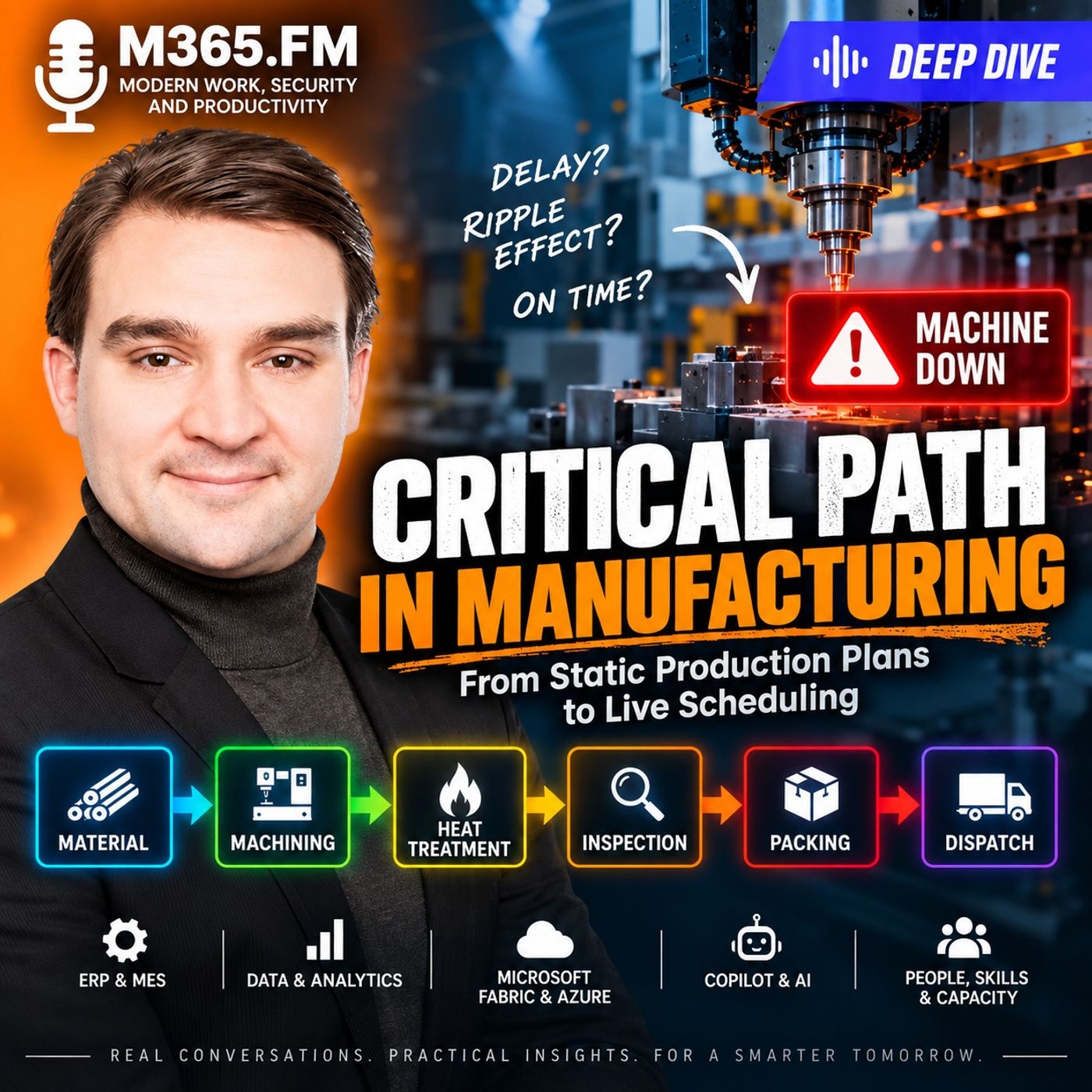
A production plan can look perfectly reasonable — until production actually starts.One machine runs late. A material release slips. A qualified operator becomes unavailable. A quality inspection takes longer than expected. A batch misses its furnace window. Suddenly, a delay of only a few hours can put an entire customer delivery at risk.In this deep dive, we explore how the Critical Path Method (CPM) can be adapted from traditional project management to modern manufacturing and production planning.The central idea is simple: the critical path in manufacturing should not be treated as a fixed sequence created when the production order was released.Instead, manufacturers need to understand the live chain of dependencies that currently determines the earliest possible completion and shipment date.That chain can change throughout the production day.A machine breakdown may initially be the problem. Once the machine recovers, however, the critical dependency could move to a furnace slot, a qualified operator, an inspection queue, a missing fixture, a quality release, or even the carrier cutoff at the end of the process.This episode examines how manufacturers can connect production orders, machines, materials, people, quality states, ERP, MES, IoT, and shop-floor events into a dependency model capable of supporting more dynamic production scheduling. WHY CRITICAL PATH METHOD MATTERS IN MANUFACTURING Critical Path Method is normally associated with project management.A project contains tasks with durations and dependencies. Some activities can run in parallel, while others cannot begin until previous work has finished.The critical path represents the sequence of dependent activities that determines the earliest possible project completion date.Manufacturing has many of the same characteristics.A released production order contains operations that need to happen in a particular sequence. Those operations can depend on:
- Machine availability
- Material availability
- Qualified operators
- Fixtures and tooling
- Inspection results
- Quality releases
- Batch windows
- Maintenance schedules
- Shift calendars
- Process approvals
- Downstream capacity
- Packing and dispatch requirements
That effectively turns the production order into a dependency network.But manufacturing introduces an additional challenge: production orders don't operate independently.They compete for shared machines, people, tools, test equipment, forklifts, inspection resources, heat-treatment capacity, and sometimes even physical space.The result is a continuously changing network of dependencies across many orders. WHEN ONE LATE OPERATION CHANGES THE DELIVERY DATE Consider a machine assembly that must ship by the end of the week.Its route could include:
- Machining
- Heat treatment
- Surface finishing
- Final inspection
- Packing
- Dispatch
Planning initially places every operation into an appropriate time window.Then the machining center stops.Perhaps a spindle alarm requires maintenance and the remaining quantity cannot be completed for several hours.At first, this appears to be a simple machine delay.But the actual impact depends on what happens next.If machining misses the next scheduled furnace load, the order may have to wait until the following batch. That later heat-treatment completion could then miss the finishing shift.Inspection moves later. Packing moves later. Eventually, the order could miss the carrier collection.A few hours of machine downtime can therefore create a full day of delivery risk.This is why production planning cannot look only at the operation that originally became late.The more important question is:Which remaining dependency now controls whether the order can ship on time? THE CRITICAL PATH IS NOT STATIC In manufacturing, the critical path can move.Before a disruption, machining might control the completion date. After machining recovers, the next furnace window might become critical. After heat treatment, inspection could become critical because there is almost no time remaining before packing and dispatch.The operational constraint has moved.This distinction is important because simply expediting the operation that appears late doesn't necessarily recover the customer date.If an order has already missed the furnace slot required to protect its shipment date, pushing machining harder may achieve nothing unless the furnace schedule can also change.A live critical path therefore needs to follow the complete dependency chain rather than focusing only on individual late operations. MATERIAL READINESS CAN BECOME THE CRITICAL PATH Production problems can begin before a machine starts.A purchase order might show that material will arrive on Friday. Planning therefore schedules machining for Monday.But physical delivery does not necessarily mean production readiness.The material might still require:
- Incoming inspection
- Certificate verification
- Quality approval
- Dimensional checks
- Lot release
- Traceability verification
Material can physically exist inside the factory while still being unavailable to the production order.Manufacturers therefore need to distinguish between expected material availability and production-ready material availability.The same problem occurs when sufficient stock exists overall but the production order requires a specific lot, specification, quality status, or reservation.Total inventory and usable inventory are not necessarily the same thing. SHARED MACHINES CONNECT DIFFERENT PRODUCTION ORDERS Finite capacity introduces another layer of dependency.Imagine four production orders waiting for the same five-axis machining center.Every individual routing might look feasible. But the machine can process only one job at a time.The sequencing decision at that machine can therefore change the delivery dates of several unrelated customer orders.A short machining job can even delay another order by an entire day if it prevents that second order from reaching a time-sensitive downstream process.This means production orders can become indirectly connected through shared resources.The live critical path may therefore include not only operations belonging to the affected order, but also other work occupying the resource that order requires. AVAILABLE CAPACITY IS NOT ALWAYS USABLE CAPACITY A machine appearing available in the planning system doesn't necessarily mean an operation can begin.The operation might require:
- A particular fixture
- An approved CNC program
- Specific tooling
- A qualified machine configuration
- A certain product revision
- A calibrated test system
- A qualified operator
Two machines might technically appear capable of performing an operation while only one is actually qualified for the current product, process, or customer requirement.The difference between theoretical capacity and usable capacity is fundamental to realistic manufacturing scheduling. PEOPLE, SKILLS, AND SHIFT CALENDARS MATTER The same principle applies to labor.A machine can be available while no qualified person is available to operate it.An operation might require a specialist for:
- Setup
- First-piece inspection
- Process approval
- Final release
- Quality verification
- Specialized machine operation
A generic pool of available labor hours cannot necessarily represent these constraints.The real scheduling question becomes:When are the machine, material, qualified person, tooling, and required approvals available at the same time?That overlap determines the earliest practical start of the operation. MACHINE STATUS IS NOT PRODUCTION READINESS Another major challenge is interpreting shop-floor machine data.A machine may report that it is available or running. That does not necessarily mean it is ready for the next production order.After maintenance, the equipment may still require:
- Warm-up cycles
- Fixture changes
- Tool checks
- Probe verification
- Cleaning
- Calibration
- Setup
- Program approval
Machine status therefore needs operational context.Even a machine that never stops can create scheduling problems if its actual cycle time begins drifting away from the standard time used by planning.Small losses on a heavily constrained resource can accumulate across multiple jobs and eventually cause an order to miss an important downstream window.Metrics such as Overall Equipment Effectiveness (OEE) remain useful for understanding equipment performance, but OEE alone does not calculate a feasible production schedule or determine whether a specific customer order will ship on time. Become a supporter of this podcast: https://www.spreaker.com/podcast/m365-fm-microsoft-365-azure-cloud-power-platform-ai--6704921/support.
Apple Podcasts · Spotify · YouTube · YouTube Music · Deezer
Host: Mirko Peters
Related articles
Transcript
Read the full transcript
Here's the problem most manufacturers don't talk about. Your planned completion date looks perfectly reasonable until production actually starts. Then one operation runs late, a material release slips, or a resource becomes unavailable, and every promised downstream moves with it. That's where critical path method becomes useful because it helps you find the dependency chain that controls delivery right now, not the chain that looked sensible when someone first released the order. Let's follow one order through a disruption that looks completely normal at first. A factory order isn't a project plan until it is. Most people first meet CPM in project management, but let's zoom out and think about a project with tasks where each takes time. Some tasks can start at once while others must wait for earlier work to finish. Put those dependencies together, estimate duration, and you can calculate the earliest possible finish date. The critical path is the chain of dependent tasks that controls that date. If a task on that path slips, the whole project slips. If a task outside that path slips, it may not affect the end date because it has spare time, which project managers call float or slack. We'll come back to that because it matters a lot on the shop floor. At first, this sounds like a project problem, not a production problem because a factory runs the same products again and again with routings, standard cycle times, work centers, shift patterns, and planning rules. A project might build a plant, install a new line or design a one off machine. Production repeats known work. But here's the thing, a released production order has a lot in common with a project plan. It has operations that must happen in a certain order and it needs material before some can start. It may need a particular machine, a fixture, a cutting tool, a qualified operator, an inspection result, and a quality release. It ends only when the product reaches the state the customer actually expects. That is a dependency network. Think about a work order for a machine assembly. Engineering defines the product, the routing defines the intended process, planning releases the order, a machine processes the first operation, material moves to the next work center, someone inspects the part and another operation can begin only when the inspection result clears it. Each of those links carries a condition. The next operation doesn't start simply because the previous operation has a planned end time. It starts when the prior work finishes, the quantity is available, the material status is acceptable, the resource is ready, and the schedule has a slot for it. That's a very different thing. In project planning, people often draw a network around one project with its own tasks, path, and team. Production doesn't give you that luxury. Your order shares machines with other orders and operators with other work centers. It competes for tools, test equipment, forklifts, heat treatment capacity, inspection staff, and sometimes even physical space to stage work in progress. One local decision can move several delivery dates. So a production order isn't an isolated project plan. It's one moving part inside a wider network of orders and constraints and that wider network changes throughout the day. A planner can release 10 orders that each look feasible on their own, then discover that all 10 need the same constrained resource during the same shift. The routing didn't change, the dependency network did. This is why a fixed production plan often starts to lose accuracy, the moment it meets the factory. The plan carries assumptions about duration, capacity, availability, and sequence, some of which hold and some don't. The machine may run slower than planned, a tool may reach its life limit, a skilled operator may move to another urgent job, or a material lot may wait for inspection. None of this means planning failed. It means manufacturing deals with physical work, shared resources, and changing conditions. You can't restart a production day the way you restart a cloud service. Parts are already in process. People have already started setups and material may already sit in a furnace or on a pallet between departments. That's why project management thinking helps. As long as we adapt it, we don't need to pretend a factory is one giant project that would turn into a planning exercise nobody can maintain. But we do need the discipline behind CPM, make dependencies explicit, track the conditions that change them, and calculate which chain now controls the promised date. The plan gives you an initial answer but life production keeps asking whether that answer still holds. Let's make this concrete with one order, one normal route, and one machine problem that exposes the whole chain. One-late operation and the delivery date. Let's walk through a production order for a machine assembly that really needs to ship by end of week. The route looks standard, machining first, then heat treatment, surface finishing, final inspection, packing, and dispatch. Planning placed each operation in a sensible time slot. The machining center kicks off early enough to feed heat treatment, which releases the batch to finishing, finishing hands parts off to inspection, and inspection clears them for packing. On paper, every handoff has time built in. Then, during machining, the constrained machining center stops. It doesn't have to be a dramatic failure. Maybe a spindle alarm triggers and needs maintenance. The repair might take a few hours. The work order has started, but only part of the required quantity is done. And the remaining parts can't move to heat treatment because the batch needs the full quantity, or the process rules demand matched pieces from the same lot. The planned handoff just evaporated. A common reaction is to look at the next apartment. Heat treatment might show open capacity later that day. Finishing may have no queue. Inspection could even have people waiting for work. That creates a false sense of safety. Each department looks available when you view it in isolation, but open capacity downstream doesn't pull material through an unfinished operation. Heat treatment can't process parts that haven't been machined. Finishing can't start until heat treatment releases the batch. Inspection has nothing to inspect. Packing can't prepare a product that's still sitting partly completed at the first work center. The outage creates a delay at machining, and then that delay travels through every dependent handoff. Now add the detail planners deal with every single day. The furnace may only load at set times. If machining misses the next load window, the order doesn't just lose the repair time. It waits until the next usable furnace slot, and that later release may miss the finishing shift. A few hours at the machining center can turn into a full day of delivery risk. That's how a due date becomes exposed. The customer doesn't care which operation caused the delay. They care whether the order ships went promised. Yet internally, different people see different parts of the same issue. Maintenance sees an equipment problem. The machining sees an interrupted job. The heat treatment team sees a missing batch. Customer service sees an order that still appears on track until someone updates the date. Each view is correct, but none tells the whole story. Let's make the timing more precise without turning this into a math lesson. Suppose machining should finish early Tuesday. The next furnace load accepts work at noon. Finishing runs Tuesday afternoon. Inspection happens Wednesday morning and packing leaves enough time for the carrier collection. When the machining center stops and work finishes after the noon furnace load, the order joins the next load instead. Maybe that load runs Wednesday. The promised shipment now depends on whether finishing can take the work immediately after release. Whether inspection can clear it and whether the dispatch cutoff still allows it to leave. A single-late operation changed the chain that controls delivery. It may also change what production should focus on. Before the outage, the machining operation carried the most pressure because it fed everything else. After machining catches up, the furnace load may become the limiting point. Once the furnace releases, final inspection may carry the pressure because there is no time left before packing and carrier collection. The operational constraint moves. That distinction matters because people often ask which operation is late. Fair question, but it isn't enough. The better question is, which remaining dependency now controls whether this orderships? Those questions can produce different answers. An operation can report late and still not threaten the due date if there's time later in the route. Another operation can finish exactly on its planned date and still control delivery because every remaining step depends on it with no room left. Planners know this instinctively. They chase the work that can still change the outcome. Not just the work that looks worse in a status report. And there's also a human side to this. When everyone sees a late machine operation, the natural response is to expedite it, push the repair, move the job forward, ask for overtime. Sometimes that's the right choice, sometimes it isn't. If the order has already missed the only furnace slot that protects the ship date, extra speed at machining may not recover anything unless the furnace plan changes, too. You need to see the linked chain before you spend effort on the wrong recovery action. Otherwise, the plant runs faster around a constraint that has already moved elsewhere. Manufacturing has plenty of those moments, usually followed by an urgent meeting and an Excel file with 17 tabs. So the visible delay is only the starting point. The real work is tracing from that delay through the operations, handoffs, and release conditions that lead to the customer promise. Only then can you tell whether the order is recoverable where intervention helps and which dependency controls completion now. What critical path actually means on the shop floor? Critical path sounds like a fixed label. In a factory, it rarely is. Here's what it actually means. The chain of remaining dependencies that sets the earliest possible completion date for a specific order, given what the factory can actually do right now, not what the original plan assumed when it released the order. That chain might begin with work already in progress. It might begin with an operation that hasn't started. It can even begin with a release condition that nobody sees as an operation, but which still prevents the next physical step from starting. Think about an order with three remaining branches of work. The main component needs machining and heat treatment, a purchased subassembly needs to arrive and pass incoming inspection. Meanwhile, a document pack needs approval before shipment. All three branches lead to the same customer commitment, whichever branch finishes last controls the delivery date. That is the critical path, not the most expensive operation, not the operation with the loudest escalation, not automatically the first operation in the routing. It's the chain that leaves no usable time between the work still required and the promised finish. Project planners describe that spare time as float or slack. If an operation can slip by a shift and the order can still ship on time, it has float. If moving it by one hour moves the final completion by one hour, it has zero float. That operation sits on the critical path at that moment. Low float deserves attention too. A job with only a small amount of slack may not control the date yet, but a routine disruption can put it there very quickly. A late operator handover, a slightly longer change over, or a short wait for inspection can consume that remaining room. The path changes before anyone updates the order status to red. This is where shop floor planning differs from a neat project network. In a project task, durations often sit still long enough for a planned path to remain useful. On the shop floor, durations can move, resource availability can move, and the sequence can move sometimes within the same shift. The calculation needs to deal with the current state, not just planned dates copied forward from Monday morning. Some work happens in sequence. You can't inspect a part before the process that creates the feature you need to inspect. Other work can happen at the same time, while one team completes a mechanical assembly, another team may prepare packaging material or assemble a separate module. Parallel work can shorten elapsed lead time, but parallel work only helps if the branch is joined before the final deadline. If one branch has room and the other has none, speeding up the branch with room doesn't change delivery. This sounds obvious when you say it out loud, yet plants spend a lot of energy, improving visible activity that doesn't alter the customer date. A critical path calculation puts a different question in front of the planner. Where does extra time still change the outcome? That question changes the daily discussion. Instead of asking every department to hurry, you can ask which operation release or handoff needs protection because it has no slack left. You can also see which work can wait without causing harm, even if it feels uncomfortable to leave it alone. Urgent status doesn't answer that question. An order may carry a high priority because of its customer, margin, contract terms or internal attention. Those are business reasons to care about the order. They don't prove that every operation on that order controls its finish date. Imagine an urgent order with final packing scheduled well before dispatch. Packing may carry two days of float. At the same time, a lower priority order may need a short test on the same constrained resource. And it has no float at all because a follow-on shipment depends on it. If you pull the test resource away solely because the first order has an urgent flag, you can create a new late order without improving the urgent one. Priority matters. Dependency timing matters too, planning needs both. That's why a live critical path shouldn't become another color code in a report. It should explain the current logic behind the date. This operation needs to finish by this time because the next operation needs a resource at that time and the next handoff has no remaining room. When the logic is visible, production, planning, quality and customer service can discuss the same problem instead of defending separate status views. There's one common shortcut that causes confusion. People look at the routing and assume its sequence already tells them the critical path. It tells you part of the story but only part. Why a routing is not a critical path? A routing tells you how a product should move through production. It might say a part goes from turning to milling, then heat treatment, then inspection, and it includes plan setup time, run time, the work center and sometimes an alternate work center. That process logic matters but it doesn't calculate the delivery risk on its own. Think of the routing as the recipe for the part. A critical path answers a different question. It takes the work already released, the resources available right now, and the plan's timing rules then figures out which chain actually controls when this order finishes. Those two things often overlap, they don't always match. Take a routing where milling comes before heat treatment. The routing tells you the physical order of work. But if milling finishes early and the next qualified furnace run is two days away, milling isn't controlling the date anymore. The furnace queue is, or look at an operation with two approved machines. On the routing, it's one step with one planned duration. In live production, those two machines don't give you the same answer. One might be tied up on a long job. The other might be technically capable, but it needs a fixture change, a proven program, and an operator who knows that product family. So the operation doesn't simply have two slots. It has a set of conditions that decide whether either slot is actually usable in time. The routing records, the allowed choices, the critical path depends on which choice remains feasible right now. Parallel work adds another layer. Some products can move in transfer batches instead of waiting for the whole order quantity to finish. If the first batch leaves machining and feeds the next process, downstream work starts while machining continues. That can shorten the order's total time. But only if the process rules allow the overlap, the next work center can accept the partial batch and the handoff doesn't create a new delay. If heat treatment needs a full matched batch, then partial machining completion changes nothing for that operation. The routing might list the same sequence in both cases, but the timing logic differs completely. Waiting time causes the same kind of confusion. A routing often contains standard labor and machine time because those figures support planning and costing. Yet the order might spend more elapsed time waiting between operations than it actually spends under a tool in a furnace or at an inspection bench. The route tells you where the part should go, it doesn't tell you when the part can actually go there. That gap is where planners spend most of their day. A short operation can control delivery more than a long one. Picture 10 hours of machining with a full shift of float behind it, followed by a 20 minute inspection that has to happen before a fixed shipping cut off. The machining looks bigger, but inspection carries the timing pressure. If the inspector isn't available in that window, the order misses dispatched. That doesn't mean the machining team can relax. It means the plan needs to protect the inspection slot just as carefully as the main production work. Without a time-based dependency view, the plant might focus on the longest operation just because it looks risky. Length and criticality aren't the same thing. There are also routing rules that look stable until a planner starts asking practical questions. Like whether this operation can overlap with the next one, or if the product needs to cool for a set period, or whether a batch can split across two machines. Those rules shape the possible schedule. A critical path calculation takes those rules and then applies the current facts. Actual release time, remaining work. Available capacity, handoffs, and any known restrictions. The result isn't a pretty or rooting, it's a current explanation of what really controls completion. For planners, this means you need two connected views of the same order. You need the routing because it captures product and process intent. It tells the system what work belongs in the order and which paths comply with engineering and quality rules. Then you need live constraint logic to test whether that intended route can actually finish under current factory conditions. One without the other leaves a blind spot. A routing without live constraints might look feasible while the order actually waits behind another job, misses a handoff, or loses access to an alternate resource. And a schedule without rooting logic can produce an attractive answer that ignores how the product must actually be built. Neither result helps the person standing at the machine with a work order in their hand. This is also why copying routing dates into a spreadsheet doesn't fix the issue. The spreadsheet might show every planned operation in sequence, but unless it includes the changing constraints in the relationships between them, it's just a list of intended dates. People repair the missing logic manually through calls, whiteboards, and experience. Excel keeps surviving because it captures the conversation that systems often miss. The job isn't to replace that conversation with a more colorful report. The job is to give planners a model that carries the process rules and updates the timing logic when production changes. Then they can see whether a delay matters, where it travels, and which intervention still protects the customer date. The first moving dependency often appears before any machine starts. Material readiness. Material changes the path before the first machine runs. Material readiness can put an order on the critical path before anyone touches a machine. A planner sees a confirmed purchase date in the ERP and assumes the material will feed production on Monday. But that date usually describes an expectation. Production needs material that has actually arrived past the required checks and can legally enter the process. Picture a purchase casting needed for the first operation. The supplier confirms delivery for Friday, so planning schedules, machining for Monday morning, and the rest of the route follows from there. It looks clean. Then Friday arrives and the casting shows up, but incoming inspection hasn't released it. Maybe the receiving team still needs the certificate of conformity or the lot waits for dimensional checks, or a quality rule requires sample approval before the material can move into usable stock. The casting is physically in the plant. For the work order, it might as well still be on the truck. That's a common gap between an ERP material date and a production-ready material date. ERP holds the demand, purchase order, supply or promise, and expected receipt. Those records matter, but the first operation needs a different answer. Whether the operator can issue the right quantity from the right lot under the right quality status at the time the schedule needs it, and that answer can change quickly. Raw stock might arrive short, or the supplier splits delivery across several receipts. The material exists, but only enough quantity has passed inspection to start part of the order. At that point, planning has choices, and each choice changes the path. You could wait until the full quantity clears and run the order as one lot. You could release the available quantity and split the order into smaller production batches. If the process and traceability rules allow it. Or you might protect another order that needs the same material and delay this one. None of those choices belongs only to purchasing. Each choice changes the timing of operations, transfer points, inspection work, and the likely shipment date. Splitting an order can pull the first finished units forward, but it can also create extra setups, more handling, separate quality records, or a mismatch with a downstream batch process. The material problem doesn't disappear when material becomes available. It changes shape. Substitute material creates another version of the same issue. Someone might suggest an approved alternative grade, a different supplier lot, or stock meant for another product family that sounds like a simple stock decision. In practical terms, it can change the required process parameters, tooling, inspection plan, or documents needed at shipment. An alternate material can save the date, but it can also create new dependencies, the original route never needed. Engineering may need to approve the substitution. Quality may need a deviation or extra testing. The machine program may need a different setting. A material change can move the critical path from supplier receipt to approval and release. That isn't bureaucracy for its own sake. Material rules exist because the part has to perform after it leaves the plant. A schedule that ignores those rules might look fast, right until it creates a quality or compliance problem nobody can explain later. Consider a more subtle case. The material arrives on time, passes incoming inspection, and sits in stock. The machine plan still looks clean, but the order requires a specific lot because it must stay traceable with an earlier subassembly, and that lot has been reserved for another customer commitment. Now the constraint isn't physical inventory. It's usable inventory with the correct identity. Planners run into this all the time. The ERP may report enough stock in total, but the production order can't use that stock because of lot status, shelf life, customer rules, test results, or reservation logic. Total quantity answers an accounting question. Production readiness answers a different one. For a live critical path, material needs more than a planned availability date. The model needs to know what the order consumes, how much it consumes, which lot of specification it requires, whether a partial release works, and which events turn material from expected into usable. Receipt inspection release, document approval, and issue to production can each change the earliest start time. This also changes how you respond to a late supplier delivery. The obvious response is to expedite the supplier, and that can help. But it won't protect the order if incoming inspection closes before the material arrives, or if the next production window falls after a weekend or a planned shutdown. You need the full chain. Material doesn't just feed the first operation, it can control every promise that follows. And once material becomes ready, it enters a factory, where it competes for the same finite resources as every other released order. Shared machines turn separate orders into one network. Once the material is ready, a different kind of dependency takes over. Shared capacity. Picture a single five-axis machining center that handles a family of high-value parts. It's not the only machine in the plant, but for this product family, it's often the only one with the right travel range, spindle capability, program approval, and inspection history. Every order that needs that machine joins the same queue. On their own, those orders can all look feasible. Each routing contains a machining operation. Each work order has a planned duration, and each customer order has a due date. But the machine can only process one job at a time, and the sequence you choose at that work center changes the completion path for every order behind it that turns separate orders into one network. Say you're the planner with four jobs waiting. One needs a short machining operation then moves into a long downstream process. Another needs most of the shift on the machine, but ships later in the week. A third looks urgent because of its customer priority, and the fourth needs a setup that matches the machine's current configuration. There isn't an automatic right answer. If you run the short job first, you may release it into the next process before a time-sensitive hand off closes. If you run the long job first, you might protect a later delivery date but block two orders that have less slack. If you preserve the current setup, you save change over time, but you may hold an order whose next operation has a narrow window. A local sequencing choice becomes a delivery decision across several customer orders. This is where Project CPM needs an adjustment for manufacturing. A project network usually assumes a task has access to its planned resource, but a factory schedule needs to account for finite capacity. It has to recognize that the same machine links work orders that have no direct product relationship at all. They become connected because they need the same constrained resource. The operation duration can even mislead you. A 10-minute job can block an order for a day. Not because the operation takes a day, but because it's placed in the queue prevents another order from reaching a process window. If that short job sits ahead of an order waiting for a furnace load, its sequence can decide whether the second order catches that load or waits for the next one. The short job now belongs to the other orders' critical path. That feels strange until you think about the factory as it runs. A part doesn't only depend on its own route, it depends on the other work competing for the resources along that route, and the more constrained the resource, the more those dependencies spread across the order book. Setup families add more details. Suppose several work orders use the same fixture, tool package, material grade, or machining program family. Grouping them can reduce setup work and lower the risk of configuration mistakes that often makes good operational sense, but grouping only by setup family can push a due date sensitive order behind work that happens to fit the current machine state. Setup efficiency and delivery protection can point in different directions. Machine qualification adds another condition. Two machines may appear as approved alternatives in a planning system, while only one can process a certain revision, user required fixture, or meet the measurement tolerance for a specific customer requirement. The second machine exists, but it doesn't create usable capacity for that operation. A planner needs to know the difference between available capacity and qualified capacity. Without that detail, a schedule can look feasible right up to the point where someone tries to release the job and then the team discovers that the tool sits on another machine, the program needs approval or the alternate resource cannot run the part under the required process rules. The system has counted hours that production can't actually use. That isn't a small data issue. It changes the dependency network. For a live critical path, each constrained machine needs a current queue, real remaining durations, allowed operations, and the conditions that make an operation eligible to run. Then the model can trace more than the root within one order. It can trace which other order occupies the resource first, which sequence creates delay, and which change might recover a delivery date without quietly damaging another one. This doesn't mean planners should hand every sequence to an algorithm and walk away. Local knowledge still matters. A supervisor may know a tool has reached its wear limit. An operator may know that a program runs poorly after a certain setup and a maintenance team may know that the machine can run but shouldn't take a long unattended cycle. The point is to put that knowledge into the decision, rather than leaving the dependency hidden. A bottleneck machine connects orders and its queue connects customer promises. Even a perfect machine schedule still leaves another constraint that can change the path. The people who can perform and approve the work. People's skills and shift calendars change the schedule. A machine can sit open on the plan and still provide no usable capacity. That happens when the operation needs more than machine time, which is common in complex production, where a qualified operator, a first piece approval, or a specialist sign off decides where the work can actually start during a given window. Planning systems often represent labor as a pool of available hours and that works for rough capacity planning. But on the floor, the question is usually more specific. Who can run this machine, this product revision, this toolset and this process under the required rules? Generic labor capacity doesn't answer that. Imagine an operation that needs a trained operator because the process includes a controlled setup and a first piece measurement. The machine becomes free at two in the afternoon, material weights at the work centre and the order carries little slack. But the qualified operator works the early shift and has already gone home. A colleague may know the machine well enough to keep a familiar job running, but that doesn't mean they can start this job, make the setup decision, or sign the first piece record. The work waits until the next qualified person is available, even though the machine Canada shows empty capacity. That waiting time belongs in the schedule. People also move through the factory in ways of standard routing rarely captures. A process engineer may need to approve a setup after an engineering change, a quality technician may need to release a first article, or a maintenance electrician may need to reset a protected condition before the machine can return to service. Those people become dependencies too. This doesn't mean every specialist needs to appear as a separate work centre in every plan, that would create a model nobody wants to maintain. It means the model needs to represent the conditions that matter for the flow you are trying to protect. If first piece approval blocks a constrained operation, the schedule needs to know that. Shift calendars add another layer. An operation may require four hours of touch time, but four hours of work don't always equal four hours of elapsed time. Started late in an afternoon shift and the job may pause at handover, or started before a weekend and the next required skill may not return until Monday. The calendar changes the path, take an order that reaches a test cell at five o'clock. The test itself takes less than an hour so on paper it looks harmless, but the person authorised to review the result works until 430 and no one else can release the unit for the next process. The job doesn't move that evening. A simple duration estimate would place the operation at one hour, but the actual lead time becomes longer because the task includes a review gate tied to a person and a calendar. If the customer commitment sits close, that review becomes the dependency controlling delivery. Overtime can change the answer, but it isn't free capacity in the abstract. Someone needs approval to authorise it. The right operator has to be willing and permitted to work it and safety rules for T-glimits, labour agreements and local policy may limit the choice. A plan that assumes unlimited overtime is just a plan that has hidden its problem. Even when overtime is available, planners need to ask whether it helps the right place. Bringing in an operator for an operation with several hours of slack may feel productive, while a short approval task on the actual path still waits until the next day. That is how a plan spends money without changing the ship date. Skill rules can also change after production begins. An experienced operator may be reassigned to a high-risk job, a trainee may run the machine under supervision but cannot release the work alone or a new product revision may require a different certification. These aren't edge cases in high-mix manufacturing. They are normal conditions that separate theoretical capacity from capacity you can safely use. So when you calculate a live critical path, don't ask only when the machine is free. Ask when the machine, material, qualified person and required approval all become available at the same time, that overlap determines the earliest legal and practical start. A machine slot without the right person isn't a slot, it's a gap in the calendar. This is also where planning and production need to work from the same definitions. Planning may own the schedule logic but production knows who can run which jobs under real-shift conditions and if that knowledge lives only in the supervisor's head, the schedule will keep discovering it too late. The dependency model should capture stable qualification rules and calendar constraints and local teams still need a way to report the exceptions that change today's plan. That gives you a schedule based on actual operating conditions, not a convenient assumption that any available pair of hands can run any open machine. And once the right person is available, you still have to check whether the equipment is truly ready for production or whether the schedule only thinks it is. Machine status is not production readiness. Here's the problem. Most manufacturers don't talk about a machine status like running or available doesn't prove production can actually start the operation you need. A schedule may show the machine as back in service but none of those labels guarantees that the next job is ready to go. Production readiness is more specific, the machine needs to be capable of the work in the right condition with the right tooling, the approved program, release material and someone ready to run it. Miss one of those conditions and the slot on the schedule is only theoretical. Think of it like this. You can't start a job just because the spindle spins, take a machining center that comes back after an alarm. Maintenance clears the immediate fault, the controller shows the machine ready and planning sees capacity again so they move an urgent job into the next open slot. Then the team finds the spindle needs a warm-up cycle, the previous job left a different fixture installed and the required probe check still needs completion before the controlled operation can begin. The equipment runs, the order still waits. That difference gets lost when people use a single status field for a machine. Running can mean the spindle turns or it can mean a job is active or it can mean the machine is connected to the monitoring system. None of those meanings tells the planner whether this specific operation can safely start and finish within the required window. A status needs context and that context isn't a green light. Let's zoom out for a second. Consider planned maintenance. The machine may work perfectly at 9 in the morning but a maintenance window begins at noon and the operation needs five hours after setup. Starting it might create a poor handover and interrupted cycle or a decision to defer the maintenance task. Those choices affect more than one work order and a basic availability flag won't explain them. In practical terms that means you can't schedule around a status light. Cleaning, change over and setup belong in the same conversation. A coating line may show idle capacity but it means cleaning before it can process a different finish. A test cell may sit empty while its fixture remains in calibration or its software version doesn't match the product revision. The resource exists but it hasn't reached a state where it can process that work. That distinction changes the earliest possible start and plan is rarely see it. Now here's a less obvious issue. A machine may run within normal limits while its actual cycle time drifts away from the standard time used in planning. Perhaps material requires more passes or the tool condition changes or a program revision adds checks that the old time standard didn't include. The machine doesn't stop but it consumes more capacity than the plan expected. Small changes can travel through a loaded schedule. If a constrained resource runs slightly slower across several jobs the last job in the queue may lose the slot it needs for the next operation nothing appears as a major incident. OEE may still look acceptable for the shift yet the orders path changes because the remaining capacity no longer fits the same sequence. OEE helps you understand equipment performance it can point to availability loss, speed loss and quality loss but OEE doesn't calculate a feasible schedule. A high OEE result doesn't tell you whether the right machine, tool operator and process release come together before a customer cutoff. A lower OEE result doesn't automatically mean an order will ship late. It's a signal not a planning answer. This matters when shop floor events flow into planning systems. A raw machine signal might report an alarm, a state change, a cycle complete or a long idle period. Those events can be useful but they need interpretation before they move a production promise. An alarm may stop the current operation or it may clear in seconds and have no impact on output. A cycle complete signal may mean one part finished but not that the quantity required for transfer has become available. An idle state may mean the machine waits for material, an operator, a tool, a quality release or simply the next scheduled job. Raw telemetry can't tell that story alone. The MES can add execution context which order ran, what quantity completed, whether the operation stopped and whether scrap or a hold changed the result. Production and maintenance add another layer whether the asset can take the next job under which limits and from when. Only then should planning recalculate. So what question does a planner actually need answered after an equipment event? Not is the machine green? The useful question is which operations can this resource complete from what time, at what realistic rate and under what conditions? That answer can change the critical path without a single dramatic breakdown. A job may lose its place because setup takes longer than expected. Another job may move ahead because it fits the machine's current tooling and still protects a downstream deadline. A maintenance constraint may force a split in available time. Each event changes more than capacity. It changes the timing of dependent work. That's why real-time visibility only helps when the event connects to production meaning. Otherwise you get a very accurate record of the machine state and still no clear answer about the customer order. The dependencies planners miss most often sit between operations in the time when a part appears finished but can't yet move forward. Transfer batches, queues, and hidden waiting time. Let me give you a scenario that sounds simple but causes real headaches. A part can finish an operation and still not move forward. That gap often controls delivery more than the time spent cutting, assembling, or testing the part itself. Consider an order moving from machining into heat treatment. The machining team completes the first pieces early and from a local view the job looks ahead of plan. But heat treatment may require a full transfer batch not a few finished pieces. Until the required quantity reaches the staging area the furnace team can't load the work. Completion at one operation doesn't always create a usable handoff. Transfer batch rules decide how workflows between operations. In some processes the whole production lot must finish before the next process starts. In others a smaller transfer quantity can move ahead while the previous work centre continues with the rest. That overlap can reduce elapsed lead time but it also adds more tracking work. You need to know how much quantity has completed which quantity passed the required checks and whether the next operation can accept it. A status of operation complete often hides more than it explains. Say a machining order needs 100 parts and the furnace accepts loads in groups of 50. If the first 50 parts finish at the right time the order may catch an early furnace load while machining continues with the rest. If only 48 parts finish the furnace load may leave without them. Two parts then create a weight that affects the whole batch. That sounds almost silly until you see it happen. The machine didn't fail. The workers didn't stop. The order simply missed a transfer rule. Yet the path changes because the next process follows its own capacity and loading pattern not the timing of one upstream operation. Cues create the same effect especially around shared processes like heat treatment, coating, washing, painting, or final inspection. A part may physically arrive at the next department but the department already has work waiting. Its planned start time means very little if the queue contains several other jobs that need the same furnace, booth, chamber, or test bench. The part has arrived. It hasn't entered the process. Batch furnaces add their own logic because they don't behave like a single machine processing one order after another. The team needs a compatible load. Parts may need the same cycle, temperature range, atmosphere, fixture, or customer approval. A furnace can have open physical space while the order still can't join the load because its process requirements don't match. So capacity isn't just a number of open hours. It's a set of load opportunities, each with rules. The planner needs to know when the next compatible batch can run whether the order will be ready in time and whether adding it displaces another order with less slack. A simple queue position won't always answer that. Internal transport adds more waiting that rarely appears in a basic routing. A completed pallet may wait for a forklift. It may need a controlled route between areas. The receiving work centre may lack staging space In some plans, work cannot move because the next area already holds its maximum WIP. That limit can protect flow. It prevents one department from filling another with parts that can't process, but it also means an upstream operation may need to pause even when its machine and operator remain available. The order's next step depends on physical space, transport timing, and the readiness of the receiving area. These constraints don't show up well when every operation gets only a standard runtime. A planner might see 30 minutes of machining, 2 hours of heat treatment, and 20 minutes of inspection. The actual elapsed time can stretch across a day or more because the order waits for a batch, a queue position, a transport move, and an open staging location. Touchtime tells you how long someone works on the part. Flowtime tells you how long the customer waits. Those are different measures. Value stream mapping often makes this visible because it follows the work across departments and records where it waits. You don't need a large transformation programme to learn from that exercise. Map one late order from release to dispatch, then ask how much time went into processing and how much time went into waiting for the next condition. The answer can be uncomfortable. It can also change where you focus. If the order spends most of its time waiting for a compatible furnace load, reducing machining cycle time may not protect the due date, you may need better batch planning, earlier release, a different transfer quantity, or a decision about which order enters the next load. The critical path includes those waits because the customer experiences them just like any other delay. A part doesn't care whether it waits because of a machine, a queue, or a pallet location. It just doesn't move, and there is one form of waiting that can appear without warning. Because it depends on the result of work already completed. A quality hold? Quality holds can rewrite the entire network. A quality hold doesn't just flag a part, it can stop an order after everyone thought the hard work was finished. Imagine a batch leaving surface finishing and moving to final inspection. The parts look complete. Machine time is behind you. The next work centre has room. The order seems almost ready for packing. Then inspection finds a result outside the allowed range. The order stops right there. That inspection gate isn't a report about production after the fact. It is part of the production path itself. Until quality releases the parts, the next operation, shipment, or customer acceptance step may stay blocked, even when every physical resource downstream sits idle waiting. A hold also creates uncertainty, and uncertainty changes how you plan. The team might need to measure more parts, review the process record, check the material lot, or decide whether the result affects the full batch. During that time, the schedule can't safely assume the work will continue as planned. The path now includes a decision and a release condition, not just a machine operation. Sometimes quality releases the parts after review. In that case, the delay may eat into float but leave the due date intact. Other times, the result triggers a non-conformance process and sends the order down a rework route. That route can look nothing like the original one. A part may return to machining, go through a repair operation, get another coating pass, or require new testing. It may need replacement material. The original routing described how to build a conforming part under normal conditions. The rework route describes what the plant must do after a specific result changes those conditions. This is what I call a conditional dependency. It exists only if something goes wrong, but when it appears, it can become the longest chain to delivery. The rework may need a machine that already carries a full schedule. It may need the same heat treatment window the order missed earlier. It may require a specialist who can approve the repair method or perform the retest. The quality result changes both time and demand. That's easy to miss if a system treats quality as a simple pass or fail field attached to the end of an operation. A failed result does more than change the status of one part. It can create new work, consume scarce capacity, change material needs, and push other orders backward in the queue. Think about a constrained inspection bench. Planned production work arrives throughout the day, each order needing its normal inspection step. Then a rework batch arrives and needs urgent retesting before a customer deadline. If the team inserts that batch ahead of plant work, the retest may protect one shipment while it reduces the remaining slack on several others. Quality work competes for capacity, just like production work. Same story at a bottleneck machine. A repair can feel like an exception that needs immediate attention. In some cases it does, but if the machine can only process one job at a time, the rework sequence becomes a planning choice with wider effects. You can't treat it as invisible work. This is where planners need more than an alert that reads quality hold. They need to know which order quantity is affected, which downstream work is blocked, what rework or retest steps could follow, and which resources those steps will need if the hold becomes a failure. That doesn't mean every possible failure pass belongs in the daily schedule. You'd end up planning for every bad day before breakfast. It means the model needs enough structure to respond when a real quality event occurs. The response starts with clear business rules. Can the next operation begin under a control deviation or must all work stop? Does the issue affect one serial number, a sample or the full lot? Who can release the decision? Does rework need an approved instruction before it can start? These rules determine whether the hold creates a short pause or a new branch in the dependency network. A system can calculate timing only after those conditions have real meaning. There is also a trust issue. If production records an operation is complete before quality records the hold, planning may assume capacity. Downstream will receive work that cannot actually move. Supervisors then see a schedule that looks feasible, but conflicts with the product status they must protect. That kind of conflict doesn't come from poor intent. It comes from treating quality as separate from flow. Quality is part of flow. It decides whether the product can proceed. Once you model that clearly, a hold becomes more than a red status. It becomes an event that can trace through, blocked operations, possible rework, shared resources and customer commitments. The planner can see not only that an order is at risk, but why the path changed and where the next decision lives. And that decision can reach beyond the current order. A change to the product definition can arrive while work already moves through the plant bringing a different set of dependencies with it. Engineering changes arrive mid-order. An engineering change can enter production while the order is already moving and it changes more than a document number? Imagine a component that has completed its first machining step under revision A. Before the next operation begins, engineering releases revision B because a dimension, material callout, process setting, or assembly interface needs to change. The production order now sits between two valid states. Work completed under the earlier revision may still be acceptable or it may need review. That decision depends on what changed, where the path sits, what process records exist, and whether the earlier work still meets the new product intent. A revision change can alter the routing itself, maybe the revised part needs an extra inspection step. Maybe it now requires a different heat treatment profile, a new coating, or a different fixture at assembly. The bill of materials may change too, which means a component already issued to the order no longer fits the release definition. That creates new dependencies while the original dependencies still exist. Engineering may need to confirm whether completed work can continue. Quality may need to approve a deviation. Production may need new work instructions before the next operation starts. Tooling may need adjustment. If the change affects a controlled program, the machine cannot simply run the next part, because someone sent an updated file. The order needs a clear release path. There are usually a few possible choices and none should happen by accident. The plant may scrap work that no longer meets the released revision. It may rework the part to meet the new requirement. It may continue under the earlier revision through a controlled deviation. If the customer, quality system, and product rules allow it, each choice creates a different schedule. Scrap creates replacement work and new material demand. Re-work creates added operations, often on the same constrained resources already under pressure. Control-continuation may protect the immediate flow, but it needs traceable approval and a clear boundary around which units can proceed. A planner can't treat those parts as a simple data adjustment. The planner needs to know which exact serial numbers, lots or quantities reached which operation before the revision changed. They need to know what materials those units consumed, what instructions govern the work, and what evidence proves the state of each unit. Without that link, the schedule can claim an order will finish, while nobody can confirm whether the finished product matches the release definition. That is a product process resource problem. The product definition tells you what should exist. The process definition tells you how to produce it. Resources tell you where and under what conditions the work can happen. When engineering changes one part of that chain, the system needs to identify the work orders, operations, tooling, material lots, and instructions touched by the change. Otherwise, people reconstruct the impact manually. Someone exports the open orders, someone else checks paper travelers or MES history. A supervisor walks to the work centre and asks which pallets already went through the first operation. Engineering checks whether the toolpath changed, quality searches for the last approved inspection plan, that work can be necessary, especially in a controlled environment. But if every change begins with a scavenger hunt across systems, the plant loses time before it can even choose a safe response. The dependency model should carry revision identity through the order. That means an operation isn't only machining complete. It is machining complete for this product revision, using this process revision with this approved instruction and where needed this tooling or program version. The level of detail depends on the product and risk. You don't need to model every screw as a separate drama, but you do need enough traceability to answer our practical question. Which work can continue and which work must stop until someone approves the next step? Approval itself becomes a schedule dependency. A revised drawing might exist in the engineering system, while the released manufacturing instruction still waits for review. The technical change may be correct, but production cannot act on an unreleased or unclear instruction. In a live critical path, document release and approval time need the same treatment as any other blocking condition. They consume elapsed time. This can feel frustrating when an order is close to its due date. People want to keep material moving. Yet pushing work forward without clear revision control can create a far larger problem later, especially when traceability, customer requirements, or safety related product rules apply. Speed isn't the only goal, correct flow matters. Once the revised order reaches its final operations, the remaining path no longer ends just because the product leaves the last machine. It ends when the product can meet the customer promise under the right revision with the right records and release state. Delivery dates depend on more than the last operation. Here's the real catch most people miss. A product that's finished production isn't necessarily ready to ship. Picture an order that clears final assembly on Thursday afternoon. Production marks it complete, and it looks done from a manufacturing standpoint, but packing still needs the right protective material to labels and customer specific documents before dispatch can release it. Finished goods and shipable goods are two different states entirely. For a simple local delivery, that gap might be small, but if you're dealing with a regulated product in export order or a customer with strict documentation rules, that gap controls the delivery date, even when every production operation finished early. Think about a unit that needs a final test certificate, a material certificate, and a signed release record. The physical item sits in the finished goods area ready to leave, yet one missing document can hold the shipment because the customer, carrier, or border authority expects those records to travel with the product. So the product exists, but the business commitment still isn't met. Packing has its own capacity and timing constraints. A plant might have limited space for large items, a specialist packing team, or packaging that must match customer specs. If that team only works a certain shift, a late final inspection pushes packing into the next day, even if the inspection delay itself was just minutes. That elapsed time needs a place in the schedule. Carrier cutoffs add another hard edge. This patch may need freight ready by a fixed collection time, missed that window, and the shipment waits for the next carrier run. For some destinations, dispatch only happens on selected days, and export checks or booking rules need completion before the product can even enter the dispatch queue. A plan that ends at machine completion stops too early, the critical path should run through the event that fulfills the actual promise. Goods packed and released, loaded onto a named carrier, or a customer acceptance step, especially if the contract uses acceptance to trigger delivery or payment. You need to define the finish line clearly. Why does this matter? Because different teams use the word complete in different ways. Production means the final operation recorded good quantity. Quality means the item passed inspection. Logistics means it sits in a dispatch lane. Customer service means the carrier confirmed collection. All of those states are useful, but they aren't interchangeable. Consider a customer order that allows partial shipment. If half the quantity is ready, packing and dispatch can protect part of the promise while the rest follows later. But that depends on commercial terms, freight cost, customer preference, and whether a partial delivery creates a problem at the customer's assembly line. Partial shipment isn't just a logistics choice, it changes the dependency network. The first available quantity follows one path to dispatch while the remaining quantity stays on a separate path through production and release. Planning needs to know whether the customer accepts that split, because an internally sensible recovery plan can still fail the actual commitment. Final inspection often becomes the pressure point near a due date. The physical work finishes, but the order can't pack, load, or ship until someone releases the result. If the inspection resource has a queue, that queue can control customer delivery more than the production operation that consumed most of the labor and machine time. A short gait can control a long route. There are practical details too. Labels may need a specific customer format, export classification may need verification. Dangerous goods rules change packing methods and carrier choices. A carrier booking can expire if they're ready-date shifts. None of this belongs in the machine routing, but all of it affects whether the order meets the promise. Those dependencies need a place in the plan that doesn't mean a production planner has to personally manage every freight document or packing task. It means the order's delivery model needs to connect production completion to the conditions that turn a completed product into a fulfilled commitment. Otherwise, the plan celebrates a finished order while customer service explains why it didn't ship. So when someone asks for the critical pass, don't stop at the last physical operation, follow the order until the commitment becomes real. That's where the due date lives, and it's also why another late order dashboard rarely gives planners the answer they need. Why dashboards don't solve a dependency problem? I've seen the scenario play out more times than I can count. A late order dashboard shows you which orders need attention, downtime, queue size, oe, missed plan, and the customer due date sitting uncomfortably close. That view helps, but it doesn't tell the planner what can still happen next. Because a dashboard describes the state it receives while a dependency problem needs the system to reason across time, rules, and limited capacity. Take a familiar morning meeting, production sees a machining delay, quality sees work waiting for release, customer service sees an order that will miss its requested ship date, and planning sees a gap in the schedule. Each team looks at a correct report, yet they draw different conclusions. Production asks for more machine time, quality asks for a faster review, customer service asks whether a partial shipment can leave, and planning sees that none of those actions protects the date because the real constraint sits later in the flow at a shared inspection resource. The reports don't disagree because anyone built them badly, they disagree because each report answers a local question. Power BI can bring those views together. It helps people explore trends, compare plan against actual, and get a common view of the facts. If the data model is sound, it can even show where delay starts to build, but a report doesn't automatically calculate a feasible response. Knowing that a machine stopped for an hour doesn't tell you which orders lost the next available slot. Knowing that an operation finished late doesn't tell you whether the downstream resource can still take the work, whether the required operator is on shift, or whether the order can still catch dispatch. Those links need explicit logic. This is the difference between a status view and a dependency model. A status view tells you an order is late, at risk, or complete. A dependency model traces why that state exists, what other work it affects, and which conditions must change before the date can recover. That takes more than joining tables by order number. The system needs to understand that an operation requires a particular material state, a qualified resource, a time window, and maybe a quality release. It needs to know that finishing one operation unlocks another, only when the right quantity, batch rule, or approval condition has been met. Without those relationships, the dashboard becomes a well-organized list of symptoms. This is partly why Excel survives in manufacturing, even after a Power BI rollout. The spreadsheet isn't always better at storing data. It survives because an experienced planner uses it to connect context that the enterprise systems don't connect for them. They add a note about a tool change a sequence based on a call with the supervisor, mark a material lot as not really usable. Or remember that a customer accepts a partial shipment, but only if the first delivery includes a certain sub-assembly. That spreadsheet becomes a working model of the factory. That knowledge matters, but it often lives in one person's file, with manual updates, unclear source dates, and assumptions nobody else can inspect when the planner is away. A polished report beside that spreadsheet doesn't solve the issue, if the report lacks the relationships inside it, you haven't removed the manual planning work. You've just placed it next to nicer charts. A dependency problem also needs time logic, not just current state. If the furnace queue changes, you need to know which orders can reach the next compatible load, which ones miss it, and where the resulting delay travels through the rest of the schedule. That means calculating possible start and finish times against real constraints. Reports can display the result of that calculation. They can explain a change path in plain language and direct attention toward the orders with no slack left. But the calculation needs to happen somewhere, using defined process rules and trusted execution events. A visual layer can't invent missing relationships. This matters for IT and OT convergence too. You can connect the shop floor to Azure, Land Data and Microsoft Fabric, and build a very good Power BI report. Yet if an equipment event has no link to the affected work order, resource condition, remaining duration, and downstream commitments, the architecture still can't answer the planner's question. It can report the event, it can't explain the impact. So before you choose a dashboard layout, agree on the information the planning process needs to trust. Define the objects in the flow, the relationships between them, and the events that change those relationships. Only then does reporting become useful for decisions, rather than another place to watch orders turn red. The data model behind a live critical path. Here's the problem most people don't think about. You can connect all your data sources, but that alone won't calculate a live critical path. You need a data model that gives that data meaning, because the schedule can only reason about dependencies the model can actually represent. So you start with the order, not just the sales order number, but the production order, the quantity required, the due date, the promised shipment condition, and the product revision that applies to that specific work. Then you move into operations. Each operation needs a plan sequence, a remaining duration, a current execution state, and rules for what lets it start. That might include a predecessor operation, a material lot, an approved tool, a qualified resource, or a quality release. Some operations need all those conditions. Others can start when only part of the previous order quantity becomes available. The detail should follow the decision you need to make. If your problem sits around a bottleneck machine, you need to model that machine as a resource with capacity, calendars, capabilities, current setup state, and planned maintenance periods. If an operation needs a fixture or a special tool, the model needs to know that the tool exists, where it is, and whether it can support the job, otherwise you create capacity that nobody can use. People belong in the model too. But not as a vague labour total. The schedule needs the specific skills and authorisations that matter for the operation. A name person doesn't need to appear in every planning record, but a required qualification, approval role, or shift rule, often does because it changes the earliest start time. Quality states need the same treatment. A part can exist physically, while its status blocks the next step. Material can sit in stock while the lot remains unreleased. An operation can report completed quantity while inspection still holds that quantity from transfer. These aren't comments attached to an order. They are conditions that change what the order can do next. Think of the model as a set of business objects with explicit links between them. An operation follows another operation, a work order consumes material, a machine qualifies for an operation, a tool supports a machine setup, a quality hold blocks a transfer, a calendar limits when a resource can work. A product revision governs the routing and the instruction the operator needs. Those links need clear verbs. Requires tells the system that an operation cannot start without something else. Producers tells it what quantity becomes available after work completes. Consumes connects material to a production step. Qualifies states that a resource can run a defined operation. Blocks captures a hold or release condition. Follows describes the process dependency. Without those links you have records. With them you can calculate a path. Time also needs more than one field. Plan start and plan finish still matter because they show the original intent. Actual start, actual completion, reported quantity, and actual downtime tell you what happened. Then you need an estimate for remaining time based on the current state. Not a standard duration copied from the routing. That estimate can change during the shift. A partly completed operation may need less time than planned. It may need more because scrap reduced the good quantity, a tool change took longer or a setup failed. The model should preserve the difference between plan, actual event, and current forecast. If those states merge into one date, nobody can explain why the schedule moved. Identity becomes a practical issue very quickly. Your ERP, MES, maintenance system, quality system, and shop floor data source may all refer to the same item, machine, or order in different ways. One system uses a work order number, another uses an operation ticket. A machine event may only carry a program name or a resource ID. The model needs a reliable way to connect those references. That doesn't always mean replacing every local identifier. It means defining how they map to a shared identity that planning can trust. If the same machining center appears under different names in two systems, the schedule may count at twice, or miss the fact that a disruption affects the cute work. Master DataWork isn't glamorous, and neither is correcting a resource code that changed five years ago. But live planning depends on it. Versioning matters for the same reason. A routing can change, a product revision can change, a calendar can change, a schedule assumption can change after a planner approves an alternate machine or a partial transfer batch. You need to know which version governed the decision. Otherwise, a planner looks back at a missed date and sees only that the schedule changed. They can't tell whether the change came from a late event, a revised process rule, or an altered planning assumption. That makes learning nearly impossible because the history has lost its meaning. So the goal isn't a giant model of every fact in the factory. Build the minimum model that can explain why work cannot start, what it depends on, and what changes when one condition moves. Once that model exists, you can follow events from operations and resources into a planning decision without asking the planner to rebuild the dependency chain by hand. Following the data from OT to the planner, the model only works if current events reach it with enough meaning to affect a real planning decision, start on the shop floor. A programmable logic controller, a PLC, may know that a machine changed state, finished a cycle, raised an alarm, or stopped for a period. IoT connections can collect those signals and move them into an industrial data service. That data matters, but raw signals alone don't schedule production. A state change from running to idle could mean a completed part, a missing operator, a tool issue, a material shortage, or an intentional pause. If every state change triggers a schedule update, the planning system will spend the day reacting to noise. Nobody needs a critical path calculation that panics every time someone opens a machine door, the event needs an operational meaning first. This is where the MES sits close to the work. The manufacturing execution system records the context around execution, which work order ran, which operation started, what quantity completed, what quantity failed, and whether the order entered a hold state. That turns equipment activity into a production event. For example, an MES record may confirm that operation 30 started on a specific resource at a defined time against a known work order and revision. Later, it may report that part of the required quantity completed, while some units moved to scrap or await inspection a planner can work with that. A machine cycle counter cannot answer the same question by itself. The ERP contributes a different part of the story. It carries demand, customer promise dates, order priority, material supply, purchasing commitments, and commercial rules that shape what delivery actually means. It may also hold the planned routing and the original production dates. Those records don't replace execution data. They provide the wider business condition around the execution data. A late operation means one thing for an order with a flexible internal date and something else for an order tied to a committed customer shipment. Planning needs both views at once. So think about the flow as a chain of decisions, not a chain of databases. Equipment and IoT data report physical events, the MES connects those events to production execution. The ERP connects production work to demand, supply, and customer commitments. A shared data layer can then bring those facts together, without pretending that every system should become the master of every fact. As your can support the integration and event handling part of this architecture, Microsoft Fabric can provide shared access to governed operational and business data for analysis, planning support, and reporting. The exact services depend on your plant, security model, existing MES, and data volumes. The point isn't to move every signal into one place, the point is to move the events that can change a decision with their source, time, identity, and business meaning intact. A machine alarm may matter only when it affects an active or cute operation. A completed quantity may matter only when it meets the transfer rule for the next process, filtering belongs close to the source where possible. You don't want planners trying to interpret thousands of controller tags and you don't want a cloud platform reaching into a control loop to tell a machine how to run. OT and IT have different jobs. OT protects safe, stable production. IT helps connect the dots between IT and OT so planning can use trusted facts without disrupting the process. That boundary needs respect. A useful event flow might begin when the machine operator reports an execution change. The MES validates the order context and records the result. An integration layer publishes the relevant event. The planning model then checks whether that event changes remaining duration, resource availability, quantity ready for transfer, or a release condition. Only after that does the critical path need recalculation. That sequence also makes data just easier to manage. When a planner sees a changed date, they should be able to ask where the input came from. Was it a maintenance estimate? An MES completion record, a supplier update from ERP, or a manual planning assumption? Different sources carry different authority. A sensor can report that a spindle stopped. Maintenance owns the repair estimate. The MES owns the execution record. Quality owns the release state. Planning owns the approved response in the schedule. If all those facts arrive without ownership and timestamps, the planner gets a confident looking answer with no way to challenge it. That isn't decision support. It's just faster confusion. Real-time visibility becomes useful when it gives the planner events they can trust. At a level they can act on. Not every signal deserves a replay, but a confirmed machine loss, a missed quantity, a material release, or an inspection hold can change the earliest possible finish for real work. Those are the events worth carrying through the architecture. Even then, shared data doesn't automatically understand why one event affects one order, several orders, or none at all. Raw facts need a structure that can follow relationships across the factory. Digital twin and knowledge graph. Different jobs. Once those events land in a shared data layer, people start throwing around two terms. Digital twin and knowledge graph. You see them used like they're the same thing, they're not. A digital twin gives you a structured representation of something physical or operational like a machine, a production line, a furnace, a tool, or a step in the process. It captures what the thing is, what state it's in, and often what data belongs to it. Take a machining center. Its digital twin might include the resource identity, current state, approve capabilities, maintenance condition, active program, install tool set, and the work order currently assigned. So now the asset has a usable digital identity that helps, but it still doesn't answer the wider planning question. A knowledge graph jumps into the relationships. It records how orders, products, operations, resources, people, tools, materials, quality rules, and customer commitments all connect. So instead of just asking by what's the state of this machine, it can ask which work orders depend on this machine, which operations follow, and which delivery commitments sit behind those operations. That's a different job entirely. Take the same machine outage from earlier, a digital twin can describe the machine's current state. Unavailable, under repair, no confirmed return time. A knowledge graph traces outward from that state, connecting the machine to eligible operations, then to work orders, then to material and quality conditions, and finally to shipment commitments. One tells you what the asset is doing. The other explains who and what depends on it. You can use both together. The digital twin gives current state a structured home, while the knowledge graph puts that state into a wider network of meaning. When the machine changes from available to unavailable, the graph can follow the relationships that turn a local event into a planning problem. But neither one replaces your MES. Your MES still records and controls production execution. It knows which operation started, what quantity passed, what quantity failed, and where the work sits. Your ERP still carries demand, supply, commercial rules, and planned order data. A scheduling engine still needs to calculate feasible sequences against real constraints. A twin or graph doesn't magically schedule the plant just because it has a clever name. What it does provide is the structure that lets those systems exchange and interpret information without reducing the factory to disconnected status fields. That's where it becomes useful for a live critical path. At the center of this sits the product process resource relationship. The product tells you what you're building. The process tells you which operations and conditions apply. The resource tells you where the work can happen, with what capability, tooling, skills, and release rules. When those links stay separate, an engineering revision can appear in one system, while planning still follows an older route in another. A resource can show free capacity while a quality rule blocks the work it needs to run. A machine event can arrive with no clear path to the customer order it affects. The relationship model joins those facts without pretending they are identical. Here's a concrete example. A product revision may require operation 40, which needs a specific fixture and a qualified test cell. That test cell depends on calibration status and an operator approval role. And the completed unit then requires a quality release before it enters packing. Those aren't just data fields on one large record. They're linked conditions and the links explain why the work can or can't move. I would start much smaller than the usual vision of a full digital copy of the plant. That vision sounds impressive until someone asks who will keep every relationship current, including the awkward ones that only appear during real production. Start with one constrained value stream. Choose a flow where late delivery keeps returning to the same kind of dependency problem. Maybe a bottleneck machining cell, a batch furnace, a control test process, or a final release gate. Model the orders, operations, resources, and release conditions that change decisions in that flow, then test whether the model can answer a practical question a planner asks every day. If it can't explain which dependency blocks an order, it isn't ready for a larger scope. But if it can trace a machine loss or quality hold through the affected work and show the conditions around it, you have something people can actually use. That brings us to the next step. Once the relationships exist, the system can recalculate the path when a real event changes the plan. Re-calculating the path when an event changes. Once the relationships exist, recalculation starts with an event that has planning meaning. Maybe a machine stops with a repair estimate, a supplier moves a delivery date, inspection places a lot on hold, or an operation reports less good quantity than the plan expected. The event changes an assumption and the schedule needs to find every dependency that used that assumption. Take a machining center that goes down halfway through a shift. The first question isn't whether the machine turns red on the status board. Planning needs to identify what's running on it now, what's waiting for it and which orders depend on work leaving that machine. Some orders might absorb the delay, but others have no slack left. The model traces from the disrupted resource to eligible operations, then from those operations to work orders and their remaining route. It also checks shared links that don't sit in a simple order sequence like a fixture, a qualified operator, a material lot or a batch window later in the flow. That's how one equipment event turns into a set of specific planning impacts. Then the system needs new time estimates starting with the repair estimate changing the resource calendar. The current order may have part of its quantity complete and a queued order may move to an alternate machine, but only if that alternate has the right capability, tooling and time available. Nothing moves just because there's an open slot. For each affected operation, the calculation asks when all start conditions next overlap. Whether the predecessor quantity is ready, the material is released, the assigned resource can perform the operation. Its calendar allows enough uninterrupted time and whether holds, maintenance windows or shift limits change the answer. That produces a revised earliest start and earliest finish. The system then works forward through the remaining dependencies. If operation 20 finishes later, operation 30 may start later. If operation 30 misses a compatible furnace load, the delay grows far beyond the original outage. If final release misses a dispatch cutoff, the customer promise moves again. A delay doesn't travel at a fixed speed. It meets conditions as it moves. At the same time, the calculation needs to look at slack or float. The time and operation can move without moving the final commitment. When an event consumes that slack, the operation moves onto the current critical path. That word current matters. An operation that controls delivery this morning may no longer control it after a resource change, a material release or a revised sequence. Another operation may be one that looked harmless in the original plan can become the path that now decides the earliest possible ship date. The critical path isn't a permanent tag on a routing step. It's the chain that controls completion under the conditions you have now. This is also why planners need an explanation, not just a new date. If a system tells them an order moved from Thursday to Friday, they need to know what changed in the chain. Was it the machining outage directly? A lost alternate slot? A missed furnace batch? A quality release that became the final constraint? Without that explanation, people don't know where to act. A useful result might say, this order now finishes later because the plan machine became unavailable. The approved alternate resource can't begin until the next shift, and the resulting completion time misses the next heat treatment load. The final delivery risk comes from the missed batch window, not just from the original machine event. That gives the plan a something to test. They can ask maintenance for a more reliable return estimate, check whether an alternate fixture can move or review whether another furnace load is possible. Each action changes the stated condition and the model can calculate the result rather than relying on a hopeful manual adjustment. Not every event needs an immediate full replay. A short interruption inside available slack may change nothing that matters to delivery. The model needs to separate local noise from events that alter feasible dates or consume the remaining buffer on an order. Otherwise, planners receive alerts all day and learn to ignore them. There's also a discipline around uncertainty. A repair estimate may be tentative, a supplier promise may lack confirmation. In those cases, the calculation should retain the source and confidence of the assumption rather than presenting a guest finished date as fact. Planning can then see the exposure and decide whether to wait, investigate or act. A recalculated critical path tells you what the current conditions allow. It doesn't decide which response the plan should choose when several feasible responses create different consequences. Prediction, scheduling and optimization are different. When a recalculated path tells you the current schedule no longer fits the facts. People often bundle three different jobs together. Prediction, scheduling and optimization. They're connected, but each one answers a different question. Prediction asks what's likely to happen if conditions continue as they are. For example, given the current repair estimate, remaining work, queue position, and recent execution times, when will this order probably finish? It can also estimate late risk before the order actually misses its date, and that helps the planner focus attention. A prediction can use historical patterns, current events and statistical or machine learning models to detect patterns like a resource that runs slower after a setup or orders that enter a certain queue late in the day, often waiting until the next shift. Still, prediction doesn't prove a plan can work. If a model predicts an order will finish Friday, it hasn't checked every rule needed to produce that result. It may not know whether the machine has the approved fixture, whether a qualified operator is available or whether the job can join the furnace load that Friday afternoon. It describes a likely outcome, but it doesn't build a feasible sequence. Scheduling takes the next step by assigning work to resources and time. It respects the route, the order of operations, resource capacity, shifts, process rules, material status, and all the other jobs competing for the same equipment. In practical terms, scheduling asks, can we actually run this work here at this time in this order? That question is less glamorous than an AI prediction, but it's where most real production pressure sits. A planner can't tell the supervisor to start an operation merely because a risk score looks bad. They need a schedule that accounts for what the resource can run and what work must happen first. A finite capacity schedule treats a machine, furnace, test cell, or skilled operator as limited. When you put one order into a slot, another order must use a different slot or move later, so the system can't quietly schedule 10 hours of work into a four hour window and call it a plan. EIP plans express demand, due dates, and broad production intent very well, yet a live shop floor sequence needs more rules, more current facts, and much tighter timing. That's why manufacturers often use an advanced planning and scheduling system, usually called APS, alongside EIP and MES. Then optimization adds another layer. Optimization starts with feasible schedules and compares choices against a stated goal. Maybe you want to reduce late deliveries, protect a named customer order, or aim for fewer setups, less overtime, or lower work in progress. You can't maximize all of those goals at once. Move similar jobs together and you reduce setup time, but an urgent order might wait too long. Expedite the urgent order and you protect its delivery date, while several other orders lose capacity. The optimizer needs a clear objective, priorities, and rules that it must never break. That is a decision problem, not just a math problem. A solver or specialist scheduling engine can evaluate many combinations faster and more consistently than someone manually shifting bars in a spreadsheet. It can test alternate resources, sequence rules, batch limits, and stated priorities, then return schedules that obey the constraints you gave it, but the phrase you gave it deserves attention. If the model misses a tooling rule, an inspection gate or a skill requirement, the solver can produce a beautiful answer that nobody can run. The scheduling math may be correct, but the factory model can still be wrong. That's why the dependency model comes first. Generative AI has a useful role around this process. Copilot or Azure AI can help a planner ask questions in normal language, summarize the change behind a move date, explain which conditions created the delay, or guide someone to what the data and rules behind a recommendation. It can help people investigate. I would be careful about asking a language model to invent the schedule itself because generative AI produces plausible language, but not deterministic constraint logic, proof of feasibility, or a defensible trade-off between competing customer commitments. Fluent text isn't a production schedule. A stronger design keeps the roles clear. The planning and optimization engine calculates feasible choices from approved rules and current data, while the AI layer explains those results, helps users explore scenarios and brings the right context into the conversation. That approach also lets people challenge the answer. A planner can ask why order 184 moved behind another order, and the system should point to capacity, process rules, priority policy, or a change dependency, not respond with a confident paragraph that nobody can trace back to a source. So prediction tells you what may happen, scheduling tells you what can happen, and optimization helps choose among the schedules that can happen based on goals somebody has explicitly said. Once you see the difference, the next question becomes unavoidable. Which goal should win when every feasible replan causes pain somewhere else? The trade-offs behind every replan, every replan picks a winner and creates pressure somewhere else. That sounds obvious, but it gets lost when a late order appears in a morning meeting and someone asks for it to be moved to the front. Moving it forward may protect one customer date, yet the capacity has to come from another order, another shift, or another part of the process. A schedule can't remove that cost. It can only show it. Consider a machining cell with work already grouped by setup family, keeping a similar set of tools and programs together to reduce changeovers and give the cell a stable flow. Then a customer order becomes urgent and needs a different setup family. You can insert it at the front, but the machine now needs a changeover, the grouped work moves back, and the orders behind it may lose the time they needed to meet their own commitments. Protecting delivery date performance can conflict with setup efficiency. Neither goal is wrong, setup efficiency protects capacity, reduces disruption, and often helps the plant keep a predictable rhythm, while customer delivery matters too, especially where a late shipment stops a customer line or affects a contract commitment. The planner needs a rule for choosing, not just permission to drag an order higher in a queue. Sometimes the right response is overtime, which creates extra capacity, but also needs people, approvals, budget, and safe work limits. A plan that assumes overtime every time a date moves will eventually turn overtime into the normal schedule, which is usually a sign that the capacity model needs a more honest conversation. Extra hours aren't free capacity, subcontracting can change the path as well. It may protect a due date when an internal resource cannot recover, but the order now depends on supplier lead time, transport, external quality checks, and clear control of the product definition. You haven't removed dependencies, you've moved some of them outside the plant, that may still be the best choice, but it needs to be visible. Alternate routing creates a similar trade-off, a different machine may run the operation, but at a slower rate, with more setup time or with a limited qualification. The alternate route may keep the order moving, while it consumes a resource that another product needs even more. A free machine isn't always spare capacity. Batch splitting can help in some flows. If part of an order can move to the next process early, you may protect a partial shipment or start a downstream operation sooner. Yet, splitting may increase handling, inspection effort, traceability work, and the risk that small quantities wait longer than the main batch. The right choice depends on the actual order rules, not a generic preference for speed. Some constraints should never become trade-offs. Safety rules don't move because a due date looks uncomfortable, and quality requirements don't disappear because a planner sees a red delivery status. A resource without the right capability doesn't become qualified, because the schedule needs an answer. Those boundaries need to sit inside the planning logic. Compliance rules belong there too. If a product needs approved documentation, a controlled process, or a named release step, the replan must respect that condition. A schedule that ignores it may look better for an hour and create a much worse issue later. Not every feasible looking option is an allowed option. This brings us to decision authority. A planner can often re-sequence work with in agreed rules, but over time, may need a production manager's approval, a subcontract decision may need purchasing and quality involvement, and a customer promise change may belong with customer service or commercial leadership. The system should know when to stop and ask that doesn't mean slowing every decision down with a workflow maze, but setting approval thresholds that match the consequence. A small local sequence change may happen quickly, while a change that risks another customer uses unapproved over time, or moves controlled work onto an alternate route needs clear ownership and a traceable decision. People on the floor need to know which schedule is real. If a planning tool produces a new sequence, but the supervisor hasn't accepted it, or cannot execute it with the available crew and tools, the schedule remains a suggestion. Re-planning only works when the approved decision reaches the people who must carry it out and when their feedback can correct assumptions that no system can see yet. That is where planning becomes operational. So the question isn't, can we recover this order? The better question is, which approved action protects the most important commitment and what does that action cost the rest of the plan? A live dependency model gives you a way to test that question before the plant commits to a change. scenario, a bottleneck machine stops mid-shift. Here's a real pressure test for the dependency models, so you've got a high priority work order running on the only machining center qualified for that part family and you're halfway through the shift. The operator stops the machine after an alarm and maintenance starts checking the fault. Nobody yet knows whether that takes 20 minutes or most of the day. Pushing every order on that machine to tomorrow isn't the answer. Planning needs a clear view of what's already completed, what remains on the current job, which jobs are in the queue, and what maintenance can credibly estimate about the return time. Those facts define the starting point. Suppose the current order still needs another hour of machining before it moves to its next process. Behind it, sit two other work orders. One has a later due date but feeds the customer assembly shipment. The other has an earlier due date, but its next operation has capacity later in the week. A simple priority flag won't settle that sequence. The high priority order may have an alternate machining center, but that resource can only run the part with a specific fixture. The fixture currently sits on another machine. Even if someone moves it, the alternate machine needs a setup, and only one operator on the next shift holds the required qualification. So the alternate route exists. It just doesn't exist right now. Here's what changes the critical path. The stopped machine creates the first disruption, but the delivery impact may come from the fixture move, the operator calendar, or the lost place in a downstream process queue. The machine failure starts the chain. It doesn't always control the final date. Let's say maintenance estimates a return late in the next shift. Planning now has a few possible responses. They can hold the current work order and wait for the repair. They can transfer the remaining quantity to the alternate machine. Or they can split the order, run the completed quantity through the next process and decide later what to do with the rest. Each option creates a different set of dependencies. Waiting may keep the preferred sequence intact, but it risks the customer date if the repair estimate moves again. Moving to the alternate machine may protect the first order while displacing work already planned there. Splitting quantity may start downstream work earlier, but only if the next process accepts partial transfer and the traceability rules allow it. There isn't one correct answer hiding inside the alarm code. A live scheduling model can calculate the earliest feasible completion for each option. It can check the remaining machining time, setup duration, tool and fixture availability, operator shifts, downstream capacity, and the shipment commitments linked to each order. Then it can show the planner the consequences in plain operational terms. For example, waiting for repair might place the high priority order at risk, but preserve the dates of two other orders. Moving the work to the alternate machine might protect that priority order while pushing another customer order past its dispatch cutoff. Splitting the batch may keep a partial quantity moving, but create extra handling and inspection work. Those are decisions people can discuss. Notice what the planner still needs from the shop floor. A repair estimate from maintenance, confirmation that the alternate machine can produce conforming parts. The real status of the fixture,