


 Apple Podcasts
 Spotify
 Youtube Music
 Spreaker
 Podchaser
 Amazon Music
 Build Self-Healing Automation with Telemetry and Observability

The episode talks about how automation is evolving from simple scripts into more advanced, intelligent systems that can monitor themselves and fix problems automatically. Instead of just executing predefined tasks, modern automation uses telemetry data (like logs, metrics, and traces) to understand what is happening inside systems in real time.
A key idea is “self-healing automation.” This means systems can detect issues, figure out the root cause, and fix them without human intervention. Traditionally, engineers had to respond to alerts and manually troubleshoot problems, which is slow and doesn’t scale well. The new approach aims to reduce that by letting systems react instantly.
The discussion highlights how observability is the foundation for this. By collecting detailed telemetry data, systems gain enough insight to move beyond simple monitoring and into automated decision-making. This enables faster detection of anomalies and more accurate fixes.
Another important theme is the shift from reactive to proactive operations. Instead of waiting for failures and then responding, self-healing systems can predict or detect issues early and resolve them before users notice. This improves reliability and reduces downtime.
The speakers also touch on challenges, such as ensuring automation is trustworthy, avoiding over-automation, and keeping humans in the loop for critical decisions. There’s an emphasis on balancing automation with control and governance.
Overall, the episode presents self-healing, telemetry-driven automation as a major step forward in DevOps and system operations—helping teams scale, reduce manual work, and build more resilient systems.
You can build a telemetry-driven logic layer in Power Automate by connecting your data sources, defining conditional logic, and using automated actions to improve your workflows. Integrating telemetry allows you to automate workflows that respond to real-time data, making your automation smarter and more efficient. Many organizations use these solutions to solve challenges such as:
- Detecting abnormal API latency and rerouting traffic
- Triggering adaptive access policies when a security anomaly appears
- Self-correcting failed workflows using past success patterns
- Scaling resources automatically when usage spikes
This Power Automate Tutorial will help you unlock new possibilities by showing how telemetry can boost the intelligence and reliability of your automation.
Key Takeaways
- A telemetry-driven logic layer adapts workflows based on real-time data, making automation smarter and more efficient.
- Integrating telemetry helps automate responses to events, improving speed and accuracy in business processes.
- Key components include telemetry data sources, connectors, conditional logic, and automated actions for effective workflows.
- Setting up the right environment and permissions in Power Automate is crucial for successful automation.
- Use real-time monitoring to catch issues early and automate alerts for faster responses to problems.
- Implement strong error handling strategies to ensure reliability and maintainability in your automated flows.
- Security is vital; monitor for anomalies and ensure proper access controls to protect telemetry data.
- Regularly refine and optimize your flows to handle increased data volume and complexity effectively.
Power Automate Tutorial: Telemetry-Driven Logic Layers
What Is a Telemetry-Driven Logic Layer?
A telemetry-driven logic layer acts as the brain of your automated workflow. You use it to interpret real-time data and make decisions that guide your processes. Instead of following a fixed set of steps, your flows can change based on what is happening right now. This approach helps you respond quickly to new information and unexpected events.
The telemetry-driven logic layer is described as a component that interprets telemetry data to make decisions and determine actions within automated systems. It emphasizes dynamic decision-making based on real-time data rather than static workflows.
When you build a power automate tutorial that includes a telemetry-driven logic layer, you create a system that adapts to changing conditions. You can automate responses to data from sensors, logs, or cloud services. This flexibility makes your power automate flows smarter and more useful.
Why Use Telemetry in Power Automate?
You gain many benefits when you use telemetry in your power automate tutorial. Telemetry lets you see what is happening in your systems as it happens. You can automate actions based on this data, which leads to faster and more accurate workflows.
- A manufacturing firm reduced order processing time by 30% by automating manual steps identified through process mining, demonstrating significant efficiency gains.
- Consistent automation-backed responses lead to lower mean-time-to-resolution and improved reliability for customers, as noted in peer-reviewed studies.
You can use telemetry to automate error handling, monitor performance, and trigger alerts. Your power automate tutorial can show you how to automate tasks that once required manual checks. This approach improves business process automation and helps you deliver better results.
Key Components
You need several key parts to build a telemetry-driven logic layer in your power automate tutorial:
- Telemetry Data Sources: These include logs, sensors, cloud services, or application insights. You connect these sources to your power automate flows.
- Connectors: Power automate provides connectors that let you bring in telemetry data from many platforms.
- Conditional Logic: You use conditions to automate decisions based on telemetry values. For example, you can automate a response if a sensor reports a high temperature.
- Automated Actions: Your flows can automate tasks like sending alerts, updating records, or starting other processes.
- Monitoring and Logging: You track what your flows do and store results for future analysis.
You can automate each step in your power automate tutorial to create a responsive and reliable system. When you combine these components, you unlock the full power of power automate and make your workflows smarter.
Microsoft Power Automate: Prerequisites and Setup
Before you build a telemetry-driven logic layer, you need to set up your environment in microsoft power automate. This setup ensures that you can connect to the right data sources, use the correct connectors, and prepare your telemetry data for automation. You will find that a strong foundation makes it easier to automate complex workflows and respond to real-time data.
Environment and Permissions
You must start with the right environment in microsoft power automate. Choose an environment that matches your organization's needs. Many users select a dedicated environment for testing and development. This approach keeps your production data safe.
You also need the correct permissions. Make sure you have access to create and edit flows in microsoft power automate. If you plan to connect to external data sources, you may need additional permissions from your IT administrator. Always check your organization's security policies before you automate sensitive processes.
Tip: Assign roles carefully in microsoft power automate. Give users only the permissions they need to automate their tasks.
Connectors and Data Sources
Microsoft power automate supports many connectors that help you bring telemetry data into your flows. You can connect to cloud services, databases, and monitoring tools. Some of the most common connectors and data sources for telemetry integration include:
- Power automate for orchestrating and scheduling flows
- Telegraf for collecting and processing telemetry data
- NLog for logs and metrics ingestion
- Open Telemetry for traces, metrics, and logs
- Serilog for logs ingestion
- Splunk for logs and telemetry data
- Fluent Bit for logs, metrics, and traces
- Logstash for logs ingestion
You can use these connectors to automate the collection and analysis of telemetry data. Microsoft power automate makes it easy to link these sources to your workflows. This flexibility allows you to automate responses based on real-time insights.
Preparing Telemetry Data
You must prepare your telemetry data before you use it in microsoft power automate. Follow these steps to get started:
- Configure an Application Insights resource in your Azure portal.
- Enable your systems, such as Supply Chain Management, to send telemetry data to Application Insights.
- Store telemetry data in Azure Monitor Logs, often in the customEvents table.
- Write log queries using Kusto Query Language (KQL) to view and filter the collected data.
You can also explore the Supply Chain Management telemetry repository for examples and tips on using telemetry data with different tools. This preparation ensures that your data is clean, organized, and ready for automation in microsoft power automate.
Note: Integrating with Azure Application Insights and Dataverse telemetry gives you powerful options for monitoring and automating your business processes.
When you complete these steps, you set the stage for building advanced logic layers in microsoft power automate. You will be ready to automate actions, monitor systems, and respond to events as they happen.
Capture and Store Telemetry Data
You need to capture and store telemetry data to build responsive automation in microsoft power automate. This step helps you monitor your systems and trigger actions in cloud flows based on real-time information. You can collect telemetry from several reliable sources.
Telemetry Sources
Application Insights
Application Insights gives you powerful tools for monitoring web applications and services. You can track user interactions, diagnose issues, and analyze performance. When you connect Application Insights to microsoft power automate, you gain access to analytics that help you improve your cloud flows. You can find more information about Application Insights in the official documentation.
IoT Devices
IoT devices generate telemetry data from sensors, machines, and other hardware. You can use this data to automate responses in cloud flows. For example, you can trigger alerts when a sensor detects abnormal conditions. Microsoft power automate supports connectors that let you bring IoT telemetry into your workflows.
Dataverse Logs
Dataverse logs record events and changes in your business applications. You can use these logs to monitor activity and automate actions in cloud flows. Microsoft power automate lets you access Dataverse logs and use them as triggers for your automation.
Tip: Reliable telemetry sources include Application Insights, IoT devices, and Dataverse logs. You can combine these sources to create rich automation scenarios in microsoft power automate.
Ingesting Data into Power Automate
You can ingest telemetry data into microsoft power automate using built-in connectors and integration features. Administrators can connect their Power Platform environment to an Azure Application Insights instance. This integration allows you to analyze cloud flows telemetry, including metrics dashboards and performance diagnostics. You can emit cloud flow runs, triggers, and action-level data to Application Insights for deeper insights.
To set up telemetry export, navigate to the Power Platform Admin Center. Select the environment you want to use, making sure it is a Managed Environment. Provide the Azure Application Insights connection details, such as subscription and resource group. You need the right licenses, like Power Apps, Power Automate, or Dynamics 365 with premium use rights, to use these features.
Note: You can monitor and analyze telemetry data through Application Insights, which organizes data into Requests and Dependencies tables. This helps you track cloud flows performance and troubleshoot issues.
Access and Storage Options
You have several options for accessing and storing telemetry data in microsoft power automate. You can use Application Insights to store and organize telemetry from cloud flows. You can also use Dataverse to keep logs and event data. IoT telemetry can be stored in Azure databases or other cloud storage solutions.
The table below shows common storage options for telemetry data:
| Source | Storage Option | Use Case |
|---|---|---|
| Application Insights | Azure Monitor Logs | Performance analytics |
| IoT Devices | Azure SQL Database | Sensor data tracking |
| Dataverse Logs | Dataverse Tables | Business process monitoring |
You can access telemetry data through connectors in microsoft power automate. You can use this data to trigger cloud flows, automate actions, and monitor results. You can also filter and analyze telemetry to improve your automation.
Callout: A telemetry pipeline collects logs, metrics, and traces, then routes data to observability tools. You can use this concept to manage telemetry in microsoft power automate and optimize your cloud flows.
You can capture, ingest, and store telemetry data to make your cloud flows smarter and more reliable. You can use these best practices to build automation that responds to real-time events and delivers better outcomes.
Build the Logic Layer
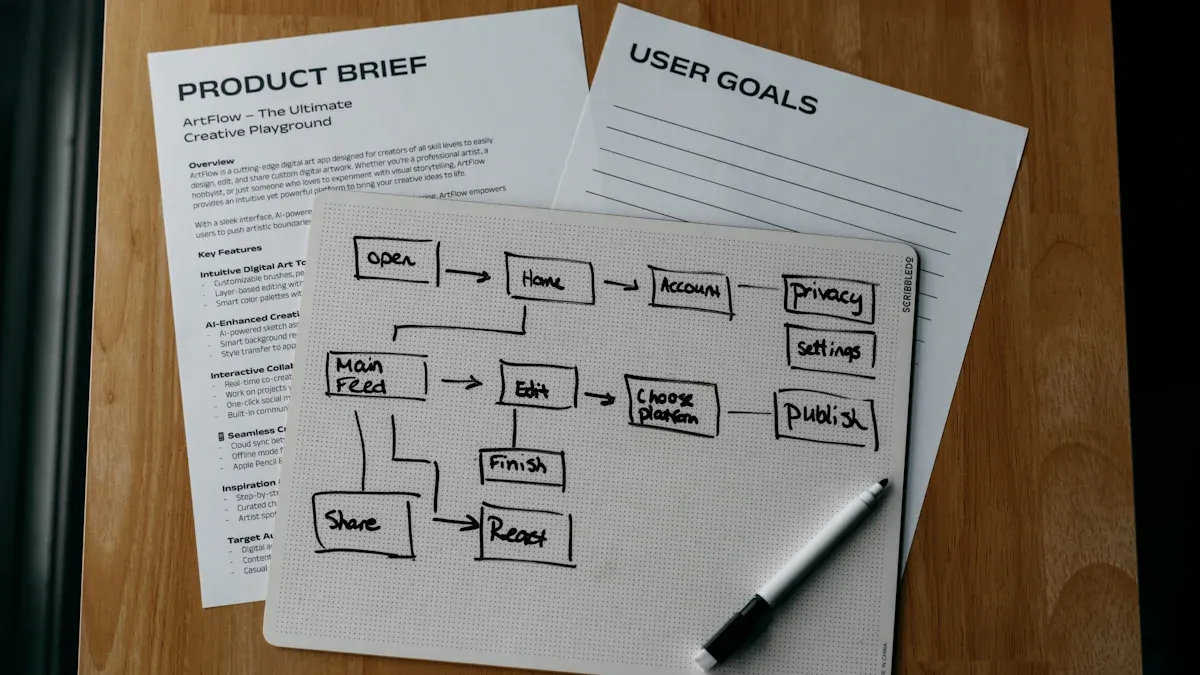
Conditional Logic with Telemetry
You can use telemetry data to create powerful logic in your flows. This approach lets you automate decisions based on real-time signals instead of relying on static rules. When you build logic with telemetry, your flows can adapt to changing conditions and improve over time.
Many scenarios benefit from telemetry-driven logic. For example:
- You can set up feedback loops that help your workflows improve without manual changes.
- You can include context, such as related alerts or recent updates, so your system suggests the next best action instead of just following a fixed path.
- You can manage feature rollouts by using real production signals. If a problem appears, your logic can pause or reverse the rollout and handle old feature flags to avoid technical debt.
With microsoft power automate, you can use conditions, switches, and expressions to build this logic. You might check if a sensor reports a high temperature, then automate an alert or a shutdown. You can also combine multiple telemetry sources to make smarter decisions. This flexibility helps you create automation that responds to what is happening right now.
Tip: Use telemetry to make your logic layer dynamic. Your flows will become more reliable and efficient as they learn from real-world data.
Automated Actions and Responses
Once your logic layer detects a condition, you can automate a wide range of actions. Microsoft power automate gives you many options for responding to telemetry events. You can trigger actions such as sending notifications, updating records, or starting other processes.
Some common automated responses include:
- DELTA_SYNC: You can automate incremental syncs when new data arrives.
- GRID_SYNC: You can trigger a refresh when a user views a grid.
- FIRST_SYNC: You can automate the first sync when a device connects or after a reset.
- FORCED_SYNC: You can start a sync from a device status page.
- SINGLE_RECORD_SYNC: You can automate a sync for a single record when a push notification arrives.
You can use these actions to keep your systems up to date and responsive. Microsoft power automate lets you chain actions together, so one event can trigger a series of automated steps. This approach helps you build automation that reacts quickly and accurately to telemetry signals.
Callout: Automated actions save time and reduce errors. Your team can focus on higher-value work while microsoft power automate handles routine responses.
Logging and Monitoring
Logging and monitoring are key parts of any automation logic. You need to track what your flows do and how they perform. Microsoft power automate makes it easy to log actions, errors, and outcomes. You can store logs in Application Insights, Dataverse, or other storage solutions.
You can set up monitoring to watch for failures, slowdowns, or unusual patterns. When you see a problem, you can automate alerts or even trigger corrective actions. This approach helps you catch issues early and keep your automation running smoothly.
A simple table can help you organize your logging and monitoring setup:
| What to Log | Where to Store | Why It Matters |
|---|---|---|
| Flow runs | Application Insights | Track performance |
| Errors and exceptions | Dataverse | Troubleshoot problems |
| Automated actions | Azure Monitor Logs | Audit and compliance |
Note: Good logging and monitoring help you improve your logic layer over time. You can use the data to refine your flows and make your automation more effective.
When you combine conditional logic, automated actions, and strong monitoring, you create a robust logic layer in microsoft power automate. This foundation lets you automate complex processes, respond to real-time data, and deliver better results for your organization.
Best Practices for Power Automate Telemetry
Data Accuracy and Timeliness
You need accurate and timely telemetry data to build reliable automation. When you use power automate, you can set up systems that collect and process telemetry automatically. This reduces mistakes and helps your flows respond quickly. Event-driven workflows trigger actions as soon as telemetry events occur. Machine learning can optimize your flows by predicting the best settings and spotting unusual patterns. Real-time monitoring lets you catch problems and send alerts right away.
| Method | Description |
|---|---|
| Automated telemetry data collection | Systems that automatically gather and process telemetry data, reducing human error and improving efficiency. |
| Event-driven telemetry workflow orchestration | Automation triggered by specific telemetry events to ensure timely responses and proper sequencing of tasks. |
| Machine learning-based optimization | Utilizes algorithms to enhance workflows by predicting optimal configurations and identifying anomalies. |
| Real-time monitoring and alert automation | Continuously analyzes data streams to generate alerts and trigger corrective actions when necessary. |
Tip: Use real-time monitoring in power automate to keep your workflows responsive and accurate.
Error Handling
You must handle errors in your telemetry-driven flows to keep your automation reliable. Try, catch, and finally blocks help you manage errors and clean up resources. Power automate functions let you track errors and change data as needed. Application Insights gives you tools to monitor and diagnose issues. You can use Microsoft Teams to send real-time error notifications, so your team can fix problems fast. A strong error handling framework makes your flows repeatable and scalable. Real-time notifications help you spot and solve errors quickly.
| Strategy | Description |
|---|---|
| Try / Catch / Finally | A programming construct for error handling that executes code, handles errors, and ensures cleanup. |
| Power Automate Functions | Functions that enable interaction with flow elements for error tracking and data manipulation. |
| Application Insights | A tool for monitoring and diagnosing issues through telemetry data from applications. |
| Messaging Layer | Utilizes Microsoft Teams for real-time error notifications to enhance visibility and response time. |
| Error Handling Framework | A robust framework ensures reliability and maintainability of workflows. |
| Real-Time Notifications | Immediate alerts to the team for quick identification and resolution of errors. |
| Repeatability and Scalability | The approach is effective and can be consistently applied across multiple flows. |
Note: Set up real-time notifications in power automate to improve your error response.
Security Considerations
You must protect telemetry data in power automate. Logging tracks events and changes, helping you spot unusual activity. Monitoring for anomalies lets you detect threats early. Alerts for unexpected changes help you respond to incidents fast. You should have a designated contact for incident notifications. Make sure security alerts reach the right team members. Investigate security breaches using telemetry data to understand what happened.
- Logging tracks events and changes.
- Monitoring detects anomalous behavior.
- Alerts respond to unexpected changes.
- Designate a contact for incident notifications.
- Ensure security alerts reach the right team.
- Use telemetry data to investigate breaches.
Callout: Security in power automate starts with strong monitoring and clear communication.
Use Case: Automated Incident Response
Scenario Overview
Imagine you manage a cloud-based service that supports thousands of users every day. You want to keep your system secure and reliable. Sometimes, unexpected incidents happen, such as unauthorized access attempts or sudden spikes in failed logins. You need a way to detect these incidents quickly and respond before they cause harm.
A telemetry-driven logic layer in Power Automate helps you solve this problem. You can collect real-time telemetry from sources like Application Insights, IoT devices, or Dataverse logs. When your system detects suspicious activity, your automated workflow can investigate, alert your team, and even take action to stop the threat.
Step-by-Step Implementation
You can build an automated incident response workflow in Power Automate by following these steps:
-
Connect Telemetry Sources
Start by linking your telemetry sources to Power Automate. Use connectors for Application Insights or Dataverse logs. Set up your flows to listen for specific events, such as multiple failed login attempts or abnormal API calls. -
Define Conditional Logic
Add conditions to your flow. For example, if the number of failed logins from a single IP address exceeds a set threshold, trigger an incident response. Use expressions and switches to handle different types of incidents. -
Automate Actions
When your logic detects an incident, automate the next steps. You can send alerts to your security team through Microsoft Teams or email. You can also block the suspicious IP address or disable affected user accounts. Power Automate lets you chain these actions for a complete response. -
Log and Monitor
Record every incident and response in Application Insights or Dataverse. Monitor your flows for errors or delays. Set up alerts for failed actions, so you can fix issues quickly.
Tip: Use real-time monitoring to catch incidents as soon as they happen. Fast detection leads to faster response.
Results and Benefits
When you use telemetry-driven automation for incident response, you see clear improvements. Your system detects threats faster and responds without delay. You gain access to historical data, which helps you investigate incidents and understand what happened. Automated workflows confirm that threats are gone and keep watching for new signs of trouble. You also learn from each incident, so you can strengthen your defenses over time.
Here is a summary of the main benefits:
| Benefit Type | Description |
|---|---|
| Improved Detection | Telemetry enables quick detection of threats, reducing detection latency from weeks to minutes. |
| Efficient Investigation | Provides access to historical data for reconstructing attack timelines and identifying compromised data. |
| Effective Remediation | Confirms elimination of threats and monitors for signs of continued attacks post-remediation. |
| Enhanced Learning | Supports root cause analysis to identify systemic weaknesses and improve security measures. |
Callout: Automated incident response with telemetry not only protects your systems but also helps your team work smarter and faster.
Troubleshooting and Optimization
Common Issues
You may encounter several challenges when you build telemetry-driven flows in Power Automate. These issues can affect reliability and performance. Here are some of the most frequent problems:
- Exceeding API or quota limits can cause flows to fail or slow down.
- Invalid character matches in fields, such as InvoiceAmount, may prevent data processing.
- Logic loops can create endless cycles and waste resources.
- Failed runs often go unnoticed if you do not set up alerts.
- Shadow IT can grow when users create flows outside governance policies.
Tip: Establish a solid governance foundation. Assign roles, set up environments, and use Data Loss Prevention (DLP) policies to keep your flows secure and manageable.
When you need to troubleshoot telemetry integration problems, follow these steps:
- Create copies of your flows using the Save As option.
- Make changes to the copied flows.
- Update your app to use the new flows.
- Test and publish the updated app.
- After all users upgrade, delete or turn off the original flows.
You can also update flows directly:
- Change flow inputs, outputs, or connections.
- In Power Apps Studio, open the Flows pane.
- Remove the flow from your app.
- Add the updated flow back.
- Save your app.
Note: Build end-to-end visibility with tools like Admin Center, Graph API, and the Center of Excellence (CoE) Kit. Use proactive maintenance and alerting with Teams, PowerShell, and Azure Monitor.
Performance Tips
You can optimize your telemetry-driven logic layers for better speed and reliability. Try these strategies:
- Optimize triggers and actions. Reduce polling frequency and simplify actions.
- Manage data efficiently. Filter data early and avoid unnecessary operations.
- Design flows for performance. Flatten flows to reduce complexity.
- Optimize API and connector usage. Choose efficient APIs and connectors.
- Handle concurrency and parallelism. Control concurrency and avoid race conditions.
Callout: Use Power BI dashboards to monitor performance, licensing, and return on investment. This helps you spot bottlenecks and improve your flows.
Refinement and Scaling
As your data volume and complexity grow, you need to refine and scale your logic layers. Use these strategies to keep your automation efficient:
| Strategy | Description |
|---|---|
| Flexible Data Model Architectures | Adapt to different data types and sources. Support extensible schemas for future needs. |
| Hierarchical and Modular Structures | Organize data into logical layers. Manage complexity and enable efficient retrieval and processing. |
| Schema-based Validation | Validate and transform telemetry data. Ensure consistency across system components. |
| Dynamic Metadata Management | Automate extraction and classification of metadata. Enhance data discoverability and usability. |
| Adaptive Transformation Frameworks | Convert between different data model representations. Enable seamless data exchange and interoperability. |
Tip: Refine your flows regularly. Use schema validation and modular structures to handle new requirements and scale your automation.
You can build robust, scalable telemetry-driven flows by addressing common issues, optimizing performance, and refining your logic layers. This approach helps you deliver reliable automation that grows with your business.
You now have the tools to build a telemetry-driven logic layer in Power Automate. Key takeaways include:
- Govern responsibly by setting policies and environment strategies.
- Design for scale with modular flows and reusable parts.
- Secure secrets using Managed Identities and Azure Key Vault.
- Automate responsibly with monitoring and cost control.
To keep learning, explore these resources:
- Use the Power Automate Readiness Checklist.
- Reuse flow templates and create a flow library.
- Document your automation strategy and involve stakeholders early.
FAQ
How do you connect telemetry sources to Power Automate?
You use built-in connectors in Power Automate. Choose the connector for your telemetry source, such as Application Insights or Dataverse. Set up authentication and select the data you want to monitor.
Can you automate responses based on real-time telemetry?
Yes, you can automate actions when telemetry data meets certain conditions. Set up triggers in your flow. Power Automate will respond instantly to events like alerts or sensor readings.
What types of telemetry data can you use?
You can use logs, metrics, traces, and sensor data. Sources include Application Insights, IoT devices, and Dataverse logs. Power Automate supports many data types through its connectors.
How do you monitor and troubleshoot flows?
You monitor flows using Application Insights or Dataverse. Set up alerts for errors or delays. Review logs to find issues and use built-in diagnostics to troubleshoot problems.
Is it possible to scale telemetry-driven logic layers?
You can scale your flows by using modular designs and efficient data models. Add new sources or actions as your needs grow. Power Automate supports scaling for large and complex workflows.
How do you secure telemetry data in Power Automate?
Store sensitive data in secure locations like Azure Key Vault. Use role-based access controls. Set up alerts for unusual activity. Always follow your organization’s security guidelines.
Can you use Power Automate for incident response?
Yes, you can build automated incident response workflows. Collect telemetry, detect incidents, and trigger actions like alerts or account blocks. Power Automate helps you respond quickly and keep your systems safe.
What are best practices for handling errors?
Use try-catch blocks in your flows. Send real-time notifications for errors. Log every failure for review. Test your flows regularly to ensure reliability.
🎧 Listen to this episode
Want a practical explanation of Build Self-Healing Automation? This episode breaks down the topic in clear language and shows why it matters for Microsoft 365, Azure, Power Platform, security, AI, and modern work.
Listen to this episode if you want to:
- Understand the key concepts behind Build Self-Healing Automation
- See how it fits into the wider Microsoft technology ecosystem
- Learn where it can create practical value for your organization
You may also enjoy these related M365 FM episodes:
- Build a Self-Healing Microsoft 365 Governance Architecture
- Build Enterprise Automation with Azure Logic Apps
- Azure Automation - Simply Explained
- How to Build a Winning Microsoft Partner Strategy
- PowerShell vs Bicep for Azure Infrastructure Automation
Discover more practical Microsoft conversations on M365 FM.
🚀 Want to be part of m365.fm?
Then stop just listening… and start showing up.
👉 Connect with me on LinkedIn and let’s make something happen:
- 🎙️ Be a podcast guest and share your story
- 🎧 Host your own episode (yes, seriously)
- 💡 Pitch topics the community actually wants to hear
- 🌍 Build your personal brand in the Microsoft 365 space
This isn’t just a podcast — it’s a platform for people who take action.
🔥 Most people wait. The best ones don’t.
👉 Connect with me on LinkedIn and send me a message:
"I want in"
Let’s build something awesome 👊
1
00:00:00,000 --> 00:00:02,720
Most flows automate tasks, but they don't manage themselves.
2
00:00:02,720 --> 00:00:03,640
That sounds small.
3
00:00:03,640 --> 00:00:05,880
It isn't, because the moment a trigger fails,
4
00:00:05,880 --> 00:00:08,200
most teams fall back into the same old model.
5
00:00:08,200 --> 00:00:10,760
Someone gets an alert, someone checks run history,
6
00:00:10,760 --> 00:00:12,120
someone patches the symptom,
7
00:00:12,120 --> 00:00:14,600
and then everyone pretends the system is healthy again.
8
00:00:14,600 --> 00:00:16,480
The automation runs until the next break.
9
00:00:16,480 --> 00:00:17,800
That model doesn't scale.
10
00:00:17,800 --> 00:00:19,880
The problem usually isn't missing features,
11
00:00:19,880 --> 00:00:21,420
and it usually isn't bad makers.
12
00:00:21,420 --> 00:00:22,360
It's maintenance debt.
13
00:00:22,360 --> 00:00:25,240
Every new flow adds one more thing that needs watching,
14
00:00:25,240 --> 00:00:26,880
one more dependency that can drift
15
00:00:26,880 --> 00:00:30,120
and one more silent point of failure inside the tenant.
16
00:00:30,120 --> 00:00:33,120
So the shift is this, stop treating failure as an interruption,
17
00:00:33,120 --> 00:00:34,020
treat it as input.
18
00:00:34,020 --> 00:00:36,440
In this episode, we're building a recursive feedback loop
19
00:00:36,440 --> 00:00:38,560
inside power automate with telemetry,
20
00:00:38,560 --> 00:00:40,640
decision logic, and controlled self correction,
21
00:00:40,640 --> 00:00:42,560
because without that layer, your flow estate
22
00:00:42,560 --> 00:00:43,560
doesn't get smarter.
23
00:00:43,560 --> 00:00:45,240
It just gets bigger and weaker.
24
00:00:45,240 --> 00:00:46,400
Before we build the pattern,
25
00:00:46,400 --> 00:00:49,080
we need to get clear on what actually breaks.
26
00:00:49,080 --> 00:00:50,600
The death of manual debugging.
27
00:00:50,600 --> 00:00:52,440
In most environments, manual maintenance
28
00:00:52,440 --> 00:00:55,320
is still the real operating model, not the flow diagram,
29
00:00:55,320 --> 00:00:57,840
not the governance deck, not the nice automation roadmap,
30
00:00:57,840 --> 00:00:59,280
what actually keeps the estate running
31
00:00:59,280 --> 00:01:01,080
is a human being checking failed runs,
32
00:01:01,080 --> 00:01:03,320
retrygaring actions, updating connections,
33
00:01:03,320 --> 00:01:06,040
cleaning up edge cases, and doing weekend repair work
34
00:01:06,040 --> 00:01:08,440
that nobody planned for but everyone expects.
35
00:01:08,440 --> 00:01:10,360
So you don't really have autonomous automation.
36
00:01:10,360 --> 00:01:13,440
You have automated work sitting on top of manual supervision.
37
00:01:13,440 --> 00:01:15,840
And that gap matters because the flow looks stable
38
00:01:15,840 --> 00:01:18,040
right up until a connector changes behavior,
39
00:01:18,040 --> 00:01:20,520
a token expires, a payload grows,
40
00:01:20,520 --> 00:01:22,960
or a dependency upstream starts returning
41
00:01:22,960 --> 00:01:25,120
something slightly different than yesterday,
42
00:01:25,120 --> 00:01:27,320
which is exactly when the automated process
43
00:01:27,320 --> 00:01:29,040
turns back into operations labor.
44
00:01:29,040 --> 00:01:30,480
This is where most teams get trapped.
45
00:01:30,480 --> 00:01:32,280
They build more flows to save time,
46
00:01:32,280 --> 00:01:34,920
but each flow adds another maintenance surface,
47
00:01:34,920 --> 00:01:37,920
another owner, another trigger, another hidden assumption.
48
00:01:37,920 --> 00:01:40,360
And because those assumptions are spread across approvals,
49
00:01:40,360 --> 00:01:43,720
provisioning, reporting, access requests, finance handoffs,
50
00:01:43,720 --> 00:01:47,280
or compliance tasks, a single broken business critical flow
51
00:01:47,280 --> 00:01:49,560
can store much more than one transaction.
52
00:01:49,560 --> 00:01:51,960
It can freeze a whole chain of work that depends on it.
53
00:01:51,960 --> 00:01:53,760
That is why break-fix thinking fails.
54
00:01:53,760 --> 00:01:56,240
Reactive maintenance keeps teams stuck in high labor
55
00:01:56,240 --> 00:01:57,240
and downtime costs.
56
00:01:57,240 --> 00:01:59,720
In broader maintenance research, predictive approaches
57
00:01:59,720 --> 00:02:05,120
reduce overall costs by 25% to 30% and cut breakdowns by 70%
58
00:02:05,120 --> 00:02:06,800
compared with reactive models.
59
00:02:06,800 --> 00:02:09,040
The point isn't that a power-automate flow
60
00:02:09,040 --> 00:02:10,920
behaves like a factory machine.
61
00:02:10,920 --> 00:02:13,800
The point is the operating model is the same.
62
00:02:13,800 --> 00:02:16,080
If you wait for failure and then respond manually,
63
00:02:16,080 --> 00:02:18,280
the labor compounds and the downtime spreads
64
00:02:18,280 --> 00:02:19,680
and downtime isn't abstract.
65
00:02:19,680 --> 00:02:21,520
In some sectors, unplanned downtime
66
00:02:21,520 --> 00:02:24,040
averages $260,000 per hour.
67
00:02:24,040 --> 00:02:25,680
You don't need to import that number directly
68
00:02:25,680 --> 00:02:29,120
into every M365 workflow, but you do need to understand
69
00:02:29,120 --> 00:02:30,360
the pattern behind it.
70
00:02:30,360 --> 00:02:32,520
When a business critical automation stalls,
71
00:02:32,520 --> 00:02:34,400
the cost isn't the failed run.
72
00:02:34,400 --> 00:02:36,480
The cost is the approvals that stop moving,
73
00:02:36,480 --> 00:02:37,800
the accounts that don't get provisioned,
74
00:02:37,800 --> 00:02:38,880
the reports that don't land,
75
00:02:38,880 --> 00:02:40,800
and the people who now need to investigate by hand.
76
00:02:40,800 --> 00:02:43,440
So maintenance debt isn't a pile of isolated bugs.
77
00:02:43,440 --> 00:02:44,440
It's system debt.
78
00:02:44,440 --> 00:02:46,880
It compounds through dependencies, ownership gaps,
79
00:02:46,880 --> 00:02:49,200
undocumented logic, and repeated manual intervention.
80
00:02:49,200 --> 00:02:52,040
That's why teams feel slower even while they keep automating more.
81
00:02:52,040 --> 00:02:54,160
Now, basic try-catch logic still matters.
82
00:02:54,160 --> 00:02:57,280
Scopes, retries, fallback branches, all of that helps locally.
83
00:02:57,280 --> 00:02:59,200
You should use it, but local error handling
84
00:02:59,200 --> 00:03:00,440
doesn't change the model.
85
00:03:00,440 --> 00:03:03,080
It just makes one flow less fragile in one moment.
86
00:03:03,080 --> 00:03:04,960
It doesn't create memory across failures,
87
00:03:04,960 --> 00:03:06,800
and it doesn't turn exceptions into signals
88
00:03:06,800 --> 00:03:08,440
the wider system can learn from.
89
00:03:08,440 --> 00:03:10,200
So if the model is wrong, the next layer
90
00:03:10,200 --> 00:03:11,480
can't be more error emails.
91
00:03:11,480 --> 00:03:13,480
It has to be something that watches patterns,
92
00:03:13,480 --> 00:03:15,760
classifies drift, and changes behavior
93
00:03:15,760 --> 00:03:17,840
before people get pulled back in.
94
00:03:17,840 --> 00:03:19,600
The telemetry-driven logic layer.
95
00:03:19,600 --> 00:03:20,880
So what replaces that model?
96
00:03:20,880 --> 00:03:23,240
A telemetry-driven logic layer, not another dashboard,
97
00:03:23,240 --> 00:03:24,920
not a prettier failure report.
98
00:03:24,920 --> 00:03:27,720
A logic layer is a control plane inside your flow estate
99
00:03:27,720 --> 00:03:30,800
that watches signals, classifies what kind of failure is happening,
100
00:03:30,800 --> 00:03:33,240
and then changes behavior based on what it sees.
101
00:03:33,240 --> 00:03:35,000
The flow still does the business job,
102
00:03:35,000 --> 00:03:36,560
but now something else supervises
103
00:03:36,560 --> 00:03:38,800
how that job behaves when conditions shift.
104
00:03:38,800 --> 00:03:41,640
That separation matters more than most people think.
105
00:03:41,640 --> 00:03:43,720
Business logic should answer one question.
106
00:03:43,720 --> 00:03:45,120
What work needs to happen?
107
00:03:45,120 --> 00:03:47,320
Approved the request, create the account,
108
00:03:47,320 --> 00:03:49,440
send the report, update the list.
109
00:03:49,440 --> 00:03:51,600
Supervisory logic answers a different question,
110
00:03:51,600 --> 00:03:53,800
and it's the one that usually gets ignored.
111
00:03:53,800 --> 00:03:55,760
What should happen when the environment stops
112
00:03:55,760 --> 00:03:58,120
matching the assumptions this flow depends on?
113
00:03:58,120 --> 00:04:00,000
Especially when the same failure pattern starts
114
00:04:00,000 --> 00:04:02,400
repeating across runs, owners, and connectors.
115
00:04:02,400 --> 00:04:05,160
If you mix those two jobs inside one pile of actions,
116
00:04:05,160 --> 00:04:07,680
the flow turns into its own confused operator.
117
00:04:07,680 --> 00:04:09,920
It tries to process the business task,
118
00:04:09,920 --> 00:04:12,320
diagnose the failure, decide policy, log history,
119
00:04:12,320 --> 00:04:13,760
and recover all at once.
120
00:04:13,760 --> 00:04:15,000
That's where things get messy fast,
121
00:04:15,000 --> 00:04:17,640
because the flow is no longer just doing work.
122
00:04:17,640 --> 00:04:18,920
It's guessing about itself.
123
00:04:18,920 --> 00:04:20,240
The better model is explicit.
124
00:04:20,240 --> 00:04:21,720
You define a desired state.
125
00:04:21,720 --> 00:04:23,720
Then the system checks for drift from that state.
126
00:04:23,720 --> 00:04:25,480
It decides what kind of drift it is.
127
00:04:25,480 --> 00:04:26,800
It applies a response.
128
00:04:26,800 --> 00:04:27,880
Then it records the outcome
129
00:04:27,880 --> 00:04:29,560
so the next decision can improve.
130
00:04:29,560 --> 00:04:32,440
Desired state detection, decision, remediation, learning.
131
00:04:32,440 --> 00:04:33,440
That's the loop.
132
00:04:33,440 --> 00:04:35,240
And if you remember nothing else, remember this.
133
00:04:35,240 --> 00:04:37,080
The remediation is not the smart part.
134
00:04:37,080 --> 00:04:38,120
The decision is.
135
00:04:38,120 --> 00:04:39,560
Now what feeds that decision?
136
00:04:39,560 --> 00:04:40,320
Telemetry.
137
00:04:40,320 --> 00:04:42,200
And not all telemetry is equally useful.
138
00:04:42,200 --> 00:04:44,480
A lot of teams collect whatever the platform already gives them
139
00:04:44,480 --> 00:04:46,040
and call that observability.
140
00:04:46,040 --> 00:04:47,880
But decision-grade telemetry is narrower.
141
00:04:47,880 --> 00:04:50,360
It captures what helps the system choose a safe next action.
142
00:04:50,360 --> 00:04:51,600
Run history matters, yes.
143
00:04:51,600 --> 00:04:53,280
Duration drift matters because of flow
144
00:04:53,280 --> 00:04:55,280
that suddenly takes three times longer,
145
00:04:55,280 --> 00:04:57,840
maybe nearing a timeout or dependency issue.
146
00:04:57,840 --> 00:05:00,600
Retry patterns matter because repeated retries
147
00:05:00,600 --> 00:05:03,640
often point to a class of problem, not a one-off glitch.
148
00:05:03,640 --> 00:05:05,560
Connector failures matter, throttling matters,
149
00:05:05,560 --> 00:05:08,080
payload size matters, owner context matters,
150
00:05:08,080 --> 00:05:10,200
business criticality matters.
151
00:05:10,200 --> 00:05:13,040
This clicked for me when I stopped asking what failed.
152
00:05:13,040 --> 00:05:14,120
And started asking,
153
00:05:14,120 --> 00:05:17,280
what does the system need to know to respond differently next time?
154
00:05:17,280 --> 00:05:18,720
That's a different design question.
155
00:05:18,720 --> 00:05:20,920
One is descriptive, the other is operational.
156
00:05:20,920 --> 00:05:23,440
So there are really two kinds of data in a flow estate.
157
00:05:23,440 --> 00:05:26,120
First, normal flow data, inputs, outputs, records,
158
00:05:26,120 --> 00:05:28,160
message bodies, form responses, created items.
159
00:05:28,160 --> 00:05:30,400
That's the content the process is moving around.
160
00:05:30,400 --> 00:05:33,200
Then decision-grade telemetry, error class,
161
00:05:33,200 --> 00:05:35,720
execution duration trends, dependency health,
162
00:05:35,720 --> 00:05:38,080
remediation history, confidence level,
163
00:05:38,080 --> 00:05:41,000
allowed fallback paths, escalation thresholds.
164
00:05:41,000 --> 00:05:43,120
That data doesn't exist to complete the task.
165
00:05:43,120 --> 00:05:44,920
It exists to supervise the task.
166
00:05:44,920 --> 00:05:45,800
And this is the shift.
167
00:05:45,800 --> 00:05:48,360
Governance usually lives in documents, standards,
168
00:05:48,360 --> 00:05:50,520
naming rules and review meetings.
169
00:05:50,520 --> 00:05:52,000
Useful but static.
170
00:05:52,000 --> 00:05:53,400
The telemetry driven logic layer
171
00:05:53,400 --> 00:05:54,960
moves governance into runtime.
172
00:05:54,960 --> 00:05:56,520
It asks, in the moment of failure,
173
00:05:56,520 --> 00:05:58,760
what policy applies here, what action is allowed,
174
00:05:58,760 --> 00:05:59,880
what confidence do we have,
175
00:05:59,880 --> 00:06:01,480
and when should a human step in?
176
00:06:01,480 --> 00:06:03,520
That's governance doing work, not governance,
177
00:06:03,520 --> 00:06:04,720
waiting in a folder.
178
00:06:04,720 --> 00:06:06,200
Which means the logic layer is not
179
00:06:06,200 --> 00:06:08,560
some extra technical decoration around your flows.
180
00:06:08,560 --> 00:06:11,920
It's the part that turns automation from task execution
181
00:06:11,920 --> 00:06:13,960
into supervised adaptation.
182
00:06:13,960 --> 00:06:15,640
Without it, every failure still depends
183
00:06:15,640 --> 00:06:16,960
on people reading symptoms.
184
00:06:16,960 --> 00:06:19,760
With it, the estate starts classifying its own conditions,
185
00:06:19,760 --> 00:06:21,240
marrowing its own uncertainty,
186
00:06:21,240 --> 00:06:22,600
and acting within defined limits.
187
00:06:22,600 --> 00:06:24,000
And once that model is in place,
188
00:06:24,000 --> 00:06:26,360
the next question isn't whether self-correction is possible.
189
00:06:26,360 --> 00:06:28,800
The next question is, what this loop needs to store?
190
00:06:28,800 --> 00:06:32,240
So its decisions stay grounded instead of improvising.
191
00:06:32,240 --> 00:06:34,000
Building the telemetry nerve center.
192
00:06:34,000 --> 00:06:36,360
Once you accept that the flow needs supervision,
193
00:06:36,360 --> 00:06:39,560
you need one place where every exception turns into structured evidence.
194
00:06:39,560 --> 00:06:40,560
That's the nerve center.
195
00:06:40,560 --> 00:06:43,400
Not a dumping ground for logs, not a giant archive nobody reads.
196
00:06:43,400 --> 00:06:45,680
A small, usable system that records enough context
197
00:06:45,680 --> 00:06:47,800
for the next decision to be better than the last one.
198
00:06:47,800 --> 00:06:50,400
Because if failure stayed trapped inside run history,
199
00:06:50,400 --> 00:06:51,480
they stay local.
200
00:06:51,480 --> 00:06:53,480
They don't accumulate into pattern knowledge.
201
00:06:53,480 --> 00:06:55,080
So the first job is the data model.
202
00:06:55,080 --> 00:06:57,040
For each event, capture the flow ID,
203
00:06:57,040 --> 00:06:58,840
the environment, and the trigger type.
204
00:06:58,840 --> 00:07:01,000
Then at the dependency involved, the error class,
205
00:07:01,000 --> 00:07:02,520
how often that class has appeared,
206
00:07:02,520 --> 00:07:04,120
the last known successful state,
207
00:07:04,120 --> 00:07:05,800
the remediation that was attempted,
208
00:07:05,800 --> 00:07:07,720
and the outcome of that remediation.
209
00:07:07,720 --> 00:07:09,160
I would also add a confidence score,
210
00:07:09,160 --> 00:07:12,680
because a retry after a time out is not the same thing as rewriting a path,
211
00:07:12,680 --> 00:07:15,680
changing a destination, or re-routing a business step.
212
00:07:15,680 --> 00:07:18,800
One action can run safely with high confidence.
213
00:07:18,800 --> 00:07:21,760
Another should stop instantly unless a policy allows it.
214
00:07:21,760 --> 00:07:23,920
That confidence field matters because without it,
215
00:07:23,920 --> 00:07:25,960
every exception looks equally actionable,
216
00:07:25,960 --> 00:07:28,400
and that's how noisy systems become reckless systems,
217
00:07:28,400 --> 00:07:30,800
especially when the same connector behaves differently
218
00:07:30,800 --> 00:07:33,680
across environments, owners, or payload sizes.
219
00:07:33,680 --> 00:07:36,960
And your logic layer needs to know whether it's seeing a known pattern
220
00:07:36,960 --> 00:07:38,440
or just a symptom.
221
00:07:38,440 --> 00:07:40,000
Keep the model lean.
222
00:07:40,000 --> 00:07:41,600
More logs don't create better judgment.
223
00:07:41,600 --> 00:07:44,440
They create more storage, more noise, and more false certainty.
224
00:07:44,440 --> 00:07:46,720
The system doesn't need every output body forever.
225
00:07:46,720 --> 00:07:49,800
It needs the minimum evidence required to classify the issue,
226
00:07:49,800 --> 00:07:51,480
compare it to previous events,
227
00:07:51,480 --> 00:07:54,320
and choose from a narrow set of approved responses.
228
00:07:54,320 --> 00:07:56,160
That's the shortcut nobody teaches.
229
00:07:56,160 --> 00:07:58,120
Useful telemetry is selective.
230
00:07:58,120 --> 00:08:00,200
Storage depends on maturity.
231
00:08:00,200 --> 00:08:03,040
If you're early, a SharePoint list or database table can be enough,
232
00:08:03,040 --> 00:08:06,920
because the point at first is consistency, not elegance.
233
00:08:06,920 --> 00:08:09,560
If you need more scale or tighter operational control,
234
00:08:09,560 --> 00:08:12,040
Azure table storage can work for structured records.
235
00:08:12,040 --> 00:08:14,720
If your estate is larger and you need deeper search, analytics,
236
00:08:14,720 --> 00:08:18,400
or broader observability, then log analytics or application insights
237
00:08:18,400 --> 00:08:19,840
starts to make more sense.
238
00:08:19,840 --> 00:08:21,560
The decision isn't about prestige.
239
00:08:21,560 --> 00:08:23,320
It's about volume query needs retention
240
00:08:23,320 --> 00:08:25,120
and who needs access to the evidence.
241
00:08:25,120 --> 00:08:27,680
I wouldn't bury all of this inside every flow.
242
00:08:27,680 --> 00:08:30,880
Use child flows for the shared supervisory functions instead.
243
00:08:30,880 --> 00:08:32,680
One child flow classifies the error.
244
00:08:32,680 --> 00:08:34,160
Another enriches the context.
245
00:08:34,160 --> 00:08:35,880
Another decides an allowed action.
246
00:08:35,880 --> 00:08:37,120
Another records the result.
247
00:08:37,120 --> 00:08:39,600
That way the business flow stays focused on business work,
248
00:08:39,600 --> 00:08:42,240
while the supervisory layer stays reusable, testable,
249
00:08:42,240 --> 00:08:45,000
and easier to update when your classification logic changes.
250
00:08:45,000 --> 00:08:47,400
If you hard-code all of that into each production flow,
251
00:08:47,400 --> 00:08:50,040
every improvement becomes a manual retrofit project.
252
00:08:50,040 --> 00:08:51,920
You also need policy context in the record,
253
00:08:51,920 --> 00:08:54,400
not just technical context, who owns this flow.
254
00:08:54,400 --> 00:08:56,200
What SLA tier is attached to it?
255
00:08:56,200 --> 00:08:57,840
Does it touch a sensitive data path?
256
00:08:57,840 --> 00:09:00,000
What actions are allowed to run automatically
257
00:09:00,000 --> 00:09:02,560
and what escalation rule applies if confidence drops
258
00:09:02,560 --> 00:09:04,200
or repeat frequency rises?
259
00:09:04,200 --> 00:09:06,120
That's where things change because a timeout
260
00:09:06,120 --> 00:09:08,520
on a low-risk notification flow and a timeout
261
00:09:08,520 --> 00:09:11,720
on an identity workflow should not trigger the same response,
262
00:09:11,720 --> 00:09:14,040
even if the connector error code looks similar.
263
00:09:14,040 --> 00:09:16,160
And one level deeper, the nerve center should separate
264
00:09:16,160 --> 00:09:18,040
event signals from state signals.
265
00:09:18,040 --> 00:09:20,760
An event signal tells you what just happened, a run failed,
266
00:09:20,760 --> 00:09:23,520
a retry succeeded, a token refresh path worked.
267
00:09:23,520 --> 00:09:24,480
Those are moments.
268
00:09:24,480 --> 00:09:27,000
A state signal tells you what has drifted over time,
269
00:09:27,000 --> 00:09:29,920
and that sentence matters because many failures are only obvious
270
00:09:29,920 --> 00:09:33,120
once you compare current behavior with prior healthy behavior.
271
00:09:33,120 --> 00:09:36,040
Looking at slower trends like repeated duration increases,
272
00:09:36,040 --> 00:09:38,240
rising retry counts, or a growing gap
273
00:09:38,240 --> 00:09:40,160
since the last clean success.
274
00:09:40,160 --> 00:09:42,560
If you mix those together, the system reacts to noise.
275
00:09:42,560 --> 00:09:44,720
If you separate them, the system starts seeing drift.
276
00:09:44,720 --> 00:09:46,480
So the nerve center is really a filter.
277
00:09:46,480 --> 00:09:49,000
It turns scattered incidents into comparable records,
278
00:09:49,000 --> 00:09:51,560
and it turns raw failure into operational memory.
279
00:09:51,560 --> 00:09:53,760
That is what gives the recursive loop something solid
280
00:09:53,760 --> 00:09:56,120
to work with because once the telemetry is structured,
281
00:09:56,120 --> 00:09:58,240
the next challenge isn't collecting more.
282
00:09:58,240 --> 00:10:00,520
It's designing how the system re-enters the problem,
283
00:10:00,520 --> 00:10:03,520
changes its behavior, and stops before self-correction
284
00:10:03,520 --> 00:10:05,920
becomes self-inflicted damage.
285
00:10:05,920 --> 00:10:08,440
Engineering the recursive loop, now the loop itself.
286
00:10:08,440 --> 00:10:10,240
When I say recursion in power automate,
287
00:10:10,240 --> 00:10:12,400
I don't mean some elegant computer science demo
288
00:10:12,400 --> 00:10:14,480
where a flow keeps calling itself forever.
289
00:10:14,480 --> 00:10:17,440
In this environment recursion has to mean control re-entry.
290
00:10:17,440 --> 00:10:19,600
The system hits a problem, records what happened,
291
00:10:19,600 --> 00:10:22,080
chooses a narrower next move, and then re-enters
292
00:10:22,080 --> 00:10:24,040
with more context than it had before.
293
00:10:24,040 --> 00:10:27,160
If that second pass doesn't reduce uncertainty or change the state,
294
00:10:27,160 --> 00:10:28,120
it shouldn't run.
295
00:10:28,120 --> 00:10:29,080
That's the rule.
296
00:10:29,080 --> 00:10:31,080
Every pass must do one of two things.
297
00:10:31,080 --> 00:10:32,720
It must either learn something new,
298
00:10:32,720 --> 00:10:34,400
or it must alter the conditions enough
299
00:10:34,400 --> 00:10:36,440
that the next result could reasonably differ.
300
00:10:36,440 --> 00:10:38,680
If all you're doing is repeating the same action
301
00:10:38,680 --> 00:10:41,080
against the same broken dependency with the same parameters,
302
00:10:41,080 --> 00:10:42,520
you don't have a feedback loop.
303
00:10:42,520 --> 00:10:44,680
You have automated panic, and that burns actions,
304
00:10:44,680 --> 00:10:46,880
clutter, telemetry, and drags humans back in later
305
00:10:46,880 --> 00:10:48,200
to clean up the noise.
306
00:10:48,200 --> 00:10:51,160
Power automate gives you a few practical ways to build this.
307
00:10:51,160 --> 00:10:52,880
The simplest is a child flow pattern.
308
00:10:52,880 --> 00:10:56,320
A parent flow detects the issue, passes context to a child flow,
309
00:10:56,320 --> 00:10:58,200
and the child handles classification,
310
00:10:58,200 --> 00:10:59,480
decisioning, and response.
311
00:10:59,480 --> 00:11:01,800
That works well because direct self-invocation
312
00:11:01,800 --> 00:11:02,800
isn't the model here.
313
00:11:02,800 --> 00:11:03,840
You want separation.
314
00:11:03,840 --> 00:11:07,320
Another option is do, until where the loop stops only
315
00:11:07,320 --> 00:11:09,000
when a condition flips, but that condition has
316
00:11:09,000 --> 00:11:11,480
to be tied to state improvement, not hope.
317
00:11:11,480 --> 00:11:13,440
Then you have queue-like hand-off patterns,
318
00:11:13,440 --> 00:11:15,760
where one pass records the issue, and another process
319
00:11:15,760 --> 00:11:18,640
picks it up later after a delay, or after some dependency
320
00:11:18,640 --> 00:11:19,680
window changes.
321
00:11:19,680 --> 00:11:21,600
And then there are bounded retry windows,
322
00:11:21,600 --> 00:11:24,280
where retries exist, but inside a tighter decision frame
323
00:11:24,280 --> 00:11:26,000
instead of brute force repetition.
324
00:11:26,000 --> 00:11:28,440
The thing most people miss is workload reduction.
325
00:11:28,440 --> 00:11:29,720
A healthy recursive design should
326
00:11:29,720 --> 00:11:31,400
shrink the problem each time.
327
00:11:31,400 --> 00:11:34,760
Smaller batch, narrower scope, better classification,
328
00:11:34,760 --> 00:11:37,280
more specific fallback, maybe the first pass tries
329
00:11:37,280 --> 00:11:39,640
the primary connector, the second delays,
330
00:11:39,640 --> 00:11:42,560
the third reduces payload size, and the fourth isolates
331
00:11:42,560 --> 00:11:44,720
one bad item from a larger set.
332
00:11:44,720 --> 00:11:46,560
That is a recursive loop doing useful work
333
00:11:46,560 --> 00:11:49,200
because each pass changes the search space.
334
00:11:49,200 --> 00:11:51,800
It doesn't just keep knocking on the same locked door.
335
00:11:51,800 --> 00:11:53,600
So the decision tree needs to be explicit.
336
00:11:53,600 --> 00:11:55,640
Start with retry, but only when the signal
337
00:11:55,640 --> 00:11:57,280
suggests a temporary issue.
338
00:11:57,280 --> 00:11:58,720
Move to delay when the pattern looks
339
00:11:58,720 --> 00:12:01,000
like throttling or transient service pressure.
340
00:12:01,000 --> 00:12:03,360
Switch connector path, if your architecture allows
341
00:12:03,360 --> 00:12:04,440
an alternate route.
342
00:12:04,440 --> 00:12:06,560
Reduce batch size if payload or volume appears
343
00:12:06,560 --> 00:12:07,480
to be the cause.
344
00:12:07,480 --> 00:12:09,760
Try a token refresh path when the problem points
345
00:12:09,760 --> 00:12:11,200
to authentication drift.
346
00:12:11,200 --> 00:12:14,320
Re-root to a fallback process, when continuity matters more
347
00:12:14,320 --> 00:12:15,360
than elegance.
348
00:12:15,360 --> 00:12:18,160
Escalate to a human when the system reaches the edge
349
00:12:18,160 --> 00:12:19,800
of its confidence or authority.
350
00:12:19,800 --> 00:12:22,680
That confidence gate is where beginners and serious operators
351
00:12:22,680 --> 00:12:23,400
split.
352
00:12:23,400 --> 00:12:26,600
A low risk action with a known pattern can run automatically.
353
00:12:26,600 --> 00:12:29,320
A medium risk action might need a policy check first
354
00:12:29,320 --> 00:12:31,560
because the system knows a possible remedy,
355
00:12:31,560 --> 00:12:33,840
but also knows the blast radius isn't trivial.
356
00:12:33,840 --> 00:12:36,480
A high risk action should stop and ask for human approval,
357
00:12:36,480 --> 00:12:38,920
especially if it touches identity, permission, sensitive
358
00:12:38,920 --> 00:12:40,920
records, or downstream financial impact.
359
00:12:40,920 --> 00:12:42,600
The loop is not there to prove autonomy.
360
00:12:42,600 --> 00:12:44,400
It's there to preserve continuity safely.
361
00:12:44,400 --> 00:12:46,840
So you need breaks, set max attempts,
362
00:12:46,840 --> 00:12:49,080
add cooling periods, suppress duplicates,
363
00:12:49,080 --> 00:12:51,640
so the same issue doesn't keep spawning parallel remediation
364
00:12:51,640 --> 00:12:52,360
paths.
365
00:12:52,360 --> 00:12:54,960
Isolate poison items, so one bad record
366
00:12:54,960 --> 00:12:56,960
doesn't contaminate the whole run.
367
00:12:56,960 --> 00:12:58,680
And make termination conditions obvious
368
00:12:58,680 --> 00:13:01,600
because hidden loop endings are how maintenance logic turns
369
00:13:01,600 --> 00:13:03,240
into its own support incident.
370
00:13:03,240 --> 00:13:06,120
Most recursive designs fail for one reason.
371
00:13:06,120 --> 00:13:08,280
They repeat action without improving diagnosis.
372
00:13:08,280 --> 00:13:11,320
The system sees an error, retries it, waits, retries again,
373
00:13:11,320 --> 00:13:13,920
and logs each failure as if more volume somehow counts
374
00:13:13,920 --> 00:13:14,840
as more intelligence.
375
00:13:14,840 --> 00:13:15,600
It doesn't.
376
00:13:15,600 --> 00:13:17,800
The reason recursion works is not repetition.
377
00:13:17,800 --> 00:13:20,200
It's guided reentry based on stronger evidence.
378
00:13:20,200 --> 00:13:22,520
That's why the telemetry layer and the recursive loop
379
00:13:22,520 --> 00:13:24,160
have to stay tightly connected.
380
00:13:24,160 --> 00:13:25,160
One gather signals.
381
00:13:25,160 --> 00:13:27,800
The other converts those signals into narrower decisions.
382
00:13:27,800 --> 00:13:29,960
And once a loop can take action like that,
383
00:13:29,960 --> 00:13:33,760
a new problem shows up fast, cost, safety, and platform
384
00:13:33,760 --> 00:13:37,800
limits, cost, scale, and platform trade-offs.
385
00:13:37,800 --> 00:13:40,040
Now we need to talk about the part people usually skip,
386
00:13:40,040 --> 00:13:41,920
because self-healing sounds elegant right up
387
00:13:41,920 --> 00:13:45,040
until the bill arrives, and the flow count starts climbing.
388
00:13:45,040 --> 00:13:47,160
A recursive design doesn't just add intelligence.
389
00:13:47,160 --> 00:13:49,240
It adds activity, more checks, more branches,
390
00:13:49,240 --> 00:13:51,760
more child flow calls, more rights to telemetry storage,
391
00:13:51,760 --> 00:13:52,960
more connector traffic.
392
00:13:52,960 --> 00:13:54,680
So if you design this badly, the system
393
00:13:54,680 --> 00:13:56,800
can spend half its time supervising itself
394
00:13:56,800 --> 00:13:58,120
and still not improve outcomes.
395
00:13:58,120 --> 00:13:59,400
That's where the architecture starts
396
00:13:59,400 --> 00:14:01,000
fighting its own economics.
397
00:14:01,000 --> 00:14:02,800
Power automate is strong when the workload
398
00:14:02,800 --> 00:14:05,280
lives close to business process context.
399
00:14:05,280 --> 00:14:06,360
Approvals.
400
00:14:06,360 --> 00:14:07,640
Notifications.
401
00:14:07,640 --> 00:14:08,840
SharePoint changes.
402
00:14:08,840 --> 00:14:10,080
Teams actions.
403
00:14:10,080 --> 00:14:12,160
Microsoft 365 signals.
404
00:14:12,160 --> 00:14:13,480
Short decision chains.
405
00:14:13,480 --> 00:14:14,640
Human touch points.
406
00:14:14,640 --> 00:14:17,280
That is the environment where supervised recursion works well,
407
00:14:17,280 --> 00:14:18,920
because the flow can detect an issue.
408
00:14:18,920 --> 00:14:19,960
Classified.
409
00:14:19,960 --> 00:14:22,800
Take one bounded action and either recover or escalate.
410
00:14:22,800 --> 00:14:25,320
The platform is good at that kind of operational rhythm,
411
00:14:25,320 --> 00:14:27,480
especially when the remediation path is narrow,
412
00:14:27,480 --> 00:14:29,920
and the business owner is still part of the model.
413
00:14:29,920 --> 00:14:32,680
But the limits show up fast when the recursion gets deep.
414
00:14:32,680 --> 00:14:34,680
Loops over large data sets slow down.
415
00:14:34,680 --> 00:14:36,720
Child flow chains get harder to trace.
416
00:14:36,720 --> 00:14:37,960
Action counts rise.
417
00:14:37,960 --> 00:14:39,240
Branches multiply.
418
00:14:39,240 --> 00:14:41,440
A design that felt smart at 10 runs per day
419
00:14:41,440 --> 00:14:43,480
starts feeling heavy at 10,000, especially
420
00:14:43,480 --> 00:14:46,720
when every pass adds logging, retry logic, policy checks,
421
00:14:46,720 --> 00:14:48,640
and fallback evaluation.
422
00:14:48,640 --> 00:14:51,320
And when all of that remains packed inside one giant flow,
423
00:14:51,320 --> 00:14:52,960
maintenance doesn't disappear.
424
00:14:52,960 --> 00:14:55,120
It just moves to a more complicated place.
425
00:14:55,120 --> 00:14:57,840
So there is a threshold where the right answer is not
426
00:14:57,840 --> 00:15:00,040
add more logic in power automate.
427
00:15:00,040 --> 00:15:03,000
The right answer is to externalize part of the pattern.
428
00:15:03,000 --> 00:15:05,880
If you need heavy state handling, wider observability,
429
00:15:05,880 --> 00:15:08,360
high volume recursion, queue-driven processing,
430
00:15:08,360 --> 00:15:10,200
or orchestration across multiple systems
431
00:15:10,200 --> 00:15:12,200
with stronger runtime control, then you
432
00:15:12,200 --> 00:15:13,920
should look beyond one low-code flow
433
00:15:13,920 --> 00:15:15,520
carrying the entire burden.
434
00:15:15,520 --> 00:15:18,080
This is exactly where Azure Logic app starts to matter,
435
00:15:18,080 --> 00:15:20,360
because the decision isn't about prestige.
436
00:15:20,360 --> 00:15:22,360
It's about fit logic apps gives you a different cost
437
00:15:22,360 --> 00:15:23,160
and scale model.
438
00:15:23,160 --> 00:15:25,560
In consumption, every extra action matters.
439
00:15:25,560 --> 00:15:27,840
In standard, fixed compute can make more sense
440
00:15:27,840 --> 00:15:30,240
once the volume is predictable and the recursive workload
441
00:15:30,240 --> 00:15:31,680
is large enough because you're no longer
442
00:15:31,680 --> 00:15:33,640
thinking only in per-action terms.
443
00:15:33,640 --> 00:15:35,680
You're thinking in throughput, hosting model,
444
00:15:35,680 --> 00:15:37,680
and how much supervised re-logic you can run
445
00:15:37,680 --> 00:15:40,880
without turning every improvement into a direct action text.
446
00:15:40,880 --> 00:15:42,120
Research on logic apps.
447
00:15:42,120 --> 00:15:44,680
Standard points to fixed compute becoming the better deal
448
00:15:44,680 --> 00:15:46,360
when action volume gets high enough, which
449
00:15:46,360 --> 00:15:49,080
is the kind of shift enterprise teams need to understand
450
00:15:49,080 --> 00:15:52,120
before they build the wrong control layer in the wrong place.
451
00:15:52,120 --> 00:15:54,160
That doesn't mean power automate is the wrong tool.
452
00:15:54,160 --> 00:15:56,560
It means power automate is the right tool
453
00:15:56,560 --> 00:15:59,200
for supervised recursion close to the business process,
454
00:15:59,200 --> 00:16:02,200
and the wrong tool for every kind of recursive ambition.
455
00:16:02,200 --> 00:16:03,840
That distinction saves a lot of pain.
456
00:16:03,840 --> 00:16:06,120
You can keep the business flow in power automate,
457
00:16:06,120 --> 00:16:08,840
keep the decision surface clear, and move deeper orchestration
458
00:16:08,840 --> 00:16:11,320
or observability to logic apps as your storage
459
00:16:11,320 --> 00:16:14,040
or another service when the recursion starts acting
460
00:16:14,040 --> 00:16:17,120
more like platform engineering than workflow automation.
461
00:16:17,120 --> 00:16:19,280
And cost can't be judged by license lines alone.
462
00:16:19,280 --> 00:16:22,520
If a better supervisory layer cuts manual intervention,
463
00:16:22,520 --> 00:16:25,360
shortens recovery, and prevents repeated incidents,
464
00:16:25,360 --> 00:16:27,960
then the cost discussion has to include a void at downtime,
465
00:16:27,960 --> 00:16:30,800
a void at support effort, and a void at rework.
466
00:16:30,800 --> 00:16:32,480
Teams often compare platform pricing
467
00:16:32,480 --> 00:16:34,920
and ignore the labor that are quietly burning every week
468
00:16:34,920 --> 00:16:37,080
inside manual triage after hours fixes
469
00:16:37,080 --> 00:16:38,960
and repeated business interruptions.
470
00:16:38,960 --> 00:16:40,440
That comparison is incomplete.
471
00:16:40,440 --> 00:16:42,480
There is also a governance cost to bad design.
472
00:16:42,480 --> 00:16:43,920
Telemetry has to live somewhere.
473
00:16:43,920 --> 00:16:45,560
Someone has to own retention.
474
00:16:45,560 --> 00:16:47,160
Someone has to control access.
475
00:16:47,160 --> 00:16:49,200
Someone has to decide what evidence must be kept,
476
00:16:49,200 --> 00:16:51,480
what can be deleted, and how the system proves
477
00:16:51,480 --> 00:16:52,440
what it changed.
478
00:16:52,440 --> 00:16:55,400
If you collect too much, storage and review costs rise.
479
00:16:55,400 --> 00:16:57,240
If you collect too little, the loop loses trust
480
00:16:57,240 --> 00:16:59,080
because nobody can verify why it acted.
481
00:16:59,080 --> 00:17:00,680
So scale is never just compute.
482
00:17:00,680 --> 00:17:02,960
Scale is storage, auditability, ownership,
483
00:17:02,960 --> 00:17:04,960
and the ability to explain behavior later.
484
00:17:04,960 --> 00:17:05,920
And this is the line.
485
00:17:05,920 --> 00:17:08,760
A self-healing pattern either becomes a safe operating model
486
00:17:08,760 --> 00:17:11,560
with clear boundaries or it becomes a noisy automation layer
487
00:17:11,560 --> 00:17:13,640
that multiplies actions, hides risk,
488
00:17:13,640 --> 00:17:15,640
and leaves people cleaning up after a system
489
00:17:15,640 --> 00:17:17,960
that looks clever on paper.
490
00:17:17,960 --> 00:17:20,480
Governance, AI, and autonomy with breaks.
491
00:17:20,480 --> 00:17:23,080
That brings us to the part that decides whether this architecture
492
00:17:23,080 --> 00:17:24,800
belongs in production at all.
493
00:17:24,800 --> 00:17:27,640
Self-healing without governance doesn't reduce drift.
494
00:17:27,640 --> 00:17:29,840
It accelerates it.
495
00:17:29,840 --> 00:17:32,120
The moment a system can react to failure on its own,
496
00:17:32,120 --> 00:17:33,600
you've given it operational influence,
497
00:17:33,600 --> 00:17:35,880
maybe narrow influence, maybe tightly scoped,
498
00:17:35,880 --> 00:17:36,720
but still influence.
499
00:17:36,720 --> 00:17:39,200
And if the permissions are wrong, the data boundaries are weak
500
00:17:39,200 --> 00:17:40,640
or the remediation rules are vague,
501
00:17:40,640 --> 00:17:43,800
the system can apply the wrong fix faster than a human ever could.
502
00:17:43,800 --> 00:17:44,840
That's not resilience.
503
00:17:44,840 --> 00:17:46,600
That's speed without judgment.
504
00:17:46,600 --> 00:17:50,080
AI raises the stakes because bad structure gets exposed faster.
505
00:17:50,080 --> 00:17:52,240
Copilot, agents, and automated assistance
506
00:17:52,240 --> 00:17:54,440
all depend on data access, identity context,
507
00:17:54,440 --> 00:17:55,720
and policy clarity.
508
00:17:55,720 --> 00:17:57,320
If those foundations are weak,
509
00:17:57,320 --> 00:17:59,000
then adding a recursive healing loop
510
00:17:59,000 --> 00:18:00,200
doesn't solve the problem.
511
00:18:00,200 --> 00:18:03,280
It just creates another actor inside the same broken model.
512
00:18:03,280 --> 00:18:05,400
Research around Microsoft 365 governance
513
00:18:05,400 --> 00:18:07,000
keeps pointing to the same issue.
514
00:18:07,000 --> 00:18:08,760
Manual reviews can't keep pace.
515
00:18:08,760 --> 00:18:12,440
And AI surfaces oversharing and misconfiguration almost immediately.
516
00:18:12,440 --> 00:18:14,400
So the loop has to respect the same boundaries
517
00:18:14,400 --> 00:18:16,120
your human operators should respect,
518
00:18:16,120 --> 00:18:17,200
only more consistently.
519
00:18:17,200 --> 00:18:18,680
Start with risk tiers.
520
00:18:18,680 --> 00:18:20,520
Low risk fixes can run automatically.
521
00:18:20,520 --> 00:18:22,440
A bounded retry, a timed delay,
522
00:18:22,440 --> 00:18:25,400
a known fallback on a non-sensitive notification flow.
523
00:18:25,400 --> 00:18:27,560
Fine, medium risk fixes need policy checks.
524
00:18:27,560 --> 00:18:29,440
Maybe the flow wants to switch path,
525
00:18:29,440 --> 00:18:32,320
alter batch size, or move to a fallback connector.
526
00:18:32,320 --> 00:18:35,160
That can still work, but only inside approved conditions.
527
00:18:35,160 --> 00:18:37,000
High risk fixes need a person.
528
00:18:37,000 --> 00:18:39,840
If the remediation touches identities, permissions,
529
00:18:39,840 --> 00:18:41,520
records with sensitive data,
530
00:18:41,520 --> 00:18:42,960
or decisions with business impact,
531
00:18:42,960 --> 00:18:44,840
the system should pause and ask.
532
00:18:44,840 --> 00:18:46,480
Not because the technology is weak,
533
00:18:46,480 --> 00:18:48,520
but because accountability still matters.
534
00:18:48,520 --> 00:18:50,240
Every remediation also needs evidence.
535
00:18:50,240 --> 00:18:51,160
Why did it act?
536
00:18:51,160 --> 00:18:52,320
What signal triggered it?
537
00:18:52,320 --> 00:18:53,560
What policy allowed it?
538
00:18:53,560 --> 00:18:54,400
What changed?
539
00:18:54,400 --> 00:18:56,640
Who owns the outcome if it goes wrong?
540
00:18:56,640 --> 00:18:59,800
Those questions can't be answered with the automation decided.
541
00:18:59,800 --> 00:19:01,680
That sentence is useless in an audit,
542
00:19:01,680 --> 00:19:03,680
useless in a post-incident review,
543
00:19:03,680 --> 00:19:05,520
and useless when trust starts falling
544
00:19:05,520 --> 00:19:06,880
across the platform team.
545
00:19:06,880 --> 00:19:08,800
So the model is autonomy with breaks,
546
00:19:08,800 --> 00:19:11,160
not full autonomy, not automation theater,
547
00:19:11,160 --> 00:19:12,440
controlled autonomy,
548
00:19:12,440 --> 00:19:14,600
where the system can act inside known boundaries,
549
00:19:14,600 --> 00:19:16,200
stop at confidence limits,
550
00:19:16,200 --> 00:19:19,040
and produce a record each time it crosses from observation
551
00:19:19,040 --> 00:19:20,480
into intervention.
552
00:19:20,480 --> 00:19:22,640
That record is what makes the architecture governable,
553
00:19:22,640 --> 00:19:24,960
because now the loop isn't just doing something.
554
00:19:24,960 --> 00:19:26,480
It's doing something explainable.
555
00:19:26,480 --> 00:19:27,880
Once you put those breaks in place,
556
00:19:27,880 --> 00:19:30,400
the design stops being a clever pattern for specialists
557
00:19:30,400 --> 00:19:32,120
and starts looking like an operating model
558
00:19:32,120 --> 00:19:34,240
other teams can actually adopt.
559
00:19:34,240 --> 00:19:35,560
Implementation path.
560
00:19:35,560 --> 00:19:37,960
From brittle flow to self-healing estate,
561
00:19:37,960 --> 00:19:40,080
start with one painful production flow,
562
00:19:40,080 --> 00:19:42,600
add telemetry first, then add classification,
563
00:19:42,600 --> 00:19:44,560
then allow one safe remediation path
564
00:19:44,560 --> 00:19:46,720
that everybody agrees on ahead of time.
565
00:19:46,720 --> 00:19:48,200
Measure mean time to repair,
566
00:19:48,200 --> 00:19:51,280
repeat failures, manual touches, and false positives.
567
00:19:51,280 --> 00:19:52,720
If the pattern lowers support effort
568
00:19:52,720 --> 00:19:55,000
without creating confusion, reuse it,
569
00:19:55,000 --> 00:19:57,120
expand by pattern, not by enthusiasm,
570
00:19:57,120 --> 00:19:59,320
because the final shift isn't really about tooling,
571
00:19:59,320 --> 00:20:00,400
it's about role.
572
00:20:00,400 --> 00:20:01,560
So the shift is simple.
573
00:20:01,560 --> 00:20:03,400
Stop treating failures as tickets
574
00:20:03,400 --> 00:20:05,200
and start treating them as training data
575
00:20:05,200 --> 00:20:08,200
for the logic layer that supervises your flows at runtime.
576
00:20:08,200 --> 00:20:09,640
Pick one production flow this month,
577
00:20:09,640 --> 00:20:12,240
map the signal, the decision, the safe remediation,
578
00:20:12,240 --> 00:20:14,520
and the point where a human still needs to step in.
579
00:20:14,520 --> 00:20:15,840
That's where the new model starts.
580
00:20:15,840 --> 00:20:17,920
If this changed how you think about automation,
581
00:20:17,920 --> 00:20:20,680
subscribe to the M365FM podcast.
582
00:20:20,680 --> 00:20:22,280
Leave a review if you want more of this
583
00:20:22,280 --> 00:20:23,240
and connect with me,
584
00:20:23,240 --> 00:20:25,320
Mirko Peters, on LinkedIn with the next system
585
00:20:25,320 --> 00:20:26,600
you want me to break down.

Founder of m365.fm, m365.show and m365con.net
Mirko Peters is a Microsoft 365 expert, content creator, and founder of m365.fm, a platform dedicated to sharing practical insights on modern workplace technologies. His work focuses on Microsoft 365 governance, security, collaboration, and real-world implementation strategies.
Through his podcast and written content, Mirko provides hands-on guidance for IT professionals, architects, and business leaders navigating the complexities of Microsoft 365. He is known for translating complex topics into clear, actionable advice, often highlighting common mistakes and overlooked risks in real-world environments.
With a strong emphasis on community contribution and knowledge sharing, Mirko is actively building a platform that connects experts, shares experiences, and helps organizations get the most out of their Microsoft 365 investments.



