Azure Automation is a cloud-based automation service developed by Microsoft and part of Microsoft Azure. It supports process automation with runbooks, configuration management and update management across Azure and on-premises environments. The M365.FM episode "Azure Automation - Simply Explained" describes it as a service that helps organizations automate repetitive, time-consuming and error-prone operational tasks, including in environments that span other cloud platforms.
The main purpose of the service is to replace manual administration with automated workflows. According to the episode, IT teams that build such workflows can improve consistency, reduce operational costs and free up time for more valuable work. Typical use cases covered in the episodes include device cleanup, patch management, reporting and the removal of unused cloud resources. The official documentation for the service is published on Microsoft Learn.
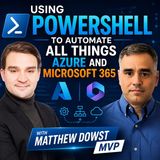
In practice, work with Azure Automation starts with an Automation account. The episode "PowerShell Automation for Azure and Microsoft 365 with Matthew Dowst [MVP]" walks through creating and configuring Azure Automation accounts as the foundation for automating tasks. It says the account needs the right structure and permissions so that workflows run reliably, and it stresses avoiding hard-coded credentials. The episode also frames PowerShell as the scripting layer used to automate both Azure and Microsoft 365 tasks.
Security is a recurring theme. The episode "Secure Azure Automation with Ahmed Uzejnovic [MVP]" argues that automation is no longer optional in large Microsoft cloud environments, but that poorly designed automation can become a major attack surface. It points out that many companies still rely on outdated service accounts, and it describes automation as an engineering discipline that calls for version control, testing, logging, approval workflows and governance. According to the episode, reusable automation frameworks are safer and more scalable than one-off administrative scripts.
Azure Automation is often combined with other services. In "Automate Intune Device Cleanup with Azure Automation", the service is paired with Microsoft Intune, Azure Functions, Microsoft Graph, managed identities and Log Analytics. The episode presents this combination as a way to address configuration drift, stale devices and manual reporting, and to avoid granting global administrator rights for everything. It also mentions keeping synchronization and cleanup in Microsoft Entra ID as part of a secure environment.
Cost control is another application. The episode "Build an Automated Azure Cleanup Engine to Reduce Cloud Waste" describes orphaned Azure resources that silently increase monthly bills. It outlines how Azure Automation, Azure Functions, Azure Resource Graph, Logic Apps, tagging strategies and Azure Policy can be used to detect and clean up such resources continuously. The episode adds that approval workflows, lifecycle management, reporting and governance practices help ensure that automated cleanup does not affect production workloads.
Taken together, the episodes position Azure Automation as a building block for operations that must be repeatable and controlled. Decisions around it typically concern which identity the automation runs under, how credentials are handled, how changes are reviewed and logged, and which companion Azure services handle detection, orchestration or reporting.
Overview compiled with AI from M365.FM episodes and the facts on this page. You can improve it with the edit button below.
Key points about Azure Automation from the episodes, each with its source episode:
Intune alone cannot scale endpoint management; pairing it with Azure Automation, Functions, Microsoft Graph, managed identities and Log Analytics turns chaos into a quiet estate. · Automate Intune Device Cleanup with Azure Automation
Azure Automation is a cloud service for automating repetitive IT tasks such as starting and stopping VMs, patching and cleaning up files. · Azure Automation - Simply Explained
Stop patching ghosts and start running a self-healing workplace. This Podcast reveals why Microsoft Intune alone can’t scale your endpoint management – and how pairing Intune with Azure, Automation, Functions, Microsoft Graph, managed identities and Log…
Manual SharePoint reviews don’t scale. Use PnP PowerShell + Microsoft Graph + Azure Automation to enumerate every site, expand nested/group/inherited permissions, and deliver a clean, daily report. App-only auth, throttling-safe queries, and diff alerts turn…
Tired of chatbots that answer Intune incidents with poetry instead of fixes? In this episode, we go hands-on with Azure AI Foundry and Semantic Kernel to build a mini, self-healing, governed multi-agent system for enterprise IT. You’ll learn why single agents…
In this episode of the m365.fm podcast, the discussion focuses on using PowerShell to automate tasks across Azure and Microsoft 365 with guest Matthew Dowst MVP. Matthew explains how automation became essential as cloud environments grew more complex and…
Still writing PowerShell against MSOnline and AzureAD modules in 2025? This episode explains why that stack is legacy – and how to go API-first with pure REST and Microsoft Graph. We walk through the core “token, headers, REST call” pattern, three real-world…
PowerShell has become the automation standard for Microsoft environments, but it reaches its limits when managing modern cloud infrastructure at scale. In this episode, we explore why Azure Bicep has become the preferred Infrastructure as Code (IaC) language…
Azure Automation is a cloud-based service that helps organizations automate repetitive, time-consuming, and error-prone operational tasks across Azure, on-premises environments, and even other cloud platforms. Instead of performing manual administration, IT…
“Automating Azure Securely” explores how organizations can modernize Azure automation without creating hidden security risks. The core message is that automation is no longer optional in large Microsoft cloud environments, but poorly designed automation can…
Mastering Azure Automation Runbooks: A Practical Guide · Mirko Peters Welcome back to the podcast companion blog! In this post, we are expanding heavily on our latest episode to give you a comprehensive, technical, and practical guide…
Questions marked with AI were written with AI from the facts on this page.
What is Azure Automation? (AI)
Azure Automation is a cloud-based automation service from Microsoft that supports process automation with runbooks, configuration management and update management. It works across Azure and on-premises environments.
Which Microsoft platform is Azure Automation part of? (AI)
Azure Automation is part of Microsoft Azure and is developed by Microsoft.
Which M365.FM episodes cover Azure Automation? (AI)
Episodes include "Azure Automation - Simply Explained", "Secure Azure Automation with Ahmed Uzejnovic [MVP]", "Automate Intune Device Cleanup with Azure Automation" and "PowerShell Automation for Azure and Microsoft 365 with Matthew Dowst [MVP]".
Why can't Intune manage endpoints alone at scale?
Drift, stale devices and manual reporting pile up without automation. The episode pairs Intune with Azure Automation, Functions, Graph, managed identities and Log Analytics to keep the estate clean. · From the episode: Automate Intune Device Cleanup with Azure Automation
What tools can automate a SharePoint Online permission audit?
The episode combines PnP PowerShell, Microsoft Graph and Azure Automation. Together they enumerate all sites, expand nested, group and inherited permissions, and deliver a daily report, turning a weeks-long manual audit into an automated pipeline. · From the episode: Audit SharePoint Online Permissions at Scale
What does app-only authentication do in a permission audit pipeline?
App-only authentication lets the audit script run unattended without a signed-in user. That makes scheduled Azure Automation runs possible, which is what allows the report to be delivered daily and consistently. · From the episode: Audit SharePoint Online Permissions at Scale
Where can module-free Graph scripts run?
They run on Linux, containers, GitHub Actions, Azure Functions and Azure Automation. Because they only need REST calls and a token, there are no module installs or version conflicts to manage. · From the episode: Use Managed Identity with PowerShell for Microsoft Graph
What is a runbook in Azure Automation?
A runbook holds the logic of an automated task. Best practices from the show notes include testing it before publishing and storing credentials securely. · From the episode: Azure Automation - Simply Explained
Relationship map of Azure Automation: linked topics
Related topics in brief
Topics linked to Azure Automation, each briefly explained:
Microsoft – Organization· Developed by Microsoft Corporation is a technology company that develops software and cloud services such as Microsoft 365, Azure and Dynamics 365.
Microsoft tool – Category· Is a Microsoft tool is a broad category for software products and services developed by Microsoft, used to group offerings and to frame tool-selection decisions.
Azure Automation State Configuration – Product· Includes Azure Automation State Configuration is a configuration management service based on PowerShell Desired State Configuration (DSC) that keeps machines in a defined desired state and reports their compliance; Microsoft is moving this capability to Azure Machine Configuration.
Runbook (Azure Automation) – Concept· Narrower topics In Azure Automation, a runbook is a script, usually PowerShell or Python or a graphical workflow, that the service runs on demand, on a schedule, from an alert or via a webhook.
All relationships of Azure Automation, grouped by type of relationship:
Short info above, community knowledge below: add practical tips, examples or corrections. New contributions are reviewed first; trusted members publish directly.
Experts and companies for this topic
Community members with expertise in Azure Automation:
 EN
 Deutsch
 Español
 Français
 Italiano
 Português
 Nederlands
 Polski
 Bahasa Indonesia
 Русский
 Українська
 العربية
 עברית
 日本語
 한국어