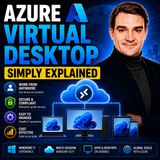
Azure Virtual Desktop, abbreviated AVD and formerly known as Windows Virtual Desktop (WVD), is a cloud-hosted desktop and application virtualization service developed by Microsoft. It runs as part of Microsoft Azure and is classified as a cloud platform and a Microsoft tool. Instead of keeping Windows desktops on the laptop in front of a user, the desktop infrastructure runs in Azure, and users reach their desktops and applications from virtually any device, anywhere. It is a paid service, and its reach can be extended to hybrid setups and other hypervisors.
The main purpose of AVD is to let organizations move desktop infrastructure into the cloud so that they no longer need to maintain traditional on-premises VDI infrastructure. According to the M365.FM episode "Azure Virtual Desktop - Simply Explained", this can simplify management, support remote and hybrid work, and deliver a consistent user experience across locations and devices. The same episode series describes AVD as less a single monolithic product than a handful of simple pieces, each with a plain job, including the pieces administrators actually work with and two ways of handing out access to users.
AVD relies on several neighboring technologies in the Microsoft ecosystem. Microsoft Entra ID provides identity, so users sign in with the same accounts they use for other Microsoft cloud services. Microsoft Intune is commonly used to manage the devices and desktops involved. Documentation for the service is published by Microsoft on its Learn site under the Azure Virtual Desktop section. Because AVD belongs to Azure, its cost behavior, scaling and operations follow Azure principles, which matters when planning who will run the platform and how.
The most frequent decision around AVD is the choice between Azure Virtual Desktop and Windows 365, the Cloud PC service. Both deliver Windows from the cloud, but they differ in operating model, management effort, cost behavior, scaling, image handling and user experience. The episode "Windows 365 or Azure Virtual Desktop: Choosing the Right Cloud PC Model" frames the choice as less about features and more about who will run the platform and how the workload behaves, and it discusses which workloads fit each Cloud PC option.
Two MVP-led conversations on M365.FM go deeper into this comparison. In "Azure Virtual Desktop vs Windows 365 with Dieter Kempeneers [MVP] & Dominiek Verham [MVP]", host Mirko Peters and the guests explain that the two technologies often appear similar but solve different business challenges. They stress that choosing the right platform requires understanding architecture, licensing, management, security and long-term operational goals, and they also look ahead at the future of cloud-delivered desktops. In "AVD vs Windows 365: Which Virtual Desktop Strategy Wins: with Shabaz Darr [MVP]", the guest explains the architecture, licensing, deployment strategies and real-world use cases for both platforms. The discussion is aimed at IT leaders, cloud architects, Microsoft administrators and consultants who want to build secure and scalable environments.
In practice, organizations evaluating AVD typically weigh how much control they want over the underlying environment against how much operational effort they are willing to take on. The episodes present AVD and Windows 365 as complementary options rather than interchangeable ones: the right answer depends on the workload, the licensing situation, the team that will operate the platform and the long-term strategy for desktops in the cloud.
Overview compiled with AI from M365.FM episodes and the facts on this page. You can improve it with the edit button below.
Azure Virtual Desktop (AVD) is Microsoft's cloud-based desktop and application virtualization service that enables users to securely access Windows desktops and applications from virtually any device, anywhere in the world. By moving desktop infrastructure…
In this episode of the M365.fm Podcast, Mirko Peters is joined by Microsoft MVPs Dieter Kempeneers and Dominiek Verham for an in-depth discussion about Azure Virtual Desktop (AVD), Windows 365, and the future of cloud-delivered desktops. While these…
Explore agentic AI for IT operations with Christiaan Brinkhoff: Windows 365, Intune, AI agents, governance, security, and Microsoft's agentic OS vision.
Choosing the right virtual desktop platform has become one of the most important decisions for organizations modernizing their workplace. Although Azure Virtual Desktop (AVD) and Windows 365 are often compared, they solve different business challenges. In…
Azure Virtual Desktop runs your Windows desktops up in Microsoft's cloud, not on the laptop in front of you. The name makes it sound like one big product, but it's really a handful of simple pieces, and each piece has a plain job. In this episode of Simply…
Choosing between Windows 365 and Azure Virtual Desktop is less about features and more about who will run the platform and how the workload behaves. In this episode of M365 FM, we compare the operating models behind both cloud PC options: management effort…
What happens when your cloud strategy cannot live entirely in the public cloud? Organizations are modernizing infrastructure with Azure, platform services, Infrastructure as Code, automated deployment pipelines, and Azure Landing Zones. At the same time, some…
Windows 365 is Microsoft's Cloud PC service that streams a complete Windows desktop from the Microsoft Cloud to virtually any device. Instead of relying on powerful local hardware, your operating system, applications, files, and settings live securely in the…
Timeline of episodes about Azure Virtual Desktop
Articles about Azure Virtual Desktop (6)
Articles in which Azure Virtual Desktop is a topic:
Questions marked with AI were written with AI from the facts on this page.
What is Azure Virtual Desktop? (AI)
Azure Virtual Desktop (AVD), formerly Windows Virtual Desktop, is Microsoft's cloud-hosted desktop and application virtualization service on Azure. It lets users access Windows desktops and apps securely from many devices without on-premises VDI infrastructure.
How does Azure Virtual Desktop differ from Windows 365? (AI)
Both deliver Windows from the cloud, but the M365.FM episodes explain that they solve different business challenges and differ in operating model, management effort, cost behavior, scaling and image handling. The choice depends on who will run the platform and how the workload behaves.
Which Microsoft services does Azure Virtual Desktop work with? (AI)
AVD is part of Microsoft Azure and uses Microsoft Entra ID for identity. It is commonly managed with Microsoft Intune and is closely related to Windows 365.
Is Azure Virtual Desktop the same as a VPN or a remote PC?
No. The episode says it is not a VPN replacement, simply a rented VM or the old remote desktop tool, but a complete desktop experience delivered from the cloud. · From the episode: Azure Virtual Desktop - Simply Explained
What is the best host pool type to start with in AVD?
The episode says to use FSLogix from day one, since managing profiles without it makes the difference between a smooth and a frustrating experience. · From the episode: Azure Virtual Desktop - Simply Explained
How should I pilot AVD?
Start small with one host pool and a few users. Assign permissions through a group such as an AVD users group, and learn from the pilot before scaling. · From the episode: Azure Virtual Desktop - Simply Explained
What is the difference between Azure Virtual Desktop and Windows 365?
Relationship map of Azure Virtual Desktop: linked topics
Related topics in brief
Topics linked to Azure Virtual Desktop, each briefly explained:
Microsoft – Organization· Developed by Microsoft Corporation is a technology company that develops software and cloud services such as Microsoft 365, Azure and Dynamics 365.
Microsoft tool – Category· Is a Microsoft tool is a broad category for software products and services developed by Microsoft, used to group offerings and to frame tool-selection decisions.
Cloud platform – Category· Is a A platform providing computing, storage and services over the internet.
Microsoft Intune – Identity and security tool by Microsoft· Related to Microsoft's cloud service for managing devices and apps. It enforces configuration and compliance policies on Windows, macOS, iOS and Android and feeds device status into Conditional Access.
Microsoft Entra ID – Identity and security tool by Microsoft· Related to Microsoft's cloud identity and access management service, formerly Azure Active Directory. It handles sign-in, single sign-on, multifactor authentication, Conditional Access and app registrations for Microsoft 365, Azure and thousands of other apps.
RDP Shortpath – Narrower topic of Remote Desktop Protocol (RDP)· Related to RDP Shortpath sets up a UDP-based transport between the client and an Azure Virtual Desktop session host. It offers more reliable connections and more consistent latency than the default TCP reverse connect transport, which remains the fallback.
RDP Multipath – Narrower topic of Remote Desktop Protocol (RDP)· Related to RDP Multipath keeps multiple redundant TCP and UDP transport paths for a remote session and switches automatically to an available path when network conditions degrade. It became generally available for Azure Virtual Desktop and Windows 365 in July 2025.
Short info above, community knowledge below: add practical tips, examples or corrections. New contributions are reviewed first; trusted members publish directly.
Experts and companies for this topic
Community members with expertise in Azure Virtual Desktop:
 EN
 Deutsch
 Español
 Français
 Italiano
 Português
 Nederlands
 Polski
 Bahasa Indonesia
 Русский
 Українська
 العربية
 עברית
 日本語
 한국어