Capability of Microsoft 365 Copilot where the assistant carries out multi-step work on the user's behalf across Outlook, Teams, Word and Excel, instead of only answering single prompts.
Copilot Cowork, also referred to as Cowork or Microsoft 365 Copilot Cowork, is a capability of Microsoft 365 Copilot developed by Microsoft. It is an AI assistant that carries out multi-step work on the user's behalf across Outlook, Teams, Word and Excel, instead of only answering a single prompt and stopping. The idea is that a person describes the outcome they want, and the assistant takes ownership of the steps needed to reach it.
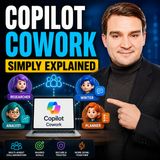
The main purpose is to move work forward rather than to produce one-off answers or content. According to the episode "Copilot Cowork - Simply Explained", Cowork represents the next evolution of Microsoft 365 Copilot. The user states the desired result, and Cowork creates a plan, performs the work, and keeps the user informed along the way. This differs from a prompt-and-response pattern, where each request is handled in isolation and the user must connect the pieces manually.
Copilot Cowork is part of Microsoft 365 Copilot and is closely related to the concept of an AI agent, since it acts toward a goal across several applications. It also relates to Agent skill. Reusable skills can give an assistant consistent methods and expertise, so that similar tasks are handled in the same way across projects. The episode "Microsoft Cowork IQ Knowledge Graph Architecture" mentions that built-in and custom skills streamline processes, that tasks can be delegated to agents so work progresses in the background, and that deeper connections link Microsoft products and third-party solutions.
Because Cowork acts on a user's behalf, Human in the loop is a relevant companion topic. When an assistant performs actions rather than only suggesting text, there need to be points at which a person reviews, approves or corrects the result. The description of Cowork as keeping the user informed while it works fits this pattern: the user sets the outcome, the assistant executes, and the person stays aware of progress and decisions. Questions about how much to delegate, and where to require approval, are typical decisions for organizations adopting this kind of capability.
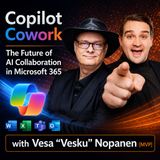
Several M365.FM episodes place Copilot Cowork in a wider context. "Copilot Cowork with Vesa "Vesku" Nopanen [MVP]" discusses how Microsoft 365 Copilot is evolving from a simple AI assistant into a collaborative coworker inside organizations. It covers the future of AI-driven work, the rise of agentic collaboration, and how businesses can prepare for AI that takes part in daily workflows. The conversation highlights a move away from isolated AI prompts toward integrated AI ecosystems that can automate processes and assist decision-making.
The episode "Microsoft Copilot Cowork Engine for Context-Driven Work" connects Cowork to the problem of finding information. It describes constant file searching as a sign of a poorly designed system, with scattered documents, duplicate versions and unclear structures producing what the host calls a "search tax". Rather than relying only on better search, the episode suggests rethinking how information is organized and accessed, which is relevant to any assistant that needs reliable context to do multi-step work.
The episode "AI and Copilot in D365FO Finance with Billur Samdancioglu [MVP-MCT]" refers to Microsoft's "Cowork" vision in a finance setting. There, autonomous AI systems proactively monitor workflows, detect anomalies, trigger processes and assist finance teams with operational tasks. The episode says that AI is expected to reduce repetitive administrative work so that finance professionals can focus on strategy, analysis and business value, and it emphasizes data quality and governance as important foundations.
Taken together, the sources describe Copilot Cowork as a delegation-oriented layer of Microsoft 365 Copilot. Its value depends on clear task descriptions, well-organized information, suitable skills and sensible review points. Official documentation for Microsoft 365 Copilot is available through Microsoft Learn.
Overview compiled with AI from M365.FM episodes and the facts on this page. You can improve it with the edit button below.
Key points about Copilot Cowork from the episodes, each with its source episode:
Regular Copilot handles one task at a time, leaving you as the coordinator; Copilot Cowork takes an entire goal and handles execution. · Copilot Cowork - Simply Explained
Copilot Cowork represents the next evolution of Microsoft 365 Copilot. Instead of simply answering questions or generating content, it can take ownership of multi-step tasks and carry them out on your behalf across your Microsoft 365 environment. You describe…
This episode explains that many managers misunderstand what the “Copilot coworker” actually is. They treat it like a simple productivity tool, expecting quick gains, but in reality AI changes how work, decisions, and responsibilities are structured. Because…
In this episode of the M365.fm podcast, host Mirko Peters sits down with Vesa Nopanen to explore how Microsoft 365 Copilot is evolving from a simple AI assistant into a true collaborative coworker inside modern organizations. The conversation focuses on the…
This episode explains that constantly searching for files is a sign of a poorly designed system rather than a normal part of work. Many organizations struggle with scattered documents, duplicate versions, and unclear structures, which leads to wasted time and…
Microsoft Copilot doesn’t become a true AI assistant by adding more prompts—it becomes one when it understands your context, remembers how you work, and can act across your tools. In this article, Mirko Peters explains how he transformed Microsoft Copilot…
Copilot Credits and autonomous agents replace predictable license costs with variable consumption, while most tenants lack visibility, identity controls and audit trails. This episode helps IT leaders, architects and finance teams understand the credit…
Microsoft Scout is Microsoft's vision for the next generation of AI assistants—moving beyond chatbots to autonomous agents that can actively complete work on your behalf. In this episode, we explain what Microsoft Scout is, why it represents a major shift in…
Copilot Skills are one of the newest ways to make Microsoft Copilot more capable by giving it reusable expertise instead of relying on long, repetitive prompts. Rather than explaining the same instructions every time, a skill acts like a predefined capability…
This episode explains that treating AI like a simple add-on tool—especially Microsoft Copilot—can quietly create “digital debt” inside organizations. The problem isn’t the AI itself, but the messy, ungoverned Microsoft 365 environments it relies on. Copilot…
Learn OneNote vs Microsoft Loop vs Copilot for notes in plain English: practical use cases, architecture, governance, security, and key implementation decisions
Many organizations roll out Copilot and agents but see little business value because everyone builds their own way of working. In this conversation, Femke Cornelissen, Chief Transformation Officer at Wortell, shares with leaders and adoption teams how…
Rolling out Microsoft 365 Copilot is easy; getting thousands of employees to use it and proving value is not. Microsoft MVP Christoffer Besler Hansen of Atea shares practical lessons for IT and business leaders on adoption, agents, Copilot Studio, governance…
Unlocking Productivity with Copilot Cowork · Mirko Peters Explore Copilot Cowork use cases across Microsoft 365, including team collaboration, workflow planning, deployment considerations, and data governance.
Frequently asked questions
Questions marked with AI were written with AI from the facts on this page.
What is Copilot Cowork? (AI)
Copilot Cowork is a capability of Microsoft 365 Copilot in which the assistant carries out multi-step work on the user's behalf across Outlook, Teams, Word and Excel, rather than only answering single prompts.
How does Copilot Cowork differ from a normal Copilot prompt? (AI)
The episode "Copilot Cowork - Simply Explained" says the user describes the outcome they want, and Cowork creates a plan, performs the work and keeps the user informed, instead of just generating an answer or content.
How does Copilot Cowork relate to human oversight? (AI)
Because it acts on a user's behalf, it is related to Human in the loop, meaning a person reviews or approves results at suitable points. Cowork is also described as keeping the user informed while it works.
How is Copilot Cowork different from regular Copilot?
Regular Copilot handles one task at a time, such as summarizing an email, and leaves coordination to you. Cowork takes the goal and manages the execution. · From the episode: Copilot Cowork - Simply Explained
Do I stay in control with Copilot Cowork?
Yes. The show notes say you approve actions before they are finalized and get real-time updates on task progress. · From the episode: Copilot Cowork - Simply Explained
How do I get access to Copilot Cowork?
If you have a Microsoft 365 Copilot license, ask your IT admin about enabling Cowork or the Frontier program. The episode says it is available if your organization is enrolled. · From the episode: Copilot Cowork - Simply Explained
What can I try first in Cowork?
Try one of the built-in starter prompts, such as organize my week or prep for my next meeting. They give you a quick first impression of what Cowork can do for your own day-to-day work. · From the episode: Copilot Cowork - Simply Explained
What is a Cowork Engine in Microsoft Copilot?
It is an approach where Copilot is not only a reactive assistant answering prompts but an active system that anticipates needs and delivers the right information automatically. It organizes the digital workspace so people can get on with real work. · From the episode: Microsoft Copilot Cowork Engine for Context-Driven Work
Relationship map of Copilot Cowork: linked topics
Related topics in brief
Topics linked to Copilot Cowork, each briefly explained:
Microsoft – Organization· Developed by Microsoft Corporation is a technology company that develops software and cloud services such as Microsoft 365, Azure and Dynamics 365.
Microsoft tool – Category· Is a Microsoft tool is a broad category for software products and services developed by Microsoft, used to group offerings and to frame tool-selection decisions.
AI assistant – Category· Is a An AI assistant is software that uses AI models to help users write, summarise, search or act, from built-in Microsoft 365 Copilot to custom-built agents.
Microsoft 365 Copilot – AI assistant by Microsoft· Part of An AI assistant built into Microsoft 365 apps such as Word, Excel, Outlook and Teams. It uses large language models together with the user's own work data from Microsoft Graph to draft, summarise and analyse content, always within the user's existing permissions.
AI agent – Concept· Related to A software system that uses an AI model to pursue a goal on its own: it plans steps, calls tools or APIs, reads data and acts, often with a human approving critical steps. Agents go beyond chatbots because they take actions, not just answer questions.
Agent skill – Concept· Related to Reusable package of instructions, scripts and resources that an AI agent loads on demand to perform a specific task consistently.
Human in the loop – Concept· Related to A design principle where a person reviews or approves what an AI system or automation does.
Knut Relbe-Moe – Person· People working on this topic Knut Relbe-Moe is a speaker at M365Con 2026 and M365Con 2027 (Microsoft MVP, Head of Modern Work at Dapt) with 2 sessions.
Martin Rövekamp – Person· People working on this topic Martin Rövekamp is a speaker at M365Con 2026 and M365Con 2027 (Microsoft MVP, Modern Work Evangelist) with 2 sessions.
Pascal Brunner-Nikolla – Person· People working on this topic Pascal Brunner-Nikolla is a speaker at M365Con 2026 and M365Con DACH 2026 and M365Con 2027 (Microsoft MVP und Head of Modern Work, Campana & Schott at Campana & Schott) with 3 sessions.
Steve Gerstner – Person· People working on this topic Steve Gerstner is a speaker at M365Con 2027 (Bridging IT GmbH at Bridging IT GmbH) with 1 session.
Vesa Nopanen – Person· People working on this topic Vesa Nopanen is a speaker at M365Con 2026 and M365Con 2027 (Principal AI Advisor at Fellowmind) with 2 sessions.
All relationships of Copilot Cowork, grouped by type of relationship:
Short info above, community knowledge below: add practical tips, examples or corrections. New contributions are reviewed first; trusted members publish directly.
Experts and companies for this topic
Community members with expertise in Copilot Cowork:
 EN
 Deutsch
 Español
 Français
 Italiano
 Português
 Nederlands
 Polski
 Bahasa Indonesia
 Русский
 Українська
 العربية
 עברית
 日本語
 한국어