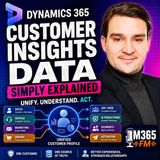
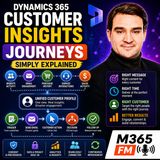
Dynamics 365 Customer Insights is a customer data platform (CDP) and journey tool within Dynamics 365, developed by Microsoft. It is classified as a business application and a Microsoft tool, and it is part of the wider Dynamics 365 family. Its central purpose is to bring customer data from separate systems together into unified customer profiles and to build segments from those profiles. The aliases Customer Data Platform and CDP are used for the product in this knowledge base.
The problem it addresses is a familiar one in many organizations: the same customer exists in several systems, and each system tells a different story. The M365.FM episode "Dynamics 365 Customer Insights Data - Simply Explained" describes this situation. Sales sees an open opportunity, customer service sees recent complaints, marketing sees email clicks and website activity, and an order system knows the customer has already purchased twice. Each department holds useful information, but nobody has the complete picture. A customer data platform is meant to consolidate these fragments so that the relationship can be understood as a whole.
The episode "Dynamics 365 Customer Insights - Simply Explained" frames the same idea from the employee's point of view. A customer buys from a company, signs up for emails, downloads a guide, visits the website and later contacts support. The episode asks how much of that history the employee speaking with the customer can actually see, noting that in many organizations Sales sees one piece, Customer Service another, Marketing owns engagement information, and website behavior sits somewhere else entirely. Unified profiles are presented as the way to give each team a shared view of the customer.
Segmentation is the second major use. The episode "Segment Customers with Dynamics 365 Customer Insights" covers moving beyond demographics to behavior- and transaction-driven segmentation. According to its description, this involves unifying web, CRM, commerce and support data, building dynamic segments using calculated measures and intent signals, and activating those segments across D365 Marketing, Sales and Power Automate for real-time campaigns. The episode also mentions adding frequency caps and mutual exclusion rules, and reviewing results after a week to iterate on the strongest path.
The journey side of the product is covered in "Dynamics 365 Customer Insights Journeys - Simply Explained". That episode asks whether Customer Insights - Journeys is simply a tool for sending marketing emails or something larger. It describes the fragmented situation in which marketing sends emails from one system, sales manages opportunities elsewhere, website forms create another collection of customer information, and customer service keeps its own history. The result, according to the episode, is messages that arrive too late and customers who receive irrelevant information, with employees unable to see the full context.
Customer Insights also appears in the context of Copilot. The episode "Extend Copilot in Dynamics 365 for CRM and ERP" states that Copilot can pull in Dynamics 365 Customer Insights and customer data platform information to personalize responses and recommend tailored offers, reflecting customer history and preferences. In practice, this links the unified profile data to assistant features used by service and sales staff.
Typical decisions around the product concern which data sources to unify, how to define segments, and where to activate them. Official documentation for the product is published by Microsoft on its Learn platform.
Overview compiled with AI from M365.FM episodes and the facts on this page. You can improve it with the edit button below.
Key points about Dynamics 365 Customer Insights from the episodes, each with its source episode:
Dynamics 365 Customer Insights - Data is Microsoft's Customer Data Platform (CDP), which connects information from existing systems instead of replacing CRM, sales, service or marketing apps. · Dynamics 365 Customer Insights Data - Simply Explained
Sales, service and marketing often each hold a different page of the same customer's story. This episode explains Dynamics 365 Customer Insights, its Data and Journeys parts and the confusing name change, for anyone working with Dynamics 365. You will learn…
When sales, service and marketing each see a different version of the same customer, people get the wrong offers and repeat themselves. This episode explains Dynamics 365 Customer Insights - Data for CRM, marketing and data teams. You learn how one unified…
Scattered email lists, sales notes and form entries lead to late, repeated or irrelevant customer messages. This episode explains Dynamics 365 Customer Insights - Journeys in plain English for marketing, sales and business teams. You will learn how journeys…
The cursor freezes. The event stream flatlines. Silence gets loud. That’s how customer journeys fail in the summer—quietly, invisibly, and at the worst possible moment. Summer traffic is deceptive. Intent spikes, teams run lean, and automation is supposed to…
This episode shows how to supercharge targeting in Dynamics 365 Customer Insights by moving beyond demographics to behavior- and transaction-driven segmentation. You’ll learn how to unify web, CRM, commerce, and support data; build dynamic segments using…
Timeline of episodes about Dynamics 365 Customer Insights
Articles about Dynamics 365 Customer Insights (4)
Articles in which Dynamics 365 Customer Insights is a topic:
Questions marked with AI were written with AI from the facts on this page.
What is Dynamics 365 Customer Insights? (AI)
It is a customer data platform and journey tool in Dynamics 365, developed by Microsoft, used to create unified customer profiles and segments. It is also referred to as CDP or Customer Data Platform.
What kinds of data can be unified for segmentation? (AI)
The episode "Segment Customers with Dynamics 365 Customer Insights" describes unifying web, CRM, commerce and support data. Segments built from it can be activated across D365 Marketing, Sales and Power Automate.
How does Customer Insights relate to Copilot in Dynamics 365? (AI)
According to the episode "Extend Copilot in Dynamics 365 for CRM and ERP", Copilot can use Customer Insights and customer data platform information to personalize responses and recommend tailored offers.
What is Dynamics 365 Customer Insights - Data?
It is Microsoft's Customer Data Platform (CDP). It connects customer information from different systems, unifies matching records into profiles and makes them usable by other business processes. · From the episode: Dynamics 365 Customer Insights Data - Simply Explained
What is a unified customer profile?
A profile created when the CDP identifies records from different sources that appear to represent the same customer and combines them into a 360-degree view. · From the episode: Dynamics 365 Customer Insights Data - Simply Explained
What data should feed Dynamics 365 Customer Insights?
Relationship map of Dynamics 365 Customer Insights: linked topics
Related topics in brief
Topics linked to Dynamics 365 Customer Insights, each briefly explained:
Microsoft – Organization· Developed by Microsoft Corporation is a technology company that develops software and cloud services such as Microsoft 365, Azure and Dynamics 365.
Microsoft tool – Category· Is a Microsoft tool is a broad category for software products and services developed by Microsoft, used to group offerings and to frame tool-selection decisions.
Business application – Category· Is a Business application: software that supports business processes such as sales, finance or customer service, and how M365.FM episodes place it in the Microsoft ecosystem.
Dynamics 365 – Business application by Microsoft· Part of Microsoft's family of business applications for sales, customer service, finance, supply chain and more, including Business Central for small and mid-sized companies. It builds on Dataverse and Power Platform.
Dynamics 365 Customer Insights - Data – Product· Includes Customer Insights - Data is the customer data platform part of Dynamics 365 Customer Insights that brings customer information from separate systems together into unified profiles, segments and predictive insights.
Dynamics 365 Customer Insights - Journeys – Product· Includes Customer Insights - Journeys is the part of Dynamics 365 Customer Insights that uses customer profiles and audiences to send emails, text messages and other planned communications.
Sellers and service reps lose time piecing together a customer picture from tabs, records, and reports, and still miss the signals that matter. Account and Contact 360 delivers one AI-powered view of every account and contact, with relationship, engagement, and opportunity insights and recommended next steps. It works wherever people work: in Dynamics 365 Sales and Customer Service, and in Microsoft 365 through the Sales and Service agents and Cowork. Admins tailor insights to their own data and terminology, with no custom code.
Segment templates help you build audiences without recreating queries for each campaign. Choose a built-in template for common scenarios such as event attendance or email engagement, or save your own segment query as a reusable custom template. Add placeholders with hint text to guide marketers through entering campaign-specific values, reducing repetitive setup while keeping audience criteria consistent.
GA: November CY2026
In developmentMicrosoft 365 Roadmap Dynamics 365 Customer Insights - Journeys: Send each message only once with deduplication for SMS and custom channels
Deduplicates recipients by contact point, so each phone number or custom channel address gets the message once per send.
Eliminates manual post-send clean-up, wasted messaging spend and the customer annoyance of duplicate texts.
Brings SMS and custom channels to parity with email's built-in deduplication.
GA: December CY2026
In developmentMicrosoft 365 Roadmap Dynamics 365 Customer Insights - Journeys: Create event experience that match your business structure by supporting leads, contacts, or both
Align event registrations with the way your organization manages customer data. By supporting lead-based registration journeys and existing matching rules, you can avoid unnecessary Contact creation, improve data quality, and ensure event attendees follow the same lead management process used across your business.
Configure event registration forms to create or update Contacts, Leads, or both Leads and Contacts
Apply existing matching, deduplication, and update rules to event registrations for more consistent and accurate customer data.
Register attendees without requiring a Contact record, enabling lead-only registration scenarios and…
GA: June CY2027 · Preview: February CY2027
LaunchedMicrosoft 365 Roadmap Dynamics 365 Customer Insights - Journeys: Marketing tools, skills and plugin are now available in Copilot Cowork
The Customer Insights plugin brings Dynamics 365 Customer Insights context, actions, and guided workflows to Copilot Cowork. Marketers and other customer-facing teams can understand customer profiles, author brand-compliant content, and prepare consent-aware outreach using existing segments directly in the flow of work, reducing the need to switch to Dynamics 365 Customer Insights.
The native Customer Insights skills (Customer Brief & Value Metrics, Email Content Advisor, and Customer Outreach) invoke tools published through the Dynamics 365 MCP server to retrieve unified customer profile and journey context and to perform supported actions…
GA: October CY2026
LaunchedMicrosoft 365 Roadmap Dynamics 365 Customer Insights - Journeys: Elevate customer experiences - Boost productivity with flexible views and search in segments
Customize your view: choose a Contact or Lead view from the new view picker to define which columns appear in the segment members table.
Align export with your view: exported member data automatically reflects your selected columns, ensuring consistency and eliminating post-export cleanup.
Quickly find specific members: use the built-in search to locate individuals within the segment membership list instantly.
Business Value:
Understanding and acting on your audience starts with having the right data at your fingertips. Until now, getting the full context for segment members often meant switching between views, exporting data, or manually…
GA: June CY2026
LaunchedMicrosoft 365 Roadmap Dynamics 365 Customer Insights - Journeys: Elevate customer experiences - Set message expirations to keep communication relevant
Set an expiration date on any message in your journeys (emails, text messages, push notifications, or custom).
Choose from different expiration options (no expiry, expiration based on a date and time, or a trigger).
Review analytics to understand which customers didn't receive messages due to expiration dates.
Scenario: Contoso specializes in hosting virtual events and webinars for their customers. They have a customer journey designed to promote upcoming events, send reminders, and offer exclusive discounts to attendees.
Contoso sets expiration dates on event reminder messages. This ensures that customers who register only a few days before…
GA: June CY2026 · Preview: April CY2026
In developmentMicrosoft 365 Roadmap Dynamics 365 Customer Insights - Journeys: Elevate customer experiences - Enable advanced personalization using simple formulas to modify text, dates, and numbers
Apply a variety of PowerFx functions to text, numbers, and dates in messages.
Text functions include concatenation, change case, trim, substitute, and replace.
Number functions include arithmetic calculations, rounding, and formatting.
Business Value:
Enhance personalization by transforming data directly within your messages using PowerFx expressions. Standardize customer names (for example, convert to proper case), format dates and numbers for different regions, and perform simple calculations such as days until expiration or suggested donation amounts based on prior activity. These capabilities help you deliver more accurate, relevant, and…
GA: November CY2026 · Preview: August CY2026
In developmentMicrosoft 365 Roadmap Dynamics 365 Customer Insights - Data: Agents and Copilot - Increase AI accuracy by grounding agents in customer insights
The Customer Insights MCP server allows AI agents and chat experiences to access and understand insights generated by Customer Insights - Data.
The Customer Insights MCP server uses the industry-standard MCP architecture to securely share unified profiles and insights with AI agents and chat experiences, providing the data context so AI agents can do their best work.
AI tools can use the Customer Insights MCP server to:
Resolve Dataverse contacts and leads to their unified customer profile.
Access extended customer information unified by Customer Insights - Data from external sources not available to Dataverse.
Set up your vanity link (or custom link) in the domain authenticator.
Once authenticated, your vanity domain will be visible in:
All links in your emails.
Hosted digital assets, forms, event registration pages, and your preference center.
Scenario
A retail brand launches a holiday campaign featuring special bundles and limited‑time offers. Instead of using long, generic tracking URLs, the team enables branded content links. Every email now displays clean, trustworthy links using the company’s own domain. Customers feel more confident clicking through, resulting in higher engagement and improved conversion…
GA: December CY2026 · Preview: September CY2026
In developmentMicrosoft 365 Roadmap Dynamics 365 Customer Insights - Data: Faster time to insights - Access unified profiles and insights in Fabric OneLake
Unified profiles and insights are only useful when you can act on the data. If you use Microsoft Fabric, Customer Insights - Data makes it easier to share valuable unified profiles and insights directly in OneLake. You can add those insights to your core analytics and downstream processes.
Scenario:
Contoso has multiple departments with distinct systems and data requirements. After creating shortcuts in Fabric OneLake to all their Customer Insights - Data profiles and insights, the entire Contoso organization can leverage the unique advantage of customer 360-degree profiles across all the workloads of the organization.
The enhanced…
GA: November CY2026 · Preview: October CY2026
LaunchedMicrosoft 365 Roadmap Dynamics 365 Customer Insights - Journeys: Elevate customer experiences - Automatically update emails with the latest content
By automatically updating emails with latest content, you can:
Easily create dynamic content blocks in Content gallery with new content or select existing content in email and save it as a dynamic content block.
Have content only so it uses the layout of the email when inserted or have content with its layout preserved. You can mark the content block as “protected” to prevent content from being modified in the email.
Allow personalized content (for example, dynamic text or conditional content).
Easily see which emails will be updated when you update such content blocks.
Dynamic content blocks can be enabled by going to the Settings > Feature…
GA: August CY2026 · Preview: April CY2026
In developmentMicrosoft 365 Roadmap Dynamics 365 Customer Insights - Journeys: Elevate customer experiences - Update live segments without interrupting ongoing journeys
For any segment, even those used in live journeys or other segments, marketers can edit and republish them to make changes. Changes won't take effect until the segments are published, giving marketers control over the timing of the changes. These changes are picked up at the next recurrence for recurring journeys and new additions are applied in real time for ongoing journeys.
Business Value:
Campaigns often require adjustments after launch, such as refining target audiences based on analytics or changing business needs. Now marketers can make quick updates to segments without having to remake or republish journeys, enabling more agile and…
GA: December CY2026 · Preview: October CY2026
LaunchedMicrosoft 365 Roadmap Dynamics 365 Customer Insights - Journeys: Turbocharge your pipeline to drive growth - Transform customer journeys into action with record creation
This feature gives you a single, flexible way to create downstream records and activities directly inside the journey builder.
Create records or activities from a single tile, including tasks, phone calls, leads, opportunities, or custom entity records.
Use required and optional fields, including custom attributes, to match your exact process requirements.
Add dynamic content to any field, using real‑time attributes from contacts or leads.
Eliminate the need for complex workflows or custom code, making automation more accessible and easier to maintain.
This feature currently works when orchestrating journeys on contacts and leads. It doesn't…
GA: September CY2026 · Preview: April CY2026
Summaries of official Microsoft release information, checked daily.
Community wiki
Short info above, community knowledge below: add practical tips, examples or corrections. New contributions are reviewed first; trusted members publish directly.
Experts and companies for this topic
Community members with expertise in Dynamics 365 Customer Insights:
 EN
 Deutsch
 Español
 Français
 Italiano
 Português
 Nederlands
 Polski
 Bahasa Indonesia
 Русский
 Українська
 العربية
 עברית
 日本語
 한국어