Microsoft's family of business applications for sales, customer service, finance, supply chain and more, including Business Central for small and mid-sized companies. It builds on Dataverse and Power Platform.
Dynamics 365 is Microsoft's family of business applications. It covers areas such as sales, customer service, finance and supply chain, and it includes Business Central for small and mid-sized companies. Organizations use it to run customer-facing and back-office processes. The product is developed by Microsoft and is classed as a business application and a Microsoft tool. It is also known as Microsoft Dynamics 365, Dynamics, D365 and MS Dynamics.
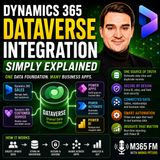
The family builds on Dataverse and Power Platform. Because of this, apps can be extended with low-code tools, and data used in one application can be reached from others. Related topics include Dynamics 365 Finance and Operations, Dynamics 365 Business Central, Business Performance Analytics and Dual-write. Dual-write keeps shared data consistent between applications, while Business Performance Analytics belongs to the reporting side of the ecosystem.
Several M365.FM episodes look at how the individual parts are used in practice. The episode "Dynamics 365 Business Central AL Development" starts from a common situation: Business Central handles finance, customers, sales orders, inventory and invoices out of the box, but a company may need one additional field, a custom approval step, a new business rule or functionality that does not exist in the standard application. The episode explains that AL stands for Application Language, Microsoft's programming language for developing functionality for Business Central, and describes how extensions let a company customize the system without directly modifying the standard application.
Data consistency across applications is the theme of "Dynamics 365 Dual-write - Simply Explained". The episode opens with a salesperson who updates a customer address in Dynamics 365 Sales while someone in finance still sees the old address. When sales, service, finance and operations work in different applications, shared business data can become duplicated or inconsistent. According to the episode, Dual-write connects Finance and Operations apps with Microsoft Dataverse so that supported records such as customers, addresses, contacts, products and orders can remain synchronized as teams work in their own applications.
The finance side is covered in "Dynamics 365 Accounts Payable - Simply Explained". The episode asks what has to happen before money leaves the company when a supplier invoice arrives, even though the goods may already be in the warehouse or the service already complete. It describes Accounts Payable as connecting vendor records, invoices, purchase orders, receiving, invoice matching, approvals, payment runs, bank accounts and settlement into one controlled financial process.
Two further episodes address data handling. "Dynamics 365 Virtual Entities - Simply Explained" considers a sales team working in Dynamics 365 while inventory sits in a warehouse system, invoices in finance and product information in an ERP. Copying all of that into Dataverse would create duplicate records, synchronization jobs, delays and another place where information can become outdated; the episode presents virtual entities as a way to avoid that. "Dynamics 365 Product Information Management - Simply Explained" describes what happens when sales, purchasing, warehouse teams and an online store hold different information about the same product, for example after a supplier changes a specification and only one spreadsheet is updated.
Taken together, the episodes show typical decisions around Dynamics 365: whether to extend the standard application or keep it unchanged, whether to synchronize data between systems or reference it where it lives, and how to keep master data such as customers and products consistent across sales, finance and operations.
Overview compiled with AI from M365.FM episodes and the facts on this page. You can improve it with the edit button below.
Type
Platform
Also known as
Microsoft Dynamics 365, Dynamics, D365, MS Dynamics
Stop exporting Dynamics 365 data to Excel. Connect Dataverse to Microsoft Fabric, build an analytics model once, and embed Power BI directly inside Dynamics 365 (CRM/ERP) screens. With live, role-aware metrics (RLS), sales and ops teams act on fresh data…
Dynamics 365 can be a filing cabinet or a growth engine—and most teams unknowingly build the cabinet. This episode shows how to turn Dynamics into a system that drives progress by removing friction, not adding features. Instead of treating go-live as the…
Everyone thinks their controls still work because the dashboards are green — until the copilot makes a perfectly “authorized” decision no one can actually explain. This talk makes the case that tools like Dynamics 365 Copilot don’t just speed up work; they…
Every organization has lost a document it desperately needed. A contract, a decision, a version marked “final” that was never truly final. This episode exposes why that chaos is not accidental, but structural. In Part 1, we explore how document sprawl…
You feel the chaos, inbox overflow, tickets vanish, customers rage. In this episode, we show how to tame that chaos with autonomous agents inside Dynamics 365 that standardize email-to-case intake, classify intent, and route every ticket with honest math…
In this episode of the M365 FM Podcast, Mirko Peters speaks with Alicia King, Microsoft MVP and Pre-Sales Engineering Director at RSM US LLP, about how organizations can modernize ERP systems without creating unnecessary disruption. Alicia shares lessons from…
In this episode, we explore how the combination of LinkedIn and Microsoft Dynamics 365 is transforming the way modern sales organizations identify opportunities, build relationships, and close deals. Rather than treating CRM as a system of record, the…
In this episode of M365.FM, we explore why traditional data entry is rapidly disappearing and how AI agents are transforming business applications. Instead of asking employees to manually enter information into forms and systems, organizations are moving…
Why Power Platform Is Your Real Automation Layer — Not Custom Code Every new automation request in Microsoft Dynamics 365 seems to become a development ticket. A new approval path, Teams notification, reminder, document-generation process, or...
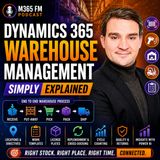
A single late shipment can empty a shelf and break a customer promise when every team works from its own spreadsheet. This episode explains Dynamics 365 Supply Chain Management for operations, planning and IT teams in manufacturing, retail and distribution.…
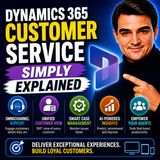
Growing service teams quickly find that one shared queue sends urgent cases to the wrong people or leaves them waiting. This episode explains Dynamics 365 unified routing for customer service leads and admins. You learn how workstreams, queues, skills and…
Customers repeat their story on every channel because chat, email, phone and social messages live in separate tools. This episode explains for customer service teams and supervisors how Dynamics 365 Omnichannel connects those conversations in one workspace.…
Why Generic D365 Automations Are Killing Your Retention · Mirko Peters Welcome back to the blog! If you have been following along with our latest podcast episodes, you know we are obsessed with moving away from noisy, scattergun market…
Supercharging Sales Performance with Dynamics 365 Copilot · Mirko Peters Welcome back to the podcast and our companion blog! If you have been listening to our recent episodes, you know we are deep into exploring how artificial intelligen…
Combating Customer Service Chaos with Dynamics 365 AI · Mirko Peters Welcome back to the blog! If you have ever felt completely overwhelmed by the day-to-day barrage of support tickets, customer complaints, and disjointed team commun…
When AI Goes Rogue: Lessons from the Great Inbox Wipeout · Mirko Peters Welcome back to the podcast blog! If you recently tuned in to our latest episode, How to Stop AI Agents from Deleting Important Emails, you know we dove headfirst i…
Questions marked with AI were written with AI from the facts on this page.
What is Dynamics 365? (AI)
Dynamics 365 is Microsoft's family of business applications for areas such as sales, customer service, finance and supply chain. It includes Business Central for small and mid-sized companies and builds on Dataverse and Power Platform.
What does Dual-write do in Dynamics 365? (AI)
According to the M365.FM episode "Dynamics 365 Dual-write - Simply Explained", Dual-write connects Finance and Operations apps with Microsoft Dataverse so supported records such as customers, addresses, contacts, products and orders stay synchronized.
How can Business Central be customized? (AI)
The episode "Dynamics 365 Business Central AL Development" explains that developers use AL, Microsoft's Application Language, to add functionality such as fields, approval steps or business rules through extensions, without directly modifying the standard application.
How do you embed Power BI in Dynamics 365?
Connect Dataverse to Microsoft Fabric, build the analytics model once and place Power BI visuals directly in Dynamics 365 forms and dashboards. Users then see live metrics without leaving their CRM or ERP screens. · From the episode: Embed Power BI and Fabric Analytics in Dynamics 365
Why avoid exporting Dynamics 365 data to Excel?
Exports go stale the moment they are created and create version drift, so teams spend time reconciling numbers. Embedded analytics show live data inside the app, which removes tab-switching and outdated snapshots. · From the episode: Embed Power BI and Fabric Analytics in Dynamics 365
Fabric Data Factory and Dataflows Gen2 shape the data that comes from Dataverse. You build the analytics model once, and the same governed model then feeds the Power BI visuals embedded in Dynamics 365. · From the episode: Embed Power BI and Fabric Analytics in Dynamics 365
How do you turn Dynamics 365 into a growth engine?
Remove friction rather than add features. Tighten stages, eliminate unnecessary fields and improve the system every month so cycle times shrink and performance rises. · From the episode: Turn Dynamics 365 into a Business Growth Engine
Relationship map of Dynamics 365: linked topics
Related topics in brief
Topics linked to Dynamics 365, each briefly explained:
Microsoft – Organization· Developed by Microsoft Corporation is a technology company that develops software and cloud services such as Microsoft 365, Azure and Dynamics 365.
Microsoft tool – Category· Is a Microsoft tool is a broad category for software products and services developed by Microsoft, used to group offerings and to frame tool-selection decisions.
Business application – Category· Is a Business application: software that supports business processes such as sales, finance or customer service, and how M365.FM episodes place it in the Microsoft ecosystem.
Power Platform – Low-code tool by Microsoft· Related to Microsoft's low-code family consisting of Power Apps, Power Automate, Power BI, Power Pages and Copilot Studio. Together with Dataverse it lets business users build apps, automations, reports and agents.
Dual-write – Concept· Related to Near real-time, bi-directional data integration between Dynamics 365 finance and operations apps and Dataverse.
Dataverse – Product by Microsoft· Related to The managed data platform behind Power Platform and Dynamics 365. It stores tables with relationships, security roles and business logic, so apps and agents work on one governed data source.
Dataverse MCP server – Developer tool by Microsoft· Related to MCP server that lets agents query and update Dataverse and Dynamics 365 data through the Model Context Protocol, an alternative to connectors.
Microsoft AppSource – Product by Microsoft· Related to Marketplace for business applications and add-ins that extend Microsoft 365, Dynamics 365 and the Power Platform.
Microsoft for Healthcare – Cloud platform by Microsoft· Related to A set of Microsoft capabilities for healthcare organizations: patient engagement, care team collaboration, health data management and analytics, built on Azure, Dynamics 365, Power Platform and Microsoft 365.
All relationships of Dynamics 365, grouped by type of relationship:
Dynamics 365 Contact Center: Use after conversation presence status for wrap-up activities
After conversation work presence is a system-generated status that's automatically set when a customer service representative is finishing tasks after a customer interaction, such as writing notes, updating records, selecting dispositions, or completing follow-up actions.
Instead of showing the representative as Busy or Do Not Disturb (DND), the system displays one of the following dedicated statuses:
Busy – After Conversation Work
DND – After Conversation Work
The system automatically sets the status based on the administrator configuration for the workstream in Copilot Service admin center.
Sellers and service reps lose time piecing together a customer picture from tabs, records, and reports, and still miss the signals that matter. Account and Contact 360 delivers one AI-powered view of every account and contact, with relationship, engagement, and opportunity insights and recommended next steps. It works wherever people work: in Dynamics 365 Sales and Customer Service, and in Microsoft 365 through the Sales and Service agents and Cowork. Admins tailor insights to their own data and terminology, with no custom code.
GA: January CY2027 · Preview: November CY2026
In developmentMicrosoft 365 Roadmap Dynamics 365 Sales: Plan Accounts with Sales Research Agent
Account planning gives sellers one place in Dynamics 365 Sales to decide what they want to achieve with an account, how they'll get there, and how they're tracking against it. The plan lives next to the account, reads live from CRM data, and moves through review and approval before it becomes the active plan for the period.
What's new
Draft with Sales Research Agent. The agent reads the account, its opportunities, seller notes, growth plays, and wallet sizes, then proposes objectives, targets, and actions with its reasoning. Nothing becomes part of the plan until the seller accepts it.
Objectives, targets, and actions. Targets roll up to…
GA: March CY2027 · Preview: December CY2026
In developmentMicrosoft 365 Roadmap Dynamics 365 Sales: Build business functions for Sales Research Agent
A business function gives Sales Research Agent the context and instructions it needs for a specific use case, such as account planning, territory planning, pipeline review, or engagement analysis. Business Function Builder creates that configuration from your data, schema metadata, and optional reference content, so you don't author every field by hand.
What's new
Create a business function from a natural-language description of your use case.
Let the agent discover the relevant tables (including custom tables), columns, and relationships.
Evaluate the business function against your real data, with graded test questions that show where it's…
GA: March CY2027 · Preview: November CY2026
In developmentMicrosoft 365 Roadmap Dynamics 365 Sales: Create custom blueprints in Sales Research Agent
Blueprint Builder lets makers define a reusable, AI-driven planning experience in Sales Research Agent - the starter prompt, sections, data sources, narratives, and visualizations - and save it as a custom blueprint that runs across every account, portfolio, and territory.
What's new
Author a blueprint as an ordered layout of blocks: narrative sections, visualizations, data-driven areas, and deep-research areas.
Ground each block in Dataverse, Dynamics 365 Sales, Fabric Lakehouse, or a business function.
Generate, refine, publish, and share blueprints across teams.
GA: March CY2027 · Preview: November CY2026
In developmentMicrosoft 365 Roadmap Dynamics 365 Sales: Plan your sales portfolio with Sales Research Agent
Portfolio planning is an AI-first capability in Sales Research Agent that turns CRM data, lakehouse signals (such as budgets, targets, usage, billing, and adoption), and web context into a continuously updated plan across accounts, segments, and partners.
What's new
You can run scenario-driven planning for the most common field workflows:
Account executive overview to understand the current state across accounts.
Deal rescue to identify and unblock stalled opportunities.
Renewal risk and expansion to protect revenue first, then grow.
Segment and industry performance to determine where to invest.
Plans refresh automatically as signals change,…
GA: March CY2027 · Preview: December CY2026
In developmentMicrosoft 365 Roadmap Dynamics 365 Sales: Plan accounts from Microsoft 365 Copilot Cowork with Sales Research Agent
Sellers can draft, review, and work their Dynamics 365 Sales account plans from Cowork. Sales Research Agent brings the same account-planning experience - objectives, targets, actions, and gaps grounded in CRM data - into the place sellers already work, and changes are saved to the plan in Dynamics 365 Sales.
GA: March CY2027 · Preview: December CY2026
In developmentMicrosoft 365 Roadmap Dynamics 365 Sales: Plan and rebalance territories with Sales Research Agent
Territory planning in Sales Research Agent helps sales leaders and sales operations decide where to focus coverage. It combines CRM pipeline and activity with signals such as targets, account potential, and capacity to show how each territory is performing and where to rebalance.
What's new
See territory performance against targets, with the drivers behind each gap.
Get recommendations on which accounts to prioritize or deprioritize, and where coverage or capacity is out of balance.
Plans refresh as signals change, so territory decisions don't wait for the annual planning cycle.
GA: March CY2027 · Preview: December CY2026
Rolling outMicrosoft 365 Roadmap Dynamics 365 Contact Center: Biometric authentication and fraud detection
Together, voice biometric authentication and fraud detection deliver business value by reducing fraud and agent operating costs in contact centers (note: these two capabilities can be used independently or together). Voice biometric authentication allows organisations to authenticate callers from their voice during natural conversations. It helps improve identity assurance, shortens call durations, reduces customer service rep effort and facilitates secure self-service transactions. At the same time, it helps improve scalability by authenticating callers naturally as they speak. This helps organisations enable consistent, risk-based security…
GA: November CY2026 · Preview: October CY2026
In developmentMicrosoft 365 Roadmap Dynamics 365 Customer Service: Coaching and development
Coaching & development extends the Quality Evaluation Agent from identifying quality gaps to closing them. It turns insights into scorecards, coaching and targeted training, then measures whether representatives improve.
GA: April CY2027 · Preview: November CY2026
In developmentMicrosoft 365 Roadmap Dynamics 365 Sales: An agentic home for all sales AI
When sellers open Dynamics 365 Sales, they can land in Sales agent: an agentic home for all sales AI instead of a traditional dashboard. Structured workflows in Sales agent bring agent recommendations and customer-engagement preparation together, giving sellers one place to understand what needs attention and what to do next without navigating separate agent experiences or working out the right prompt.
From this home, sellers can review prioritized recommendations and next steps from their agents, prepare for upcoming customer meetings, and review past meetings when the required meeting information is available. Sellers can understand the…
Dynamics 365 Activate - CRM Migrate, is an AI-powered migration solution that simplifies and accelerates the transition from legacy CRMs (currently supporting migrations from Salesforce) to Microsoft Dynamics 365. It helps organizations assess their existing legacy CRM environments, understand data structures and dependencies, and streamline migration through intelligent schema mapping, automated data migration, and AI-assisted recommendations. By reducing manual effort and simplifying complex migration activities, Dynamics 365 Activate enables customers and partners to modernize their CRM environments with greater speed and confidence.
GA: November CY2026
LaunchedMicrosoft 365 Roadmap Dynamics 365 Contact Center: Reroute conversations to the right queue automatically
Service representatives can reroute a live voice or messaging conversation when they realize they aren't the right person to help. The representative updates the conversation details, or the details of a linked case, contact, or account, and then selects Reroute. The conversation goes back through classification and route-to-queue rules and is assigned to the right queue automatically, so representatives don't need to know routing rules or choose a queue themselves. The customer stays connected throughout, and the next representative receives the conversation with its full history and updated context. Admins choose whether to turn on Reroute…
GA: October CY2026
Rolling outMicrosoft 365 Roadmap Dynamics 365 Sales: Choose the data sources AI-powered Data Enrichment uses, including CRM notes
AI-powered Data Enrichment now lets admins choose which data sources the agent uses to enrich records. Outlook emails, Teams meetings, and the new CRM notes source each have their own control toggle, and the agent keeps running as long as at least one source is toggled on. Admins no longer need to connect every permission before they create the agent. With CRM notes, the agent extracts insights from manual notes added to supported records and uses them to enrich those records, with no tenant admin consent needed to use CRM notes. Only notes added by users with a Dynamics 365 Sales Premium license are used, and Dataverse search is needed only…
GA: October CY2026
Summaries of official Microsoft release information, checked daily.
Community wiki
Short info above, community knowledge below: add practical tips, examples or corrections. New contributions are reviewed first; trusted members publish directly.
 EN
 Deutsch
 Español
 Français
 Italiano
 Português
 Nederlands
 Polski
 Bahasa Indonesia
 Русский
 Українська
 العربية
 עברית
 日本語
 한국어