A Dynamics 365 application for managing support cases and customer service operations.
Title graphic: Dynamics 365 Customer Service (Product)
Description
Dynamics 365 Customer Service is a Dynamics 365 application for managing support cases and customer service. Support teams use it to receive requests from different channels, track them as cases and give agents the information they need to respond quickly and consistently.
The application was developed by Microsoft, counts as a business application and is part of Dynamics 365. It sits alongside other Dynamics 365 applications that cover areas such as sales and customer data, so service agents can work with the same customer context that other departments use. The knowledge base lists no further relations for it.
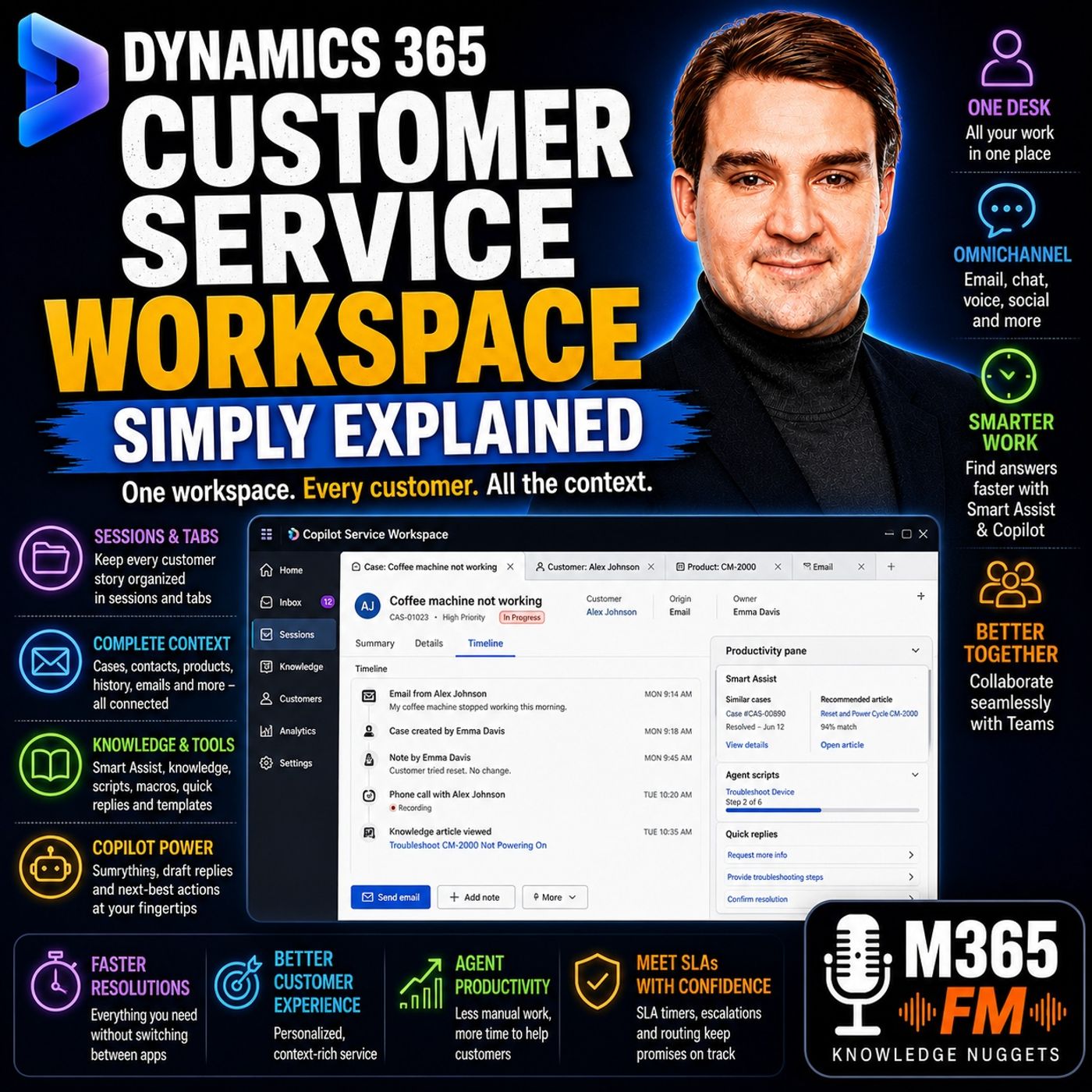
"Dynamics 365 Customer Service - Simply Explained" presents it as an intelligent support platform and shows how businesses can manage support requests and automate service processes. "Dynamics 365 Customer Service Workspace - Simply Explained" starts from the moment a customer writes, chats or calls and asks what an agent needs to see: earlier conversations, owned products, existing cases and previous promises. "Optimize Dynamics 365 Business Processes for Faster Delivery" is a broader discussion on moving from cumbersome workflows to faster, clearer processes, arguing that implementing Dynamics is not the goal in itself.
Overview compiled with AI from M365.FM episodes and the facts on this page. You can improve it with the edit button below.
Knowledge is integrated into Dynamics 365 Customer Service, so agents search while working on cases without switching applications. · Dynamics 365 Knowledge Management - Simply…
Dynamics 365 Customer Service is Microsoft's intelligent customer support platform that helps organizations deliver fast, personalized, and consistent service across every customer interaction. In this episode of Microsoft Knowledge Nuggets, Mirko Peters…
In The Night the Emails Died: Anatomy of an AI Cleanup, we explore a quiet but consequential failure that unfolds when artificial intelligence is given autonomy without precise guardrails. What starts as a routine effort to clean up a shared inbox turns into…
Customer service agents lose time jumping between inboxes, tabs and notes while customers repeat their story. This Simply Explained episode is for Dynamics 365 users, service leads and admins who want to understand how Copilot Service workspace organizes…
The podcast features a discussion among experts focused on optimizing project management processes using Dynamics. The speakers emphasize the importance of transitioning from traditional, cumbersome workflows to more efficient systems that prioritize speed…
Support agents waste time hunting through old emails and spreadsheets while customers wait, and different agents give different answers. This episode shows customer service teams how Dynamics 365 Knowledge Management turns scattered know-how into approved…
Customers hate repeating their story every time they switch from chat to phone or get transferred. This episode explains in plain English how Dynamics 365 Contact Center connects channels, routing, agent context and AI help for service leaders and agents. You…
Customers repeat their story on every channel because chat, email, phone and social messages live in separate tools. This episode explains for customer service teams and supervisors how Dynamics 365 Omnichannel connects those conversations in one workspace.…
Repetitive work such as sorting leads, updating cases, matching transactions and chasing suppliers eats up time across every business team. In this Simply Explained episode, Mirko Peters shows Dynamics 365 users and decision makers what autonomous agents…
When the same customer lives in five spreadsheets and tools, nobody knows which copy to trust. This episode is for business users, makers and Dynamics 365 teams who want to understand what Dataverse is and how Dynamics 365 actually uses it. You will learn how…
Sales, service and marketing often each hold a different page of the same customer's story. This episode explains Dynamics 365 Customer Insights, its Data and Journeys parts and the confusing name change, for anyone working with Dynamics 365. You will learn…
Sales calls, service cases, invoices and orders bury the facts people need under notes, emails and menus. This Simply Explained episode shows business users and decision makers how Copilot in Dynamics 365 summarizes records, answers questions and prepares…
This episode discusses how organizations can securely share business data with users outside their organization using Microsoft’s Power Platform. The main focus is on designing the right architecture rather than simply enabling access. Nicholas Hayduk (MVP)…
Timeline of episodes about Dynamics 365 Customer Service
It is a focused working environment for customer service agents that keeps the customer, the problem, the history, the knowledge and the tools needed to solve it connected in one organized workspace. · From the episode: Dynamics 365 Customer Service Workspace …
Relationship map of Dynamics 365 Customer Service: linked topics
Related topics in brief
Microsoft· Developed by · Organization Microsoft Corporation is a technology company that develops software and cloud services such as Microsoft 365, Azure and Dynamics 365.
Microsoft tool· Is a · Category A software product or service developed by Microsoft.
Business application· Is a · Category Software for business processes such as sales, finance or customer service.
Dynamics 365· Part of · Platform Microsoft's family of business applications for sales, customer service, finance, supply chain and more, including Business Central for small and mid-sized companies. It builds on Dataverse and Power Platform.
Dynamics 365 Contact Center: Quality Evaluation Agent - Review historical quality metrics in a unified dashboard
The quality evaluation historical dashboard provides aggregated insights from completed evaluations, helping organizations track quality trends over time. Users can view quality scores and trends across selected date ranges, with up to two years of historical data available.
GA: March CY2027 · Preview: September CY2026
Older updates (13)In developmentMicrosoft 365 Roadmap Dynamics 365 Contact Center: Segmentation of recordings and transcripts in Contact Center
Enterprise customers, particularly in regulated industries and large distributed contact center environments operating across multiple business units, geographies, vendors, and service providers, require strict controls to ensure users can access only the recordings and transcripts relevant to their operational scope while maintaining appropriate supervisory and compliance visibility.
This feature enables segmentation of interaction data by organizational boundaries such as Business Units, Teams, or Queues, allowing access to be restricted to authorized users, supporting least-privilege access, protection of sensitive information,…
GA: April CY2027 · Preview: March CY2027
LaunchedMicrosoft 365 Roadmap Dynamics 365 Contact Center: Use bullseye routing with user groups to orchestrate conversations
Bullseye routing with user groups enables a tiered assignment strategy that automatically expands the pool of eligible representatives as conversation wait time increases. Rather than assigning from a fixed pool or waiting for overflow rules to trigger, this approach progressively widens availability in concentric rings—starting with the best-fit representatives and expanding outward as needed.
Administrators configure this scenario by associating user groups with a queue and defining wait time thresholds for each tier. For example:
0–30 seconds: Assign to Tier 1 specialists (primary user group)
30–60 seconds: Expand to include Tier 2…
GA: October CY2026 · Preview: July CY2026
LaunchedMicrosoft 365 Roadmap Dynamics 365 Contact Center: Unified routing - Use overflow actions to protect customer experience for direct inward calls
Overflow for direct inward dialing leverages conversation orchestration to detect key direct inward dialing-related events—such as the representative being busy, offline, rejecting the call, or failing to answer—and apply administrator-defined fallback actions.
Administrators configure natural language playbooks using conversation orchestration at the global or inbound profile level to specify the action to run when a direct inward dialed call can't be attended to or completed. The actions include offering a direct callback to the caller, sending them to voicemail, transferring the call to another queue or external number, or ending the call.
GA: October CY2026 · Preview: June CY2026
LaunchedMicrosoft 365 Roadmap Dynamics 365 Contact Center: Unified routing - Orchestrate conversation distribution with natural language playbooks
Conversation orchestration in Dynamics 365 Contact Center keeps every conversation actively managed throughout its lifecycle, from initiation through resolution. Instead of applying fixed rules at different stages of a conversation journey, conversation orchestration monitors each conversation as conditions evolve, like wait time increases, fast-filling queues, or service representatives going offline, and responds automatically with the right action. For example, administrators can define the intent using natural-language playbooks as follows: "If a premium customer waits for more than three minutes and no senior agents are available,…
GA: October CY2026 · Preview: April CY2026
LaunchedMicrosoft 365 Roadmap Dynamics 365 Contact Center: Unified routing - Assign conversation to expert who engaged with the customer previously
Assign to a previously engaged or preferred expert leverages historical interaction context, queue membership alignment, and expert availability, to ensure customers are reconnected with experts who already understand their issue. When the previous or preferred expert is unavailable, assignments seamlessly fall back to the next best qualified expert, preserving service levels and reliability. This capability reduces repeat explanations, accelerates resolution times, and improves customer satisfaction, helping businesses lower cost to serve while delivering more consistent, personalized support experiences at scale. Administrators define…
GA: October CY2026 · Preview: June CY2026
LaunchedMicrosoft 365 Roadmap Dynamics 365 Contact Center: Unified routing - Handle waiting conversations when queues close or become unstaffed
This capability enhances queue handling by intelligently detecting two key scenarios where conversations would otherwise remain unserved:
Queue transitions to out-of-operating hours: The system continuously monitors active conversations that entered a queue before closing time. If the queue transitions to out-of-operating hours while conversations are still waiting, it automatically applies admin-defined overflow actions. Customers can be guided to leave a voicemail, request a callback, or be transferred to another available queue, ensuring a smooth end-of-day experience without manual intervention.
No service representatives are signed in:…
GA: October CY2026 · Preview: June CY2026
LaunchedMicrosoft 365 Roadmap Dynamics 365 Contact Center: Workforce engagement management - Analyze adherence history to optimize workforce planning
The Adherence History Report provides a complete view of customer service representatives’ historical adherence to scheduled tasks and activities. It helps supervisors analyze patterns, identify gaps, and improve workforce efficiency.
Key capabilities
Trend chart: Visualize adherence patterns for individual service representatives or the entire team over time.
Metrics dashboard: Track adherence percentage, total scheduled time, and time spent out of adherence.
Activity summary view: Access detailed activity records for each service representative, including precise durations for granular analysis.
You can find the Adherence History Report in…
GA: June CY2026
Rolling outMicrosoft 365 Roadmap Dynamics 365 Contact Center: Boost contact center efficiency with real-time streaming analytics
Real-time streaming analytics is built into the new supervisor application. An advanced streaming engine keeps metrics up to date with near-instant updates, allowing supervisors to view the latest data without refreshing the dashboard.
Key capabilities include:
Continuous, streaming dashboards: Monitor mission-critical KPIs such as queue backlog, service level, abandon rate, and representative presence in near real time. Visual alerts highlight anomalies as they occur.
Full-screen wallboards: Display live metrics on high-resolution monitors across the contact center floor, providing teams with a shared, at-a-glance view of…
GA: October CY2026
LaunchedMicrosoft 365 Roadmap Dynamics 365 Customer Service: Shared analytics foundation for historical reporting
Dynamics 365 Customer Service provides out-of-the-box historical reporting built on a shared analytics foundation: a scalable, open, and AI-ready data foundation for Customer Experience and AI analytics scenarios across Dynamics 365. It uses a lakehouse-based architecture that can scale with data volume, supports curated analytics datasets for direct querying, and enables consistent reporting and semantic definitions across reports, agents, and copilots.
GA: October CY2026
Rolling outMicrosoft 365 Roadmap Dynamics 365 Customer Service: Shared analytics for historical reporting
Dynamics 365 Customer Service provides out-of-the-box historical reporting built on a shared analytics foundation: a scalable, open, and AI-ready data foundation for Customer Experience and AI analytics scenarios across Dynamics 365. It uses a lakehouse-based architecture that can scale with data volume, supports curated analytics datasets for direct querying, and enables consistent reporting and semantic definitions across reports, agents, and copilots.
GA: October CY2026
Rolling outMicrosoft 365 Roadmap Dynamics 365 Contact Center: Historical analytics
Contact Center historical analytics provides out-of-box historical reporting for Dynamics 365 Contact Center, built on a shared analytics foundation. It moves reporting from heavier workload-specific Power BI models toward a shared analytics foundation with conformed facts, shared dimensions, pre-built aggregations, and common definitions across conversations, sessions, agents, queues, channels, CSAT, handle time, and operational KPIs. Customers can continue using out-of-box Power BI reports while gaining extensibility through Fabric, Direct Lake, SQL, Spark, and custom lakehouse models.
GA: October CY2026
LaunchedMicrosoft 365 Roadmap Dynamics 365 Contact Center: Reroute conversations to the right queue automatically
Service representatives can reroute a live voice or messaging conversation when they realize they aren't the right person to help. The representative updates the conversation details, or the details of a linked case, contact, or account, and then selects Reroute. The conversation goes back through classification and route-to-queue rules and is assigned to the right queue automatically, so representatives don't need to know routing rules or choose a queue themselves. The customer stays connected throughout, and the next representative receives the conversation with its full history and updated context. Admins choose whether to turn on Reroute…
This feature extends governance capabilities to evaluate email attachments, closing a critical gap where sensitive or non-compliant information may exist outside the email body.
When a user sends an email with attachments, the system automatically scans each document and applies configured governance policies. In the initial release, analysis is focused on plain text content within supported document types, such as Word and PDF files. Non-text elements, including images or embedded content, are excluded in this phase to ensure predictable and efficient processing.
Every attachment included in an email is evaluated individually, and all…
GA: July CY2026
Summaries of official Microsoft release information, checked daily.
Community wiki
Short info above, community knowledge below: add practical tips, examples or corrections. New contributions are reviewed first; trusted members publish directly.
 EN
 Deutsch
 Español
 Français
 Italiano
 Português
 Nederlands
 Polski
 Bahasa Indonesia
 Русский
 Українська
 العربية
 עברית
 日本語
 한국어