A Dynamics 365 application for managing leads, opportunities and the sales pipeline.
Title graphic: Dynamics 365 Sales (Product)
Description
Dynamics 365 Sales is a Dynamics 365 application for managing leads, opportunities and the sales pipeline. It is a CRM system: sales teams record customers and prospects, follow opportunities through stages and keep notes, tasks and forecasts together in one place.
The application was developed by Microsoft, counts as a business application and is part of Dynamics 365. It belongs to the same family as other Dynamics 365 applications for customer service and customer data, and the episodes show it working together with tools such as Outlook and LinkedIn. The knowledge base lists no further relations beyond those.
"Dynamics 365 Sales Insights - Simply Explained" starts from the problem that sales teams have plenty of data but struggle to see which information matters now, for example when follow-ups are forgotten. "Dynamics 365 Sales Accelerator - Simply Explained" addresses deciding which customer deserves attention next, which action should follow and what context is needed before reaching out. "LinkedIn Sales Navigator and Dynamics 365 Sales Integration" explains how CRM becomes an intelligent selling platform when enriched with LinkedIn's professional network, rather than only a system of record.
Overview compiled with AI from M365.FM episodes and the facts on this page. You can improve it with the edit button below.
Dynamics 365 Forecasting helps sales teams answer whether they will hit the sales target, using opportunity data already in Dynamics 365 Sales. · Dynamics 365 Forecasting - Simply Explained
Relationship Intelligence turns everyday communication into relationship signals in Dynamics 365 Sales, using Relationship Analytics, Relationship Health and Who Knows Whom. · Dynamics 365 Relationship Intelligence …
Sales Insights is a collection of AI-powered capabilities that make information in Dynamics 365 Sales more actionable, on top of the CRM foundation. · Dynamics 365 Sales Insights - Simply Explained
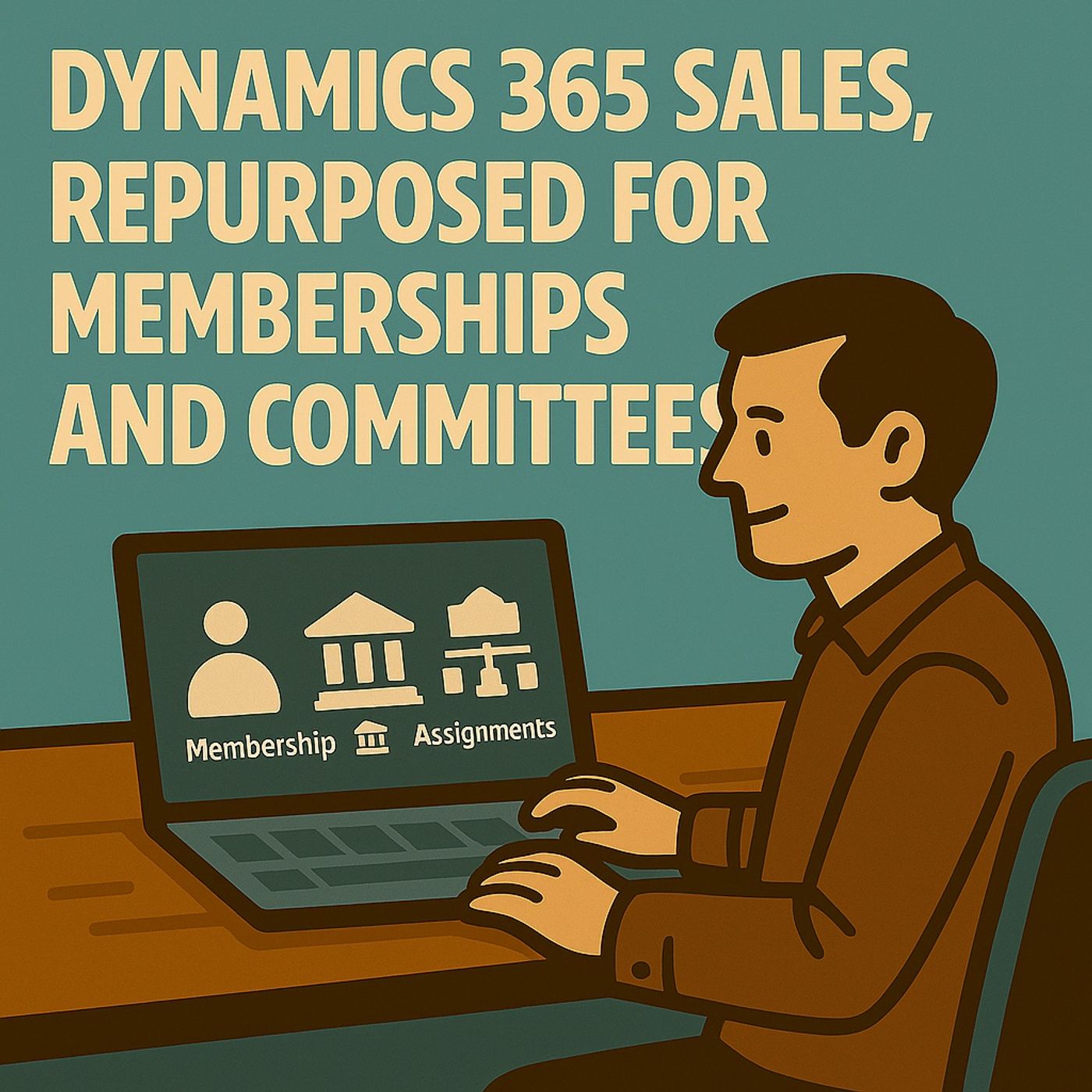
What if Dynamics 365 Sales was your membership engine, not just a sales CRM? In this episode, we show how to repurpose Dynamics 365 Sales and Dataverse to run memberships, committees, and partner programs without custom software. Instead of leads and…
Sales forecasts often live in scattered spreadsheets and hopeful guesses. This episode shows sellers, sales managers and leaders how Dynamics 365 Sales forecasting turns opportunity data into one shared view of expected revenue, confidence and risk. You will…
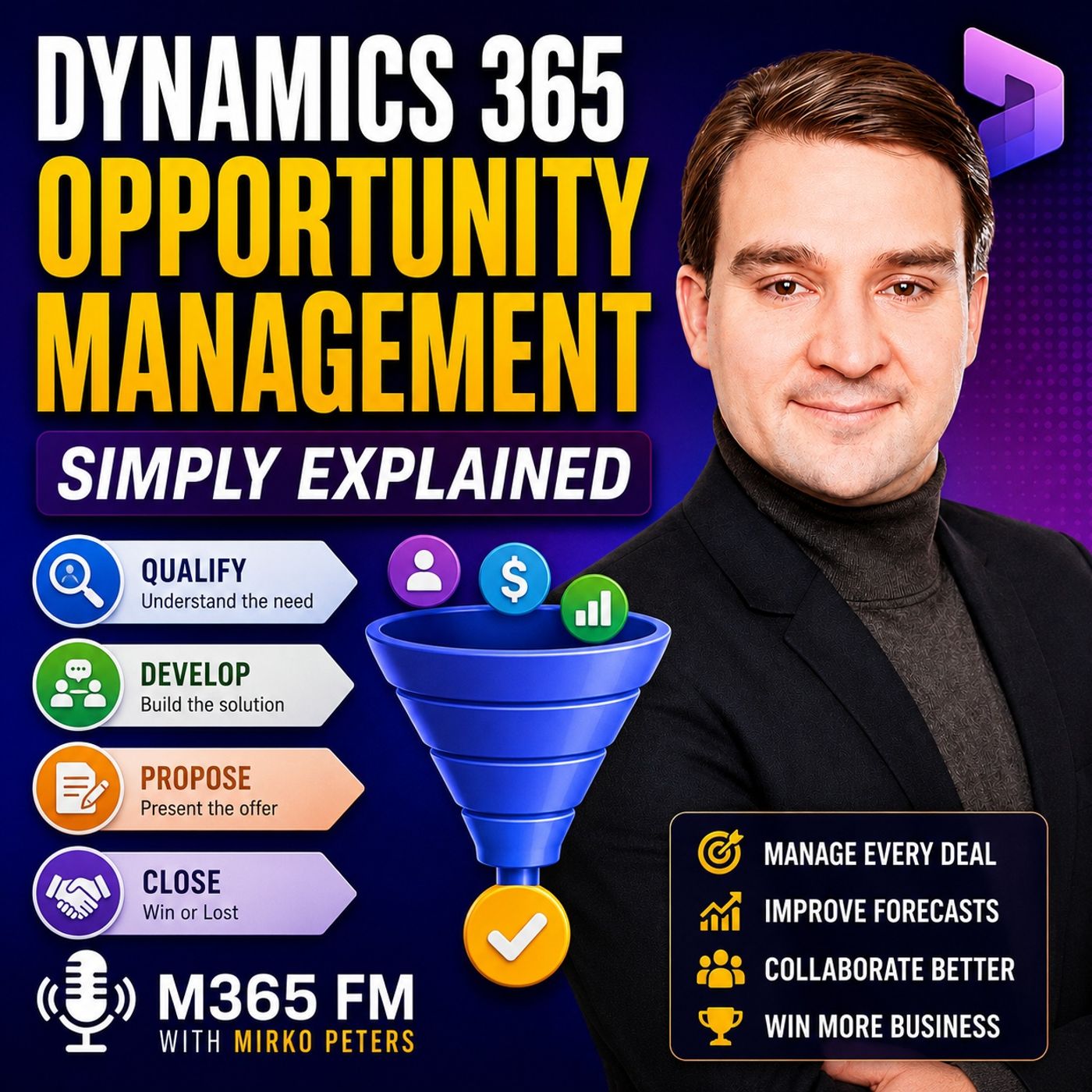
Many sales teams track deals in scattered notes and spreadsheets, so nobody knows what will really close. This episode walks sellers and sales managers through opportunity management in Dynamics 365 Sales, from lead qualification through the four pipeline…
A Dynamics 365 Sales opportunity can look busy while the customer has quietly stopped replying. This episode explains relationship intelligence for sellers, sales managers and CRM admins: relationship analytics, relationship health and who knows whom, and how…
Sales teams rarely lack data, but they struggle to see which follow-up or deal matters most right now. In this Simply Explained episode, Mirko Peters walks sellers and sales managers through Dynamics 365 Sales Insights, from the assistant and auto capture to…
Sellers juggle inboxes, calendars, CRM records and reminders and still miss the leads that matter most. This Simply Explained episode shows sales teams and managers how Dynamics 365 Sales Accelerator, with its Up next work list, sequences and customer…
In this episode, we explore how the combination of LinkedIn and Microsoft Dynamics 365 is transforming the way modern sales organizations identify opportunities, build relationships, and close deals. Rather than treating CRM as a system of record, the…
When the same customer lives in five spreadsheets and tools, nobody knows which copy to trust. This episode is for business users, makers and Dynamics 365 teams who want to understand what Dataverse is and how Dynamics 365 actually uses it. You will learn how…
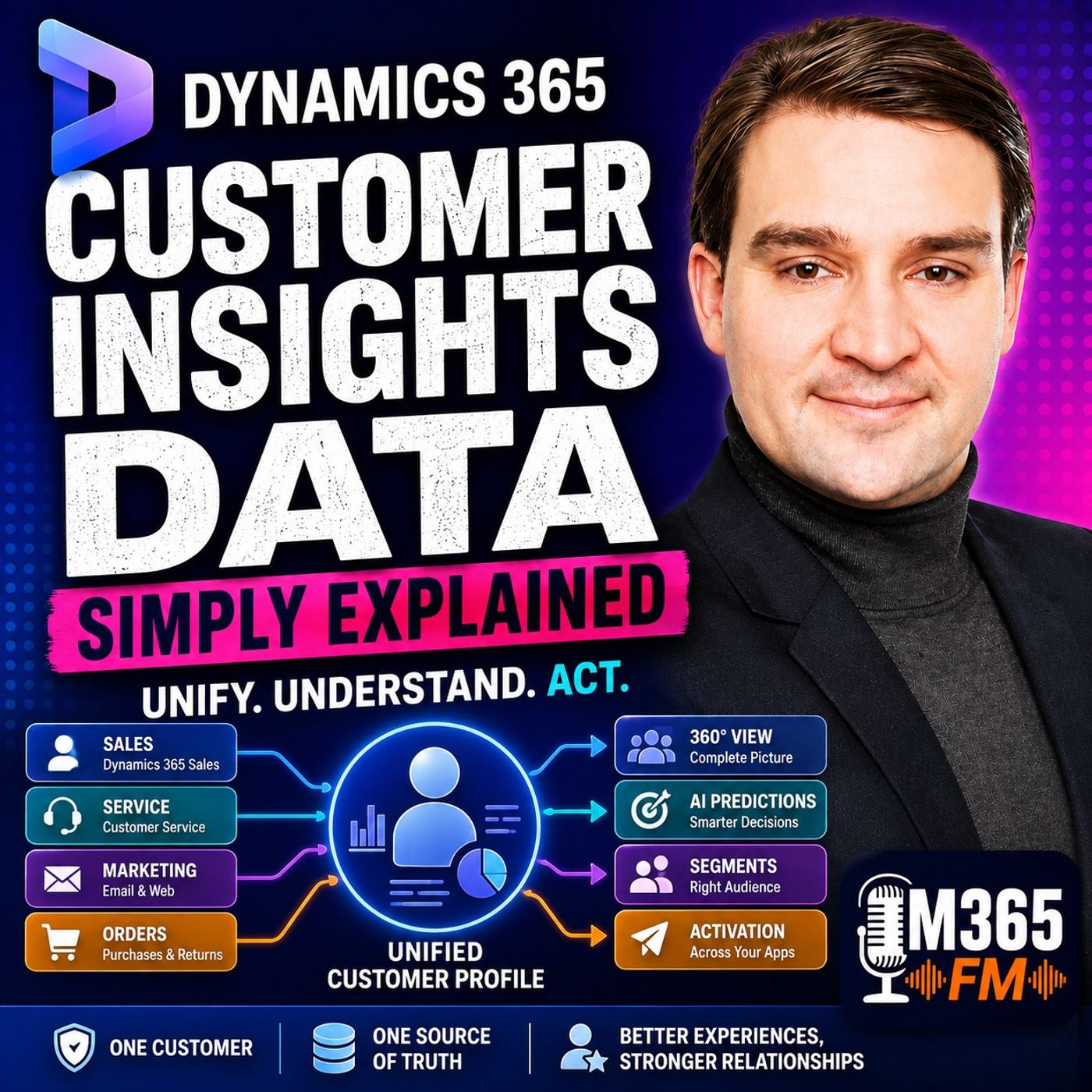
When sales, service and marketing each see a different version of the same customer, people get the wrong offers and repeat themselves. This episode explains Dynamics 365 Customer Insights - Data for CRM, marketing and data teams. You learn how one unified…
Sales, service and marketing often each hold a different page of the same customer's story. This episode explains Dynamics 365 Customer Insights, its Data and Journeys parts and the confusing name change, for anyone working with Dynamics 365. You will learn…
Scattered email lists, sales notes and form entries lead to late, repeated or irrelevant customer messages. This episode explains Dynamics 365 Customer Insights - Journeys in plain English for marketing, sales and business teams. You will learn how journeys…
Sales calls, service cases, invoices and orders bury the facts people need under notes, emails and menus. This Simply Explained episode shows business users and decision makers how Copilot in Dynamics 365 summarizes records, answers questions and prepares…
Maximizing Sales Team ROI with Microsoft 365 Copilot · Mirko Peters Welcome to our deep dive into maximizing sales team ROI with Microsoft 365 Copilot. In today's fast-paced business environment, sales professionals are constantly u…
Yes. The episode shows how to repurpose Dynamics 365 Sales and Dataverse for memberships, committees and partner programs, using standard tables, relationships and business process flows rather than custom software. · From the episode: Build Membership Management on Dynamics 365…
What lifecycle stages does a membership follow?
The episode uses registration, validation, active, renewal and archive. These lifecycle stages replace typical sales stages, so each member moves along a clear path instead of through a sales pipeline. · From the episode: Build Membership Management on Dynamics 365…
What is Dynamics 365 Forecasting?
It turns the opportunities a sales team already manages in Dynamics 365 Sales into a structured view of expected revenue, combining opportunities, close dates, forecast categories, quotas and sales performance. · From the episode: Dynamics 365 Forecasting - Simply Explained
What is an opportunity in Dynamics 365 Sales?
An opportunity is a potential sale with enough information to manage as a real sales conversation. It connects the deal to an account or contact and records what the customer might buy, the value, the owner and the close date. · From the episode: Dynamics 365 Opportunity Management - Simply…
What are the four stages of the Dynamics 365 Sales pipeline?
Qualify, Develop, Propose and Close. Qualify clarifies customer, timeframe, budget, purchasing process and decision maker; Develop covers needs, stakeholders, competitors and solution; Propose covers the proposal; Close covers the final outcome. · From the episode: Dynamics 365 Opportunity Management - Simply…
Relationship map of Dynamics 365 Sales: linked topics
Related topics in brief
Microsoft· Developed by · Organization Microsoft Corporation is a technology company that develops software and cloud services such as Microsoft 365, Azure and Dynamics 365.
Microsoft tool· Is a · Category A software product or service developed by Microsoft.
Business application· Is a · Category Software for business processes such as sales, finance or customer service.
Dynamics 365· Part of · Platform Microsoft's family of business applications for sales, customer service, finance, supply chain and more, including Business Central for small and mid-sized companies. It builds on Dataverse and Power Platform.
Escalating to human sellers when customers are blocked and need human intervention.
Configuration through interactive chat experience with each agent instance.
GA: March CY2027
Older updates (13)LaunchedMicrosoft 365 Roadmap Dynamics 365 Sales: Lead management - Personalize outreach emails generated by Sales Qualification Agent
Define outreach scenario/goal in natural language.
Choose desired call-to-action to drive next steps.
Provide subject line guidance: fixed suggestion or style recommendation.
Set message length and brevity targets.
Specify tone rules, including name-usage limits and preferred terminology.
Configure brand language and voice guardrails: approved phrases and banned words.
Set formatting preferences: bullets, paragraph length, and maximum bullet count.
Business Value:
This feature expands the Sales Qualification Agent outreach by letting teams define the outreach purpose, brand-aligned tone (matching both company voice and seller style), the…
GA: July CY2026 · Preview: April CY2026
LaunchedMicrosoft 365 Roadmap Dynamics 365 Sales: Lead management - Deploy multiple Sales Qualification Agents in a single environment
Segment-specific qualification: Each agent operates with its own ideal customer profile, knowledge sources, templates, and consent settings, ensuring qualification conversations reflect the nuances of each product, region, or team.
Intelligent lead routing: The system evaluates incoming leads against agent selection criteria and assigns ownership based on configured priority, ensuring predictable and conflict-free lead management. A fallback agent handles leads that don't match any specialized criteria, ensuring no lead goes unprocessed.
Exclusive engagement with coordinated handoff: Only one agent engages a lead at any time. When a lead's…
GA: September CY2026 · Preview: August CY2026
In developmentMicrosoft 365 Roadmap Dynamics 365 Sales: Create product rules to guide sellers to valid product configurations
This feature will allow admins to create the right set of compatibility, inclusion and exclusion rules, withing a single composite product to ensure the right set of products get bundled together. Based on the configured rules, the seller will receive relevant guidance while configuring a composite product for the customer to ensure an accurate product offering is provided to the customer. The scop of the rules will be at a single quote line relevant to a composite product.
GA: March CY2027
In developmentMicrosoft 365 Roadmap Dynamics 365 Sales: Create pricing rules for attribute-based and volume-based pricing
This feature will enable admins to define relevant pricing rules based on the following:
for the added list price based on product attributes
Discount on the list price based on tiered and absolute volume adjustment
This ensures the organization to associate the right pricing and discount policies to ensure profitability on their offered products and services.
GA: March CY2027
In developmentMicrosoft 365 Roadmap Microsoft Dataverse: Add users without licenses to activity recipient fields
Enable active Microsoft Entra users without Dataverse or Power Apps licenses as activity recipients. Created user records remain disabled and do not grant Dynamics 365 app access.
LaunchedMicrosoft 365 Roadmap Dynamics 365 Sales: Copilot and AI innovation - Use Dynamics 365 Sales skills in Microsoft 365 Copilot Cowork
As an admin, you can control who can access Copilot Cowork in your organization. The Dynamics 365 Sales plugin is installed by default in Copilot Cowork and available to all users who have access to Cowork.
As a seller, you can use the sales skills in Copilot Cowork to:
Understand customer, opportunity, and pipeline context without manually gathering information from multiple systems.
Identify changes, risks, engagement patterns, and areas that require attention.
Prioritize work across customers, opportunities, leads, and pipeline activities.
Generate recommendations and next-best actions based on available business context.
Analyze business…
GA: June CY2026 · Preview: May CY2026
LaunchedMicrosoft 365 Roadmap Dynamics 365 Sales: Opportunity acceleration - Chat about sales opportunity agent insights from inside Sales agent
As a seller, you can:
Ask questions in context: Ask about opportunity research from Sales agent.
Start concise, go deeper on demand: Begin with action-oriented insights, then request deeper analysis only when needed.
Business Value:
You need guidance that adapts to the moment you’re in a meeting preparation, a stage move, or a specific risk you want to validate. With the ability to ask about opportunity research from inside Sales agent, you get right-sized, action-first insights. You can quickly act on what matters now, then go deeper only when you choose. This reduces time spent hunting for answers, improves seller confidence at critical…
Administrators can control whether the Copy Opportunity feature is available. When enabled, sellers can duplicate an existing opportunity to quickly create a new one.
The new opportunity retains key customer, deal, product, stakeholder, and custom-field information from the source opportunity, including hidden custom fields. Product line items are copied with their quantities and pricing; inactive products are excluded and recorded in the audit summary.
To ensure the copied opportunity starts as a new sales deal, system-generated and outcome-related fields are reset. For example, the new opportunity is created with an Open status, and starts…
Simple configuration experience: Navigate an intuitive, guided setup interface designed for the Sales Opportunity Agent, eliminating complexity and reducing configuration time significantly.
Smart defaults: Leverage preoptimized settings for advanced configurations that are automatically applied, enabling rapid testing and deployment while maintaining best-practice standards.
Segregation of basic and advanced settings: Enable the agent quickly with essential settings, then progressively unlock and configure advanced options as your team's expertise grows and business requirements evolve.
Business Value:
As an…
GA: June CY2026
In developmentMicrosoft 365 Roadmap Dynamics 365 Sales: Seller experiences - Streamline Quick Campaigns for confident, one-time bulk email outreach
Quick Campaigns support multiple bulk activity types (email, tasks, appointments, phone calls). This release focuses on improving the end-to-end experience for bulk email creation, with foundational improvements that benefit the overall Quick Campaigns flow.
Key capabilities include:
Streamlined quick campaign flow: The existing multistep wizard is simplified for Quick Campaigns creation, including one-time bulk email sends. Sellers can create, review, and send bulk emails with fewer steps and clicks, staying in a single creation surface and focusing on execution rather than setup.
In-flow template creation and editing: Sellers can create or…
This feature enables admins to register custom external insight sources through a step-by-step guided onboarding wizard. Once onboarded, the custom source appears alongside out-of-the-box agents in the Recommended Action Sources list and is governed by the same enable/disable controls. Actions from custom sources are normalized into action cards, ranked alongside built-in actions, and follow consistent UI patterns, execution flows, and prioritization models, ensuring a seamless and unified seller experience.
The feature isn't enabled automatically. Admins must complete the guided registration flow by providing a source name and description,…
GA: September CY2026 · Preview: June CY2026
LaunchedMicrosoft 365 Roadmap Dynamics 365 Sales: Lead management - Prioritize your hottest leads first with next best actions
Get the next best actions for leads right on your Dynamics 365 leads grid, and navigate to see Sales Qualification Agent's research and pregenerated email suggestions. The actions show a preview of the lead, a summary of why it's a hot or high-intent lead, and the topic that the lead is interested in.
Business Value:
Sales Qualification Agent meticulously researches every lead and identifies which ones are hot, warm or cold. When configured to autonomously engage, it identifies the ones that explicitly state their purchase intent. Now, you can see hot and high-intent leads prominently on your leads grid in Dynamics 365 Sales so that you can…
GA: September CY2026 · Preview: August CY2026
In developmentMicrosoft 365 Roadmap Dynamics 365 Sales: Seller experiences - Clone and share Sales Development agent configuration across teams
As a sales leader, you can configure a Sales Development agent once, then share or clone its configuration across your organization. Distribute the agent’s playbook, guidelines, guardrails, and settings to other business units to provide a consistent experience across sales teams.
The feature supports these capabilities:
Export a configuration: In Teams, ask the source agent to package its configuration into a file. For example, enter Export your configuration.
Import a configuration: Attach the exported file to a new agent, then ask the agent to apply the configuration.
Create a one-time copy: The copied configuration is a snapshot, not a…
GA: April CY2027 · Preview: August CY2026
Summaries of official Microsoft release information, checked daily.
Community wiki
Short info above, community knowledge below: add practical tips, examples or corrections. New contributions are reviewed first; trusted members publish directly.
 EN
 Deutsch
 Español
 Français
 Italiano
 Português
 Nederlands
 Polski
 Bahasa Indonesia
 Русский
 Українська
 العربية
 עברית
 日本語
 한국어