Microsoft PowerPoint is the presentation software of Microsoft 365. It is used to build slides, apply templates and animations, present live, and work on a deck together with other people through co-authoring. It also supports Copilot-generated decks, in which a first draft of a presentation is created with AI assistance. The product is developed by Microsoft and has been available since 1990, according to the product data.
PowerPoint belongs to Microsoft 365 Apps, the group of installable Office applications, and is classed as both a Microsoft tool and a collaboration tool. Typical uses include meetings, training material and reports. A browser version, PowerPoint for the web, is available as a related product, and Microsoft Teams is the place where presentations are commonly shared and shown during meetings. Licensing is included with Microsoft 365, so organizations that already use the Microsoft 365 Apps have the application available without a separate product.
A central decision around PowerPoint is how much of the work to standardize and how much to leave to individual authors. Corporate templates are one lever: they define layout and design once so that decks look consistent across a company. Another is the choice between the installed application and PowerPoint for the web, depending on whether a user needs the full desktop feature set or quick access and shared editing in a browser. Co-authoring adds a third consideration, since several people can edit the same deck instead of passing files back and forth.
Copilot is the other main topic linked to PowerPoint. Microsoft 365 Copilot is related to PowerPoint because it can draft and edit slides, and the M365.FM material describes it working across Word, Excel, PowerPoint, Outlook and Teams. The episode "Use GPT-5 in Microsoft 365 Copilot" says the move to GPT-5 is meant to give first-try outputs that match a user's voice and goal, including smarter charts and slides, and to reduce time spent on formatting. The episode "Replace Traditional M365 Training with In-Flow Learning" describes Copilot giving contextual tips inside apps such as Word, Excel and PowerPoint while users work.
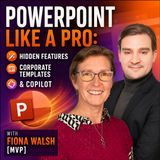
The episode "PowerPoint Like a Pro- Hidden Features, Corporate Templates & Copilot with Fiona Walsh [MVP]" features a Microsoft PowerPoint MVP who has more than 20 years of experience helping organizations improve presentations and presentation skills. The episode says PowerPoint is one of the most widely used business applications in the world, yet many professionals only use a small part of it. It covers features that experienced users tend to overlook, corporate templates, and where Copilot genuinely helps and where it still has work to do.
The episode "Beyond the Prompt: Mastering Microsoft Copilot for Real Productivity with Jess Stratton [MVP]" looks at Copilot across the Microsoft 365 apps. It recommends multi-part prompts, in which a large project is divided into small steps, and follow-up prompts that refine a draft by adjusting style, correcting errors and adding missing context. These approaches apply to drafting slide content as well as text documents.
Governance is the final theme. The episode "Copilot in Office Apps: The Governance Checklist" explains that Copilot draws on emails, files, meetings and notes through Microsoft Graph, and says that privacy, data loss prevention and audit workloads increase once Copilot is switched on. For PowerPoint, that means the content of decks and the sources Copilot can reach should be considered before wide rollout. Official documentation for the application is published on Microsoft's support site.
Overview compiled with AI from M365.FM episodes and the facts on this page. You can improve it with the edit button below.
Most professionals use PowerPoint every day but miss features that have existed for years. In this interview, PowerPoint MVP Fiona Walsh shows presenters, template owners and Microsoft 365 users which fundamentals, template practices and Copilot techniques…
Microsoft says Copilot is now free across Word, Excel, PowerPoint, Outlook, and OneNote. But here’s the twist: it’s not magic — it’s your data, orchestrated. In this episode we rip off the marketing gloss and show how Microsoft Graph pipes your emails, files…
Many companies buy Copilot licenses and still struggle to see real productivity gains. In this conversation, Microsoft MVP and LinkedIn Learning instructor Jess Stratton shares how business users and adoption leads can move beyond prompt engineering. Learn…
Outlook lag, Word re-formatting déjà vu, and Excel nudging—those tiny frictions steal hours. GPT-4-era Copilot helped, but often felt transactional: you instructed; it complied. With GPT-5, Copilot shifts from executing commands to understanding…
Microsoft 365 Copilot has generated enormous excitement, but successful adoption requires much more than assigning licenses. In this episode, Microsoft’s Chris Hinch shares practical lessons from real-world Copilot deployments, explaining why organizations…
Buying Copilot licenses is easy; making people genuinely more effective with them is not. Microsoft MVP Adrian Espes shares what he sees in real adoption projects: prompting habits, data protection, a pragmatic rollout path and why efficiency is a better goal…
This episode explores the real question behind Microsoft 365 Copilot: does it actually make people more productive, and how can you measure that in a meaningful way? The hosts walk through how Copilot fits into the modern Microsoft 365 ecosystem, touching on…
This episode dives into the growing influence of Microsoft 365 Copilot and focuses on the prompts that genuinely help users boost productivity. Instead of treating Copilot as yet another AI add-on, the conversation highlights why it has quickly become a…
Microsoft 365 Copilot AI is making waves across the tech world, but the real question is whether it’s a revolutionary leap forward or just the latest overhyped gimmick. In this episode, we unpack what Copilot actually is, how deeply it integrates with the…
Timeline of episodes about Microsoft PowerPoint
Articles about Microsoft PowerPoint (8)
Articles in which Microsoft PowerPoint is a topic:
PowerPoint Live In Teams Guide · Mirko Peters Learn PowerPoint Live in Teams with practical guidance on setup, collaboration, accessibility, security, governance, and real-world use.
Screen Sharing In Microsoft Teams Guide · Mirko Peters Learn screen sharing in Microsoft Teams with practical guidance on setup, collaboration, accessibility, security, governance, and real-world use.
Copilot Prompts for PowerPoint: The Ultimate Guide · Mirko Peters This comprehensive guide explores how to unlock the full potential of Microsoft Copilot in PowerPoint with strategic prompt engineering. You’ll find proven fr…
OneDrive Interface Explained · Mirko Peters The OneDrive interface is all about making your files easy to find, manage, and share, whether you’re at home, at work, or on the go. At first glance, it migh…
Best Copilot Prompts for PowerPoint Creation · Mirko Peters If you’re ready to step up your PowerPoint game, this guide is your one-stop shop for unlocking the full potential of Microsoft Copilot with just the right pr…
Copilot Prompts for Visual Storytelling · Mirko Peters Learn how to use Copilot prompts for visual storytelling to plan presentations, structure narratives, create visuals, and communicate insights clearly.
Frequently asked questions
Questions marked with AI were written with AI from the facts on this page.
What is Microsoft PowerPoint used for? (AI)
Microsoft PowerPoint is used to create slides, apply templates and animations, present live, and co-author decks with others. It is commonly applied to meetings, training material and reports.
How does Copilot relate to PowerPoint? (AI)
Microsoft 365 Copilot can draft and edit slides, and PowerPoint supports Copilot-generated decks that provide a first draft of a presentation. The M365.FM episodes also discuss where Copilot helps and where it still has limits.
Is there a browser version of PowerPoint? (AI)
Yes, PowerPoint for the web is the browser version and is listed as a related product. PowerPoint itself is part of Microsoft 365 Apps and is included with the Microsoft 365 license.
What PowerPoint features do experienced users overlook?
It speeds up everyday workflows across Word, Excel, PowerPoint, Outlook and OneNote, such as summarizing and drafting. The show notes cite examples like reduced briefing time and saved hours per month. · From the episode: Copilot in Office Apps: The Governance Checklist
Relationship map of Microsoft PowerPoint: linked topics
Related topics in brief
Topics linked to Microsoft PowerPoint, each briefly explained:
Microsoft – Organization· Developed by Microsoft Corporation is a technology company that develops software and cloud services such as Microsoft 365, Azure and Dynamics 365.
Microsoft tool – Category· Is a Microsoft tool is a broad category for software products and services developed by Microsoft, used to group offerings and to frame tool-selection decisions.
Collaboration tool – Category· Is a A collaboration tool supports communication, meetings and joint work on files; M365.FM episodes cover Teams structure, Defender protection and CRM integration.
Microsoft 365 Apps – Collaboration tool by Microsoft· Part of The installable Office applications of Microsoft 365, such as Word, Excel, PowerPoint, Outlook and OneNote, delivered and updated through subscription.
Microsoft 365 Copilot – AI assistant by Microsoft· Related to An AI assistant built into Microsoft 365 apps such as Word, Excel, Outlook and Teams. It uses large language models together with the user's own work data from Microsoft Graph to draft, summarise and analyse content, always within the user's existing permissions.
Microsoft Teams – Collaboration tool by Microsoft· Related to Microsoft's collaboration hub for chat, meetings, calls and apps. It is also a main surface for Copilot and for agents built in Copilot Studio.
Microsoft 365 – Collaboration tool by Microsoft· Related to Microsoft 365 is a subscription bundle of productivity apps and cloud services, including Word, Excel, Outlook, Teams, SharePoint and OneDrive.
OneDrive – Collaboration tool by Microsoft· Related to Microsoft's cloud storage for personal work files. It syncs folders across devices and integrates with SharePoint, sharing controls and Microsoft 365 apps.
Microsoft Copilot (Microsoft 365): Realtime voice interactions in Word and PowerPoint
Use your voice to talk with Copilot, interact in-real time, and understand the content within your document or presentation. Updated September 9, 2026: We will be re-releasing this feature with updates in October. Thank you for your patience.
GA: December CY2026
Older updates (13)LaunchedMicrosoft 365 Roadmap Microsoft Copilot (Microsoft 365): Edit your document with Copilot in PowerPoint in Government Clouds
Copilot in PowerPoint helps you create, edit, and refine presentations through natural language—right inside your deck. Start a new presentation or build on an existing one by asking Copilot to generate slides, update content, improve layouts, and polish design, all while preserving your formatting, structure, and branding. Copilot can also connect to your brand kit to apply branded templates, insert brand-approved images, and check for brand compliance. Available to Microsoft 365 Copilot (Premium) users.
GA: October CY2026
In developmentMicrosoft 365 Roadmap PowerPoint: Clear view-only messaging
When you open a presentation you don't have permission to edit, PowerPoint now shows a clear "Viewing Only" message bar. It explains that the file is view-only, shows who created it, and tells you to contact the owner if you need more access.
GA: November CY2026
In developmentMicrosoft 365 Roadmap PowerPoint: Present with confidence on a single screen in Slide Show
When you present in Slide Show on just one display, like a laptop with no second monitor and no Presenter View, the on-screen presenting controls can be easy to miss. PowerPoint is making single-screen presenting easier: the controls you need to move through your slides and stay in command are more discoverable and useful, helping you present smoothly and confidently without a second screen.
GA: November CY2026
In developmentMicrosoft 365 Roadmap PowerPoint: Present with ease using a modernized Presenter View
When you present with Presenter View, finding the right tool or slide shouldn't break your flow. Presenter View in PowerPoint for Windows has a refreshed design: presenter tools, slide navigation, and the timer now sit together in one control bar, and a new slide thumbnail strip lets you see what's coming and jump to any slide. You can also collapse or resize panes to focus on what matters most as you present.
GA: November CY2026
In developmentMicrosoft 365 Roadmap PowerPoint: Present with ease using a modernized Presenter View
When you present with Presenter View, the controls you need should be easy to find at a glance. Presenter View in PowerPoint for Mac has a refreshed design: presenter tools, slide navigation, and the timer now sit together in one control bar, with updated icons and slide thumbnails. You can also collapse the thumbnail pane and the Next Slide and Notes pane to focus on what matters most as you present.
GA: November CY2026
LaunchedMicrosoft 365 Roadmap Microsoft Copilot (Microsoft 365): Reference files saved in SharePoint libraries and OneDrive folders when creating a presentation with Agent Mode in PowerPoint
You can now reference files saved in SharePoint libraries and OneDrive folders when creating a presentation with Copilot using Agent Mode in PowerPoint.
GA: June CY2026
LaunchedMicrosoft 365 Roadmap Microsoft Copilot (Microsoft 365): Reference an email with Work IQ when using Edit with Copilot in PowerPoint to create a presentation
You can now reference an email with Work IQ when using Edit with Copilot in PowerPoint to create a presentation.
GA: March CY2026
LaunchedMicrosoft 365 Roadmap Microsoft Copilot (Microsoft 365): Reference files saved in SharePoint libraries and OneDrive folders when creating a presentation with Agent Mode in PowerPoint
You can now reference files saved in SharePoint libraries and OneDrive folders when creating a presentation with Copilot using Agent Mode in PowerPoint.
GA: June CY2026
In developmentMicrosoft 365 Roadmap PowerPoint: Set slide size in a modern PowerPoint pane
Change slide size in PowerPoint from a modern task pane that keeps you in the flow of editing with real-time slide changes. Choose common slide sizes including new social media presets, or customize dimensions with a cleaner, more approachable experience.
GA: November CY2026 · Preview: October CY2026
In developmentMicrosoft 365 Roadmap PowerPoint: Set slide size in a modern task pane
Change slide size in PowerPoint from a modern task pane that keeps you in the flow of editing with real-time slide changes. Choose common slide sizes including new social media presets, or customize dimensions with a cleaner, more approachable experience.
GA: November CY2026 · Preview: October CY2026
Rolling outMicrosoft 365 Roadmap Microsoft Copilot (Microsoft 365): Edit your document with Copilot in PowerPoint in Government Clouds
Copilot in PowerPoint helps you create, edit, and refine presentations through natural language—right inside your deck. Start a new presentation or build on an existing one by asking Copilot to generate slides, update content, improve layouts, and polish design, all while preserving your formatting, structure, and branding. Copilot can also connect to your brand kit to apply branded templates, insert brand-approved images, and check for brand compliance. Available to Microsoft 365 Copilot (Premium) users.
GA: October CY2026
Rolling outMicrosoft 365 Roadmap Microsoft Copilot (Microsoft 365): Copilot in PowerPoint for Government clouds
Copilot in PowerPoint lets you create, edit, and refine presentations through natural conversation, directly in your presentation. You can start a new presentation or build on an existing one, asking Copilot to generate slides, update content, improve layouts, and polish design—while preserving formatting, structure, and branding. Copilot uses your files, meetings, emails, and more to help shape content and iterate quickly, and it connects to your brand kit so you can apply branded templates, insert brand approved images, and check for brand compliance. Available to Microsoft 365 Copilot–licensed users.
GA: October CY2026
LaunchedMicrosoft 365 Roadmap Microsoft Copilot (Microsoft 365): Reference an email with Work IQ when using Edit with Copilot in PowerPoint to create a presentation
You can now reference an email with Work IQ when using Edit with Copilot in PowerPoint to create a presentation.
GA: March CY2026
Summaries of official Microsoft release information, checked daily.
Community wiki
Short info above, community knowledge below: add practical tips, examples or corrections. New contributions are reviewed first; trusted members publish directly.
Experts and companies for this topic
Community members with expertise in Microsoft PowerPoint:
 EN
 Deutsch
 Español
 Français
 Italiano
 Português
 Nederlands
 Polski
 Bahasa Indonesia
 Русский
 Українська
 العربية
 עברית
 日本語
 한국어