Teams combines chat, channels, meetings, calling and file collaboration in one app. Files shared in channels live in SharePoint, private chats store files in OneDrive, and apps from the Power Platform, Planner, Forms and Loop can be added to channels and meetings.
Microsoft Teams channels are one of the most powerful yet misunderstood features in the entire Teams platform, and using them correctly can make or break your organization’s communication. In this episode, we dive into how Teams channels actually work, why…
Your “private” Microsoft Teams channels are quietly bleeding data – and default settings are to blame. In this episode, we walk through real-world incidents where dormant guest accounts, synced libraries, and careless PII pastes turned Teams into a silent…
This episode challenges a fundamental assumption: your organization is not a fixed structure—it’s the result of how your systems actually make decisions. The core idea is that most leaders think of an organization as people, hierarchy, or departments. In…
Microsoft Teams is one of the most widely used collaboration platforms, but many of its most valuable capabilities remain overlooked. In this episode, we uncover the features, settings, and best practices that Microsoft rarely highlights—helping IT…
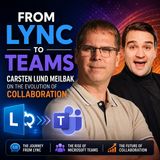
In this episode of the M365.fm podcast, Mirko Peters speaks with Microsoft MVP Carsten Lund Meilbak about the evolution of enterprise communication and collaboration — from the early days of Microsoft Lync and Skype for Business to the modern Microsoft Teams…
Hybrid work has fundamentally changed how organizations connect employees, but creating engaging virtual events remains a major challenge. In this episode of the M365 FM Podcast, we explore what it really takes to engineer successful high-stakes hybrid events…
Copilot in Teams isn’t a cute sidebar; it’s an orchestration layer across meetings, chats, and a central intelligence hub (M365 Copilot Chat). It runs on Microsoft Graph, so it only surfaces what you already have permission to see—precise, not omniscient. In…
Microsoft Copilot in Teams transforms meetings, chats, and collaboration by turning conversations into actionable insights. But simply activating Copilot is not enough — proper setup, licensing, permissions, and governance determine whether it delivers real…
Managing notifications in Microsoft Teams can be the difference between staying focused and feeling overwhelmed, and in this episode we break down exactly how to take control of them. You’ll learn how Teams notifications actually work, how to customize alerts…
Your Microsoft 365 tenant might already be compromised—and your MFA is effectively useless because of one misconfiguration you’ve probably left on. In this episode, the Office of Corrective Doctrine walks you through five brutal real-world attack paths inside…
In this episode, we dismantle a common Microsoft Teams governance myth: that the Teams Admin Center is the central command for controlling Teams behavior and enforcing governance. Most organizations treat the Admin Center like a control tower — but it’s…
This episode explains that most Microsoft 365 setups unintentionally destroy focus because they are designed to maximize activity and responsiveness rather than deep work. The real issue isn’t users mismanaging notifications, but a system that constantly…
Timeline of episodes about Microsoft Teams
Articles about Microsoft Teams (484)
Articles in which Microsoft Teams is a topic:
Teams Channel Moderation: Best Practices and Setup · Mirko Peters How to set up channel moderation in Microsoft Teams, who can moderate, which posting permissions you can restrict, where it does not work, and which use cases Microsoft documents,
Microsoft Whiteboard in Teams: Tips and How-to for Collaboration · Mirko Peters How to share a Microsoft Whiteboard in a Teams meeting, keep working on it afterwards, lock it as read-only and use templates, reactions, ink tools and shortcuts, with the limits f
Fix Teams Audio Problems and Choose the Best Audio Settings · Mirko Peters Which audio settings to check in Microsoft Teams, how to fix a microphone or speaker that does not work, and how noise suppression, test calls and high fidelity music mode behave,
Copilot in Teams Meetings: Notes, Summaries and Recap Setup · Mirko Peters How to set up and use Microsoft 365 Copilot in Teams meetings: organizer options, admin policy values, how transcription changes what Copilot can do, intelligent recap without save
Teams Webinar vs Town Hall vs Meeting: Which One to Use · Mirko Peters How Microsoft documents the difference between Teams meetings, webinars and town halls: attendee limits, registration, interaction, large-audience features and licensing, with a si
Teams Channel vs Chat vs Team: What Is the Difference? · Mirko Peters What a team, a channel and a chat are in Microsoft Teams, how standard, private and shared channels differ, where files are stored, and the documented size limits that help you cho
How to Turn On and Use Teams Meeting Transcription · Mirko Peters How to start, stop, download and delete a Teams meeting transcript, who is allowed to do it, where transcripts are stored and which admin policy turns transcription on or off.
How to Fix Slow Performance in Microsoft Teams (Checklist) · Mirko Peters A step-by-step checklist for slow Microsoft Teams: check resource use and hardware, reduce video load, update, test the network and Call health, and clear the cache only as a targe
What Is Microsoft Teams? Features Explained for Beginners · Mirko Peters What Microsoft Teams is and what it does: chat, teams and channels, meetings, calls, files and apps. A beginner overview of how Teams fits into Microsoft 365, who owns what and the
Microsoft Teams Collaboration Tips for Remote and Hybrid Teams · Mirko Peters Practical Microsoft Teams collaboration tips for remote and hybrid teams: chat and channel habits, mentions and tags, Loop components, meeting preparation and recap, and how to cut
What is the difference between standard, private and shared channels in Teams?
Each type controls who can join conversations and see files. Choosing the right channel affects how well your team works together and how safely information is kept. · From the episode: Microsoft Teams Channels vs Chat: When to Use Each
When should I use a Teams channel instead of a chat?
Use a channel for conversations and files that belong to a topic or project and should be visible to the group. Use chat for quick, personal or small-group exchanges. The episode covers when each fits. · From the episode: Microsoft Teams Channels vs Chat: When to Use Each
How do you roll out a Teams channel structure safely?
Define the scenario, owner and expected result, then validate access, policy and user impact with a pilot. Document the decision and review it as needs change before expanding it more widely. · From the episode: Microsoft Teams Channels vs Chat: When to Use Each
Are Microsoft Teams private channels secure by default?
No. The episode shows that dormant guest accounts, synced libraries and careless PII pastes can turn Teams into a silent leak under default settings, so hardening is needed. · From the episode: Harden Microsoft Teams Security and Guest Access
Relationship map of Microsoft Teams: linked topics
Related topics in brief
Topics linked to Microsoft Teams, each briefly explained:
Microsoft – Organization· Developed by Microsoft Corporation is a technology company that develops software and cloud services such as Microsoft 365, Azure and Dynamics 365.
Microsoft tool – Category· Is a Microsoft tool is a broad category for software products and services developed by Microsoft, used to group offerings and to frame tool-selection decisions.
Collaboration tool – Category· Is a A collaboration tool supports communication, meetings and joint work on files; M365.FM episodes cover Teams structure, Defender protection and CRM integration.
Microsoft 365 – Collaboration tool by Microsoft· Part of Microsoft 365 is a subscription bundle of productivity apps and cloud services, including Word, Excel, Outlook, Teams, SharePoint and OneDrive.
SharePoint – Collaboration tool by Microsoft· Related to Microsoft 365's platform for intranets, document libraries and team sites. Most files shared in Teams are stored in SharePoint, so its permissions directly decide what Copilot can find.
OneDrive – Collaboration tool by Microsoft· Related to Microsoft's cloud storage for personal work files. It syncs folders across devices and integrates with SharePoint, sharing controls and Microsoft 365 apps.
Power Apps – Low-code tool by Microsoft· Related to A low-code tool for building custom business apps for web and mobile. Canvas apps give full control over the layout, while model-driven apps are generated from the data model in Dataverse.
All relationships of Microsoft Teams, grouped by type of relationship:
Microsoft Teams: Work IQ Real Time Transcription for Meetings and Calls
Work IQ enables authorized applications and AI agents to access transcript content from supported Microsoft Teams meetings and calls as conversations unfold. Through Model Context Protocol (MCP), developers can combine live conversation context with business data to build experiences such as contextual recommendations, customer-support assistance, action-item capture, and workflow automation—without waiting for a post-meeting transcript. The capability uses an active Teams transcript feed and requires applicable permissions and consent; it does not automatically start transcription.
GA: January CY2027 · Preview: December CY2026
Older updates (13)In developmentMicrosoft 365 Roadmap Microsoft Teams: New VDI solution for Omnissa on Mac
This feature allows Mac endpoints to optimize Microsoft Teams in VDI environments with the new SlimCore-based media engine, providing an expanded feature set and multiple improvements in quality, reliability and performance.
GA: February CY2027 · Preview: December CY2026
In developmentMicrosoft 365 Roadmap Microsoft Teams: Turn meeting discussions into PowerPoint presentations with Facilitator
When it's time to present what your team decided, you can ask Facilitator to create a PowerPoint presentation from what was said, chats, and shared files in the meeting. It turns the conversation into the slides, whether that's a project update, a proposal, or a readout for leadership. Facilitator can already draft documents in Word, so now your team can also go straight from discussion to a deck.
GA: January CY2027
In developmentMicrosoft 365 Roadmap Microsoft Teams: Explicit consent for recording & transcription in one-to-one PSTN calls
Microsoft Teams will support explicit consent for participants connected through the public switched telephone network (PSTN) in one-to-one calls. When explicit consent is required, PSTN participants will hear an audio prompt when recording or transcription is started. They can use their phone keypad to consent or decline. Participants who decline can remain in the call but stay muted. This capability extends the existing Teams calling policy for explicit consent to one-to-one PSTN calls.
GA: December CY2026
Rolling outMicrosoft 365 Roadmap Microsoft Teams: Admin center - Intelligent insights for meeting quality
Gain proactive visibility into meeting quality across your organization with AI-powered insights in the Teams admin center that identify emerging patterns, highlight impacted users and locations, and surface likely causes with recommended actions. This helps IT administrators detect and address issues earlier, improve meeting quality, and stay ahead of potential disruptions.
GA: November CY2026
Rolling outMicrosoft 365 Roadmap Microsoft Teams: Near-real-time detection of malicious QR codes in messages
Microsoft Teams will introduce near-real-time detection of malicious QR codes shared in messages. By analyzing destinations embedded in QR codes, Teams can identify potential phishing and fraud threats and apply additional protections to malicious content, extending existing URL protection to QR-based attacks.
GA: November CY2026
Rolling outMicrosoft 365 Roadmap Microsoft Teams: Streaming switchboard for Network Device Interface (NDI) Sources
For Teams meetings and events, a new streaming switchboard will soon be available to easily manage and send NDI sources out to production software.
GA: November CY2026
In developmentMicrosoft 365 Roadmap Microsoft Teams: Event Chat now available for Events optimized for a large audience in GCC, GCC High and DoD
All users in Events larger than 1,000 users or in any Event optimized for a large audience can now chat with one another in a public event chat in GCC, GCC High and DoD.
GA: January CY2027
Rolling outMicrosoft 365 Roadmap Microsoft Teams: Intelligent call delegation
Incoming Teams calls don't wait for a break in your day. Intelligent call delegation provides AI-powered calling assistance so you can focus on the conversations that matter most. It answers calls and gathers context, helping you decide whether to pick up and engage the caller. It can also schedule follow-up appointments through an integration with Microsoft Bookings so you can reconnect with callers at a more convenient time.
GA: November CY2026
Rolling outMicrosoft 365 Roadmap Microsoft Teams: Schedule Channel Meetings from Outlook Calendar
Users will be able to schedule Microsoft Teams channel meetings directly from Outlook Calendar. This streamlines meeting creation and helps keep discussions and meeting content connected in the appropriate channel.
GA: November CY2026
Rolling outMicrosoft 365 Roadmap Microsoft Teams: Schedule Teams Channel Meeting from Win32
Users can now schedule Teams Channel Meetings from Win32 (Outlook classic client)
GA: November CY2026
LaunchedMicrosoft 365 Roadmap Microsoft Teams: Intelligent recap for DoD
Intelligent meeting recap uses AI to provide a quick summary of your meeting, highlighting key discussion points, identifying follow-up actions, and offering quick access to significant points such as name mentions, when a screen was shared, individualized speaker markers, topics, and chapters.
GA: November CY2026
In developmentMicrosoft 365 Roadmap Microsoft Teams: Ability to separate out the Townhall attendee invites
This backend change will now address the 'separation of attendee' invites from the events crew. This feature allows the organizers of Townhalls to maintain separate invites for attendees.
GA: January CY2027
In developmentMicrosoft 365 Roadmap Microsoft Teams: Chat for organizers and presenters in structured meetings and webinars in GCC High and DoD
Organizers, co-organizers, and presenters can chat privately in a separate chat from attendees. This chat is available to access before, during, and after the event.
GA: December CY2026
Summaries of official Microsoft release information, checked daily.
Community wiki
Short info above, community knowledge below: add practical tips, examples or corrections. New contributions are reviewed first; trusted members publish directly.
Experts and companies for this topic
Community members with expertise in Microsoft Teams:
 EN
 Deutsch
 Español
 Français
 Italiano
 Português
 Nederlands
 Polski
 Bahasa Indonesia
 Русский
 Українська
 العربية
 עברית
 日本語
 한국어