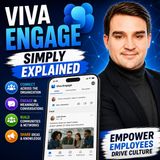
A set of employee-experience apps inside Teams and Microsoft 365, including Viva Engage for communities, Viva Insights for work patterns and Viva Learning for training.
Microsoft Viva is a set of employee-experience apps inside Microsoft Teams and Microsoft 365. It is developed by Microsoft and classed as both a Microsoft tool and a collaboration tool. Rather than being one single application, Viva bundles several services under one name, including Viva Engage for communities, Viva Insights for personal and team work patterns, Viva Learning for training content and Viva Connections for a branded start point in Teams. It was released in February 2021, and organizations use it to support communication, learning and well-being at work. Product documentation is published by Microsoft on its Learn site.
The modules address different parts of daily work. Viva Engage focuses on communities, leadership communication and knowledge sharing. Viva Insights shows work patterns and gives individuals, managers and leaders different views of the same underlying data. Viva Learning brings learning content and discovery into the flow of work across Microsoft 365 and Teams. Viva Connections acts as a central hub within the Viva suite. In the description quoted in the M365.FM episode on it, Microsoft calls Viva Connections "a gateway to other Viva apps and services" that can curate specific content and tools and give easy access to resources, news, announcements and popular destinations. Viva Topics is another part of the family; it uses AI to build topic pages from content across Microsoft 365, including SharePoint, and can show topic cards inside apps such as Outlook and Teams.
Viva is closely tied to Microsoft Teams, because most Viva experiences are surfaced there, for example as apps or as the employee portal that Viva Connections provides. Because the modules sit inside tools people already use, adoption decisions often concern which modules to switch on, who owns each one, and how they fit with existing communication and learning practices.
The M365.FM episode "Microsoft Viva Insights - Simply Explained" notes that Viva Insights may already be switched on inside a Microsoft 365 account. It addresses the assumption that the tool exists for a manager to watch employees, and says the first view it opens is the one meant for the individual user. The episode outline covers four views of the same data: your own insights such as focus time, quiet time and switching off, what a manager sees, what leaders see across the company, and the analyst role, where more detailed questions can be explored.
The episode "Viva Engage - Simply Explained" is aimed at decision-makers who need a practical introduction to Viva Engage and its implications for adoption, operations and governance. It recommends related listening on Viva Connections as the employee-experience entry point that can complement communities, and on Microsoft Viva Learning as a way communities can reinforce learning and skills development.
"Microsoft Viva Learning - Simply Explained" gives a quick answer: Viva Learning brings learning content and discovery into the flow of work across Microsoft 365 and Teams. The episode explains how the service supports employees and learning teams, which content and governance choices matter, and how to position learning as an ongoing work habit. It also cites studies suggesting that a strong learning culture can contribute to better employee satisfaction, easier onboarding and lower turnover.
"Viva Connections - Simply Explained" describes the module as part of efforts to streamline communication and foster a sense of community and inclusion among employees, and mentions security measures such as data encryption and regulatory compliance. The episode "Integrate Viva Topics with Search and SharePoint" adds that proper licensing and planning are essential for adopting Viva Topics, and that integration with search and SharePoint can save time and improve productivity.
In practice, Viva is approached module by module. Teams typically decide which employee-experience needs matter most, such as communities, learning, personal work insights or a company portal, then plan governance and licensing for those modules accordingly.
Overview compiled with AI from M365.FM episodes and the facts on this page. You can improve it with the edit button below.
Key points about Microsoft Viva from the episodes, each with its source episode:
It replaced Yammer in 2023 and is part of the larger Viva platform, alongside Viva Connections, Viva Insights and Viva Learning. · Viva Engage - Simply Explained
SharePoint, Viva and Teams reshape norms only when ownership, trust and iterative feedback are built in, and the same cultural muscles will decide your AI future. · Fix a Failing Microsoft 365 Rollout
Many organizations still confuse Viva Engage with Yammer or Microsoft Teams and miss its value for culture and knowledge sharing. This episode helps IT pros, communicators and leaders understand what Engage is, how communities, storylines and campaigns work…
Rolling out Microsoft 365 isn’t the finish line—it’s the starting gun. Busy Teams channels and rising login graphs can mask a deeper truth: if culture, leadership behaviors, and day-to-day relationships don’t evolve, M365 becomes email with emojis. This…
This episode explains that most Microsoft 365 setups unintentionally destroy focus because they are designed to maximize activity and responsiveness rather than deep work. The real issue isn’t users mismanaging notifications, but a system that constantly…
Static intranets are a ghost town, and many employees never find the news, tools and policies they need. This episode explains Viva Connections and its 2026 rename to SharePoint for intranet owners, internal communicators and Microsoft 365 admins. You learn…
In this episode of the M365 FM Podcast, host Mirko Peters sits down with Microsoft MVP Fabio Bonolo to explore how AI, Microsoft Copilot, and modern workplace technologies are transforming the future of work. Fabio shares his journey from sales executive to…
Your Viva rollout isn’t failing—your automation is. Stop hand-typing Topics, chasing Learning content across LMS silos, and waiting for Connections posts to “eventually” appear. Learn the exact auth scopes, payload shapes, and batching tactics to: publish…
In this episode of m365.fm, Microsoft MVP Onyinye Madubuko shares her insights on designing effective hybrid workplaces and how organizations can create modern, inclusive, and collaborative work environments. The discussion explores the rapid shift to hybrid…
Control doesn’t scale. And the more your organization relies on leadership for decisions, the slower and more fragile it becomes. In this episode, Mirko Peters explains why real scalability starts when leaders stop being the control layer. SHORT...
Viva Topics can surface gold—or noise. Turn AI guesses into trusted answers by triaging topics in week one, curating only what matters, merging duplicates without losing links, and designing rich, action-first topic cards. With the right governance, SMEs, and…
Timeline of episodes about Microsoft Viva
Articles about Microsoft Viva (5)
Articles in which Microsoft Viva is a topic:
Mastering App-Only Authentication for Microsoft Viva APIs · Mirko Peters If you have ever spent hours wrestling with stubborn "Unauthorized" or "Forbidden" errors while trying to build automated maintenance scripts for Microsoft Viva, yo…
Human-Centered Workplace with AI · Mirko Peters Learn how AI and Microsoft Viva support a human-centered workplace through employee experience, wellbeing, trust, and responsible adoption.
Future of Work with Copilot and Viva · Mirko Peters Explore how Microsoft Copilot and Viva are reshaping the future of work through AI-assisted productivity, employee experience, and collaboration.
Copilot and Viva for HR · Mirko Peters Discover practical Copilot and Viva use cases for HR teams across recruiting, onboarding, employee engagement, communication, and workforce insights.
Copilot Prompts for Viva: Complete Guide · Mirko Peters Learn Copilot prompts for Viva, with practical productivity, communication, learning, and teamwork scenarios for Microsoft 365.
Frequently asked questions
Questions marked with AI were written with AI from the facts on this page.
What is Microsoft Viva? (AI)
Microsoft Viva is a set of employee-experience apps inside Teams and Microsoft 365, including Viva Engage, Viva Insights, Viva Learning and Viva Connections. It is developed by Microsoft.
How does Microsoft Viva relate to Microsoft Teams? (AI)
Most Viva experiences are surfaced in Microsoft Teams, for example as apps or as the employee portal provided by Viva Connections.
Is Viva Insights only a tool for managers? (AI)
According to the M365.FM episode "Microsoft Viva Insights - Simply Explained", the first view it opens is meant for the individual user, covering topics such as focus time and quiet time, before manager and leader views are explained.
Is Viva Engage just Yammer with a new name?
Not quite. In 2023 Viva Engage replaced Yammer and most features remain, with data migrated automatically. The difference is that Yammer was standalone while Viva Engage connects to the wider Viva platform. · From the episode: Viva Engage - Simply Explained
What helps M365 change work norms?
SharePoint, Viva and Teams reshape norms only when ownership, trust and iterative feedback are built in. The tools alone do not change how people collaborate. · From the episode: Fix a Failing Microsoft 365 Rollout
Why do Viva automation calls fail with 401 and 403 errors?
Viva spans Graph and product-specific endpoints, and the scopes differ. Following the docs for one endpoint does not cover the others, so a correct app-only setup with the right Application permissions is essential. · From the episode: Automate Viva Connections, Topics, Learning, and News
Publishing Viva Topics at scale, bulk-loading third-party courses into Viva Learning and posting targeted Viva Connections news. This replaces hand-typing Topics and chasing content across LMS silos. · From the episode: Automate Viva Connections, Topics, Learning, and News
Relationship map of Microsoft Viva: linked topics
Related topics in brief
Topics linked to Microsoft Viva, each briefly explained:
Microsoft – Organization· Developed by Microsoft Corporation is a technology company that develops software and cloud services such as Microsoft 365, Azure and Dynamics 365.
Microsoft tool – Category· Is a Microsoft tool is a broad category for software products and services developed by Microsoft, used to group offerings and to frame tool-selection decisions.
Collaboration tool – Category· Is a A collaboration tool supports communication, meetings and joint work on files; M365.FM episodes cover Teams structure, Defender protection and CRM integration.
Microsoft Teams – Collaboration tool by Microsoft· Related to Microsoft's collaboration hub for chat, meetings, calls and apps. It is also a main surface for Copilot and for agents built in Copilot Studio.
People Skills – AI assistant by Microsoft· Related to An AI-driven service that builds skill profiles for employees and feeds skills data to Microsoft Copilot, Microsoft 365 and Viva apps.
Viva Engage – Collaboration tool by Microsoft· Includes Viva Engage is the enterprise social network in Microsoft Viva and the successor to Yammer, used for communities, leadership communication and knowledge sharing.
Viva Insights – Product by Microsoft· Includes Microsoft Viva service that shows work patterns and wellbeing insights for individuals and teams.
Viva Topics – Collaboration tool by Microsoft· Includes Knowledge service in Microsoft Viva that used AI to organize content into topic pages; retired by Microsoft in February 2025.
All relationships of Microsoft Viva, grouped by type of relationship:
Microsoft Viva: Interactive Insights in the A365 Business Analytics app
Interactive Insights is an AI-powered feature in A365 Business Analytics that lets users ask natural-language questions to explore AI adoption, engagement and consumption data. It produces summaries, visualizations and reports that breakout patterns, highlight trends, explain usage and cost drivers, and support business decisions. Responses are grounded in available AI adoption, engagement, and consumption data within the user’s authorized scope.
GA: March CY2027 · Preview: November CY2026
Older updates (13)In developmentMicrosoft 365 Roadmap Microsoft Copilot (Microsoft 365): Agent 365 Business Analytics experience
Agent 365 Business Analytics brings AI spend, usage, and value together in one place, helping leaders understand where AI investment is going, what value it’s delivering, and where to invest next. Explore cost across services, models, agents, and users, understand the business use cases AI supports and the value it creates, and forecast future spend to make more informed investment decisions.
GA: December CY2026 · Preview: November CY2026
Rolling outMicrosoft 365 Roadmap Microsoft Viva: Engage - Improved shared messages end-user experience
Improving the shared conversation experience in Viva Engage to so it's easier for users to discover, read, and participate.
GA: November CY2026
In developmentMicrosoft 365 Roadmap Microsoft Viva: Ability for leaders to publish Power BI reports
Microsoft Viva Insights is extending its report publishing capabilities from analysts to leader personas such as Chief Officers, Managers and their delegates. This enhancement enables leaders to directly distribute curated reports within their organizations through a lightweight publishing experience, complementing the existing report customization features.
GA: December CY2026
LaunchedMicrosoft 365 Roadmap Microsoft Viva: Viva Glint - Copilot assisted commenting in Glint survey taking
Viva Glint survey takers will be able to use a streamlined version of Microsoft Copilot in the Glint survey taking experience to help them rewrite their comments, helping survey takers feel more confident about the feedback they’re providing. By increasing perceived security through reducing identifiable writing patterns and minimizing the effort required to refine feedback, this experience can encourage greater participation, longer responses, and more candid comments, which can drive higher engagement and richer insights from surveys.
GA: September CY2026
Rolling outMicrosoft 365 Roadmap Microsoft Viva: Import HRIS data in Viva Glint from Microsoft Admin Center
Customers will be able to use various connectors to HRIS tools to import HRIS data into Viva Glint from Microsoft Admin Center.
GA: November CY2026
In developmentMicrosoft 365 Roadmap Microsoft Viva: Insights and Copilot Analytics in GCC and GCC High
We are expanding the availability of Viva Insights and Copilot Analytics capabilities in Microsoft 365 Government Community Cloud (GCC, or GCC-M) and GCC High (GCC-H). Availability differs for a small number of capabilities by cloud, as noted below.
• Eligible users will see updated Insights app features and supported Insights Admin Center experiences.
• Adoption and Impact experiences will include supported Copilot usage and impact measures, group and app views, trends, and filters.
• Analysts will gain access to additional Advanced Analysis reports and queries. Supported users will also have sharing, delegation, and report-publishing…
GA: November CY2026
LaunchedMicrosoft 365 Roadmap Microsoft Viva: New Post Creation Experience in Viva Enage
In Viva Engage, we've simplified how to create posts. The new post creation experience makes it easier and faster to share in Viva Engage with a cleaner, more intuitive publishing experience. It brings clearer layout, better accessibility, and smarter organization of tools—so you can focus on creating great posts without extra clicks or clutter.
GA: May CY2026
In developmentMicrosoft 365 Roadmap Viva Engage: My Team audiences and flexible targeting for leader communications
We’re introducing more flexible and precise targeting capabilities in Viva Engage, starting with Storyline Announcements. This new feature allows leaders and their delegates to define a custom audience at the time of posting, without relying on pre-configured Leader Audiences. Audiences can be built, and saved for reuse, using organizational attributes such as department, job title, or country, existing groups like M365 Groups, distribution lists, or security groups, and even individual users by name. This flexibility enables more relevant communication, helping leaders reach the right people with the right message. Notifications and…
GA: January CY2027
In developmentMicrosoft 365 Roadmap Microsoft Viva: Engage Community feed improvements
Align the community feeds default experience with expected user behaviors; support triage and content review for users who want to read every message in a community.
GA: November CY2026
In developmentMicrosoft 365 Roadmap Microsoft Viva: Network analytics enhancements
Network analytics updates are rolling out in Microsoft Viva Engage, giving corporate communicators and network admins more flexibility to analyze activity and engagement across their organization.
With this update, network analytics includes custom date ranges, faster activity data refreshes, updated dashboard and metric table designs, expanded organizational filters with search, and new people-manager filters for viewing direct reports or full reporting hierarchies. These enhancements make it easier to explore trends, understand audience engagement, and measure communications impact across the network.
GA: December CY2026
In developmentMicrosoft 365 Roadmap Microsoft Viva: Insights and Copilot Analytics in DoD
Microsoft Viva Insights and Copilot Analytics are coming to the Microsoft 365 Department of Defense (DoD) environment, providing eligible organizations with privacy-protected, role-based analytics experiences to help them understand Microsoft 365 Copilot adoption, usage, and impact. Viva Insights also provides data-driven behavioral insights into how employees collaborate, helping organizations improve productivity and wellbeing within the DoD environment.
GA: January CY2027
LaunchedMicrosoft 365 Roadmap Microsoft Viva: Create and customize PBI reports
We are introducing a new feature for leaders and analysts of Viva Insights, where they can view a Power BI report, and edit time range, filters, attributes and change visuals as per their organizations' needs. They can then save the report for viewing later.
GA: September CY2026
In developmentMicrosoft 365 Roadmap Microsoft Viva: Copilot Analytics - Identifiable Export metrics in the Copilot Dashboard
This enables users to export Identifiable row-level Copilot metrics from the Copilot Dashboard for reporting and deeper analysis. This capability can be tuned On by Admins in a tenant.
GA: November CY2026
Summaries of official Microsoft release information, checked daily.
Community wiki
Short info above, community knowledge below: add practical tips, examples or corrections. New contributions are reviewed first; trusted members publish directly.
Experts and companies for this topic
Community members with expertise in Microsoft Viva:
 EN
 Deutsch
 Español
 Français
 Italiano
 Português
 Nederlands
 Polski
 Bahasa Indonesia
 Русский
 Українська
 العربية
 עברית
 日本語
 한국어