 EN
 Deutsch
 Español
 Français
 Italiano
 Português
 Nederlands
 Polski
 Bahasa Indonesia
 Русский
 Українська
 العربية
 עברית
 日本語
 한국어
Expert directory by topic
Public profiles list areas of expertise linked to topic entities, verified Microsoft program status where available, and the channels each expert chose to share.
Find Microsoft 365 experts for an article, an interview or a quote. Browse public profiles by topic and see the sessions, episodes and articles behind each person.
A story about a Copilot rollout, a Teams outage or a licensing change needs a source who knows the topic in practice. Searching social networks takes time, and it is hard to check whether someone has real experience.
Editors also need the right language and format: a written quote, a podcast interview or a background call. A good match saves both sides time and avoids unwanted requests.
M365.FM makes the community visible in a structured way: who works on which Microsoft topic, who has spoken where and who appeared in which episode. That is the context editors need to choose a source with confidence.
Public profiles list areas of expertise linked to topic entities, verified Microsoft program status where available, and the channels each expert chose to share.
Profiles and person pages connect experts with their event sessions, podcast episodes and quotes, so you can judge their experience before you reach out.
Post a request with topic, format, language and deadline. Only experts who opted in receive it, and contact details are shared after an expert accepts. The offer is free and has a no-spam rule.
Background, images and facts about M365.FM and its host are collected in the press kit.
Open the topic entity – for example Microsoft Teams or Copilot – or the member directory and filter by Microsoft program.
Look at the sessions, episodes and articles linked to the profile.
Use the channels on the profile and state topic, format, language and deadline in your first message.
Link the expert's profile or episode in your article so readers can see the context.
Everyone who needs Microsoft 365 expertise for content:
A reporter writing about a Copilot licensing change can open the Copilot topic page, see which experts list it as expertise and check their recent sessions before asking for a short quote.
A trade magazine planning a feature on SharePoint governance can look for speakers who presented sessions on the topic and ask for a background call.
These scenarios illustrate how the options can be combined. They are examples, not existing customers.
Search the member directory or open a topic entity to see experts who list it. Profiles show linked sessions and episodes and the channels you can use to get in touch.
No. Browsing profiles is free, and M365.FM does not charge for contacting experts.
Requests through Expert Connect go only to experts who opted in, and contact details are shared after they accept.
Profiles and guest-exchange listings state languages, so you can look for an expert who can give an interview in your publication's language.
Check verified program badges, the sessions and episodes linked to the profile and the external channels the expert lists.

Guest exchange, member directory and topic pages to find the right person.
For: Organizers, podcasters and editors
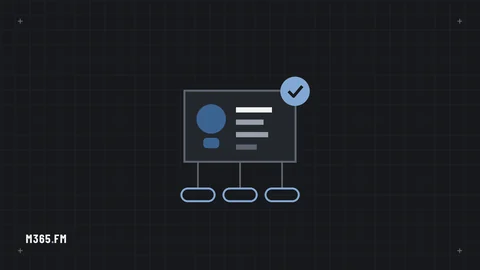
A public expert profile linked to topics, sessions and episodes.
For: MVPs, MCTs, consultants and community speakers

Pages for your show, a guest exchange and community publishing.
For: Podcasters, YouTubers and company shows
Find Microsoft 365 experts for an article, an interview or a quote. Browse public profiles by topic and see the sessions, episodes and articles behind each person.