


 Apple Podcasts
 Spotify
 Youtube Music
 Spreaker
 Podchaser
 Amazon Music
 PowerShell Automation with Harm Veenstra [MVP]
![PowerShell Automation with Harm Veenstra [MVP]](https://d3wo5wojvuv7l.cloudfront.net/t_rss_itunes_square_1400/images.spreaker.com/original/28785c3e8b9ba75fc74950dfe763d619.jpg "PowerShell Automation with Harm Veenstra [MVP]")
PowerShell is far more than just a scripting language for administrators. It is a powerful automation platform that can simplify repetitive tasks, connect services, and save countless hours across many different environments. From Microsoft 365 and Azure automation to local system management, reporting, APIs, and DevOps workflows, PowerShell provides flexible tools for almost every scenario.
This session explores practical automation examples from multiple areas, showing how PowerShell can be used to streamline daily operations, improve consistency, and reduce manual work. We will look at real-world use cases including Microsoft 365 management, file and data processing, REST API integrations, scheduled automation, and cross-platform scripting.
Whether you are just getting started with PowerShell or already writing scripts regularly, this session demonstrates how small automations can create significant improvements in productivity and reliability. Expect live demos, useful tips, and ideas you can immediately apply in your own environment.
Join this session to discover why PowerShell is not only useful — PowerShell is fun.
You might have heard Mirko Peters and Harm Veenstra on the PowerShell Is Fun podcast, sharing stories about how PowerShell is fun and makes IT life easier. With windows powershell, you get a powerful tool that helps you automate tasks in Microsoft 365, Azure, and even outside the Microsoft world. Windows powershell is everywhere now—65% of IT pros rely on it for automation, and its popularity keeps growing thanks to support from Microsoft, AWS, and the open-source community. Windows powershell lets you skip repetitive IT work and focus on what matters. Whether you’re new or experienced, you’ll see how windows powershell and PowerShell Is Fun can boost your productivity and make IT automation enjoyable.
Key Takeaways
- PowerShell automates repetitive IT tasks, saving time and reducing errors. This allows you to focus on more important projects.
- Using PowerShell in Microsoft 365 and Azure enhances your ability to manage users and resources efficiently, going beyond what the graphical interface offers.
- The PowerShell community is vast and supportive. Engage with forums and podcasts to learn from others and share your experiences.
- Start scripting with simple commands. Use the built-in cmdlets and parameters to create powerful automation scripts.
- Always test your scripts in a safe environment before running them in production. This helps prevent mistakes and protects your IT systems.
- Organize your scripts in a clear structure. Use descriptive names and comments to make them easy to understand and maintain.
- Security is crucial. Set execution policies and sign your scripts to ensure they are safe to run in your environment.
- Keep learning and adapting. PowerShell evolves, so stay updated with new features and best practices to enhance your automation skills.
PowerShell Is Fun: Why Automate?
Automation Benefits
You probably wonder why so many IT pros talk about automation. With powershell, you can turn boring, repetitive jobs into quick, reliable processes. You save time and avoid mistakes. Imagine running a script that handles user account creation in seconds. One company saw a 70% reduction in time spent on this task after switching to powershell automation scripts. Another organization, Brose, automated over 170 tasks and recovered more than 4,000 hours in just 18 months. That’s real efficiency.
Here’s what you gain with powershell automation:
- Streamlined workflows that cut manual errors.
- More time for important projects.
- Better efficiency and performance across your IT team.
When you automate, you improve IT performance and make your work life easier. You can focus on bigger goals instead of clicking through menus all day.
Microsoft Ecosystem Focus
If you work with Microsoft 365 or Azure, powershell is your best friend. You get advanced automation capabilities that go beyond what the graphical interface offers. With powershell automation scripts, you can manage hundreds of users, set permissions, and handle compliance reporting in bulk. You access deeper configurations and filter data that the GUI can’t reach.
Let’s look at some building blocks of powershell automation in the Microsoft ecosystem:
- Bulk operations for user management and administration.
- Advanced automation capabilities for security remediation and compliance reporting.
- Improved IT performance through faster management and administration.
You can use powershell to automate tasks in Exchange, Teams, and Intune. You boost efficiency and performance while keeping your systems secure. Automation lets you handle remediation quickly and enforce policies for compliance reporting.
Community & Learning
You don’t have to learn powershell alone. The community is huge and always ready to help. You can find scripts, share ideas, and ask questions in forums like r/PowerShell on Reddit, PowerShell on GitHub, and the PowerShell Community Blog. The PowerShell Is Fun podcast brings you stories and tips from real IT pros, making learning enjoyable.
Here are some top places to connect and learn:
| Resource | Description |
|---|---|
| PowerShell Resources - Level1Techs Forums | Community-driven forum for sharing scripts and advice |
| Scripting Blog | Official Microsoft blog for scripting tips |
| PowerShell on GitHub | Open-source repository and community hub |
| r/PowerShell on Reddit | Active forum with over 190,000 subscribers |
| PowerShell + DevOps Global Summit | Annual conference for networking and learning |
You can join events like PSConfEU or RTPSUG to meet other IT pros and share your powershell automation scripts. The community helps you build your skills and improve IT performance every day.
You get the building blocks of powershell automation from these resources. You learn new tricks, improve your scripts, and stay up-to-date with advanced automation capabilities. Sharing and learning together makes powershell automation fun and rewarding.
PowerShell Scripts & Setup
What Are Scripts?
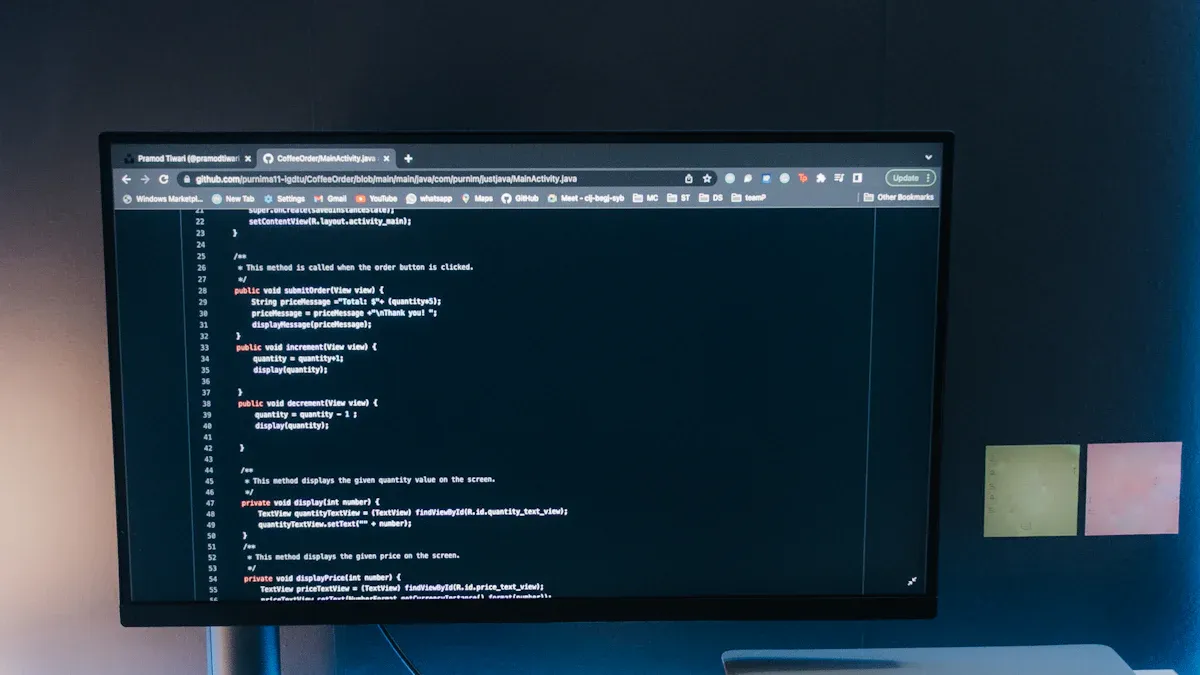
Let’s start with the basics. When you hear people talk about powershell scripts, they mean a set of instructions that powershell follows to complete automation. You write these scripts to tell powershell exactly what to do, step by step. Think of scripts as recipes for your computer. Each line in the script is a command or instruction that powershell understands.
You might wonder what makes up a good powershell script. Here are the essential parts that work together to make your scripts powerful:
- Cmdlets: These are the main commands in powershell. They use a Verb-Noun format, like Get-Process or Set-Location. Cmdlets are the building blocks of your scripts.
- Parameters: You use these to change how cmdlets work. Parameters start with a hyphen, such as -Name or -Force. They help you control the details of each command.
- Pipelines: Pipelines let you connect commands. You use the pipe symbol (|) to send the output of one command into another. This makes your scripts clear and efficient.
- Variables: Variables start with a dollar sign ($). You use them to store information, like numbers or text, and reuse it throughout your scripts.
- Objects, Properties & Methods: Everything in powershell is an object. Objects have properties (like data fields) and methods (actions you can perform). You use dot notation to work with these in your scripts.
When you combine these parts, you create powershell scripts that can handle automation for all kinds of IT tasks. You can automate user creation, file management, or even complex cloud operations. The more you practice, the more you’ll see how these components make your scripts flexible and powerful.
Getting Started
You don’t need a fancy setup to begin with powershell scripts. Most Windows computers already have powershell installed. If you use Windows Server 2008 R2 or later, or Windows 7 and up, you’re ready to go. You just need to make sure you have the right version and a few other things in place.
Here’s a quick look at what you need before you start writing your first powershell scripts:
| Requirement | Description |
|---|---|
| Identity Vault Server | NetIQ Identity Manager 4.8 or higher and NetIQ eDirectory (level supported by Identity Manager and higher). |
| Windows PowerShell | Installed by default for Windows Server 2008 R2 and later, and Windows 7 and later. Versions up to 5.x are supported. |
| Microsoft .NET Framework | Version 4.0 or higher is required; .NET Framework 3.5 Feature must also be installed. |
| Other Software | Microsoft Web Services Enhancement module must be installed if using the Script Service for Windows PowerShell. |
If you use a Mac or Linux, you can install PowerShell Core. It works almost the same way, so you can run your powershell scripts on different platforms. Once you have everything set up, you can open powershell and start typing commands right away.
Tip: Always run powershell as an administrator when you need to make system changes. This gives your scripts the permissions they need to complete automation.
Choosing Editors
You have a few great options for writing powershell scripts. The right editor can make your automation journey much smoother. Some editors help you spot mistakes, offer suggestions, and let you test your scripts as you write.
Here’s a quick comparison of the most popular editors for powershell scripts:
| Code Editor | Features |
|---|---|
| Visual Studio Code (VSCode) | - Lightweight editor - IntelliSense for context-aware autocompletion - Integrated terminal for execution and debugging |
| Windows PowerShell ISE | - User-friendly interface - Robust debugging features - Context-aware auto-completion |
Visual Studio Code is a favorite for many IT pros. It’s fast, free, and works on Windows, Mac, and Linux. You get smart suggestions and can run your powershell scripts right inside the editor. Windows PowerShell ISE is another solid choice, especially if you like a simple interface and strong debugging tools.
You can try both and see which one fits your style. The important thing is to pick an editor that helps you write, test, and manage your powershell scripts with ease. Once you find your favorite, you’ll see how much faster you can build automation for your IT environment.
Note: No matter which editor you choose, remember to save your scripts often. A good habit is to keep your scripts organized in folders, so you can find and reuse them for future automation.
Now you know what powershell scripts are, how to get started, and which editors can help you. You’re ready to dive into the world of automation and start making IT work for you!
Find & Use Ready-Made Scripts
Script Sources
You don’t have to start every powershell automation script from scratch. Many IT pros share their scripts online, making your automation journey easier. You can find scripts for configuration, compliance, and security tasks. These scripts help you automate user management, file operations, and even desired state configuration.
Here’s a quick table showing some trusted sources for powershell automation scripts:
| Source | Description |
|---|---|
| Script Resources for IT Professionals | Offers many free powershell scripts with ratings and compatibility info. |
| PowerShell Resources | Community forum with links to Microsoft’s scripting blog and helpful resources. |
| PowerShell.org | Forums and resources for learning powershell, great for beginners and pros. |
You can also check out these sites for more scripts and automation tips:
When you use these sources, you get access to scripts that help with configuration, security, and compliance. You can automate IT tasks faster and more reliably.
Safe Execution
Before you run any powershell automation scripts from the internet, you need to think about security. Not every script is safe. You want to protect your IT environment and avoid unwanted changes to configuration or security settings.
Here are some best practices for safe execution:
- Set strict execution policies, like ‘AllSigned’, so only trusted scripts run.
- Sign your scripts to verify their integrity and authenticity.
- Use secure coding techniques, such as input validation and error handling, to reduce vulnerabilities.
You can choose from different execution policies:
- Restricted: No scripts can run.
- AllSigned: Only scripts signed by a trusted publisher can run.
- RemoteSigned: Local scripts run without being signed, but internet scripts must be signed.
- Unrestricted: Runs all scripts but warns if they are from the internet.
These steps help you keep your automation safe and your configuration stable. You avoid risks and make sure your scripts support compliance and security configuration audits.
Tip: Always review scripts before running them. Check for unexpected commands or changes to configuration. You want to trust your automation, not guess what it will do.
Permissions & Policies
You need the right permissions and policies to run powershell automation scripts in your IT environment. You can check your current execution policy with:
Get-ExecutionPolicy
To enhance security, set your policy to RemoteSigned or AllSigned:
Set-ExecutionPolicy RemoteSigned
or
Set-ExecutionPolicy AllSigned
Verify your changes with:
Get-ExecutionPolicy -List
You can set execution policies at the Machine, User, or Process level. Always use the least privilege policy and sign your scripts. This keeps your configuration secure and supports compliance requirements.
Note: Permissions matter. Make sure you have the right access before running automation scripts. You protect your IT systems and keep your configuration consistent.
When you follow these steps, you build a safer automation environment. You keep your scripts organized, your configuration tight, and your IT team ready for any tasks.
Create Custom Scripts
First Script Steps
You want to dive into powershell automation scripts and start creating your own. The process feels simple once you know the steps. You begin by opening your favorite editor, like Visual Studio Code or PowerShell ISE. You create scripts by writing a new file with the .ps1 extension. For your first script, try something basic. Add a cmdlet, such as Get-Process, to see running processes on your computer.
Here’s a quick guide to help you create scripts for powershell automation:
- Open your editor and create a new
.ps1file. - Add a cmdlet, like
Get-Process, to your script. - Save the file.
- Modify your execution policy if needed. Use
Set-ExecutionPolicy RemoteSignedto allow local scripts. - Run your script and see the results.
You can use this process for many automation tasks. As you create scripts, you build confidence and learn how powershell can make IT easier.
Tip: Start small. Test your scripts with simple commands before moving to complex automation.
Save & Run
Saving and running powershell automation scripts is a key part of your workflow. You save your script with a clear name, like GetUserInfo.ps1. You keep your scripts organized in folders for easy access. When you want to run your script, open powershell and navigate to the folder. Type .\GetUserInfo.ps1 and press Enter.
If you run into permission issues, check your execution policy. You can use Get-ExecutionPolicy to see the current setting. Change it with Set-ExecutionPolicy if needed. This step helps you run powershell automation scripts safely and efficiently.
Note: Always save your scripts before running them. You avoid losing changes and keep your automation reliable.
Debugging Basics
Debugging powershell automation scripts helps you fix problems and improve your automation. You use cmdlets like Test-Connection, Resolve-DnsName, and Test-NetConnection to check network issues. You add conditional logic to your scripts so they handle real-time conditions. Modularizing your scripts makes them easier to maintain and scale.
Logging anomalies gives you clues when something goes wrong. You can use Write-Output or Write-Host to print messages and track script progress. PowerShell Remoting lets you check connectivity across multiple devices.
Here’s a table with common debugging techniques:
| Technique | Description |
|---|---|
| Test-Connection | Checks if a device responds to ping |
| Resolve-DnsName | Diagnoses DNS issues |
| Conditional Logic | Handles errors and unexpected results |
| Modular Scripts | Breaks scripts into smaller, reusable parts |
| Logging | Records anomalies for troubleshooting |
| PowerShell Remoting | Tests connectivity on remote systems |
You improve your powershell automation scripts by using these techniques. Debugging helps you create scripts that work every time, making IT automation smooth and dependable.
Callout: Don’t get discouraged if your scripts fail at first. Every IT pro learns by troubleshooting and fixing scripts. You get better with practice!
Scripting Essentials
Variables & Data
You use variables in powershell to store and manage information. Variables always start with a dollar sign. For example, you can write $name = "Alex" to store a name or $age = 25 for a number. You can even capture the result of a command, like $processes = Get-Process, which saves all running processes for later use.
Powershell makes your life easier with dynamic typing. This means you do not have to worry about declaring the type of data. The variable changes its type based on what you assign. You can store a string, a number, or even a list in the same variable at different times. This flexibility helps you write scripts quickly and adapt to different automation tasks.
Data in powershell falls into two main groups. Value types, like integers, hold their own data. Reference types, such as arrays, point to objects that contain the actual data. For example, an integer is self-contained, but an array can hold many items or be empty. This structure gives you control over how you manage information in your scripts.
File Management
Managing files and folders is a big part of powershell automation. You can create, copy, move, or delete files with just a few commands. Here are some common tasks you might need:
- Create a new folder:
New-Item C:\TempPowerShell -Type Directory - Copy a file:
Copy-Item C:\Scriptstest.txt C:\Test - Move a file:
Move-Item C:\Scriptstest.zip C:\Test -Force - Delete a file:
Remove-Item C:\Scriptstest.txt - Delete files older than 30 days:
$path = 'C:\YourDirectory'
Get-ChildItem $path | Where-Object { $_.LastWriteTime -lt (Get-Date).AddDays(-30) } | Remove-Item
You can also create new text files, append data, or remove folders and their contents. These commands help you automate file management and keep your it environment organized. You save time and avoid mistakes by letting scripts handle these tasks.
Tip: Always test your scripts on a small set of files before running them on important data. This keeps your it systems safe.
Loops & Logic
You often need to repeat actions or make decisions in your powershell scripts. Loops and logic help you do this. Here is a quick look at the main loop types:
| Loop Type | Description |
|---|---|
| For | Runs a block of code a set number of times. |
| ForEach | Goes through each item in a list or array. |
| While | Keeps running as long as a condition is true. |
| Do-While | Runs the code at least once, then checks the condition. |
| Do-Until | Runs until a condition becomes true. |
You use logic to control what happens in your scripts. If-Else statements let you run code only when a condition is true. Switch statements help you compare one value to many options. You can even use a ternary operator for quick decisions.
Here is a simple example. If you want to check if a file exists, you can write:
if (Test-Path "C:\Test\myfile.txt") {
    Write-Output "File found!"
} else {
    Write-Output "File not found."
}
Loops and logic make your powershell scripts powerful. You can automate complex it tasks and handle many situations with just a few lines of code.
Functions
Let’s talk about one of the coolest features in PowerShell: functions. If you want your scripts to do more and stay organized, you need to use functions. Think of a function as a mini-program inside your script. You give it a name, tell it what to do, and then call it whenever you need that task done. This makes your scripts cleaner and easier to manage.
You might wonder, “Why should I use functions?” Here’s the deal. When you write a function, you can reuse it in different scripts. You don’t have to copy and paste the same code everywhere. This saves you time and helps you avoid mistakes. If you need to update something, you only change it in one place.
Here’s a simple example of a PowerShell function:
function Get-Greeting {
    param (
        [string]$Name
    )
    "Hello, $Name! Welcome to PowerShell automation."
}

Get-Greeting -Name "Alex"
You see how easy that is? You define the function once, then call it as many times as you want with different names.
Let’s look at some key advantages of using functions in your scripts:
| Advantage | Description |
|---|---|
| Reusability | Use the same function in many scripts. |
| Maintainability | Update your code in one spot, and every script using the function gets the fix. |
| Enhanced Functionality | Accept input from the pipeline and use built-in parameters like -Verbose and -ErrorAction. |
You can also make your functions more powerful by adding parameters. This lets you pass in different values each time you run the function. PowerShell functions can even accept input from the pipeline, which means you can chain commands together for advanced automation.
Tip: Use clear names for your functions. This helps you and your team understand what each function does at a glance.
Here’s another cool thing. PowerShell gives you built-in parameters like -Verbose and -ErrorAction. These make your functions easier to use and debug. You can add help text to your functions, too. This way, anyone using your script knows exactly how to use each function.
Here’s a quick table to show you how functions boost your automation:
| Feature | Benefit |
|---|---|
| Pipeline Input | Makes your function work with other commands in a pipeline. |
| Built-in Parameters | Improves user experience with options for more details or error handling. |
When you start using functions, you turn simple scripts into powerful tools. You make your automation modular, flexible, and ready for anything. Try writing your next script with functions, and you’ll see how much easier your PowerShell journey becomes! 🚀
Automate Across Microsoft 365 & Beyond

User Management
You handle user management every day in Microsoft 365. With powershell, you can automate these tasks and make your IT life easier. You don’t have to click through endless menus or fill out forms. Instead, you use powershell automation scripts to get things done fast and accurately.
Here’s how you can use powershell for common user management tasks:
- Create new user accounts. You can write a script that reads information from a CSV file and sets up accounts for new employees. This saves you hours during onboarding.
- Disable or delete inactive user accounts. You can identify users who haven’t logged in recently and remove their access. This keeps your environment secure and supports compliance.
- Update user attributes. You can schedule scripts to change job titles or contact information based on HR data. This keeps your directory up-to-date and helps with management.
You see powershell in action when you automate these tasks. You improve efficiency and reduce errors. Real-world applications of powershell automation make user management simple and reliable. You can focus on bigger projects instead of routine work.
Tip: Try automating user onboarding with powershell. You’ll notice how much time you save and how consistent your results become.
File & Folder Tasks
Managing files and folders can feel overwhelming. You deal with hundreds of documents, reports, and logs. Powershell helps you automate file management and keep your IT systems organized.
You can use powershell automation scripts to:
- Create folders for new projects or departments.
- Copy files to backup locations.
- Move documents to archive folders.
- Delete old files that you no longer need.
For example, you can write a script to remove files older than 30 days. This keeps your storage clean and supports compliance. You can also automate permissions management for folders, making sure only the right people have access.
Here’s a simple script to delete files older than a month:
$path = 'C:\YourDirectory'
Get-ChildItem $path | Where-Object { $_.LastWriteTime -lt (Get-Date).AddDays(-30) } | Remove-Item
You see powershell in action when you automate file management. You reduce manual work and improve security. Real-world applications of powershell automation help you keep your IT environment tidy and efficient.
Note: Always test your scripts on a small set of files before running them on important data. This protects your IT systems and supports compliance.
Network Automation
Network management is a big part of IT. You need to check connections, monitor devices, and troubleshoot problems. Powershell gives you powerful tools for network automation. You can use cmdlets to replace old command-line tools and get better results.
Here’s a table showing how powershell automation scripts improve network management:
| Traditional Command | PowerShell Equivalent | Key Advantage |
|---|---|---|
| ipconfig | Get-NetIPAddress | Object output, easier filtering |
| ipconfig /all | Get-NetIPConfiguration | Structured, comprehensive output |
| ping | Test-Connection | Scriptable, returns objects |
| tracert | Test-NetConnection -TraceRoute | Integrated diagnostics |
| nslookup | Resolve-DnsName | More query options, better output |
| netstat | Get-NetTCPConnection | Powerful filtering |
| route print | Get-NetRoute | Easy to parse and manipulate |
| arp -a | Get-NetNeighbor | Object-based neighbor cache |
You can automate network health checks with powershell. Here’s a script that checks if your servers are reachable:
# Network Health Check Script
$servers = @("dc01.local", "fileserver.local", "webserver.local")
foreach ($server in $servers) {
    $result = Test-NetConnection -ComputerName $server -WarningAction SilentlyContinue
    if ($result.PingSucceeded) {
        Write-Host "$server is reachable" -ForegroundColor Green
    } else {
        Write-Host "$server is UNREACHABLE" -ForegroundColor Red
    }
}
You use powershell automation scripts to monitor your network and fix issues quickly. You improve security and support compliance by keeping your systems healthy. Management becomes easier when you automate network tasks.
Callout: Automate your network checks with powershell. You’ll catch problems early and keep your IT environment running smoothly.
Cloud Integration
You want to take your automation to the cloud. PowerShell makes this easy. You can connect to Microsoft 365, Azure, and other cloud services with just a few commands. This lets you manage users, resources, and settings from anywhere.
Start by installing the right modules. For Microsoft 365, use the ExchangeOnlineManagement and MSOnline modules. For Azure, install Az or AzureAD. These modules give you access to hundreds of cmdlets designed for cloud management.
Here’s a quick example. You can connect to Microsoft 365 with:
Connect-ExchangeOnline -UserPrincipalName yourname@yourdomain.com
Once connected, you can automate tasks like mailbox creation, license assignment, or group management. You can even schedule these scripts to run automatically, so you never miss a step.
PowerShell also works with Microsoft Graph APIs. This opens up advanced automation. You can manage Teams, SharePoint, and Intune with a single script. The PowerShell Is Fun podcast often shares stories about using Graph to automate onboarding, migrations, and permissions. You get more control and flexibility than the web interface alone.
Here are some ways you can use PowerShell for cloud integration:
- Automate user onboarding across Microsoft 365 and Azure.
- Manage licenses and group memberships in bulk.
- Migrate mailboxes or files between tenants.
- Set up Teams channels and permissions automatically.
- Monitor cloud resources and generate reports.
Tip: Always test your scripts in a non-production environment first. This helps you avoid surprises and keeps your cloud setup safe.
Cloud integration with PowerShell saves you time and reduces manual work. You can handle large-scale changes with confidence. You also make your IT environment more consistent and reliable.
Security & Governance
When you automate, you must think about security and governance. PowerShell gives you powerful tools, but you need to use them wisely. A single script can change hundreds of accounts or settings. If you don’t follow best practices, you risk exposing your environment.
Start by setting strict execution policies. Only allow trusted scripts to run. Many organizations learned this the hard way. For example, a financial institution faced a breach because someone ran an unverified script. After they enforced script signing and strict policies, they reduced their risk.
Script signing is another key step. When you sign your scripts, you prove they come from a trusted source. A university improved their automation security by adopting a robust script signing policy. This also raised the quality of their codebase.
You should also use secure coding techniques. Remove hard-coded credentials from your scripts. Validate all parameters before running commands. A retail company lowered their attack surface by following these steps. They made their automation safer and more reliable.
Here are some best practices for security and governance in PowerShell automation:
- Set execution policies to RemoteSigned or AllSigned.
- Sign all scripts before running them in production.
- Store credentials securely, never in plain text.
- Validate input parameters to prevent mistakes.
- Review scripts regularly for risky commands.
- Document every script and its purpose.
| Best Practice | Why It Matters |
|---|---|
| Script Signing | Ensures only trusted code runs |
| Secure Credential Storage | Protects sensitive information |
| Parameter Validation | Prevents accidental or malicious misuse |
| Regular Reviews | Catches security risks before they cause harm |
| Documentation | Helps your team understand and trust automation |
Note: Security is not a one-time task. Review your scripts often. Update your practices as threats change.
You can also use role-based access control. Give users only the permissions they need to run automation scripts. This limits the impact if something goes wrong.
PowerShell Is Fun often highlights the importance of community. Share your security tips and lessons learned. Help others avoid common mistakes. When you focus on security and governance, you protect your organization and build trust in your automation.
Build Your Script Library
Organize & Document
You want your powershell script collection to grow with you. Organization matters. When you keep your scripts tidy, you save time and avoid confusion. Start by creating folders for different IT areas, like user management, file automation, or compliance. Give each script a clear name that shows what it does. Add comments at the top of your scripts to explain their purpose and any special requirements.
Good documentation helps everyone on your team. You can use a table to track best practices for organizing and documenting your scripts:
| Best Practice | Description |
|---|---|
| Store runbooks with scripts | Ensures operational continuity and support during outages. |
| Use least privilege | Reduces risk by limiting account permissions to only what is necessary. |
| Protect sensitive data | Avoid storing passwords and credentials in plain text; use secure storage. |
| Ensure code readability | Use clear names, consistent formatting, and comments for better collaboration. |
| Implement change control | Apply peer review and documented rollout plans to catch issues before deployment. |
| Handle failures properly | Log errors and document rollback paths to maintain control over script execution. |
| Centralize script repository | Provides a single source of truth and reduces version drift among team members. |
You keep your scripts safe and easy to find. You also support compliance by making sure every script has a clear history and purpose.
Share & Collaborate
You don’t have to work alone. Sharing your scripts with your team makes everyone stronger. Use a central repository, like GitHub or Azure DevOps, to store your scripts. This way, your team can access the latest versions and avoid confusion. You can also use project management tools to track changes and assign tasks.
Here’s a table showing features that help you share and collaborate on scripts:
| Feature | Description |
|---|---|
| Governance and Management | Simplifies the process of managing PowerShell scripts and sharing reports within teams. |
| Real-time Reporting | Generates reports that can be accessed and shared easily with colleagues via a simple link. |
| Export Options | Allows exporting reports to Excel or PDF for further analysis or sharing. |
| Scheduling Reports | Users can schedule reports to be generated automatically, saving time and effort. |
| Intuitive Interface | Provides an easy-to-use interface for managing scripts and reports effectively. |
| Project Management Features | Offers tools for checking project sites, security, and permissions, enhancing team collaboration. |
You improve compliance and security when you share scripts in a controlled way. You also make it easier to review code and spot issues before they affect your IT environment.
Tip: Set up regular meetings to review scripts together. You catch problems early and learn from each other.
Keep Learning
You never stop learning in IT. Powershell changes fast, and new features appear all the time. Stay updated by following official documentation and joining community discussions. You can ask questions, share your automation wins, and get advice from experts.
Here are some great ways to keep learning:
- Check out the official getting started documentation for powershell.
- Visit the community dashboard to see contributions and project status.
- Join open discussions on GitHub to connect with other users.
- Chat with the community on Discord, IRC, or Slack.
You build your skills and stay ahead in automation. You also help your team stay ready for new compliance rules and IT challenges.
Callout: Your script library grows with you. Keep organizing, sharing, and learning. You’ll turn your scripts into powerful tools for every IT task.
You can start automating with powershell today and transform your it routine. Many organizations have automated patching, compliance, and software deployment, saving time and boosting security. When you join the powershell community, you gain new skills, build friendships, and stay ahead in it. Try experimenting with scripts, organize your own library, and share your wins.
The powershell journey is fun and rewarding.
Ready for next steps?
- Listen to the PowerShell Is Fun podcast.
- Connect with it pros in powershell forums.
- Practice scripting and keep learning.
FAQ
What is PowerShell used for?
You use PowerShell to automate tasks on Windows, Microsoft 365, and Azure. It helps you manage users, files, networks, and cloud services. You can save time and reduce mistakes with scripts.
Do I need to know programming to start with PowerShell?
No, you don’t need a programming background. You can start with simple commands and build your skills. The PowerShell community and resources make learning easy.
How do I run a PowerShell script?
Save your script with a .ps1 extension. Open PowerShell, navigate to your script’s folder, and type:
.\yourscript.ps1
Press Enter. That’s it!
Is PowerShell only for Windows?
No, PowerShell works on Windows, macOS, and Linux. You can install PowerShell Core on any of these systems. This lets you automate tasks across different platforms.
Where can I find ready-made PowerShell scripts?
You can find scripts on sites like PowerShell.org, GitHub, and the Scripting Blog. Many IT pros share their scripts online. Always review scripts before running them.
How do I keep my scripts secure?
Tip: Sign your scripts and set execution policies to RemoteSigned or AllSigned. Store credentials securely. Review your scripts often to catch any risks.
Can PowerShell connect to Microsoft 365 and Azure?
Yes! You can use modules like ExchangeOnlineManagement and Az to connect. This lets you automate user management, reporting, and cloud tasks with just a few commands.
🎧 Listen to this episode
Want a practical explanation of PowerShell Automation with Harm Veenstra [MVP]? This episode breaks down the topic in clear language and shows why it matters for Microsoft 365, Azure, Power Platform, security, AI, and modern work.
Listen to this episode if you want to:
- Understand the key concepts behind PowerShell Automation with Harm Veenstra [MVP]
- See how it fits into the wider Microsoft technology ecosystem
- Learn where it can create practical value for your organization
You may also enjoy these related M365 FM episodes:
- PowerShell vs Bicep for Azure Infrastructure Automation
- Microsoft Graph and PowerShell for Enterprise Automation
- Modern Microsoft 365 Automation Beyond PowerShell Scripts
- PowerShell Automation for Azure and Microsoft 365 with Matthew Dowst [MVP]
- PowerShell vs Microsoft Graph API for Automation
Discover more practical Microsoft conversations on M365 FM.
Official Microsoft MVP profile: Harm Veenstra on Microsoft MVP
🚀 Want to be part of m365.fm?
Then stop just listening… and start showing up.
👉 Connect with me on LinkedIn and let’s make something happen:
- 🎙️ Be a podcast guest and share your story
- 🎧 Host your own episode (yes, seriously)
- 💡 Pitch topics the community actually wants to hear
- 🌍 Build your personal brand in the Microsoft 365 space
This isn’t just a podcast — it’s a platform for people who take action.
🔥 Most people wait. The best ones don’t.
👉 Connect with me on LinkedIn and send me a message:
"I want in"
Let’s build something awesome 👊
1
00:00:00,000 --> 00:00:06,000
Yeah, welcome everyone to another episode of the MC65FFM podcast.
2
00:00:06,000 --> 00:00:12,000
My today's guest comes with the phrase, "Four Shells Fun." Join us.
3
00:00:12,000 --> 00:00:16,000
We talk with Microsoft MVP, HarmBedster,
4
00:00:16,000 --> 00:00:20,000
a PowerShell expert, community contributor and automation,
5
00:00:20,000 --> 00:00:26,000
into this helping IT profession, automatic task across multiple Microsoft technologies.
6
00:00:26,000 --> 00:00:34,000
Yeah, and we have the title today, "PowerShell is Fun," automating everything with PowerShell.
7
00:00:34,000 --> 00:00:42,000
Yeah, let's start with the name, "PowerShell is Fun." Why did you choose that name for your website?
8
00:00:42,000 --> 00:00:46,000
Because it makes sense for me, I guess.
9
00:00:46,000 --> 00:00:54,000
I do actually enjoy and having fun creating scripts, the whole thinking process being creative.
10
00:00:54,000 --> 00:01:10,000
Yeah, yeah, where's both there, a moment where PowerShell stopping being just scripting and became fun for you, what was the special moment?
11
00:01:10,000 --> 00:01:18,000
When you finally understand the how and the why, and once you understand the logic,
12
00:01:18,000 --> 00:01:24,000
it's just a creativity that is the only thing holding you down to do more.
13
00:01:24,000 --> 00:01:34,000
Yeah, I think the most people, yeah, that's not fun, but the first time I've been by the area, PowerShell.
14
00:01:34,000 --> 00:01:46,000
But yeah, what tip can you, or trick, can you give people to fall in love with it?
15
00:01:46,000 --> 00:01:58,000
And when you, we have through a lot of manual tasks or repetitive tasks, which make your job life a bit boring because you have to do them like every day.
16
00:01:58,000 --> 00:02:10,000
Once you realize you can start automating that, and you actually see it working, meaning that you have more time to do more important and more fun stuff.
17
00:02:10,000 --> 00:02:26,000
I think that's the moment that when you start to realize that it actually makes my life better easier and I have more time to actually talk to people in the business with my project team or whatever, instead of just manually doing click ups all day.
18
00:02:26,000 --> 00:02:28,000
Yeah.
19
00:02:28,000 --> 00:02:42,000
Yeah, and can you tell a little bit about, yeah, the story, how, which harm become, yeah, or our start and technology and became a, a partial guy.
20
00:02:42,000 --> 00:02:50,000
Well, this year I've been doing IT for 30 years. I was like 18 when I started working in IT.
21
00:02:50,000 --> 00:02:58,000
First, it like a, how does it serve? That's, you feel that the place that people start their IT career.
22
00:02:58,000 --> 00:03:09,000
And I've just moved on from there from working for internal companies to a consulting firm to be becoming a consultant.
23
00:03:09,000 --> 00:03:20,000
And actually starting doing more in the community because that's the, one of the reasons that I really like being an FB and doing all these kinds of community things.
24
00:03:20,000 --> 00:03:23,000
And you could, you get so much back from it.
25
00:03:23,000 --> 00:03:31,000
I learned so much from people in the community and being in the community and getting back to other people at a specific, yeah.
26
00:03:31,000 --> 00:03:40,000
I think a lot of people say that especially Microsoft community, it's really, yeah, really good to, to have each other.
27
00:03:40,000 --> 00:03:45,000
I see also Microsoft do is a lot for it.
28
00:03:45,000 --> 00:03:52,000
I see the Microsoft learning platform. They have, and the MVP community. So they do a lot.
29
00:03:52,000 --> 00:03:57,000
I think it's, especially Microsoft. It's really cool. What they do.
30
00:03:57,000 --> 00:04:02,000
A lot of think it was a little bit, yeah, the automation mindset.
31
00:04:02,000 --> 00:04:12,000
When you look at IT today, where do you still see, yeah, too many manual processes?
32
00:04:12,000 --> 00:04:25,000
Perhaps in smaller companies, when you only have like two or three people in your IT staff, it probably makes sense if you don't have that many repetitive tasks that you do.
33
00:04:25,000 --> 00:04:30,000
You just do click officer, just clicking in the console or in the browser.
34
00:04:30,000 --> 00:04:39,000
But when you start working at scale, then it makes more sense because you have more customers, more repetitive work.
35
00:04:39,000 --> 00:04:46,000
And the quality of the work needs to be better and consistent. And that's where automation does its best.
36
00:04:46,000 --> 00:05:02,000
When, yeah, when you have a consulting project or something else in the company, what is the, yeah, the first thing you say at the IT admins should automate.
37
00:05:02,000 --> 00:05:11,000
I think the whole user onboarding stuff is usually the one that is the most work creating uses in.
38
00:05:11,000 --> 00:05:26,000
So, for example, many people that they're being sent to enter ID, giving them rights, permissions, and rolling them in different types of software, setting up their clients, their in tune, laptops perhaps.
39
00:05:26,000 --> 00:05:40,000
It's a lot of manual steps in which you can easily see the benefits of automating that because it's repetitive and it's not that fun anymore if you do it like 50 times in a few months.
40
00:05:40,000 --> 00:05:55,000
And how did you identify processes that's worth automating and which pros are not worth to automate.
41
00:05:55,000 --> 00:06:04,000
Yeah, it's what the most scripting guys always always tell you if you have to do it twice, then you must script that out.
42
00:06:04,000 --> 00:06:11,000
Or if you only do it like twice a year or twice every two or three years, then maybe.
43
00:06:11,000 --> 00:06:20,000
But it's more of a quality thing if you script automated, then you're absolutely sure that outcome will be the same every time.
44
00:06:20,000 --> 00:06:29,000
Instead of, oh, yeah, I just got that one step in a very large manual and now it doesn't work and I don't know why I have to like redo the whole process again.
45
00:06:29,000 --> 00:06:46,000
Yeah, I have a little bit of look at your website and I see you work across multiple Microsoft areas, Microsoft 365 exchange, intra teams, iTunes, Azure, and SharePoint.
46
00:06:46,000 --> 00:06:55,000
Where did you see this power shell, yeah, the way to go.
47
00:06:55,000 --> 00:07:11,000
And probably, yeah, and that's for the most powerful shell people also tell you an exchange first started with adding power shell, command, that's two exchange on prem.
48
00:07:11,000 --> 00:07:17,000
You could do a lot of things in the normal exchange management console, but a lot of stuff you could only do on command line.
49
00:07:17,000 --> 00:07:28,000
And that was the first encounter of XV using power shell for a Microsoft product because you had to because certain options were not available in a normal management console.
50
00:07:28,000 --> 00:07:34,000
Then you start realizing, well, if I can do this using power shell, and it's power shell 2.0.
51
00:07:34,000 --> 00:07:44,000
And that's, I don't know how many years ago exactly that was, but then you they see the benefit. Oh, I can also use it for this also uses for that.
52
00:07:44,000 --> 00:07:47,000
And if you could use it for that, I can also use it to automate it.
53
00:07:47,000 --> 00:07:53,000
And they start realizing that you could do a lot more in the past. You probably did that with.
54
00:07:53,000 --> 00:07:59,000
And I also did that a bad scripting, right? You see in the year batch files.
55
00:07:59,000 --> 00:08:06,000
Who do a lot of things in that, but it's not comparable to power shell, power shell, you do a lot more.
56
00:08:06,000 --> 00:08:13,000
And yeah, where did you own on which platform from Microsoft that you see.
57
00:08:13,000 --> 00:08:19,000
Yeah, the best growth in the best chance for automation.
58
00:08:19,000 --> 00:08:29,000
And I don't know is it error or teams or where is the highest in that. It's first started for the biggest automation projects.
59
00:08:29,000 --> 00:08:39,000
And actually because that was the trend back then before Azure AD came also known as enter ID right now.
60
00:08:39,000 --> 00:08:51,000
But I think it's becoming like it is the standard every 365 product, every Azure products, even every Microsoft product has its own power shell modules, commandlets by default.
61
00:08:51,000 --> 00:08:58,000
If if a new product is there, you can probably automate it by using power shells straight away.
62
00:08:58,000 --> 00:09:10,000
So you can use it like for every product, I guess. I don't know if there are any products which don't have a power shell interface because Microsoft graph is everywhere.
63
00:09:10,000 --> 00:09:20,000
And I also see the graph up. I think that's also yet it's really great.
64
00:09:20,000 --> 00:09:33,000
Yeah, some people really really hated it. It has its it has its quirks sometimes the the the enter in a graph modules, but for me they're there is great.
65
00:09:33,000 --> 00:09:36,000
You can do so much of them.
66
00:09:36,000 --> 00:09:41,000
I think really that's one of Microsoft biggest.
67
00:09:41,000 --> 00:09:56,000
I don't know, cool things they have ever built. I see it on I don't know, I work with other enterprise solution like sales force and it's also they have by this and buying this and you have all these different.
68
00:09:56,000 --> 00:10:11,000
So it's so hard to put their process together from their different tools platforms. And so yeah, I think this really great what Microsoft have built here.
69
00:10:11,000 --> 00:10:26,000
And some real world examples where you have work on or was really interesting project you work on power shell automation.
70
00:10:26,000 --> 00:10:34,000
At this moment, I mean a few products projects in which I do a lot of migrations.
71
00:10:34,000 --> 00:10:42,000
So it was a smaller company inside of it, which is moving out of that bigger company. And has to be on its own.
72
00:10:42,000 --> 00:11:02,000
So it is a lot of migration projects scripting that out people moving from a Google platform to a Microsoft platform and converting their calendar permissions or their Google meetings to Microsoft teams meetings.
73
00:11:02,000 --> 00:11:15,000
And it's really the automating that. Yeah, it's just things that make the user happy off the vibration giving me a lot less headache in the process.
74
00:11:15,000 --> 00:11:21,000
So yeah, there are chances everywhere. But that's the thing that I'm in at this moment.
75
00:11:21,000 --> 00:11:35,000
And so the projects will be the whole user proficient in part there like I mentioned, it's one of the most repetitive task for the service that each month people come in people leave the company.
76
00:11:35,000 --> 00:11:50,000
You have to create accounts, update, modify, remove accounts, automating all those parts that I did that a lot and it really helps the people out which have to do those repetitive tasks every time.
77
00:11:50,000 --> 00:11:59,000
Yeah, you see benefits straight away and it makes it a lot nicer instead of doing something which you actually don't see the results of straight away.
78
00:11:59,000 --> 00:12:14,000
Yeah, it was I forgot the name, but I, I think it was an ignite someone says, PowerShell, it's the best governance tool you could have.
79
00:12:14,000 --> 00:12:29,000
When, yeah, have you seen, I don't know, or can you explain a crazy manual manual, preserves, you have automated or you have seen.
80
00:12:29,000 --> 00:12:57,000
So that's so many larger and smaller ones. Integration with services for Unix, that's something that in actually actually have fields for that for for Unix, UIDs and the whole automating of creating and linking extra uses to Unix systems.
81
00:12:57,000 --> 00:13:14,000
And trying to get the latest UID because of UID is unique in Unix also in windows discovering the last giving UID, incrementing that writing that back of us whole back and forth between different platforms.
82
00:13:14,000 --> 00:13:18,000
And that's something that I usually do every day.
83
00:13:18,000 --> 00:13:27,000
And you really have to investigate it. That's that's the part for the investigating being creative coming off its solutions.
84
00:13:27,000 --> 00:13:34,000
And is there, I don't know is there a power shell co pilot available or.
85
00:13:34,000 --> 00:13:48,000
You do have like a get up co pilot in this serial code, so I think that helps a lot people use a lot of clawed coding. I actually don't use AI at all for my scripts.
86
00:13:48,000 --> 00:14:12,000
And myself because I like to challenge myself and sometimes it will take longer, but at least I will understand the script after it's been created instead of having co pilot writes you out or any jetty to whatever writing a script out which fails and you don't know why because you created yourself.
87
00:14:12,000 --> 00:14:22,000
But do you change in automation that comes with AI co pilot and so on.
88
00:14:22,000 --> 00:14:28,000
Is there a change in your work in the AI area.
89
00:14:28,000 --> 00:14:42,000
And I do think so, especially for project plans or certain processes.
90
00:14:42,000 --> 00:14:54,000
You can see which ones were created using AI, but AI really helps you as an assistant for if you have like many project documentation or workflows inside of that.
91
00:14:54,000 --> 00:15:00,000
And then summarize recreate those in a better like project plan.
92
00:15:00,000 --> 00:15:17,000
I see more like an assistant helping you get rid of the boring more intense talks and leaving you more with having to talk to the business itself instead of writing complete project plans.
93
00:15:17,000 --> 00:15:25,000
For me, that's the ideal use case helping me with all the other stuff next to the automation.
94
00:15:25,000 --> 00:15:36,000
I think I don't know about I think sometimes the yeah, a lot of people do automation with the AI and it's caused a lot of tokens.
95
00:15:36,000 --> 00:15:39,000
So I think it's not the future.
96
00:15:39,000 --> 00:15:49,000
I think yeah, power will be, yeah, sometimes that has a better pricing.
97
00:15:49,000 --> 00:15:56,000
It's been in pricing to do this automation with power or.
98
00:15:56,000 --> 00:16:16,000
The whole amount of tokens actually read an article and it was cheaper to hire two new like media or junior developers instead of having to pay your AI bill that much.
99
00:16:16,000 --> 00:16:30,000
People win then yeah, it's the most times it's yeah, reload it's it's on the other side.
100
00:16:30,000 --> 00:16:36,000
When you say there is an automation philosophy.
101
00:16:36,000 --> 00:16:39,000
What's yours?
102
00:16:39,000 --> 00:16:48,000
Yeah, you could like like I have in my personal profile automate everything.
103
00:16:48,000 --> 00:16:54,000
Yes, that could be your end goal, but it does have to make sense.
104
00:16:54,000 --> 00:17:06,000
Like I said, if you have to only do a thing like once or twice every year, you could probably automate that but better to automate the most repetitive talks.
105
00:17:06,000 --> 00:17:23,000
Also, the ones that you absolutely need to be sure that everything is correct after running that because if you do it manually or your your colleague does it on a Monday and you do it on a Friday and outcome is different.
106
00:17:23,000 --> 00:17:37,000
It has to be consistent that that's what I like about all my automation things are consistent. You're sure that things are like this or that and not perhaps.
107
00:17:37,000 --> 00:17:52,000
You have talked about yeah, starter or people they hired you hired what is a good yeah project to start learning power shell from your perspective.
108
00:17:52,000 --> 00:18:19,000
Or you to learn power shell for example, if you have like something that you need to do and you have like a real business case for it then it's easier to learn and start working on that instead of that for most people do they try to learn power shell by doing simple examples the same as I have with trying to learn Python.
109
00:18:19,000 --> 00:18:37,000
I try to learn Python many times, but I don't have a use case for it straight away. So then you start learning generic Python things in how you can count numbers, see processes, copy or renamed files or whatever.
110
00:18:37,000 --> 00:18:57,000
And if it's okay, but I don't have something that I need to use it straight away. And that makes that makes learning more difficult. So if you have like a repetitive task that you want to automate because you're tired of doing it manually, they have like a really good case to start learning power shell.
111
00:18:57,000 --> 00:19:04,000
And you can put that task away and do more interesting stuff instead.
112
00:19:04,000 --> 00:19:15,000
And how hard or how important is understanding the power shell logic before yeah starting script writing or can I start and.
113
00:19:15,000 --> 00:19:24,000
Yeah, it's an object based scripting language and if you don't understand objects and properties and values.
114
00:19:24,000 --> 00:19:32,000
Because that was when I first started writing about first portal script, I didn't understand the whole object thing yet.
115
00:19:32,000 --> 00:19:37,000
I'm not a programmer. I'm just a scripter who did like batch scripting before that.
116
00:19:37,000 --> 00:19:50,000
Once you understand the whole object thing that object has properties and properties and values and you have like methods in which you can change the values or query those values.
117
00:19:50,000 --> 00:19:56,000
And once that hits you, then it's so much easier to write scripts.
118
00:19:56,000 --> 00:20:08,000
But that's just an understanding of how things work and then you need to know how you can get more and more for change those things.
119
00:20:08,000 --> 00:20:28,000
And then when we are how do you stay I don't know that's not so many change about how do you still learning new power shell tricks on how do you develop your skills in the power shell.
120
00:20:28,000 --> 00:20:43,000
So for me it's easier because I have to do it for my job, obviously, but also I write new block articles every week and sometimes I'd learn it on the spot while writing something.
121
00:20:43,000 --> 00:20:56,000
If I write something about how shell classes for example it's not something that I often use, but when you write a block post about it, I want it to be complete.
122
00:20:56,000 --> 00:21:14,000
Then I need to understand the whole logic behind it myself too. So when I start writing, I actually start learning stuff at that moment and writing an article about it as if I was using it for years, which I don't, I just learned it at that moment.
123
00:21:14,000 --> 00:21:28,000
That's how I learn things. I just choose a topic which I'm not sure about how it actually works. And then I just write an article about it and while writing I learned the subject.
124
00:21:28,000 --> 00:21:38,000
And how important is the part of documentation in power shell.
125
00:21:38,000 --> 00:21:50,000
The documentation is always the thing that you do last or not good enough, but documentation is really important because it's not important that you know how it works.
126
00:21:50,000 --> 00:21:58,000
Your new you or your your colleague also needs to know that it shouldn't be like, oh this is something that harm created.
127
00:21:58,000 --> 00:22:17,000
But I be because I don't understand how it works. The documentation should be good enough. So that your colleague can understand and run it. And if he has some questions offered or some edge case, which you didn't take into account or then the documentation should be enough.
128
00:22:17,000 --> 00:22:20,000
Just run it. If you have questions, sure.
129
00:22:20,000 --> 00:22:30,000
The documentation should be good enough for everybody to understand it. And I really just like writing documentation.
130
00:22:30,000 --> 00:22:41,000
It's becoming like a standard because you have to protect yourself. If you only write things that nobody understands, they will keep on coming back to you and ask you.
131
00:22:41,000 --> 00:22:54,000
And how the system is like that documentation helps. Yeah, a lot. Yeah, I know a lot of people they say the code is a documentation.
132
00:22:54,000 --> 00:23:03,000
Yeah, if you understand code, yes. But if you do something like really special, which is only applicable to that one customer.
133
00:23:03,000 --> 00:23:15,000
And just looking at the code to probably be like, I don't know, December's coming out here. I should write. I should ask the guy who created the script because I don't understand.
134
00:23:15,000 --> 00:23:21,000
And what role does GitHub play in your workflows?
135
00:23:21,000 --> 00:23:32,000
Well, a lot to get a piece is the place in which you store your scripts, but you also have your revision history in it.
136
00:23:32,000 --> 00:23:39,000
And sometimes it's like really handy because you keep on updating scripts and anything.
137
00:23:39,000 --> 00:23:50,000
It doesn't work anymore now. What did I change and get helps you in that you can see what the changes were for each time that you actually commit your code to get up.
138
00:23:50,000 --> 00:24:01,000
Or get lab. There are multiple Git products. Get it being the more popular one.
139
00:24:01,000 --> 00:24:13,000
It's good for documenting your code sharing your code, having a efficiency on it. It's like a central repository. I think you had like.
140
00:24:13,000 --> 00:24:31,000
There was a foundation server thing also for programs in the past. There was like an on prem products, but it has it had the same technique checking in and out code, making revisions, doing pull requests, letting other people check your code before actually committing your code.
141
00:24:31,000 --> 00:24:34,000
Yeah, it's a great work process as well.
142
00:24:34,000 --> 00:24:39,000
And do you in version control all your scripts?
143
00:24:39,000 --> 00:24:54,000
For the ones that are published on my website, no, I just commit to main and the first thing that is there that that's always version 1.0 because there are like example scripts scripts that I used in my blocks to show certain techniques.
144
00:24:54,000 --> 00:24:58,000
But within our companies, it's much more strict and that.
145
00:24:58,000 --> 00:25:09,000
And also the partials vary and graph up. We are very mating. And there, yeah, I think with big.
146
00:25:09,000 --> 00:25:16,000
Mate comes big. I don't know what Uncle Ben has said for a Spiderman something like this.
147
00:25:16,000 --> 00:25:19,000
How do you approach security.
148
00:25:19,000 --> 00:25:25,000
Financial management for power show.
149
00:25:25,000 --> 00:25:39,000
The initials in scripts is a really bad idea. There were a few bigger hacks because of the github repository, which were accessible on the internet, which actually had to your text.
150
00:25:39,000 --> 00:25:50,000
And then you should always store them in things like Azure Keyfold, for example, or use certificates.
151
00:25:50,000 --> 00:26:08,000
You skipped so that your script does have the tenant ID, for example, application ID of your administration, but you authenticate towards that using a certificate, which is in your local keychain or a certificate store, your clients.
152
00:26:08,000 --> 00:26:22,000
You should never store credentials in the scripts. And I did that in the past. I mean, first start out scripting. I think, well, my script is a summer on a management server in a closed down scripts folder.
153
00:26:22,000 --> 00:26:27,000
But no, you shouldn't do that. You also have them to local.
154
00:26:27,000 --> 00:26:39,000
The management feature in that that you actually have like a local people like thing, the secret management module takes care of that.
155
00:26:39,000 --> 00:26:47,000
It's just general best back sender so many examples, which we should show you should do that.
156
00:26:47,000 --> 00:26:56,000
And then you also have to work with tools like, I don't know, Keyfold or logic apps to.
157
00:26:56,000 --> 00:27:04,000
But you think it's when you are, is the best practice for security.
158
00:27:04,000 --> 00:27:12,000
I think Microsoft for for the fabric or stuff for data stuff, they have a lot of these gold standard things.
159
00:27:12,000 --> 00:27:19,000
So, are there anything else for partial?
160
00:27:19,000 --> 00:27:26,000
It probably depends on which platform you're connecting because powerful doesn't limits itself to only Microsoft products.
161
00:27:26,000 --> 00:27:32,000
It could be Google or AWS or any other platform.
162
00:27:32,000 --> 00:27:48,000
I think the concepts are the same role based access control using a keyfold like system using certificates, no clear text credentials in in scripts itself.
163
00:27:48,000 --> 00:28:01,000
Conditional access things making sure that your client is actually compliant or of certain location or that you're not like a risky user before you actually start script or having access to your.
164
00:28:01,000 --> 00:28:10,000
365 tenant security best practices, I guess.
165
00:28:10,000 --> 00:28:21,000
It's really awesome. I think what you say that you and then it's nothing I know before you can really work with other not Microsoft tools with power.
166
00:28:21,000 --> 00:28:30,000
Sometimes vendors actually create partial modules for their products even though it's not a Microsoft product.
167
00:28:30,000 --> 00:28:39,000
Usually the module has a lot of command that we do is make it easier to do API calls towards that product.
168
00:28:39,000 --> 00:28:51,000
It's just like rappers or command that using API calls to manage their products returning objects to you making it easy to do reports on them or whatever.
169
00:28:51,000 --> 00:28:57,000
I think a lot of products use how shell modules to manage it.
170
00:28:57,000 --> 00:29:04,000
It's becoming more of a standard. Yeah, that and probably iPhone modules as well too.
171
00:29:04,000 --> 00:29:10,000
That's something that I use myself but yeah.
172
00:29:10,000 --> 00:29:17,000
And how does it I don't know when the product update and so on comes.
173
00:29:17,000 --> 00:29:32,000
How can you monitor or track these these changes that you have to I don't know to change anything on on script is there something like alerts or so.
174
00:29:32,000 --> 00:29:41,000
Sometimes you get like information from from Microsoft itself like the Amazon line or Azure AD and Azure DP few modules.
175
00:29:41,000 --> 00:29:54,000
They will start communicating like two years ago that that will be deprecated then will then they will put out a date like in August of 2025.
176
00:29:54,000 --> 00:30:01,000
This product will no longer can no longer be used to manage this aspect of 365.
177
00:30:01,000 --> 00:30:07,000
And then that probably will postpone that for a few months again because not everywhere is ready for it.
178
00:30:07,000 --> 00:30:11,000
But there's a lot of communication about the bigger things.
179
00:30:11,000 --> 00:30:21,000
But sometimes you have like breaking changes when you update to a newer partial version or Microsoft updates their back end platform to something.
180
00:30:21,000 --> 00:30:28,000
Then you just find out that your script doesn't work anymore. And then you probably need to update your partial modules itself.
181
00:30:28,000 --> 00:30:32,000
And then you can update for that as well.
182
00:30:32,000 --> 00:30:39,000
Sometimes your modules just don't work anymore because they have become because they're using all technology.
183
00:30:39,000 --> 00:30:49,000
So it's for me is easier because I read a lot of partial community stuff and my whole LinkedIn page is probably full of articles of people.
184
00:30:49,000 --> 00:31:03,000
And the verification system I guess but Microsoft really gets you a long period before they retire modules that could use to work but are now deprecated.
185
00:31:03,000 --> 00:31:12,000
Just reading the news I guess and information emails that you get from Microsoft as a technical contact for your tent, for example.
186
00:31:12,000 --> 00:31:17,000
It's also in the in the message center.
187
00:31:17,000 --> 00:31:24,000
They will post regular updates on that if you follow the message center in your tent, you should already notice.
188
00:31:24,000 --> 00:31:31,000
But there's no monitoring tool or something you can.
189
00:31:31,000 --> 00:31:35,000
You have good scripts and pipelines.
190
00:31:35,000 --> 00:31:47,000
They will report it to you or do like a best test on them to see if the functionality still works and if your script breaks and if it does then you know that there's something wrong.
191
00:31:47,000 --> 00:31:53,000
You probably need to find out from somebody update something has something changed.
192
00:31:53,000 --> 00:32:03,000
But yeah, you should have some monitoring in your pipelines or in your scripts when building newer versions or testing them.
193
00:32:03,000 --> 00:32:07,000
And also important is that needs to stop if something doesn't work.
194
00:32:07,000 --> 00:32:15,000
If something in your script doesn't work but you skipped keeps on running and probably destroying stuff afterwards.
195
00:32:15,000 --> 00:32:31,000
But you should always be aware that some steps in your script might fail and you need to stop and notify them straight away instead of trying to run the remaining part of scripts and then we destroy things.
196
00:32:31,000 --> 00:32:37,000
And how it's the yeah, the fine ops part in a power shell.
197
00:32:37,000 --> 00:32:43,000
It's paid by I don't know computing or how does that.
198
00:32:43,000 --> 00:32:46,000
Yeah, the payment works.
199
00:32:46,000 --> 00:32:49,000
Well, running running it on your local workstation.
200
00:32:49,000 --> 00:32:55,000
OK, you already paid for your workstation, but there are like.
201
00:32:55,000 --> 00:33:05,000
Pipelines there like runners like little instances that get started during the process and they run your scripts.
202
00:33:05,000 --> 00:33:10,000
For get to actions, you have a certain amount of.
203
00:33:10,000 --> 00:33:22,000
Usage, I guess and also in Azure, but if you have to like the really longer running scripts, it will probably cost you some compute and it depends.
204
00:33:22,000 --> 00:33:36,000
You can scale that to larger units, posting you more, but then your script is done in like a few seconds or you have to like the budget version and your script just takes longer, but it's cheaper.
205
00:33:36,000 --> 00:33:40,000
But there is automation at scale.
206
00:33:40,000 --> 00:33:46,000
There is some cost in running those, but usually it's not that much, I guess.
207
00:33:46,000 --> 00:33:50,000
But like everything in it, it depends.
208
00:33:50,000 --> 00:33:53,000
Yeah, it's really true.
209
00:33:53,000 --> 00:34:00,000
Yeah, but I think it's not the most expensive tool Microsoft about.
210
00:34:00,000 --> 00:34:06,000
Oh, no, there are much more expensive ones.
211
00:34:06,000 --> 00:34:18,000
Yeah, when when we think I think back, yeah, when you start a project, you also need, I think.
212
00:34:18,000 --> 00:34:29,000
And the stakeholder and the sponsors, the management, how did you sell or.
213
00:34:29,000 --> 00:34:36,000
Take the management in the automation process.
214
00:34:36,000 --> 00:34:45,000
Well, I work at a pretty large Microsoft partner in the Netherlands in Spark and probably see the logo in my wallpaper against the wall.
215
00:34:45,000 --> 00:34:54,000
This is our absolute office. It's probably an older picture, but it always looks like I'm at the office, but I'm at home right now.
216
00:34:54,000 --> 00:34:57,000
For us, it's normal.
217
00:34:57,000 --> 00:35:03,000
You should always automate things because it just makes sense.
218
00:35:03,000 --> 00:35:09,000
If you do projects for or work in a smaller company, then you have to convince your management.
219
00:35:09,000 --> 00:35:22,000
And you can really do that, I guess. If you have certain things that would normally take up a lot of time like weekend hours, for example, for doing certain things.
220
00:35:22,000 --> 00:35:38,000
And you can show or prove them that automating that eliminates working in the weekend or working in the evening or spending a lot of more time on normal day to day operations.
221
00:35:38,000 --> 00:35:44,000
It will sell itself because it will make your work a lot more efficient.
222
00:35:44,000 --> 00:35:59,000
But if you have to spend weeks in creating scripts for doing stuff that you only do a few times each year, for example, then it's hard to sell.
223
00:35:59,000 --> 00:36:11,000
Let's talk about the Microsoft Graph. What's your favorite graph use case?
224
00:36:11,000 --> 00:36:22,000
If graph use case other than user creating updating, I actually use it for a lot more things now.
225
00:36:22,000 --> 00:36:30,000
Like I said, a project for automatically, consulting Google meetings to Microsoft Teams meetings.
226
00:36:30,000 --> 00:36:32,000
That's a really nice.
227
00:36:32,000 --> 00:36:49,000
And you can use graph use case in which you can completely automate that using all the 365 services that it connects almost every part of the 365 services and the entry portal.
228
00:36:49,000 --> 00:36:51,000
You can automate that using graph.
229
00:36:51,000 --> 00:36:57,000
There are actually tools for that from metal for not metal for not know you probably heard of him.
230
00:36:57,000 --> 00:37:14,000
Microsoft tools like graph X-ray, like that's like a plug in in your browser, which you can use in a developer mode to see what graph commands were actually being used when you click around in your admin portal.
231
00:37:14,000 --> 00:37:20,000
And then you know what graph API endpoints it hits and then you can automate that.
232
00:37:20,000 --> 00:37:33,000
It makes stuff so much easier. They did a change on that beginning of April. So you don't see which partial modules you should use to do the same action.
233
00:37:33,000 --> 00:37:39,000
Same code for the graph explorer. It also had that feature, but it does show you which.
234
00:37:39,000 --> 00:37:45,000
In folk MG graph request it does which API endpoints hits.
235
00:37:45,000 --> 00:37:53,000
So using those tools you can actually see while clicking around in your management portal doing click offs instead of automation.
236
00:37:53,000 --> 00:37:56,000
What you should do to automate that.
237
00:37:56,000 --> 00:38:03,000
The integration is really there. So that's off to a metal because he makes my life a lot easier.
238
00:38:03,000 --> 00:38:05,000
And see you.
239
00:38:05,000 --> 00:38:11,000
Graph it's upcoming knowledge for for modern idea. That's all that's.
240
00:38:11,000 --> 00:38:21,000
It's it's it's it's completely bound to all the Microsoft online services, but the way of working if you can do that.
241
00:38:21,000 --> 00:38:24,000
And you know how those things work.
242
00:38:24,000 --> 00:38:27,000
You can probably automate a lot of other things.
243
00:38:27,000 --> 00:38:36,000
Using partial different platforms. It's usually the same technique. Effort platform has its own things.
244
00:38:36,000 --> 00:38:41,000
And if you understand the technique, you can do every platform.
245
00:38:41,000 --> 00:38:44,000
What's your opinion on.
246
00:38:44,000 --> 00:38:49,000
We first administration.
247
00:38:49,000 --> 00:38:58,000
It gets the job done. I guess it will only take you longer.
248
00:38:58,000 --> 00:39:04,000
But if you do it using the GUI because that's the only thing that you have.
249
00:39:04,000 --> 00:39:07,000
Then it will always.
250
00:39:07,000 --> 00:39:13,000
Exactly do what you want because a lot of the fields that you have to fill in using the GUI.
251
00:39:13,000 --> 00:39:25,000
Don't use a special character here. This has to be this many characters or the GUI really helps you understand the things that you have to fill in.
252
00:39:25,000 --> 00:39:29,000
And if there are certain conditions while filling that in.
253
00:39:29,000 --> 00:39:34,000
And then you can automate that because you already have that knowledge and then you know what fields you should do.
254
00:39:34,000 --> 00:39:39,000
At least use which are the required fields etc.
255
00:39:39,000 --> 00:39:43,000
I only use GUI to.
256
00:39:43,000 --> 00:39:49,000
Clicky see things but if you really want to see things and you have to use.
257
00:39:49,000 --> 00:39:54,000
When you have to rank power show comments.
258
00:39:54,000 --> 00:39:59,000
What's your all time favorite.
259
00:39:59,000 --> 00:40:05,000
The one that I use most is.
260
00:40:05,000 --> 00:40:14,000
Most power show people will tell you is get help get help forgetting the help things of certain commanded.
261
00:40:14,000 --> 00:40:20,000
Get method show all the methods that are certain commanded has.
262
00:40:20,000 --> 00:40:26,000
Those are things that I use most frequently I guess because that's what I always do.
263
00:40:26,000 --> 00:40:31,000
I try to discover what capabilities of source module are.
264
00:40:31,000 --> 00:40:36,000
What methods does it have and what can I use to automate things.
265
00:40:36,000 --> 00:40:42,000
And those are always there because that's the fundamental thing of power shield.
266
00:40:42,000 --> 00:40:44,000
Those things are always there.
267
00:40:44,000 --> 00:40:55,000
And what is the I say the most order. Yeah most used keyboard shortcut every power show expert is using.
268
00:40:55,000 --> 00:41:03,000
I think my tab key is the most worn out key on my keyboard because.
269
00:41:03,000 --> 00:41:06,000
I did Cisco switch programming.
270
00:41:06,000 --> 00:41:08,000
I'm a CCMP as well.
271
00:41:08,000 --> 00:41:10,000
The lot of Cisco.
272
00:41:10,000 --> 00:41:16,000
When you're in Cisco command line you just type a few characters and you hit tap and it order.
273
00:41:16,000 --> 00:41:18,000
Complete to your command.
274
00:41:18,000 --> 00:41:20,000
That's also available in power show.
275
00:41:20,000 --> 00:41:25,000
So the most he that I use in a power show is probably tap tap completion.
276
00:41:25,000 --> 00:41:35,000
It's great. I see sometimes I see people typing out a complete command that you can use just use tap or shift tap when you want to go back.
277
00:41:35,000 --> 00:41:40,000
One one position if you over tapped and you can use shift that to go back.
278
00:41:40,000 --> 00:41:41,000
So.
279
00:41:41,000 --> 00:41:44,000
That I use is probably tap.
280
00:41:44,000 --> 00:42:00,000
I have a little bit. Yeah into the power show about ox and so on and I have taken three quotes and yeah I read the quote and you tell me what this means to you.
281
00:42:00,000 --> 00:42:07,000
Okay. So the first quote is automation applied to an efficient operation will make me.
282
00:42:07,000 --> 00:42:09,000
Magnificee the efficiency.
283
00:42:09,000 --> 00:42:14,000
Oh god damn.
284
00:42:14,000 --> 00:42:17,000
Again I did.
285
00:42:17,000 --> 00:42:23,000
Applied to an efficient operation will magnify the efficiency.
286
00:42:23,000 --> 00:42:29,000
Yeah it will definitely magnify the efficiency of your environment.
287
00:42:29,000 --> 00:42:32,000
A lot.
288
00:42:32,000 --> 00:42:34,000
That's the thing about power show.
289
00:42:34,000 --> 00:42:40,000
And it's really important to think a lot more efficient, repeatable, scalable.
290
00:42:40,000 --> 00:42:48,000
With trustworthy output because you you're sure that output that you're getting is real.
291
00:42:48,000 --> 00:42:55,000
And it's been tested and it's it will always give you the same output.
292
00:42:55,000 --> 00:43:02,000
And the best script are the no ones notice because everything just works.
293
00:43:02,000 --> 00:43:07,000
And you use invisible automation means successful automation.
294
00:43:07,000 --> 00:43:08,000
Yeah. Yeah.
295
00:43:08,000 --> 00:43:12,000
And that's that's also the danger of automation.
296
00:43:12,000 --> 00:43:28,000
I guess if everything in the background is good or sufficiently automated and things just work automatically and people will start forgetting that didn't.
297
00:43:28,000 --> 00:43:37,000
It was not always that that that case. Sometimes people don't know how certain things are suddenly there because we're background.
298
00:43:37,000 --> 00:43:42,000
Power show keeps keeps on creating adjusting, making sure that things work.
299
00:43:42,000 --> 00:43:46,000
If that automation stops.
300
00:43:46,000 --> 00:43:52,000
People will have a hard time discovering why things are not there automatically anymore.
301
00:43:52,000 --> 00:44:04,000
And if you skip just work fine then you can't explain to your manager that you really need to do more power show skips before because it really think it already works.
302
00:44:04,000 --> 00:44:10,000
You don't have to do anything yet because you already already already.
303
00:44:10,000 --> 00:44:13,000
We got on the line.
304
00:44:13,000 --> 00:44:26,000
If you you can order major self out of it, you are. And I don't really mind doing that because then you would have done the good things and you can do that another company as well.
305
00:44:26,000 --> 00:44:35,000
Community is very knowledge becomes impact. Why is community so important from the power show world.
306
00:44:35,000 --> 00:44:47,000
Not only for the power show world communities is always great. Even when you're not in IT having like minded people around you.
307
00:44:47,000 --> 00:44:55,000
It just elevates everyone sharing knowledge who increase the global knowledge of everyone in your team.
308
00:44:55,000 --> 00:45:06,000
And because people really enjoy certain products, no matter what it is, it could be powerful, could be exchange, could be teams or whatever.
309
00:45:06,000 --> 00:45:11,000
Having enthusiastic people around you sharing ideas is just great.
310
00:45:11,000 --> 00:45:15,000
Setting the best friends for them in IT.
311
00:45:15,000 --> 00:45:25,000
Now we come to my favorite part of the episode. It's the rapid fire around. It's only the fast answers.
312
00:45:25,000 --> 00:45:33,000
You say the first thing that can be in your mind. And I asked some short questions. So that's the rule.
313
00:45:33,000 --> 00:45:39,000
That would all light mode on.
314
00:45:39,000 --> 00:45:51,000
Most underrated Microsoft product.
315
00:45:51,000 --> 00:45:54,000
Oh man.
316
00:45:54,000 --> 00:45:57,000
I use them all to the.
317
00:45:57,000 --> 00:46:04,000
Pretty large extent.
318
00:46:04,000 --> 00:46:23,000
No, no, no, no. No, no. No, no, no, no.
319
00:46:23,000 --> 00:46:38,000
Yeah.
320
00:46:38,000 --> 00:46:48,000
Yeah.
321
00:46:48,000 --> 00:46:55,000
And it's a powerful module. It's a favorite, powerful module.
322
00:46:55,000 --> 00:47:03,000
It's it's peace. Realtime and it's something that is almost all a melody in power show nowadays.
323
00:47:03,000 --> 00:47:13,000
But it makes it has like when you when you type a few characters, it will auto complete from your history.
324
00:47:13,000 --> 00:47:23,000
And you will be run certain quanta. A lot. You just type a few characters and your previous history will always be there.
325
00:47:23,000 --> 00:47:31,000
So peace read line makes navigating through your power show commands that you used in a lot easier.
326
00:47:31,000 --> 00:47:37,000
It has so much great functionalities. We have peace read line.
327
00:47:37,000 --> 00:47:44,000
Yeah. So we have become to the hands and yeah, my final question is when.
328
00:47:44,000 --> 00:47:49,000
Listeners remember only thing from this episode. What should it be?
329
00:47:49,000 --> 00:47:51,000
Learn Power show.
330
00:47:51,000 --> 00:47:58,000
Just just do it. If if if if if you keep on backing off on that and then possibly don't do it.
331
00:47:58,000 --> 00:48:00,000
It will make your life easier.
332
00:48:00,000 --> 00:48:05,000
Yeah. Then. Yeah. I will say thank you for joining the session.
333
00:48:05,000 --> 00:48:07,000
Thank you.
334
00:48:07,000 --> 00:48:15,000
And your power sales fund.com as think the people show you visit us and we do put it in the show notes.
335
00:48:15,000 --> 00:48:23,000
So the people can see all the information in the show notes and yeah, so this was really, really interesting.
336
00:48:23,000 --> 00:48:31,000
And I hope or I think it's a lot of people will now try out power show and look look what it is and would.
337
00:48:31,000 --> 00:48:37,000
Yeah. Bring so thank you for staying here. Yeah. Thank you for having me.
338
00:48:37,000 --> 00:48:39,000
Yeah.

Founder of m365.fm, m365.show and m365con.net
Mirko Peters is a Microsoft 365 expert, content creator, and founder of m365.fm, a platform dedicated to sharing practical insights on modern workplace technologies. His work focuses on Microsoft 365 governance, security, collaboration, and real-world implementation strategies.
Through his podcast and written content, Mirko provides hands-on guidance for IT professionals, architects, and business leaders navigating the complexities of Microsoft 365. He is known for translating complex topics into clear, actionable advice, often highlighting common mistakes and overlooked risks in real-world environments.
With a strong emphasis on community contribution and knowledge sharing, Mirko is actively building a platform that connects experts, shares experiences, and helps organizations get the most out of their Microsoft 365 investments.

PowerShell MVP
Started working at 18, from a ServiceDesk employee to a workspace and system engineer at a large insurance firm in the Netherlands. 1996, those were the days! After working there for almost 11 years, I held various system engineer positions and gained extensive knowledge of Citrix, Cisco, VMware, storage, and Microsoft. Currently, I’m employed at InSpark (https://www.inspark.nl/) as a Consultant with a focus on Identity, Modern Workplace, and anything Microsoft, basically 😉
And... I became a Microsoft MVP in March 2024 and still am :-)
Official Microsoft MVP profile: https://mvp.microsoft.com/en-US/MVP/profile/66638f0b-0eb4-41eb-88d1-46952f7971f9




