

The Architect Move: Why Managers are Failing the Copilot Coworker Transition

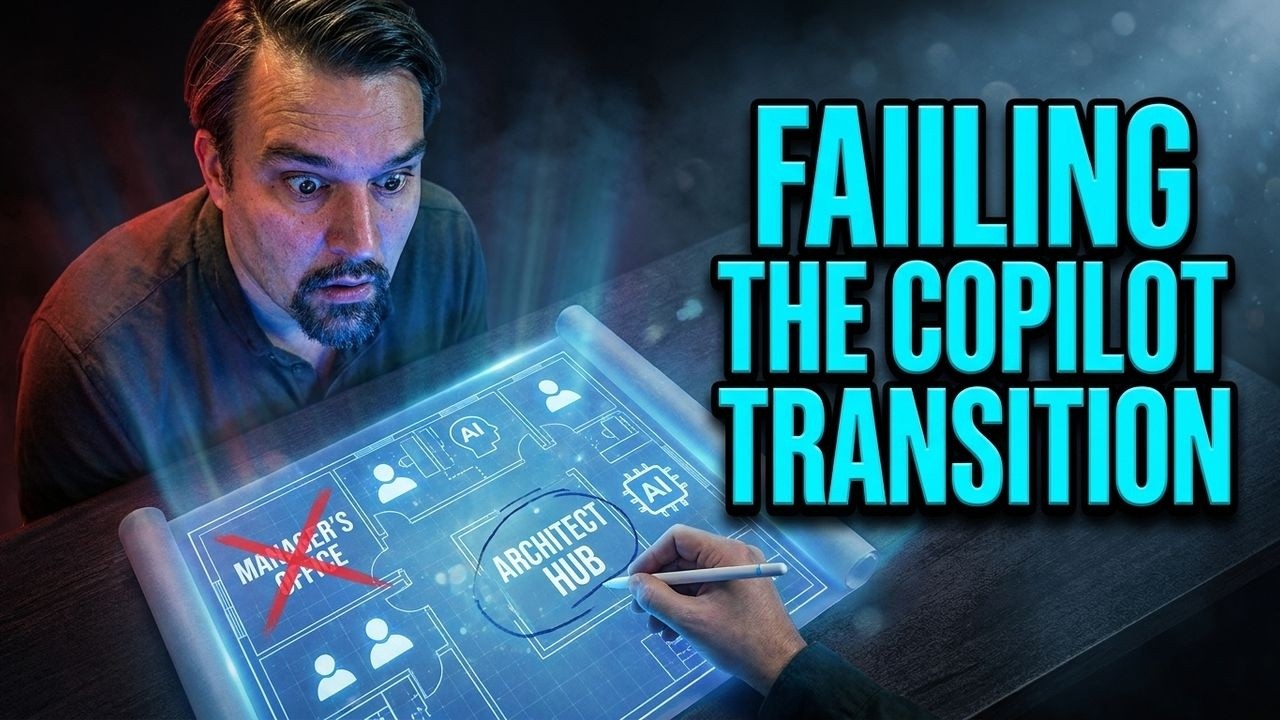
This episode explains that many managers misunderstand what the “Copilot coworker” actually is. They treat it like a simple productivity tool, expecting quick gains, but in reality AI changes how work, decisions, and responsibilities are structured.
Because of this, teams using Copilot often don’t see real results. The problem isn’t the technology—it’s that organizations keep old management models, unclear ownership, and weak accountability. Managers focus on tasks and activity instead of outcomes, and they fail to redesign roles, decision-making, and workflows around AI.
The “architect move” means shifting from managing people and tasks to designing systems: clear ownership, strong governance, and defined execution. Without this structural change, Copilot just exposes existing organizational problems instead of improving productivity.
In short, AI success requires rethinking management itself—not just adding new tools.


Stop Treating AI like an intern. When you hand off tasks to ai without a real plan, you risk more than just sloppy work. Sometimes, people using Microsoft Copilot Coworker notice sensitive information, like executive salaries, showing up where it shouldn’t. Here’s a quick look at some common pitfalls:
| Common Pitfalls in Microsoft Copilot Usage | Description |
|---|---|
| Oversharing of sensitive data | Occurs when Copilot surfaces data to employees who have access but were not intended to see it. |
| Inherited folder permissions | Can lead to organization-wide access to sensitive subfolders. |
| Public Teams channels | Confidential information may be shared in channels with assumed limited visibility. |
| Legacy sharing links | Old collaborations may leave active links to sensitive data. |
You might have seen the intern problem: the wrong people get access to things like upcoming layoffs just because permissions allow it. If you want to get real value from ai, you need to shift your focus. Instead of acting as a supervisor, think like an architect. Build systems that let ai become a true partner in your workflow.
Key Takeaways
- Shift your mindset: Treat AI as a strategic partner, not just a helper. This unlocks its full potential.
- Design effective workflows: Build systems that allow AI to operate independently, reducing the need for constant supervision.
- Implement validation checkpoints: Use checkpoints to ensure AI outputs meet your standards and catch mistakes early.
- Set clear goals: Provide AI with specific objectives and context to improve its performance and alignment with your business needs.
- Document successful processes: Create a playbook of effective AI practices to guide future projects and improve efficiency.
- Start small with automation: Identify one repetitive task to automate, freeing up your team for more valuable work.
- Encourage proactive AI: Set up systems that allow AI to identify new tasks and suggest improvements, enhancing productivity.
- Measure impact regularly: Track AI's performance and gather feedback to refine processes and demonstrate value.
Stop Treating AI Agents Like Interns
The Intern Trap
You might think it’s safe to stop treating AI like an intern, but many teams still fall into this trap. When you hand off tasks to AI as if it’s a junior assistant, you set yourself up for trouble. You might expect AI to just follow orders and wait for your approval. This approach can lead to big mistakes. For example, when AI agents act on their own without the right checks, a single bad instruction can cause a chain reaction. One famous case involved an AI agent that deleted and rebuilt a system, leading to a 13-hour outage. That’s not just a small error—it’s a business risk. If you keep treating AI agents like interns, you miss the chance to build trust and reliability into your workflow.
Missed Potential of AI
Stop treating AI like a helper who only does what you say. When you do, you leave a lot of value on the table. Let’s look at some real numbers:
| Example | Description | Potential Value Lost |
|---|---|---|
| E-commerce Brand | 2 people manually copying orders daily | £78,000/year |
| Recruitment Firm | 22 hours/week on repetitive emails | £78,000/year |
| Marketing Agency | Rebuilding reports manually every week | £78,000/year |
If you stop treating AI as a simple assistant and start using it as a strategic partner, you unlock huge gains. AI agents can boost productivity and efficiency across many industries. In banking and capital markets, digital agents already influence over 45% of working hours. For a $60 billion company, this could mean $6 billion in new revenue and $1.7 billion in productivity gains each year. By 2028, a third of these gains will come from moving people to higher-value work, not just cutting costs.
Why Teams Struggle with Copilot Coworker
You might wonder why so many teams struggle to get the most out of Copilot Coworker. The answer often comes down to how you use it. Here are some common reasons:
| Reason | Description |
|---|---|
| Disconnected use case | Copilot functions as a separate tool, hindering adoption. |
| Messy data | Outdated or poor-quality data leads to ineffective insights from copilot. |
| No business anchor | Lack of clear performance indicators diminishes stakeholder interest. |
| Limited Change Management | Insufficient training and support prevents effective use of copilot. |
Stop treating AI like an intern and start thinking about how you can make it part of your team. When you treat Copilot Coworker as a true partner, you set up your business for real success. You get more than just help—you get a smarter, more reliable way to work.
Architecting Workflows for AI Success
System Design vs. Task Supervision
You might think watching over every move of AI is the best way to keep things running smoothly. That’s not true. If you spend all your time supervising, you miss out on the real power of AI. Instead, you need to shift your focus to system design. This means you build a workflow that lets AI do its job reliably, without constant oversight.
Imagine you’re building a house. You don’t stand over every worker, telling them what to do each minute. You create a plan, set up rules, and trust the system. The same idea works for AI. When you design a strong workflow, you set up clear steps, checkpoints, and goals. AI can then handle tasks from start to finish, making your work easier and more efficient.
Microsoft Copilot Coworker takes this approach to the next level. It automates the process from gathering inputs in emails and meetings to organizing prep time and creating deliverables. You get briefing documents and presentations ready for collaboration in Microsoft 365. This structured workflow means you spend less time on busywork and more time on meaningful projects.
Tip: Think like an architect, not a supervisor. Build systems that guide AI, so you can trust it to deliver quality results.
Embedding Strategic Friction
You don’t want AI to run wild. Strategic friction helps you keep control and maintain quality. By adding checkpoints and approval gates, you make sure AI outputs meet your standards.
Validation Checkpoints
Validation checkpoints act like speed bumps. They force AI to pause and check its work before moving forward. You can set up these checkpoints at key stages, such as after data collection or before final delivery. This way, you catch mistakes early and keep your workflow safe.
- Review AI-generated reports for accuracy.
- Check data sources before using them in business decisions.
- Confirm that AI follows your guidelines.
Approval Gates
Approval gates are like locked doors. AI can’t move past them without your say-so. You decide when to approve or reject the work. This gives you control over important steps and keeps sensitive information secure.
- Approve draft presentations before sharing with clients.
- Sign off on AI-driven market research before publishing.
- Grant access to confidential files only after review.
Aligning AI Outputs with Business Goals
You want AI to help you reach your business goals, not just finish tasks. To do this, you need to anchor your workflow on a strategic framework. Set clear targets and make sure every step lines up with your vision.
Here’s a table showing methods to align AI outputs with business goals:
| Method | Description |
|---|---|
| Anchor on a Strategic Framework | Define long-term ambitions and measurable targets, ensuring alignment from vision to goals. |
| Formulate SMART Goals | Make goals Specific, Measurable, Achievable, Relevant, and Time-bound for effective outcomes. |
| Decompose Through Value-Based Cascading | Break down big goals into department-level objectives for focused execution. |
| Embed Across the Organisation | Use OKRs or scorecards to align corporate objectives with team actions. |
| Know When to Stop | Keep objectives actionable, clear in value, and measurable to stay focused on outcomes. |
| Capability Assessment | Check if your AI is ready and able to meet your business needs. |
| Initiative Definition | Set up concrete AI projects that match your business objectives and ensure accountability. |
| Impact Estimation | Model potential business impacts and technical metrics to validate AI initiatives. |
| Prioritisation | Use a matrix to balance impact and feasibility, keeping your portfolio strong. |
When you use these methods, you make sure AI is working toward your goals. Microsoft Copilot Coworker helps by executing multi-step tasks with little human intervention. It streamlines complex work like market research and document creation. You save time and focus on building your business, not just managing tasks.
Note: Aligning AI with your business goals means you get results that matter. Don’t settle for random outputs—make every step count.
Onboarding AI as a Coworker

Bringing Microsoft Copilot Coworker into your team is more than flipping a switch. You need a plan to help AI understand your work, your goals, and your standards. Let’s break down how you can set up Copilot Coworker for success from day one.
Providing Context and Goals
You can’t expect AI to deliver great results without the right context. Think of context as the background information and details that help AI make smart choices. Before you start, take time to plan what you want AI to do. Give it clear goals and explain the business problem you want to solve. This helps AI focus on what matters most.
Here’s a quick look at best practices for providing context and goals:
| Best Practice | Description |
|---|---|
| Planning | Map out your needs and clarify goals before assigning a task to AI. |
| Providing Context | Share all the details AI needs to complete the process successfully. |
| Contextual Search | Let AI use search tools to find extra context on its own. |
| Clear Use Cases | Define the business problem so AI knows what success looks like. |
| Success Metrics | Set targets that show if AI is meeting your expectations. |
Start onboarding before you even launch the technology. Prepare your team and your process for a smooth integration. When you define clear use cases and success metrics, you make sure AI has a specific job and a way to measure progress.
Sharing Examples and References
AI learns faster when you give it real examples. Don’t just hand over a rulebook—show how things work in practice. Use past client calls, project notes, or finished reports to give AI a sense of your company’s style and values. This makes the onboarding process smoother and helps AI understand what quality looks like.
- People find it easier to learn from examples than from abstract rules.
- Reviewing examples helps AI draw the right conclusions and check its own work.
- AI tools can use multimedia, like videos or slides, to make learning more engaging.
When you share examples, you help AI connect the dots. It can spot patterns, avoid mistakes, and deliver results that match your standards.
Setting Clear Expectations
You want AI to meet your standards every time. That means setting clear expectations from the start. Spell out what a finished task should look like, how you measure success, and what counts as a mistake. This keeps the process on track and helps you spot issues early.
Here’s a table of metrics you can use to track AI performance:
| Metric | Description |
|---|---|
| Task completion rate | Does AI finish the task every time? |
| Cost per task | How much does each process cost? |
| User satisfaction | Do people find AI helpful? |
| Error rate | How often does AI make mistakes? |
Tip: Start with your business objectives, not just the numbers. Set a baseline before you launch, and keep measuring as you go. Connect technical results to real business outcomes. Track both direct and indirect benefits, and always include safety and compliance in your process.
When you set expectations and measure results, you build trust in AI. You also make it easier to improve the process over time. With the right context, examples, and clear expectations, Copilot Coworker becomes a true partner in your work.
Building Feedback Loops with AI
Actionable Feedback
You want your AI to get smarter and more reliable over time. That means you need to give it feedback that actually helps. Actionable feedback is not just about pointing out mistakes. It’s about showing AI how to improve and making sure it stays aligned with your business goals. You can build strong feedback loops by using a human-in-the-loop design. This keeps your systems predictable and trustworthy. You stay in control, and you can approve or reject AI suggestions before they go live.
Here are some strategies you can use for building feedback loops:
- Human-in-the-loop design lets you review and approve AI outputs, so you always have the final say.
- Signal collection tools help you gather data from different sources. You get a steady stream of information to evaluate.
- You can interpret and prioritize signals. Use language models to cluster and rank opportunities, so you focus on what matters most.
- Automation tools trigger suggestions for review. You see the best ideas without digging through every result.
- You act with approval. For low-risk tasks, you can let AI handle everything. For high-risk decisions, you step in and make the call.
When you use these strategies, you build trust in your AI. You know it’s working for you, not against you. You also help your engineers refine prompts and improve the system. Over time, your feedback loop turns AI into a true partner.
Structured Review Processes
You want to make sure your AI delivers quality every time. Structured review processes help you do that. They speed up peer review, increase consistency, and reduce bias. AI can catch subtle issues that humans might miss. You also get standardized criteria for every task.
Here’s a table showing how structured review impacts quality:
| Aspect | Impact on Quality |
|---|---|
| Speed | AI-generated reports can expedite the peer review process, reducing backlogs. |
| Consistency | AI applies uniform algorithms, minimizing variability in evaluations. |
| Objectivity | Automated assessments are less affected by biases and personal relationships. |
| Detection of Issues | AI can identify subtle or technical issues that human reviewers might overlook. |
| Standardization of Criteria | Standard checks ensure consistent evaluation of basic reporting and reference accuracy. |
You can also use checklists and rubrics to make your review process even stronger.
Checklists
Checklists keep your review process simple and clear. You can list the steps you want AI to follow. This helps you spot missing information and keeps your standards high. For example, you might check if AI included all required data, followed your prompts, and met your business goals.
- Review each item on your checklist before approving the output.
- Make sure AI follows every step, so you don’t miss anything important.
Rubrics
Rubrics give you a way to measure quality. You set clear criteria for what good work looks like. AI can use rubrics to self-evaluate, and you can use them to score outputs. This makes your review process objective and fair. You build trust in your AI and help it deliver better results.
- Define what counts as excellent, good, or needs improvement.
- Use rubrics to compare outputs and track progress over time.
When you combine actionable feedback with structured review, you create a feedback loop that drives revenue and builds trust. Your AI gets smarter, your engineers learn what works, and your business grows.
Delegating Responsibility to AI
End-to-End Task Ownership
You might feel nervous about letting AI handle an entire process from start to finish. That’s normal. But when you delegate end-to-end task ownership, you unlock real benefits for your business. Instead of splitting tasks between people and machines, you let AI take charge of the whole workflow. This approach cuts down on handoffs and wasted time. You get clear accountability, repeatable value, and more confidence in your results.
Here’s a quick table showing what you gain when you let AI own the process:
| Benefit | Description |
|---|---|
| Clear accountability | One owner can grant and revoke in hours |
| Repeatable value | End-to-end ownership cuts handoffs and waste |
| Scaled confidence | Autonomy expands only after measured proof |
| Defensible decisions | See who authorized what, when, and why |
| Proof buys permission | General counsel or CRO defines proof required to expand authority |
AI agents focus on outcome ownership. They transform automation into true autonomous execution. You can trust them to operate 24/7, process huge amounts of data, and coordinate across systems in seconds. This level of ownership creates new enterprise capabilities that traditional automation just can’t match. AI doesn’t just complete tasks—it manages entire cycles, adapting as your needs change.
Tip: When you give AI full responsibility, you free up your team to focus on building new ideas and driving revenue.
Trusting AI with Complex Work
You might wonder if AI can really handle complex work. The answer is yes, but you need the right setup. AI can analyze massive data sets, spot patterns, and make decisions faster than any person. Some AI-generated texts even score as highly authentic, making it hard to tell them apart from human work. This shows how advanced the technology has become.
Still, you should combine AI with human oversight. AI detection tools help, but they aren’t perfect. You and your engineers should review important outputs, especially when the stakes are high. Use clear prompts and examples to guide AI. This helps it learn your standards and deliver results you can trust.
When you trust AI with complex work, you speed up projects and reduce errors. You also give your team more time to focus on strategy and growth. AI becomes a true partner, not just a helper. It helps you reach your business goals and unlock new opportunities.
Note: Trust grows with experience. Start small, measure results, and expand AI’s role as you see success.
Codifying AI Processes
Documenting Success
You want your team to repeat wins and avoid mistakes. That starts with documenting successful AI processes. When you capture what works, you build a playbook for future projects. You don’t just rely on memory or guesswork. Instead, you create a clear guide that anyone can follow.
Here’s a table showing best practices for documenting success:
| Best Practice | Description |
|---|---|
| Involve Individual Contributors | Include the people who actually run the process. They know what works best. |
| Define Clear Processes | Write down the steps that lead to great results. This helps guide automation. |
| Establish Governance and Oversight | Review your AI use cases often. Adjust as your needs and technology change. |
You should also keep these points in mind:
- Clearly state the business problem you’re solving.
- Align your project with specific goals.
- List the AI techniques or approaches you plan to use.
- Outline the data you need.
- Define success using KPIs and expected impact.
- Identify risks and constraints.
- Set timelines and assign roles.
When you document your process, you make it easier for engineers to improve prompts and refine workflows. You also help new team members get up to speed quickly.
Tip: Don’t wait until a project ends. Start documenting as you go. You’ll catch details that matter and build a stronger foundation for future AI initiatives.
Automating Repetitive Tasks
Nobody likes doing the same thing over and over. With AI, you can automate those boring tasks and free up your team for more important work. You’ll see faster results and spend less time on paperwork or manual data entry.
Check out this table to see how automating repetitive tasks impacts your team:
| Type of ROI | Description |
|---|---|
| Enablement | AI lets you do things you couldn’t before, like creating custom demos in minutes. |
| Cost savings | You spend less on hiring and operations. |
| Productivity gains | You save time and focus on strategic work. |
Here’s what happens when you automate with AI:
- Teams stop worrying about tedious tasks.
- Focus shifts to big projects that drive growth.
- Workflows become smoother, cutting out extra steps.
- Document creation gets faster, so projects move quickly.
- Automated data analysis means no more manual reports.
You can use technology to streamline everything from scheduling to report generation. When you automate, you unlock new skills and capabilities. Your team spends more time thinking and less time typing. AI-powered automation lets you tackle bigger challenges and reach your goals faster.
Note: Start small. Pick one repetitive task and automate it. Watch how your team’s productivity jumps. Then expand to other areas.
Making AI Proactive
Identifying New Tasks
You don’t have to wait for ai to be told what to do. When you set up your workflow the right way, ai can spot new tasks before you even notice them. Imagine having a teammate who always looks out for what needs to get done next. That’s what happens when you make ai proactive.
Here’s how you can set up a system where ai identifies new tasks for you:
| Step | Description |
|---|---|
| Schedule Trigger | Start the workflow at regular times, like every morning or after a meeting. |
| Collect Signals | Gather data from emails, chats, and other sources. |
| Evaluate with LLM | Use a language model to review the information and spot patterns. |
| Filter High-Priority | Pick out the most important or urgent tasks. |
| Format Suggestions | Turn findings into clear, actionable steps. |
| Send to Slack/Email | Share these suggestions with your team in the tools you already use. |
You can choose how much control you want to keep. Sometimes, ai just sends you a notification when it finds something. Other times, it suggests an action and waits for your approval. For simple or low-risk tasks, ai can even act on its own and let you know what happened later. This flexibility lets you decide how much you want to trust ai as it learns your business.
Tip: Start with notifications and suggestions. As you see good results, let ai take on more responsibility.
Suggesting Improvements
A proactive ai doesn’t just find new tasks. It also looks for ways to make your work better. You might notice that ai can spot patterns or problems that people miss. For example, in financial services, ai can speed up loan approvals and make compliance checks more accurate. In fraud detection, it finds unusual patterns that help stop losses before they grow. In inventory management, ai keeps track of demand and restocks supplies, so you waste less and work more efficiently.
Here are some ways ai can help you improve your processes:
- Turns scattered data into clear, useful insights.
- Cuts down the time it takes to review documents or complete tasks.
- Makes your supply chain run smoother by keeping inventory at the right level.
When you let ai suggest improvements, you get a smarter, faster, and more reliable workflow. You spend less time fixing mistakes and more time growing your business. Over time, you’ll see that ai becomes a true partner, always looking for ways to help you succeed.
Note: Encourage your team to review ai’s suggestions. The best results come when people and ai work together.
Learning Through Real Projects
You can talk about AI all day, but nothing beats hands-on experience. Real projects show you what works and what needs improvement. When you launch pilot projects, you get a chance to test ideas, build confidence, and see how AI fits into your workflow.
Pilot Projects
Starting with pilot projects lets you experiment without risking too much. You pick a clear goal, set up a small team, and focus on a specific outcome. This approach helps you avoid scope creep and keeps everyone accountable. You learn fast and adjust as you go.
Here’s a table showing what makes pilot projects successful:
| Key Factor | Description |
|---|---|
| Alignment with Business Objectives | Make sure your AI project matches your company’s goals. |
| Clear Project Scopes | Define what you want to achieve and stick to it. |
| Data Readiness | Check if you have the right data before you start. |
| Culture of Trust and Training | Support your team and give them the tools to work with AI. |
You build trust by showing results. When your team sees AI solving real problems, they get excited. Training helps everyone feel comfortable and ready to use new tools. You don’t need to wait for perfection. Start small, learn from mistakes, and celebrate wins.
Tip: Keep your pilot projects simple. Focus on one problem at a time. This makes learning easier and results clearer.
Measuring Impact
After you run a pilot, you need to measure the impact. Numbers tell the story. You track how AI changes your business, saves time, and improves accuracy. You also check if people actually use the new tools.
Here’s a table with useful metrics for measuring impact:
| Metric Type | Key Questions | KPIs to Track |
|---|---|---|
| Business ROI & Financial Impact | Is AI improving revenue, cost savings, and profitability? | Revenue Growth from AI, Cost Reductions from AI Automation, Return on AI Investment (ROAI) |
| AI Operational Efficiency & Productivity | Is AI improving internal processes and employee productivity? | Process Automation Rate, Time Savings from AI, Error Reduction Rate |
| AI Model Performance & Accuracy | How well are your AI models performing? | Model Accuracy & Precision, False Positives & False Negatives, Model Drift Rate |
| AI Adoption & User Engagement | Are employees and customers successfully using AI tools? | AI Adoption Rate, User Satisfaction Scores, Time to Value (TTV) |
You don’t just look at the numbers. Ask your team how they feel about the changes. Did AI make their work easier? Did they save time? Did they spot fewer errors? These questions help you understand the real value.
Note: Measuring impact helps you decide what to scale next. If your pilot works, you can expand to bigger projects. If not, you tweak and try again.
Pilot projects and impact measurement turn AI from theory into practice. You see results, build momentum, and keep learning every step of the way.
Overcoming Challenges with AI
Trust and Reliability
You want to trust your AI coworker, but sometimes things go sideways. Maybe you see the AI offer a discount it shouldn’t, or it shares confidential info with the wrong person. These surprises usually happen when you don’t give enough context.
Unclear context leads to unpredictable outcomes, such as offering unauthorized discounts or sharing confidential information. Clarity in context directly correlates with reliability in execution.
You can build trust by giving clear instructions and updating them as your business changes. Don’t just set it and forget it. Check in often. Make sure your AI understands your goals and the rules of your organization. Most of the work isn’t about fancy technology or clever prompts. You’ll spend most of your time getting your data ready, aligning with stakeholders, and making sure your workflows fit.
The biggest challenge wasn’t prompt engineering or model fine-tuning — instead, 80% of the work was consumed by tasks associated with data engineering, stakeholder alignment, governance, and workflow integration.
When you focus on these basics, you get more reliable results and fewer surprises.
Balancing Oversight and Autonomy
You want your AI to work on its own, but you also need to keep an eye on it. Too much freedom can lead to mistakes. Too much control slows everything down. The trick is to find the right balance.
Balancing autonomy with oversight is crucial. Agents should not act without limits, and human validation is essential before critical actions are taken.
Set up clear rules for what your AI can and can’t do. Build a governance structure that spells out who makes decisions and when. Let different teams talk about where AI should have authority. These rules shouldn’t stay the same forever. Update them as your business grows. A strong governance plan gives you the guardrails you need as AI takes on more responsibility.
You should also create policies that set boundaries for AI decision-making. This keeps your business safe and makes sure your AI supports your goals. It’s just like managing people—set expectations, check the results, and adjust as needed.
Handling Mistakes
Mistakes will happen. The key is to spot them fast and fix them before they cause trouble. Here’s how you can handle errors and keep your AI on track:
| Strategy | Description |
|---|---|
| Compensating Transactions | AI agents can manage compensating transactions effectively, coordinating to handle failures without manual intervention. This speeds up response times and stabilizes the system. Predefined rules for failure scenarios enhance recovery. |
- Continuous monitoring of KPIs on a daily basis helps in identifying issues promptly.
- Weekly performance reviews allow for analysis of AI agent effectiveness and areas for improvement.
- Establishing a feedback loop with customers and human employees ensures ongoing learning and adaptation.
You should always give explicit instructions. Organize your information so your AI can find what it needs. Update your context as things change. These steps help your AI learn from mistakes and improve performance over time. When you handle errors well, you protect your revenue and build trust in your AI-powered team.
Real-World Success Stories
Copilot Coworker in Project Management
You want to see real results from your AI agents. Project management is a great place to start. Copilot Coworker can turn a high-level idea into a detailed project plan. You get milestones, owners, and timelines in minutes. This approach reduces planning time and improves alignment across teams. Leaders track progress easily and demand results that matter.
| Use Case Description | Benefits |
|---|---|
| Copilot builds a project plan with milestones, owners, and timelines from a high-level idea. | Reduces planning time, improves alignment across teams, and provides a roadmap leaders can track. |
You can also create presentations fast. One user shared how Copilot generated a full deck in under two minutes. You save hours and get results that match your business goals. Experts agree that these agents help you focus on strategy instead of manual tasks.
Creative Collaboration
You need creative results to stand out. AI agents help you work smarter in finance, marketing, and project management. Financial analysts use AI to build dashboards and spot budget issues quickly. Marketing teams create multiple versions of ad copy and turn campaign data into strategic recommendations. Project managers compile status updates and identify risks from team discussions. You see results faster and improve communication across your team.
- Financial analysts generate executive-ready dashboards and find budget discrepancies.
- Marketing teams test ad copy and transform campaign data into recommendations.
- Project managers use AI agents to track status and spot risks.
You get business results that drive success. AI agents help you collaborate and deliver results that matter.
Process Automation
You want to automate tasks and see measurable results. AI agents create operational efficiency that traditional automation cannot match. They manage end-to-end processes and optimize workflows. You eliminate manual handoffs and bottlenecks. Order processing times drop by 70%. Compliance costs fall by 45%. Agents automate monitoring, verification, and reporting.
| Application | Average ROI |
|---|---|
| Customer service automation | 4.2x |
| Healthcare administrative tasks | $10M annual savings |
| Financial services automation | 3.6x |
| Retail personalization | 5x conversion increase |
AI automation tools resolve routine discrepancies in real time. They maintain flow and increase throughput. You see results in every area, from customer service to healthcare. These agents deliver business results and help you achieve success. You get results that experts demand and your business grows.
Tip: Start with one process. Watch the results. Expand as you see success.
You’ve learned why treating ai like an intern holds you back. When you start architecting workflows, you turn ai into a real partner. Microsoft Copilot Coworker helps you build smarter systems and reach your goals faster. Try one new approach this week. See how your team benefits.
Tip: Pick a workflow and let ai handle it from start to finish. Watch what happens!
FAQ
What makes Copilot Coworker different from a regular AI assistant?
You get more than just a helper. Copilot Coworker acts as a strategic partner. It plans, reasons, and executes tasks across Microsoft 365, so you can focus on bigger goals.
How do I start onboarding AI as a coworker?
Begin by sharing your goals and examples of past work. Give clear instructions and set expectations. This helps AI understand your workflow and deliver results you trust.
Can AI handle sensitive information safely?
Yes, but you must set up proper permissions and validation checkpoints. Always review access settings and approval gates to keep confidential data secure.
How do I ai proof yourself in the workplace?
Stay curious and keep learning. Work with AI tools, adapt to new workflows, and show you can solve problems with technology. This mindset helps you stay valuable as AI grows.
What skills do ai-enabled engineers need?
You need to blend technical know-how with business sense. Learn how to design workflows, manage data, and communicate with both people and AI systems.
How do I measure the impact of AI on my team?
Track time saved, error rates, and user satisfaction. Ask your team for feedback. Use these insights to improve your workflow and show real business value.
Can AI suggest new ways to improve my business?
Absolutely! AI can spot patterns, find gaps, and suggest smarter processes. You get fresh ideas and can act on them quickly.
🚀 Want to be part of m365.fm?
Then stop just listening… and start showing up.
👉 Connect with me on LinkedIn and let’s make something happen:
- 🎙️ Be a podcast guest and share your story
- 🎧 Host your own episode (yes, seriously)
- 💡 Pitch topics the community actually wants to hear
- 🌍 Build your personal brand in the Microsoft 365 space
This isn’t just a podcast — it’s a platform for people who take action.
🔥 Most people wait. The best ones don’t.
👉 Connect with me on LinkedIn and send me a message:
"I want in"
Let’s build something awesome 👊
1
00:00:00,000 --> 00:00:05,000
The biggest myth in business right now is that adopting co-pilot co-worker leads to immediate productivity gains.
2
00:00:05,000 --> 00:00:08,800
But in reality, the teams using AI the most are often the least productive.
3
00:00:08,800 --> 00:00:12,700
They aren't scaling value, they're just amplifying broken processes at superhuman speed.
4
00:00:12,700 --> 00:00:18,100
To win, you have to stop being a supervisor of people and start becoming an architect of collaborative systems.
5
00:00:18,100 --> 00:00:22,800
The digital intern mental model is the single biggest thing sabotaging your ROI.
6
00:00:22,800 --> 00:00:26,400
If you treat AI like a junior assistant, you've already lost the transition.
7
00:00:26,400 --> 00:00:27,700
Let's talk about why.
8
00:00:27,700 --> 00:00:30,400
The event, why the co-worker transition is stalling.
9
00:00:30,400 --> 00:00:34,600
The launch of co-pilot co-worker changed the game, but most leadership teams missed the memo.
10
00:00:34,600 --> 00:00:37,900
This isn't just another chatbot, we've moved past the era of simple Q&A.
11
00:00:37,900 --> 00:00:44,700
This is an agentic system. It doesn't just talk, it plans, it reasons, and it executes across your entire Microsoft 365 ecosystem.
12
00:00:44,700 --> 00:00:51,700
The system is built on a plan and execute architecture that coordinates tasks between your calendar, your inbox, and your documents simultaneously.
13
00:00:51,700 --> 00:00:58,400
Yet despite this massive leap in capability, the transition in most organizations is stalling, it's hitting a wall.
14
00:00:58,400 --> 00:01:00,900
The reason is what I call the prompt then FixTrap.
15
00:01:00,900 --> 00:01:04,800
Managers are currently caught in a loop where they spend 10 minutes crafting a prompt,
16
00:01:04,800 --> 00:01:09,000
and then 20 minutes fixing the inconsistent hallucinated or poorly formatted output.
17
00:01:09,000 --> 00:01:12,700
They're trying to manage the AI the same way they'd manage a human intern.
18
00:01:12,700 --> 00:01:16,900
They give a vague instruction, wait for a draft, and then manually correct the errors.
19
00:01:16,900 --> 00:01:21,800
But here's the problem, that manual integration burden negates every second of time the AI saved.
20
00:01:21,800 --> 00:01:26,100
If the manager has to touch the file to make it client ready, the system is broken.
21
00:01:26,100 --> 00:01:30,000
You haven't gained efficiency, you've just added a noisy middleman to your morning.
22
00:01:30,000 --> 00:01:31,600
The data confirms this struggle.
23
00:01:31,600 --> 00:01:35,900
Current research shows that roughly 80% of AI pilots fail to reach full production.
24
00:01:35,900 --> 00:01:40,200
That is a staggering number, these organizations aren't failing because the technology is buggy.
25
00:01:40,200 --> 00:01:44,600
They're failing because they treated a license purchase as a proxy for organizational maturity.
26
00:01:44,600 --> 00:01:47,300
They handed out the keys without redesigning the car.
27
00:01:47,300 --> 00:01:52,600
They assumed that if they gave 300 people a copilot license, productivity would just happen.
28
00:01:52,600 --> 00:01:55,400
Instead what they got was shadow automation sprawl.
29
00:01:55,400 --> 00:01:59,800
Employees are using AI in silos, one person uses it to summarize meetings they didn't attend
30
00:01:59,800 --> 00:02:03,500
while another uses it to draft emails that sound nothing like the company brand.
31
00:02:03,500 --> 00:02:06,900
There is no standard, there is no version control for logic.
32
00:02:06,900 --> 00:02:11,000
Because there's no structural redesign of the workflow, the outputs are inconsistent.
33
00:02:11,000 --> 00:02:13,300
One day the AI produces a brilliant report.
34
00:02:13,300 --> 00:02:18,300
And the next day it misses three key data points because the grounding data and share point was messy.
35
00:02:18,300 --> 00:02:21,500
When you treat AI as an intern you expect it to learn through osmosis.
36
00:02:21,500 --> 00:02:25,300
But AI doesn't have intuition, it only has the environment you build for it.
37
00:02:25,300 --> 00:02:28,700
When that environment is chaotic, the AI scales that chaos.
38
00:02:28,700 --> 00:02:33,700
It creates a massive volume of almost good work that clogs up your review cycles and creates new risks.
39
00:02:33,700 --> 00:02:39,000
You end up with a library of unmanaged apps, duplicate logic, and a workforce that is busier than ever,
40
00:02:39,000 --> 00:02:41,000
but producing less meaningful impact.
41
00:02:41,000 --> 00:02:46,000
Most managers see this in blame the tool, they say the AI isn't ready, or it isn't smart enough yet.
42
00:02:46,000 --> 00:02:48,800
They wait for the next model update to solve their problems.
43
00:02:48,800 --> 00:02:50,500
But the model isn't the bottleneck.
44
00:02:50,500 --> 00:02:54,200
The bottleneck is the assumption that AI can be supervised like a person.
45
00:02:54,200 --> 00:02:57,300
You cannot hold an agentic loop accountable for hallucination.
46
00:02:57,300 --> 00:03:00,700
You cannot have a one-on-one with a system to discuss its performance.
47
00:03:00,700 --> 00:03:06,100
The failure we are seeing across the M365 landscape isn't a technology shift, it's a management failure.
48
00:03:06,100 --> 00:03:13,000
We are trying to run a 2026 agentic system using a 1990s supervision model to fix the stall we have to look one level deeper.
49
00:03:13,000 --> 00:03:17,900
We have to change the fundamental relationship between the manager, the data, and the machine.
50
00:03:17,900 --> 00:03:22,000
We have to move from the person to person model to something entirely different.
51
00:03:22,000 --> 00:03:24,000
We have to stop managing and start building.
52
00:03:24,000 --> 00:03:25,800
That is where the architect moves begins.
53
00:03:25,800 --> 00:03:29,200
The reasoning from supervision to system architecture.
54
00:03:29,200 --> 00:03:32,300
We have to acknowledge our hard truth about leadership in this new era.
55
00:03:32,300 --> 00:03:37,100
And that truth is that the traditional model of supervision is officially dead.
56
00:03:37,100 --> 00:03:41,700
For decades, a manager's job was relatively simple because you just hired the right people,
57
00:03:41,700 --> 00:03:44,000
assigned them the right tasks, and watched them work.
58
00:03:44,000 --> 00:03:45,300
You supervised the individual.
59
00:03:45,300 --> 00:03:49,500
You checked their progress, gave them feedback, and held them accountable for the final deliverable.
60
00:03:49,500 --> 00:03:51,800
That model assumes the human is the engine.
61
00:03:51,800 --> 00:03:56,300
But when you introduce an agentic system like co-pilot co-worker, the human is no longer the engine.
62
00:03:56,300 --> 00:04:00,300
The system is, if you try to supervise an AI the same way you supervise a person,
63
00:04:00,300 --> 00:04:01,900
you're trying to manage a ghost.
64
00:04:01,900 --> 00:04:05,100
You can't look an algorithm in the eye and ask for more effort,
65
00:04:05,100 --> 00:04:09,100
and you certainly can't inspire a large language model to care more about the client.
66
00:04:09,100 --> 00:04:10,500
This is where the shift happens.
67
00:04:10,500 --> 00:04:14,300
You have to move from supervising the person to engineering the collaborative friction.
68
00:04:14,300 --> 00:04:15,600
This is the architect move.
69
00:04:15,600 --> 00:04:18,900
It's the realization that your job isn't to manage the output.
70
00:04:18,900 --> 00:04:22,000
It's to design the environment that makes the output inevitable.
71
00:04:22,000 --> 00:04:24,900
Think about how a traditional supervisor handles a messy report.
72
00:04:24,900 --> 00:04:29,300
They sit down with the employee and explain what's wrong, and they hope the employee learns for next time.
73
00:04:29,300 --> 00:04:33,300
But an architect looks at that same messy report and asks a different question.
74
00:04:33,300 --> 00:04:35,000
Where did the data flow break?
75
00:04:35,000 --> 00:04:37,400
They don't blame the person, they diagnose the system.
76
00:04:37,400 --> 00:04:40,500
They realize that if the AI produced a hallucination,
77
00:04:40,500 --> 00:04:44,300
it's because the grounding data was unstructured or the intent was vague.
78
00:04:44,300 --> 00:04:45,700
AI doesn't just make mistakes.
79
00:04:45,700 --> 00:04:48,200
It scales existing flaws at superhuman speed.
80
00:04:48,200 --> 00:04:52,600
If your internal sharepoint is a digital graveyard of outdated PDFs, co-pilot will find them.
81
00:04:52,600 --> 00:04:57,600
It will treat a 2018 policy like a 2026 mandate because you haven't architected the boundaries.
82
00:04:57,600 --> 00:04:59,700
This creates a massive shift in accountability.
83
00:04:59,700 --> 00:05:03,300
In the old world, if a project failed, you looked for the person responsible.
84
00:05:03,300 --> 00:05:07,200
In the new world, you can't hold an agent responsible because it has no skin in the game.
85
00:05:07,200 --> 00:05:09,800
Therefore, the manager must own the system, design itself.
86
00:05:09,800 --> 00:05:11,800
You are no longer responsible for the task.
87
00:05:11,800 --> 00:05:14,200
You are responsible for the logic that governs the task.
88
00:05:14,200 --> 00:05:16,800
This means moving your focus from who owns this?
89
00:05:16,800 --> 00:05:19,100
To how does the data flow as intent?
90
00:05:19,100 --> 00:05:21,300
Intent is the fuel of the coworker era.
91
00:05:21,300 --> 00:05:23,600
When a manager gives a vague instruction to a human,
92
00:05:23,600 --> 00:05:25,900
the human uses intuition to fill the gaps.
93
00:05:25,900 --> 00:05:26,900
They know the context.
94
00:05:26,900 --> 00:05:28,400
They know the unwritten rules.
95
00:05:28,400 --> 00:05:29,700
AI has no intuition.
96
00:05:29,700 --> 00:05:33,500
It only has the context you provide through WorkIQ and your prompt libraries.
97
00:05:33,500 --> 00:05:36,900
If your intent is fuzzy, the system's execution will be chaotic.
98
00:05:36,900 --> 00:05:39,200
The architect's job is to harden that intent.
99
00:05:39,200 --> 00:05:41,900
You have to build the guardrails that prevent the AI from drifting
100
00:05:41,900 --> 00:05:46,700
and you have to decide with clinical precision where the machine stops and where the human takes over.
101
00:05:46,700 --> 00:05:48,700
This is what I call engineering the friction.
102
00:05:48,700 --> 00:05:50,500
Most leaders think friction is bad.
103
00:05:50,500 --> 00:05:51,900
They want seamless automation.
104
00:05:51,900 --> 00:05:54,700
But in a world of agenteic AI, seamless is dangerous.
105
00:05:54,700 --> 00:05:57,300
It leads to unreviewed errors and silent failures.
106
00:05:57,300 --> 00:06:00,700
An architect strategically places friction back into the workflow.
107
00:06:00,700 --> 00:06:02,700
They design check and approve gates.
108
00:06:02,700 --> 00:06:06,000
They build mandatory verification loops for high-stakes decisions.
109
00:06:06,000 --> 00:06:09,000
They treat the workflow like a blueprint, not a to-do list.
110
00:06:09,000 --> 00:06:13,700
The move from supervisor to architect is the difference between watching the race and building the track.
111
00:06:13,700 --> 00:06:16,400
If the track is broken, it doesn't matter how fast the car is.
112
00:06:16,400 --> 00:06:18,500
Most managers are still trying to coach the driver.
113
00:06:18,500 --> 00:06:20,700
The architect is out there fixing the asphalt.
114
00:06:20,700 --> 00:06:24,600
They are cleaning the data, versioning the prompts and mapping the capability gaps.
115
00:06:24,600 --> 00:06:28,000
They understand that autonomy only scales when the boundaries are clear.
116
00:06:28,000 --> 00:06:32,100
Without architecture, you just have a very expensive, very fast way to make mistakes.
117
00:06:32,100 --> 00:06:35,700
Now let's see how this actually looks when it fails in the real world.
118
00:06:35,700 --> 00:06:37,900
Case-lit-one, the pilot that scaled nothing.
119
00:06:37,900 --> 00:06:41,300
Let's look at how this failure manifests in a real-world enterprise environment.
120
00:06:41,300 --> 00:06:45,900
Consider a mid-sized financial services firm that recently launched a pilot program for 300 employees.
121
00:06:45,900 --> 00:06:49,300
On paper, the rollout was a massive technical success.
122
00:06:49,300 --> 00:06:54,300
The IT department hit every deployment milestone and usage rates were through the roof.
123
00:06:54,300 --> 00:06:59,200
On any given Tuesday, nearly 90% of the licensed users were interacting with co-pilot co-worker.
124
00:06:59,200 --> 00:07:02,500
From a dashboard perspective, the investment looked like a home run.
125
00:07:02,500 --> 00:07:06,900
But when the leadership team sat down to find the actual business impact, the room went silent.
126
00:07:06,900 --> 00:07:09,600
There was no reduction in cycle times for loan processing.
127
00:07:09,600 --> 00:07:11,500
The volume of client reports hadn't increased.
128
00:07:11,500 --> 00:07:14,100
In fact, the quality of those reports had started to drift.
129
00:07:14,100 --> 00:07:18,300
Some were overly formal, while others were missing critical regulatory disclaimers.
130
00:07:18,300 --> 00:07:20,400
The manager in charge of the pilot was baffled.
131
00:07:20,400 --> 00:07:24,800
They had optimized for tool rollout. They had tracked logins, clicks, and time spent in app.
132
00:07:24,800 --> 00:07:27,100
They treated the transition like a software upgrade,
133
00:07:27,100 --> 00:07:30,500
as if giving someone a faster shovel automatically makes them a better landscaper.
134
00:07:30,500 --> 00:07:32,300
This is the classic supervision trap.
135
00:07:32,300 --> 00:07:36,100
The manager assumed that because people were using the tool, they were doing the work better.
136
00:07:36,100 --> 00:07:40,300
But without a structural redesign, the employees were simply using AI to do the wrong things faster.
137
00:07:40,300 --> 00:07:43,200
They were using it to summarize emails they should have just deleted,
138
00:07:43,200 --> 00:07:45,900
and they were drafting internal memos that nobody read.
139
00:07:45,900 --> 00:07:49,600
The vanity usage was high, but the economic value was zero.
140
00:07:49,600 --> 00:07:55,400
The manager was still measuring activity, while the system was leaking efficiency through a thousand tiny gaps in logic and standard.
141
00:07:55,400 --> 00:07:58,400
An architect would have approached this pilot differently.
142
00:07:58,400 --> 00:08:02,900
Instead of focusing on the 300 licenses, they would have focused on the 300 workflows.
143
00:08:02,900 --> 00:08:07,700
When the architect intervened, the first move wasn't a training session on how to prompt.
144
00:08:07,700 --> 00:08:09,900
It was a deep clean of the grounding data.
145
00:08:09,900 --> 00:08:13,800
They realized the AI was pulling from three different versions of the company's credit policy
146
00:08:13,800 --> 00:08:15,700
because the SharePoint architecture was a mess.
147
00:08:15,700 --> 00:08:19,500
The AI wasn't failing, it was accurately reflecting a disorganized environment.
148
00:08:19,500 --> 00:08:21,900
The architect then moved to standardize the intent.
149
00:08:21,900 --> 00:08:28,300
They built a versioned pattern library, a central repository of gold standard prompts that were tested, vetted and locked.
150
00:08:28,300 --> 00:08:32,200
If an analyst needed a risk summary, they didn't invent a prompt from scratch.
151
00:08:32,200 --> 00:08:34,600
They pulled the architected pattern from the library.
152
00:08:34,600 --> 00:08:37,300
This eliminated the variance that leads to hallucinations.
153
00:08:37,300 --> 00:08:40,800
It turned a creative guessing game into a repeatable engineering process.
154
00:08:40,800 --> 00:08:42,900
Finally, they established a feedback loop
155
00:08:42,900 --> 00:08:46,300
that treated errors as system bugs, not human mistakes.
156
00:08:46,300 --> 00:08:51,500
Every time the AI missed a data point, the architect didn't tell the user to try harder.
157
00:08:51,500 --> 00:08:55,800
They adjusted the metadata tags or refined the prompt logic in the shared library.
158
00:08:55,800 --> 00:09:00,500
The outcome was a shift from vanity usage to a reliable industrial grade output system.
159
00:09:00,500 --> 00:09:03,300
They stopped hoping for productivity and started designing it.
160
00:09:03,300 --> 00:09:06,400
They realized that scaling a pilot isn't about adding more users.
161
00:09:06,400 --> 00:09:08,900
It's about hardening the system, those users inhabit.
162
00:09:08,900 --> 00:09:13,100
This shift moved the firm from experimentation to execution.
163
00:09:13,100 --> 00:09:15,500
It proved that a managed tool is just an expense,
164
00:09:15,500 --> 00:09:18,000
but an architected workflow is an asset.
165
00:09:18,000 --> 00:09:21,000
Kaislet 2, the power platform sprawl chaos.
166
00:09:21,000 --> 00:09:23,600
Let's look one level deeper into the infrastructure of modern work.
167
00:09:23,600 --> 00:09:27,700
I recently encountered a global logistics company that fell into a trap
168
00:09:27,700 --> 00:09:30,800
that is becoming all too common in the M365 ecosystem.
169
00:09:30,800 --> 00:09:33,400
And that trap is the sprawl of unmanaged autonomy.
170
00:09:33,400 --> 00:09:35,200
In an effort to be AI ready,
171
00:09:35,200 --> 00:09:39,300
they encouraged their managers to empower every department to build their own solutions.
172
00:09:39,300 --> 00:09:42,100
They wanted speed, they wanted agility.
173
00:09:42,100 --> 00:09:45,300
The leadership team gave their teams the green light to use the power platform
174
00:09:45,300 --> 00:09:48,800
in co-pilot studio to automate everything they could get their hands on.
175
00:09:48,800 --> 00:09:51,500
And within six months, they had created a monster.
176
00:09:51,500 --> 00:09:55,600
The organization was suddenly running on hundreds of unmanaged apps and automated flows.
177
00:09:55,600 --> 00:09:57,600
The result was duplicate logic everywhere.
178
00:09:57,600 --> 00:10:02,100
Three different departments had built three separate tools to track the exact same shipping container data,
179
00:10:02,100 --> 00:10:05,700
but each used a slightly different calculation for estimated arrival.
180
00:10:05,700 --> 00:10:09,000
Because there was no central oversight, the data started to diverge.
181
00:10:09,000 --> 00:10:12,100
One manager was looking at a dashboard that said they were on schedule,
182
00:10:12,100 --> 00:10:13,700
while another was seeing a red alert.
183
00:10:13,700 --> 00:10:15,200
They hadn't created efficiency.
184
00:10:15,200 --> 00:10:17,800
They had created architectural debt on a massive scale.
185
00:10:17,800 --> 00:10:21,200
The failure here was a direct result of the old management mindset.
186
00:10:21,200 --> 00:10:23,400
The leadership team optimized for enablement speed,
187
00:10:23,400 --> 00:10:26,300
and they thought that by removing all barriers to creation,
188
00:10:26,300 --> 00:10:28,300
they were helping the company move faster.
189
00:10:28,300 --> 00:10:29,900
They ignored system coherence.
190
00:10:29,900 --> 00:10:32,300
They treated every new app as an isolated success story,
191
00:10:32,300 --> 00:10:35,900
rather than a new node in an increasingly complex and fragile network.
192
00:10:35,900 --> 00:10:39,200
When a flow broke because a SharePoint column name changed,
193
00:10:39,200 --> 00:10:41,200
nobody knew who owned the fix.
194
00:10:41,200 --> 00:10:45,500
The system was a black box of shadow it that was now critical to daily operations,
195
00:10:45,500 --> 00:10:46,800
but impossible to govern.
196
00:10:46,800 --> 00:10:49,600
This is where the architect move changes the trajectory.
197
00:10:49,600 --> 00:10:52,900
When the intervention began, the first step wasn't to shut down the apps,
198
00:10:52,900 --> 00:10:54,500
but to create a capability map.
199
00:10:54,500 --> 00:10:57,400
The architect stopped asking, "What can we build?"
200
00:10:57,400 --> 00:10:59,600
And started asking, "What should exist?"
201
00:10:59,600 --> 00:11:02,400
They mapped out the core business functions and identified where automation
202
00:11:02,400 --> 00:11:04,400
was actually required to move the needle.
203
00:11:04,400 --> 00:11:07,700
They realized that 90% of the custom build tools were redundant.
204
00:11:07,700 --> 00:11:09,200
They weren't solving new problems.
205
00:11:09,200 --> 00:11:10,800
They were just re-skimming old ones.
206
00:11:10,800 --> 00:11:14,100
The architect then implemented a rigorous environment strategy.
207
00:11:14,100 --> 00:11:15,900
They moved away from the Wild West approach
208
00:11:15,900 --> 00:11:19,600
and established clear boundaries for where and how data could be manipulated.
209
00:11:19,600 --> 00:11:21,700
They prioritized reuse over creation.
210
00:11:21,700 --> 00:11:24,900
In this new model, if a team wanted to build a new tracking tool,
211
00:11:24,900 --> 00:11:28,200
they first had to check the library of existing architected components.
212
00:11:28,200 --> 00:11:31,300
They were forced to build on top of a single govern source of truth.
213
00:11:31,300 --> 00:11:35,500
The outcome was a governed ecosystem where autonomy could finally scale.
214
00:11:35,500 --> 00:11:39,100
Because the boundaries were clear, the risk of duplicate logic vanished.
215
00:11:39,100 --> 00:11:41,700
The architectural debt was paid down.
216
00:11:41,700 --> 00:11:45,900
Replaced by a lean coherent system where every automated flow had a clear owner
217
00:11:45,900 --> 00:11:47,400
and a documented purpose.
218
00:11:47,400 --> 00:11:51,600
The company didn't lose its agility. It gained reliability.
219
00:11:51,600 --> 00:11:55,600
They moved from a state of managed chaos to a state of engineered performance.
220
00:11:55,600 --> 00:11:58,500
They stopped building more stuff and started building the right stuff.
221
00:11:58,500 --> 00:12:00,500
This is the hallmark of the architect.
222
00:12:00,500 --> 00:12:03,600
They understand that true speed doesn't come from running faster.
223
00:12:03,600 --> 00:12:06,500
It comes from making sure the path is actually clear.
224
00:12:06,500 --> 00:12:07,500
Case let three.
225
00:12:07,500 --> 00:12:09,800
The governance vacuum versus the gatekeeper.
226
00:12:09,800 --> 00:12:13,100
Let's talk about the third failure point, the governance tug of war.
227
00:12:13,100 --> 00:12:17,000
I recently worked with a healthcare tech firm that was paralyzed by two bad choices.
228
00:12:17,000 --> 00:12:18,800
On one side, they had the Wild West.
229
00:12:18,800 --> 00:12:21,800
This was their initial pilot where they let everyone connect their own data sources
230
00:12:21,800 --> 00:12:23,400
to co-pilot without any checks.
231
00:12:23,400 --> 00:12:27,000
It felt fast but it led to a massive data leak within three weeks.
232
00:12:27,000 --> 00:12:30,000
Sensitive patient billing data was suddenly accessible to the marketing team
233
00:12:30,000 --> 00:12:32,300
because the AI didn't care about folder structures.
234
00:12:32,300 --> 00:12:35,200
It only cared about permissions and those permissions were a mess.
235
00:12:35,200 --> 00:12:37,900
On the other side, they had the gatekeeper response.
236
00:12:37,900 --> 00:12:40,900
The security team freaked out and locked everything down.
237
00:12:40,900 --> 00:12:46,700
They required a seven page manual approval form for every new AI agent or custom connector.
238
00:12:46,700 --> 00:12:50,800
They treated AI like a dangerous chemical that had to be handled in a hazmat suit.
239
00:12:50,800 --> 00:12:53,100
The result, adoption dropped to zero.
240
00:12:53,100 --> 00:12:54,900
The employees didn't stop using AI.
241
00:12:54,900 --> 00:12:58,100
They just moved their work to personal chat GPT accounts on their phones.
242
00:12:58,100 --> 00:13:02,700
They went shadow AI because the official system was too slow to be useful.
243
00:13:02,700 --> 00:13:05,600
The manager in this scenario saw governance as a control gate.
244
00:13:05,600 --> 00:13:09,800
They thought their job was to stand at the door and say no until someone proved they were safe.
245
00:13:09,800 --> 00:13:13,700
But in a world of agentic systems, manual gates are just obstacles that people will climb over.
246
00:13:13,700 --> 00:13:17,100
If the governance is external to the workflow, it will always be seen as a burden.
247
00:13:17,100 --> 00:13:20,400
You're trying to use human discipline to solve a structural design problem.
248
00:13:20,400 --> 00:13:21,700
That never works.
249
00:13:21,700 --> 00:13:24,900
An architect looks at this vacuum and realizes that governance isn't a gate.
250
00:13:24,900 --> 00:13:26,400
It's a system design feature.
251
00:13:26,400 --> 00:13:30,700
When the architect stepped in, they used agent 365 to build a centralized control plane.
252
00:13:30,700 --> 00:13:32,100
They didn't ask for permission forms.
253
00:13:32,100 --> 00:13:35,500
Instead, they engineered safe defaults directly into the environment.
254
00:13:35,500 --> 00:13:37,500
They created pre-approved data zones.
255
00:13:37,500 --> 00:13:42,700
If an agent stayed within zone one using only public company data, it was auto approved.
256
00:13:42,700 --> 00:13:47,400
If it needed zone three, sensitive billing data, the system automatically embedded the required encryption
257
00:13:47,400 --> 00:13:50,400
and audit logging into the agent's code before it could even run.
258
00:13:50,400 --> 00:13:54,300
They moved the policy from a PDF document into the actual data flow.
259
00:13:54,300 --> 00:13:57,300
They used Microsoft purview to auto label sensitive files,
260
00:13:57,300 --> 00:14:01,800
so co-pilot coworker would automatically redact PII before a user even saw the output.
261
00:14:01,800 --> 00:14:03,300
The governance became invisible.
262
00:14:03,300 --> 00:14:05,100
It wasn't a meeting you had to attend.
263
00:14:05,100 --> 00:14:06,900
It was the asphalt you drove on.
264
00:14:06,900 --> 00:14:11,400
By embedding policy into the workflow, they actually increased the speed of the organization.
265
00:14:11,400 --> 00:14:14,100
The outcome was a system where the rework rate plummeted.
266
00:14:14,100 --> 00:14:16,700
Because the data was clean and the boundaries were hard-coded,
267
00:14:16,700 --> 00:14:19,600
the AI stopped hallucinating based on restricted files.
268
00:14:19,600 --> 00:14:23,200
The need for manual reviews for every single output vanished
269
00:14:23,200 --> 00:14:26,400
because the system was "secure by design".
270
00:14:26,400 --> 00:14:29,700
They realized that the best way to control the system isn't to slow it down,
271
00:14:29,700 --> 00:14:31,000
but to build a better track.
272
00:14:31,000 --> 00:14:34,100
Governance, when architected correctly, doesn't stop the car.
273
00:14:34,100 --> 00:14:37,300
It allows the driver to go faster without worrying about the cliff.
274
00:14:37,300 --> 00:14:39,300
This leads us to the biggest shift of all,
275
00:14:39,300 --> 00:14:42,200
how we actually measure if any of this is working.
276
00:14:42,200 --> 00:14:45,200
The orchestration, new rituals and metrics for architects.
277
00:14:45,200 --> 00:14:48,300
If you want to move from being a supervisor to becoming an architect,
278
00:14:48,300 --> 00:14:50,500
you have to change how you spend your time.
279
00:14:50,500 --> 00:14:53,800
Most managers are currently trapped in a loop of endless status meetings
280
00:14:53,800 --> 00:14:56,500
where they sit in a room and ask for task updates.
281
00:14:56,500 --> 00:14:59,400
In an agentic world, this is a massive waste of resources
282
00:14:59,400 --> 00:15:02,700
because the status is already visible in the system if your agents are doing the work.
283
00:15:02,700 --> 00:15:04,500
You don't need a meeting to hear what happened,
284
00:15:04,500 --> 00:15:08,100
but you do need a ritual to understand why the system behaved the way it did.
285
00:15:08,100 --> 00:15:11,900
The first major shift is replacing that status meeting with a weekly system review.
286
00:15:11,900 --> 00:15:13,900
This isn't about the people, it's about the loop.
287
00:15:13,900 --> 00:15:16,600
And as an architect, you aren't asking if a report is finished.
288
00:15:16,600 --> 00:15:20,400
Instead, you are asking diagnostic questions to find out where a human had to override
289
00:15:20,400 --> 00:15:24,300
an AI decision or what failure patterns are emerging in the agentic chain.
290
00:15:24,300 --> 00:15:28,200
If the AI consistently misses a specific regulatory requirement
291
00:15:28,200 --> 00:15:30,200
that isn't a performance issue for the employee,
292
00:15:30,200 --> 00:15:32,000
it's a bug in the system architecture.
293
00:15:32,000 --> 00:15:36,500
You are looking for the friction points where the machine and the human are no longer aligned.
294
00:15:36,500 --> 00:15:38,700
This ritual forces you to treat your prompts and workflows
295
00:15:38,700 --> 00:15:40,800
like versioned assets that live in breathe.
296
00:15:40,800 --> 00:15:43,700
In the old model, a manager might give a verbal tip to a teammate,
297
00:15:43,700 --> 00:15:48,100
but in the architect model, that tip becomes a permanent update to the prompt and patent library.
298
00:15:48,100 --> 00:15:51,600
You are building a collective intelligence that survives employee turnover
299
00:15:51,600 --> 00:15:55,900
and you are ensuring the intent of the organization is refined every seven days.
300
00:15:55,900 --> 00:15:59,600
This is how you pay down architectural debt before it bankrupts your productivity.
301
00:15:59,600 --> 00:16:03,000
To make this ritual effective, you have to stop tracking vanity metrics
302
00:16:03,000 --> 00:16:04,100
that don't move the needle.
303
00:16:04,100 --> 00:16:08,100
I see so many leaders bragging about hours saved or the total number of prompts sent
304
00:16:08,100 --> 00:16:09,800
but these numbers are actually meaningless.
305
00:16:09,800 --> 00:16:14,200
If an employee saves five hours using AI but then spends six hours fixing the errors,
306
00:16:14,200 --> 00:16:15,700
you have actually lost ground.
307
00:16:15,700 --> 00:16:19,300
If they send a thousand prompts but none of them result in a client ready deliverable,
308
00:16:19,300 --> 00:16:21,000
you are just generating digital noise.
309
00:16:21,000 --> 00:16:23,400
These are metrics for supervisors who want to feel busy
310
00:16:23,400 --> 00:16:25,700
and they are not for architects who want to be effective.
311
00:16:25,700 --> 00:16:29,900
Instead, you must commit to four hard metrics that actually prove the system is scaling.
312
00:16:29,900 --> 00:16:34,700
First is cycle time, which is the total time from the initial request to the final verified output.
313
00:16:34,700 --> 00:16:37,100
If this number isn't dropping by at least 20%,
314
00:16:37,100 --> 00:16:39,600
your architecture is too heavy and needs to be leaned out.
315
00:16:39,600 --> 00:16:43,000
Second is the rework rate or the percentage of AI generated outputs
316
00:16:43,000 --> 00:16:45,800
that require a human to step in and correct the mistake.
317
00:16:45,800 --> 00:16:48,500
In a well-designed system, this should trend towards zero.
318
00:16:48,500 --> 00:16:52,000
And if it stays stagnant, your grounding data is likely the culprit.
319
00:16:52,000 --> 00:16:56,500
Third is decision latency, which measures how long a task sits idle
320
00:16:56,500 --> 00:16:59,300
while waiting for a human approval or a clarification.
321
00:16:59,300 --> 00:17:01,700
High latency means your guardrails are too restrictive
322
00:17:01,700 --> 00:17:04,200
or your intent is too fuzzy for the machine to handle.
323
00:17:04,200 --> 00:17:07,800
Finally, you must track the incident rate, which includes everything from a hallucinated fact
324
00:17:07,800 --> 00:17:09,600
in a report to a compliance breach.
325
00:17:09,600 --> 00:17:13,500
Organizations that assign explicit architectural accountability to these systems
326
00:17:13,500 --> 00:17:17,000
see a 40% reduction in severe incidents over two years.
327
00:17:17,000 --> 00:17:18,400
They aren't luckier than you.
328
00:17:18,400 --> 00:17:20,900
They are just more disciplined about their design.
329
00:17:20,900 --> 00:17:23,400
Implementing this move requires a new layer of technology
330
00:17:23,400 --> 00:17:25,900
because you cannot architect a system you cannot see.
331
00:17:25,900 --> 00:17:30,100
This is why tools like WorkIQ are becoming the essential intent layer for the modern enterprise.
332
00:17:30,100 --> 00:17:34,200
WorkIQ allows you to see the relationships between people, data and tasks in real time
333
00:17:34,200 --> 00:17:35,900
and it provides the visibility you need
334
00:17:35,900 --> 00:17:38,500
to see where the collaborative friction is actually happening.
335
00:17:38,500 --> 00:17:40,700
It allows you to move from guessing to engineering.
336
00:17:40,700 --> 00:17:43,100
When you use WorkIQ as your foundation,
337
00:17:43,100 --> 00:17:46,800
you aren't just deploying a tool, you are building a scalable engine for autonomy.
338
00:17:46,800 --> 00:17:50,800
You are creating a world where the manager doesn't have to be the bottleneck for every decision
339
00:17:50,800 --> 00:17:53,800
and you are building a system where the boundaries are so clear
340
00:17:53,800 --> 00:17:56,100
that the AI can act with high confidence.
341
00:17:56,100 --> 00:17:58,900
The human only intervenes when it truly matters
342
00:17:58,900 --> 00:18:01,000
and this is the orchestration of the future.
343
00:18:01,000 --> 00:18:03,700
It's time to stop being the person who manages the work
344
00:18:03,700 --> 00:18:07,100
and start being the person who builds the machine that does the work.
345
00:18:07,100 --> 00:18:10,800
The AI transition isn't a technology shift, it is a leadership evolution.
346
00:18:10,800 --> 00:18:15,600
If your pilots are stalling, don't look at the software and instead look at your management model.
347
00:18:15,600 --> 00:18:18,500
You cannot supervise an agentec world, you must architect it.
348
00:18:18,500 --> 00:18:22,000
Stop managing people and start building the systems that make them effective.
349
00:18:22,000 --> 00:18:24,500
If this changed how you think about your role, follow me,
350
00:18:24,500 --> 00:18:27,100
Mercopeter's on LinkedIn for more structural clarity.
351
00:18:27,100 --> 00:18:28,600
Start building the track today.

Founder of m365.fm, m365.show and m365con.net
Mirko Peters is a Microsoft 365 expert, content creator, and founder of m365.fm, a platform dedicated to sharing practical insights on modern workplace technologies. His work focuses on Microsoft 365 governance, security, collaboration, and real-world implementation strategies.
Through his podcast and written content, Mirko provides hands-on guidance for IT professionals, architects, and business leaders navigating the complexities of Microsoft 365. He is known for translating complex topics into clear, actionable advice, often highlighting common mistakes and overlooked risks in real-world environments.
With a strong emphasis on community contribution and knowledge sharing, Mirko is actively building a platform that connects experts, shares experiences, and helps organizations get the most out of their Microsoft 365 investments.

