

Beyond Governance: How To Build A Self-Healing Microsoft 365 Architecture For Scale

This episode argues that traditional Microsoft 365 governance—based on policies, documentation, and manual processes—does not scale in modern cloud environments. Instead, organizations need to shift toward a self-healing architecture where governance is built into the system itself through automation, lifecycle management, and continuous monitoring.
The key idea is that governance should not rely on people enforcing rules after the fact, but on programmable controls that automatically enforce intent, detect drift, and remediate issues in real time. This includes designing identity, access, and resource lifecycles so that everything has ownership, expiration, and accountability by default.
The episode emphasizes that scalable governance comes from architecture (control planes, automation, telemetry), not from more processes or approvals. By embedding governance into the platform, organizations can reduce risk, eliminate manual bottlenecks, and create an environment that continuously corrects itself as it grows.


Manual m365 governance cannot keep up with today’s rapid business changes. As your environment grows, governance debt builds up. This leads to real risks, such as data exposure and compliance failures.
| Example of Governance Debt | Consequence |
|---|---|
| Unaudited SharePoint permissions | Data exposure incidents |
| Lack of naming conventions for Teams | Operational inefficiency |
| Missing retention policies | Compliance failures |
| Uncontrolled deployment of Copilot | Copilot chaos |
| Lack of centralized governance | Security blind spots |
A self-healing architecture uses automation to detect and fix these issues before they become problems. You can achieve secure, scalable m365 environments without relying on manual intervention.
Key Takeaways
- Manual M365 governance leads to risks like data exposure and compliance failures. Transitioning to automation can mitigate these risks.
- A self-healing architecture uses automation to detect and fix governance issues before they escalate, ensuring a secure environment.
- Challenge common myths about governance, such as the belief that manual processes are always accurate or that automation is only for large organizations.
- Implementing automated workflows for user provisioning and deprovisioning enhances security and compliance while saving time.
- Continuous monitoring and real-time compliance are essential for effective governance, allowing organizations to respond quickly to issues.
- Standardizing policies and using templates simplifies governance enforcement, making it easier to maintain consistency across the organization.
- Investing in training and change management helps teams adapt to new governance tools, increasing user adoption and reducing resistance.
- Regular assessments and clear action plans are crucial for measuring progress and ensuring your governance strategy evolves with your organization.
Manual M365 Governance Challenges

Myths and Misconceptions
Manual Review Accuracy
Many organizations believe that manual m365 governance ensures accuracy and control. In reality, manual checks often lead to missed steps and human error. Access reviews can become overwhelming, especially when requests lack context or relevance. You may spend hours documenting and tracing actions for audits, only to discover gaps later. Manual processes cannot keep up with the pace of change in m365 environments.
Automation Complexity
Another common misconception is that automation is too complex or only suitable for large enterprises. Some think that governance tools can replace leadership or that templates work for every organization without adjustment. These beliefs prevent teams from adopting better solutions. Here are some widespread myths that can hold you back:
- Governance is just an IT problem.
- Strong governance always reduces user adoption.
- Microsoft handles all compliance.
- Governance equals security.
- Governance must be rigid to be effective.
- Only technical experts can lead governance.
- Templates are one-size-fits-all.
- Governance is set-and-forget.
- Only large organizations need governance.
- Collaboration tools can be left unmanaged.
- Governance tools replace leadership.
- Good governance kills innovation.
You need to challenge these myths to build a modern, effective governance strategy.
Governance Debt and Risks
Security Gaps
Manual m365 governance often leads to governance debt. This debt grows when policies and controls do not keep up with changes in your environment. Over time, you face increased risks such as data breaches, loss of customer trust, and even regulatory fines. For example, organizations that choose lower-tier licensing to save costs may expose themselves to security gaps. The introduction of AI tools like Copilot can make sensitive data more accessible, increasing the risk of oversharing and attacks.
Operational Inefficiencies
Manual governance creates inefficiencies that slow down your business. Without structured information, employees waste time searching for documents. Unmanaged permissions and ad-hoc sharing cause delays and confusion. The table below highlights common inefficiencies:
| Inefficiency Type | Description |
|---|---|
| Poor Information Architecture | Unstructured sites and inconsistent content types slow navigation. |
| Misconfigured Permissions & Security | Ad-hoc sharing and unmanaged groups create access delays and governance gaps. |
| Lack of Automation Across Workflows | Manual processes cause delays and duplicated work across departments. |
Manual onboarding and offboarding take hours, increasing the risk of unauthorized access and data loss. Shadow IT can emerge, creating risks outside of IT oversight.
Scalability Issues
Manual m365 governance does not scale as your organization grows. You may find it impossible to keep up with new users, sites, and data. Automation becomes essential to enforce policies and reduce repetitive tasks. Without a structured framework, you risk losing control over compliance and innovation. As your m365 environment expands, only automated governance can support your needs for security, efficiency, and growth.
Automation in M365 Governance
Self-Healing Architecture Overview
Desired State Model
You need a clear vision of what your Microsoft 365 environment should look like. This vision is called the desired state model. It defines the rules, policies, and configurations that keep your organization safe and productive. When you set a desired state, you create a standard for how users, groups, and data should behave in your m365 environment.
A self-healing architecture uses this model as a blueprint. It checks your environment against the desired state and looks for any differences. This approach helps you avoid the pitfalls of manual m365 governance, where mistakes and missed steps can lead to risk. You can use scripting to define these rules and automate their enforcement.
The self-healing model works across several layers. The table below shows how each layer supports strong governance:
| Layer | Description |
|---|---|
| 1 | Products and platforms designed to govern AI agents, ensuring compliance and safe operation. |
| 2 | Executes policy-driven remediation such as job retries and data quarantining. |
| 3 | CI/CD-managed orchestration for safe and reproducible fixes. |
| 4 | Closed loop process: detect, understand, heal, and learn. |
| 5 | Focus on data quality as a first-class concern, combining observability, automation, and governance. |
Detection and Remediation Loop
A self-healing architecture follows a simple but powerful loop: Desired State → Detection → Decision → Remediation. This loop keeps your environment healthy and secure. You define the desired state. The system constantly checks for drift or changes. When it finds a problem, it decides what action to take. Then, it applies remediation to bring everything back to the desired state.
Microsoft Graph and Logic Apps play a key role in this process. They automate identity and access management workflows, handle user provisioning and deprovisioning, and manage group memberships. These tools support lifecycle governance tasks like license assignment and manager updates. You can keep your systems up to date without manual intervention. This closed loop ensures that your cloud governance stays consistent and reliable.
Benefits of Automation
Real-Time Compliance
Automation in microsoft 365 governance automation gives you real-time compliance. You can monitor your environment continuously and respond to issues as soon as they appear. This reduces the manual workload and helps you meet regulations like SOC 2 and HIPAA. Real-time dashboards show you the status of your systems, making it easier to plan and allocate resources.
You also get a unified compliance strategy. This makes it simple to share evidence across teams and creates a more efficient compliance landscape. You can sustain measurable value over time and avoid future governance sprawl.
Syskit Point’s Rules Engine automates the application of governance policies across your M365 environment, ensuring consistent and accurate enforcement. This reduces non-compliance risk and improves operational efficiency, allowing IT teams to focus on more critical tasks.
Reduced MTTR
With microsoft 365 governance automation, you can reduce Mean Time to Recovery (MTTR) for policy drift and incidents. Automation shortens cycle times for rulemaking and policy updates. You can route tasks automatically and track deadlines with ease. Staff can focus on higher-value work instead of tedious manual tasks, which leads to better policy outcomes and higher morale.
Organizations that use automation see many benefits:
- Immediate cost savings from reduced license and storage expenses
- Lower operational costs over time
- Fewer support tickets and less demand for IT help
- Stronger security posture and better protection of organizational data
- Higher employee satisfaction due to improved workspace navigation
You can create a sustainable governance framework that prevents future problems. Automation helps you keep your environment organized, secure, and ready for growth.
Microsoft 365 Governance Automation Framework
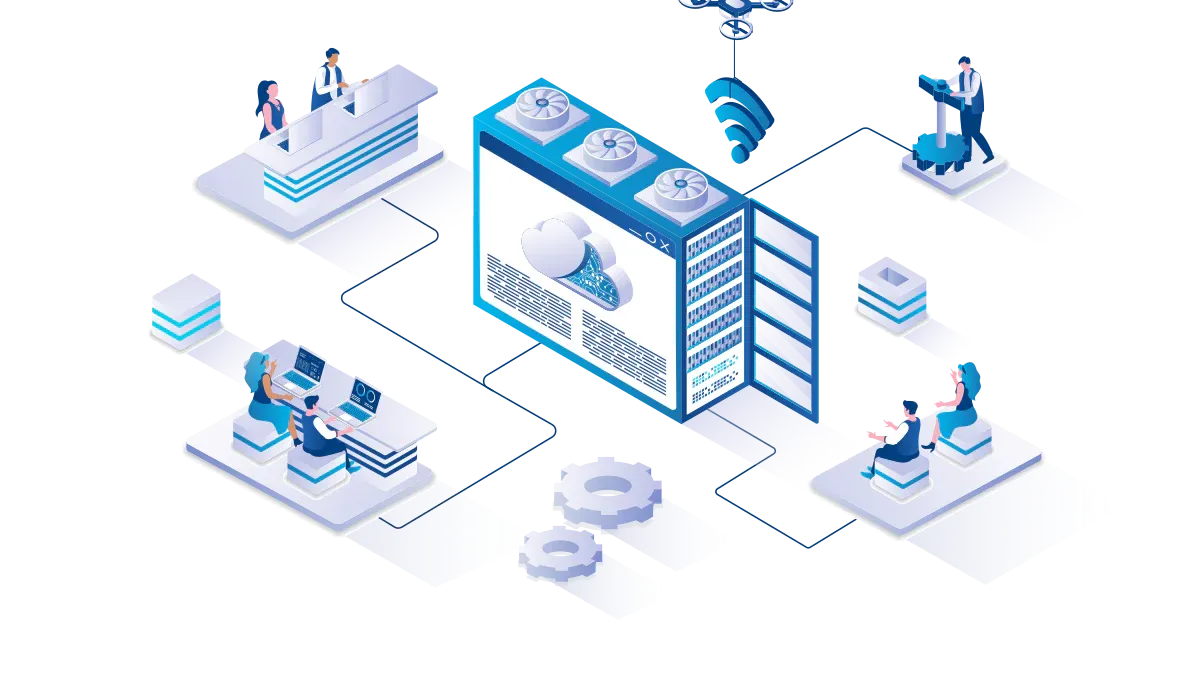
A strong Microsoft 365 governance automation framework helps you move beyond manual m365 governance. You can create a system that adapts to change, reduces risk, and supports your business goals. This framework focuses on three main pillars: policy standardization, automated workflows, and continuous monitoring.
Policy Standardization
Policy standardization gives you a clear set of rules for your m365 environment. You set expectations for how users create, manage, and share resources. This step lays the foundation for effective governance and cloud governance.
Templates and Roles
You can use templates and roles to make policy enforcement simple and repeatable. Templates help you apply consistent settings across sites, teams, and groups. Roles define who is responsible for each governance task. This approach reduces confusion and ensures accountability.
Tip: Start by defining your governance goals and success metrics. Inventory all Microsoft 365 workloads and integrations. Assign clear roles and responsibilities for each governance task.
The table below shows how you can organize your policy standardization efforts:
| Governance Pillar | Focus Area in Microsoft 365 |
|---|---|
| Workspace creation & ownership | Standardize workspace creation using naming conventions, templates, and creation rules. Ensure accountability and enable data stewardship. |
| Lifecycle management & cleanup | Set rules for archiving or deleting inactive workspaces and outdated content to improve data quality and compliance. |
| Monitoring, reporting, & Copilot-readiness | Monitor data use, track access, and enforce policies with regular reporting to support better AI outcomes. |
| Access controls & sharing governance | Implement scalable access review cycles and automated permissions tracking to enhance security and privacy. |
You can also benefit from features like official support, simplified experiences with human-readable templates, and automatic remediation that reverts drifts to your standards.
Automated Workflows
Automated workflows are the engine of microsoft 365 governance automation. They handle repetitive tasks, reduce errors, and free up your IT team for higher-value work. You can use scripting to customize these workflows for your unique needs.
Provisioning and Deprovisioning
Automated provisioning creates user accounts and assigns access rights quickly when a new employee joins. When someone leaves, deprovisioning revokes access right away. This process reduces security risks and ensures compliance with company policies.
- Automated user provisioning and deprovisioning saves time for IT.
- Power Automate connects Microsoft Entra ID with HR systems to create and deactivate accounts based on employee status.
- This integration ensures no delays in access setup and improves offboarding compliance.
- Neo’s automation analyzes tickets, creates accounts, assigns licenses, and removes access safely.
- This reduces human error and lets technicians focus on complex issues.
You can see how automated provisioning and deprovisioning support a secure and agile business environment.
Archiving and Retention
Archiving and retention policies help you manage data throughout its lifecycle. You can use microsoft 365 governance automation to apply these policies without manual steps.
- Map retention requirements to regulations and business needs.
- Apply retention policies automatically, including safeguards against accidental deletion.
- Manage the transition of information from active use to secure destruction.
- Plan your compliance strategy in phases, focusing on both immediate and long-term needs.
- Train users on the importance of compliance and their roles in maintaining it.
Set up a clear data architecture with organized folders and central repositories. Classify data by sensitivity and importance. Use retention labels to control how long data stays in the system. Enable eDiscovery for quick data retrieval during investigations.
Continuous Monitoring
Continuous monitoring is essential for effective governance. You need to track changes, spot violations, and adjust your policies as your environment evolves.
- Use a dynamic governance approach with continuous monitoring.
- Identify daily changes and adjust your governance plans as needed.
- Regularly monitor compliance with governance policies.
- Utilize Microsoft 365 reporting and auditing tools.
- Address violations and update policies when necessary.
Alerts and Reporting
Automated alerts and reporting give you real-time visibility into your m365 environment. You can respond to issues quickly and keep your governance on track.
| Feature | Description |
|---|---|
| Admin Efficiency | Automated governance increases admin efficiency by reducing repetitive tasks and minimizing human error, ensuring compliance is maintained. |
| Transparency | Automated reporting provides complete transparency about the use of Microsoft 365, which is essential for effective governance. |
| Enhanced Visibility | Automation of data governance enhances visibility into systems and critical data flows, which is crucial for managing risks in Microsoft 365. |
Note: Automated alerts help you catch problems early. Automated reporting gives you the data you need to make informed decisions and demonstrate compliance.
You can build a resilient governance framework by combining policy standardization, automated workflows, and continuous monitoring. This approach helps you maintain security, compliance, and operational excellence as your organization grows.
Implementing Automated Workflows
Policy Enforcement
Compliance Center Tools
You need strong policy enforcement to keep your m365 environment secure and compliant. Microsoft 365 governance automation starts with the right tools. The Compliance Center gives you a central place to manage policies, monitor risks, and respond to incidents. You can set up rules for data loss prevention, information barriers, and retention. These tools help you enforce cloud governance standards across your organization.
To implement automated policy enforcement, follow these steps:
- Start with a small set of automated policies.
- Use cloud governance tools to manage and monitor your environment.
- Apply governance policies at the right scope, such as teams, sites, or users.
- Use policy enforcement points to check compliance.
- Use policy as code for repeatable and auditable rules.
- Develop custom solutions with scripting when needed.
This approach helps you build a strong foundation for governance. You can scale your efforts as your needs grow.
Power Automate Integration
In today’s fast-paced IT environment, every second saved counts. Power Automate comes in as an intuitive, low-code automation platform that allows IT teams to build powerful workflows in weeks, not months.
Power Automate supports microsoft 365 governance automation by connecting different services and automating tasks. You can streamline employee onboarding, strengthen data security, and ensure compliance through automated periodic access reviews. Power Automate simplifies compliance tasks by automating access reviews, generating dynamic reports, and routing them for approval. This reduces the burden on IT teams and minimizes compliance risks.
| Benefit | Description |
|---|---|
| Improved Compliance | Automation ensures adherence to policies and regulations across the organization. |
| Consistent Policy Enforcement | Automated baselines maintain uniformity in governance as the organization grows. |
| Time Savings | Reduces the time spent on manual processes, allowing teams to focus on critical tasks. |
| Enhanced Security | Automation helps in maintaining data security through consistent monitoring and reporting. |
Lifecycle Management
Automated Provisioning
Automated lifecycle management is key to effective governance. You can use automated workflows to manage user access from the moment someone joins your organization. Joiner, mover, and leaver workflows automate the management of employees through their lifecycle. Integration with HR systems like Workday and SuccessFactors ensures seamless provisioning. API-driven provisioning supports custom connectors for systems without native support. Identity lifecycle workflows automate tasks such as sending temporary passwords and assigning group memberships.
- Automate manual steps for onboarding and offboarding.
- Ensure security and compliance during deprovisioning.
- Use pre-built templates for common lifecycle tasks.
This reduces errors and speeds up access for new users.
Deprovisioning and Cleanup
Governance also means knowing when to remove access and clean up unused resources. You must identify inactive or orphaned teams and decide whether to archive or delete them. Managing access control for both internal users and external guests is important. Establish policies for archiving, deleting teams, and setting content retention periods. Automated workflows help you enforce these rules and keep your environment organized.
Common challenges include duplication of teams, inconsistent naming, and uncontrolled content growth. Automated workflows address these issues by applying consistent policies and regular reviews. Scripting can help you customize these processes for your unique needs.
By using microsoft 365 governance automation, you create a secure, compliant, and efficient environment. You reduce manual work, improve security, and support your organization’s growth.
Empowering Teams for M365 Automation
Training and Change Management
Upskilling IT and Users
You play a key role in the success of microsoft 365 governance automation. When you invest in training, you help your team adapt to new tools and processes. Start by identifying your audience. Tailor your training to fit the needs of IT staff, business users, and managers. Each group faces different challenges and requires unique skills.
You can make learning easier by providing how-tos and checklists. These resources break down complex tasks into simple steps. Many organizations use Microsoft 365 Learning Pathways to create a central knowledge portal. This portal gives everyone access to guides, videos, and best practices. When you offer clear instructions, you boost confidence and speed up adoption.
Tip: Use short, focused sessions to teach scripting basics. This helps users automate routine tasks and understand the value of automation in governance.
Change management shapes how your organization handles transitions. A structured approach helps you manage change smoothly. You keep users engaged and address resistance before it becomes a problem. Effective change management increases adoption and reduces risks.
- Change management provides a structured approach to managing transitions.
- It ensures user engagement and addresses potential resistance.
- Effective change management maximizes adoption and minimizes risks.
You can follow these steps for a successful rollout:
- Assess readiness across teams.
- Design engagement strategies that fit your culture.
- Implement adoption programs with clear goals.
- Reinforce new behaviors through recognition and support.
User adoption drives the success of microsoft 365 governance automation. When employees feel involved, they support new processes. If you skip this step, you may struggle to achieve your goals.
Shared Responsibility
Roles and Delegation
Governance works best when you share responsibility. Assign clear roles for policy creation, monitoring, and enforcement. You can delegate tasks to IT, business units, or even power users. This approach builds accountability and prevents bottlenecks.
A table can help you organize roles and responsibilities:
| Role | Responsibility |
|---|---|
| IT Administrators | Configure automation, monitor compliance, update policies |
| Business Owners | Define requirements, review access, approve changes |
| Power Users | Support training, report issues, suggest improvements |
You create a culture of shared ownership by involving everyone. This makes governance more effective and sustainable. When you delegate tasks, you free up resources and encourage innovation. You also improve cloud governance by making sure every team understands their part in the process.
Note: Regular reviews of roles and responsibilities keep your governance model up to date. Adjust assignments as your organization grows or changes.
You can empower your teams to manage microsoft 365 governance automation with confidence. Clear roles, ongoing training, and strong change management help you maintain security, compliance, and efficiency.
Secure Collaboration and Data Sharing in M365
Balancing Openness and Security
You want your teams to collaborate freely, but you also need to protect your data. Microsoft 365 governance automation helps you find the right balance. Good governance does not just manage risk; it also makes your organization more efficient and effective. When you set clear policies and procedures, you support both collaboration and security.
- Effective governance and compliance help you balance collaboration and security in Microsoft 365.
- Focus on compliant collaboration, since Microsoft 365 is built with compliance in mind.
- Use governance to improve efficiency, not just to reduce risk.
- Provide continuous monitoring and training so users follow policies without slowing down their work.
- Build a strong policy and procedure framework to support secure collaboration.
Conditional Access
Conditional access gives you control over who can access your resources and when. You can set rules based on user roles, device health, or location. For example, you might allow access only from trusted devices or block sign-ins from risky locations. This approach keeps your environment open for teamwork but safe from unwanted access.
External Sharing Controls
External sharing controls let you decide how people outside your organization can access files and sites. You can allow sharing with trusted partners while blocking unknown users. Set up policies that require approval before sharing sensitive data. Use governance tools to monitor sharing activity and adjust settings as needed. This keeps your data safe while supporting business needs.
Threat Monitoring
You need to monitor your environment at all times. Real-time monitoring helps you spot threats before they cause harm. Microsoft 365 governance automation gives you tools to track changes, flag unusual activity, and respond quickly. Continuous monitoring ensures your policies stay effective as your organization grows.
Automated Incident Response
Automated incident response improves your security outcomes. When a threat appears, automation detects and fixes the problem right away. This limits damage and keeps your data safe. Microsoft 365’s advanced security features, combined with a skilled response team, can stop attackers early. After an incident, you can review what happened and strengthen your defenses. Over time, your organization becomes more resilient and learns from each event.
With scripting, you can customize your incident response workflows. Automation lets you act fast, so you do not have to rely on manual steps. Real-time monitoring and automated response work together to protect your environment and support your governance goals.
Action Plan for Self-Healing M365 Governance
A clear action plan helps you move from manual processes to a self-healing governance model. You can follow these steps to build a secure, efficient, and compliant Microsoft 365 environment.
Assessment and Gap Analysis
Start by understanding where your organization stands. An assessment and gap analysis will show you what works and what needs improvement in your governance strategy. You can use these steps to guide your evaluation:
- Choose an assessment that matches your business goals.
- Answer key questions to focus your analysis.
- Get personalized guidance for your unique scenarios.
- Review recommendations and set priorities for improvement.
- Track your progress with milestones.
You can also use parallel API orchestration to analyze multiple service areas at once. This approach gives you a complete view of your governance landscape. A modular recommendation engine provides tailored insights, while local execution keeps your data private.
Tip: Save your assessment results and revisit them regularly. This helps you measure progress and adjust your governance plan as your needs change.
Implementation Roadmap
After you identify gaps, you need a roadmap to put your governance plan into action. Break your implementation into manageable phases. Start with high-impact areas, such as access controls and data retention. Use automation tools to enforce policies and reduce manual work. Scripting can help you customize workflows for your organization.
- Set clear milestones for each phase.
- Assign roles and responsibilities to your team.
- Use templates and automation to standardize processes.
- Monitor progress and adjust your plan as needed.
You can improve operational efficiency by automating repetitive tasks. This frees up your team to focus on strategic governance goals.
Success Metrics
You need to measure the impact of your self-healing governance efforts. Key metrics show how well your organization adapts to automation and continuous improvement.
| Metric | Before Automation | After Automation | Improvement |
|---|---|---|---|
| Microsoft Secure Score | Lower | Higher | Increased by 15 points |
| MFA Coverage | Below 100% | 100% | Achieved full coverage |
| Operational Efficiency | Baseline | 30% improvement | 120 hours saved/month |
| User Adoption Rate | N/A | 85% | N/A |
| Error Rates in Key Processes | N/A | Near zero | N/A |
MTTR
Mean Time to Recovery (MTTR) measures how quickly you can fix issues in your environment. A lower MTTR means your governance system responds faster to problems. Automation helps you detect and resolve issues in real time, reducing downtime and risk.
Copilot-Safe Coverage
Copilot-safe coverage tracks how well your governance protects sensitive data when using AI tools. You want to reach full coverage to ensure safe and compliant collaboration. Automated policies and continuous monitoring help you achieve this goal.
Note: Regularly review your metrics to keep your governance strategy on track. Celebrate improvements and address any gaps right away.
By following this action plan, you can build a resilient Microsoft 365 governance automation framework. You will support secure collaboration, reduce risk, and prepare your organization for future growth.
You face real risks when you rely on manual Microsoft 365 governance. Cloud misconfigurations cause 80% of data security incidents. Most CISOs have seen data leaks in the past year. Manual processes create bottlenecks and confusion. Automation helps you keep policies and users aligned, even as your environment changes. You gain real-time compliance, stronger security, and better efficiency. Start with the action plan and modernize your governance approach today.
🚀 Want to be part of m365.fm?
Then stop just listening… and start showing up.
👉 Connect with me on LinkedIn and let’s make something happen:
- 🎙️ Be a podcast guest and share your story
- 🎧 Host your own episode (yes, seriously)
- 💡 Pitch topics the community actually wants to hear
- 🌍 Build your personal brand in the Microsoft 365 space
This isn’t just a podcast — it’s a platform for people who take action.
🔥 Most people wait. The best ones don’t.
👉 Connect with me on LinkedIn and send me a message:
"I want in"
Let’s build something awesome 👊
1
00:00:00,000 --> 00:00:04,280
Your Microsoft 365 tenant is growing faster than your admin model can handle,
2
00:00:04,280 --> 00:00:07,120
and the first thing that breaks usually isn't security tooling,
3
00:00:07,120 --> 00:00:09,480
it's the idea that people can review everything by hand.
4
00:00:09,480 --> 00:00:12,480
You write policies, you build review boards, you publish PDFs,
5
00:00:12,480 --> 00:00:14,080
and then the tenant changes anyway.
6
00:00:14,080 --> 00:00:15,760
Prevention still matters, you need it,
7
00:00:15,760 --> 00:00:17,480
but prevention only sets the rules.
8
00:00:17,480 --> 00:00:19,280
Self-healing keeps the tenant alive.
9
00:00:19,280 --> 00:00:20,560
That's the shift in this episode.
10
00:00:20,560 --> 00:00:24,160
I want to show you how to move from manual governance to a remediation architecture,
11
00:00:24,160 --> 00:00:27,640
where drift gets detected, judged, and fixed by the system itself.
12
00:00:27,640 --> 00:00:31,240
Because the number that matters isn't how mature your policy deck looks.
13
00:00:31,240 --> 00:00:35,320
It's how long bad permissions or broken settings stay alive before something fixes them.
14
00:00:35,320 --> 00:00:39,080
And there's a catch, the same automation that saves you can also collapse at scale.
15
00:00:39,080 --> 00:00:40,560
So before we build the new model,
16
00:00:40,560 --> 00:00:42,880
we need to look at the one that keeps failing.
17
00:00:42,880 --> 00:00:45,600
The model that breaks, governance as architecture debt.
18
00:00:45,600 --> 00:00:48,200
Most governance models were built like documentation projects.
19
00:00:48,200 --> 00:00:49,080
That's the problem.
20
00:00:49,080 --> 00:00:50,440
They describe the tenant people want,
21
00:00:50,440 --> 00:00:53,320
but they don't operate inside the tenant that actually exists.
22
00:00:53,320 --> 00:00:55,160
And once those two things split apart,
23
00:00:55,160 --> 00:00:58,640
the document keeps looking clean while the environment drifts.
24
00:00:58,640 --> 00:01:01,680
That old model depends on a few assumptions that don't hold anymore.
25
00:01:01,680 --> 00:01:04,280
It assumes changes slow, it assumes ownership is clear,
26
00:01:04,280 --> 00:01:07,040
it assumes new workspaces appear in ways people can track,
27
00:01:07,040 --> 00:01:11,040
it assumes review cycles are close enough to real time that exposure stays small.
28
00:01:11,040 --> 00:01:12,800
In most tenants, none of that is true now,
29
00:01:12,800 --> 00:01:14,960
especially once teams creation, private channels,
30
00:01:14,960 --> 00:01:18,280
app growth, and AI adoption all start moving at the same time.
31
00:01:18,280 --> 00:01:21,560
What typically happens is simple, a team gets created for a project,
32
00:01:21,560 --> 00:01:22,960
then private channels get added,
33
00:01:22,960 --> 00:01:25,600
then a share point side inherits something it shouldn't.
34
00:01:25,600 --> 00:01:28,360
Then external sharing stays open longer than intended,
35
00:01:28,360 --> 00:01:30,520
then owners leave, or nobody updates labels,
36
00:01:30,520 --> 00:01:32,720
or nobody even knows who is supposed to clean it up.
37
00:01:32,720 --> 00:01:35,360
The issue doesn't explode right away, it just sits there.
38
00:01:35,360 --> 00:01:38,520
Quietly accumulating risk until access, support, compliance, and AI
39
00:01:38,520 --> 00:01:40,440
all collide on the same piece of content.
40
00:01:40,440 --> 00:01:42,560
And that's where governance turns into architecture debt.
41
00:01:42,560 --> 00:01:44,640
Because debt here isn't just bad documentation,
42
00:01:44,640 --> 00:01:48,040
it's delayed correction, it's the gap between how the tenant should behave
43
00:01:48,040 --> 00:01:52,280
and how it behaves right now under real usage with real changes from real people.
44
00:01:52,280 --> 00:01:54,760
If your only response to drift is a quarterly review,
45
00:01:54,760 --> 00:01:57,920
then your architecture accepts long windows of exposure by design,
46
00:01:57,920 --> 00:02:00,400
even if the policy itself is perfectly written.
47
00:02:00,400 --> 00:02:03,600
Manual audits make this worse because they only capture snapshots.
48
00:02:03,600 --> 00:02:06,800
You inspect the tenant on Tuesday, the tenant changes on Wednesday.
49
00:02:06,800 --> 00:02:08,600
You review permissions in one business unit
50
00:02:08,600 --> 00:02:12,760
while three others spin up new teams, apps, channels, and sharing parts in parallel.
51
00:02:12,760 --> 00:02:15,440
So the act of auditing can create a false sense of control
52
00:02:15,440 --> 00:02:18,800
because the report looks complete while the runtime system has already moved on.
53
00:02:18,800 --> 00:02:22,240
Executives usually don't see that as a technical flaw at first,
54
00:02:22,240 --> 00:02:26,920
they see admin fatigue, rising ticket volume, slow cleanup, delays in AI rollout,
55
00:02:26,920 --> 00:02:30,280
support friction around ownership, security teams asking for more reviews,
56
00:02:30,280 --> 00:02:33,720
compliance teams asking for more evidence, the cost shows up as toil,
57
00:02:33,720 --> 00:02:38,320
before it shows up as an incident, and that's why many organizations stay in the old model too long.
58
00:02:38,320 --> 00:02:39,920
The deeper issue is structural.
59
00:02:39,920 --> 00:02:43,480
Governance was treated as something outside the architecture like a layer of advice
60
00:02:43,480 --> 00:02:44,840
wrapped around the platform.
61
00:02:44,840 --> 00:02:48,320
But once the platform starts changing continuously, advice isn't enough.
62
00:02:48,320 --> 00:02:50,680
Rules without runtime enforcement become backlog.
63
00:02:50,680 --> 00:02:53,760
Reviews without correction become theater, and human oversight,
64
00:02:53,760 --> 00:02:55,160
no matter how smart the people are,
65
00:02:55,160 --> 00:02:58,120
loses the race once creation speed exceeds review speed.
66
00:02:58,120 --> 00:03:00,760
So the question changes, not what rules should be right,
67
00:03:00,760 --> 00:03:03,720
what system closes drift before drift spreads.
68
00:03:03,720 --> 00:03:07,560
The architectural shift from controls to a self-healing system.
69
00:03:07,560 --> 00:03:09,240
So what replaces that model?
70
00:03:09,240 --> 00:03:14,440
Not more reviews, not better spreadsheets, a runtime system.
71
00:03:14,440 --> 00:03:18,840
A self-healing Microsoft 365 architecture starts with one simple idea.
72
00:03:18,840 --> 00:03:21,960
Define the state you want, watch for drift from that state,
73
00:03:21,960 --> 00:03:25,000
decide what the drift means, then take action automatically.
74
00:03:25,000 --> 00:03:29,160
That's the whole pattern, desired state, detection, decision, remediation,
75
00:03:29,160 --> 00:03:31,720
and if any part is missing, you don't have a self-healing system.
76
00:03:31,720 --> 00:03:33,640
You have a monitoring setup with extra steps.
77
00:03:33,640 --> 00:03:37,000
This clicked for me when I stopped looking at governance as a set of controls
78
00:03:37,000 --> 00:03:39,000
and started looking at it as a set of loops,
79
00:03:39,000 --> 00:03:42,520
because the control only matters if something defends it after change happens.
80
00:03:42,520 --> 00:03:44,600
If it can't heal itself, it's just documentation.
81
00:03:44,600 --> 00:03:46,120
Prevention still matters here.
82
00:03:46,120 --> 00:03:47,560
You still need provisioning rules.
83
00:03:47,560 --> 00:03:48,600
You still need labeling.
84
00:03:48,600 --> 00:03:52,120
You still need conditional access, sharing settings, and life cycle policies.
85
00:03:52,120 --> 00:03:54,200
But those things are the baseline, not the answer.
86
00:03:54,200 --> 00:03:55,880
They define what good looks like.
87
00:03:55,880 --> 00:03:59,320
The self-healing layer is what keeps pulling the tenant back toward that state
88
00:03:59,320 --> 00:04:00,600
when reality drifts.
89
00:04:00,600 --> 00:04:04,920
And one level deeper, this architecture has a few runtime layers you need to separate clearly,
90
00:04:04,920 --> 00:04:06,440
or it turns messy fast.
91
00:04:06,440 --> 00:04:07,560
First, signals.
92
00:04:07,560 --> 00:04:10,680
These are the events, scans, and anomalies that tell you something changed.
93
00:04:10,680 --> 00:04:12,440
A new team, with no owner.
94
00:04:12,440 --> 00:04:13,960
A site with broken inheritance.
95
00:04:13,960 --> 00:04:16,040
A label removed from sensitive content.
96
00:04:16,040 --> 00:04:18,360
A spike in high-risk AI access patterns.
97
00:04:18,360 --> 00:04:20,120
Next, state.
98
00:04:20,120 --> 00:04:22,440
This is the reference point the system compares against.
99
00:04:22,440 --> 00:04:26,280
It might come from M365DSC from UTCM as that matures,
100
00:04:26,280 --> 00:04:30,360
or from your own graph-based checks where native definitions don't cover what you need.
101
00:04:30,360 --> 00:04:31,800
But the point stays the same.
102
00:04:31,800 --> 00:04:35,800
The system needs to know what correct means in machine readable form.
103
00:04:35,800 --> 00:04:36,760
Then orchestration.
104
00:04:36,760 --> 00:04:38,280
This is where logic apps fits.
105
00:04:38,280 --> 00:04:40,920
It takes the signal, checks the current state, routes the case,
106
00:04:40,920 --> 00:04:42,520
and decides what path to run.
107
00:04:42,520 --> 00:04:44,360
Not every issue needs the same response.
108
00:04:44,360 --> 00:04:47,960
Some need a notification, some need a rollback, some need containment right now.
109
00:04:47,960 --> 00:04:49,480
After that comes enforcement.
110
00:04:49,480 --> 00:04:50,680
This is the action layer.
111
00:04:50,680 --> 00:04:51,720
Patch the permission.
112
00:04:51,720 --> 00:04:52,680
Reapply the label.
113
00:04:52,680 --> 00:04:53,560
Restrict sharing.
114
00:04:53,560 --> 00:04:54,760
Reassign an owner.
115
00:04:54,760 --> 00:04:56,120
Archive the workspace.
116
00:04:56,120 --> 00:04:59,880
Shut down the exposure path before someone turns a small drift into a business problem.
117
00:04:59,880 --> 00:05:00,520
And then audit.
118
00:05:00,520 --> 00:05:01,640
Every action needs a trail.
119
00:05:01,640 --> 00:05:02,520
What changed?
120
00:05:02,520 --> 00:05:03,320
Why it changed?
121
00:05:03,320 --> 00:05:04,520
What signal triggered it?
122
00:05:04,520 --> 00:05:07,720
Whether the system fixed it automatically or escalated it.
123
00:05:07,720 --> 00:05:09,640
Without that, you can't trust the loop.
124
00:05:09,640 --> 00:05:11,320
And leadership won't trust it either.
125
00:05:11,320 --> 00:05:14,360
That sequence matters because alerting is not the same thing as correction.
126
00:05:14,360 --> 00:05:16,760
A lot of organizations already have alerting architecture.
127
00:05:16,760 --> 00:05:18,280
They can tell you something broke.
128
00:05:18,280 --> 00:05:19,240
They can send a ticket.
129
00:05:19,240 --> 00:05:20,280
They can page a team.
130
00:05:20,280 --> 00:05:22,280
But a correcting architecture closes the loop.
131
00:05:22,280 --> 00:05:23,480
It doesn't stop at awareness.
132
00:05:23,480 --> 00:05:26,280
It moves the environment back to an accepted state.
133
00:05:26,280 --> 00:05:28,360
That difference changes the metric that matters.
134
00:05:28,360 --> 00:05:30,040
Not policy coverage on paper.
135
00:05:30,040 --> 00:05:32,840
MTTR for permission and configuration drift.
136
00:05:32,840 --> 00:05:35,080
How long from drift appearing to drift contained?
137
00:05:35,080 --> 00:05:37,000
That's the number leadership can understand.
138
00:05:37,000 --> 00:05:39,080
Because it maps directly to exposure.
139
00:05:39,080 --> 00:05:40,760
Then add a second measure beside it.
140
00:05:40,760 --> 00:05:42,360
Copilot save coverage.
141
00:05:42,360 --> 00:05:44,520
Not how many users have access to AI.
142
00:05:44,520 --> 00:05:45,880
Not how many prompts got run.
143
00:05:45,880 --> 00:05:47,480
The percentage of your content is state
144
00:05:47,480 --> 00:05:49,800
that is correctly permissioned, properly labeled,
145
00:05:49,800 --> 00:05:52,920
and safe to expose to AI systems that work at machine speed.
146
00:05:52,920 --> 00:05:54,200
Once you track those two numbers,
147
00:05:54,200 --> 00:05:55,960
the architecture starts getting sharper.
148
00:05:55,960 --> 00:05:57,560
You can see where drift sits too long.
149
00:05:57,560 --> 00:05:59,880
You can see where content isn't ready for AI.
150
00:05:59,880 --> 00:06:01,880
You can see which loops are protecting the tenant
151
00:06:01,880 --> 00:06:03,720
and which ones are just making noise.
152
00:06:03,720 --> 00:06:05,800
And this is where the design stops being theoretical.
153
00:06:05,800 --> 00:06:07,640
Because the only way to know if your loop works
154
00:06:07,640 --> 00:06:08,840
is to run it against failure.
155
00:06:08,840 --> 00:06:11,480
Failure mode 1.
156
00:06:11,480 --> 00:06:13,640
Copilot oversharing as the silent test.
157
00:06:13,640 --> 00:06:15,320
The quietest failure is usually the one
158
00:06:15,320 --> 00:06:16,440
that tells you the most.
159
00:06:16,440 --> 00:06:19,000
A user opens Copilot asks a normal question
160
00:06:19,000 --> 00:06:20,040
and gets back an answer,
161
00:06:20,040 --> 00:06:22,120
built from content they were technically allowed to reach
162
00:06:22,120 --> 00:06:24,600
but should never have been able to discover that easily.
163
00:06:24,600 --> 00:06:26,360
Nothing crashed, no alarm rang,
164
00:06:26,360 --> 00:06:28,440
no admin changed the setting in front of you.
165
00:06:28,440 --> 00:06:31,320
But the architecture just exposed its weakest assumption.
166
00:06:31,320 --> 00:06:34,440
That moment this breaks is almost never about Copilot itself.
167
00:06:34,440 --> 00:06:35,880
Copilot is just the speed layer.
168
00:06:35,880 --> 00:06:37,560
The real issue sits underneath.
169
00:06:37,560 --> 00:06:39,160
Old SharePoint permissions.
170
00:06:39,160 --> 00:06:40,200
Nobody cleaned up,
171
00:06:40,200 --> 00:06:42,360
broken inheritance on a site or library,
172
00:06:42,360 --> 00:06:45,400
stale sharing links, missing sensitivity labels or access
173
00:06:45,400 --> 00:06:47,240
that still exists because a project ended
174
00:06:47,240 --> 00:06:48,440
and nobody went back.
175
00:06:48,440 --> 00:06:49,400
In a manual model,
176
00:06:49,400 --> 00:06:51,400
those problems can sit around for months.
177
00:06:51,400 --> 00:06:52,600
With AI in the middle,
178
00:06:52,600 --> 00:06:54,760
the time between hidden drift and visible consequence
179
00:06:54,760 --> 00:06:56,040
drops to seconds.
180
00:06:56,040 --> 00:06:57,320
And that changes the test.
181
00:06:57,320 --> 00:06:59,640
Before Copilot, messy permissions were dangerous
182
00:06:59,640 --> 00:07:01,240
but often slow burn dangerous.
183
00:07:01,240 --> 00:07:02,680
The user had to know where to look.
184
00:07:02,680 --> 00:07:03,880
They had to search, well,
185
00:07:03,880 --> 00:07:04,840
browse, well,
186
00:07:04,840 --> 00:07:06,840
or already suspect the file existed.
187
00:07:06,840 --> 00:07:08,760
Now they're in a meeting, they need an answer.
188
00:07:08,760 --> 00:07:09,960
They ask one prompt
189
00:07:09,960 --> 00:07:11,560
and the tenant starts assembling context
190
00:07:11,560 --> 00:07:14,280
across places your cleanup process never caught up with.
191
00:07:14,280 --> 00:07:16,440
So what looked like a permission hygiene issue
192
00:07:16,440 --> 00:07:18,440
turns into an executive trust issue.
193
00:07:18,440 --> 00:07:20,360
That's why Copilot's safe coverage matters
194
00:07:20,360 --> 00:07:21,640
as a structural measure,
195
00:07:21,640 --> 00:07:22,840
not as an adoption metric,
196
00:07:22,840 --> 00:07:24,120
not as a success slide.
197
00:07:24,120 --> 00:07:25,640
You need to know what share of your estate
198
00:07:25,640 --> 00:07:26,920
is correctly permissioned,
199
00:07:26,920 --> 00:07:27,880
properly labeled,
200
00:07:27,880 --> 00:07:30,680
and safe for AI access under current conditions.
201
00:07:30,680 --> 00:07:31,800
Because if that number is weak,
202
00:07:31,800 --> 00:07:33,800
your rollout is running ahead of your architecture.
203
00:07:33,800 --> 00:07:36,360
So what does the self-healing loop do here?
204
00:07:36,360 --> 00:07:38,280
First, it detects a risky condition.
205
00:07:38,280 --> 00:07:40,600
That could be a newly sensitive labeled file
206
00:07:40,600 --> 00:07:43,160
sitting in a location with overly broad access.
207
00:07:43,160 --> 00:07:44,920
It could be a site with broken inheritance
208
00:07:44,920 --> 00:07:46,920
and no valid business reason recorded.
209
00:07:46,920 --> 00:07:49,560
It could be an anomaly around wide scope access paths
210
00:07:49,560 --> 00:07:51,720
and content expected to stay tightly controlled.
211
00:07:51,720 --> 00:07:53,240
The signal doesn't need to prove harm.
212
00:07:53,240 --> 00:07:56,280
It needs to prove enough risk to trigger containment logic.
213
00:07:56,280 --> 00:07:58,040
Next, the system validates scope.
214
00:07:58,040 --> 00:08:00,920
Is this one-side, one library, one team connected site
215
00:08:00,920 --> 00:08:04,040
or something spreading across a pattern of connected workspaces?
216
00:08:04,040 --> 00:08:07,000
This matters because overreaction creates its own damage.
217
00:08:07,000 --> 00:08:10,200
If you treat every anomaly like a tenant-wide emergency,
218
00:08:10,200 --> 00:08:11,880
people stop trusting the automation.
219
00:08:11,880 --> 00:08:13,640
Then the action starts.
220
00:08:13,640 --> 00:08:15,800
Restrict access on the affected site.
221
00:08:15,800 --> 00:08:17,480
Remove broad sharing where it drifted,
222
00:08:17,480 --> 00:08:20,440
reapply the right label if it was removed or never applied.
223
00:08:20,440 --> 00:08:23,880
Lockdown inheritance if the current state violates the approved model,
224
00:08:23,880 --> 00:08:27,400
notify security and compliance with the incident context already attached
225
00:08:27,400 --> 00:08:29,160
so they're reviewing a contained problem,
226
00:08:29,160 --> 00:08:30,600
not racing an open one.
227
00:08:30,600 --> 00:08:33,560
And if the signals point to active wider exposure,
228
00:08:33,560 --> 00:08:36,760
this is where your AI kill switch logic earns its place.
229
00:08:36,760 --> 00:08:38,280
Start narrow if you can.
230
00:08:38,280 --> 00:08:41,960
Scope the restriction to the affected workload, sites or user path first.
231
00:08:41,960 --> 00:08:43,560
But if the system sees a bigger pattern,
232
00:08:43,560 --> 00:08:47,080
it needs a fallback path that can restrict co-pilot access more broadly
233
00:08:47,080 --> 00:08:49,160
while the loop isolates the source.
234
00:08:49,160 --> 00:08:52,920
Preferred response, targeted, fallback response, larger containment,
235
00:08:52,920 --> 00:08:55,480
time to contain, should sit under five minutes,
236
00:08:55,480 --> 00:08:58,760
or the system is too slow for the risk model AI creates.
237
00:08:58,760 --> 00:09:00,120
The business consequence is blunt.
238
00:09:00,120 --> 00:09:03,000
If your architecture can't contain oversharing fast,
239
00:09:03,000 --> 00:09:04,520
AI adoption stalls.
240
00:09:04,520 --> 00:09:06,120
Not because the assistant failed,
241
00:09:06,120 --> 00:09:10,040
but because the tenant underneath it never learned how to recover fast enough.
242
00:09:10,040 --> 00:09:11,320
Failure mode 2.
243
00:09:11,320 --> 00:09:14,360
Teams and private channels sprawl as structural collapse.
244
00:09:14,360 --> 00:09:17,080
Now move from the quiet risk to the noisy one.
245
00:09:17,080 --> 00:09:21,880
Teams and private channels sprawl is what happens when workspace creation turns into unchecked state growth.
246
00:09:21,880 --> 00:09:23,480
A few dozen teams is manageable.
247
00:09:23,480 --> 00:09:26,040
A few hundred starts getting messy, then you cross the line,
248
00:09:26,040 --> 00:09:28,120
and suddenly you're not managing collaboration anymore.
249
00:09:28,120 --> 00:09:31,000
You're chasing fragments of it, scattered across sites,
250
00:09:31,000 --> 00:09:33,880
channels, owners, apps, and half-finished projects.
251
00:09:33,880 --> 00:09:35,960
The break usually starts in a very ordinary way.
252
00:09:35,960 --> 00:09:38,920
Business units need speed, so teams get created fast.
253
00:09:38,920 --> 00:09:41,560
Private channels get added for site conversations,
254
00:09:41,560 --> 00:09:44,440
legal reviews, leadership work, vendor threats.
255
00:09:44,440 --> 00:09:46,760
Each one can bring more structure, more storage,
256
00:09:46,760 --> 00:09:47,880
more permission edges,
257
00:09:47,880 --> 00:09:49,800
on paper, lifecycle policies exist,
258
00:09:49,800 --> 00:09:51,240
naming standards exist,
259
00:09:51,240 --> 00:09:52,600
expiration rules exist,
260
00:09:52,600 --> 00:09:53,960
but the enforcement drifts,
261
00:09:53,960 --> 00:09:55,240
exceptions pile up,
262
00:09:55,240 --> 00:09:58,200
and nobody really knows which workspaces are still active,
263
00:09:58,200 --> 00:09:59,400
which sites are orphaned,
264
00:09:59,400 --> 00:10:01,400
and which owners are even still employed.
265
00:10:01,400 --> 00:10:02,680
That's where things change.
266
00:10:02,680 --> 00:10:04,040
Because this isn't just clutter,
267
00:10:04,040 --> 00:10:05,960
it creates structural inconsistency.
268
00:10:05,960 --> 00:10:08,520
One team has two active owners, another has none.
269
00:10:08,520 --> 00:10:12,040
One private channel site keeps inherited access in ways nobody expected.
270
00:10:12,040 --> 00:10:14,840
Another keeps sale members because the parent team changed,
271
00:10:14,840 --> 00:10:17,000
but the site structure didn't get reviewed.
272
00:10:17,000 --> 00:10:19,720
Search quality drops, compliance reviews get harder.
273
00:10:19,720 --> 00:10:23,320
Ownership questions bounce between IT, security, and the business.
274
00:10:23,320 --> 00:10:26,200
The tenant doesn't fail all at once, it gets harder to trust.
275
00:10:26,200 --> 00:10:28,120
Manual cleanup almost always loses here,
276
00:10:28,120 --> 00:10:30,680
because the creation rate beats the review rate.
277
00:10:30,680 --> 00:10:33,320
Even if your admins are good, they're working behind the system.
278
00:10:33,320 --> 00:10:36,440
By the time someone reviews stale teams from last month,
279
00:10:36,440 --> 00:10:39,400
this month has already produced another wave of drift.
280
00:10:39,400 --> 00:10:42,280
And since a lot of these workspaces look harmless at first,
281
00:10:42,280 --> 00:10:44,120
they don't get treated as runtime issues
282
00:10:44,120 --> 00:10:47,400
until the mess reaches reporting access control or legal hold.
283
00:10:47,400 --> 00:10:49,960
So the loop needs to work on state, not names.
284
00:10:49,960 --> 00:10:52,360
Detection starts with clear structural checks.
285
00:10:52,360 --> 00:10:54,520
No valid owner, duplicate ownership patterns
286
00:10:54,520 --> 00:10:55,960
that break accountability.
287
00:10:55,960 --> 00:10:58,600
Workspaces with long inactivity and open sharing.
288
00:10:58,600 --> 00:11:01,400
Private channel sites with broken inheritance or stale membership
289
00:11:01,400 --> 00:11:04,360
teams tied to projects that ended but never moved into archive.
290
00:11:04,360 --> 00:11:05,560
None of that is exotic,
291
00:11:05,560 --> 00:11:07,960
but if the platform isn't checking for it continuously,
292
00:11:07,960 --> 00:11:09,480
the blind spots compound.
293
00:11:09,480 --> 00:11:12,440
From there, the system decides what kind of drift it's looking at.
294
00:11:12,440 --> 00:11:15,080
A missing owner might trigger a reassignment workflow
295
00:11:15,080 --> 00:11:16,520
and a timed notice.
296
00:11:16,520 --> 00:11:18,520
A workspace with no response after notice
297
00:11:18,520 --> 00:11:20,040
might move into restricted mode.
298
00:11:20,040 --> 00:11:22,680
A stale team with low activity and no business dependency
299
00:11:22,680 --> 00:11:23,640
could be archived.
300
00:11:23,640 --> 00:11:25,640
A private channel site with risky permissions
301
00:11:25,640 --> 00:11:27,160
could get sharing tightened immediately
302
00:11:27,160 --> 00:11:30,280
while the loop logs the change and roots the exception for review.
303
00:11:30,280 --> 00:11:31,400
Notice what this does.
304
00:11:31,400 --> 00:11:34,280
It turns cleanup from a project into an operating behavior
305
00:11:34,280 --> 00:11:36,920
and that matters because sprawl isn't really a naming problem
306
00:11:36,920 --> 00:11:38,760
even though people often start there.
307
00:11:38,760 --> 00:11:40,040
It's a state management problem.
308
00:11:40,040 --> 00:11:41,800
The hard part isn't what the team is called.
309
00:11:41,800 --> 00:11:44,840
The hard part is whether the team still has a countable ownership,
310
00:11:44,840 --> 00:11:46,760
valid permissions, business purpose,
311
00:11:46,760 --> 00:11:48,760
and a safe life cycle status right now.
312
00:11:48,760 --> 00:11:49,960
Once you design the loop that way,
313
00:11:49,960 --> 00:11:51,640
the environment gets easier to trust,
314
00:11:51,640 --> 00:11:53,640
not perfect, but measurable.
315
00:11:53,640 --> 00:11:54,920
And a lot less dependent on someone
316
00:11:54,920 --> 00:11:57,000
remembering to run another audit next quarter.
317
00:11:57,000 --> 00:12:00,200
But even a good loop can still fall apart for a different reason.
318
00:12:00,200 --> 00:12:02,040
The platform starts pushing back.
319
00:12:02,040 --> 00:12:03,800
The hidden boss, graph throttling
320
00:12:03,800 --> 00:12:05,800
and why most automation breaks at scale,
321
00:12:05,800 --> 00:12:08,680
this is the part most architecture diagram skip.
322
00:12:08,680 --> 00:12:10,200
And it's usually the part that decides
323
00:12:10,200 --> 00:12:12,200
whether your remediation engine is real
324
00:12:12,200 --> 00:12:14,040
or just a nice demo.
325
00:12:14,040 --> 00:12:17,000
At small scale, almost any automation looks good.
326
00:12:17,000 --> 00:12:19,240
A script checks a few teams, updates a few sites,
327
00:12:19,240 --> 00:12:21,480
fixes a few owners and everybody feels smart.
328
00:12:21,480 --> 00:12:24,120
Then volume goes up, more workspaces, more rights,
329
00:12:24,120 --> 00:12:26,200
more loops, more scans, more rectories,
330
00:12:26,200 --> 00:12:28,680
and suddenly the system that was supposed to reduce drift
331
00:12:28,680 --> 00:12:31,080
starts adding delay to the moment you need it most.
332
00:12:31,080 --> 00:12:34,920
That break often shows up as HTTP429, too many requests.
333
00:12:34,920 --> 00:12:37,160
Microsoft Graph is pushing back because your app,
334
00:12:37,160 --> 00:12:39,240
your tenant, or that specific service path,
335
00:12:39,240 --> 00:12:40,280
has crossed the limit.
336
00:12:40,280 --> 00:12:41,320
There are global limits,
337
00:12:41,320 --> 00:12:43,640
but there are also service specific limits,
338
00:12:43,640 --> 00:12:45,080
and that's where people get caught.
339
00:12:45,080 --> 00:12:46,600
Reason rights don't cost the same.
340
00:12:46,600 --> 00:12:47,560
Rights are heavier,
341
00:12:47,560 --> 00:12:48,760
bursts are heavier.
342
00:12:48,760 --> 00:12:50,840
High frequency polling can become its own problem
343
00:12:50,840 --> 00:12:52,440
even before a real incident hits.
344
00:12:52,440 --> 00:12:54,120
So what's actually happening is simple,
345
00:12:54,120 --> 00:12:55,800
the remediation loop sees risk,
346
00:12:55,800 --> 00:12:57,560
then tries to fix a lot of things fast.
347
00:12:57,560 --> 00:12:59,160
But the API layer sees a flood,
348
00:12:59,160 --> 00:13:00,200
starts throttling,
349
00:13:00,200 --> 00:13:01,800
and your correction engine slows down
350
00:13:01,800 --> 00:13:03,400
right wind drift is spreading.
351
00:13:03,400 --> 00:13:05,160
If you build your architecture on the assumption
352
00:13:05,160 --> 00:13:07,240
that the platform will always accept your pace,
353
00:13:07,240 --> 00:13:09,640
the whole design starts lying to you under stress.
354
00:13:09,640 --> 00:13:12,280
One level deeper, some endpoints make this worse.
355
00:13:12,280 --> 00:13:14,040
Microsoft documents retry after,
356
00:13:14,040 --> 00:13:15,800
as the right way to recover from throttling,
357
00:13:15,800 --> 00:13:18,760
but in tune related graph calls may not always return that header.
358
00:13:18,760 --> 00:13:20,840
That means a blind retry pattern can hammer the service
359
00:13:20,840 --> 00:13:22,120
without useful guidance,
360
00:13:22,120 --> 00:13:23,320
extend the throttle window,
361
00:13:23,320 --> 00:13:26,600
and keep burning executions while making almost no forward progress.
362
00:13:26,600 --> 00:13:27,800
People call that resilience.
363
00:13:27,800 --> 00:13:28,440
It isn't.
364
00:13:28,440 --> 00:13:30,200
It's a loop arguing with the platform.
365
00:13:30,200 --> 00:13:32,600
Polling heavy designs are especially bad here.
366
00:13:32,600 --> 00:13:34,280
Teams, SharePoint, permissions,
367
00:13:34,280 --> 00:13:36,280
device state reports, anomaly checks,
368
00:13:36,280 --> 00:13:39,240
all-on-recurrence, all asking the same question over and over.
369
00:13:39,240 --> 00:13:41,080
Then a remediation storm starts,
370
00:13:41,080 --> 00:13:44,040
and the architecture piles right traffic on top of red traffic.
371
00:13:44,040 --> 00:13:46,200
Because the same system is trying to detect,
372
00:13:46,200 --> 00:13:49,080
decide, and correct through constant API calls.
373
00:13:49,080 --> 00:13:51,480
At that point, the outage isn't just the original drift,
374
00:13:51,480 --> 00:13:53,240
the outage is the automation model.
375
00:13:53,240 --> 00:13:55,960
That's why the resilience pattern matters more than the script.
376
00:13:55,960 --> 00:13:59,240
You need cues, so detection doesn't instantly become a right burst.
377
00:13:59,240 --> 00:14:01,720
You need back-off and not fixed delay either.
378
00:14:01,720 --> 00:14:02,840
Back-off with jitter,
379
00:14:02,840 --> 00:14:05,160
so your retries don't all come back at the same time,
380
00:14:05,160 --> 00:14:06,840
and stampede the endpoint again.
381
00:14:06,840 --> 00:14:08,280
You need prioritization.
382
00:14:08,280 --> 00:14:10,040
Because a high-risk permission exposure
383
00:14:10,040 --> 00:14:13,320
should not sit behind a batch of stale ownership updates from last week.
384
00:14:13,320 --> 00:14:14,920
And once the workload gets larger,
385
00:14:14,920 --> 00:14:17,240
split child workflows from parent workflows,
386
00:14:17,240 --> 00:14:19,480
so the orchestration layer can hand off work,
387
00:14:19,480 --> 00:14:22,840
instead of trying to do everything inside one giant run.
388
00:14:22,840 --> 00:14:25,480
This is also where event-driven design starts winning.
389
00:14:25,480 --> 00:14:27,320
If you can use change notifications,
390
00:14:27,320 --> 00:14:30,360
anomaly signals or tighter triggers instead of broad polling,
391
00:14:30,360 --> 00:14:32,280
you cut waste before the problem starts.
392
00:14:32,280 --> 00:14:34,040
Query less, react with intent,
393
00:14:34,040 --> 00:14:35,240
and for a statewide reads,
394
00:14:35,240 --> 00:14:36,600
always design for pagination.
395
00:14:36,600 --> 00:14:38,040
Graph can return or data.
396
00:14:38,040 --> 00:14:40,040
Next link when results exceed page limits,
397
00:14:40,040 --> 00:14:41,480
and if your loop ignores that,
398
00:14:41,480 --> 00:14:44,600
half your environment never even enters the remediation path.
399
00:14:44,600 --> 00:14:45,800
That's not a performance issue.
400
00:14:45,800 --> 00:14:47,080
That's fake coverage.
401
00:14:48,040 --> 00:14:50,440
The other piece people miss is workload separation.
402
00:14:50,440 --> 00:14:53,000
Critical fixes and low priority hygiene
403
00:14:53,000 --> 00:14:54,680
should not share the same recovery lane,
404
00:14:54,680 --> 00:14:55,640
put them on different cues,
405
00:14:55,640 --> 00:14:56,440
different workflows,
406
00:14:56,440 --> 00:14:58,280
different retry behavior if needed,
407
00:14:58,280 --> 00:15:00,520
otherwise a cleanup job can starve a containment job,
408
00:15:00,520 --> 00:15:03,240
and then your MTTR target stops meaning anything.
409
00:15:03,240 --> 00:15:04,680
There's a cost side too.
410
00:15:04,680 --> 00:15:06,920
Bad retry logic doesn't just slow recovery.
411
00:15:06,920 --> 00:15:09,800
It drives Azure execution cost up through extra runs,
412
00:15:09,800 --> 00:15:10,760
extra connector calls,
413
00:15:10,760 --> 00:15:13,240
and longer workflows that still fail to clear the cue.
414
00:15:13,240 --> 00:15:16,120
So yes, at scale, your biggest outage often isn't security.
415
00:15:16,120 --> 00:15:17,400
It's throttling.
416
00:15:17,400 --> 00:15:19,880
Once your loop can take pressure without collapsing,
417
00:15:19,880 --> 00:15:21,640
then you can talk about the blueprint.
418
00:15:21,640 --> 00:15:23,800
The blueprint, building the remediation engine
419
00:15:23,800 --> 00:15:25,480
in Microsoft 365.
420
00:15:25,480 --> 00:15:27,000
So if you want to build this for real,
421
00:15:27,000 --> 00:15:28,120
the stack is pretty clear.
422
00:15:28,120 --> 00:15:29,800
Microsoft Graph is the control plane,
423
00:15:29,800 --> 00:15:31,320
logic apps is the orchestrator.
424
00:15:31,320 --> 00:15:33,080
Managed identity is the trust model.
425
00:15:33,080 --> 00:15:35,880
That combination matters because it gives you a way to sense,
426
00:15:35,880 --> 00:15:38,440
decide, and act across Microsoft 365
427
00:15:38,440 --> 00:15:40,360
without stuffing secrets into scripts
428
00:15:40,360 --> 00:15:42,120
or building a pile of brittle point fixes
429
00:15:42,120 --> 00:15:44,520
that nobody wants to maintain six months later.
430
00:15:44,520 --> 00:15:46,840
Managed identity should be the default choice here.
431
00:15:46,840 --> 00:15:48,120
Not because it sounds cleaner,
432
00:15:48,120 --> 00:15:50,200
but because it removes one of the dumbest failure points
433
00:15:50,200 --> 00:15:52,360
in automation, expired secrets,
434
00:15:52,360 --> 00:15:54,440
copied secrets, hidden secrets,
435
00:15:54,440 --> 00:15:56,040
forgotten secret rotation,
436
00:15:56,040 --> 00:15:58,520
and the ordered gaps that come with all of that.
437
00:15:58,520 --> 00:16:01,320
If the remediation engine is supposed to reduce fragility,
438
00:16:01,320 --> 00:16:02,600
don't anchor it to credentials
439
00:16:02,600 --> 00:16:05,080
that age out quietly and break on a Friday night.
440
00:16:05,080 --> 00:16:07,560
For desired state, use what fits the maturity
441
00:16:07,560 --> 00:16:09,240
of the platform and the workload.
442
00:16:09,240 --> 00:16:11,800
M365DSC still gives you a strong way
443
00:16:11,800 --> 00:16:14,280
to export bass lines, compare state, monitor drift,
444
00:16:14,280 --> 00:16:15,800
and in some cases auto-correct,
445
00:16:15,800 --> 00:16:18,200
where the setting is stable enough for that pattern.
446
00:16:18,200 --> 00:16:21,160
UTCM points in the same direction from the Microsoft side,
447
00:16:21,160 --> 00:16:24,120
especially for structured snapshot and monitoring scenarios,
448
00:16:24,120 --> 00:16:26,600
but it's still more about detection and visibility
449
00:16:26,600 --> 00:16:29,080
than broad native remediation today.
450
00:16:29,080 --> 00:16:31,240
And when neither gives you the coverage you need,
451
00:16:31,240 --> 00:16:32,840
fall back to custom graph checks
452
00:16:32,840 --> 00:16:35,080
that define your own accepted state in code.
453
00:16:35,080 --> 00:16:36,520
That's where you need judgment.
454
00:16:36,520 --> 00:16:38,200
Some areas should stay report only
455
00:16:38,200 --> 00:16:40,120
because business context changes too often
456
00:16:40,120 --> 00:16:42,200
and blind correction would create noise
457
00:16:42,200 --> 00:16:43,960
or break valid exceptions.
458
00:16:43,960 --> 00:16:46,200
Other areas should auto-correct immediately
459
00:16:46,200 --> 00:16:49,160
because the drift itself creates unnecessary exposure.
460
00:16:49,160 --> 00:16:51,080
Broken ownership on a collaboration space
461
00:16:51,080 --> 00:16:53,560
might start with notice and reassignment logic.
462
00:16:53,560 --> 00:16:56,280
Broad sharing on a sensitive side should move much faster.
463
00:16:56,280 --> 00:16:59,080
Same platform, different remediation posture.
464
00:16:59,080 --> 00:17:01,880
Trigger design matters just as much as the actions.
465
00:17:01,880 --> 00:17:03,320
Use recurrence for bass line scans
466
00:17:03,320 --> 00:17:05,080
where you need regular comparison.
467
00:17:05,080 --> 00:17:06,600
Use events or change driven signals
468
00:17:06,600 --> 00:17:09,000
for things that carry more risk when they change suddenly.
469
00:17:09,000 --> 00:17:10,520
And for AI-related exposure,
470
00:17:10,520 --> 00:17:11,960
use anomaly style triggers
471
00:17:11,960 --> 00:17:14,680
where the signal is less about one setting, changing,
472
00:17:14,680 --> 00:17:15,800
and more about a pattern
473
00:17:15,800 --> 00:17:18,040
that shouldn't happen under normal access behavior.
474
00:17:18,040 --> 00:17:19,560
Once a case enters the engine,
475
00:17:19,560 --> 00:17:21,160
the decision layer should classify it
476
00:17:21,160 --> 00:17:22,600
before anything gets fixed.
477
00:17:22,600 --> 00:17:23,640
How severe is the drift?
478
00:17:23,640 --> 00:17:24,920
What's the blast radius?
479
00:17:24,920 --> 00:17:26,520
Can the action be reversed cleanly?
480
00:17:26,520 --> 00:17:28,760
Is there a business dependency that changes the response?
481
00:17:28,760 --> 00:17:30,040
Those questions sound operational
482
00:17:30,040 --> 00:17:31,000
but they're architectural
483
00:17:31,000 --> 00:17:33,800
because they determine whether the system behaves predictably
484
00:17:33,800 --> 00:17:35,640
or just reacts hard to everything.
485
00:17:35,640 --> 00:17:37,160
Then you get to the action layer.
486
00:17:37,160 --> 00:17:38,840
Patch permissions where they drifted.
487
00:17:38,840 --> 00:17:40,440
Restore labels where they disappeared.
488
00:17:40,440 --> 00:17:42,840
Reassign ownership where nobody valid remains.
489
00:17:42,840 --> 00:17:45,800
Disable sharing paths that no longer fit the approved pattern.
490
00:17:45,800 --> 00:17:47,800
Archive or restrict workspaces
491
00:17:47,800 --> 00:17:50,280
that have crossed the line from neglected to unsafe.
492
00:17:50,280 --> 00:17:52,120
The more standard these actions become,
493
00:17:52,120 --> 00:17:54,680
the less your environment depends on expert admins
494
00:17:54,680 --> 00:17:56,120
improvising under pressure.
495
00:17:56,120 --> 00:17:58,760
And right beside that, keep a strong ordered layer.
496
00:17:58,760 --> 00:18:00,520
Every automated fix should leave a record
497
00:18:00,520 --> 00:18:02,760
that shows the trigger, the decision path,
498
00:18:02,760 --> 00:18:03,880
the action taken,
499
00:18:03,880 --> 00:18:05,160
and whether a human approved,
500
00:18:05,160 --> 00:18:07,080
reviewed, or overroaded later.
501
00:18:07,080 --> 00:18:08,920
That's how you make the engine reviewable.
502
00:18:08,920 --> 00:18:11,000
And it's how you measure whether recovery behavior
503
00:18:11,000 --> 00:18:14,120
is getting better over time instead of just feeling more active.
504
00:18:14,120 --> 00:18:15,560
The executive value is simple.
505
00:18:15,560 --> 00:18:16,760
Fewer hero admins.
506
00:18:16,760 --> 00:18:18,040
Less dependence on memory.
507
00:18:18,040 --> 00:18:20,600
More predictable recovery when the tenant drifts.
508
00:18:20,600 --> 00:18:21,800
Don't start everywhere.
509
00:18:21,800 --> 00:18:23,320
Start where the risk is already obvious,
510
00:18:23,320 --> 00:18:25,720
either co-pilot exposure or orphaned teams
511
00:18:25,720 --> 00:18:28,440
and build one loop that cuts drift MTTR fast enough
512
00:18:28,440 --> 00:18:29,800
for people to trust it.
513
00:18:29,800 --> 00:18:31,880
Then add state definitions, priority tiers,
514
00:18:31,880 --> 00:18:34,680
and throttling safe orchestration before you widen the scope.
515
00:18:34,680 --> 00:18:37,320
We spend years writing governance to prevent failure.
516
00:18:37,320 --> 00:18:39,720
Now the job is building systems that contain failure
517
00:18:39,720 --> 00:18:40,840
before it spreads.
518
00:18:40,840 --> 00:18:42,760
If this changed how you think, subscribe,
519
00:18:42,760 --> 00:18:43,640
leave a review,
520
00:18:43,640 --> 00:18:46,040
and connect with merecopeters on LinkedIn.

Founder of m365.fm, m365.show and m365con.net
Mirko Peters is a Microsoft 365 expert, content creator, and founder of m365.fm, a platform dedicated to sharing practical insights on modern workplace technologies. His work focuses on Microsoft 365 governance, security, collaboration, and real-world implementation strategies.
Through his podcast and written content, Mirko provides hands-on guidance for IT professionals, architects, and business leaders navigating the complexities of Microsoft 365. He is known for translating complex topics into clear, actionable advice, often highlighting common mistakes and overlooked risks in real-world environments.
With a strong emphasis on community contribution and knowledge sharing, Mirko is actively building a platform that connects experts, shares experiences, and helps organizations get the most out of their Microsoft 365 investments.

