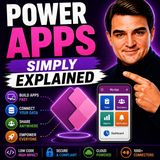
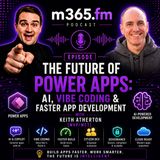
Power Apps app type where developers write the front end in code such as React and still use Power Platform connectors, Dataverse and managed security.
Power Apps code apps are an app type within Power Apps, developed by Microsoft, in which developers write the front end in code, for example with React, and still use Power Platform connectors, Dataverse and managed security. The result is a pro-code app that lives inside the governed Power Platform instead of outside it. The product is also referred to as Code apps or Power Apps Code Apps and is classed as a Microsoft tool and a low-code tool, even though the user interface is written by hand.
The purpose of code apps is to combine two worlds that were previously more separate. Professional software development offers freedom over layout, interaction and structure of the front end. Power Apps offers a managed environment with authentication, data access and governance. Code apps aim to give teams both: the flexibility of code and the governance of the platform. The episode "Power Apps Code Apps - Simply Explained" describes this as combining the flexibility of professional software development with the governance and enterprise capabilities of Power Apps.
In practice, developers work with familiar tools such as Visual Studio Code. According to the episode, they still benefit from Power Platform features such as Dataverse, Microsoft Entra authentication, connectors, security policies and managed deployments. Connectors and Dataverse supply the data and actions, so developers do not have to build their own backend and sign-in for these needs. This is the main difference from a conventional custom web application, where identity, data access and deployment would typically have to be designed and operated separately.
Code apps are often compared with the two classic Power Apps app types. The episode "Power Apps Code Apps - Simply Explained" explains how they differ from Canvas Apps and Model-Driven Apps, and the episode "Power Apps - Simply Explained" links to a separate discussion titled "Canvas Apps vs Model-Driven Apps - Simply Explained" for that background. Code apps sit between classic low-code and fully custom development. They are not described as a replacement for the existing app types but as an additional option for cases where a code-based front end is the better fit.
Typical decisions around code apps concern how much complexity a solution has and who builds it. When a business requirement outgrows what a low-code canvas can express, a code-based front end can be considered while the organization keeps the connector, Dataverse and security model it already uses. The episode "Power Apps Code Apps with Carike Botha [MVP]" discusses the evolution of Power Apps from traditional low-code development to pro-code applications. It challenges the assumption that low-code platforms remove the need for developers and instead describes how teams can collaborate and deliver business value faster, applying professional development practices when complexity demands it.
Code apps are also related to Vibe coding and GitHub Copilot. Because the front end is ordinary code, AI-assisted code generation and coding assistants are a natural way to build it. This connects code apps to current practice in which developers describe what they want and refine generated code, while the platform still supplies the governed data layer and security.
The official documentation for code apps is published on Microsoft Learn under the Power Apps developer section. For listeners who are new to the platform, the episode "Power Apps - Simply Explained" gives background on Power Apps as Microsoft's low-code platform for building custom business applications quickly, and it lists "Power Apps Code Apps - Simply Explained" among related episodes. That episode is aimed at Microsoft 365 administrators, architects, IT leaders and practitioners who need a practical understanding before planning or supporting the platform.
Overview compiled with AI from M365.FM episodes and the facts on this page. You can improve it with the edit button below.
Power Apps code apps let professional developers build fully custom front ends with modern web technologies such as React and TypeScript while keeping Power Platform enterprise benefits. · Power Apps Code Apps - Simply Explained
“Low-code for everyone” was a great story—but the sequel is Vibe Code: Power Apps Code Apps (React + TypeScript + Git) living inside the same governed Power Platform. Low-code (Canvas/Model-Driven) still wins for speed and business-led prototyping, but it…
Power Apps Code Apps represent the next evolution of Microsoft Power Platform, combining the flexibility of professional software development with the governance and enterprise capabilities of Power Apps. In this episode, we break down what Code Apps are, why…
In this episode of the M365 FM Podcast, Mirko Peters sits down with Carike Botha (MVP) to explore the evolution of Power Apps from traditional low-code development to the emerging world of pro-code applications. The discussion challenges the common assumption…
Keith shares his background in traditional .NET and SQL development and explains why Power Apps immediately stood out to him: speed. Instead of repeatedly building the same forms, logic, and app structures manually, Power Apps allowed him to focus more on…
In this episode of the M365.fm podcast, Nathan Rose joins the show to explore how Copilot Studio, Dataverse, and the Model Context Protocol (MCP) are shaping the future of agentic AI in Microsoft 365. The conversation dives into how organizations can move…
Most organizations believe they are building AI agents. In reality, many are still deploying advanced chatbots that operate within isolated applications. These systems can answer questions and generate content, but they lack persistence, long-term memory, and…
Timeline of episodes about Power Apps code apps
Articles about Power Apps code apps (2)
Articles in which Power Apps code apps is a topic:
From Low-Code to Pro-Code: A Guide to Power Apps Code Apps · Mirko Peters Welcome back to the podcast blog, where we expand on the conversations we have on the air and dive deeper into the tools shaping the modern digital workplace. If yo…
Questions marked with AI were written with AI from the facts on this page.
What are Power Apps code apps? (AI)
Power Apps code apps are an app type in which developers write the front end in code such as React and still use Power Platform connectors, Dataverse and managed security. They are part of Power Apps and developed by Microsoft.
How do code apps differ from Canvas Apps and Model-Driven Apps? (AI)
Code apps use a front end written in code with tools such as Visual Studio Code, while keeping Power Platform features like connectors, Dataverse and Microsoft Entra authentication. The episode "Power Apps Code Apps - Simply Explained" covers how they differ from the two classic app types.
Do code apps replace low-code development in Power Apps? (AI)
No. The episodes describe code apps as an additional option that combines professional development with Power Apps governance, not as a replacement for existing app types. "Power Apps Code Apps with Carike Botha [MVP]" discusses how low-code and pro-code can work together.
How are code apps different from canvas and model-driven apps?
Canvas and model-driven apps focus on low-code and simplified interfaces. Code apps give full control over the user interface, architecture and complex business logic. · From the episode: Power Apps Code Apps - Simply Explained
Which tools can developers use?
Developers can use Visual Studio Code, JavaScript, React and Vue, among others. Code apps combine the speed of low-code with the control of code-first development in familiar tools. · From the episode: Power Apps Code Apps with Carike Botha [MVP]
Relationship map of Power Apps code apps: linked topics
Related topics in brief
Topics linked to Power Apps code apps, each briefly explained:
Microsoft – Organization· Developed by Microsoft Corporation is a technology company that develops software and cloud services such as Microsoft 365, Azure and Dynamics 365.
Microsoft tool – Category· Is a Microsoft tool is a broad category for software products and services developed by Microsoft, used to group offerings and to frame tool-selection decisions.
Low-code tool – Category· Is a A low-code tool builds apps and automations with little or no programming; M365.FM episodes cover examples such as Copilot Studio, Power Pages and AI Builder.
Power Apps – Low-code tool by Microsoft· Part of A low-code tool for building custom business apps for web and mobile. Canvas apps give full control over the layout, while model-driven apps are generated from the data model in Dataverse.
Connector – Concept· Related to Prebuilt wrapper around an API that lets Power Apps, Power Automate and Copilot Studio read and write data in hundreds of services.
Dataverse – Product by Microsoft· Related to The managed data platform behind Power Platform and Dynamics 365. It stores tables with relationships, security roles and business logic, so apps and agents work on one governed data source.
Vibe coding – Concept· Related to Building software by describing what you want in natural language and letting an AI generate and refine the code or app.
GitHub Copilot – AI assistant by GitHub· Related to An AI coding assistant that suggests code, explains it, writes tests and, in agent mode, carries out multi-step changes in a repository under the developer's review.
Power Apps SDK (code apps) – Product· Includes The open-source Node.js package used by Power Apps code apps that generates typed model and service files for data sources and connects custom code to Power Platform services such as connectors and authentication.
David James Wyatt – Person· People working on this topic David James Wyatt is a speaker at M365Con 2026 and M365Con 2027 (Senior Staff Engineer at TJX) with 2 sessions.
All relationships of Power Apps code apps, grouped by type of relationship:
Short info above, community knowledge below: add practical tips, examples or corrections. New contributions are reviewed first; trusted members publish directly.
Experts and companies for this topic
Community members with expertise in Power Apps code apps:
 EN
 Deutsch
 Español
 Français
 Italiano
 Português
 Nederlands
 Polski
 Bahasa Indonesia
 Русский
 Українська
 العربية
 עברית
 日本語
 한국어