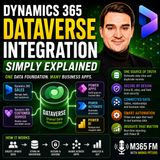
Dual-write is a near real-time, bi-directional data integration between Dynamics 365 finance and operations apps and Dataverse. Changes made on one side are written to the other, so that shared business data, such as customer records, does not drift apart between applications. The term also appears as Dual write and Dual-Write. It sits within the broader Dynamics 365 family and is related to Dynamics 365 Finance and Operations, Dataverse and the Power Platform.
The main purpose is to keep data consistent when different teams work in different applications. A typical situation, used in the M365.FM episode "Dynamics 365 Dual-write - Simply Explained", is a salesperson who updates a customer address in Dynamics 365 Sales while someone in finance opens the same customer and still sees the old address. When sales, service, finance and operations each work in their own application, shared business data can quickly become duplicated or inconsistent. The episode explains how dual-write addresses this problem.
Conceptually, dual-write connects two sides. On one side is Dynamics 365 Finance and Operations, the ERP side of the Dynamics 365 portfolio. On the other side is Dataverse, the data platform behind Dynamics 365 customer engagement apps and the Power Platform. Because the integration is bi-directional, an update can originate in either environment and be reflected in the other. Because Dataverse is shared across Microsoft business applications and the Power Platform, data written through dual-write also becomes available to other Power Platform components, which is why the Power Platform is named as a related topic.
Dual-write is one of several integration options for Dynamics 365 Finance and Operations. The episode "D365FO Integration Architecture with Anitha Eswaran [MVP-MCT]" lists it alongside other approaches. The Data Management Framework is described there as suited to high-volume, asynchronous bulk data operations, such as large migrations or nightly syncs. Business Events enable event-driven integrations in which systems react to published business events. Dual-write is described in that episode as providing near real-time, bidirectional synchronization between Dynamics 365 and Dataverse. The choice between these mechanisms depends on the pattern needed: bulk movement, event-driven reaction, or continuous two-way synchronization of shared data.
Dual-write also comes up in architecture decisions involving Business Central. The episode "Why Your Business Central Won't Scale to Finance & Operations" states that the dual-write capabilities of Finance & Operations and the Dataverse synchronization of Business Central are separate integration mechanisms. According to the episode, organizations that run Business Central subsidiaries alongside a Finance & Operations headquarters are therefore connecting separate integration architectures rather than enabling one universal synchronization switch, and Dataverse as a shared data layer does not turn the two products into one system.
In solution design for multi-customer platforms, the episode "Building Multi-Tenant SaaS with Power Pages and Dataverse" lists common challenges when integrating with Dynamics 365 Finance & Supply Chain Management. Data mapping can be complex because of the many data relationships, and the suggested approach is to start with essential entities only and expand gradually. Concerns about ERP performance impact are met, according to that episode, by dual-write handling load balancing automatically.
For technical details, such as supported entities, setup and limits, the official Microsoft documentation on the Dual-write overview is the reference source. The M365.FM episodes position dual-write as one building block within a wider integration architecture rather than a standalone solution.
Overview compiled with AI from M365.FM episodes and the facts on this page. You can improve it with the edit button below.
In this episode of the M365.fm podcast, Mirko Peters speaks with Microsoft MVP and MCT Anitha Eswaran about the realities of integrating Dynamics 365 Finance & Operations (D365FO) into modern enterprise environments. The discussion focuses on why integrations…
Many IT leaders assume a growing company can simply upgrade from Business Central to Dynamics 365 Finance and Operations later. This episode explains why that bridge does not exist, why acquisitions hit the wall hardest, and how finance and IT teams can plan…
A salesperson updates a customer address in https://www.m365.fm/show/episodes/ Sales. Later, someone in finance opens the same customer and still sees the old address. Which one is correct? When sales, service, finance, and operations work in different…
Questions marked with AI were written with AI from the facts on this page.
What is Dual-write in Dynamics 365? (AI)
Dual-write is a near real-time, bi-directional data integration between Dynamics 365 finance and operations apps and Dataverse. Changes made on one side are written to the other so shared data stays consistent.
How does Dual-write differ from the Data Management Framework and Business Events? (AI)
According to the episode on D365FO integration architecture, the Data Management Framework suits high-volume asynchronous bulk operations and Business Events enable event-driven integrations, while dual-write provides near real-time bidirectional synchronization with Dataverse.
Does Dual-write connect Business Central and Finance & Operations as one system? (AI)
No. The episode on Business Central and Finance & Operations states that dual-write in F&O and the Dataverse synchronization of Business Central are separate integration mechanisms, so connecting them means combining separate integration architectures.
What is Dynamics 365 Dual-write?
Dual-write is Microsoft's built-in connection between Dynamics 365 Finance and Operations apps and Microsoft Dataverse. It keeps selected shared records, such as customers, addresses, contacts, products and orders, synchronized between the applications. · From the episode: Dynamics 365 Dual-write - Simply Explained
What problem does Dual-write solve?
It prevents the same customer from existing as two different records, for example one with a new address in Sales and one with the old address in Finance. That avoids employees acting as the integration layer with exports and re-entry. · From the episode: Dynamics 365 Dual-write - Simply Explained
Do employees have to use one big application with Dual-write?
No. The goal is not to force everyone into one giant application. Employees keep using the application suited to their role while selected business information stays connected in the background. · From the episode: Dynamics 365 Dual-write - Simply Explained
What role does Dataverse play in Dual-write?
Dataverse is the platform on the other side of the connection to Finance and Operations apps, and Dual-write links the two so shared records stay aligned. · From the episode: Dynamics 365 Dual-write - Simply Explained
Relationship map of Dual-write: linked topics
Related topics in brief
Topics linked to Dual-write, each briefly explained:
Dataverse – Product by Microsoft· Related to The managed data platform behind Power Platform and Dynamics 365. It stores tables with relationships, security roles and business logic, so apps and agents work on one governed data source.
Power Platform – Low-code tool by Microsoft· Related to Microsoft's low-code family consisting of Power Apps, Power Automate, Power BI, Power Pages and Copilot Studio. Together with Dataverse it lets business users build apps, automations, reports and agents.
Dynamics 365 – Business application by Microsoft· Related to Microsoft's family of business applications for sales, customer service, finance, supply chain and more, including Business Central for small and mid-sized companies. It builds on Dataverse and Power Platform.
All relationships of Dual-write, grouped by type of relationship:
Short info above, community knowledge below: add practical tips, examples or corrections. New contributions are reviewed first; trusted members publish directly.
 EN
 Deutsch
 Español
 Français
 Italiano
 Português
 Nederlands
 Polski
 Bahasa Indonesia
 Русский
 Українська
 العربية
 עברית
 日本語
 한국어