Generative pages are a Power Apps feature that generates app pages from a natural-language description on top of Dataverse data, using AI. A maker describes the page in plain English, and the result is a responsive page that reads and writes Dataverse data. The feature is developed by Microsoft, is part of Power Apps and is classed as a low-code tool. It is also known as Power Apps generative pages.
The feature is used to shorten the path from an idea to a working page. Instead of arranging containers and writing formulas by hand, as is typical in canvas apps, the maker states an intent, for example an ideas tracker with category filters and a bar chart. The AI then produces a page bound to Dataverse. Because the data layer is Dataverse, the generated page respects the metadata and roles defined there, which is the basis for the governance benefits described in the episodes. Generative pages are the Power Apps form of vibe coding and sit alongside Microsoft 365 Copilot in the broader AI-assisted experience.
The M365.FM episode "Create Power Apps Faster with Generative Pages" describes the change as a shift from craft to command. It contrasts canvas apps, which offer pixel-level freedom but can become fragile through many containers and brittle Power FX, with generated pages that are described as responsive, accessible, Dataverse-aware and themed with tokens. The episode says developers do not disappear but move toward owning schema, governance, performance and policy while AI handles layout.
A central decision is when to use generative pages and when to build the interface manually. The episode "Canvas App UI vs Generative Pages: Which Should You Use?" lists speed, consistency, accessibility and built-in governance through Dataverse metadata and roles as upsides. It also names risks: generated output can be read-only, prompt ambiguity can produce unexpected results, and licensing can be hidden. According to the episode, real efficiency comes from standard prompts, governed environments and treating language like source code, and manual UI remains the better choice where fine-grained interaction control is needed.
The episode "Govern Power Apps Generative Pages After Edit Code" focuses on what happens after generation. It says that the Edit Code option exposes the generated React code, and that once a maker opens it, Power Apps no longer shields them from the consequences. The episode lists npm drift, security patches, schema changes, authentication gaps and AI assistance that can overwrite intent as responsibilities the maker then inherits. Its recommendation is to keep declarative, safe work in the managed experience and to fence pro-code for exceptions, with the point that AI can generate pages but not governance.
Licensing is the third recurring theme. The episode "Avoid the Generative Pages Power Apps Licensing Trap" explains that generating a page puts the app on Dataverse, which it describes as premium territory, so an experience that looks free can change the license requirements for everyone who uses it. The episode suggests reserving Dataverse for genuine relational needs, isolating premium workloads in dedicated environments, keeping virtual tables read-only and locking sharing until finance has signed off.
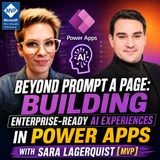
Generative pages also appear in the episode "Enterprise AI Experiences in Power Apps with Sara Lagerquist [MVP]", in the context of designing user interfaces for AI applications. There they are presented as a way to build complex interfaces quickly with AI assistance, which can accelerate development and allow customization to fit specific needs. Taken together, the episodes treat generative pages as a fast way to create Dataverse-backed pages that still require decisions about governance, code ownership and licensing.
Overview compiled with AI from M365.FM episodes and the facts on this page. You can improve it with the edit button below.
Type
Product
Also known as
Power Apps generative pages, Generative Pages in Power Apps
In this episode of M365.FM, Mirko Peters talks with Microsoft MVP Sara Lagerquist about how Power Apps is evolving beyond traditional forms and screens into AI-powered, enterprise-ready business experiences. Instead of treating AI as a feature that is simply…
AI inside the Microsoft Power Platform isn’t just about 'Copilot writes formulas' anymore. In 2025, Microsoft introduced four innovative capabilities that transform how apps, data, and automation are developed: Dataverse Prompt Columns, AI Form Filler / Form…
Keith shares his background in traditional .NET and SQL development and explains why Power Apps immediately stood out to him: speed. Instead of repeatedly building the same forms, logic, and app structures manually, Power Apps allowed him to focus more on…
Generative Pages feel like low-code’s endgame: describe a page, get React that talks to Dataverse, ship in minutes. The trap is hidden in one click—Edit Code. The second you crack open JSX, Power Apps stops shielding you. You inherit npm drift, security…
Generative Pages feel “free” because they turn a sentence into a working Power Apps page. But the instant you click Generate, you’re on Dataverse—and that’s premium land: governed data, model-driven scaffolding, audit, flows, and a license bill. The UX hides…
Canvas Apps gave pixel freedom but bred fragility: endless containers, brittle Power FX, and hours lost to layout therapy while data modeling and governance languished. The game has changed. Generative Pages inside Power Apps shift creation from craft to…
Navigating the Hidden Costs of Power Apps Generative Pages · Mirko Peters Welcome back to the blog! If you have been experimenting with the latest low-code features from Microsoft, you have likely encountered the absolute excitement surro…
Why Canvas Apps Are Dead and How Generative Pages Win · Mirko Peters Welcome back to the podcast blog! If you have been listening to our latest episodes, you know we spend a lot of time breaking down the massive shifts happening acro…
Questions marked with AI were written with AI from the facts on this page.
What are generative pages in Power Apps? (AI)
Generative pages are a Power Apps feature from Microsoft that uses AI to generate app pages from a natural-language description. The generated pages are responsive and work with Dataverse data.
What happens when someone uses Edit Code on a generative page? (AI)
According to the episode "Govern Power Apps Generative Pages After Edit Code", opening the code ends the shielding of the managed experience. The maker then takes on npm drift, security patches, schema changes and authentication gaps.
Do generative pages affect Power Apps licensing? (AI)
The episode "Avoid the Generative Pages Power Apps Licensing Trap" says that generating a page puts the app on Dataverse, which it describes as premium territory. It recommends planning the architecture and environments deliberately to avoid unexpected license costs.
What is vibe coding in Power Apps?
Vibe coding is the episode's name for Generative Pages, where plain-English prompts produce responsive, Dataverse-aware React pages. It replaces the manual pixel work of positioning controls in canvas apps. · From the episode: Canvas App UI vs Generative Pages: Which Should You Use?
When should I use manual canvas UI instead of Generative Pages?
Use manual UI when micro-interaction uniqueness truly matters, such as a highly custom experience. For repeatable, data-driven pages, Generative Pages are faster and more consistent. · From the episode: Canvas App UI vs Generative Pages: Which Should You Use?
How do you get real efficiency from Generative Pages?
Use standard prompts, work in governed environments and treat language like source code. Reviewing and versioning prompts keeps results consistent instead of one-off experiments. · From the episode: Canvas App UI vs Generative Pages: Which Should You Use?
Which four features does the episode cover?
Dataverse Prompt Columns, AI Form Filler or Form Assist, Generative Pages and Copilot Agents. Together they show how Power Platform shifts toward intent-driven, AI-assisted low-code development. · From the episode: Automate Power Platform Data Entry with AI Tools
What new Power Apps capabilities does the episode cover?
Relationship map of Generative pages: linked topics
Related topics in brief
Topics linked to Generative pages, each briefly explained:
Microsoft – Organization· Developed by Microsoft Corporation is a technology company that develops software and cloud services such as Microsoft 365, Azure and Dynamics 365.
Microsoft tool – Category· Is a Microsoft tool is a broad category for software products and services developed by Microsoft, used to group offerings and to frame tool-selection decisions.
Low-code tool – Category· Is a A low-code tool builds apps and automations with little or no programming; M365.FM episodes cover examples such as Copilot Studio, Power Pages and AI Builder.
Power Apps – Low-code tool by Microsoft· Part of A low-code tool for building custom business apps for web and mobile. Canvas apps give full control over the layout, while model-driven apps are generated from the data model in Dataverse.
Vibe coding – Concept· Related to Building software by describing what you want in natural language and letting an AI generate and refine the code or app.
Dataverse – Product by Microsoft· Related to The managed data platform behind Power Platform and Dynamics 365. It stores tables with relationships, security roles and business logic, so apps and agents work on one governed data source.
Microsoft 365 Copilot – AI assistant by Microsoft· Related to An AI assistant built into Microsoft 365 apps such as Word, Excel, Outlook and Teams. It uses large language models together with the user's own work data from Microsoft Graph to draft, summarise and analyse content, always within the user's existing permissions.
All relationships of Generative pages, grouped by type of relationship:
Short info above, community knowledge below: add practical tips, examples or corrections. New contributions are reviewed first; trusted members publish directly.
Experts and companies for this topic
Community members with expertise in Generative pages:
 EN
 Deutsch
 Español
 Français
 Italiano
 Português
 Nederlands
 Polski
 Bahasa Indonesia
 Русский
 Українська
 العربية
 עברית
 日本語
 한국어