Microsoft 365 is a subscription bundle of productivity apps and cloud services, including Word, Excel, Outlook, Teams, SharePoint and OneDrive.
Title graphic: Microsoft 365 (Platform)
Description
Microsoft 365 is a subscription bundle of productivity apps and cloud services, including Word, Excel, Outlook, Teams, SharePoint and OneDrive. Organizations use it for email, document work, meetings, file storage and collaboration. It is also known as M365 and as the successor to Office 365.
Microsoft develops it, and on m365.fm it is classified as a Microsoft tool and a collaboration tool. It is related to Microsoft 365 Apps, Office on the web and the individual applications Word, Excel, PowerPoint, Outlook and OneNote. Microsoft 365 Copilot builds on it by working with the content and permissions of a Microsoft 365 tenant.
"Microsoft 365 Copilot Without the Hype" with Paul Keijzers explains that Copilot's answers depend on the content and permissions already in the tenant. "Copilot Inherits Your Mess" with Richard Harbridge describes old SharePoint sites, duplicate documents, historic migrations and guest accounts that Copilot meets in a tenant. "When Microsoft Messaging Looks Secure but Isn't" with Thomas Stensitzki shows that moving email to the cloud does not automatically make Exchange and hybrid setups secure.
Overview compiled with AI from M365.FM episodes and the facts on this page. You can improve it with the edit button below.
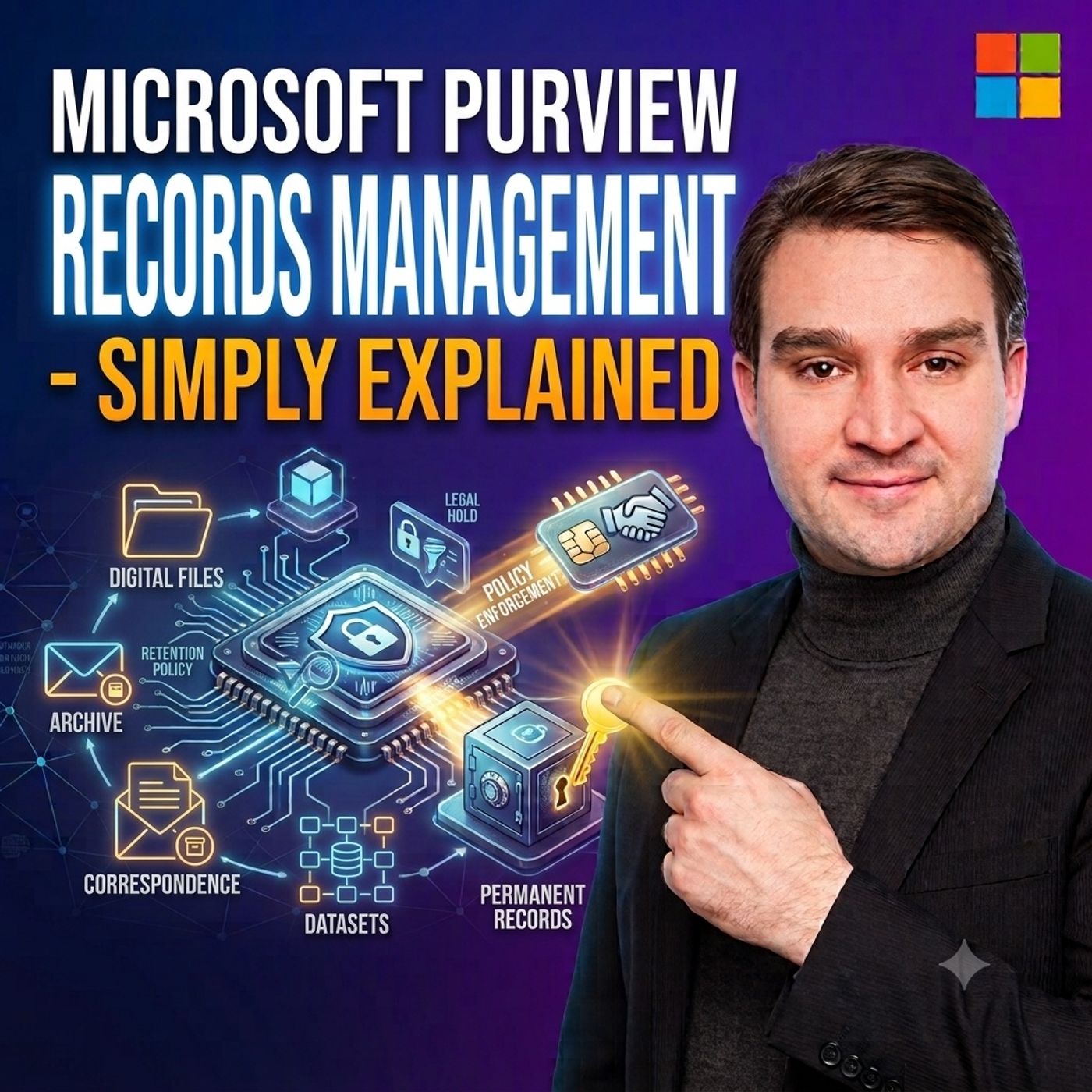
בארגון ממוצע שיעור האימוץ של תיוג ידני עומד על 30 % בלבד, כך ש-70 % מהקניין הרוחני נשארים כמעט בלתי נראים לכלי האבטחה. הפרק מראה איך לעבור ב-Microsoft Purview מתיוג בידי המשתמשים לממשל אוטונומי, שבו בינה מלאכותית מסווגת נתונים בזמן אמת, במהירות זרם הנתונים.
בארגון ממוצע שיעור האימוץ של תיוג ידני עומד על 30 % בלבד, כך ש-70 % מהקניין הרוחני נשארים כמעט בלתי נראים לכלי האבטחה. הפרק מראה איך לעבור ב-Microsoft Purview מתיוג בידי המשתמשים לממשל אוטונומי, שבו בינה מלאכותית מסווגת נתונים בזמן אמת, במהירות זרם הנתונים.
אתם מטמיעים את Copilot ומחכים לגל הפרודוקטיביות, אבל במקום זאת אירועי מניעת אובדן נתונים (DLP) עולים ב-300%. הפרק מסביר למה Copilot יורש את שגיאות ההרשאות הקיימות שלכם, למה תוויות סטטיות יוצרות ממגורות מידע, ואיך עוברים מבלימה להקשר.
אימייל חשוד, כניסה מוזרה, מכשיר שמתנהג בצורה חריגה – ואף אחת מהתראות האבטחה שלכם לא יודעת על האחרות. הפרק מסביר מה זה Microsoft Defender XDR, למה Microsoft פיתחה אותו ואיך הוא מחבר כלי אבטחה מבודדים לשכבת אבטחה אחידה עבור Microsoft 365. לארגונים רבים כבר יש…
סוכן AI הוא לא צ'אטבוט חכם יותר: הוא פועל ביוזמתו, ניגש למערכות ומבצע עבודה באופן עצמאי. הפרק מסביר את ההבדל ומציג את שלוש הדרכים לבנות סוכנים משלכם בסביבת Microsoft, מטופס ללא קוד ועד פלטפורמה למפתחים.
Microsoft קוראת לאותו רעיון פעם סוכן ופעם Skill, תלוי במוצר, וזה מבלבל. בפרק הזה תבינו מה זה בעצם Copilot Skill, איפה הוא נמצא ואיך יוצרים את הראשון שלכם בלי לכתוב קוד.
Copilot, Copilot Cowork ו-Scout נשמעים דומים, אבל הם לא. בפרק הזה נסביר בפשטות את שלוש שכבות ה-AI של Microsoft ולמה Scout, ה״טייס האוטומטי״ הראשון, לא מחכה להוראות אלא צופה ופועל בעצמו. תגלו מה הוא יכול לעשות ביום-יום, איך הוא עובד מאחורי הקלעים ומה כדאי…
Microsoft 365 Copilot לא קורא את הכוונות שלכם, אלא את הטננט כפי שהוא: סחיפת הרשאות, צוותים יתומים, קבצים מיושנים ואתרי צל נכנסים ישר לתשובות. הפרק מסביר למה הבינה המלאכותית רק משקפת את הבלגן ב-SharePoint, ואיך ממשל יוצר את הבסיס לתשובות עם ציטוטים נכונים.
Copilot משתנה כל שבוע, אבל שקפי ההדרכה שלכם לא: התוצאה היא אותן פניות שוב ושוב, מסמכי צל עם שמות כמו „Final Final Final“ ומנהלים ששואלים איפה ה-ROI. הפרק מראה איך מרכז למידה מנוהל ותמיד מעודכן ל-Copilot ב-SharePoint מביא את התשובות למקום שבו נולדות השאלות,…
סיסמה לבדה כבר לא קובעת מי נכנס ל-tenant של Microsoft 365 שלכם: סיסמאות נגנבות מדי יום, וגם MFA אינה פתרון קסם. הפרק מסביר את הגישה המותנית (Conditional Access) כמנוע מדיניות שבודק, כמו סלקטור בכניסה, את ההקשר של כל התחברות – ומראה איך להטמיע אותה בלי לנעול…
סוכנים מתרבים ב-Teams, ב-SharePoint, ב-Power Automate וב-Copilot מהר יותר ממה שהממשל שלכם מסוגל לעמוד בו: תנאים מעורפלים, הרשאות בירושה והרשאות מנהל ללא תאריך תפוגה. הפרק, המסופר מנקודת מבטה של בינה מלאכותית, מראה מדוע סוכנים הם מגברים – הם מגבירים בהירות או…
סוכני AI עולים לייצור מהר יותר מכל ישיבת ניהול שינויים, ו-Copilot עם גישה לכל ה-tenant „רק לבדיקה“ נפרס בלחיצה אחת. הפרק בוחן מקרים אמיתיים ב-LangChain4j וב-Copilot Studio: מה נשבר בגלל הזרקת פרומפטים, מחברים עם הרשאות רחבות מדי ופערים בביקורת, ואילו פתרונות…
שמירה על איזון: אבטחה מול נוחות שימוש ב-Microsoft 365 · Mirko Peters ברוכים הבאים חזרה לבלוג המלווה לפודקאסט! בפוסט הזה אנחנו צוללים לעומק הדינמיקה המורכבת של אבטחת Microsoft 365, ובעיקר למאבק המתמשך בין מדיניות Conditional Access מחמירה לבין הפרודו
פירוט שרשרת התקיפה של M365: מה חשוב לדעת · Mirko Peters ברוכים השבים לבלוג הפודקאסט! אם עקבתם אחר פרקי האודיו האחרונים שלנו, אתם יודעים שאנחנו מתעמקים באבטחת ענן, בנוף האיומים, ו…
Microsoft 365: [Education] Microsoft Learning Zone - Minecraft connected lessons
Bring Minecraft Education to every classroom with AI-powered tools that match curriculum goals to Build Challenges, blend lessons with project-based learning, launch directly from Learning Zone, and give you full visibility into participation, completion, and student understanding.
#education
GA: February CY2027
Older updates (13)In developmentMicrosoft 365 Roadmap Microsoft 365: [Education] Practice presentations with Speaker Coach in Learning Activities
In learning activities, students can rehearse presentations, receive feedback on their delivery, and practice again with targeted suggestions to improve clarity and confidence.
#education
GA: December CY2026
LaunchedMicrosoft 365 Roadmap Microsoft 365 app: Inventory - Update Repair
Update Repair helps admins identify Windows devices with Microsoft 365 Apps that are out of date or experiencing update issues. In the Microsoft 365 Apps admin center, admins can review device status and recommended actions, remotely start Online Repair for eligible devices, and follow manual remediation guidance for devices that need attention. Repair reinstalls Microsoft 365 Apps using the latest available build for the device’s configured update channel.
GA: November CY2026 · Preview: October CY2026
Rolling outMicrosoft 365 Roadmap Microsoft 365 Apps: Cloud Update - Export Improvements
New export improvements are coming to Cloud Update, making it easier for organizations to access and analyze device data. These enhancements will expand export capabilities across Inventory and Cloud Update device views, include additional device and update information, and allow admins to export filtered results so they can focus on the devices most relevant to their needs.
GA: November CY2026
LaunchedMicrosoft 365 Roadmap Microsoft 365: Frontier expands to public previews in Teams, Outlook, OneDrive, and SharePoint
Frontier is expanding to bring eligible public preview features across Microsoft 365 into one program. Users enrolled in Frontier can get eligible previews for new Outlook for Windows, OneDrive, SharePoint, Microsoft Teams, and Copilot, managed through a single admin-controlled enrollment experience. Frontier enrollment is optional and separate from Standard and Deferred release preferences for generally available features. Existing Frontier users do not need to re-enroll.
GA: November CY2026
In developmentMicrosoft 365 Roadmap Microsoft 365: [Education] Microsoft Learning Zone - Improve Lesson Insights
See where your class is struggling and which students need support, with lesson-level results for every student. Aggregated responses show the mistakes many students made in a lesson. You can then open each student's answers to plan targeted follow-up.
#education
GA: December CY2026
In developmentMicrosoft 365 Roadmap Microsoft 365: Expiration for access on sharing main links
People can set expiration dates for “Anyone” and “People in your organization” access on the main link to files and folders in OneDrive and SharePoint. New administrator policies can Administrators can set policies to require expiration and enforce a maximum access duration, with separate settings for OneDrive and SharePoint. These controls help organizations align content sharing with their data governance requirements. When access expires, the main link remains, and permissions granted directly to individuals are preserved.
GA: February CY2027
In developmentMicrosoft 365 Roadmap Microsoft Copilot Studio: Copilot studio cost controls in MAC
We’re expanding cost management for Microsoft Copilot Studio into the Microsoft 365 admin center. This gives administrators a more centralized way to manage Copilot Credit spend across usage-based AI workloads while retaining Copilot Studio cost management capabilities in the Power Platform admin center.
With this update, administrators can bring supported Copilot Studio environments and agents under Cost Management spending policies. Resource-based policies for environments and agents are the first planned scopes, with broader user and group policy support planned for a later phase.
Furthermore, this update will introduce cost data into…
GA: October CY2026
In developmentMicrosoft 365 Roadmap Microsoft 365: PAYGO consumption-based meter for your extra SharePoint storage needs
Use the new PAYGO consumption-based meter to pay for your extra SharePoint storage needs. This reduces the operational overhead associated with purchasing extra storage packs and more seamlessly integrates with Microsoft 365 Archive.
GA: January CY2027 · Preview: June CY2026
In developmentMicrosoft 365 Roadmap Microsoft 365: [Education] Assign Study and Learn in Teams and LMS Assignments
Educators can assign Study and Learn from Student AI Guidelines in Teams and LMS Assignments. Students open guided learning support grounded in the assignment's title, instructions, and supported files and resources, helping them work through concepts and practice their understanding.
GA: November CY2026 · Preview: October CY2026
In developmentMicrosoft 365 Roadmap Microsoft 365: [Education] Provide a Copilot starter prompt in Teams and LMS Assignments
Educators can provide a Copilot starter prompt from Student AI Guidelines in Teams and LMS Assignments. Students open Copilot with the educator's prompt ready in their chat, helping them begin with instructions tailored to the assignment.
GA: November CY2026 · Preview: October CY2026
LaunchedMicrosoft 365 Roadmap Microsoft 365 Apps: Cloud Update - Extended rollback support for Monthly Enterprise Channel
Cloud Update is expanding rollback options for devices on Monthly Enterprise Channel. Administrators will be able to roll back devices to a release from two versions prior, with the latest available security updates for that release, and keep devices in the rolled-back state across subsequent releases until they are ready to resume updates. This provides additional time to investigate and resolve compatibility issues while maintaining security coverage and centralized control through the Microsoft 365 Apps admin center.
New improvements are coming to the rollout wave functionality for Cloud Update. These enhancements will allow organizations to continue leveraging Microsoft Entra ID groups to set up rollout waves, with increased flexibility to configure more than the current limit of three waves. Additionally, admins will be able to assign custom delays between each wave, streamlining phased deployments and offering greater control over update distribution.
GA: June CY2026 · Preview: May CY2026
LaunchedMicrosoft 365 Roadmap Microsoft 365: Backup Activity Logs
In product monitoring logs to track all activities related to backup policy configuration & restore related tasks. This will help admins with troubleshooting, monitoring, reporting and auditing capabilities.
GA: December CY2025
Summaries of official Microsoft release information, checked daily.
Community wiki
Short info above, community knowledge below: add practical tips, examples or corrections. New contributions are reviewed first; trusted members publish directly.
 HE
 English
 Deutsch
 Español
 Français
 Italiano
 Português
 Nederlands
 Polski
 Bahasa Indonesia
 Русский
 Українська
 العربية
 日本語
 한국어