 EN
EN Deutsch
 Español
 Français
 Italiano
 Português
 Nederlands
 Polski
 Bahasa Indonesia
 Русский
 Українська
 العربية
 עברית
עברית हिन्दी
 日本語
日本語 한국어
한국어2026-08-21 · Season 3
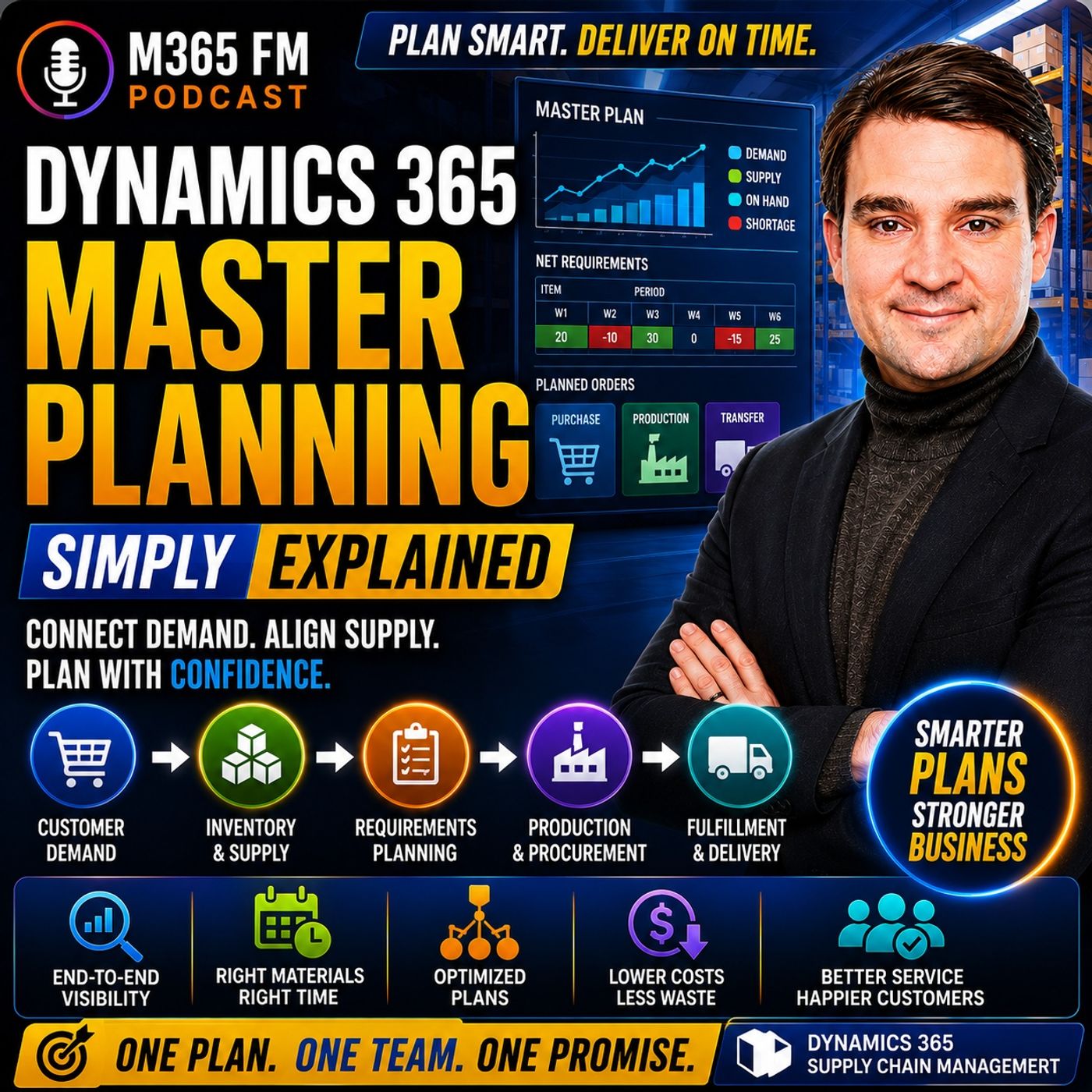
Dynamics 365 Master Planning - Simply Explained
Show notes
A customer wants 100 bicycles next month. You already have some finished bicycles in stock, wheels are arriving from a supplier, frames are stored somewhere else, and your production line is booked for the next two weeks. What should you buy, what should you build, what should you move—and when does each action need to happen? In this episode of M365 FM, Mirko Peters explains how Dynamics 365 Master Planning connects customer demand, inventory, purchasing, production, bills of materials, lead times, capacity, forecasts, and planned orders to create one connected supply plan. WHAT IS DYNAMICS 365 MASTER PLANNING? Dynamics 365 Master Planning is the part of Supply Chain Management that determines how future demand should be covered. Think of your business as an office building with a stockroom attached. Customer orders enter through one door. Inventory sits on shelves. Suppliers deliver materials. Production converts components into finished products. Master Planning looks across all of these activities instead of allowing each team to maintain its own disconnected plan. It combines current demand and available or expected supply, identifies shortages, and suggests actions for planners to review. WHY A STOCK COUNT ISN'T ENOUGH Imagine a customer orders 100 bicycles and your warehouse currently contains 30. You still need 70. But those 70 bicycles require frames, wheels, chains, seats, bolts, packaging, employees, machines, and enough production time. A simple inventory report tells you what exists now. It doesn't tell you whether the missing components can arrive before production needs them or whether the factory has enough time to complete the order. Master Planning connects quantity with time. FROM SPREADSHEETS TO CONNECTED PLANNING Without connected planning, sales might maintain customer orders in one system while warehouse employees check inventory somewhere else. Purchasing tracks supplier dates in spreadsheets and emails. Production maintains another schedule describing what the factory can build. Each individual list might be correct, but somebody still needs to connect everything to answer one question: Can we deliver what the customer ordered by the promised date? Dynamics 365 Master Planning brings these demand and supply signals together. MASTER PLANNING VS A SPREADSHEET Think of a spreadsheet as a photograph. It can provide a useful snapshot of inventory at a particular moment. Master Planning is closer to a forward-looking schedule. It considers quantities alongside dates, future demand, incoming supply, production requirements, and existing inventory. When one of those elements changes, the planning picture can change as well. THE THREE PLANNING MODES Dynamics 365 doesn't provide only one way to plan. The episode explains three different planning scenarios: Master Planning focuses on day-to-day and shorter-term requirements. Forecast Planning looks at expected future demand. Intercompany Master Planning connects demand and supply requirements between legal entities. Each starts with demand but answers a different planning question. MASTER PLANNING AND NET REQUIREMENTS Master Planning calculates net requirements. The basic concept is straightforward: Demand – Available or Expected Supply = Remaining Requirement Suppose a customer orders 100 units and the warehouse has 30 available. The remaining requirement is 70. If another 20 units are already scheduled to arrive from a supplier before the customer's required date, the uncovered requirement becomes smaller again. Dynamics 365 therefore doesn't simply suggest purchasing or producing the complete customer quantity. It considers supply that already exists or is expected to arrive. WHY DATES CHANGE THE ANSWER Having enough inventory eventually isn't the same as having enough inventory when it's required. Suppose 20 additional bicycles arrive from a supplier. If they arrive before the customer needs them, they can help satisfy the demand. If they arrive afterward, they don't solve this particular shortage. Master Planning therefore considers quantity and timing together. A total inventory number without dates can provide a misleading picture of whether customer demand can actually be fulfilled. THE PLANNING HORIZON The appropriate planning horizon depends on the business. A company purchasing simple products locally might only need to look several weeks ahead. A manufacturer using components with long supplier lead times may need to plan months ahead. The important principle is that planning needs to look far enough forward to identify shortages while there is still time to respond. Discovering a shortage after the required purchasing or production date has already passed provides very little value. FORECAST PLANNING Forecast Planning begins with expected demand rather than confirmed customer orders. A bicycle manufacturer might expect demand to increase during summer. A retailer might anticipate significantly higher sales during a promotion. Waiting until every customer order arrives could leave insufficient time to purchase materials or reserve production capacity. Forecast Planning gives organizations an earlier view of the workload they expect to face. GROSS REQUIREMENTS Forecast Planning calculates gross requirements based on expected demand. If the forecast predicts demand for 500 bicycles in July, planning begins with that expected requirement. The organization can then consider the materials, supplier capacity, warehouse space, and production resources potentially required to support that volume. Forecasts aren't guaranteed customer orders. They provide a planning signal allowing the business to prepare before confirmed demand arrives. INTERCOMPANY MASTER PLANNING Large organizations may operate several legal entities. One company might manufacture a product while another sells that product in another country. The selling company sees customer demand. The manufacturing company needs visibility into the supply requirements created by that demand. Intercompany Master Planning carries planning signals across company boundaries so each legal entity doesn't plan as though it operates completely independently. FROM ONE ORDER TO A CHAIN OF SUPPLY A finished product can create demand for many lower-level components. Suppose a customer orders 70 bicycles. Dynamics 365 can examine the structure of the finished bicycle and determine which components are required to produce those 70 units. That might create requirements for 70 frames, 140 wheels, 70 chains, 70 seats, and hundreds of smaller components. This is where the Bill of Materials becomes critical. BILL OF MATERIALS EXPLAINED A Bill of Materials, commonly called a BOM, is essentially the recipe for a manufactured product. For a bicycle, it identifies the frames, wheels, chains, seats, handlebars, brakes, bolts, and other components required for production. Master Planning can expand demand for the finished product into requirements for the components underneath it. Planners therefore don't need to manually calculate every component requirement whenever customer demand changes. PRODUCTION ROUTES Having every component available still doesn't automatically create a finished product. Production requires work. A route describes the steps required to manufacture the item. For a bicycle, those steps might include assembling the frame, installing wheels, checking brakes, and packing the finished product. Each operation can require resources such as employees, assembly lines, workbenches, machines, or specialized equipment. PLANNING BACKWARD FROM THE CUSTOMER DATE Suppose the customer needs the bicycles on Friday. Production might need to finish Thursday so the warehouse has time to prepare the shipment. Assembly might therefore need to begin Tuesday. Components might need to be available Monday. If a supplier requires ten days to deliver wheels, the purchase order must be placed considerably earlier. The customer delivery date therefore creates a chain of dependent dates stretching backward through production and purchasing. LEAD TIMES A lead time represents how long an activity takes. A supplier might require ten days to deliver components. A warehouse transfer could require two days. A production process might require three days. Master Planning uses these lead times when calculating when supply needs to become available. Incorrect lead times can therefore produce incorrect planning suggestions even when the planning calculation itself works perfectly. PLANNED ORDERS When existing supply can't cover demand, Dynamics 365 can create a planned order. A planned purchase order suggests buying something from a supplier. A planned production order suggests manufacturing something internally. A planned transfer order suggests moving inventory from another site or warehouse. These planned orders contain suggested quantities and dates based on the information available to the planning engine. PLANNED ORDERS ARE SUGGESTIONS A planned order isn't automatically a commitment. Dynamics 365 doesn't need to silently send a purchase order to the supplier or begin production simply because the planning calculation identified a shortage. The planner reviews the suggestion. Is the proposed supplier appropriate? Is the delivery date realistic? Does the quantity make sense? Can production actually handle the work? Master Planning provides the recommendation while the planner remains responsible for the decision. Become a supporter of this podcast: https://www.spreaker.com/podcast/m365-fm-microsoft-365-azure-cloud-power-platform-ai--6704921/support.
Apple Podcasts · Spotify · YouTube · Deezer
Host: Mirko Peters
Guests
Related articles
- Why a Stock Count Isn't Enough: Moving Beyond Basic Inventory
- Dynamics 365 Master Planning Pegging vs Marking vs Reservation: Understanding Supply Chain Connections
Transcript
Read the full transcript
Imagine a customer wants 100 bicycles next month, the frames arrive late. The wheels sit in a different warehouse, and your assembly line already has work booked for the next two weeks. So what do you buy? What do you build? What do you move? And when do you need each piece? EOtem and Mirko Peters from M365 FM. This knowledge nugget is about Dynamics 365 Master Planning AU, the part of supply chain management that works through those questions behind the scenes. Think of your business like an office building with a stockroom attached. Mothers come through one door, inventory sits on shelves, suppliers bring goods to the loading dock, production turns parts into finished products. Master Planning looks across the whole building, instead of leaving each team with its own separate list. Today we, Goodtem and will follow one bicycle order from the customer request all the way to the supply actions Dynamics 365 suggests. Why businesses need a plan, not a spreadsheet? Before connected planning tools existed, companies worked from separate pieces of information. Sales had customer orders in one place. Warehouse teams checked stock in another system, purchasing tracked supply updates and emails or spreadsheets. And production kept its own notes about what the factory could build this week. Each list looked correct on its own. The trouble started when someone tried to answer one customer question. "Oh can we deliver 100 bicycles by the date we promised?" Aeolitaoctums imagine the warehouse holds 30 finished bicycles today. That sounds like a good start. But the order still needs another 70 bicycles. And those 70 bicycles need frames, wheels, chains, seats, bolts, packing materials, people to assemble them and time on the right machines. A simple stock count only tells you what sits on the shelf right now. It does know it's time to tell you whether 70 more frames can arrive before production needs them. It does know, tell you whether an open purchase order already covers the wheels. And it does know it's time to tell you whether the factory has enough time to put everything together before the delivery date. Here out in is the thing, "Oh, that out in as we're planning becomes more than counting." When a customer orders 100 bicycles, the system looks at the demand for 100. It subtracts the 30 bicycles already available. Then it traces what must happen for the remaining 70. It checks the parts below the finished bicycle. It checks the supply already on its way. And it checks the dates attached to every piece of work. One missing part can change the whole answer. You might have enough wheels and enough seats. But if the frames need two weeks from a supplier, buying them the day before assembly will now suit them into the help. The order can look possible on a spreadsheet until you place every part on a calendar. And that calendar changes all the time. A supplier might move their delivery date earlier. Another sales order might take stock you thought was free. A production job might finish late. When those details live in separate places, people spend all their time calling, emailing, checking and updating their own version of the plan. Dynamics 365. Master planning pulls the current demand and current supply into one planning view. It reads "Custom orders, stock on hand, incoming supply and production information together." Then it works out where supply covers demand and where a gap remains. Instead of asking each team to manually connect the dots, the system creates suggested actions based on the information it can see. Now that does not mean the system runs the business by itself. A planner still checks the suggestions, asks questions and decides what should happen. But the planner starts with a connected picture rather than a pile of separate lists. Think of a spreadsheet as a photograph. It captures stock at one moment and it can be useful. Master planning is closer to a forward looking schedule because it connects quantities with dates, incoming supply and future demand. The next step is to separate the different kinds of demand that the planning process can read. The three planning modes. So here is the thing about Dynamics 365. There is no item. Just one way to plan. The planning mode you use depends on the question your business needs answered. A company handling this week, TMS customer orders, needs a completely different view from one preparing materials for next season. The first mode is master planning. This is your day-to-day plan and it calculates net requirements. Own it out just means the system looks at what you need and subtracts the supply you already have or expect to receive. It reads real business activity or sales orders from customers, purchase orders already sent to suppliers, production orders already on the factory floor and inventory sitting on hand in the warehouse. Imagine a customer order for 100 units of a product. Your warehouse holds 30 units that planning can use for that order. The system does now attempt to suggest buying or building all 100 again because it sees those 30 as supply so it calculates a remaining need of 70 units. At remaining 70 is the net requirement. A real plan can include more than just stock on a shelf. Maybe another 20 units are due from a supplier before the customer out. TM has as requested date. In that case, the system takes those 20 into account too, leaving an even smaller gap to cover, but dates control the answer. If those 20 units arrive after the customer expects delivery, they don't know how to help much. You physically receive them, but they automatically wait for this specific need. Master planning looks at quantity and timing together. Own. A simple total stock number can give you the wrong answer. For many businesses, this is the plan they run most often. Microsoft calls Master Planning a short term process, usually covering one week to six months. The exact range depends on how long supply takes to arrive or how long production takes to finish. A company buying simple, local items may only plan a few weeks ahead, but a manufacturer with parts that take months needs to look further forward I.U. often as far as the longest total lead time for its products. Otherwise, the planning run discovers a shortage after its outtems too late to avoid it. The second mode is forecast planning. Instead of starting with confirmed sales orders, forecast planning starts with expected demand. Maybe the sales team expects higher bicycle sales during summer, or a retailer expects a big promotion to create demand later in the year. These are forecast based on what the team expects, not confirmed orders. They are out in a useful because waiting for every customer order can leave too little time to buy raw materials, book factory work, or prepare enough capacity. Long lead items need earlier decisions even when the final customer order has no certainty arrived yet. Forecast planning calculates gross requirements. Ogrosso means it begins with the expected demand volume. If a forecast expects 500 bicycles in July, planning first sees the full 500 unit requirement and works from that expected need. Think of it as looking ahead at the workload coming toward the business. You can then plan materials and capacity around that expected volume. You might need to talk to suppliers early, prepare warehouse space, or check whether production can handle the expected workload. Costs are now empty, promises are you, they can change and actual sales might not match. Still, they give you a longer view than a plan based only on orders already placed. Then their old team's intercompany master planning. This comes into play when one legal entity needs supply from another. For example, one company in your group might produce an item while another company sells it to customers in a different country. The selling company sees customer demand. The producing company needs to see the supply requirement that demand creates. Another company master planning connects those needs across the company boundary, including planned demand and supply that have an out to make it become firm orders. The company's donno, tempty plan as if they operate alone. The sales company can plan for supply from the manufacturing company, while the manufacturing company can see that it needs materials and capacity to support that demand. The link carries the planning signal from one legal entity to the other. Each mode starts with demand. But demand is only the first signal because one finished product can create a chain of needs for many lower level parts. Sitten, from one order to a chain of supply, let's ask them to stay with the bicycle because this is where master planning starts doing its real work, imagine a customer places an order for 70 bicycles and asks for delivery on a specific date. That date is no-mighty just a note for the sales team. Oh, it becomes the point that planning works back from asking what needs to happen before those bicycles can leave the warehouse. The finished bicycle is only the first layer. Dynamics 365 checks the bill of materials, often called a bomb. The bulk of the bomb is the recipe for one bicycle. It lists the frame, wheels, chain, seat, handlebars, brakes, bolts and every other part required to build it. If the order needs 70 bicycles, planning expands that order into the parts needed for all 70. That can become a long list very quickly. You might need 70 frames, 140 wheels, 70 chains, 70 seats and hundreds of small bolts. A planner does now at Métis have to count every part by hand. The bill of materials gives Dynamics 365 the structure so the system can trace demand from the finished bicycle down to each component, but parts alone don't now admit it produced bicycles. Production also needs a route. A route describes the work steps needed to build the item out, assembling the frame, fitting the wheels, checking the brakes and packing the finished bicycle. Each step can need a resource. That resource might be an assembly line, a workbench, a paint booth, a machine or a group of people with the right skills. Planning uses this information to place work at the right time. Instead of treating production as something that happens instantly, this is where dates start moving backward. If the customer needs the bicycles on Friday, the finished production order might need to complete on Thursday so the warehouse can pack and ship them. Assembly may need to start on Tuesday. The frames and wheels may need to arrive by Monday. If a supplier needs 10 days to deliver wheels, then the purchase order needs to leave your business even earlier. The customer date creates a chain of dates. Dynamics 365 works backward through that chain, taking account of lead times. A lead time is simply the time something needs, whether that out, TM's, a supplier delivering a part, a warehouse moving goods or a factory finishing a job. A lead part can push everything else, suppose the system finds 70 frames in stock. It also sees an open purchase order for 140 wheels, with delivery scheduled before assembly begins. That supply covers the wheel requirement, while the frames already cover their part. Then it checks the chains. Maybe there are only 40 chains on hand, and no purchase order brings in the other 30. Planning sees a gap and creates a suggestion to cover it. The same check runs for the finished bicycles, the parts beneath them, and any work in between. Some supply already exists. Available inventory can fill a need, an open purchase order can fill it if the goods arrive in time. An open production order can fill it if the factory finishes on time. When none of those sources cover the demand, the plan creates a planned order. A planned purchase order suggests buying something from a supplier. A planned production order suggests building something inside your business. A planned transfer order suggests moving stock from one side or warehouse to another. These are suggestions, not commitments. Dynamics 365 does no temt, silently send an order to a supplier, or start work on the factory floor. It gives the planner a proposed quantity and date based on the data it can see. A person still checks whether the supplier is right, whether the date is possible, and whether the business should approve the action. Picture a small problem with our bicycle order. Everything looks ready except one wheel. The planned supply covers frames, chains, seats, and nearly every wheel, but one wheel arrives a day after assembly needs it. At that wheel, one bicycle can open it be completed even though the warehouse may look full of parts. Master planning traces the gap back to its source. The planner can see that the shortage does no temt that come from the customer order itself o. It comes from the supplier date on the wheel purchase order. That gives the planner something specific to act on. Ask for an earlier delivery, find another source, or change the production date. The plan can suggest supply, but the next question is just as useful. Why did Dynamics 365 connect this supply to that demand? Using net requirements, the planning conversation. So planners use the net requirements page to dig into that connection. This page pulls together the full planning conversation for one item in one place. It shows every demand that needs the item and every supply source that can cover it with dates right next to each line. Take the bicycle wheel as an example. At the top, you pick the site or warehouse where that wheel matters. Then below Dynamics 365 shows all the related transactions, AU sales, purchases, inventory, production are all in one list. Demand shows up as a negative number against your available stock. That demand can come from many places. A sales order needs wheels because a customer ordered bikes. A forecast creates expected future demand. A production order needs wheels for the factory plan. And a transfer order creates demand when another warehouse requests stock. Each line answers a simple question. Who needs this item? How many do they need and on what date? That sounds simple, but it prevents a common mistake. You'll often see a total quantity and assume it belongs to one customer or one job when the same item may support several orders across several dates. On the supply side, you have on-hand inventory, oh, what's already in stock. Then purchase orders from vendors, production orders, your business plans to build, transfers between warehouses and planned orders that the system suggests, but nobody has created yet. The page sorts everything by date. As you scroll down the list, you can watch the available quantity change. Stock might look good early in the month, then drop when a production order uses parts, then rise again when a supplier delivery arrives. Timing changes the result. Suppose a hundred wheels sit in one warehouse on Monday, but a production order needs 80 on Tuesday and another customer need appears for 30 on Wednesday. The total demand exceeds the stock, even though an inbound purchase order for 50 wheels arrives on Friday. Friday's delivery doesn't solve Wednesday's shortage. That date-by-date view explains why the system makes its suggestions. Dynamics 365 isn't just randomly asking for more wheels. It sees exactly when available supply drops below the demand it must cover. Now you might ask a more specific question, which supply line covers which demand line? That connection is called pegging. Pegging is Dynamics 365's own planning link between demand and supply. It connects a need like a production order for bicycles, with the source expected to cover it, like a purchase order for wheels or a planned purchase order. The system builds this link during the planning calculation. If the demand changes, planning can recalculate the connection. The customer moves their delivery date or an inbound purchase order slips. Pegging can then point to a different supply source or create a new planned order where the gap appears. It helps you trace the whole chain. Start with a sales order, see the production order it connects to, follow that down to the parts needed, and find the purchase order that covers them. Sometimes you need more control. That's where marking comes in. Marking is a manual connection between a supply transaction and a demand transaction. It tells the system that this supply should cover that demand, rather than letting planning freely match it elsewhere. Think of it as putting a label on two related records. You might mark a specific incoming purchase order of wheels against a particular production order because those wheels were bought for that work. Planning respects that relationship more firmly than its normal pegging link. Still, marked supply isn't the strongest connection available. Reservation is stronger. When you reserve inventory or incoming supply for a specific demand, you create a hard link. That quantity is set aside for the chosen sales order, production order, or other demand. When master planning treats the reservation as a priority over normal pegging and marking. Imagine 10 wheels in stock, but those wheels are reserved for an urgent repair order. A later customer order may need wheels too, but planning can't treat those 10 reserved wheels as freely available. It needs to find other supply or suggest more supply because the reservation already assigns them elsewhere. So pegging, marking, and reservation give you three levels of connection. Pegging is the system's automatic match. Marking is a manual, more fixed link. Even locks supply to a specific need AU, the strongest of the three. Once you can read those links, planned orders, stop looking like unexplained instructions. The next question is how often this planning view changes and how quickly Dynamics 365 can calculate it. Static, dynamic, and planning optimization. The net requirements page shows a planning result, but not every plan updates the same way. A static plan changes only when someone runs the master planning job. That gives planners a stable view they can review during the day without every new transaction changing the numbers underneath them. And a large sales order arrives at 11 in the morning. If the static plan ran overnight, that new order won't appear in its suggestions until the next planning run. The plan still shows the last calculated result which can be useful when a team needs one agreed view for the day. But that stability has a cost. New demand can sit outside the static plan for a while, especially if your business runs planning once each night or once each week. A planner may know a customer order exists, but the static plan hasn't yet recalculated the supply response. That's where a dynamic plan helps. A dynamic plan shows current demand as it happens. Planners can see the effect of new sales orders and other demand without waiting for the next full master planning job. It's a shorter term view. Dynamic plans, skip forecasts and focus on what's happening right now. Say a customer places an unexpected order for 200 bicycles this afternoon. Before anyone promises a delivery date, the planner can open the dynamic plan and check the effect. Does the new order create a shortage? Does it push an existing need to a later date? Does it trigger a new suggested purchase or production action? This gives the team a practical what if view? You aren't changing the static plan just to investigate one new order. You're checking the likely impact first, then deciding whether the order needs attention now or can wait for the next scheduled planning run. Static and dynamic plans answer related but different questions. The static plan asks, "What did our last official planning calculation tell us to do?" The dynamic plan asks, "What does current demand look like right now?" Behind both plans sits the planning engine. For Dynamics 365 cloud environments, planning optimization is the modern engine Microsoft uses to run master planning. It calculates the requirements outside the main business application, which reduces the load on the system people use for daily work. Older planning runs could take a long time. Reports from customers and partners describe planning work that once took hours completing in minutes with planning optimization. Faster runs mean teams can refresh the plan more often, rather than waiting until the end of the day to see whether demand changed. But a faster answer can still be a wrong answer. Planning optimization can calculate a huge amount of connected data quickly, yet it only works from the records your business gives it. If a supplier lead time is wrong, the suggested order date can be wrong too. If the system thinks 500 wheels sit in stock when they don't, it may skip a purchase suggestion that you actually need. And if the bill of materials leaves out a part, planning can't create demand for that missing part. The calculation may finish in minutes, but the factory still stops when that part isn't there. There's also a change in how planning runs. With planning optimization plans are regenerative. That means each run reviews all requirements again, rather than using the older net change approach that only updated items with new requirements since the last run. Think of it as recalculating the full planning picture each time. That takes away some uncertainty about whether an earlier change escaped the calculation, while the faster engine makes full recalculation more practical for many businesses. So speed helps, but clean data decides whether the plan deserves trust. Once the plan produces its suggestions, the next job is deciding which ones need action first. But what master planning does and what it does now do so here's the simplest definition. After planning takes all the data inside Dynamics 365 and suggests what to buy, build or move out, complete with dates and quantities. A planner reviews those planned orders before acting. They check the vendor, the delivery date, the quantity and whether the factory can handle the work. Once they confirm, firming that suggestion turns it into a real purchase order, a production order, or a transfer order. But master planning can't see the future. Forecasts are just estimates, and real customer orders can change overnight. And it definitely doesn't replace human planners. People still handle supplier risk, customer promises and exceptions, the system simply can't judge. Stock alone isn't enough either, that inventory might arrive too late, sit in the wrong warehouse or already be reserved for another order. To get good results, start with clean data. Clean item records, accurate lead times, correct bills of materials, up-auto out-date stock, and realistic demand. For our bicycle order, existing stock covers part of the need, planning suggests supply for the rest, and the planner confirms the action. That brings us back to the question every team needs answered. What needs to happen next? Conclusion. One connected plan. Master planning takes demand, stock levels, supplier delivery dates, production schedules, and capacity, and turns it all into actions your team can review. Plant orders start the human decision or they don't finish it. That's why planners stay essential. Subscribe on your favorite podcast platform, and share this knowledge nugget with someone learning Dynamics 365 Supply Chain Management.