 EN
EN Deutsch
 Español
 Français
 Italiano
 Português
 Nederlands
 Polski
 Bahasa Indonesia
 Русский
 Українська
 العربية
 עברית
עברית हिन्दी
 日本語
日本語 한국어
한국어2026-08-18 · Season 3
Dynamics 365 Omnichannel - Simply Explained
Show notes
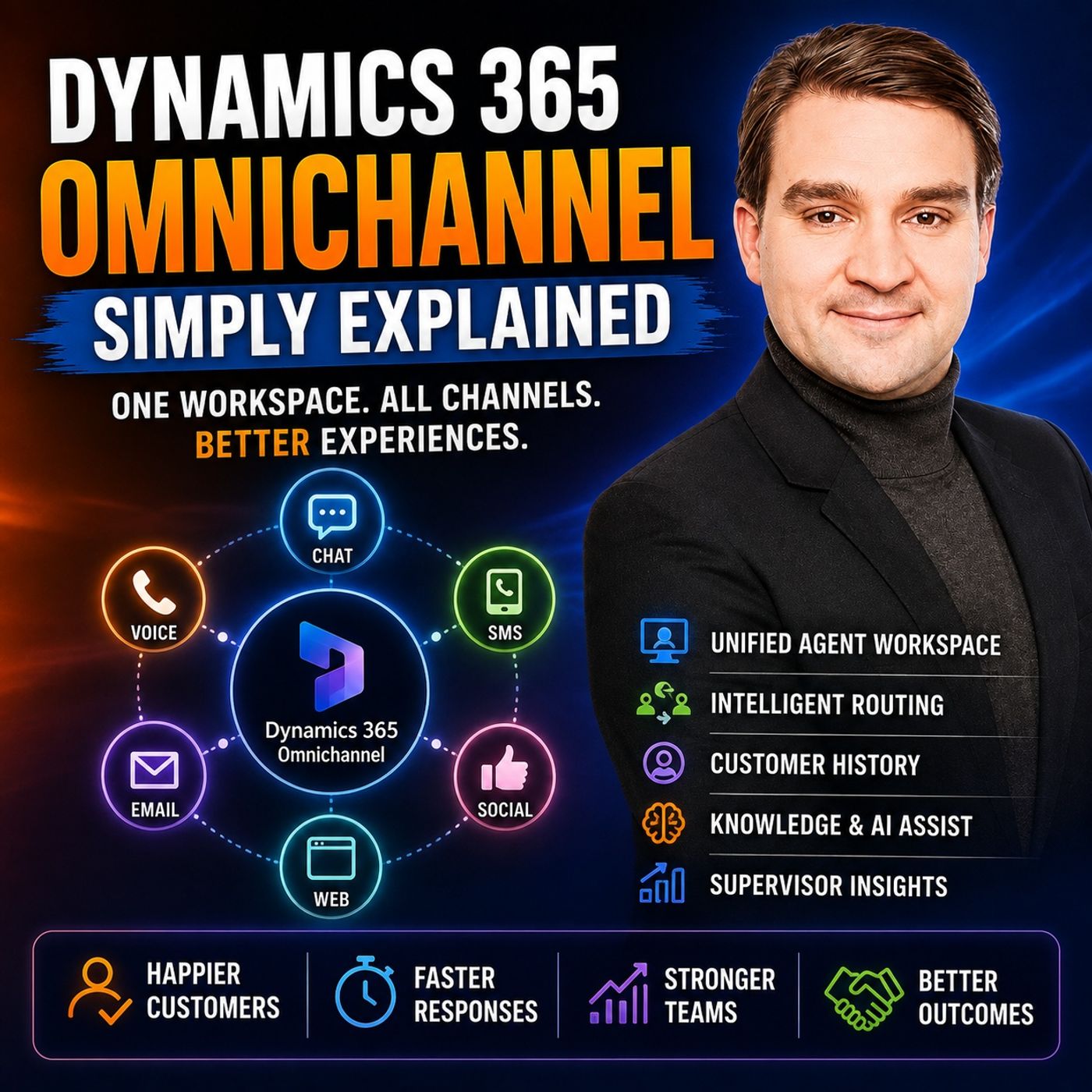
A customer starts a website chat because an order has not arrived. They explain the problem, provide the order number, and answer several questions. Later, they call the company—and the person on the phone asks them to explain everything again. For the customer, this makes little sense. They did not start a new problem. They simply changed the way they contacted the company. In https://www.m365.fm/dynamics-365-omnichannel-simply-explained/ of Microsoft Knowledge Nuggets on M365 FM, Mirko Peters explains Microsoft https://www.m365.fm/categories/dynamics-talk/ Omnichannel in plain English and shows how organizations can connect customer conversations across chat, voice, SMS, social messaging, and other service channels. We explore the unified agent workspace, customer identification, queues, Unified Routing, skills-based routing, agent presence, capacity, transfers, consultations, knowledge articles, quick replies, Copilot, Smart Assist, sentiment analysis, customer history, cases, transcripts, and supervisor analytics. The central idea is simple: customers can enter through many different doors, while agents work from one connected customer service desk. WHY SEPARATE CUSTOMER SERVICE CHANNELS CREATE PROBLEMS Traditional customer service often treats every communication channel as a separate system. Website chats appear in one application. Emails arrive in a shared mailbox. Calls are handled through another platform. Social messages may even be managed by a completely different department. Each system may work perfectly well individually, but the customer's story becomes fragmented. An agent answering the phone may not know that the customer already spent twenty minutes chatting with another employee earlier that day. The result is repetition, longer handling times, unnecessary searching, and frustrated customers. Dynamics 365 Omnichannel attempts to connect those pieces into a more consistent service experience. WHAT IS DYNAMICS 365 OMNICHANNEL? Think of Dynamics 365 Omnichannel as an office building with several front doors but one reception desk. Customers can enter through different communication channels. One person might use website chat. Another calls. Another sends a text message. Another contacts the organization through a supported social messaging channel. Behind those different entry points, Dynamics 365 provides a common customer service environment. The channel still matters because a live telephone call behaves differently from an asynchronous text conversation. But agents do not necessarily need completely separate working environments for every channel. THE UNIFIED AGENT WORKSPACE The agent workspace is where customer conversations come together. Instead of switching continually between a chat application, telephone system, CRM, knowledge base, and customer records, agents can work with conversations alongside relevant Dynamics 365 information. Each active piece of work can appear as a session or conversation. An agent might handle one customer chat and later move to another session without losing the original context. The workspace can also provide access to customer details, previous cases, activities, knowledge, notes, and other service information. This changes the agent's starting point from: "Can you explain everything again?" to: "I can see your previous interaction. Let's continue from there." IDENTIFYING THE CUSTOMER Connected customer history depends on knowing who the customer is. Sometimes Dynamics 365 already knows. For example, a customer may begin a conversation while authenticated through a connected customer experience. In other situations, somebody starts as an unknown website visitor. The agent can then request information such as an email address or order number and search for an existing contact. Once the conversation is associated with the correct customer or case, the transcript, notes, activities, and related service work can contribute to that customer's history. Customer identification is therefore an important part of making omnichannel actually feel connected. CASES KEEP CUSTOMER ISSUES TOGETHER Some questions can be solved during a single conversation. Others require follow-up. A case provides a structured Dynamics 365 record for an issue that needs to be tracked until resolution. Imagine a customer contacts support about a missing delivery. The initial chat does not solve the problem because another department needs to investigate. The agent creates or associates a case. When another employee later works on the issue, they can open that case and review the information already collected. The customer problem now has a persistent home instead of existing only inside one temporary conversation. ROUTING: GETTING CUSTOMERS TO THE RIGHT TEAM A unified workspace is useful only when customer requests reach appropriate employees. This is where routing becomes important. Dynamics 365 can place incoming work into queues representing different areas of responsibility. An organization might have queues for: Billing, deliveries, technical support, sales, or another service function. Routing rules can use information collected from the customer to determine where the conversation belongs. A billing question can go toward billing. A delivery problem can go toward the delivery team. The customer does not need to understand the queue architecture. They simply describe what they need. SKILLS-BASED ROUTING Being available does not automatically make somebody the correct agent. A customer may need assistance in German. Another customer may require an employee who understands a particular product. Another request may require specialized account knowledge. Dynamics 365 can use skills to describe what agents can handle and match those capabilities with customer requirements. Instead of routing work only according to who happens to be free, the system can consider whether the employee is actually suitable for the conversation. This can reduce transfers and improve the chance that the first agent receiving the request can help. PRESENCE AND AGENT CAPACITY The correct agent also needs to be available. Presence indicates whether an employee is available, busy, away, offline, or in another configured state. Capacity helps represent how much work that employee can handle. A voice call may require almost complete attention. Messaging conversations can behave differently because customers frequently pause between messages. An organization can therefore define workload rules appropriate to its service model. This helps avoid situations where one qualified employee receives conversation after conversation while another suitable agent remains available. TRANSFERS VS CONSULTATIONS Sometimes a conversation reaches the wrong team. An agent discovers that a customer actually needs billing rather than technical support. In that situation, the conversation can be transferred to another appropriate queue or person. But not every specialist question requires transferring the customer. A consultation allows the original agent to involve another employee for assistance while remaining responsible for the customer conversation. Instead of saying: "I'll transfer you." the agent can effectively say: "I'm checking this with our specialist." That distinction can reduce unnecessary handoffs and provide customers with a more continuous service experience. KNOWLEDGE ARTICLES AND QUICK REPLIES #Agents answer many similar questions every day. How do I reset my password? How do I return an item? Where can I download an invoice? What does this error message mean? Knowledge search allows employees to find approved information while the customer conversation remains open. Agents can use the article to guide their answer and, where appropriate, provide relevant information to the customer. Quick replies provide another productivity tool. Frequently used messages can be prepared in advance so employees do not need to type identical responses repeatedly. The agent still needs to review the response and make sure it actually fits the customer's situation. COPILOT AND SMART ASSIST AI capabilities can provide additional assistance where the organization has enabled them. Smart Assist can surface potentially useful knowledge articles, related information, or guidance. Copilot can help summarize longer conversations and, depending on the configured capabilities, assist with suggested responses. Imagine a customer spending ten minutes interacting before reaching a human agent. Instead of forcing the agent to read the complete conversation before understanding the problem, a summary can provide a faster overview of what the customer requested and what has already happened. These capabilities support the agent. They do not remove the need for review. The employee remains responsible for making sure information provided to the customer is appropriate and accurate. VOICE, TRANSCRIPTION AND SENTIMENT Voice scenarios can also include additional assistance. When supported voice capabilities are configured, live transcription can convert spoken conversation into text. This can help agents review product numbers, customer concerns, or commitments made during a call. Sentiment signals can provide another indicator. If a conversation appears increasingly negative, the agent may decide to slow down, clarify the problem, or acknowledge the customer's frustration more explicitly. But sentiment should not be treated as a definitive interpretation of someone's emotions. Sarcasm, language differences, communication style, and context can all affect the signal. Sentiment is therefore best treated as another piece of information—not a verdict about the customer. Become a supporter of this podcast: https://www.spreaker.com/podcast/m365-fm-microsoft-365-azure-cloud-power-platform-ai--6704921/support.
Apple Podcasts · Spotify · YouTube · Deezer
Host: Mirko Peters
Guests
Related articles
Transcript
Read the full transcript
So imagine this, you started chat on a company website because your order hasn't arrived. You explain the order number, what you've checked, and exactly what you need. Then the chat ends, so you decide to call the person on the phone asks the same questions all over again. Why? Because that chat lives in one tool, and the phone call lives in a completely different system. That's the old support model. Separate inboxes, separate tools, separate pieces of the same customer story, all scattered. Dynamics 365 OmniChannel pulls those conversations into one workspace. Think of it like an office building with multiple front doors, chat, phone, text, social messages. But behind them all is one reception desk. By the end of this knowledge nugget, you'll understand the channels, what the agent sees, how rooting works, the customer history, and what supervisors can monitor. Why separate channels create bad support? Let's stick with that missing order for a moment. A customer starts a website chat at lunch and says their order should have arrived yesterday. The agent asks for the order number checks the record and needs to ask the delivery team, but the answer doesn't come back in time so the customer has to leave. Later they send an email that email shows up in a shared mailbox where a different agent reads it. But this agent doesn't see the chat history, so they ask for the order number again and then ask the same questions the first agent already covered. Frustrated, the customer calls, a third agent picks up. They can see the customer's name, but the whole story is missing. So they ask, can you tell me what happened? From the customer's perspective, this feels off. They aren't thinking, I switch channels. They're thinking, I still need my order. Each channel feels like walking into a different branch of the same company where no one has seen the notes from the branch you just left. That's the reality of separate tools. Chat lives in a website tool, email lives in a shared mailbox, calls live in a phone system and social messages, sit with the marketing team. Everyone wants to help, but the information stays scattered everywhere. So the agent spends time searching instead of helping. They search for the customer record, check old cases, look through notes and ask colleagues if anyone already talked to this person. Sometimes they find the right information, sometimes they don't. Either way, the customer keeps waiting. A simple question turns into a long support journey because the story has been broken into pieces. And this creates headaches for the people managing the service team. A supervisor wants simple answers. How many customers are waiting, which team is overloaded? Are chats answered quickly while phone calls pile up? Which questions keep coming back? With separate tools, those answers live in separate places, too. One report shows phone activity, another shows web chat. A mailbox has unanswered emails, but it doesn't look like a queue the same way. A supervisor sees fragments, not the full picture. Imagine a physical support office. Without OmniChannel, chat requests come to one desk, phone calls ring at another, emails pile up in the back, and social messages land on someone's personal phone. Staff walk around trying to piece it all together. That setup works fine when there are only a few requests. But it gets tough when customers contact you often, use different methods, or need help from multiple teams. Dynamics 365 OmniChannel flips that. Customers can use whatever method works for them, while the service team keeps the context connected. As much as the organization's setup and customer identification allow. So a customer might start on chat, follow up with a text, or call later. The channel changes, but the service team has a better chance of seeing the same story, instead of starting from scratch. This doesn't mean every conversation connects by magic. The company still has to set up channels correctly, link records, and decide what information to collect. But the goal is clear, stop treating each message as an isolated event. One shared workspace changes what the agency's first. Yeah, I'm okay, show all. The unified agent desktop, the customer service desk. So what does the agent actually see when a customer contacts the company? Dynamics 365 OmniChannel gives the agent one working screen, often called the agent desktop or service workspace. ItoTeams, one place for all customer conversations. Oh, no more jumping between a chat window, a call window, and a text message app. That sounds simple, but it changes the whole job. Here, Altum has the thing. An agent does an ultimate need to learn a different way of working every time a customer uses a different channel. Whether a chat arrives, a phone call comes in, or an SMS shows up, the conversation appears in the same workspace with the same customer tools nearby. The channel still matters, though. An agent can see what they are to reworking on I/O, live chat, voice call, text, or a social message I/O, and that matters because a phone call needs an instant reply while a text can stretch out over hours. But the screen doesn't force the agent to jump between unrelated systems. Each piece of active work appears as a session or conversation, like an open work tab for one customer interaction. An agent might have a customer chat open in one session and then receive another item depending on how the company has set up workloads and capacity. The agent can move between those sessions without losing their place. And the conversation does not tempt, sit alone in an empty screen, all customer information appears right beside it. That includes the customer out-him ass name, contact details, previous cases, and earlier activities from Dynamics 365. So if the customer contacted support last week about a damaged item, the agent can see that history while handling today our team's question. This gives the agent a starting point. Instead of beginning with, how can you explain everything from the start? A-I-O, the agent can look at the record and ask a better question. Oh, I can see you contacted us about the delivery last week. Has the replacement arrived? Ota-Dotaum is a very different customer experience. How does Dynamics know who the customer is? Sometimes it already knows. If a customer uses chat while signed into a customer portal or another connected site, the chat links to that known person and the agent opens the conversation to see the matching record. Other times, the person starts as an unknown website visitor. A visitor might appear as a new chat user at first, but during the conversation, the agent can ask for an email address, search for an existing contact, or create a new one if the person is now temity already in the system. This step matters because a useful customer history depends on connecting the conversation to the right person. Once that link exists, the conversation stays connected to the contact record or to a case created for the issue. The transcript, notes, and related work become part of that customer AU, TM's service history after the active session ends. So if another agent follows up later, the ultimately not looking at a loose message with no background oh, they can open the customer or case record and see everything. The agent also gets tools for the work happening right now. Internal notes let an agent record information for colleagues without showing it to the customer. That might be something like our delivery team confirmed. The parcel is at the local depot or AU customer asked for an update tomorrow morning. AU, those notes stay inside the service team or team as view. When the question needs more followup, the agent can create a case or connect the conversation to a case already open. A case is simply the service record for an issue that needs to be tracked until somebody resolves it. Their items also knowledge search. Imagine the customer asks how to reset a device, return an item, or change an account detail AU. The agent can search approved knowledge articles from within their workspace instead of opening a separate browser, guessing or putting the customer on hold for too long. They can read the article, use it to guide the conversation and in some setups share a link with the customer. Saved replies also help with messages the team sends often. Agreeing a request for an order number or a standard update can be prepared in advance so the agent just selects it, checks it, fits and sends it. That saves typing, but it should note that it turns support into copy and paste conversations out the agent still needs to read the customer out 10 minutes actual question. The same working pattern follows the agent across connected channels, whether it outens chat, voice, SMS or social messaging, the agent sees the thread, works the call, or manages the exchange, AU, all with the same customer information and service tools beside them. Different channels have different rules and speeds, but the agent does now admit need to start from scratch every time one arrives. That gives the service team one consistent place to work. But the workspace only helps once the customer out teams request reaches the person who can handle it. Routing, the reception desk behind the scenes. Before an agent sees a new chat or call, Dynamics 365 OmniChannel can already be working out where it should go. Think about a customer service department in a busy store. There is no timid one person who can answer every question or billing questions need the billing team, delivery problems need someone who can check shipments, sales questions need a sales team, and technical support needs people who know the product. So the first job is now, TEMPT answering the question, AU. Ito TEMPASSES getting the question to the right place. In Dynamics 365 OmniChannel, that place is called a Q-I-U, a waiting line for a certain type of work. You might create one queue for support, another for billing, another for deliveries, and another for sales. Each queue has people who can handle that type of conversation. A customer should know, team, need to know about queues, AU. They just choose chat, call a number, or send a message. And OmniChannel uses the available information to place the request in the right waiting line. That process is called routing. Routine can start with a few simple questions before the customer reaches an agent. A website chat might ask, "Oh, what do you need help with?" AU and the customer picks billing, delivery, product support, or something else. It could also ask for an order number, account number, preferred language, or the product they need help with. These are no-E-TEMPT questions, just to collect more forms, though, they help the service team understand where the request belongs. Imagine somebody writes, "AO me invoice" shows the wrong amount, AO, AO, AO, that should go to billing, not to an agent who only handles delivery dates. Or if a customer selects German as their preferred language, the system can look for a queue or agent set up to handle German conversations. The customer shares a small amount of information once, and the agent can start with that information already available. Behind the scenes, routing rules read those details. A rule can be as simple as, if the customer selects our delivery issue, output the conversation in the delivery queue, if they select our technical support, I do send it to the support queue. Rules can also look at skills. A skill is a label that describes what an agent can handle, a U. One agent may know a certain product line, another may speak a particular language, another may handle account changes. On me channel matches customer requests with people who have the right skills. That means the system does noten't just send work to the next available person, or it tries to send it to the person who fits the request. Of course, the right person also needs to be ready to take it. Agents use presence to show their status, A U available, busy, away, offline or other. If someone is offline, the system won't out empty sent them a live chat. If someone is already handling several conversations, the system can avoid piling on more work than their capacity allows. Capacity is simply a limit, for example. A team may decide an agent can handle a certain number of message conversations at once. A voice call might take all of that agent out there's attention while short texts can allow multiple active sessions. The exact rules depend on the service team. What matters is that OmniChannel considers availability and workload before sending the next request, which helps avoid the common problem of one agent getting overloaded while another qualified person sits free. When a conversation reaches an agent, they can accept it or reject it if unable to take it, depending on the company out TMR setup. The request then returns to the queue or continues through routing. Sometimes the agent accepts the conversation and quickly spots a mismatch. Perhaps the support agent realizes the customer actually needs billing, oh, rather than trying to solve it themselves, they can transfer the conversation to another queue or to a suitable person. A transfer moves responsibility for the customer conversation, but not every problem needs a transfer. Imagine an agent helping a customer with a product fault needs one answer from a technical specialist. The customer does now need to be pushed into another waiting line, oh, the agent can start a consult. A consult brings another person into the work without taking the customer out of the conversation. The specialist helps the agent with the answer while the original agent stays with the customer. So the customer still has one person speaking to them and the agent gets help without forcing a handoff. This feels small but prevents a lot of frustration, oh, instead of hearing, oh, yo, to more transfer you, oh, the customer, here's oh, yo, to remember checking this with our specialist now. A routeing puts the right request in front of the right people more often and consults reduce unnecessary handoffs when an agent needs backup. But even a well-rooted conversation can involve difficult questions, long histories and details and agent needs to find quickly. Tools that help agents respond without guessing. Once the agent has the customer in front of them, the next challenge is speed without sounding rushed. Some messages come up again and again. Thanks for contacting us. Could you share your order number? I'm checking that for you now. Dynamics 365. OmniChannel can give agents quick replies for these common moments. A quick reply is a prepared message the agent can select instead of typing from scratch every time. That saves time, especially during busy chat periods, but the agent should still read it before sending it. A prepared reply works best as a starting point, not as a substitute for paying attention. A customer with a missing order doesn't want a generic message that ignores what they just explained. Knowledge articles help with the next part. Most service teams answer the same kinds of questions every day are how to reset a password, download an invoice, return an item, or understand an error message. Instead of relying on memory, an agent can search the company knowledge base while the conversation is still open. They might read an approved article, follow its steps with the customer or send the customer a link. That keeps answers consistent across the team and gives the customer something useful to refer back to after the chat or call ends. But here's the thing. The knowledge article should still fit the customer's situation. Sending a link without checking it is like handing somebody a manual without opening it to the right page. The agent needs to confirm that the instructions apply before sharing them. Sometimes the agent needs help from a colleague, but the customer shouldn't see that internal conversation. OmniChannel can keep internal messages separate from customer facing replies. An agent might ask a colleague, can you confirm whether this order can still be changed? I'll team that it out then, Katatis, guess it is. The colleague responds inside the workspace while the customer only sees the final answer written just for them. Internal notes work in a similar way, and agent can record details the team needs later without putting them into the customer chat. This keeps the customer conversation clean while giving the service team a place to keep useful working information. Now there are also AI tools where the organization has turned them on. Smart Assist can suggest knowledge articles related information or guidance that may help with the conversation. Copilot can create a summary of a long conversation and in some setups suggest a response that can save an agent from scrolling through a long message thread to work out what has already happened. Imagine a customer spend 10 minutes talking to a bot then reach the person. A short summary can tell the agent what the customer asked, what steps they already tried, and why they now need human help. The agent can start from that point. Still, suggestions are suggestions. An agent needs to check the article, read the summary, and make sure any suggested response is accurate before sending it. The tool can speed up the work, but the person remains responsible for the answer. Voice conversations can bring similar help. When voice features are enabled, the system can provide live transcription so spoken words appear as text during the call. It can also show sentiment signals and AI suggestions based on the conversation. A transcript helps when an agent needs to check a product number, a promise made during the call, or the exact wording of a customer concern. It also makes the later wrap up easier because the agent has a written record to work from. Sentiment needs a little care. A sentiment signal tries to show whether the conversation appears positive, neutral, or negative. If a customer's language or tone starts to sound frustrated, the agent may see that signal and slow down, ask a clearer question, or acknowledge the problem directly. But sentiment is not a verdict. People use sarcasm. People sound short when they are busy. A customer can sound calm while being deeply unhappy. The agent should treat sentiment as a prompt to listen more carefully, not as a label that explains the person. When the customer conversation ends, the agent usually gets a wrap up period. This is the short window where they can add notes, update customer details, create a case, or link the conversation to a case already open. Then they close the conversation when the record is complete. That last step matters because the next person who deals with the customer needs more than a closed chat window. They need the useful information left behind. One customer record, not a trail of lost conversations. After the wrap up, the conversation doesn't just disappear. When it connects to the right contact or case, Dynamics 365 keeps a service trail that another agent can open later, rather than asking the customer to explain the whole issue again. That trail can include the conversation transcript, internal notes, the channel the customer used, the queue where it arrived, the agent who worked on it, and when the conversation took place. So imagine a visitor opens a website chat and asks why an order hasn't arrived. At first, the visitor may not match a known customer record. The agent asks for an email address or order number, finds the right customer and links the chat to that person. If the order needs more work, the agent creates a case for the delivery issue. Now the issue has a home. The customer may leave the chat because they need to get back to work. Later, a different agent follows up through another connected channel. Instead of seeing only a new message, asking about a late order, that agent can open the case and see the chat, the order details, the notes, and the steps already taken. The follow-up starts in the middle of the story where it should. That is what people mean when they talk about context, following the customer. The customer might use a different door, but the service record gives the next agent a place to look before they respond. There are limits though, a conversation only links correctly when the organization has connected its channels and can identify the customer. An unknown visitor is still unknown until the agent matches them with an existing contact or creates a new one. Persistent chat also depends on the company setup. Some organizations allow a customer to return and continue a previous chat. Others may end the chat and start a new one. The same applies to transcript options. A company can decide whether customers can download a transcript or receive one by email, depending on how it has configured the channel. So OmniChannel doesn't promise that every message from every place will join itself automatically. It gives the service team the structure to keep conversations together when records, channels, and processes connect properly. That history helps the person dealing with one customer. Service leaders need a wider view too, because they need to see what is happening across the whole team. What supervisors can see and improve? So you owe them the setup OmniChannel for customer service. But what can supervisors actually see and how do they make things better? Supervisors don't know and just need to know if a single case got closed. They need to see where work is piling up right now. Real-time dashboards show cues, waiting conversations, available agents, and active work. If the delivery cue suddenly fills up while the billing team has spare capacity, the supervisor spots the pressure before customers wait too long. They also see whether agents are busy, available, or already working at their limit. That turns staffing from guesswork into something data-driven. Now, historical reports answer different questions. How many conversations arrived last week? How long did customers wait? How long did agents spend handling each type of request? Which issues took several contacts to resolve? What feedback did customers leave after the interaction? Those patents give the team something concrete to act on. A channel, Aubyour, channel view can also expose problems that stay hidden in a single overall number. Website chat might run smoothly while text messages pile up. Phone calls could be handled quickly, while social messages wait hours after business hours. The supervisor can then dig into the cause, maybe the team needs more people at a certain time, maybe a routing rule sends too much work to one cue. Maybe customers keep asking a question because a knowledge article is unclear. Or maybe agents need more training on a product or process. Depending on setup, supervisors can also jump into a live conversation. They can help with a difficult request, coach an agent, or bring in the right person before the customer has to wait for a later follow-up. Reports don't out-tem, replace good judgment. But they give supervisors a cleaner picture of what customers experience, what agents deal with, and where the service process needs attention. Once you view OmniChannel as connected building blocks, the name starts to make perfect sense. Conclusion, the connected service desk, customers can reach you through many doors, O-Phone, email, chat, social. But your agents work from one connected service desk with the full customer context they need. That outcomes the whole idea. Thanks for tuning in to another knowledge nugget. Iow, Tim, and MirkoPeters from M365FM, subscribe for more Dynamics 365 and Microsoft 365 explanations in plain English. And share this episode with someone who still thinks OmniChannel is just a chat widget.