


 Apple Podcasts
 Spotify
 Youtube Music
 Spreaker
 Podchaser
 Amazon Music
 Dynamics 365 Omnichannel - Simply Explained
Key Takeaways
- Traditional customer service often treats every communication channel as a separate system, creating a fragmented customer story and frustrated users.
- Dynamics 365 Omnichannel allows organizations to connect customer conversations across chat, voice, SMS, and social messaging into a single unified agent workspace.
- Customer identification is vital for connecting ongoing interactions to existing contact records, past cases, and comprehensive service histories.
- Advanced routing and skills-based matching ensure that customer requests are automatically directed to the most qualified available agent rather than just the next free person.
- Built-in AI tools like Copilot and Smart Assist help agents summarize long conversations, surface relevant knowledge articles, and respond more efficiently.
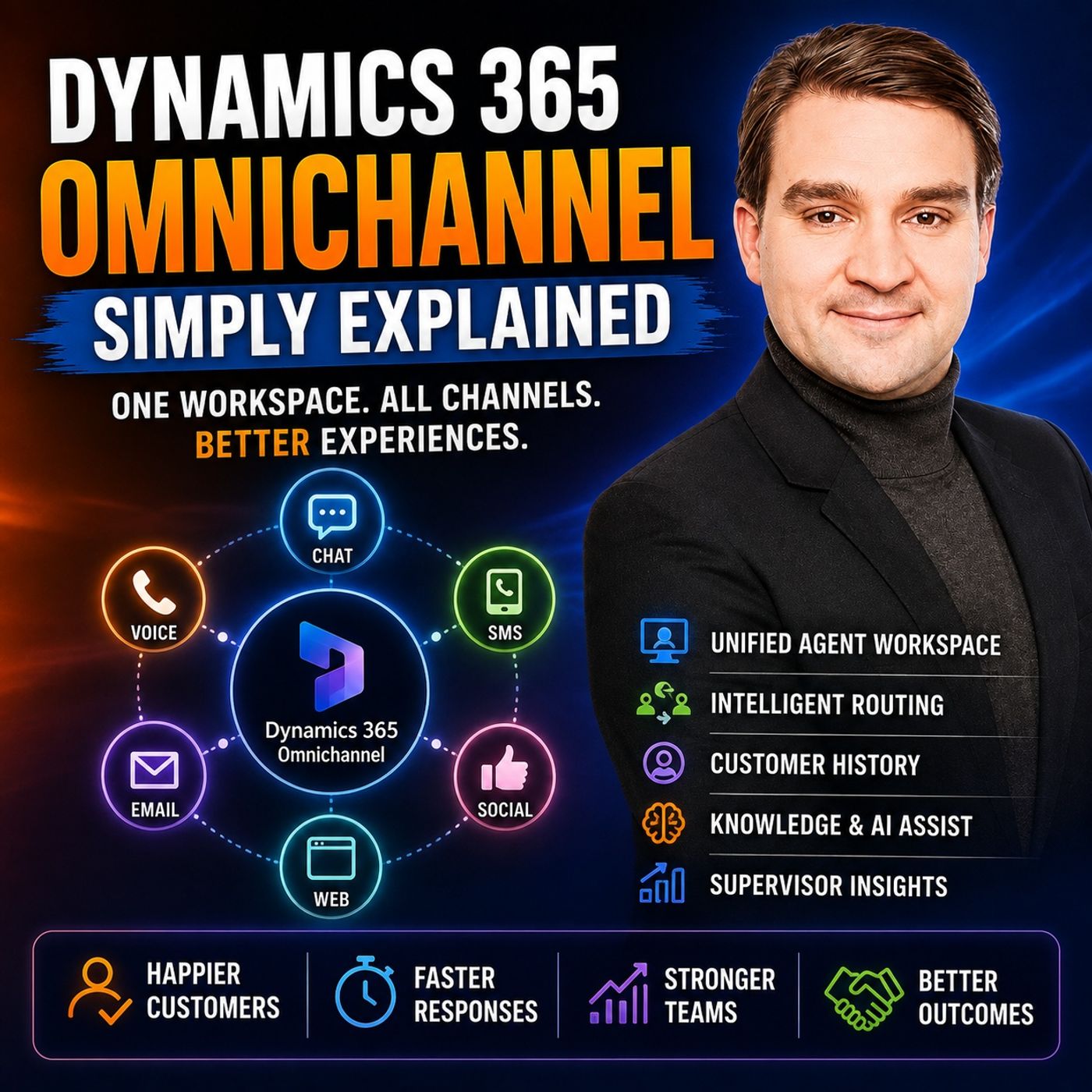
A customer starts a website chat because an order has not arrived. They explain the problem, provide the order number, and answer several questions. Later, they call the company—and the person on the phone asks them to explain everything again. For the customer, this makes little sense. They did not start a new problem. They simply changed the way they contacted the company. In this episode of Microsoft Knowledge Nuggets on M365 FM, Mirko Peters explains Microsoft Dynamics 365 Omnichannel in plain English and shows how organizations can connect customer conversations across chat, voice, SMS, social messaging, and other service channels. We explore the unified agent workspace, customer identification, queues, Unified Routing, skills-based routing, agent presence, capacity, transfers, consultations, knowledge articles, quick replies, Copilot, Smart Assist, sentiment analysis, customer history, cases, transcripts, and supervisor analytics. The central idea is simple: customers can enter through many different doors, while agents work from one connected customer service desk.
WHY SEPARATE CUSTOMER SERVICE CHANNELS CREATE PROBLEMS
Traditional customer service often treats every communication channel as a separate system. Website chats appear in one application. Emails arrive in a shared mailbox. Calls are handled through another platform. Social messages may even be managed by a completely different department. Each system may work perfectly well individually, but the customer's story becomes fragmented. An agent answering the phone may not know that the customer already spent twenty minutes chatting with another employee earlier that day. The result is repetition, longer handling times, unnecessary searching, and frustrated customers. Dynamics 365 Omnichannel attempts to connect those pieces into a more consistent service experience.
WHAT IS DYNAMICS 365 OMNICHANNEL?
Think of Dynamics 365 Omnichannel as an office building with several front doors but one reception desk. Customers can enter through different communication channels. One person might use website chat. Another calls. Another sends a text message. Another contacts the organization through a supported social messaging channel. Behind those different entry points, Dynamics 365 provides a common customer service environment. The channel still matters because a live telephone call behaves differently from an asynchronous text conversation. But agents do not necessarily need completely separate working environments for every channel.
THE UNIFIED AGENT WORKSPACE
The agent workspace is where customer conversations come together. Instead of switching continually between a chat application, telephone system, CRM, knowledge base, and customer records, agents can work with conversations alongside relevant Dynamics 365 information. Each active piece of work can appear as a session or conversation. An agent might handle one customer chat and later move to another session without losing the original context. The workspace can also provide access to customer details, previous cases, activities, knowledge, notes, and other service information. This changes the agent's starting point from: "Can you explain everything again?" to: "I can see your previous interaction. Let's continue from there."
IDENTIFYING THE CUSTOMER
Connected customer history depends on knowing who the customer is. Sometimes Dynamics 365 already knows. For example, a customer may begin a conversation while authenticated through a connected customer experience. In other situations, somebody starts as an unknown website visitor. The agent can then request information such as an email address or order number and search for an existing contact. Once the conversation is associated with the correct customer or case, the transcript, notes, activities, and related service work can contribute to that customer's history. Customer identification is therefore an important part of making omnichannel actually feel connected.
CASES KEEP CUSTOMER ISSUES TOGETHER
Some questions can be solved during a single conversation. Others require follow-up. A case provides a structured Dynamics 365 record for an issue that needs to be tracked until resolution. Imagine a customer contacts support about a missing delivery. The initial chat does not solve the problem because another department needs to investigate. The agent creates or associates a case. When another employee later works on the issue, they can open that case and review the information already collected. The customer problem now has a persistent home instead of existing only inside one temporary conversation.
ROUTING: GETTING CUSTOMERS TO THE RIGHT TEAM
A unified workspace is useful only when customer requests reach appropriate employees. This is where routing becomes important. Dynamics 365 can place incoming work into queues representing different areas of responsibility. An organization might have queues for: Billing, deliveries, technical support, sales, or another service function. Routing rules can use information collected from the customer to determine where the conversation belongs. A billing question can go toward billing. A delivery problem can go toward the delivery team. The customer does not need to understand the queue architecture. They simply describe what they need.
SKILLS-BASED ROUTING
Being available does not automatically make somebody the correct agent. A customer may need assistance in German. Another customer may require an employee who understands a particular product. Another request may require specialized account knowledge. Dynamics 365 can use skills to describe what agents can handle and match those capabilities with customer requirements. Instead of routing work only according to who happens to be free, the system can consider whether the employee is actually suitable for the conversation. This can reduce transfers and improve the chance that the first agent receiving the request can help.
PRESENCE AND AGENT CAPACITY
The correct agent also needs to be available. Presence indicates whether an employee is available, busy, away, offline, or in another configured state. Capacity helps represent how much work that employee can handle. A voice call may require almost complete attention. Messaging conversations can behave differently because customers frequently pause between messages. An organization can therefore define workload rules appropriate to its service model. This helps avoid situations where one qualified employee receives conversation after conversation while another suitable agent remains available.
TRANSFERS VS CONSULTATIONS
Sometimes a conversation reaches the wrong team. An agent discovers that a customer actually needs billing rather than technical support. In that situation, the conversation can be transferred to another appropriate queue or person. But not every specialist question requires transferring the customer. A consultation allows the original agent to involve another employee for assistance while remaining responsible for the customer conversation. Instead of saying: "I'll transfer you." the agent can effectively say: "I'm checking this with our specialist." That distinction can reduce unnecessary handoffs and provide customers with a more continuous service experience.
KNOWLEDGE ARTICLES AND QUICK REPLIES
#Agents answer many similar questions every day. How do I reset my password? How do I return an item? Where can I download an invoice? What does this error message mean? Knowledge search allows employees to find approved information while the customer conversation remains open. Agents can use the article to guide their answer and, where appropriate, provide relevant information to the customer. Quick replies provide another productivity tool. Frequently used messages can be prepared in advance so employees do not need to type identical responses repeatedly. The agent still needs to review the response and make sure it actually fits the customer's situation.
COPILOT AND SMART ASSIST
AI capabilities can provide additional assistance where the organization has enabled them. Smart Assist can surface potentially useful knowledge articles, related information, or guidance. Copilot can help summarize longer conversations and, depending on the configured capabilities, assist with suggested responses. Imagine a customer spending ten minutes interacting before reaching a human agent. Instead of forcing the agent to read the complete conversation before understanding the problem, a summary can provide a faster overview of what the customer requested and what has already happened. These capabilities support the agent. They do not remove the need for review. The employee remains responsible for making sure information provided to the customer is appropriate and accurate.
VOICE, TRANSCRIPTION AND SENTIMENT
Voice scenarios can also include additional assistance. When supported voice capabilities are configured, live transcription can convert spoken conversation into text. This can help agents review product numbers, customer concerns, or commitments made during a call. Sentiment signals can provide another indicator. If a conversation appears increasingly negative, the agent may decide to slow down, clarify the problem, or acknowledge the customer's frustration more explicitly. But sentiment should not be treated as a definitive interpretation of someone's emotions. Sarcasm, language differences, communication style, and context can all affect the signal. Sentiment is therefore best treated as another piece of information—not a verdict about the customer.
Become a supporter of this podcast: https://www.spreaker.com/podcast/m365-fm-modern-work-security-and-productivity-with-microsoft-365--6704921/support.
🚀 Want to be part of m365.fm?
Then stop just listening… and start showing up.
👉 Connect with me on LinkedIn and let’s make something happen:
- 🎙️ Be a podcast guest and share your story
- 🎧 Host your own episode (yes, seriously)
- 💡 Pitch topics the community actually wants to hear
- 🌍 Build your personal brand in the Microsoft 365 space
This isn’t just a podcast — it’s a platform for people who take action.
🔥 Most people wait. The best ones don’t.
👉 Connect with me on LinkedIn and send me a message:
"I want in"
Let’s build something awesome 👊
Frequently Asked Questions
What is Microsoft Dynamics 365 Omnichannel?
Microsoft Dynamics 365 Omnichannel is a customer service solution that connects conversations from multiple channels like chat, voice, SMS, and social messaging into a single unified workspace, allowing agents to view complete customer histories.
How does skills-based routing work in Dynamics 365 Omnichannel?
Skills-based routing matches incoming customer requests with agents who possess the specific capabilities required for the issue, such as language proficiency or product specialization, rather than simply routing to the next available person.
What is the difference between a transfer and a consultation in Dynamics 365 Omnichannel?
A transfer hands off the responsibility of the customer conversation entirely to another queue or agent. A consultation allows the original agent to bring another specialist into the conversation for help while remaining the primary point of contact for the customer.
00:00:00,000 --> 00:00:02,400
So imagine this, you started chat on a company website
2
00:00:02,400 --> 00:00:03,960
because your order hasn't arrived.
3
00:00:03,960 --> 00:00:05,880
You explain the order number, what you've checked,
4
00:00:05,880 --> 00:00:07,160
and exactly what you need.
5
00:00:07,160 --> 00:00:10,000
Then the chat ends, so you decide to call the person on the phone
6
00:00:10,000 --> 00:00:11,960
asks the same questions all over again.
7
00:00:11,960 --> 00:00:12,960
Why?
8
00:00:12,960 --> 00:00:15,040
Because that chat lives in one tool, and the phone call
9
00:00:15,040 --> 00:00:16,680
lives in a completely different system.
10
00:00:16,680 --> 00:00:17,920
That's the old support model.
11
00:00:17,920 --> 00:00:20,800
Separate inboxes, separate tools, separate pieces
12
00:00:20,800 --> 00:00:23,240
of the same customer story, all scattered.
13
00:00:23,240 --> 00:00:26,000
Dynamics 365 OmniChannel pulls those conversations
14
00:00:26,000 --> 00:00:27,280
into one workspace.
15
00:00:27,280 --> 00:00:28,520
Think of it like an office building
16
00:00:28,520 --> 00:00:32,600
with multiple front doors, chat, phone, text, social messages.
17
00:00:32,600 --> 00:00:34,800
But behind them all is one reception desk.
18
00:00:34,800 --> 00:00:36,040
By the end of this knowledge nugget,
19
00:00:36,040 --> 00:00:38,680
you'll understand the channels, what the agent sees,
20
00:00:38,680 --> 00:00:40,400
how rooting works, the customer history,
21
00:00:40,400 --> 00:00:43,240
and what supervisors can monitor.
22
00:00:43,240 --> 00:00:46,240
Why separate channels create bad support?
23
00:00:46,240 --> 00:00:48,240
Let's stick with that missing order for a moment.
24
00:00:48,240 --> 00:00:50,320
A customer starts a website chat at lunch
25
00:00:50,320 --> 00:00:52,720
and says their order should have arrived yesterday.
26
00:00:52,720 --> 00:00:55,240
The agent asks for the order number checks the record
27
00:00:55,240 --> 00:00:57,040
and needs to ask the delivery team,
28
00:00:57,040 --> 00:00:58,680
but the answer doesn't come back in time
29
00:00:58,680 --> 00:01:00,120
so the customer has to leave.
30
00:01:00,120 --> 00:01:02,320
Later they send an email that email shows up
31
00:01:02,320 --> 00:01:04,800
in a shared mailbox where a different agent reads it.
32
00:01:04,800 --> 00:01:06,360
But this agent doesn't see the chat history,
33
00:01:06,360 --> 00:01:08,040
so they ask for the order number again
34
00:01:08,040 --> 00:01:09,360
and then ask the same questions
35
00:01:09,360 --> 00:01:10,920
the first agent already covered.
36
00:01:10,920 --> 00:01:13,720
Frustrated, the customer calls, a third agent picks up.
37
00:01:13,720 --> 00:01:14,840
They can see the customer's name,
38
00:01:14,840 --> 00:01:16,480
but the whole story is missing.
39
00:01:16,480 --> 00:01:18,720
So they ask, can you tell me what happened?
40
00:01:18,720 --> 00:01:21,000
From the customer's perspective, this feels off.
41
00:01:21,000 --> 00:01:23,120
They aren't thinking, I switch channels.
42
00:01:23,120 --> 00:01:25,800
They're thinking, I still need my order.
43
00:01:25,800 --> 00:01:28,000
Each channel feels like walking into a different branch
44
00:01:28,000 --> 00:01:29,880
of the same company where no one has seen the notes
45
00:01:29,880 --> 00:01:31,240
from the branch you just left.
46
00:01:31,240 --> 00:01:32,960
That's the reality of separate tools.
47
00:01:32,960 --> 00:01:36,280
Chat lives in a website tool, email lives in a shared mailbox,
48
00:01:36,280 --> 00:01:38,680
calls live in a phone system and social messages,
49
00:01:38,680 --> 00:01:40,200
sit with the marketing team.
50
00:01:40,200 --> 00:01:41,880
Everyone wants to help, but the information
51
00:01:41,880 --> 00:01:43,160
stays scattered everywhere.
52
00:01:43,160 --> 00:01:45,760
So the agent spends time searching instead of helping.
53
00:01:45,760 --> 00:01:48,120
They search for the customer record, check old cases,
54
00:01:48,120 --> 00:01:49,440
look through notes and ask colleagues
55
00:01:49,440 --> 00:01:51,280
if anyone already talked to this person.
56
00:01:51,280 --> 00:01:52,880
Sometimes they find the right information,
57
00:01:52,880 --> 00:01:54,040
sometimes they don't.
58
00:01:54,040 --> 00:01:56,000
Either way, the customer keeps waiting.
59
00:01:56,000 --> 00:01:58,360
A simple question turns into a long support journey
60
00:01:58,360 --> 00:02:00,800
because the story has been broken into pieces.
61
00:02:00,800 --> 00:02:02,520
And this creates headaches for the people
62
00:02:02,520 --> 00:02:03,880
managing the service team.
63
00:02:03,880 --> 00:02:05,800
A supervisor wants simple answers.
64
00:02:05,800 --> 00:02:08,960
How many customers are waiting, which team is overloaded?
65
00:02:08,960 --> 00:02:11,600
Are chats answered quickly while phone calls pile up?
66
00:02:11,600 --> 00:02:13,080
Which questions keep coming back?
67
00:02:13,080 --> 00:02:15,960
With separate tools, those answers live in separate places, too.
68
00:02:15,960 --> 00:02:18,960
One report shows phone activity, another shows web chat.
69
00:02:18,960 --> 00:02:20,680
A mailbox has unanswered emails,
70
00:02:20,680 --> 00:02:22,720
but it doesn't look like a queue the same way.
71
00:02:22,720 --> 00:02:24,920
A supervisor sees fragments, not the full picture.
72
00:02:24,920 --> 00:02:26,840
Imagine a physical support office.
73
00:02:26,840 --> 00:02:29,560
Without OmniChannel, chat requests come to one desk,
74
00:02:29,560 --> 00:02:32,560
phone calls ring at another, emails pile up in the back,
75
00:02:32,560 --> 00:02:35,200
and social messages land on someone's personal phone.
76
00:02:35,200 --> 00:02:37,560
Staff walk around trying to piece it all together.
77
00:02:37,560 --> 00:02:40,480
That setup works fine when there are only a few requests.
78
00:02:40,480 --> 00:02:43,000
But it gets tough when customers contact you often,
79
00:02:43,000 --> 00:02:45,760
use different methods, or need help from multiple teams.
80
00:02:45,760 --> 00:02:48,000
Dynamics 365 OmniChannel flips that.
81
00:02:48,000 --> 00:02:50,280
Customers can use whatever method works for them,
82
00:02:50,280 --> 00:02:52,760
while the service team keeps the context connected.
83
00:02:52,760 --> 00:02:54,480
As much as the organization's setup
84
00:02:54,480 --> 00:02:56,280
and customer identification allow.
85
00:02:56,280 --> 00:02:57,720
So a customer might start on chat,
86
00:02:57,720 --> 00:02:59,680
follow up with a text, or call later.
87
00:02:59,680 --> 00:03:02,280
The channel changes, but the service team has a better chance
88
00:03:02,280 --> 00:03:05,040
of seeing the same story, instead of starting from scratch.
89
00:03:05,040 --> 00:03:07,440
This doesn't mean every conversation connects by magic.
90
00:03:07,440 --> 00:03:09,240
The company still has to set up channels correctly,
91
00:03:09,240 --> 00:03:11,520
link records, and decide what information to collect.
92
00:03:11,520 --> 00:03:13,840
But the goal is clear, stop treating each message
93
00:03:13,840 --> 00:03:15,240
as an isolated event.
94
00:03:15,240 --> 00:03:18,320
One shared workspace changes what the agency's first.
95
00:03:18,320 --> 00:03:20,760
Yeah, I'm okay, show all.
96
00:03:20,760 --> 00:03:24,240
The unified agent desktop, the customer service desk.
97
00:03:24,240 --> 00:03:26,080
So what does the agent actually see
98
00:03:26,080 --> 00:03:27,720
when a customer contacts the company?
99
00:03:27,720 --> 00:03:31,280
Dynamics 365 OmniChannel gives the agent one working screen,
100
00:03:31,280 --> 00:03:34,280
often called the agent desktop or service workspace.
101
00:03:34,280 --> 00:03:37,120
ItoTeams, one place for all customer conversations.
102
00:03:37,120 --> 00:03:40,520
Oh, no more jumping between a chat window, a call window,
103
00:03:40,520 --> 00:03:41,480
and a text message app.
104
00:03:41,480 --> 00:03:44,240
That sounds simple, but it changes the whole job.
105
00:03:44,240 --> 00:03:45,720
Here, Altum has the thing.
106
00:03:45,720 --> 00:03:47,560
An agent does an ultimate need to learn a different way
107
00:03:47,560 --> 00:03:50,200
of working every time a customer uses a different channel.
108
00:03:50,200 --> 00:03:52,560
Whether a chat arrives, a phone call comes in,
109
00:03:52,560 --> 00:03:54,600
or an SMS shows up, the conversation
110
00:03:54,600 --> 00:03:58,360
appears in the same workspace with the same customer tools nearby.
111
00:03:58,360 --> 00:04:00,040
The channel still matters, though.
112
00:04:00,040 --> 00:04:03,560
An agent can see what they are to reworking on I/O,
113
00:04:03,560 --> 00:04:07,320
live chat, voice call, text, or a social message I/O,
114
00:04:07,320 --> 00:04:10,440
and that matters because a phone call needs an instant reply
115
00:04:10,440 --> 00:04:13,040
while a text can stretch out over hours.
116
00:04:13,040 --> 00:04:14,400
But the screen doesn't force the agent
117
00:04:14,400 --> 00:04:16,400
to jump between unrelated systems.
118
00:04:16,400 --> 00:04:19,120
Each piece of active work appears as a session or conversation,
119
00:04:19,120 --> 00:04:21,600
like an open work tab for one customer interaction.
120
00:04:21,600 --> 00:04:24,240
An agent might have a customer chat open in one session
121
00:04:24,240 --> 00:04:25,840
and then receive another item depending
122
00:04:25,840 --> 00:04:28,720
on how the company has set up workloads and capacity.
123
00:04:28,720 --> 00:04:30,560
The agent can move between those sessions
124
00:04:30,560 --> 00:04:32,160
without losing their place.
125
00:04:32,160 --> 00:04:33,600
And the conversation does not tempt,
126
00:04:33,600 --> 00:04:36,800
sit alone in an empty screen, all customer information
127
00:04:36,800 --> 00:04:38,160
appears right beside it.
128
00:04:38,160 --> 00:04:41,280
That includes the customer out-him ass name, contact details,
129
00:04:41,280 --> 00:04:44,920
previous cases, and earlier activities from Dynamics 365.
130
00:04:44,920 --> 00:04:47,000
So if the customer contacted support last week
131
00:04:47,000 --> 00:04:49,880
about a damaged item, the agent can see that history
132
00:04:49,880 --> 00:04:52,000
while handling today our team's question.
133
00:04:52,000 --> 00:04:53,840
This gives the agent a starting point.
134
00:04:53,840 --> 00:04:55,880
Instead of beginning with, how can you explain everything
135
00:04:55,880 --> 00:04:56,560
from the start?
136
00:04:56,560 --> 00:04:58,240
A-I-O, the agent can look at the record
137
00:04:58,240 --> 00:04:59,520
and ask a better question.
138
00:04:59,520 --> 00:05:02,640
Oh, I can see you contacted us about the delivery last week.
139
00:05:02,640 --> 00:05:03,800
Has the replacement arrived?
140
00:05:03,800 --> 00:05:06,240
Ota-Dotaum is a very different customer experience.
141
00:05:06,240 --> 00:05:08,400
How does Dynamics know who the customer is?
142
00:05:08,400 --> 00:05:09,720
Sometimes it already knows.
143
00:05:09,720 --> 00:05:13,080
If a customer uses chat while signed into a customer portal
144
00:05:13,080 --> 00:05:16,880
or another connected site, the chat links to that known person
145
00:05:16,880 --> 00:05:18,600
and the agent opens the conversation
146
00:05:18,600 --> 00:05:20,080
to see the matching record.
147
00:05:20,080 --> 00:05:23,080
Other times, the person starts as an unknown website visitor.
148
00:05:23,080 --> 00:05:25,720
A visitor might appear as a new chat user at first,
149
00:05:25,720 --> 00:05:27,280
but during the conversation, the agent
150
00:05:27,280 --> 00:05:30,440
can ask for an email address, search for an existing contact,
151
00:05:30,440 --> 00:05:32,640
or create a new one if the person is now
152
00:05:32,640 --> 00:05:35,640
temity already in the system.
153
00:05:35,640 --> 00:05:38,120
This step matters because a useful customer history
154
00:05:38,120 --> 00:05:40,800
depends on connecting the conversation to the right person.
155
00:05:40,800 --> 00:05:42,800
Once that link exists, the conversation
156
00:05:42,800 --> 00:05:44,880
stays connected to the contact record
157
00:05:44,880 --> 00:05:46,880
or to a case created for the issue.
158
00:05:46,880 --> 00:05:48,760
The transcript, notes, and related work
159
00:05:48,760 --> 00:05:52,040
become part of that customer AU, TM's service history
160
00:05:52,040 --> 00:05:53,400
after the active session ends.
161
00:05:53,400 --> 00:05:55,240
So if another agent follows up later,
162
00:05:55,240 --> 00:05:57,920
the ultimately not looking at a loose message with no background
163
00:05:57,920 --> 00:06:00,200
oh, they can open the customer or case record
164
00:06:00,200 --> 00:06:01,360
and see everything.
165
00:06:01,360 --> 00:06:03,920
The agent also gets tools for the work happening right now.
166
00:06:03,920 --> 00:06:06,840
Internal notes let an agent record information for colleagues
167
00:06:06,840 --> 00:06:08,520
without showing it to the customer.
168
00:06:08,520 --> 00:06:11,000
That might be something like our delivery team confirmed.
169
00:06:11,000 --> 00:06:13,720
The parcel is at the local depot or AU customer
170
00:06:13,720 --> 00:06:15,480
asked for an update tomorrow morning.
171
00:06:15,480 --> 00:06:18,720
AU, those notes stay inside the service team or team as view.
172
00:06:18,720 --> 00:06:20,280
When the question needs more followup,
173
00:06:20,280 --> 00:06:22,800
the agent can create a case or connect the conversation
174
00:06:22,800 --> 00:06:24,280
to a case already open.
175
00:06:24,280 --> 00:06:26,480
A case is simply the service record for an issue
176
00:06:26,480 --> 00:06:28,880
that needs to be tracked until somebody resolves it.
177
00:06:28,880 --> 00:06:30,720
Their items also knowledge search.
178
00:06:30,720 --> 00:06:34,080
Imagine the customer asks how to reset a device, return an item,
179
00:06:34,080 --> 00:06:36,520
or change an account detail AU.
180
00:06:36,520 --> 00:06:38,640
The agent can search approved knowledge articles
181
00:06:38,640 --> 00:06:42,000
from within their workspace instead of opening a separate browser,
182
00:06:42,000 --> 00:06:45,640
guessing or putting the customer on hold for too long.
183
00:06:45,640 --> 00:06:48,400
They can read the article, use it to guide the conversation
184
00:06:48,400 --> 00:06:51,040
and in some setups share a link with the customer.
185
00:06:51,040 --> 00:06:54,080
Saved replies also help with messages the team sends often.
186
00:06:54,080 --> 00:06:55,840
Agreeing a request for an order number
187
00:06:55,840 --> 00:06:57,720
or a standard update can be prepared in advance
188
00:06:57,720 --> 00:07:00,960
so the agent just selects it, checks it, fits and sends it.
189
00:07:00,960 --> 00:07:02,760
That saves typing, but it should note
190
00:07:02,760 --> 00:07:05,060
that it turns support into copy and paste conversations
191
00:07:05,060 --> 00:07:07,600
out the agent still needs to read the customer
192
00:07:07,600 --> 00:07:09,300
out 10 minutes actual question.
193
00:07:09,300 --> 00:07:11,260
The same working pattern follows the agent
194
00:07:11,260 --> 00:07:14,780
across connected channels, whether it outens chat, voice, SMS
195
00:07:14,780 --> 00:07:18,460
or social messaging, the agent sees the thread, works the call,
196
00:07:18,460 --> 00:07:22,460
or manages the exchange, AU, all with the same customer information
197
00:07:22,460 --> 00:07:24,900
and service tools beside them.
198
00:07:24,900 --> 00:07:27,180
Different channels have different rules and speeds,
199
00:07:27,180 --> 00:07:29,860
but the agent does now admit need to start from scratch
200
00:07:29,860 --> 00:07:31,220
every time one arrives.
201
00:07:31,220 --> 00:07:33,740
That gives the service team one consistent place to work.
202
00:07:33,740 --> 00:07:37,580
But the workspace only helps once the customer out teams request
203
00:07:37,580 --> 00:07:40,460
reaches the person who can handle it.
204
00:07:40,460 --> 00:07:44,380
Routing, the reception desk behind the scenes.
205
00:07:44,380 --> 00:07:46,820
Before an agent sees a new chat or call,
206
00:07:46,820 --> 00:07:49,260
Dynamics 365 OmniChannel can already
207
00:07:49,260 --> 00:07:51,260
be working out where it should go.
208
00:07:51,260 --> 00:07:53,900
Think about a customer service department in a busy store.
209
00:07:53,900 --> 00:07:55,980
There is no timid one person who can answer every question
210
00:07:55,980 --> 00:07:57,780
or billing questions need the billing team,
211
00:07:57,780 --> 00:08:00,180
delivery problems need someone who can check shipments,
212
00:08:00,180 --> 00:08:01,980
sales questions need a sales team,
213
00:08:01,980 --> 00:08:04,340
and technical support needs people who know the product.
214
00:08:04,340 --> 00:08:05,580
So the first job is now,
215
00:08:05,580 --> 00:08:07,980
TEMPT answering the question, AU.
216
00:08:07,980 --> 00:08:10,860
Ito TEMPASSES getting the question to the right place.
217
00:08:10,860 --> 00:08:12,860
In Dynamics 365 OmniChannel,
218
00:08:12,860 --> 00:08:16,980
that place is called a Q-I-U, a waiting line for a certain type of work.
219
00:08:16,980 --> 00:08:18,500
You might create one queue for support,
220
00:08:18,500 --> 00:08:20,060
another for billing, another for deliveries,
221
00:08:20,060 --> 00:08:21,420
and another for sales.
222
00:08:21,420 --> 00:08:24,340
Each queue has people who can handle that type of conversation.
223
00:08:24,340 --> 00:08:27,260
A customer should know, team, need to know about queues, AU.
224
00:08:27,260 --> 00:08:30,380
They just choose chat, call a number, or send a message.
225
00:08:30,380 --> 00:08:32,620
And OmniChannel uses the available information
226
00:08:32,620 --> 00:08:34,780
to place the request in the right waiting line.
227
00:08:34,780 --> 00:08:36,340
That process is called routing.
228
00:08:36,340 --> 00:08:38,020
Routine can start with a few simple questions
229
00:08:38,020 --> 00:08:39,820
before the customer reaches an agent.
230
00:08:39,820 --> 00:08:43,020
A website chat might ask, "Oh, what do you need help with?"
231
00:08:43,020 --> 00:08:46,340
AU and the customer picks billing, delivery, product support,
232
00:08:46,340 --> 00:08:47,580
or something else.
233
00:08:47,580 --> 00:08:50,140
It could also ask for an order number, account number,
234
00:08:50,140 --> 00:08:52,940
preferred language, or the product they need help with.
235
00:08:52,940 --> 00:08:54,420
These are no-E-TEMPT questions,
236
00:08:54,420 --> 00:08:55,900
just to collect more forms, though,
237
00:08:55,900 --> 00:08:57,380
they help the service team understand
238
00:08:57,380 --> 00:08:58,660
where the request belongs.
239
00:08:58,660 --> 00:09:00,820
Imagine somebody writes, "AO me invoice"
240
00:09:00,820 --> 00:09:02,980
shows the wrong amount, AO, AO, AO,
241
00:09:02,980 --> 00:09:05,180
that should go to billing, not to an agent
242
00:09:05,180 --> 00:09:07,220
who only handles delivery dates.
243
00:09:07,220 --> 00:09:09,900
Or if a customer selects German as their preferred language,
244
00:09:09,900 --> 00:09:11,860
the system can look for a queue or agent
245
00:09:11,860 --> 00:09:13,940
set up to handle German conversations.
246
00:09:13,940 --> 00:09:16,500
The customer shares a small amount of information once,
247
00:09:16,500 --> 00:09:19,500
and the agent can start with that information already available.
248
00:09:19,500 --> 00:09:22,620
Behind the scenes, routing rules read those details.
249
00:09:22,620 --> 00:09:24,020
A rule can be as simple as,
250
00:09:24,020 --> 00:09:26,100
if the customer selects our delivery issue,
251
00:09:26,100 --> 00:09:28,220
output the conversation in the delivery queue,
252
00:09:28,220 --> 00:09:29,780
if they select our technical support,
253
00:09:29,780 --> 00:09:31,940
I do send it to the support queue.
254
00:09:31,940 --> 00:09:33,460
Rules can also look at skills.
255
00:09:33,460 --> 00:09:35,420
A skill is a label that describes
256
00:09:35,420 --> 00:09:37,820
what an agent can handle, a U.
257
00:09:37,820 --> 00:09:39,900
One agent may know a certain product line,
258
00:09:39,900 --> 00:09:41,740
another may speak a particular language,
259
00:09:41,740 --> 00:09:44,060
another may handle account changes.
260
00:09:44,060 --> 00:09:45,780
On me channel matches customer requests
261
00:09:45,780 --> 00:09:47,500
with people who have the right skills.
262
00:09:47,500 --> 00:09:49,660
That means the system does noten't just send work
263
00:09:49,660 --> 00:09:51,860
to the next available person, or it tries
264
00:09:51,860 --> 00:09:53,700
to send it to the person who fits the request.
265
00:09:53,700 --> 00:09:56,460
Of course, the right person also needs to be ready to take it.
266
00:09:56,460 --> 00:09:58,340
Agents use presence to show their status,
267
00:09:58,340 --> 00:10:02,060
A U available, busy, away, offline or other.
268
00:10:02,060 --> 00:10:03,900
If someone is offline, the system won't
269
00:10:03,900 --> 00:10:05,700
out empty sent them a live chat.
270
00:10:05,700 --> 00:10:08,180
If someone is already handling several conversations,
271
00:10:08,180 --> 00:10:10,180
the system can avoid piling on more work
272
00:10:10,180 --> 00:10:11,500
than their capacity allows.
273
00:10:11,500 --> 00:10:13,620
Capacity is simply a limit, for example.
274
00:10:13,620 --> 00:10:15,180
A team may decide an agent can handle
275
00:10:15,180 --> 00:10:17,620
a certain number of message conversations at once.
276
00:10:17,620 --> 00:10:19,940
A voice call might take all of that agent out there's
277
00:10:19,940 --> 00:10:23,460
attention while short texts can allow multiple active sessions.
278
00:10:23,460 --> 00:10:25,420
The exact rules depend on the service team.
279
00:10:25,420 --> 00:10:27,900
What matters is that OmniChannel considers availability
280
00:10:27,900 --> 00:10:30,540
and workload before sending the next request, which
281
00:10:30,540 --> 00:10:33,700
helps avoid the common problem of one agent getting overloaded
282
00:10:33,700 --> 00:10:36,380
while another qualified person sits free.
283
00:10:36,380 --> 00:10:38,020
When a conversation reaches an agent,
284
00:10:38,020 --> 00:10:41,060
they can accept it or reject it if unable to take it,
285
00:10:41,060 --> 00:10:43,380
depending on the company out TMR setup.
286
00:10:43,380 --> 00:10:45,340
The request then returns to the queue or continues
287
00:10:45,340 --> 00:10:46,260
through routing.
288
00:10:46,260 --> 00:10:48,100
Sometimes the agent accepts the conversation
289
00:10:48,100 --> 00:10:49,740
and quickly spots a mismatch.
290
00:10:49,740 --> 00:10:51,220
Perhaps the support agent realizes
291
00:10:51,220 --> 00:10:52,660
the customer actually needs billing,
292
00:10:52,660 --> 00:10:55,060
oh, rather than trying to solve it themselves,
293
00:10:55,060 --> 00:10:57,420
they can transfer the conversation to another queue
294
00:10:57,420 --> 00:10:59,500
or to a suitable person.
295
00:10:59,500 --> 00:11:02,660
A transfer moves responsibility for the customer conversation,
296
00:11:02,660 --> 00:11:04,300
but not every problem needs a transfer.
297
00:11:04,300 --> 00:11:07,180
Imagine an agent helping a customer with a product fault
298
00:11:07,180 --> 00:11:09,780
needs one answer from a technical specialist.
299
00:11:09,780 --> 00:11:13,380
The customer does now need to be pushed into another waiting line,
300
00:11:13,380 --> 00:11:15,940
oh, the agent can start a consult.
301
00:11:15,940 --> 00:11:17,660
A consult brings another person into the work
302
00:11:17,660 --> 00:11:19,900
without taking the customer out of the conversation.
303
00:11:19,900 --> 00:11:21,740
The specialist helps the agent with the answer
304
00:11:21,740 --> 00:11:24,020
while the original agent stays with the customer.
305
00:11:24,020 --> 00:11:26,340
So the customer still has one person speaking to them
306
00:11:26,340 --> 00:11:28,580
and the agent gets help without forcing a handoff.
307
00:11:28,580 --> 00:11:31,220
This feels small but prevents a lot of frustration, oh,
308
00:11:31,220 --> 00:11:32,260
instead of hearing, oh, yo,
309
00:11:32,260 --> 00:11:34,500
to more transfer you, oh, the customer, here's oh, yo,
310
00:11:34,500 --> 00:11:36,580
to remember checking this with our specialist now.
311
00:11:36,580 --> 00:11:38,060
A routeing puts the right request
312
00:11:38,060 --> 00:11:39,820
in front of the right people more often
313
00:11:39,820 --> 00:11:41,980
and consults reduce unnecessary handoffs
314
00:11:41,980 --> 00:11:43,340
when an agent needs backup.
315
00:11:43,340 --> 00:11:44,900
But even a well-rooted conversation
316
00:11:44,900 --> 00:11:47,220
can involve difficult questions, long histories
317
00:11:47,220 --> 00:11:49,460
and details and agent needs to find quickly.
318
00:11:49,460 --> 00:11:52,900
Tools that help agents respond without guessing.
319
00:11:53,820 --> 00:11:55,860
Once the agent has the customer in front of them,
320
00:11:55,860 --> 00:11:58,700
the next challenge is speed without sounding rushed.
321
00:11:58,700 --> 00:12:00,580
Some messages come up again and again.
322
00:12:00,580 --> 00:12:01,980
Thanks for contacting us.
323
00:12:01,980 --> 00:12:03,500
Could you share your order number?
324
00:12:03,500 --> 00:12:04,780
I'm checking that for you now.
325
00:12:04,780 --> 00:12:09,020
Dynamics 365.
326
00:12:09,020 --> 00:12:11,700
OmniChannel can give agents quick replies
327
00:12:11,700 --> 00:12:13,620
for these common moments.
328
00:12:13,620 --> 00:12:15,660
A quick reply is a prepared message
329
00:12:15,660 --> 00:12:17,500
the agent can select instead of typing
330
00:12:17,500 --> 00:12:19,060
from scratch every time.
331
00:12:19,060 --> 00:12:21,580
That saves time, especially during busy chat periods,
332
00:12:21,580 --> 00:12:23,820
but the agent should still read it before sending it.
333
00:12:23,820 --> 00:12:26,460
A prepared reply works best as a starting point,
334
00:12:26,460 --> 00:12:28,500
not as a substitute for paying attention.
335
00:12:28,500 --> 00:12:29,740
A customer with a missing order
336
00:12:29,740 --> 00:12:31,020
doesn't want a generic message
337
00:12:31,020 --> 00:12:32,940
that ignores what they just explained.
338
00:12:32,940 --> 00:12:34,860
Knowledge articles help with the next part.
339
00:12:34,860 --> 00:12:37,380
Most service teams answer the same kinds of questions
340
00:12:37,380 --> 00:12:39,180
every day are how to reset a password,
341
00:12:39,180 --> 00:12:40,860
download an invoice, return an item,
342
00:12:40,860 --> 00:12:42,540
or understand an error message.
343
00:12:42,540 --> 00:12:44,140
Instead of relying on memory,
344
00:12:44,140 --> 00:12:46,100
an agent can search the company knowledge base
345
00:12:46,100 --> 00:12:47,940
while the conversation is still open.
346
00:12:47,940 --> 00:12:49,620
They might read an approved article,
347
00:12:49,620 --> 00:12:51,220
follow its steps with the customer
348
00:12:51,220 --> 00:12:52,860
or send the customer a link.
349
00:12:52,860 --> 00:12:55,140
That keeps answers consistent across the team
350
00:12:55,140 --> 00:12:56,660
and gives the customer something useful
351
00:12:56,660 --> 00:12:58,980
to refer back to after the chat or call ends.
352
00:12:58,980 --> 00:13:00,180
But here's the thing.
353
00:13:00,180 --> 00:13:02,860
The knowledge article should still fit the customer's situation.
354
00:13:02,860 --> 00:13:04,220
Sending a link without checking it
355
00:13:04,220 --> 00:13:05,860
is like handing somebody a manual
356
00:13:05,860 --> 00:13:07,900
without opening it to the right page.
357
00:13:07,900 --> 00:13:09,340
The agent needs to confirm
358
00:13:09,340 --> 00:13:11,580
that the instructions apply before sharing them.
359
00:13:11,580 --> 00:13:13,420
Sometimes the agent needs help from a colleague,
360
00:13:13,420 --> 00:13:15,980
but the customer shouldn't see that internal conversation.
361
00:13:15,980 --> 00:13:17,620
OmniChannel can keep internal messages
362
00:13:17,620 --> 00:13:19,700
separate from customer facing replies.
363
00:13:19,700 --> 00:13:21,260
An agent might ask a colleague,
364
00:13:21,260 --> 00:13:24,500
can you confirm whether this order can still be changed?
365
00:13:24,500 --> 00:13:25,580
I'll team that it out then,
366
00:13:25,580 --> 00:13:27,300
Katatis, guess it is.
367
00:13:27,300 --> 00:13:29,540
The colleague responds inside the workspace
368
00:13:29,540 --> 00:13:31,940
while the customer only sees the final answer
369
00:13:31,940 --> 00:13:33,300
written just for them.
370
00:13:33,300 --> 00:13:35,140
Internal notes work in a similar way,
371
00:13:35,140 --> 00:13:37,420
and agent can record details the team needs later
372
00:13:37,420 --> 00:13:39,500
without putting them into the customer chat.
373
00:13:39,500 --> 00:13:41,340
This keeps the customer conversation clean
374
00:13:41,340 --> 00:13:42,620
while giving the service team a place
375
00:13:42,620 --> 00:13:44,500
to keep useful working information.
376
00:13:44,500 --> 00:13:46,100
Now there are also AI tools
377
00:13:46,100 --> 00:13:48,140
where the organization has turned them on.
378
00:13:48,140 --> 00:13:50,180
Smart Assist can suggest knowledge articles
379
00:13:50,180 --> 00:13:51,740
related information or guidance
380
00:13:51,740 --> 00:13:53,540
that may help with the conversation.
381
00:13:53,540 --> 00:13:55,980
Copilot can create a summary of a long conversation
382
00:13:55,980 --> 00:13:58,420
and in some setups suggest a response
383
00:13:58,420 --> 00:14:00,020
that can save an agent from scrolling
384
00:14:00,020 --> 00:14:01,580
through a long message thread
385
00:14:01,580 --> 00:14:03,540
to work out what has already happened.
386
00:14:03,540 --> 00:14:05,780
Imagine a customer spend 10 minutes talking to a bot
387
00:14:05,780 --> 00:14:06,980
then reach the person.
388
00:14:06,980 --> 00:14:08,340
A short summary can tell the agent
389
00:14:08,340 --> 00:14:09,660
what the customer asked,
390
00:14:09,660 --> 00:14:11,220
what steps they already tried,
391
00:14:11,220 --> 00:14:12,780
and why they now need human help.
392
00:14:12,780 --> 00:14:14,140
The agent can start from that point.
393
00:14:14,140 --> 00:14:16,260
Still, suggestions are suggestions.
394
00:14:16,260 --> 00:14:18,100
An agent needs to check the article,
395
00:14:18,100 --> 00:14:19,100
read the summary,
396
00:14:19,100 --> 00:14:20,900
and make sure any suggested response
397
00:14:20,900 --> 00:14:22,780
is accurate before sending it.
398
00:14:22,780 --> 00:14:24,380
The tool can speed up the work,
399
00:14:24,380 --> 00:14:26,940
but the person remains responsible for the answer.
400
00:14:26,940 --> 00:14:29,020
Voice conversations can bring similar help.
401
00:14:29,020 --> 00:14:30,580
When voice features are enabled,
402
00:14:30,580 --> 00:14:32,620
the system can provide live transcription
403
00:14:32,620 --> 00:14:34,780
so spoken words appear as text during the call.
404
00:14:34,780 --> 00:14:36,340
It can also show sentiment signals
405
00:14:36,340 --> 00:14:38,660
and AI suggestions based on the conversation.
406
00:14:38,660 --> 00:14:40,260
A transcript helps when an agent needs
407
00:14:40,260 --> 00:14:41,540
to check a product number,
408
00:14:41,540 --> 00:14:43,140
a promise made during the call,
409
00:14:43,140 --> 00:14:44,980
or the exact wording of a customer concern.
410
00:14:44,980 --> 00:14:46,700
It also makes the later wrap up easier
411
00:14:46,700 --> 00:14:49,380
because the agent has a written record to work from.
412
00:14:49,380 --> 00:14:51,060
Sentiment needs a little care.
413
00:14:51,060 --> 00:14:52,380
A sentiment signal tries to show
414
00:14:52,380 --> 00:14:55,060
whether the conversation appears positive, neutral,
415
00:14:55,060 --> 00:14:55,940
or negative.
416
00:14:55,940 --> 00:14:58,740
If a customer's language or tone starts to sound frustrated,
417
00:14:58,740 --> 00:15:00,940
the agent may see that signal and slow down,
418
00:15:00,940 --> 00:15:02,180
ask a clearer question,
419
00:15:02,180 --> 00:15:04,180
or acknowledge the problem directly.
420
00:15:04,180 --> 00:15:05,660
But sentiment is not a verdict.
421
00:15:05,660 --> 00:15:07,140
People use sarcasm.
422
00:15:07,140 --> 00:15:09,020
People sound short when they are busy.
423
00:15:09,020 --> 00:15:12,020
A customer can sound calm while being deeply unhappy.
424
00:15:12,020 --> 00:15:13,300
The agent should treat sentiment
425
00:15:13,300 --> 00:15:14,940
as a prompt to listen more carefully,
426
00:15:14,940 --> 00:15:17,140
not as a label that explains the person.
427
00:15:17,140 --> 00:15:18,660
When the customer conversation ends,
428
00:15:18,660 --> 00:15:20,700
the agent usually gets a wrap up period.
429
00:15:20,700 --> 00:15:22,980
This is the short window where they can add notes,
430
00:15:22,980 --> 00:15:25,060
update customer details, create a case,
431
00:15:25,060 --> 00:15:27,260
or link the conversation to a case already open.
432
00:15:27,260 --> 00:15:28,540
Then they close the conversation
433
00:15:28,540 --> 00:15:30,380
when the record is complete.
434
00:15:30,380 --> 00:15:31,420
That last step matters
435
00:15:31,420 --> 00:15:33,500
because the next person who deals with the customer
436
00:15:33,500 --> 00:15:35,380
needs more than a closed chat window.
437
00:15:35,380 --> 00:15:37,420
They need the useful information left behind.
438
00:15:37,420 --> 00:15:42,660
One customer record, not a trail of lost conversations.
439
00:15:42,660 --> 00:15:43,580
After the wrap up,
440
00:15:43,580 --> 00:15:45,420
the conversation doesn't just disappear.
441
00:15:45,420 --> 00:15:47,460
When it connects to the right contact or case,
442
00:15:47,460 --> 00:15:49,540
Dynamics 365 keeps a service trail
443
00:15:49,540 --> 00:15:51,180
that another agent can open later,
444
00:15:51,180 --> 00:15:54,260
rather than asking the customer to explain the whole issue again.
445
00:15:54,260 --> 00:15:56,580
That trail can include the conversation transcript,
446
00:15:56,580 --> 00:15:58,860
internal notes, the channel the customer used,
447
00:15:58,860 --> 00:16:00,060
the queue where it arrived,
448
00:16:00,060 --> 00:16:01,460
the agent who worked on it,
449
00:16:01,460 --> 00:16:03,220
and when the conversation took place.
450
00:16:03,220 --> 00:16:05,180
So imagine a visitor opens a website chat
451
00:16:05,180 --> 00:16:07,540
and asks why an order hasn't arrived.
452
00:16:07,540 --> 00:16:10,300
At first, the visitor may not match a known customer record.
453
00:16:10,300 --> 00:16:12,740
The agent asks for an email address or order number,
454
00:16:12,740 --> 00:16:13,860
finds the right customer
455
00:16:13,860 --> 00:16:15,500
and links the chat to that person.
456
00:16:15,500 --> 00:16:16,860
If the order needs more work,
457
00:16:16,860 --> 00:16:19,220
the agent creates a case for the delivery issue.
458
00:16:19,220 --> 00:16:20,660
Now the issue has a home.
459
00:16:20,660 --> 00:16:21,860
The customer may leave the chat
460
00:16:21,860 --> 00:16:23,620
because they need to get back to work.
461
00:16:23,620 --> 00:16:25,380
Later, a different agent follows up
462
00:16:25,380 --> 00:16:26,900
through another connected channel.
463
00:16:26,900 --> 00:16:28,300
Instead of seeing only a new message,
464
00:16:28,300 --> 00:16:29,820
asking about a late order,
465
00:16:29,820 --> 00:16:31,860
that agent can open the case and see the chat,
466
00:16:31,860 --> 00:16:34,540
the order details, the notes, and the steps already taken.
467
00:16:34,540 --> 00:16:36,540
The follow-up starts in the middle of the story
468
00:16:36,540 --> 00:16:37,580
where it should.
469
00:16:37,580 --> 00:16:40,060
That is what people mean when they talk about context,
470
00:16:40,060 --> 00:16:41,500
following the customer.
471
00:16:41,500 --> 00:16:42,660
The customer might use a different
472
00:16:42,660 --> 00:16:45,260
door, but the service record gives the next agent
473
00:16:45,260 --> 00:16:47,100
a place to look before they respond.
474
00:16:47,100 --> 00:16:49,420
There are limits though, a conversation only links correctly
475
00:16:49,420 --> 00:16:51,540
when the organization has connected its channels
476
00:16:51,540 --> 00:16:53,260
and can identify the customer.
477
00:16:53,260 --> 00:16:55,180
An unknown visitor is still unknown
478
00:16:55,180 --> 00:16:56,580
until the agent matches them
479
00:16:56,580 --> 00:16:59,100
with an existing contact or creates a new one.
480
00:16:59,100 --> 00:17:01,540
Persistent chat also depends on the company setup.
481
00:17:01,540 --> 00:17:03,100
Some organizations allow a customer
482
00:17:03,100 --> 00:17:05,180
to return and continue a previous chat.
483
00:17:05,180 --> 00:17:07,180
Others may end the chat and start a new one.
484
00:17:07,180 --> 00:17:08,780
The same applies to transcript options.
485
00:17:08,780 --> 00:17:11,580
A company can decide whether customers can download a transcript
486
00:17:11,580 --> 00:17:14,220
or receive one by email, depending on how it has configured
487
00:17:14,220 --> 00:17:14,980
the channel.
488
00:17:14,980 --> 00:17:17,700
So OmniChannel doesn't promise that every message from every place
489
00:17:17,700 --> 00:17:19,580
will join itself automatically.
490
00:17:19,580 --> 00:17:21,940
It gives the service team the structure to keep conversations
491
00:17:21,940 --> 00:17:24,580
together when records, channels, and processes
492
00:17:24,580 --> 00:17:25,500
connect properly.
493
00:17:25,500 --> 00:17:28,020
That history helps the person dealing with one customer.
494
00:17:28,020 --> 00:17:30,020
Service leaders need a wider view too,
495
00:17:30,020 --> 00:17:33,940
because they need to see what is happening across the whole team.
496
00:17:33,940 --> 00:17:36,540
What supervisors can see and improve?
497
00:17:36,540 --> 00:17:40,380
So you owe them the setup OmniChannel for customer service.
498
00:17:40,380 --> 00:17:42,260
But what can supervisors actually see
499
00:17:42,260 --> 00:17:43,780
and how do they make things better?
500
00:17:43,780 --> 00:17:45,820
Supervisors don't know and just need to know
501
00:17:45,820 --> 00:17:47,620
if a single case got closed.
502
00:17:47,620 --> 00:17:49,740
They need to see where work is piling up right now.
503
00:17:49,740 --> 00:17:52,460
Real-time dashboards show cues, waiting conversations,
504
00:17:52,460 --> 00:17:54,660
available agents, and active work.
505
00:17:54,660 --> 00:17:56,380
If the delivery cue suddenly fills up
506
00:17:56,380 --> 00:17:58,580
while the billing team has spare capacity,
507
00:17:58,580 --> 00:18:00,220
the supervisor spots the pressure
508
00:18:00,220 --> 00:18:02,140
before customers wait too long.
509
00:18:02,140 --> 00:18:04,460
They also see whether agents are busy, available,
510
00:18:04,460 --> 00:18:06,180
or already working at their limit.
511
00:18:06,180 --> 00:18:08,020
That turns staffing from guesswork
512
00:18:08,020 --> 00:18:09,740
into something data-driven.
513
00:18:09,740 --> 00:18:12,500
Now, historical reports answer different questions.
514
00:18:12,500 --> 00:18:14,340
How many conversations arrived last week?
515
00:18:14,340 --> 00:18:15,580
How long did customers wait?
516
00:18:15,580 --> 00:18:17,900
How long did agents spend handling each type of request?
517
00:18:17,900 --> 00:18:20,140
Which issues took several contacts to resolve?
518
00:18:20,140 --> 00:18:22,900
What feedback did customers leave after the interaction?
519
00:18:22,900 --> 00:18:25,660
Those patents give the team something concrete to act on.
520
00:18:25,660 --> 00:18:26,980
A channel, Aubyour, channel view
521
00:18:26,980 --> 00:18:29,140
can also expose problems that stay hidden
522
00:18:29,140 --> 00:18:30,700
in a single overall number.
523
00:18:30,700 --> 00:18:33,580
Website chat might run smoothly while text messages pile up.
524
00:18:33,580 --> 00:18:35,100
Phone calls could be handled quickly,
525
00:18:35,100 --> 00:18:37,860
while social messages wait hours after business hours.
526
00:18:37,860 --> 00:18:39,740
The supervisor can then dig into the cause,
527
00:18:39,740 --> 00:18:42,060
maybe the team needs more people at a certain time,
528
00:18:42,060 --> 00:18:44,820
maybe a routing rule sends too much work to one cue.
529
00:18:44,820 --> 00:18:46,620
Maybe customers keep asking a question
530
00:18:46,620 --> 00:18:49,100
because a knowledge article is unclear.
531
00:18:49,100 --> 00:18:51,860
Or maybe agents need more training on a product or process.
532
00:18:51,860 --> 00:18:53,740
Depending on setup, supervisors can also jump
533
00:18:53,740 --> 00:18:55,340
into a live conversation.
534
00:18:55,340 --> 00:18:57,860
They can help with a difficult request, coach an agent,
535
00:18:57,860 --> 00:18:59,540
or bring in the right person before the customer
536
00:18:59,540 --> 00:19:01,620
has to wait for a later follow-up.
537
00:19:01,620 --> 00:19:04,420
Reports don't out-tem, replace good judgment.
538
00:19:04,420 --> 00:19:06,740
But they give supervisors a cleaner picture
539
00:19:06,740 --> 00:19:10,060
of what customers experience, what agents deal with,
540
00:19:10,060 --> 00:19:12,820
and where the service process needs attention.
541
00:19:12,820 --> 00:19:15,260
Once you view OmniChannel as connected building blocks,
542
00:19:15,260 --> 00:19:18,180
the name starts to make perfect sense.
543
00:19:18,180 --> 00:19:20,380
Conclusion, the connected service desk,
544
00:19:20,380 --> 00:19:22,260
customers can reach you through many doors,
545
00:19:22,260 --> 00:19:24,260
O-Phone, email, chat, social.
546
00:19:24,260 --> 00:19:27,100
But your agents work from one connected service desk
547
00:19:27,100 --> 00:19:29,500
with the full customer context they need.
548
00:19:29,500 --> 00:19:30,740
That outcomes the whole idea.
549
00:19:30,740 --> 00:19:32,740
Thanks for tuning in to another knowledge nugget.
550
00:19:32,740 --> 00:19:38,020
Iow, Tim, and MirkoPeters from M365FM, subscribe for more Dynamics 365
551
00:19:38,020 --> 00:19:40,820
and Microsoft 365 explanations in plain English.
552
00:19:40,820 --> 00:19:42,860
And share this episode with someone who still thinks
553
00:19:42,860 --> 00:19:44,660
OmniChannel is just a chat widget.




