 EN
EN Deutsch
 Español
 Français
 Italiano
 Português
 Nederlands
 Polski
 Bahasa Indonesia
 Русский
 Українська
 العربية
 עברית
עברית हिन्दी
 日本語
日本語 한국어
한국어2026-07-19 · Season 3
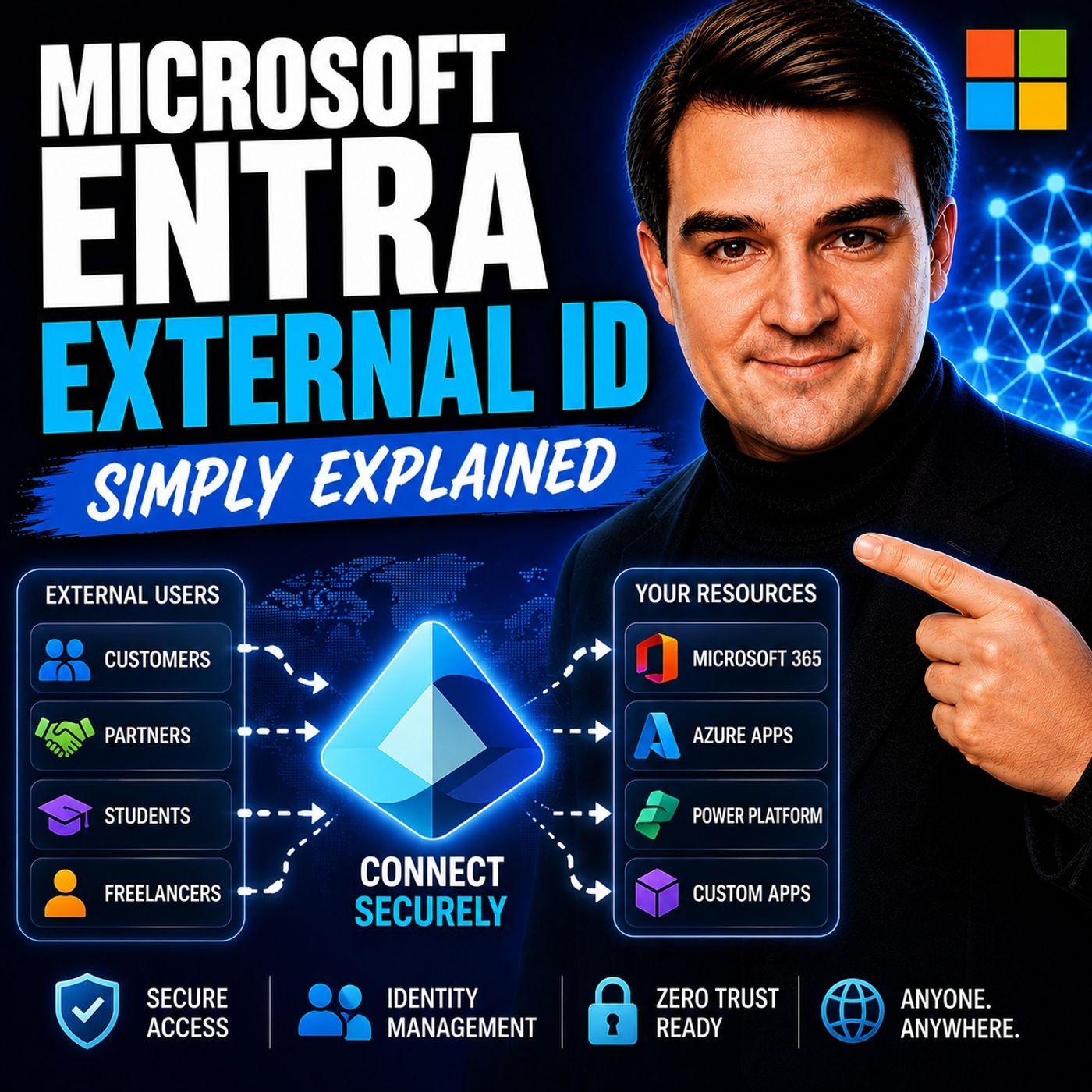
Microsoft Entra External ID - Simply Explained
Show notes
Welcome to another episode of Knowledge Nuggets with Mirko Peters. In this episode, we're exploring Microsoft Entra External ID, Microsoft's modern Customer Identity and Access Management (CIAM) platform and the successor to Azure AD B2C. Whether you're building a customer portal, partner application, SaaS platform, or mobile app, every external user needs a secure and seamless way to sign up, sign in, and access your services. Microsoft Entra External ID provides exactly that while keeping customer identities separate from employee accounts and supporting modern authentication standards, social logins, and enterprise-grade security. WHY EXTERNAL ID EXISTS Managing customer identities has always been challenging. Organizations once built their own authentication systems, storing usernames and passwords, implementing password reset functionality, multi-factor authentication, and account management themselves. As applications grew, maintaining these systems became increasingly complex. Azure AD B2C helped solve many of these problems but introduced new challenges of its own. Administrators often struggled with complex XML-based custom policies, difficult troubleshooting, and a separate management experience from Microsoft Entra ID. Microsoft Entra External ID replaces Azure AD B2C with a more unified and simplified platform that removes much of this complexity while introducing a modern developer experience and improved administration. WHAT IS MICROSOFT ENTRA EXTERNAL ID? Microsoft Entra External ID is Microsoft's cloud identity platform for external users. Unlike Microsoft Entra ID, which manages employee identities inside an organization, External ID is designed specifically for customers, partners, guests, suppliers, contractors, and external applications. It provides the complete identity lifecycle, including:
- User registration
- Secure sign-in
- Password reset
- Profile management
- Multi-factor authentication
- Token issuance
- Social identity providers
The platform supports modern authentication standards including OAuth 2.0, OpenID Connect, and SAML, allowing developers to integrate almost any modern web, mobile, or enterprise application. THE THREE PRIMARY USE CASES Microsoft Entra External ID supports three major identity scenarios. Customer Identity (CIAM) The most common scenario is customer authentication for public-facing applications. Organizations can build branded sign-up and sign-in experiences while allowing customers to authenticate using providers such as Google, Facebook, or Apple. External ID issues secure tokens that applications use to identify authenticated users. This is the direct replacement for Azure AD B2C. Business-to-Business Collaboration (B2B) Organizations frequently need to give partners, suppliers, consultants, or vendors access to internal applications. External ID manages guest invitations, onboarding, account redemption, and access policies while keeping external collaboration under centralized identity management. Machine-to-Machine Authentication Applications often need to communicate securely without human interaction. External ID supports OAuth 2.0 client credentials, enabling APIs and backend services to authenticate securely when communicating with payment systems, microservices, analytics platforms, or other enterprise APIs. This scenario requires the Machine-to-Machine Premium capability. WORKFORCE TENANT VS EXTERNAL TENANT One of the most important architectural decisions is determining where external identities should be stored. A Workforce Tenant stores guest users alongside employee identities. This works well for B2B collaboration where only a limited number of external users require access to internal resources such as SharePoint, Teams, or Microsoft 365 applications. An External Tenant creates a completely separate identity directory dedicated to customer accounts. Using an External Tenant offers several advantages:
- Complete separation of customer and employee identities
- Independent branding and user experience
- Reduced security risk
- Better compliance boundaries
- Native authentication APIs for mobile applications
- Monthly Active User (MAU) licensing model
For customer-facing applications with thousands or millions of users, Microsoft recommends using an External Tenant rather than storing customers inside the workforce directory. SECURITY FEATURES Microsoft Entra External ID inherits many of the enterprise security capabilities available throughout the Microsoft Entra platform. Organizations can enable:
- Multi-factor authentication
- Email or SMS one-time passcodes
- Conditional Access policies
- Risk-based authentication
- Step-up authentication
- Authentication contexts
Step-up authentication is particularly useful because applications can require additional verification only when users attempt sensitive operations such as viewing invoices, downloading confidential documents, or modifying payment information. This creates a balance between user convenience and strong security without forcing MFA during every sign-in. BRANDING AND USER EXPERIENCE External ID allows organizations to customize their customer authentication experience. Administrators can configure:
- Company logos
- Brand colors
- Background images
- Headers and footers
- Privacy and legal links
- Custom CSS styling
For mobile applications, the Native Authentication API provides an even smoother experience by allowing developers to build fully integrated login screens without browser redirects. Current limitations include tenant-wide branding rather than per-application branding, limited customization of built-in error messages, and some user profile management capabilities that still require custom development. MIGRATING FROM AZURE AD B2C Microsoft has announced Microsoft Entra External ID as the future of customer identity. Azure AD B2C remains supported until at least 2030, but new identity innovations—including passkeys, native authentication improvements, and fraud protection—are being developed exclusively for External ID. Migration strategies depend on tenant size. Smaller environments can perform a standard migration by creating a new External ID tenant, migrating users, and moving applications. Large organizations can use High Scale Compatibility (HSC) mode, allowing Azure AD B2C and External ID to operate together during a phased migration. One significant change is that Azure AD B2C's XML-based custom policies are not directly transferable. Organizations instead rebuild advanced authentication scenarios using User Flows and Custom Authentication Extensions. DEVELOPER EXPERIENCE Microsoft significantly improved the developer experience compared to Azure AD B2C. Developers can use:
- Visual Studio Code integration
- Microsoft Graph API automation
- PowerShell scripting
- REST APIs
- Custom Authentication Extensions
- Azure Functions
Authentication events can trigger custom backend logic for validating attributes, enriching tokens with custom claims, integrating external systems, or customizing verification workflows. This modern extension model replaces the complex XML configuration previously required in Azure AD B2C, making advanced authentication much easier to maintain and automate. Become a supporter of this podcast: https://www.spreaker.com/podcast/m365-fm-microsoft-365-azure-cloud-power-platform-ai--6704921/support.
Apple Podcasts · Spotify · YouTube · YouTube Music · Deezer
Host: Mirko Peters
Guests
Related articles
Transcript
Read the full transcript
Actually, most people think identity is just a user name and password. You type it in, you get access and done. But when you're a business serving customers, identity gets way more complicated. What happens when your app needs to let thousands of people sign up? Or let them sign in with their Google account instead of creating yet another password? And how do you keep all that customer data safe without mixing it up with your employee directory? That's exactly the problem Microsoft Entra external ID was built to solve. Here's the thing, it's replacing Azure ADB to see entirely. By the end of this episode, you'll understand what external ID actually is, the three main ways you'd use it and why it matters for any customer facing app. The old way, separate identity silos. Imagine it's 20 years ago and you've built an app for customers. Back then, you'd roll your own login system, write the code for passwords, set up a database to store them, build the forgot password flow, all from scratch. That worked fine for a small app with a few hundred users, but as apps grew, things got complicated fast. The companies needed to let users sign in with Google or Facebook, they needed multi factor authentication, and they needed to handle millions of accounts without breaking. Building all that yourself, it became a nightmare. Microsoft's first answer was Azure ADB to see. It was a customer identity service and at the time it solved a real problem. But here's where the pain started. The biggest issue was something called custom policies and those policies were written in XML. If you've ever worked with XML files that span hundreds of lines, you know exactly how painful that is. Hard to configure, hard to debug and when something broke, good luck figuring out why. On top of that, Azure ADB to see was separate from Microsoft's main identity platform. So if you already had Microsoft 365 or Azure AD for your employees, B2C felt like learning a completely new product. As you'd expect, IT teams struggled to maintain it, developers dreaded working with it, and customers ended up with a clunky signup experience that made them want to leave. Microsoft realized they needed something simpler and more unified. And that's exactly what became Microsoft's internal ID. What Microsoft's internal ID actually is. So what exactly is Microsoft's internal ID? Here's the simplest definition. It's a cloud identity service for external users, customers, partners and guests. Not employees. Think of it this way. Imagine your company has an office building. That's your workforce tenant. It's where your employees work, where their desks are, where their badges let them in. EntraID manages that building. Now imagine you're opening a storefront for customers. A separate space. Its own entrance, its own rules, its own security. Customers don't wander into the employee break room. And employees don't accidentally access customer accounts. That's external ID. It's part of the Microsoft Entra family, but a different flavor. It's built for CM, customer identity and access management. And it handles the whole life cycle of an external user. Sign up, sign in, password reset, profile management, MFA, token issuance. It works with standard protocols like OAuth 2.0, open ID connect and SAML. So almost any app you build can connect. But here's the big difference from the old Azure ADB2C external ID is simpler. No more custom XML policies. Instead you configure user flows directly in the admin center. Or you use custom authentication extensions that hook into your existing backend logic. Same power, less headache. The three core use cases. So how do you actually use external ID? There are three main scenarios. They cover almost every situation where you need to manage someone who isn't an employee. Start with the most common one, customer identity or B2C. Imagine you're building a pizza ordering app. You need people to sign up, place orders and come back next week. You want them to sign in with their Google account instead of creating another password. And you need to collect their name, phone number and delivery preferences. External ID handles all of that. You get pre-built sign up and sign in flows. You configure which attributes to collect. Name, phone, whatever you need. You set up social sign in with Google, Facebook or Apple. And when a user authenticates, external ID issues a token to your app so it knows who that person is. This is the replacement for Azure ADB2C. And it's where most organizations start. The scenario is business to business collaboration or B2B. This is when you need to give partners or vendors access to your internal apps. Maybe you have a share point site that your external logistics partner needs to see. Or a project management tool that your freelance designers use. In this scenario, you invite them as guest users in your workforce tenant. External ID handles the invitation email, the redemption process where they accept the invite, and the access policies that control what they can see. This has actually been around for years as B2B collaboration inside Azure AD. But now it's part of the external ID umbrella so you manage it from the same place as your customer identities. Then there's machine to machine or M2M. This one is less visible to end users but just as important. Sometimes your backend service needs to talk to another API, a payment processor, a data analytic service or an internal microservice. There's no human involved. It's just one application calling another. External ID uses the OAuth 2.0 client credentials flow. Your service authenticates itself using a client ID and a secret and it gets a token to call the downstream API. This requires the M2M premium add-on so there's a cost factor. But if you need to secure API to API communication, it's built right in. Now these three scenarios cover almost every external identity situation you'll run into. But there's a big decision you need to make and that's where those users actually live. Because external ID can run in two very different places. Workforce tenant versus external tenant. Just break down the two options external ID can run inside your existing workforce tenant or it can run as a completely separate external tenant. They are not the same thing and picking the wrong one can cause problems down the road. Start with the workforce tenant option. Your company already has an enter ID tenant for your employees. That's your workforce tenant. If you enable a feature called guest/self-service signup inside that tenant, external users can sign up and land in the same directory as your employees. They are accounts set right next to your CEO's account. Your simpler B2B scenarios like inviting a handful of partners to a sharepoint site, mixing them in the same directory is perfectly fine. It's simple to set up and you don't need to manage a separate tenant. But here's the thing. If you're building a customer facing app with thousands of users, you don't want those customers living in the same directory as your employees. That's a security risk. An employee could accidentally stumble into customer data. A configuration change meant for employees could affect customer access. And your branding for customer sign in pages would be tied to whatever you've set up for your company. That's not ideal. The alternative is the external tenant option. You create a brand new isolated directory specifically for customer identities. No employees live here. It's a completely separate space. Remember the office building analogy from earlier? The workforce tenant is your corporate headquarters. The external tenant is the dedicated storefront you open for your customers. They have their own entrance, their own rules, and their own security. Nothing gets mixed up. So what are the benefits of an external tenant? First you get an isolated user store. Customer data stays completely separate from employee data, which reduces risk and simplifies compliance. Second you get separate branding. You can customize the look and feel of sign in pages specifically for your customers without affecting anything in your corporate tenant. Third you get the native authentication API for mobile apps, which lets you build completely custom login screens inside your iOS or Android app. No browser redirects, no clunky web views. And fourth you get MAU based pricing, monthly active users. You only pay for the users who actually authenticate in a given month, which scales naturally with your customer growth. So when do you choose which? It's pretty straightforward if you're building a B2C app with thousands of customers, go with an external tenant. That's the recommended approach, and it's what external ID was designed for. If you're just inviting a few partners to access internal resources, the workforce tenant option is fine. The key is understanding the difference before you start building, because migrating from one to the other later is not trivial. Security, MFA, and conditional access. Now let's talk about security. If you're going to let customers into your app, you need to make sure the wrong people don't get in. Internal ID includes the same enterprise grade security features that intra ID offers for employees. That means multi-factor authentication, conditional access, and risk-based policies. For MFA, you've got two options right now. Email one-time passcode is free. The system sends a code to the user's email, they type it in, done. SMS one-time passcode works the same way it goes to their phone and there are carrier costs involved. One thing to note, there's no Microsoft Authenticator support yet. That's a current limitation, and it's something Microsoft is likely working on, but for now, it's email or SMS. Conditional access is where things get interesting. You can define rules that say things like require MFA when the sign-in-risk is medium or higher or block access from countries we don't do business in. The system evaluates each login attempt in real time. If someone tries to sign in from a location or device that looks suspicious, it can automatically step up the security requirements without you having to build any of that logic yourself. But there's one feature that really stands out, step-up authentication. Here's how it works. The user logs into your app with just a password to browse your product catalog. That's fine for low-risk activities. But when they try to view their payment history or download an invoice, you want additional verification. With step-up authentication, you can require MFA only for specific sections of your app. The user doesn't get prompted until they try to access something sensitive. And it's all handled by external ID behind the scenes using something called authentication context. You define which parts of your app need extra security and the system takes care of the rest. The user gets a smooth experience for basic browsing, but the sensitive data stays protected. Branding and user experience. Branding control is one of the biggest reasons organizations go with external ID instead of building their own login system. You get full control over the look and feel of your sign-up and sign-in pages, upload your logo, set background colors, add a fabric on for the browser tab, and customize the header and footer with links to your privacy policy and terms of service. If you want even more control, you can upload a custom CSS file to override fonts, button colors and layout. It's your brand, your colors, everything you decide. Now here's where things get a bit tricky. Branding is global, pertinent, not per application. So if you have multiple apps, say a customer portal and a mobile app, they all share the same branded pages. You can't give each app its own look, the old Azure ADB2C let you do per application branding, but external ID doesn't support that yet. Another limitation, error messages on login pages are not customizable. If someone types an email that doesn't exist, they'll see something like, we couldn't find an account with this email address and you cannot change that text. For some organizations that's fine, but for others, especially those in regulated industries over the strict brand voice, it's a real problem. Mobile apps get a better option. External ID has a native authentication API for iOS and Android. Instead of redirecting users to a browser-based login page, you can build fully custom login screens inside your app. No browser redirect, no clunky web views. The user stays in your app the whole time and you control every pixel. It's a much smoother experience and it's one of those features as your ADB2C never had. Migration from Azure ADB2C. If you're already on Azure ADB2C, you're probably wondering what this means for you. Here's the thing, Microsoft will keep supporting B2C until at least 2030, so your existing tenants won't stop working tomorrow. But no new features are coming. All the innovation, past keys, native authentication, fraud protection is exclusive to external ID. You're on a platform that's essentially frozen. Microsoft has published official migration tools and guidance and there are two parts depending on your scale. For tenants with fewer than about 5 million directory objects, users, groups, custom attributes, standard migration is relatively straightforward. It works like a tenant to tenant move. You create a new external ID tenant, migrate your users and their credentials, then cut over your applications. Microsoft provides tools for bulk user export and import and you can use just in time password migration to keep disruption low during the transition. For larger tenants with over 5 million directory objects, there's high scale compatibility mode or HSC. In this mode, Azure ADB2C and external ID run side by side in the same tenant. Your existing B2C endpoints stay active while you gradually move applications over. It's designed for organizations that can't migrate millions of users overnight, but it comes with trade-offs. No social identity providers, no past keys, limited conditional access and some features simply aren't available. Think of it as a bridging strategy, not a permanent solution. Now, a major change, custom policies are gone. If you've built complex authentication flows using Azure ADB2C's XML based identity experience framework, those won't work in external ID, you'll have to rebuild that logic using user flows and custom authentication extensions. There's no magic tool that converts your XML into the new format. You just have to do the work. So here's what it comes down to. If you're starting fresh today, use external ID. There's no reason to even look at B2C. If you have an existing B2C tenant, start planning your migration node. You've got until 2030, but waiting until the last minute means you'll be rushing through a complex migration while trying to keep existing apps running. Start small. Pick one application, migrate it, test it, learn from the process, then do the rest. Developer experience and automation. Microsoft really focused on making external ID easy for developers, and it's a huge change from the old B2C custom policies. You know those XML files that stretched for hundreds of lines and broke if you misplaced a single bracket? That's gone. There's a visual studio code extension called Microsoft Entra External ID. After you authenticate, you can browse your tenant, view user flows, download them as JSON files, and even preview your branding, all without leaving your editor. You see what your sign-in page looks like before you ever publish it? Then there's the Microsoft Graph API. Almost every external ID resource, user flows, app registrations, branding can be managed programmatically. That means you automate tenant setup in your CIR, CD pipelines, using PowerShell or rest calls, create a new tenant, configure the user flows, register your app, setup branding, all from a script. If you manage multiple environments, that saves a ton of time. Custom authentication extensions are where the real power lives. Instead of complex XML, you extend authentication flows with simple HTTP calls to add your functions. There are four events you can hook into. Token issuance start lets you add custom claims to tokens, like roles or loyalty tier info. Attribute collection, start, and submit, let you validate or prefill sign-up data by calling your own backend. An email OTP sent lets you customize the verification emails. It's the same flexibility B2C had, but in a model any developer can work with. There are limitations to know. No Microsoft Graph notifications yet, so you can't automatically trigger a workflow when a new user signs up. Some configurations still need to be done manually in the admin center, and there's no built-in edit profile page. If you want users to update their information, you need to build that page in your app and call the Graph API yourself. But the direction is clear. Microsoft wants external ID to be fully automatable. That makes it easier to manage its scale. So now you know, Microsoft Entra external ID is the modern replacement for Azure AD B2C unified under the Entra brand. The three use cases, custom identity, partner collaboration, and machine to machine. Cover almost every external identity need you'll run into, and the key decision is whether to use your workforce tenant or create a separate external tenant. For customer facing apps, separate is almost always better. Identity is the front door to your application. Using it right, secure, branded, and simple directly impacts user trust and business growth. Your homework, head over to Entra, Microsoft.com, create an external tenant, and try the get started guide. It'll walk you through setting up a sample app in minutes. Subscribe for more plain English breakdowns of Microsoft's identity platform.