The Dataverse MCP server is an MCP server developed by Microsoft that lets agents query and update data stored in Dataverse and Dynamics 365 through the Model Context Protocol (MCP). It is classed as a Microsoft tool and a developer tool, and it is part of Dataverse. It is positioned as an alternative to connectors: instead of building a custom integration for each data source, an agent talks to Dataverse through a standardized protocol.
The purpose of the server is to give AI agents a consistent way to work with business data. Dataverse is the cloud data platform behind Power Apps, Power Automate and Dynamics 365, so the tables and records that these applications use are the same ones an agent can reach through the MCP server. Because the server supports both reading and updating, an agent is not limited to looking up information. It can also take actions on the data, which distinguishes it from a knowledge source, where content is mainly used to ground an agent's answers.
The Model Context Protocol is the technical basis of the server. MCP defines how an agent discovers and calls the capabilities that a server exposes. The Dataverse MCP server applies this approach to Dataverse, so that an agent built in a tool such as Copilot Studio can connect to Dataverse data without a one-off integration. Connectors remain the established way of reaching data in the Microsoft ecosystem, and the MCP server offers a different path for agent scenarios, which is why the two are often compared when teams decide how an agent should access business data.
Typical decisions around the Dataverse MCP server concern how an agent should reach data, what it should be allowed to change, and how this fits into existing Dynamics 365 and Power Platform solutions. Since the server can update data as well as query it, questions about security and governance in Dataverse become part of any design. The M365.FM catalog also covers this angle in the episode "Dataverse Security - Simply Explained", which is listed alongside the MCP episodes as related listening.
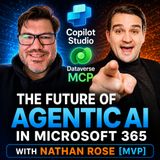
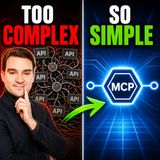
The M365.FM episodes discuss the Dataverse MCP server together with Microsoft MVPNathan Rose. The episode "Dataverse MCP Integration with Nathan Rose [MVP]" starts from the point that custom integrations have long been one of the biggest bottlenecks in enterprise applications and explores how Dataverse MCP changes that. According to the episode description, the discussion looks at why traditional APIs, custom connectors and one-off integrations struggle to scale in an AI-first setting, and how MCP and Dataverse change the way AI agents connect with business data.
The episode "Agentic AI with Copilot Studio and Dataverse MCP with Nathan Rose [MVP]" looks at how Copilot Studio, Dataverse and MCP shape agentic AI in Microsoft 365. The episode describes a move beyond simple chatbots toward agents that understand intent, access business data and take meaningful actions, evolving from simple assistants into digital coworkers that understand context and work with business data.
For a broader foundation, the episode "Dataverse - Simply Explained" covers the key concepts behind Dataverse and how it fits into the wider Microsoft technology ecosystem. Related episodes on the protocol side include "MCP (Model Context Protocol) - Simply Explained", "MCP Architecture for Microsoft Copilot and AI Agents", "Dynamics 365 ERP MCP Server - Simply Explained" and "Fix an MCP Server That Is Invisible to Copilot Studio". Together they place the Dataverse MCP server within the larger set of MCP servers and agent tooling around Microsoft products.
Overview compiled with AI from M365.FM episodes and the facts on this page. You can improve it with the edit button below.
Custom integrations have long been one of the biggest bottlenecks in enterprise applications, but Dataverse MCP is changing that. In this episode of the M365.fm podcast, Mirko Peters is joined by Microsoft MVP Nathan Rose to explore how the Model Context…
Still wiring a local proxy to connect AI tools to Dataverse? This episode shows Power Platform architects and developers why the remote Dataverse MCP endpoint, secured with PKCE and Entra ID, turns Dataverse into a governed, multi-LLM backbone for Claude…
In this episode of the M365.fm podcast, Nathan Rose joins the show to explore how Copilot Studio, Dataverse, and the Model Context Protocol (MCP) are shaping the future of agentic AI in Microsoft 365. The conversation dives into how organizations can move…
Questions marked with AI were written with AI from the facts on this page.
What is the Dataverse MCP server? (AI)
It is an MCP server from Microsoft that lets agents query and update Dataverse and Dynamics 365 data through the Model Context Protocol. It is part of Dataverse and serves as an alternative to connectors.
How does the Dataverse MCP server differ from a connector or a knowledge source? (AI)
A connector is the established way to reach data, while the MCP server gives agents a standardized protocol-based path to Dataverse. A knowledge source mainly grounds an agent's answers on content, whereas the MCP server also allows updating data.
Which M365.FM episodes cover the Dataverse MCP server? (AI)
"Dataverse MCP Integration with Nathan Rose [MVP]" and "Agentic AI with Copilot Studio and Dataverse MCP with Nathan Rose [MVP]" discuss it directly. "Dataverse - Simply Explained" provides background on Dataverse itself.
What is Dataverse MCP?
It applies the Model Context Protocol to Dataverse, giving AI agents like those in Copilot Studio a standardized, secure and context-aware way to connect with business data. · From the episode: Dataverse MCP Integration with Nathan Rose [MVP]
Relationship map of Dataverse MCP server: linked topics
Related topics in brief
Topics linked to Dataverse MCP server, each briefly explained:
Microsoft – Organization· Developed by Microsoft Corporation is a technology company that develops software and cloud services such as Microsoft 365, Azure and Dynamics 365.
Microsoft tool – Category· Is a Microsoft tool is a broad category for software products and services developed by Microsoft, used to group offerings and to frame tool-selection decisions.
Developer tool – Category· Is a Developer tool is an M365.FM category for tools that help developers write, test and ship software, from editors and build pipelines to APIs and platforms.
Dataverse – Product by Microsoft· Part of The managed data platform behind Power Platform and Dynamics 365. It stores tables with relationships, security roles and business logic, so apps and agents work on one governed data source.
Model Context Protocol (MCP) – Concept· Related to An open protocol that lets AI applications connect to tools and data sources in a standard way. An MCP server exposes capabilities, and any compatible agent can discover and call them.
Copilot Studio – Low-code tool by Microsoft· Related to Microsoft's low-code platform for building, customising and publishing AI agents and copilots. Makers define topics, knowledge sources, actions and flows and can publish the result to Teams, websites or Microsoft 365 Copilot.
Connector – Concept· Related to Prebuilt wrapper around an API that lets Power Apps, Power Automate and Copilot Studio read and write data in hundreds of services.
Knowledge source – Concept· Related to Content an agent in Copilot Studio can ground its answers on, such as SharePoint sites, files, websites, Dataverse tables or connectors.
Dynamics 365 – Business application by Microsoft· Related to Microsoft's family of business applications for sales, customer service, finance, supply chain and more, including Business Central for small and mid-sized companies. It builds on Dataverse and Power Platform.
Angeliki Patsiavou – Person· People working on this topic Angeliki Patsiavou is a speaker at M365Con 2026 and M365Con 2027 (Microsoft MVP | Senior D365 Manager) with 2 sessions.
All relationships of Dataverse MCP server, grouped by type of relationship:
Short info above, community knowledge below: add practical tips, examples or corrections. New contributions are reviewed first; trusted members publish directly.
Experts and companies for this topic
Community members with expertise in Dataverse MCP server:
 EN
 Deutsch
 Español
 Français
 Italiano
 Português
 Nederlands
 Polski
 Bahasa Indonesia
 Русский
 Українська
 العربية
 עברית
 日本語
 한국어