Cloud ERP for small and mid-sized businesses covering finance, sales, purchasing, inventory and operations; successor of Dynamics NAV, extended with AL and agents.
Title graphic: Dynamics 365 Business Central (Product)
Dynamics 365 Business Central is a cloud ERP system for small and mid-sized businesses, developed by Microsoft and part of the Dynamics 365 family. It covers finance, sales, purchasing, inventory, projects and operations in one application. It is a paid product and the successor of Dynamics NAV, which is why the names Business Central, BC, D365BC and Dynamics NAV often appear together in discussions of the platform. Microsoft classifies it as a business application and as a Microsoft tool.
The typical use case is a growing organization that wants a single system for accounting, orders, stock and invoices instead of separate tools. According to the episode "Use Copilot in Dynamics 365 Business Central", Business Central is a comprehensive ERP for small and midsized organizations that connects finance, operations, sales, supply chain and reporting in a unified Microsoft ecosystem. Because it sits inside that ecosystem, it is related to the Power Platform, which adds apps and automation, and to Microsoft 365 Copilot. It is also related to AI agents and to the Model Context Protocol (MCP), reflecting how the product is being extended beyond classic ERP screens and data entry.
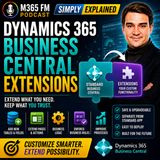
Customization is a central theme for Business Central. No two organizations operate exactly the same way, and a company may need specialized shipping, local financial reports, additional approval rules, bank integrations or electronic invoicing. The episode "Dynamics 365 Business Central Extensions - Simply Explained" describes a Business Central extension as an add-on package that adds such capabilities without directly modifying the standard application, and it discusses what organizations should check before installing one.
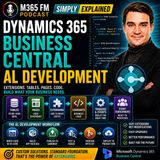
The development model behind extensions is covered in "Dynamics 365 Business Central AL Development". The episode explains that AL moved Business Central toward an app-based extension model, separating custom functionality from Microsoft's standard application. It contrasts this with the older C/AL model associated with Dynamics NAV, where developers frequently modified original application objects directly. Many organizations ran systems that way successfully, but their customizations became closely tied to the standard application. The episode also notes that extensions can range from small additions to an entire industry-specific solution with its own data, processes, pages, reports and business rules, and that both follow the same fundamental extension architecture.
AI assistance is the subject of two further episodes. "Copilot in Business Central - Simply Explained" describes Copilot as bringing generative AI directly into the ERP system, so that users can ask for help in natural language and complete everyday business tasks more efficiently instead of navigating complex menus or entering large amounts of information manually. "Use Copilot in Dynamics 365 Business Central" takes a deeper look at how AI affects day-to-day operations. Its excerpt also mentions practical rollout topics: documenting mitigation actions and escalation paths, planning a phased rollout, communicating changes, updating training and monitoring adoption.
A frequent decision point concerns the relationship to Dynamics 365 Finance and Operations, a similar but separate ERP product. The episode "Why Your Business Central Won't Scale to Finance & Operations" explains that the two come from different product families: Business Central evolved from Dynamics NAV, while Finance & Operations evolved from Dynamics AX. They were created for different organizations, levels of complexity and operating models. The episode argues that moving from Business Central to Finance & Operations is not equivalent to upgrading NAV to Business Central. There is no simple upgrade button because the underlying architecture is different, which makes such a move a reimplementation involving migration costs and process redesign. The episode recommends that organizations prepare before growth exposes the gap.
Overview compiled with AI from M365.FM episodes and the facts on this page. You can improve it with the edit button below.
Business Central covers finance, customers, sales orders, inventory and invoices out of the box, but companies often need one extra field, approval step or business rule. · Dynamics 365 Business Central AL Development
AL stands for Application Language and is Microsoft's programming language for developing functionality for Dynamics 365 Business Central. · Dynamics 365 Business Central AL Development
Uses an office-building analogy: Business Central is the building, and extensions use approved connection points instead of knocking holes in the structure. · Dynamics 365 Business Central AL Development
Episodes about Dynamics 365 Business Central
Episodes in which Dynamics 365 Business Central is discussed:
Business Central covers most core processes, but every company has gaps such as special shipping, local reports or bank integrations. This Simply Explained episode is for Business Central users, finance teams and admins who decide which add-ons to install. It…
Business Central covers standard processes, but sooner or later a company needs an extra field, approval step or business rule. In this Knowledge Nugget Mirko Peters explains for beginners and functional consultants how AL and extensions customize Business…
Copilot in Dynamics 365 Business Central brings generative AI directly into the ERP system that many organizations use to manage finance, sales, purchasing, inventory, and operations. Instead of navigating complex menus or manually entering large amounts of…
Many IT leaders assume a growing company can simply upgrade from Business Central to Dynamics 365 Finance and Operations later. This episode explains why that bridge does not exist, why acquisitions hit the wall hardest, and how finance and IT teams can plan…
Sales calls, service cases, invoices and orders bury the facts people need under notes, emails and menus. This Simply Explained episode shows business users and decision makers how Copilot in Dynamics 365 summarizes records, answers questions and prepares…
Orders, warehouse work, carriers and freight bills often live in separate spreadsheets, emails and phone calls, and that is where delays and surprise charges start. This episode is for supply chain, logistics and Dynamics 365 teams who want to understand…
Repetitive work such as sorting leads, updating cases, matching transactions and chasing suppliers eats up time across every business team. In this Simply Explained episode, Mirko Peters shows Dynamics 365 users and decision makers what autonomous agents…
In this episode, we explore how organizations can turn Dynamics 365 Business Central telemetry into powerful insights using Microsoft Power BI. Telemetry is one of the most valuable—and often underused—capabilities in Business Central. It captures performance…
Learn how Business Central Fabric Integration works, connect your ERP data to OneLake, and avoid common analytics pitfalls in Microsoft's cloud ecosystem. Your accounting system is the worst place to answer the big questions about your business. That sounds…
In this episode, we take a deep dive into Microsoft Copilot inside Dynamics 365 Business Central and explore how AI is transforming day-to-day business operations. We start by grounding listeners in the essentials of Business Central—a comprehensive ERP for…
Dynamics 365 Agents take AI beyond answering questions and generating drafts. Instead of waiting for someone to ask https://www.m365.fm/show/episodes/ for help, agents can respond to defined business events, work with approved Dynamics 365 data, follow…
Timeline of episodes about Dynamics 365 Business Central
Articles about Dynamics 365 Business Central (9)
Articles in which Dynamics 365 Business Central is a topic:
Why You Should Stop Customizing Your ERP Core Code · Mirko Peters Discover why modern ERP systems like Dynamics 365 Business Central rely on extensions instead of core code modifications. Learn how this architecture protects your …
Questions marked with AI were written with AI from the facts on this page.
What is Dynamics 365 Business Central? (AI)
It is Microsoft's cloud ERP for small and mid-sized businesses, covering finance, sales, purchasing, inventory and operations. It is part of Dynamics 365 and is the successor of Dynamics NAV.
How does AL differ from C/AL in Business Central? (AI)
According to the episode "Dynamics 365 Business Central AL Development", C/AL development often modified original application objects directly, while AL uses an app-based extension model that separates custom functionality from the standard application.
Can Business Central be upgraded to Dynamics 365 Finance and Operations? (AI)
The episode "Why Your Business Central Won't Scale to Finance & Operations" says there is no simple upgrade button because the architectures differ. It describes the move as a reimplementation, since the two products evolved from Dynamics NAV and Dynamics AX respectively.
What is a Business Central extension?
It is an add-on package that adds capabilities to Dynamics 365 Business Central or changes part of the standard application for a particular organization, without directly modifying the standard application. · From the episode: Dynamics 365 Business Central Extensions - Simply Explained
What can a Business Central extension change?
It can add fields, pages, reports, actions, rules, integrations and business logic, such as a new button on a sales order, a changed invoice layout or a connection to an external service. · From the episode: Dynamics 365 Business Central Extensions - Simply Explained
How are extensions like phone apps?
A phone has core functions and you install apps for what you need. Likewise Business Central offers the ERP foundation and extensions add modular functionality instead of rebuilding the application. · From the episode: Dynamics 365 Business Central Extensions - Simply Explained
What is AL development in Business Central?
AL, short for Application Language, is Microsoft's programming language for Dynamics 365 Business Central. Developers use it to add or change functionality such as records, pages, reports, calculations, validations and processes, packaged as extensions. · From the episode: Dynamics 365 Business Central AL Development
Why does Business Central use extensions?
Extensions keep the standard application in place while custom functionality sits beside it as a separate application. Developers therefore do not need to recreate customizations inside Microsoft's source code after updates, although updates still need testing. · From the episode: Dynamics 365 Business Central AL Development
Relationship map of Dynamics 365 Business Central: linked topics
Related topics in brief
Topics linked to Dynamics 365 Business Central, each briefly explained:
Microsoft – Organization· Developed by Microsoft Corporation is a technology company that develops software and cloud services such as Microsoft 365, Azure and Dynamics 365.
Microsoft tool – Category· Is a Microsoft tool is a broad category for software products and services developed by Microsoft, used to group offerings and to frame tool-selection decisions.
Business application – Category· Is a Business application: software that supports business processes such as sales, finance or customer service, and how M365.FM episodes place it in the Microsoft ecosystem.
Dynamics 365 – Business application by Microsoft· Part of Microsoft's family of business applications for sales, customer service, finance, supply chain and more, including Business Central for small and mid-sized companies. It builds on Dataverse and Power Platform.
Power Platform – Low-code tool by Microsoft· Related to Microsoft's low-code family consisting of Power Apps, Power Automate, Power BI, Power Pages and Copilot Studio. Together with Dataverse it lets business users build apps, automations, reports and agents.
Microsoft 365 Copilot – AI assistant by Microsoft· Related to An AI assistant built into Microsoft 365 apps such as Word, Excel, Outlook and Teams. It uses large language models together with the user's own work data from Microsoft Graph to draft, summarise and analyse content, always within the user's existing permissions.
AI agent – Concept· Related to A software system that uses an AI model to pursue a goal on its own: it plans steps, calls tools or APIs, reads data and acts, often with a human approving critical steps. Agents go beyond chatbots because they take actions, not just answer questions.
Model Context Protocol (MCP) – Concept· Related to An open protocol that lets AI applications connect to tools and data sources in a standard way. An MCP server exposes capabilities, and any compatible agent can discover and call them.
Business Central Agent Designer – Product· Includes Agent Designer is a capability in Dynamics 365 Business Central for creating custom AI agents from plain-language instructions, an assigned profile and permissions, initially in sandbox environments.
Business Central extensions – Concept· Narrower topics Separate installable apps, written in AL, that add fields, pages, actions, rules and integrations to Dynamics 365 Business Central without modifying the standard base application.
Stefano Demiliani – Person· People working on this topic Stefano Demiliani is a speaker at M365Con 2027 (CTO BizApp at Lodestar spa) with 1 session.
All relationships of Dynamics 365 Business Central, grouped by type of relationship:
Dynamics 365 Business Central: Copilot and agents - Fill forms faster with Autofill - Auto paste
Save time entering information into Business Central with Auto paste. Building on Autofill, Auto paste uses AI to identify relevant information from text or HTML copied to your clipboard and map it to the appropriate fields on a Business Central page.
Benefits
Reduce manual data entry when bringing information from external sources into Business Central.
Populate multiple relevant fields from copied content instead of copying and pasting individual values.
Extend AI-assisted data entry to more everyday Business Central workflows.
Streamline self-billing by automatically creating, managing, and exchanging electronic documents for self-billed invoices as part of the invoice lifecycle. This reduces manual document handling while helping ensure self-billed transactions include the appropriate electronic documents in standardized formats used by local regulations and trading partners.
Benefits
• Automate electronic document generation and handling for self-billed invoices.
• Integrate electronic documents directly into the self-billing invoice lifecycle.
• Support consistent vendor communications and the use of standardized electronic document formats.
GA: January CY2027 · Preview: November CY2026
In developmentMicrosoft 365 Roadmap Dynamics 365 Business Central: Expense Agent - specify when receipts must contain a VAT number
Help ensure expense receipts include required company VAT information by applying your organization’s receipt validation rules. Expense Agent can check submitted receipts for a valid company VAT number (Tax ID) when your configured rules require one, and flag receipts for review or prevent them from moving forward based on your policies.
Benefits
• Configure when a company VAT number is required on submitted expense receipts.
• Automatically validate required VAT information during expense processing.
• Identify receipts that do not meet configured tax identification requirements and handle them according to your policies.
GA: May CY2027 · Preview: April CY2027
In developmentMicrosoft 365 Roadmap Dynamics 365 Business Central: Expense Agent - Split your expenses
Split a single expense across multiple allocations so costs are accurately assigned to the appropriate expense user, project, department, customer, or expense category. Expense Agent helps you define the split and ensures the allocations add up to the original expense amount. Each allocation is recorded separately for reporting and accounting while remaining linked to the original expense.
Benefits
• Accurately distribute expenses across multiple users, projects, departments, customers, or expense categories.
• Define expense splits with help from Expense Agent while keeping allocations aligned with the original expense total.
• Maintain…
GA: April CY2027 · Preview: December CY2026
In developmentMicrosoft 365 Roadmap Dynamics 365 Business Central: Expense Agent - Log the expense in a case of lost receipt
Expense Agent helps employees keep expense submissions moving when an original receipt is unavailable. It guides employees through providing the information needed to support the expense, generates supporting documentation from those details, and enables them to continue the reimbursement process without manually creating replacement documentation.
Benefits
• Provides a guided process for documenting expenses when receipts are lost or unavailable.
• Reduces manual effort by automatically generating supporting documentation from employee-provided information.
• Creates a more consistent lost-receipt process for employees and finance teams.
GA: February CY2027 · Preview: December CY2026
In developmentMicrosoft 365 Roadmap Dynamics 365 Business Central: Expense Agent - Create expense with no attachment
Save time when recording lower-value expenses by creating them in Expense Agent without an attachment when the amount is below the limit you set on the Expense Agent Setup page. This gives you the flexibility to record qualifying expenses even when a receipt or supporting document isn’t available.
Benefits
• Create qualifying expenses without requiring an attachment at the time of submission.
• Set the amount limit that determines when an attachment isn’t required.
• Record expenses below the configured limit even when a receipt or supporting document isn’t available.
GA: April CY2027 · Preview: December CY2026
In developmentMicrosoft 365 Roadmap Dynamics 365 Business Central: Expense Agent - Enable approving limits and alternate approvers when primary is not available
Keep expense approvals moving when primary approvers are unavailable or when requests exceed their approval limits. Organizations can set a maximum approval amount—or unlimited approval authority—for each approver, designate a next approver for requests above that limit, and assign alternate approvers as temporary or scheduled backups. Approval requests can route to an alternate approver during periods of unavailability while following the same approval processes and controls.
Benefits
• Set approval limits for each approver and route requests that exceed those limits to a designated next approver.
• Assign alternate approvers for ad hoc…
GA: February CY2027 · Preview: December CY2026
In developmentMicrosoft 365 Roadmap Dynamics 365 Business Central: Expense Agent - Add tags for expenses as submitter
Make expenses easier to organize and categorize by adding relevant tags when you create or edit expenses in the web application. Add one or more custom tags to capture business, project, event, or other dimensional context beyond standard expense fields.
Benefits
• Add one or more custom tags while creating or editing an expense.
• Capture relevant business, project, event, or other dimensional context with expense records.
• Organize and categorize expenses beyond standard expense fields.
GA: April CY2027 · Preview: February CY2027
In developmentMicrosoft 365 Roadmap Dynamics 365 Business Central: Expense Agent - Set expense spend limits in Expense Management
Take control of employee spending earlier in the expense process with configurable spend limits. Define thresholds that reflect your organization’s expense policies and apply them by time period for individual employees, teams, or the whole company. Expenses that exceed predefined limits can be prevented or flagged, with immediate feedback during expense creation.
Benefits
• Proactively manage expenses before reimbursement and accounting processes begin.
• Reduce approval rework by giving employees immediate feedback when expenses exceed defined thresholds.
• Support budget adherence across employees, teams, and the organization with…
GA: April CY2027 · Preview: January CY2027
In developmentMicrosoft 365 Roadmap Dynamics 365 Business Central: Expense Agent - Change companies and environments in the web app
Manage expenses across multiple Business Central companies and environments more efficiently with the Expense Agent web app. Switch between the companies and environments you’re authorized to access within a single session, without restarting the app or signing in again.
Benefits
• Access multiple authorized Business Central environments from the Expense Agent web app.
• Switch directly between companies while managing expenses.
• Reduce context switching when working across multiple organizations, business units, or legal entities.
GA: April CY2027 · Preview: January CY2027
In developmentMicrosoft 365 Roadmap Dynamics 365 Business Central: Expense Agent - Adding invited guests from calendar as participants to your expense
Spend less time manually adding attendees to meal-related business expenses. Expense Agent can match the expense to the relevant Outlook calendar event and add invited guests as expense participants, helping keep participant information aligned with the meeting invitation.
Benefits
• Automatically identifies relevant Outlook calendar meetings when expense participants are required.
• Retrieves invited attendees from the matching calendar invitation.
• Adds invited guests as expense participants without manual entry.
GA: April CY2027 · Preview: January CY2027
In developmentMicrosoft 365 Roadmap Dynamics 365 Business Central: Expense Agent - Use tags to mark processed emails
Quickly see which expense-related emails have already been processed by Expense Agent, helping you distinguish processed from unprocessed messages with confidence. Expense Agent adds a **Processed by Expense Agent **tag in Outlook after a relevant email has been successfully processed.
Benefits
• Automatically marks successfully processed expense-related emails.
• Provides a clear processing-status indicator in Outlook, reducing the need to verify status manually.
• Makes it easier to distinguish processed from unprocessed expense-related emails.
GA: April CY2027 · Preview: February CY2027
In developmentMicrosoft 365 Roadmap Dynamics 365 Business Central: Finance - Cross-environment Master Data Management
Keep critical business data consistent across environments with cross-environment master data management. Centrally manage and govern master data—including customers, vendors, products, and reference data—and keep it synchronized wherever it is used, reducing duplicate maintenance and simplifying administration.
Benefits
• Maintain a single source of truth for master data across development, test, and production environments.
• Reduce manual effort and inconsistent records by synchronizing master data across environments.
• Improve data accuracy and reliability with standardized data definitions and governance policies, while supporting…
GA: January CY2027 · Preview: November CY2026
In developmentMicrosoft 365 Roadmap Dynamics 365 Business Central: Finance - Use complex calculation methods for excise duties
Simplify excise duty calculations with flexible methods that better reflect your organization’s tax scenarios. Configure excise duties using specific, ad valorem, or hybrid calculation methods, including calculations based on different tax bases, thresholds, quantities, percentages, or combinations of these factors.
Benefits
• Support specific, ad valorem, and hybrid excise duty calculation methods.
• Handle multi-factor and industry-specific excise tax scenarios with greater flexibility and accuracy.
• Reduce the need for manual tax adjustments and external calculations.
GA: January CY2027 · Preview: November CY2026
Summaries of official Microsoft release information, checked daily.
Community wiki
Short info above, community knowledge below: add practical tips, examples or corrections. New contributions are reviewed first; trusted members publish directly.
Experts and companies for this topic
Community members with expertise in Dynamics 365 Business Central:
 EN
 Deutsch
 Español
 Français
 Italiano
 Português
 Nederlands
 Polski
 Bahasa Indonesia
 Русский
 Українська
 العربية
 עברית
 日本語
 한국어