Security orchestration, automation and response (SOAR)
Concept
Security tooling that automatically responds to detected threats, for example by disabling accounts or revoking sessions, typically through automated workflows called playbooks.
Title graphic: Security orchestration, automation and response (SOAR) (Concept)
Security orchestration, automation and response (SOAR) describes security tooling that responds automatically to threats once they have been detected. Typical response actions include disabling an account or revoking a session. These actions are usually organized as automated workflows called playbooks, so that routine reactions to a known type of alert do not depend on an analyst performing each step by hand.
The main purpose of SOAR is to relieve security operations teams. According to the Microsoft Learn documentation on automation in Microsoft Sentinel, these teams receive so many alerts and incidents that staff can become overwhelmed. When that happens, alerts may be ignored and incidents may remain uninvestigated. Automation is intended to take over repetitive, predictable tasks in enrichment, response and remediation. That frees time for deeper investigation and threat hunting, which require human judgment.
In the Microsoft ecosystem, Microsoft Sentinel is presented as both a security information and event management (SIEM) system and a SOAR platform. The documentation describes two building blocks for its SOAR functions. The first is automation rules, which centrally manage automation for incidents. They can assign playbooks, tag, assign or close incidents and alerts, apply one response across several analytics rules, create task lists for analysts and control the order in which actions run. The second is playbooks, which are collections of response and remediation actions with logic. Playbooks are built on Azure Logic Apps workflows, which integrate with internal and external systems. They can run automatically in response to alerts or incidents, or manually on demand.
The documentation also notes limits when Sentinel automation is used in the Defender portal. Certain triggers act only on Sentinel alerts, rule execution can be delayed, and rapid changes to a single incident may be batched into one update. Manual playbook runs on alerts or entities are not supported in that portal. These points matter when deciding where to build and trigger automation.
SOAR is closely tied to the question of how threat protection and security operations tooling fit together. The M365.FM episode "Microsoft Defender vs Sentinel: When You Need Both" addresses this relationship. The episode describes Microsoft Defender as focused on threat protection, with endpoint and cloud workload security and Microsoft Defender XDR capabilities for detection and response. It describes Azure Sentinel as a cloud-native SIEM and SOAR platform that aggregates logs, performs security analytics and drives security operations across the Microsoft cloud and third-party sources. In the episode's summary, Defender is primarily protection and XDR, while Sentinel provides analytics, correlation and orchestration for security operations. The episode also raises the question of whether the two can be used together.
In practice, decisions around SOAR involve choosing which responses are safe to automate, such as enrichment or tagging, and which should remain under analyst control. Automation rules suit central, incident-level handling, while playbooks suit multi-step responses that need to call other systems. Teams also need to account for the behavior of the portal in which the automation runs, since triggers and manual run options differ between portals.
Overview compiled with AI from M365.FM episodes and the facts on this page. You can improve it with the edit button below.
Type
Concept
Key points about Security orchestration, automation and response (SOAR)
Key points about Security orchestration, automation and response (SOAR) from the episodes, each with its source episode:
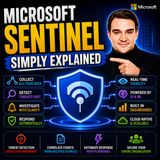
Microsoft Sentinel is Microsoft's cloud-native Security Information and Event Management (SIEM) and Security Orchestration, Automation, and Response (SOAR) platform, designed to help organizations detect, investigate, and respond to cyber threats across their…
Articles about Security orchestration, automation and response (SOAR) (1)
Articles in which Security orchestration, automation and response (SOAR) is a topic:
Maximizing ROI and Efficiency with Microsoft Sentinel · Mirko Peters Welcome back to the podcast companion blog, where we dive deeper into the tools and technologies transforming modern IT and security landscapes. In today's post, we…
Questions marked with AI were written with AI from the facts on this page.
What does SOAR do? (AI)
SOAR tooling responds automatically to detected threats, for example by disabling accounts or revoking sessions. It usually does this through automated workflows called playbooks.
How is SOAR implemented in Microsoft Sentinel? (AI)
Microsoft Sentinel uses automation rules to manage incident automation centrally and playbooks, built on Azure Logic Apps workflows, to run response and remediation actions. Playbooks can run automatically on alerts or incidents or manually on demand.
How do Microsoft Defender and Sentinel relate to SOAR? (AI)
The M365.FM episode "Microsoft Defender vs Sentinel: When You Need Both" describes Sentinel as a cloud-native SIEM and SOAR platform for analytics, correlation and orchestration, while Defender is primarily protection and XDR.
What is Microsoft Sentinel?
Microsoft Sentinel is a cloud-native security information and event management (SIEM) system and security orchestration, automation and response (SOAR) platform. · From the episode: Microsoft Sentinel - Simply Explained
Short info above, community knowledge below: add practical tips, examples or corrections. New contributions are reviewed first; trusted members publish directly.
Experts and companies for this topic
Nobody has listed this topic yet. Add it to your profile.
 EN
 Deutsch
 Español
 Français
 Italiano
 Português
 Nederlands
 Polski
 Bahasa Indonesia
 Русский
 Українська
 العربية
 עברית
 日本語
 한국어