 EN
EN Deutsch
 Español
 Français
 Italiano
 Português
 Nederlands
 Polski
 Bahasa Indonesia
 Русский
 Українська
 العربية
 עברית
עברית हिन्दी
 日本語
日本語 한국어
한국어2026-07-16 · Season 3
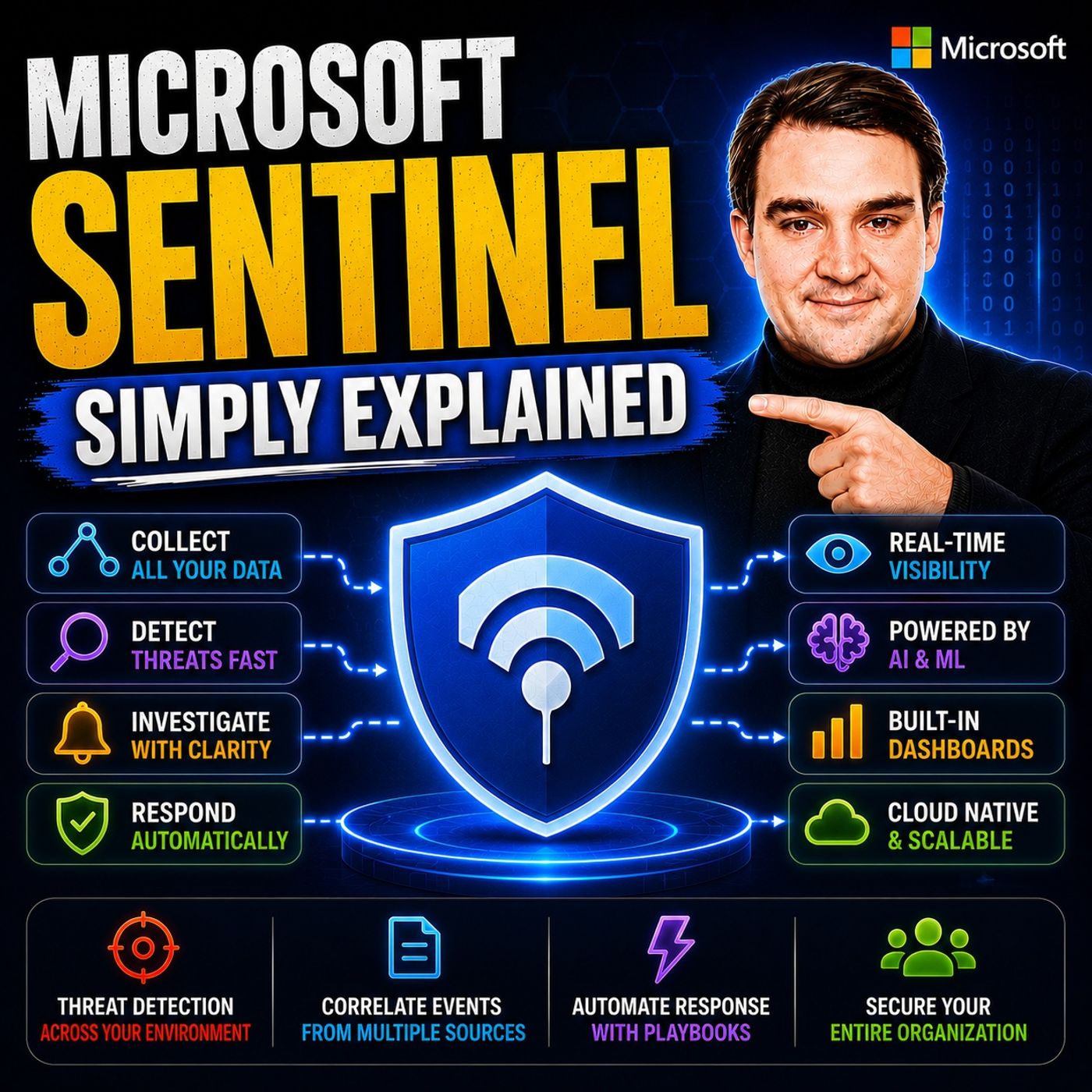
Microsoft Sentinel - Simply Explained
Show notes
Modern cyberattacks rarely happen in a single moment. Attackers often move slowly, testing identities, exploring systems, downloading data, and establishing persistence over days, weeks, or even months. The challenge for Microsoft 365 administrators is that security information is often scattered across Microsoft Entra ID, Exchange Online, SharePoint, Microsoft Defender, Teams, Azure, and countless other systems. Investigating a single incident can require jumping between multiple portals while trying to piece together what actually happened. In this episode of Microsoft Knowledge Nuggets, we explain Microsoft Sentinel in simple terms and show how Microsoft's cloud-native SIEM and SOAR platform brings all your security signals together into one intelligent security operations center. Instead of searching through isolated logs, Sentinel helps you connect the dots, identify threats faster, and automate your response before attackers can cause serious damage. WHAT A SIEM AND SOAR ACTUALLY DO Microsoft Sentinel combines two essential security technologies: Security Information and Event Management (SIEM) and Security Orchestration, Automation, and Response (SOAR). A SIEM collects security logs from Microsoft Entra ID, Exchange Online, SharePoint, Defender, Azure, firewalls, servers, and third-party platforms before correlating millions of events to identify suspicious patterns that individual systems would never detect on their own. SOAR extends this capability by automatically responding to incidents using Playbooks that can disable compromised accounts, block malicious IP addresses, revoke active sessions, isolate devices, and notify security teams without waiting for manual intervention. Together, SIEM and SOAR transform Microsoft Sentinel from a monitoring solution into an intelligent security platform capable of detecting, investigating, and responding to attacks in real time. HOW MICROSOFT SENTINEL FITS INTO THE MICROSOFT SECURITY ECOSYSTEM Microsoft Sentinel doesn't replace Microsoft Defender, Microsoft Entra, Microsoft Purview, or Microsoft Intune—it connects them. Each Microsoft security solution specializes in protecting identities, endpoints, devices, applications, or data, while Sentinel acts as the central intelligence layer that correlates signals across every security product. We also discuss Microsoft's ongoing transition toward a unified security experience, where Microsoft Sentinel is becoming fully integrated into the Microsoft Defender portal. This consolidation reduces operational complexity by allowing security teams and Microsoft 365 administrators to investigate incidents, hunt threats, and manage security operations from one centralized interface instead of switching between multiple portals. THE UNIFIED DATA LAKE AND LONG-TERM THREAT HUNTING One of the biggest recent innovations in Microsoft Sentinel is the Unified Data Lake. Traditional SIEM platforms often forced organizations to choose between affordable storage and long-term visibility because storing years of security logs became prohibitively expensive. Sentinel's Data Lake separates storage from analytics, allowing organizations to retain security data for years at dramatically lower cost while only paying for compute resources when running investigations. Combined with Kusto Query Language (KQL), security teams can hunt for long-term attack patterns, identify slow-moving threats, investigate historical incidents, and correlate years of security telemetry that would otherwise have been deleted under traditional retention models. AI, SECURITY COPILOT, AND THE FUTURE OF SECURITY OPERATIONS Microsoft Sentinel continues to evolve with AI-powered capabilities including Microsoft Security Copilot, Sentinel Graph, and Model Context Protocol (MCP) integration. Security Copilot allows administrators to investigate incidents using natural language instead of writing complex KQL queries, dramatically lowering the barrier to advanced threat hunting. Sentinel Graph visualizes relationships between users, identities, devices, applications, and resources, helping security teams understand attack paths before breaches occur and accurately measure the blast radius after an incident. Together with AI-powered automation and intelligent correlation, these innovations are transforming Microsoft Sentinel into a proactive security operations platform capable of helping defenders work faster than attackers. GETTING STARTED WITH MICROSOFT SENTINEL Getting started with Microsoft Sentinel is far easier than many organizations expect. This episode explains how to enable Sentinel, connect Microsoft Entra ID, Microsoft Defender, Exchange Online, and Microsoft 365 data sources, install pre-built detection rules through the Content Hub, and gradually expand monitoring as your security maturity grows. We also discuss licensing considerations, commitment tiers, Data Lake cost optimization, and practical deployment recommendations for Microsoft 365 administrators who want stronger visibility without building a dedicated Security Operations Center from scratch. By the end of the episode, you'll understand why Microsoft Sentinel has become the foundation of Microsoft's modern security platform and why centralized visibility, intelligent automation, and AI-powered threat detection are essential components of every Zero Trust security strategy. Become a supporter of this podcast: https://www.spreaker.com/podcast/m365-fm-microsoft-365-azure-cloud-power-platform-ai--6704921/support.
Apple Podcasts · Spotify · YouTube · YouTube Music · Deezer
Host: Mirko Peters
Related articles
Transcript
Read the full transcript
So what happens to your data when a former employee logs into your tenant six months after they quit? I'm serious, think about it. You disabled their account when they left. But did you check if a device still holds cash credentials? Did you look to see if an app registration they created still works? Most Microsoft 365 admins have no idea, not because they're bad at their jobs, but because the information they need is scattered across 20 different places. Here's the old way. You want to investigate a suspicious sign in, so you open the EntraAdmin Center to check the audit logs, then you hop over to exchange to see if any mail rules were created. Then you check SharePoint for unusual file access, then Defender for any alerts, then Teams for any strange activity. By the time you've checked five dashboards, you've already lost the thread. And that's just one user on one day. This is where Microsoft Sentinel comes in. Think of it as the security camera system for your entire digital building. You know how a physical office has cameras at every entrance, every hallway, every door. And one security guard can watch all of them from a single screen. That's what Sentinel does for your Microsoft 365 tenant. It takes all those separate logs from Entra from Exchange, from SharePoint from Defender and puts them in one place where you can actually see what's happening. By the end of this episode, you'll understand what Sentinel actually does. How its new data lake changes the game for keeping logs without breaking the bank. And why this matters for every Microsoft 365 admin, not just security teams with fancy titles, grab your coffee and let's dive in. What a seam actually does. Sentinel is what the industry calls a CM. That stands for Security Information and Event Management. Let's say that in plain English. A CM is a tool that collects logs from everywhere, your servers, your firewalls, your apps, your identity systems and then connects the dots between them. Here's why that matters. A single log entry is just noise. Someone tried to log in and failed. Big deal. That happens hundreds of times a day. But a seam doesn't look at one log entry. It looks at all of them together. So it can see that the same IP address tried to log into five different accounts in 30 seconds. That's not noise anymore. That's a brute force attack. The magic is in the correlation. A seam takes a suspicious log in from Entra and connects it to a file download from SharePoint and an email-forwarding rule from Exchange. Alone, none of those things look like an attack. Together they tell a story. Someone got in, found what they wanted and set up a way to keep getting your mail. Think of it like a traffic control center. You don't just watch one camera. You watch all of them at once and you look for patterns, a car that passes the same intersection four times, a person who enters the building but never leaves. That's what a seam does for your digital environment. The key inside here is simple but powerful. You can't protect what you can't see. If your security data is scattered across 20 dashboards, you're blind. You might catch the obvious stuff but the subtle attacks, the ones that happen slowly over weeks or months, those will slip right past you. Now here's the thing about Sentinel. It is a CM but it's more than that. The soar part, why Sentinel has hands? A traditional CM works like a security camera. It shows you everything going on but it can't actually do anything about it. It sees a break in but can't call the police. That's where Soar comes in. Soar stands for security orchestration, automation and response, the part of Sentinel that has hands. Here's how it plays out. Sentinel spots a threat. A user's account gets compromised. Someone logs in from a country they've never visited and starts downloading files they've never touched. A traditional CM would create an alert and wait for a human to respond which could take hours and by then the damage is already done. Sentinel doesn't wait. It acts automatically. It can disable that user's account, block their device from company resources, revoke active sessions and notify the security team all in seconds without a human touching anything. This automation runs on something Sentinel calls playbooks. Basically they're automated to do lists for security incidents. When a specific alert fires, Sentinel runs the matching playbook. If this happens, do that. Simple and you don't need to be a programmer to build them. They're created with a visual designer just like drawing a flowchart. So why does this matter for you as a Microsoft 365 admin? Because you don't want to wake up at 3am to manually block an IP address. You've got better things to do and honestly you won't be fast enough anyway. By the time you stumble to your laptop and log in, the attack has already done what they came to do. Automation isn't a luxury. It's a necessity. So Sentinel detects threats and correlates signals across your entire environment. And when something bad happens, it responds automatically. That's seam and so are working together. But where does Sentinel actually live in the Microsoft world? That's what we'll cover next. Sentinel's place in the Microsoft security stack. Microsoft has a whole portfolio of security products, Defender for endpoint protection, Entra for identity and access, Per view for data security and Intune for device management. Each one does its own job well. But here's the thing, they don't naturally talk to each other. Defender spots a suspicious file, Entra flags a weird log in, Per view catches unusual data access, three separate alerts, three separate dashboards, three separate investigations. That's where Sentinel comes in. It sits underneath all of them. Not as a competitor, but as the foundation. Think of it like the floor of a building. The rooms are Defender, Entra, Per view and Intune, each with their own purpose. But the floor is what connects them, letting you walk from one room to another without stepping into the void. Notice I didn't say Sentinel competes with Defender. It doesn't. Defender is great at detecting threats on endpoints and across Microsoft 365, but it only sees what it sees. It doesn't know about your on-premises firewall logs or your AWS cloud trail logs. Sentinel is the platform Defender sits on, not the product that replaces it. Here's a big shift you need to know about. Microsoft is consolidating everything into one place. After March 30, 2027, Sentinel will no longer be available in the Azure portal. It will only live in the Microsoft Defender portal. For years, you have to jump between the Azure portal for Sentinel and the Defender portal for XDR. That's going away. Microsoft is building one unified security operation center and the Defender portal is where it lives. What does this mean for you? Fewer portals to learn. Less context switching. One place where you can see your incidents, hunt for threats and manage your security posture. It's a move towards simplicity and for Microsoft 365 admins who already live in the Defender portal, that's good news, but the real game changer, that's the data lake. We'll cover that next. The new unified data lake, what changed? So here's the problem Sentinel always had, keeping logs around cost a lot, not just a little, a lot. The default retention was 90 days. After that, you either paid a premium to keep the data or said goodbye to it forever. Most organizations chose to delete logs after three months, which meant they were flying blind past that point. Microsoft solved this with the unified data lake and it changes the math completely. Sentinel now separates storage from compute. In the old model, you paid one price that covered both storing data and being able to query it quickly. That made sense for active investigations, but it was terrible for long term retention. You were paying for speed you didn't need on data you barely touched. The data lake flips that. You store your data in a low cost tier. It's still there, still accessible, still searchable, but you only pay for compute when you actually run a query against it. Think of it like the difference between renting a storage unit versus having a basement. The storage unit costs you every month, whether you use it or not. The basement is just there. You only spend money when you go down and look for something. The numbers speak for themselves. Microsoft says storing data in the data lake costs less than 15% of what traditional analytics logs cost. That's the difference between keeping logs for three months versus three years or even 12 years, which is the new retention maximum or without breaking the bank. And the best part, you don't have to do anything extra. Every log, you're already ingesting, gets mirrored into the data lake automatically. No configuration, no new connectors. It just happens. This opens up some powerful possibilities like threat hunting at scale, which is exactly what we'll get into next. Threat hunting, finding attacks hiding in plain sight. Most people don't realize this about cyber attacks. They don't happen fast, they happen slowly. Security pros call it low and slow. An attacker might test a password on one account, get it wrong and disappear for a month. Then they try again on a different account. Another month passes, they test a third account. Each attempt looks harmless, someone who forgot their password. But here's the problem. With the old 90 day retention window, you'd never see the pattern. By the time the third attempt happened, the first one was already deleted from your logs. You'd see a single failed log in with no context, no pattern, no way to connect the dots. The data lake changes that completely. Now you can run queries across years of data, not months. You are sentinel to show you every failed log in from a specific IP over the last 12 months. Suddenly the pattern becomes crystal clear, three attempts from the same IP using the same technique across different accounts. That's an attack, not forgetfulness. The tool for asking these questions is KQL, Kustoquery Language. Think of it as a search engine for your security logs. You type what you're looking for, like failed logins from a suspicious IP or unusual forwarding rules created after hours and sentinel returns the results. It lets you ask questions you didn't even know you needed to ask. That's why security teams are excited about the data lake, not because of a flashy new feature, but because they can finally see what's been hiding in plain sight. Attackers who operate slowly, who test the waters and blend in with normal traffic, relied on the fact that you couldn't look back far enough to connect the dots. The data lake takes that advantage away. But sentinel isn't only about looking backwards, it's also about looking forward. Graphs and AI, the future that's already here. Attackers think in graphs, not lists. They don't see individual users and devices, they see the connections between them. This user has access to that server. That server connects to this database, and that database holds exactly what they want. They map the entire path before they ever make a move. Now here's the problem. Defenders have always thought in lists. A list of alerts, a list of IP addresses, a list of users. Sure, lists are useful, but they don't show you the connections. They don't show you the path an attacker can take. Sentinel graph changes that. It lets defenders do what attackers have been doing all along. It shows you the map, not just the dots. You see that user A has access to server B, server B connects to database C. And database C contains your most sensitive customer data. That's not just information, that's context. And context turns a good investigation into a great one. This works two ways. Before a breach happens, you use the graph to see potential attack parts. You find choke points. A single user who's compromised would open up half your network, then you can prioritize that user, apply extra controls, and shrink the blast radius before anything goes wrong. After a breach, the graph shows you the real blast radius, and alert fires. Sentinel graph instantly shows you every system that user touched, every file they accessed, every connection made. No guessing, no manual tracing, the graph does it all. Now let's talk about AI. Microsoft Security Co-Pilot brings natural language into the picture. Instead of writing complex KQL queries, you just ask questions in plain English. Show me all the sign-ins from unusual locations in the last week. Security Co-Pilot turns that into a query, runs it against your data, and shows results. It lowers the barrier. You don't need to be a KQL expert to hunt threats. There's also the MCP server. MCP stands for Model Context Protocol. In plain English, it lets AI agents, smart bots, interact with Sentinel directly. An agent can ask Sentinel questions, run queries, analyze results, and even take actions, all without a human in the loop. It sounds futuristic, but it's already rolling out. So Sentinel lets you hunt across years of data. You see the relationships attack as exploit. And you can ask questions in plain language using AI, but how do you actually start without being a security expert? That's what we'll cover next. Getting started without the overwhelm. You might think this sounds like something only a security team with a six-figure budget can handle. That's not true. You don't need a so-key analyst certification. You just need a Microsoft 365 tenant and a willingness to start small. The basic setup is really straightforward. You enable Sentinel in the Microsoft Defender Portal. Then you connect your data sources. That's it. You don't need to configure everything at once. In fact, you shouldn't. Start with just a few sources that matter most to you. Enter ID sign-in logs, exchange online mail flow logs, Defender for Office 365 alerts. Those three alone give you more visibility than most organizations have today. Here's what makes this easier. Sentinel has a content hub. Think of it like an app store for security rules. You browse by category, identity threats, email threats, compliance monitoring, and install pre-built detection rules. You don't write queries from scratch. You don't need KQL on day one. The content hub gives you a starting point that works out of the box. Now let's talk about cost. That's the question everyone asks. Sentinel uses a pay as you go model. You pay for the data you bring in, but you can control the cost. Commitment tiers let you commit to a minimum volume and get a big discount. And remember the data lake? It changes the economics. High volume, low fidelity logs like firewall traffic go straight to the data lake tier at a fraction of the cost. So you don't have to choose between visibility and your budget anymore. The hardest part isn't the technology. It's knowing where to begin. So here's my advice. Start with one data source and one detection rule. Connect Enter ID logs. Install a rule that alerts when a global admin signs in from an unusual location. See what Sentinel tells you. That's enough to get started. Then expand as you get comfortable. Let's bring this all together. The big picture. Why this changes your job? Sentinel is evolving. It started as a tool for security pros and now it's becoming the platform behind all of Microsoft's security. For you as an M365 admin, that means your security gets a big upgrade without you having to build it yourself. Think about what we've covered. Sentinel collects signals from across your entire environment. It correlates them to find patterns you'd never spot manually. It can respond automatically when something goes wrong. The new data lake makes it affordable to keep years of data instead of months. The graph shows you attack paths before they're exploited. AI lets you ask questions in plain English. All of this is built into the platform. You don't have to piece it together from separate tools. The data lake removes the trade off between cost and visibility so you no longer have to decide between keeping logs and saving money. You can do both. That changes how you think about security. Instead of asking can we afford to monitor this? You ask, what else should we be watching? You don't need to be a so-see analyst to benefit from Sentinel. You just need to be someone who cares about keeping your tenants safe. And if you're listening to this, that's you. The integration with Defender, Entra and Pervue means fewer portals to manage, less context switching, and more control from one place. Microsoft is betting that security should be built in, not bolted on. Sentinel is the foundation of that bet and it's paying off. Your next step. So here's what you now understand. Sentinel is the central brain for your security data. It collects everything, correlates the signals, and acts automatically when something goes wrong. The data lake makes it affordable to keep logs for years instead of months. Graphs and AI make it smarter over time. And all of this lives in the Defender portal, right alongside the tools you already use. You don't need to master it overnight. My advice is simple. Go to security. Microsoft.com, Open Sentinel, and browse the content hub. Just explore, see what's available. Pick one connector and one detection rule. That's your starting point. A lot of people won't take that first step. They'll read about Sentinel, not along, and then close the browser and go back to their day. That's why you'll be ahead. Because you actually did something with what you learned. If this episode helped you understand Sentinel a little better, subscribe to Microsoft Knowledge Nuggets. We break down Microsoft Security and M365 topics in plain English every episode. Share this with someone who's been wanting to learn about Sentinel, but wasn't sure where to start. See you in the next one.