 EN
EN Deutsch
 Español
 Français
 Italiano
 Português
 Nederlands
 Polski
 Bahasa Indonesia
 Русский
 Українська
 العربية
 עברית
עברית हिन्दी
 日本語
日本語 한국어
한국어2026-07-16 · Season 3
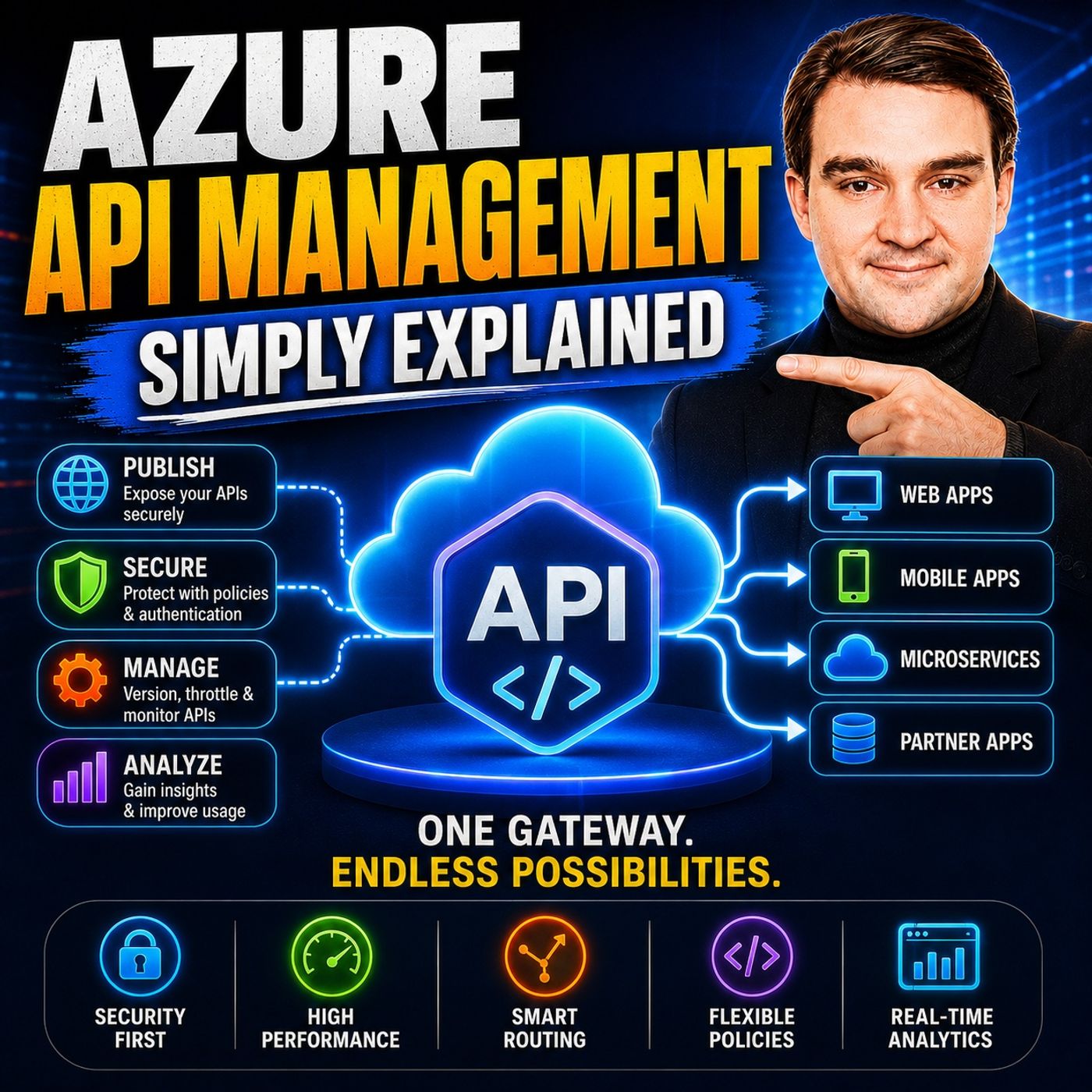
Azure API Management - Simply Explained
Show notes
Explore Azure API Management, including API gateways, policies, rate limiting, authentication, and the developer portal for managing API access. Azure API Management (APIM) is one of the most important services in Microsoft Azure for organizations building modern cloud applications, microservices, and enterprise integrations. While APIs make it possible for applications to communicate, managing dozens or even hundreds of APIs quickly becomes challenging without a centralized platform. In this episode of Microsoft Knowledge Nuggets, we explain Azure API Management in simple terms and show how it helps organizations publish, secure, monitor, and govern APIs at scale. Whether you're building internal business applications, customer-facing services, or partner integrations, APIM provides a single entry point that simplifies API management while improving security and performance. WHY API MANAGEMENT MATTERS IN MODERN CLOUD ARCHITECTURES Modern applications are built using microservices, serverless functions, web applications, mobile apps, and third-party integrations. Each service often exposes its own API, creating complexity for developers, administrators, and security teams. Azure API Management acts as a centralized gateway that sits between API consumers and backend services. Instead of exposing every service individually, APIM provides one secure endpoint where requests can be authenticated, validated, monitored, transformed, and routed. This centralized approach improves consistency, reduces operational overhead, and gives organizations complete visibility into API usage across their environment. UNDERSTANDING THE CORE COMPONENTS OF AZURE API MANAGEMENT This episode explores the three main building blocks of Azure API Management: the Gateway, the Management Plane, and the Developer Portal. You'll learn how the Gateway processes every incoming request, applies policies, performs authentication, caches responses, and forwards traffic to backend services. We also explain how administrators configure APIs, products, subscriptions, and policies using the Management Plane, while developers benefit from the self-service Developer Portal to discover APIs, read documentation, obtain subscription keys, and test endpoints directly in their browser. Together, these components create a complete API lifecycle management platform. SECURITY, POLICIES, PRODUCTS, AND BEST PRACTICES Security is one of Azure API Management's greatest strengths. Learn how APIM integrates with Microsoft Entra ID, OAuth 2.0, JWT validation, Azure Key Vault, Managed Identities, and subscription keys to protect your APIs. We also cover policy-based automation including rate limiting, IP filtering, request transformation, response caching, monitoring, analytics, and version management without changing backend code. Finally, we discuss products, subscriptions, pricing tiers, and real-world scenarios that help organizations choose the right deployment model for development, production, and enterprise-scale environments. By the end of this episode, you'll understand why Azure API Management has become a critical building block for secure, scalable, and well-governed cloud applications. Explore more on M365.FM
- Full episode page with transcript, key takeaways and FAQ
- API Gateway - Simply Explained
- Azure Application Gateway - Simply Explained
- More Azure & Cloud episodes on M365.FM
- Best of Azure & Cloud: the most-listened episodes
Become a supporter of this podcast: https://www.spreaker.com/podcast/m365-fm-microsoft-365-azure-cloud-power-platform-ai--6704921/support.
Apple Podcasts · Spotify · YouTube · YouTube Music · Deezer
Host: Mirko Peters
Related articles
Transcript
Read the full transcript
Welcome to another episode of Microsoft Knowledge Nuggets. I'm your host, Mirko Peters. Today's topic is one that almost everyone has heard of, but few actually understand. APIs. You've probably heard the term thrown around a lot. It's one of those tech words people use when they want to sound like they know what they're talking about. But here's the thing. APIs are actually simple. They're just a way for one piece of software to talk to another. Your phone asks a server for data. The server sends it back. That's an API call. Now imagine you have 20 APIs, or 50, or 100. Each one might use different authentication, different rate limits. Different documentation, if any. Suddenly, what started as a simple conversation between two apps turns into complete chaos. Without a central manager, every team reinvents the wheel. One team builds their own auth system. Another builds their own logging. Security gaps appear everywhere. Developers get confused about which API does what? And you have no single view of what's actually happening across your entire system. Azure API management solves this. It gives you one control center. Think of it like an air traffic control tower for your APIs. By the end of this episode, you'll understand what it actually is, why it matters, and how all the pieces fit together. Grab your coffee and let's dive in. The problem, too many APIs, no control. Here's the reality of modern software. 10 years ago, you probably had one big application, a monolith, one database, one API, simple. Today, that same application might be broken into dozens of microservices. Each service handles one thing. User accounts, payments, inventory, notifications, and each exposes its own API. Suddenly, you have 10, 50, or 100 different entry points into your system. Now imagine your developer trying to build something that uses these APIs. You need to find each one, figure out authentication for each. Some use API keys, some use OAuth, some use nothing at all. You need to handle rate limiting manually or risk getting blocked. You need to understand the data format each expects. It's exhausting. And it gets worse from an operations angle. Without a central gateway, every team has to add security and logging to their own service by hand. Some teams do it well. Others forget to log errors. Some don't validate input at all. Inconsistent and error prone. A security nightmare waiting to happen. Compliance becomes almost impossible. Need to prove who accessed what and when? Good luck pulling audit trails from 20 different services, each with its own logging format. Need to see how many API calls your system handled last month? You're stitching together metrics from a dozen different dashboards. Here's the thing. As you scale, this doesn't just hurt. It breaks. You can't add more developers, more services, more customers without a central control point. Think of it like a building. Imagine every room has a different lock. There's no reception desk or directory. Visitors wander around trying to find the right door getting frustrated and eventually giving up. Complete chaos. This is the problem API management was designed to solve. What is Azure API management? The control tower. So what exactly is Azure API management? Here's the simplest definition. It's a managed service that sits between your back-end APIs and the apps, websites, devices, and partners that consume them. But here's the thing. It's not just a proxy. A proxy forwards traffic. And that's it. Azure API management covers the full lifecycle of your APIs. Publish, secure, monitor, manage, and eventually retire them. It's a complete control center. Let's break it down into three main components. The first is the gateway. This is the front door. Every incoming request from an app or website hits the gateway first, never your back-end directly. The gateway processes the request, enforces any policies you've set up, collects metrics, and then forwards it to the right back end service. Think of it as the traffic cop. Next is the management plane. This is where you define everything. Your APIs, your policies, your products, your subscriptions. You do this through the Azure portal, the command line, or infrastructure as code like bicep or terraform. It's the control room where you configure how everything works. And then the developer portal. This is a self-service website where developers both internal and external can discover your APIs, read documentation, get subscription keys, and even test API calls directly in their browser. No more emailing PDFs back and forth. Here's an analogy that helps. Think of a modern airport. The gateway is the runway. Every plane lands there first. The management plane is the control tower. It directs traffic, sets rules, monitors everything. And the developer portal is the information board. Pilots check it before they fly, and they can find all the information they need without talking to anyone. Now let's zoom into the gateway. That's the part your apps actually talk to and where the real magic happens. The gateway, your API's front door. Let's talk about the gateway, because this is the part your apps actually talk to. Every request from a mobile app, a website, or an IoT device hits the gateway first. Never your back end directly. That's the whole point. The gateway sits in front and acts as a single entry point. The gateway can apply policies before forwarding the request. Policies are rules you write in XML or JSON, things like rate limiting, IP filtering, header rewriting, and authentication checks. All without changing a single line of your backend code. Here's a concrete example. Say you have a free tier and a premium tier for your API. With a policy, you can limit free users to five requests per minute, while premium users get a hundred. Your backend never knows the difference. It just processes requests. The gateway handles the enforcement. The gateway also handles caching. If the same data gets requested over and over, like a list of products that rarely changes, the gateway can cache the response and serve it directly. There's no need to bother your backend at all, which means faster responses and less load on your servers. It can also transform data. Your backend might return XML, but your mobile app expects JSON. The gateway can convert it on the fly. Your backend doesn't need to change, and your app doesn't need to change either. The gateway handles the translation. And it logs every call, every request, every response, every error, you get a complete audit trail of who called what, when and what happened. That alone is worth the price of admission for compliance. If you have a global audience, you can deploy the gateway in multiple regions. Traffic gets automatically routed to the closest one, which gives lower latency and a better experience. One more thing, the gateway hides your real backend URL. Clients only see the gateway address. Your backend servers stay hidden from the internet. That's a huge security win right out of the box. Policies, the engine that controls everything. So what about those policies I mentioned? They're the engine that makes APIM truly powerful. A policy modifies request or response behavior without you ever touching your backend code. Think of it as a wrapper around your API. As traffic flows through, it can add, remove, or change things automatically. Policies can run at four points in the request lifecycle, inbound, on the way in, before the request reaches your backend, outbound, on the way back before the response gets to the client, backend, right before the request hits your servers, and on-error, when something fails. Common inbound policies include validating JWT tokens to check the caller's identity, checking API keys, rewriting URLs, and restricting by IP address. All of this happens before your backend sees a single request. For outbound, you can transform the response body. Find and replace text, remove sensitive fields, change formats. You can cache responses, so repeat requests, don't hit your backend. You can even strip headers that leak internal information. Here's a concrete example. Say your API returns product descriptions with the word blue everywhere. You want to rebrand and use yellow instead. Instead of changing your backend code, you add one outbound policy. Find blue, replace with yellow, and done. Your backend never changes. Rate limiting and quota policies protect your backend from abuse. If someone's app goes rogue and starts hammering your API 10,000 times a second, the policy steps in and says, slow down. Your backend stays healthy. Need advanced logic? You can write custom C-pass expressions inside policies. They get compiled for performance, so there's no runtime cost. You can look up user roles, calculate dynamic rate limits, or conditionally transform responses based on request headers. The key takeaway is this, policies let you control how your API's behave without touching the code that runs them. That means faster changes, fewer deployments, and less risk. Products and subscriptions, packaging APIs for consumers. Now your APIs are defined, policies are in place, and the gateway is humming along. But how do you give different customers access to different things? That's where products and subscriptions come in. In APM, you group APIs into something called a product. Think of it as a bundle. You might have a free tier product that includes only your basic APIs. Maybe just read only access. Then a premium product that includes everything, including write operations and admin endpoints. Developers don't subscribe to individual APIs. They subscribe to a product. When they subscribe, they get a subscription key. Actually two keys, so you can rotate one without downtime. That key is their pass to use any API in that product. You control how subscriptions work. Products can require approval. You manually accept each subscriber. Or they can be open for self-service. Anyone signs up and gets immediate access. You can also include legal terms that users must accept before subscribing. That's important if your API's handle sensitive data. This is how you monetize APIs. A free product with low rate limits, five calls per minute. A paid product with higher limits or more endpoints, a hundred calls per minute, plus access to premium features. Your backend doesn't care. The gateway enforces the limits based on which product the caller subscribe to. Here's a real example. Imagine you're building a conference app. You create an attendee product with APIs for the session schedule, speaker bios, and venue map. Then a sponsor product that also includes lead generation APIs. Sponsors can scan attendee badges and get contact info. Same backend, different products, different access levels. Those two subscription keys are designed for rotation. If a key gets compromised, you generate a new one. The second key lets you switch over without interrupting service. Generate new key, update your app, revoke the old one. Simulace, the developer portal, self-service for API consumers. So you've set up your API products. Now developers need to find them. That's the developer portal's job. The developer portal is a website built into every API and instance. Developers use it to browse your APIs, read the documentation, and test endpoints interactively right in their browser. No setup needed and no backend for the emails. Here's the thing though, it's unpublished by default. When you first create your API and instance, the portal exists, but nobody can see it. You have to customize and publish it first. That's intentional. You don't want to show a half-finished portal to the world. You can customize brand colors, logos, even embed WordPress content for a blog alongside your API docs. It's fully customizable to match your company's look and feel. The real value is self-service. Developers sign up, get their subscription keys automatically, and start calling APIs immediately. No manual emails, no waiting for approval, no support tickets asking how to get a key. They do it themselves, which cuts down your support burden significantly. You can also publish change logs and release notes. When you update an API, developers see it in the portal without any surprises. Access can be public for anyone with the URL, or you can restrict it to users from your intro ID tenant, so only people in your organization can browse. Both options exist for different use cases. The developer portal is what makes your API management a real platform. Think of it as the storefront for your APIs. Without it, developers have to search through docs and ask around. With it, they find what they need and start building. Security, authentication, authorization, and secrets. All this power is useless if security isn't locked down. So let's talk about how APM handles identity access and secrets. APM supports multiple authentication methods. The simplest is subscription keys, which we talked about earlier. But for production systems, you want something stronger like OAuth 2.0, JWT tokens, client certificates, or IP filtering. You layer these based on how sensitive your API is. For production, the best practice is to use OAuth 2.0 with intro ID. Here's how that works. The client app gets a token from intro ID and sends it with the API request. APIM validates the token by checking the signature, issuer, audience, and expiration. If it's valid, APM forwards the request to your backend, including the token. Your backend trusts it because APM already verified it, so your backend doesn't need to revalidate. That's one less thing each service has to handle. Now let's talk about secrets. API keys, connection strings, certificates, you don't want those hard coded in policy files or source control. APM has a feature called NamedValues. You store secrets centrally in APIM and reference them by name in your policies. The actual value never shows up in your policy code. Better yet, you can connect NamedValues to Azure Key Vault. The secrets stay encrypted in Key Vault and APIM fetches them at runtime. Nobody, not even your DevOps team, sees the actual secret value. When you need to rotate a key, you update it in Key Vault. And APIM picks up the change automatically. APM also supports managed identities. This lets APM authenticate to other Azure services like Key Vault or a backend API without storing any credentials anywhere as your handles the identity so you just grant permissions. And for network isolation, you can deploy APIM inside a virtual network. That's the premium tier. Or put Azure front door with a web application firewall in front of it. The point is your backend services never need to be directly exposed to the internet. APM is the only thing the outside world sees. This layered approach builds defense in depth, authentication at the gateway, secrets in a vault, network isolation around your back ends. Each layer strengthens the next. Pricing tiers, which one fits you? So what does it cost? Let's walk through the tiers, the consumption tier. Paper API call with no fixed monthly cost. Perfect for low volume or burst you workloads like when you're just prototyping. If you're not sure what you need yet, start here. The developer tier gives you a fixed, low monthly cost around 50 bucks. Full feature set, but no SLA, ideal for dev and test environments. You get everything premium has, but you can't use it for production. The basic tier is entry level production. Lower throughput, no virtual network support, but you do get a real SLA. Good for internal tools or small projects where private networking isn't critical. Most businesses land on the standard tier. Includes virtual network support, a 99.95% SLA, and good throughput. If you're running business critical APIs, this is probably where you'll settle. The premium tier is for global enterprises that need maximum reliability and private networking. Multi-region deployment, self-hosted gateway, 99.99% SLA, full virtual network injection, starts around 2700 a month per unit. Microsoft also introduced V2 tiers, basic V2, standard V2, premium V2. They simplify pricing with included request quotas and per million overage. Instead of tracking multiple meters, you get a clear bucket of requests and pay for extra usage in simple increments. Here's how to choose. Start with developer for testing. Move to standard for production. Go premium if you need global scale or private networking. And remember, you can always migrate tiers later. Start small and grow as your needs change. So here's what we covered. API management takes the chaos of many APIs and brings them into one control center for gateway, policy, security, and developer experience. The key takeaway is that it's more than a proxy. Think of it as the brain and nervous system of your API ecosystem. Without it, every team builds their own auth, logging and rate limiting. You end up with inconsistency, security gaps, and no single view of what's happening. With it, you get consistency, security, and scalability without reinventing the wheel for every service. Here's a simple exercise. Think of one API you currently exposed directly, maybe a function endpoint or an app service. How would placing API management in front change your security posture and your ability to monitor usage, even just thinking through that exercise will show you the value? Next step, subscribe to the channel. In future episodes, we'll show you how to import an API, apply your first policy, and monitor usage in real time. You'll go from theory to practice. And if you found this helpful, share it with someone building an app. It'll save them months of headaches.