


 Apple Podcasts
 Spotify
 Youtube Music
 Spreaker
 Podchaser
 Amazon Music
 API Gateway - Simply Explained
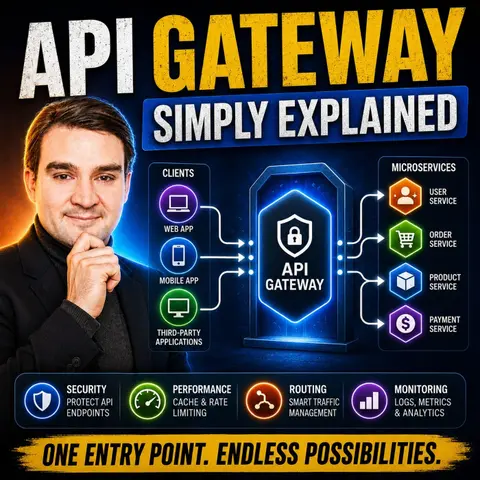

An API Gateway is the front door to modern applications, acting as a single entry point for all API requests before they reach backend services. In this episode, we explain what an API Gateway is, why it's essential in cloud-native and microservices architectures, and how it improves security, scalability, and performance. Whether you're building APIs, integrating applications, or managing enterprise workloads, understanding the role of an API Gateway is a fundamental skill.
You'll learn how API Gateways handle authentication, authorization, rate limiting, request routing, caching, logging, and monitoring while simplifying access to multiple backend services. We also compare API Gateways with reverse proxies and load balancers, explore common deployment patterns, and discuss how platforms like Azure API Management, Amazon API Gateway, and other enterprise solutions implement these capabilities.
Whether you're an IT professional, developer, cloud architect, or simply curious about modern application architecture, this episode breaks down API Gateway concepts in simple, practical terms without unnecessary jargon. By the end, you'll understand why nearly every enterprise cloud platform relies on API Gateways and how they enable secure, reliable, and scalable communication between applications, users, AI services, and backend systems.
Quick answer: An API gateway provides one managed entry point for APIs, handling routing, security, authentication, throttling, and observability. This episode explains how gateways simplify service integration, where they fit in Azure architecture, and the governance choices that protect internal and external API consumers.
In today's fast-paced tech world, you might feel overwhelmed by the complexity of modern applications. With the rise of microservices and cloud computing, the way you build and manage software has changed dramatically. Did you know that nearly 41% of organizations are expected to rely heavily on APIs for their development? This trend shows how crucial the API Gateway has become. It acts as a vital hub, simplifying interactions between your applications and services, making your development process smoother and more efficient.
Key Takeaways
- An API Gateway acts as a central hub for managing requests between client applications and backend services.
- It simplifies interactions by routing requests, handling security, and managing traffic effectively.
- Centralized security measures in the API Gateway protect your services from unauthorized access and attacks.
- Traffic management features like rate limiting ensure your services remain responsive during high-demand periods.
- API Gateways enhance performance by reducing latency through intelligent request routing and caching.
- They support multiple protocols, allowing seamless communication between diverse services.
- Implementing best practices, such as centralized management and observability, maximizes the benefits of your API Gateway.
- Adopting an API Gateway can lead to significant improvements in operational efficiency and security for your applications.
What Is an API Gateway?

Definition
An API Gateway is a crucial component in modern software development. It acts as a middleware layer that sits between your client applications and backend services. Think of it as a front desk for your application, where all client requests first arrive. Here’s what it does:
- An API Gateway accepts API requests from a client, processes them based on defined policies, directs them to the appropriate services, and combines the responses for a simplified user experience.
- It serves as a single-entry point for backend APIs and microservices, managing API traffic effectively.
- The gateway receives an API request and returns an answer, acting as a middle-man between an API consumer and one or many API services.
Role in Software Architecture
In the realm of software architecture, especially with microservice architectures, the API Gateway plays a vital role. It simplifies interactions and enhances the overall efficiency of your applications. Here’s how:
-
Routing Requests: The API Gateway routes client requests to the appropriate services based on various criteria, such as URL or method. This means you don’t have to worry about which service to call; the gateway handles that for you.
-
Centralized Security: It centralizes authentication and authorization processes, ensuring that only authorized users can access specific services. This reduces redundancy and enhances security across your application.
-
Traffic Management: The gateway implements rate limiting and throttling to manage request flow. This is crucial during high-traffic events, as it prevents any single service from becoming overwhelmed.
-
Protocol Translation: It can convert requests between different protocols, making it easier for various services to communicate. For example, it can translate HTTP requests into gRPC or WebSocket formats.
-
Request Aggregation: The API Gateway can combine multiple backend service calls into a single response. This reduces the number of client requests and improves performance.
-
Monitoring and Logging: It captures metrics and logs for observability and debugging, helping you keep track of how your services are performing.
Here’s a quick overview of the functionalities of an API Gateway:
| Functionality | Description |
|---|---|
| Routing | Directs client requests to the appropriate service based on URL, method, or headers. |
| Protocol Translation | Converts requests between protocols (e.g., HTTP to gRPC/WebSocket). |
| Request Aggregation | Combines multiple backend service calls into a single response, reducing client-side requests. |
| Authentication & Authorization | Validates user identity and access permissions. |
| Rate Limiting & Throttling | Controls request traffic to prevent abuse and ensure system stability. |
| Load Balancing | Distributes requests across multiple service instances for better scalability. |
| Caching | Stores frequently accessed responses to improve performance. |
| Monitoring & Logging | Captures metrics and logs for observability and debugging. |
API Gateway Functions
An API Gateway serves several essential functions that simplify how you interact with your backend services. Let’s dive into the primary functions of an API Gateway and see how they enhance your development experience.
Request Routing
One of the core functions of an API Gateway is request routing. When you send an API request, the gateway acts as the first point of contact. Here’s how it works:
- Request Arrival: Your request hits the API Gateway.
- Authentication Check: The gateway verifies your identity.
- Authorization Verification: It checks if you have permission to access the requested resource.
- Rate Limit Check: The gateway ensures you haven’t exceeded your allowed request limits.
- Request Transformation: If needed, it modifies your request to match the backend service requirements.
- Service Routing: Finally, it routes your request to the appropriate backend service.
This process not only streamlines your interactions but also reduces the complexity of managing multiple microservices. Instead of connecting directly to each service, you can rely on the API Gateway to handle the routing for you. This unified approach simplifies your API interactions and enhances performance by aggregating responses from various services.
Security Management
Security management is another critical function of an API Gateway. It acts as a gatekeeper, ensuring that only authorized users can access your APIs. Here are some key aspects of how it manages security:
- Authentication and Authorization: The gateway enforces security protocols, validating user credentials through methods like token-based authentication (e.g., OAuth 2.0, JWT). It also implements role-based access control (RBAC) to define user permissions based on roles.
- Data Protection: It protects sensitive data in transit by using encryption methods like HTTPS.
- Rate Limiting: The gateway applies rate-limiting policies to prevent abuse and volumetric attacks, ensuring your backend services remain stable.
By centralizing these security measures, the API Gateway simplifies the management of API security. You don’t have to implement security protocols for each individual service, which saves time and reduces the risk of vulnerabilities.
Traffic Management
Traffic management is vital for maintaining optimal performance, especially during peak usage times. The API Gateway controls the rate and volume of incoming requests to ensure your services remain responsive. Here’s how it works:
- Client Sends a Request: Your request goes to the API Gateway first.
- Gateway Identifies the Client: It identifies you using methods like API keys or OAuth tokens.
- Usage Tracking: The gateway tracks how many requests you’ve made within a specific time frame.
- Policy Enforcement: If you exceed your limits, the gateway can reject or delay your requests.
- Forwarding Valid Requests: Valid requests are then passed to the backend service.
The API Gateway also employs various strategies for load balancing, ensuring that no single service becomes overwhelmed. For example, it can use techniques like token buckets or sliding window logs to manage traffic effectively. This way, you can enjoy a seamless experience, even during high-traffic events.
How API Gateways Work
Architecture Overview
Understanding the architecture of an API Gateway helps you appreciate its role in modern applications. An API Gateway acts as a centralized entry point for managing API requests. Here are the key architectural components:
- Centralized Entry Point: It manages all incoming API traffic, simplifying client interactions.
- Integration Facilitation: The gateway connects client applications with backend services seamlessly.
- Traffic Management: It includes components for routing requests, user authentication, and protocol translation.
- Reverse Proxy: The API Gateway routes requests to the appropriate backend services, acting as a reverse proxy.
- Caching and Load Balancing: It supports caching responses and dynamic load balancing, ensuring optimal resource utilization.
- Security Policies: The gateway enforces security measures to protect your services.
Unlike traditional load balancers, which primarily distribute traffic, API Gateways offer advanced features. They operate mainly at Layer 7 (application layer), allowing for complex routing and authentication. Here’s a quick comparison:
| Feature | API Gateway | Load Balancer |
|---|---|---|
| Operational Layer | Primarily Layer 7 (application) | Layer 4 (transport) and Layer 7 |
| Main Functions | Authentication, request routing, protocol translation | Distributing traffic across servers |
| Entry Point | Single entry point for managing requests | Distributes incoming traffic |
| Additional Features | Advanced features like logging, rate limiting | Basic traffic distribution |
Operational Processes
Now, let’s explore the operational processes involved in handling API requests through an API Gateway. Here’s how it works step-by-step:
- Initial Request Handling: When you send a request, it first reaches the API Gateway.
- Request Validation: The gateway checks the request’s attributes to ensure it’s correctly formatted.
- Security Checks: It filters out unauthorized requests by checking against allow-lists and deny-lists.
- Authentication and Authorization: The gateway validates your identity and permissions.
- Rate Limiting: If your request exceeds the allowed limit, the gateway rejects it.
- Service Discovery and Routing: The gateway identifies the relevant service to route your request.
- Protocol Translation: It transforms the request into the appropriate protocol for the backend service.
- Response Aggregation: If needed, the gateway combines responses from multiple services.
- Response Delivery: Finally, it sends the processed response back to you in the expected format.
- Logging and Monitoring: Throughout this process, the gateway logs each request and monitors key metrics.
API Gateways also play a crucial role in transforming requests and responses. They manipulate headers, restructure payloads, and convert protocols. This centralization ensures that backend services receive requests in their expected format while providing you with easily understandable responses.
Benefits of Using an API Gateway

When you implement an API Gateway, you unlock a range of benefits that can significantly enhance your application's performance and security. Let’s explore these advantages in detail.
Performance Improvements
One of the standout benefits of using an API Gateway is the performance optimization it brings to your applications. By routing requests intelligently, the API Gateway reduces latency and improves throughput in microservices environments. Here are some strategies it employs:
| Strategy | Description |
|---|---|
| Intelligent Request Routing | Routes requests to the closest or least-loaded backend instance, reducing network latency. |
| Connection Pooling | Maintains persistent connections to backend services, cutting down the overhead of establishing new connections. |
| Request Coalescing | Collapses multiple requests for the same resource into a single backend request, reducing load and improving response times. |
| Caching | Eliminates backend calls by serving cached responses, significantly reducing latency. |
These strategies can lead to impressive performance improvements. For instance, organizations have reported a 20% increase in operational efficiency and a 30% reduction in IT-related costs after implementing an API Gateway. This means you can expect your applications to run smoother and more efficiently.
Enhanced Security
Security is a top concern for any application, and an API Gateway enhances your security posture significantly. It acts as a protective layer, ensuring that only authorized users can access your APIs. Here are some key security enhancements:
- API gateways enforce authentication, rate limiting, and quotas in a single layer, enhancing security.
- They provide a protective layer that defends against digital attacks, centralizing control over data access.
- In the event of a cyberattack, the API Gateway ensures that the overall system remains unaffected, minimizing damage.
- By acting as a buffer zone, API gateways help mitigate risks during cyberattacks, ensuring that other features of the system remain operational.
With these measures in place, you can confidently manage access to sensitive information, ensuring users only see what they are permitted to.
Data Transformation
Another significant benefit of using an API Gateway is its ability to facilitate data transformation. This capability allows you to adapt data formats and protocols seamlessly, making integration with various services much easier. Here’s how it works:
- Copying an API Key from the query string to the header.
- Removing a query string value.
- Moving an API key from a query string to the header.
- Adding a version number to a query string.
- Modifying the header token to Bearer Auth.
- Moving JWT from header to body.
- Sanitizing the body.
- Changing the HTTP method.
API Gateways also support multiple protocols beyond HTTP, including Kafka streams and WebSocket sessions. This flexibility allows you to create hybrid systems without needing separate gateways for each protocol.
Challenges and Best Practices
Common Challenges
When you deploy an API Gateway, you might encounter several challenges that can complicate your development process. Here are some of the most frequently reported issues:
| Challenge Type | Description |
|---|---|
| Observability Complexity | Implementing observability in API gateways often requires complex deployments. This can include additional infrastructure and instrumentation, which may increase costs and maintenance efforts. |
| Environmental Compatibility | Many API gateways struggle with compatibility issues with existing development tools. This can make it tough to test and observe them in production-like environments, leading to increased operational complexity. |
| Lack of Debugging Tools | Observability platforms often overlook debugging tools. This can create significant challenges when diagnosing issues in production, especially during critical incidents. |
These challenges can hinder your ability to manage APIs effectively. However, you can address them with the right strategies.
Best Practices for Implementation
To ensure a smooth experience with your API Gateway, consider these best practices for implementation:
- Centralized Management: Use the API Gateway as a middle layer to manage authentication, routing, and rate limits. This ensures consistent behavior across your services.
- Scalability and Reliability: Remove single points of failure to mitigate risks. Implement caching to reduce server load and improve performance. Establish a disaster recovery plan to maintain performance during outages.
- Security Measures: Implement OAuth 2.0 for secure API access management. Regularly audit access logs to identify suspicious activities. Establish clear access control protocols to safeguard your API resources.
- Observability: Utilize analytics and monitoring tools to track performance metrics. Implement distributed tracing, structured logging, and metrics to gain insights into your API's behavior.
- Traffic Control: Use rate limiting and throttling to manage incoming requests effectively. This prevents overload from excessive requests and ensures your services remain responsive.
By following these best practices, you can enhance the performance and security of your API Gateway. Industries like FinTech, which have the highest API Reliability Index, demonstrate the significance of robust monitoring practices in achieving operational excellence. Effective tracking of performance metrics can directly contribute to addressing scalability and reliability issues.
In summary, an API Gateway is essential for modern applications. It simplifies interactions, enhances security, and improves performance. As you consider adopting an API Gateway, keep in mind key insights from recent case studies:
| Key Insight | Description |
|---|---|
| Internet-wide scans | Provide a broad view of API gateway deployment but may be skewed by large-scale deployments from a few organizations. |
| Company-based data | Offers context to raw adoption numbers by showing which businesses use specific API gateways. |
| Industry and regional variations | Indicates that different API gateways have varying levels of adoption across industries and regions, reflecting market preferences. |
| Data source combination | Emphasizes the importance of using multiple data sources for a balanced perspective on adoption trends. |
Looking ahead, expect trends like viewing APIs as products, AI-driven management, and enhanced security measures. Embracing these changes will help you stay ahead in the evolving digital landscape. 🌐
FAQ
What is an API Gateway used for?
An API Gateway acts as a single entry point for client requests. It simplifies communication between clients and backend services, handling routing, security, and traffic management.
How does an API Gateway improve security?
The API Gateway centralizes authentication and authorization. It validates user credentials and implements security measures like rate limiting to protect your backend services.
Can an API Gateway handle multiple protocols?
Yes! An API Gateway can manage various protocols, including HTTP, gRPC, and WebSocket. This flexibility allows seamless communication between different services.
Is an API Gateway necessary for microservices?
While not mandatory, an API Gateway greatly enhances microservices architecture. It simplifies interactions, improves security, and optimizes performance, making it a valuable addition.
How does an API Gateway manage traffic?
The API Gateway uses techniques like rate limiting and load balancing to control incoming requests. This ensures your backend services remain stable during high-traffic events.
Can I use an API Gateway with existing services?
Absolutely! You can integrate an API Gateway with your current services. It enhances their functionality without requiring significant changes to your existing architecture.
What are the costs associated with an API Gateway?
Costs vary based on the provider and features you choose. Consider factors like traffic volume, security features, and support when evaluating pricing options.
How do I choose the right API Gateway?
Look for features that align with your needs, such as security, scalability, and ease of integration. Evaluate different providers and consider user reviews to make an informed decision.
🎧 Listen to this episode
Want a practical explanation of API Gateway? This episode breaks down the topic in clear language and shows why it matters for Microsoft 365, Azure, Power Platform, security, AI, and modern work.
Listen to this episode if you want to:
- Understand the key concepts behind API Gateway
- See how it fits into the wider Microsoft technology ecosystem
- Learn where it can create practical value for your organization
You may also enjoy these related M365 FM episodes:
- Azure API Management - Simply Explained
- Graph API - Simply Explained
- Microsoft Graph API Discovery for Enterprise Semantic Search
- Configure the Power Platform Data Gateway for Reliable Connectivity
- Connect Azure SQL to Copilot Studio Through a Data Gateway
Discover more practical Microsoft conversations on M365 FM.
Last reviewed: July 2026.
Who Should Listen
This episode is for Azure administrators, architects, developers, and IT leaders who need a practical foundation before designing, governing, or operating this service.
🎧 You Should Also Listen To
- Azure API Management — A practical next step for extending this topic.
- Azure Functions — A practical next step for extending this topic.
- Azure Private Link — A practical next step for extending this topic.
🚀 Want to be part of m365.fm?
Then stop just listening… and start showing up.
👉 Connect with me on LinkedIn and let’s make something happen:
- 🎙️ Be a podcast guest and share your story
- 🎧 Host your own episode (yes, seriously)
- 💡 Pitch topics the community actually wants to hear
- 🌍 Build your personal brand in the Microsoft 365 space
This isn’t just a podcast — it’s a platform for people who take action.
🔥 Most people wait. The best ones don’t.
👉 Connect with me on LinkedIn and send me a message:
"I want in"
Let’s build something awesome 👊
1
00:00:00,000 --> 00:00:03,200
You've built an app that works, then you add another service and another,
2
00:00:03,200 --> 00:00:05,920
and suddenly directing traffic between them becomes a nightmare.
3
00:00:05,920 --> 00:00:07,560
So what exactly is an API gateway?
4
00:00:07,560 --> 00:00:08,760
And do you actually need one?
5
00:00:08,760 --> 00:00:12,600
By the end of this episode, you'll understand what an API gateway does,
6
00:00:12,600 --> 00:00:15,600
why it solves the chaos of managing multiple services,
7
00:00:15,600 --> 00:00:17,200
and how to know if you need one.
8
00:00:17,200 --> 00:00:21,600
We'll start with the problem, then the parts, then how they fit together.
9
00:00:21,600 --> 00:00:23,400
The problem.
10
00:00:23,400 --> 00:00:24,480
Too many doors.
11
00:00:24,480 --> 00:00:27,000
Imagine you're running a company that's growing fast.
12
00:00:27,000 --> 00:00:31,800
You've got a sales team on the third floor, accounting in the basement and IT in the backwing.
13
00:00:31,800 --> 00:00:34,760
Now, imagine every single one of those departments has its own front door,
14
00:00:34,760 --> 00:00:38,120
its own phone number, and its own security guard who doesn't talk to the others.
15
00:00:38,120 --> 00:00:40,960
If you're a visitor trying to drop off a package, good luck.
16
00:00:40,960 --> 00:00:43,880
You have to know exactly which door to use, which guard to talk to,
17
00:00:43,880 --> 00:00:45,760
and what to do when that guard is on break.
18
00:00:45,760 --> 00:00:48,960
That's exactly what happens when your app has multiple back-end services
19
00:00:48,960 --> 00:00:51,240
and every client calls each one directly.
20
00:00:51,240 --> 00:00:54,400
The client, whether it's a mobile app or website or another service,
21
00:00:54,400 --> 00:00:56,080
has to know where every service lives,
22
00:00:56,080 --> 00:00:59,560
how to authenticate with each one, and what to do when something breaks.
23
00:00:59,560 --> 00:01:01,960
Every single service has to handle its own security,
24
00:01:01,960 --> 00:01:04,320
its own rate limiting, and its own error handling.
25
00:01:04,320 --> 00:01:07,400
That's duplicated work, and it's easy for things to get inconsistent.
26
00:01:07,400 --> 00:01:08,480
Take a bank, for example.
27
00:01:08,480 --> 00:01:11,840
They have separate services for accounts, payments, loans, and fraud detection,
28
00:01:11,840 --> 00:01:14,280
and in the old way, each one is exposed directly.
29
00:01:14,280 --> 00:01:16,640
A mobile app has to know four different URLs,
30
00:01:16,640 --> 00:01:20,200
four different authentication methods, and four different ways to handle errors.
31
00:01:20,200 --> 00:01:24,320
That's four times the complexity and four times the surface area for something to go wrong.
32
00:01:24,320 --> 00:01:27,200
And that's the chaos in API Gateway is designed to fix.
33
00:01:27,200 --> 00:01:28,600
So what's the solution?
34
00:01:28,600 --> 00:01:30,280
What is an API Gateway?
35
00:01:30,280 --> 00:01:33,160
Picture an API Gateway like the front desk of a hotel.
36
00:01:33,160 --> 00:01:36,160
When you walk in, you don't need to know which floorhouse keeping is on,
37
00:01:36,160 --> 00:01:39,320
where the kitchen is, or how to reach the maintenance team.
38
00:01:39,320 --> 00:01:42,240
You just walk up to the front desk, tell them what you need,
39
00:01:42,240 --> 00:01:43,560
and they handle the rest.
40
00:01:43,560 --> 00:01:45,480
They route your request to the right person,
41
00:01:45,480 --> 00:01:47,080
check if you're allowed to be there,
42
00:01:47,080 --> 00:01:49,200
and even handle basic requests on their own.
43
00:01:49,200 --> 00:01:52,000
An API Gateway does the same thing for your software.
44
00:01:52,000 --> 00:01:56,280
It's a single entry point that sits between your clients and your backend services.
45
00:01:56,280 --> 00:01:58,320
Every request goes through the Gateway first.
46
00:01:58,320 --> 00:02:02,480
It decides where to send it, whether to allow it, and what to send back.
47
00:02:02,480 --> 00:02:04,080
Now, this isn't a new idea.
48
00:02:04,080 --> 00:02:06,160
Reverse proxies have been around for decades,
49
00:02:06,160 --> 00:02:09,000
but the API Gateway has become essential with microservices.
50
00:02:09,000 --> 00:02:12,200
When you break your app into many small services, you suddenly have many doors.
51
00:02:12,200 --> 00:02:13,760
The Gateway gives you one front door.
52
00:02:13,760 --> 00:02:17,000
In the Azure world, as your API management is the full platform,
53
00:02:17,000 --> 00:02:19,920
and the Gateway is the core component that handles traffic.
54
00:02:19,920 --> 00:02:21,640
But the pattern is the same everywhere.
55
00:02:21,640 --> 00:02:23,720
One entry point, centralize control.
56
00:02:23,720 --> 00:02:25,040
Every request comes in.
57
00:02:25,040 --> 00:02:28,320
The Gateway checks it, routes it, and sends the response back.
58
00:02:28,320 --> 00:02:30,600
The client never talks to your backend services directly.
59
00:02:30,600 --> 00:02:31,920
It only talks to the Gateway.
60
00:02:31,920 --> 00:02:34,040
Let's break down what that actually means.
61
00:02:34,040 --> 00:02:37,440
Starting with the most basic job, routing.
62
00:02:37,440 --> 00:02:39,320
Part one, routing traffic.
63
00:02:39,320 --> 00:02:42,080
The simplest job of an API Gateway is routing,
64
00:02:42,080 --> 00:02:44,240
directing each request to the right service.
65
00:02:44,240 --> 00:02:45,560
Think about how a website works.
66
00:02:45,560 --> 00:02:47,880
When you click a link, your browser sends a request.
67
00:02:47,880 --> 00:02:49,160
That request has a path.
68
00:02:49,160 --> 00:02:52,400
If the path is used, the Gateway knows to send it to the user service.
69
00:02:52,400 --> 00:02:54,800
If it's how orders it goes to the order service.
70
00:02:54,800 --> 00:02:58,480
The Gateway reads the path, figures out where it needs to go, and forwards it.
71
00:02:58,480 --> 00:03:01,880
Without a Gateway, your clients have to know every single service URL.
72
00:03:01,880 --> 00:03:05,160
The mobile app needs the address of the user service, the order service,
73
00:03:05,160 --> 00:03:06,760
the payment service, the catalog service.
74
00:03:06,760 --> 00:03:08,720
That's a lot of URLs to manage.
75
00:03:08,720 --> 00:03:12,080
And if any of those addresses change, you have to update every client.
76
00:03:12,080 --> 00:03:15,520
With a Gateway, clients only know one URL, the Gateway's address.
77
00:03:15,520 --> 00:03:17,600
They don't care where the service is actually live.
78
00:03:17,600 --> 00:03:20,920
They just send their request to the Gateway, and the Gateway handles the rest.
79
00:03:20,920 --> 00:03:24,880
This is one of the most common API Gateway use cases, resource-based routing.
80
00:03:24,880 --> 00:03:27,520
The Apache API 6 research calls it out explicitly.
81
00:03:27,520 --> 00:03:30,520
You root based on the path, the HTTP method, the headers,
82
00:03:30,520 --> 00:03:32,280
even the geolocation of the client.
83
00:03:32,280 --> 00:03:36,160
If someone in Europe sends a request, you can root them to a European data center.
84
00:03:36,160 --> 00:03:39,480
If someone in the US sends a request, they go to a US data center.
85
00:03:39,480 --> 00:03:41,120
The client doesn't know any of this is happening.
86
00:03:41,120 --> 00:03:42,600
They just get a fast response.
87
00:03:42,600 --> 00:03:44,360
Routing also handles versioning.
88
00:03:44,360 --> 00:03:46,440
Say you have a new version of your user service.
89
00:03:46,440 --> 00:03:50,840
The old clients still use their V1 users, and the new clients use V2 users.
90
00:03:50,840 --> 00:03:53,120
The Gateway roots them to different backends.
91
00:03:53,120 --> 00:03:56,120
Old clients keep working while you roll out the new version.
92
00:03:56,120 --> 00:03:58,840
You can change your back end without breaking your clients.
93
00:03:58,840 --> 00:04:02,320
That's a huge deal when you're managing a live application with real users.
94
00:04:02,320 --> 00:04:03,760
Think about an e-commerce platform.
95
00:04:03,760 --> 00:04:08,240
You've got separate services for the catalog, the shopping cart, checkout, and user accounts.
96
00:04:08,240 --> 00:04:12,120
Without a Gateway, a mobile app has to know four different URLs.
97
00:04:12,120 --> 00:04:13,840
With the Gateway, it knows one.
98
00:04:13,840 --> 00:04:15,320
The Gateway reads the path.
99
00:04:15,320 --> 00:04:20,080
Catalog, cart, checkout, account, and sends each request to the right service.
100
00:04:20,080 --> 00:04:21,560
Simple rooting is the easy part.
101
00:04:21,560 --> 00:04:24,040
The next job is where it gets really useful.
102
00:04:24,040 --> 00:04:26,280
Part two, security at the front door.
103
00:04:26,280 --> 00:04:28,400
Every API call needs to be checked.
104
00:04:28,400 --> 00:04:29,520
Who's making this request?
105
00:04:29,520 --> 00:04:31,040
Do they have the right permissions?
106
00:04:31,040 --> 00:04:34,200
Without a Gateway, each service has to handle its own authentication.
107
00:04:34,200 --> 00:04:36,960
That means duplicated work and it's easy to get wrong.
108
00:04:36,960 --> 00:04:39,160
One service might check tokens properly.
109
00:04:39,160 --> 00:04:42,760
Another might skip a step, and another might use a completely different method.
110
00:04:42,760 --> 00:04:46,200
You end up with inconsistent security across your entire application.
111
00:04:46,200 --> 00:04:47,200
The Gateway changes that.
112
00:04:47,200 --> 00:04:50,520
It handles authentication and authorization in one central place.
113
00:04:50,520 --> 00:04:51,520
One spot to check.
114
00:04:51,520 --> 00:04:52,520
One spot to enforce.
115
00:04:52,520 --> 00:04:54,320
One spot to update when policies change.
116
00:04:54,320 --> 00:04:55,840
That's a top security best practice.
117
00:04:55,840 --> 00:05:02,320
It validates API keys, JWTs, OAuth tokens, or certificates on every single request.
118
00:05:02,320 --> 00:05:04,240
Every request goes through the same check.
119
00:05:04,240 --> 00:05:05,720
No exceptions.
120
00:05:05,720 --> 00:05:07,400
The Gateway can also enforce rules.
121
00:05:07,400 --> 00:05:11,800
You can say, this API key can only call the read endpoints, or this client can only access
122
00:05:11,800 --> 00:05:14,360
the catalog service, not the payment service.
123
00:05:14,360 --> 00:05:18,080
You define fine grained permissions at the Gateway level and they apply automatically.
124
00:05:18,080 --> 00:05:20,920
The backend services never have to worry about authorization.
125
00:05:20,920 --> 00:05:23,720
They just process the request and send back the data.
126
00:05:23,720 --> 00:05:24,560
Here's the thing.
127
00:05:24,560 --> 00:05:28,040
The Gateway is a single place to revoke access when something goes wrong.
128
00:05:28,040 --> 00:05:31,680
If a client's API key is compromised, you revoke it at the Gateway.
129
00:05:31,680 --> 00:05:32,680
One change?
130
00:05:32,680 --> 00:05:33,680
Done.
131
00:05:33,680 --> 00:05:35,360
You don't have to update every service or restart anything.
132
00:05:35,360 --> 00:05:38,080
The next request from that key gets rejected immediately.
133
00:05:38,080 --> 00:05:39,080
Take a real example.
134
00:05:39,080 --> 00:05:41,760
A bank has a payment service and a billing service.
135
00:05:41,760 --> 00:05:44,320
Only the payment service needs right access to the billing system.
136
00:05:44,320 --> 00:05:45,800
The Gateway enforces that.
137
00:05:45,800 --> 00:05:49,680
If a client tries to write to the billing system through the wrong endpoint, the Gateway blocks
138
00:05:49,680 --> 00:05:50,680
it.
139
00:05:50,680 --> 00:05:52,640
The billing service never even sees the request.
140
00:05:52,640 --> 00:05:57,120
The Gateway can also support mutual TLS and WAF integration for deeper protection, but
141
00:05:57,120 --> 00:05:59,840
at its core, it's your first line of defense.
142
00:05:59,840 --> 00:06:00,840
Security is one thing.
143
00:06:00,840 --> 00:06:03,520
But what about when too many requests come in at once?
144
00:06:03,520 --> 00:06:04,520
Part three.
145
00:06:04,520 --> 00:06:05,520
Traffic management.
146
00:06:05,520 --> 00:06:09,000
What happens when 10,000 users hit your app at the same time?
147
00:06:09,000 --> 00:06:12,480
Maybe you're running a flash sale, maybe a product launch goes viral, or maybe it's just
148
00:06:12,480 --> 00:06:15,440
a normal Tuesday and everyone decided to log in at once.
149
00:06:15,440 --> 00:06:18,760
Without a Gateway, your backend services get hammered directly.
150
00:06:18,760 --> 00:06:20,800
And they might crash, not slowly.
151
00:06:20,800 --> 00:06:21,800
All at once.
152
00:06:21,800 --> 00:06:23,640
That's where traffic management comes in.
153
00:06:23,640 --> 00:06:27,280
The Gateway can limit how many requests each client can make.
154
00:06:27,280 --> 00:06:29,560
Rate limiting and throttling are standard features.
155
00:06:29,560 --> 00:06:32,280
You set the rules at the Gateway and it enforces them.
156
00:06:32,280 --> 00:06:34,440
Your backend services never feel the spike.
157
00:06:34,440 --> 00:06:37,960
You can set quotas per user, per API key or per IP address.
158
00:06:37,960 --> 00:06:39,920
There you have a free tier of your API.
159
00:06:39,920 --> 00:06:42,040
Free users get 100 requests per hour.
160
00:06:42,040 --> 00:06:43,400
Premium users get 10,000.
161
00:06:43,400 --> 00:06:46,560
The Gateway tracks every request and enforces those limits at the door.
162
00:06:46,560 --> 00:06:51,800
A free user hits their limit and the Gateway sends back a polite, try again later message.
163
00:06:51,800 --> 00:06:54,480
The backend services never even know there was a request.
164
00:06:54,480 --> 00:06:57,200
They keep humming along, serving the paying customers.
165
00:06:57,200 --> 00:06:59,320
The Gateway also handles load balancing.
166
00:06:59,320 --> 00:07:02,760
If you have multiple instances of the same service running, the Gateway spreads the
167
00:07:02,760 --> 00:07:04,200
requests across them.
168
00:07:04,200 --> 00:07:08,080
Once one gets a request, instance two gets the next, instance three gets the next.
169
00:07:08,080 --> 00:07:12,000
It's automatic and if one instance goes down, the Gateway routes to another.
170
00:07:12,000 --> 00:07:14,600
Clients never know, they just get their response.
171
00:07:14,600 --> 00:07:17,280
Load balancing with health checks keeps things running smoothly.
172
00:07:17,280 --> 00:07:20,080
The Gateway pings each instance to make sure it's alive.
173
00:07:20,080 --> 00:07:22,000
If it's not, it stops sending traffic there.
174
00:07:22,000 --> 00:07:24,760
This is especially important for high traffic APIs.
175
00:07:24,760 --> 00:07:28,200
Without the Gateway, a traffic spike hits your services directly.
176
00:07:28,200 --> 00:07:30,520
With the Gateway, the spike hits the Gateway first.
177
00:07:30,520 --> 00:07:35,320
The Gateway absorbs it, spreads it out and protects your services from being overwhelmed.
178
00:07:35,320 --> 00:07:39,720
Okay, but what if the data doesn't look right when it arrives?
179
00:07:39,720 --> 00:07:42,200
Part four, data transformation.
180
00:07:42,200 --> 00:07:45,640
Sometimes the data your client sends doesn't match what your backend expects.
181
00:07:45,640 --> 00:07:49,120
Maybe the client sends Jason but your backend only understands XML.
182
00:07:49,120 --> 00:07:50,520
Maybe the field names don't line up.
183
00:07:50,520 --> 00:07:54,240
The client uses first name and your backend expects first name.
184
00:07:54,240 --> 00:07:55,760
These mismatches break things.
185
00:07:55,760 --> 00:08:00,160
In the old way, you'd have to fix every single client or rewrite the backend, not great.
186
00:08:00,160 --> 00:08:02,960
The Gateway can transform the data before it reaches the backend.
187
00:08:02,960 --> 00:08:04,480
Think of it as a translator.
188
00:08:04,480 --> 00:08:08,240
It sits in the middle and it can change the data on the way in, on the way out or both.
189
00:08:08,240 --> 00:08:10,760
That's request and response transformation in a nutshell.
190
00:08:10,760 --> 00:08:12,040
Let me give you a real example.
191
00:08:12,040 --> 00:08:14,640
Say you have a legacy system that expects XML.
192
00:08:14,640 --> 00:08:16,000
It's been running for 15 years.
193
00:08:16,000 --> 00:08:17,000
It works fine.
194
00:08:17,000 --> 00:08:20,200
But now you're building a new mobile app and mobile app speak Jason.
195
00:08:20,200 --> 00:08:23,880
Without a Gateway, you'd have to rewrite the legacy system or force the mobile app to
196
00:08:23,880 --> 00:08:25,000
send XML.
197
00:08:25,000 --> 00:08:26,560
With a Gateway, you don't do either.
198
00:08:26,560 --> 00:08:28,040
The mobile app sends Jason.
199
00:08:28,040 --> 00:08:29,720
The Gateway converts it to XML.
200
00:08:29,720 --> 00:08:31,400
The legacy system gets what it expects.
201
00:08:31,400 --> 00:08:33,840
The mobile app gets a response back already in Jason.
202
00:08:33,840 --> 00:08:35,320
Nobody had to rewrite anything.
203
00:08:35,320 --> 00:08:36,320
That's the beauty of it.
204
00:08:36,320 --> 00:08:41,040
The Gateway can also add or remove headers, change URLs or mask sensitive data.
205
00:08:41,040 --> 00:08:43,200
Imagine a response includes a credit card number.
206
00:08:43,200 --> 00:08:45,080
You don't want that going back to the client.
207
00:08:45,080 --> 00:08:47,720
The Gateway can strip it out before the response leaves.
208
00:08:47,720 --> 00:08:49,360
Or replace it with a mask version.
209
00:08:49,360 --> 00:08:51,040
The backend never has to change.
210
00:08:51,040 --> 00:08:52,040
The Gateway handles it.
211
00:08:52,040 --> 00:08:54,600
This is especially useful when you're modernizing old systems.
212
00:08:54,600 --> 00:08:56,040
You don't have to rewrite the backend.
213
00:08:56,040 --> 00:08:58,200
You don't have to force clients to change.
214
00:08:58,200 --> 00:08:59,200
You just change the Gateway.
215
00:08:59,200 --> 00:09:01,480
It's like a translator at an international conference.
216
00:09:01,480 --> 00:09:05,440
Everyone speaks their own language, but the translator makes sure everyone understands.
217
00:09:05,440 --> 00:09:07,720
The Gateway is that translator for your software.
218
00:09:07,720 --> 00:09:10,760
So routing, security, throttling, transformation, that's a lot.
219
00:09:10,760 --> 00:09:12,160
But they're not four separate things.
220
00:09:12,160 --> 00:09:13,840
Let me show you how they connect.
221
00:09:13,840 --> 00:09:14,840
How it all connects.
222
00:09:14,840 --> 00:09:16,160
Here's the thing.
223
00:09:16,160 --> 00:09:18,080
These four jobs aren't separate.
224
00:09:18,080 --> 00:09:21,560
They work together on every single request every time a request comes in.
225
00:09:21,560 --> 00:09:23,320
The Gateway checks the authentication.
226
00:09:23,320 --> 00:09:24,680
It validates the rate limit.
227
00:09:24,680 --> 00:09:25,960
It routes to the right service.
228
00:09:25,960 --> 00:09:27,760
It transforms the data if needed.
229
00:09:27,760 --> 00:09:29,160
It gets the response back.
230
00:09:29,160 --> 00:09:31,120
It transforms that too if necessary.
231
00:09:31,120 --> 00:09:32,600
Then it sends it all back to the client.
232
00:09:32,600 --> 00:09:33,600
One pipeline.
233
00:09:33,600 --> 00:09:37,680
Every step happens automatically in order without any service having to think about it.
234
00:09:37,680 --> 00:09:39,560
The real power isn't any single feature.
235
00:09:39,560 --> 00:09:40,760
It's the integration.
236
00:09:40,760 --> 00:09:43,880
You can add a new security policy without touching the routing.
237
00:09:43,880 --> 00:09:46,840
You can change the backend service without changing the client.
238
00:09:46,840 --> 00:09:49,680
You can update the rate limits without redeploying anything.
239
00:09:49,680 --> 00:09:52,960
Each piece is independent, but they all work in the same pipeline.
240
00:09:52,960 --> 00:09:56,120
And because everything goes through one place, you get complete visibility into what's
241
00:09:56,120 --> 00:09:57,120
happening.
242
00:09:57,120 --> 00:09:59,880
You get the same metrics, analytics, all from one point.
243
00:09:59,880 --> 00:10:03,720
You can see how many requests came in, which ones failed, which ones were slow, which clients
244
00:10:03,720 --> 00:10:07,620
are using the most resources without a gateway you'd have to collect that data from every
245
00:10:07,620 --> 00:10:08,820
service individually.
246
00:10:08,820 --> 00:10:10,180
With a gateway, it's all right there.
247
00:10:10,180 --> 00:10:11,180
That's the big insight.
248
00:10:11,180 --> 00:10:12,840
The gateway isn't just a router.
249
00:10:12,840 --> 00:10:15,600
It's a control center for your entire API platform.
250
00:10:15,600 --> 00:10:17,560
Every request, every response, every error.
251
00:10:17,560 --> 00:10:18,920
It all flows through one place.
252
00:10:18,920 --> 00:10:21,360
You have a single pane of glass for everything that's happening.
253
00:10:21,360 --> 00:10:22,840
So how do you actually use this?
254
00:10:22,840 --> 00:10:26,200
Let's talk about what you can do right now, unless actionable takeaways.
255
00:10:26,200 --> 00:10:27,200
Let's be real.
256
00:10:27,200 --> 00:10:30,720
If you've got one or two services, you probably don't need an API gateway yet.
257
00:10:30,720 --> 00:10:33,520
You can handle the routing yourself, manage auth in each service.
258
00:10:33,520 --> 00:10:35,160
It's not elegant, but it works.
259
00:10:35,160 --> 00:10:39,720
But the moment you hit three services, or you're exposing APIs to external clients, the complexity
260
00:10:39,720 --> 00:10:42,440
adds up fast, the gateway pays for itself quickly.
261
00:10:42,440 --> 00:10:44,080
So what's your best first move?
262
00:10:44,080 --> 00:10:45,520
Centralize authentication at the gateway.
263
00:10:45,520 --> 00:10:46,760
Do that before anything else.
264
00:10:46,760 --> 00:10:47,760
Pick one service.
265
00:10:47,760 --> 00:10:49,160
Move its auth check to the gateway.
266
00:10:49,160 --> 00:10:52,440
You'll notice right away that your service code gets cleaner.
267
00:10:52,440 --> 00:10:55,440
No more token validation logic scattered everywhere.
268
00:10:55,440 --> 00:10:58,440
No more wondering if you implemented it the same way in every service.
269
00:10:58,440 --> 00:11:01,760
The gateway handles it once, and every service benefits.
270
00:11:01,760 --> 00:11:04,120
Next step, rate limiting.
271
00:11:04,120 --> 00:11:06,600
Even a simple limit protects your backend from overload.
272
00:11:06,600 --> 00:11:09,760
Start with something basic like a hundred requests per minute per client.
273
00:11:09,760 --> 00:11:12,080
That stops a runaway client from knocking out your services.
274
00:11:12,080 --> 00:11:13,680
You can tweak the numbers later.
275
00:11:13,680 --> 00:11:16,520
The important thing is to have that protection in place.
276
00:11:16,520 --> 00:11:18,200
Finally, routing.
277
00:11:18,200 --> 00:11:21,520
One URL for all your services simplifies everything downstream.
278
00:11:21,520 --> 00:11:23,400
Your clients only need to know one address.
279
00:11:23,400 --> 00:11:26,880
Your backend services can move, scale or change, and nobody notices.
280
00:11:26,880 --> 00:11:28,960
The gateway handles all that complexity.
281
00:11:28,960 --> 00:11:33,040
If you're in Azure, as your API management is a solid choice, it gives you a gateway plus
282
00:11:33,040 --> 00:11:35,560
management, a developer portal, and analytics.
283
00:11:35,560 --> 00:11:37,720
But the pattern is the same no matter the tool.
284
00:11:37,720 --> 00:11:41,080
Single entry point, centralized policies, observability.
285
00:11:41,080 --> 00:11:46,080
You could use Kong, AWS, API gateway, or even build your own with a reverse proxy.
286
00:11:46,080 --> 00:11:48,040
The pattern matters more than the tool.
287
00:11:48,040 --> 00:11:49,360
So here's your challenge.
288
00:11:49,360 --> 00:11:52,120
Pick one small thing this week and move it behind the gateway.
289
00:11:52,120 --> 00:11:53,960
You'll see the difference right away.
290
00:11:53,960 --> 00:11:58,840
So there you have it, the API gateway, a single front door that handles routing, security,
291
00:11:58,840 --> 00:12:00,600
traffic management, and transformation.
292
00:12:00,600 --> 00:12:04,000
It's not a new idea, but it's become important as apps get more complex.
293
00:12:04,000 --> 00:12:06,480
Start small, centralized authentication first.
294
00:12:06,480 --> 00:12:07,760
That's your smartest move.
295
00:12:07,760 --> 00:12:10,680
Subscribe for more breakdowns that cut through the jargon.
296
00:12:10,680 --> 00:12:13,680
And drop a comment, what's the one thing you'd move behind a gateway today?

Founder of m365.fm, m365.show and m365con.net
Mirko Peters is a Microsoft 365 expert, content creator, and founder of m365.fm, a platform dedicated to sharing practical insights on modern workplace technologies. His work focuses on Microsoft 365 governance, security, collaboration, and real-world implementation strategies.
Through his podcast and written content, Mirko provides hands-on guidance for IT professionals, architects, and business leaders navigating the complexities of Microsoft 365. He is known for translating complex topics into clear, actionable advice, often highlighting common mistakes and overlooked risks in real-world environments.
With a strong emphasis on community contribution and knowledge sharing, Mirko is actively building a platform that connects experts, shares experiences, and helps organizations get the most out of their Microsoft 365 investments.




