 EN
EN Deutsch
 Español
 Français
 Italiano
 Português
 Nederlands
 Polski
 Bahasa Indonesia
 Русский
 Українська
 العربية
 עברית
עברית हिन्दी
 日本語
日本語 한국어
한국어2026-07-15 · Season 3
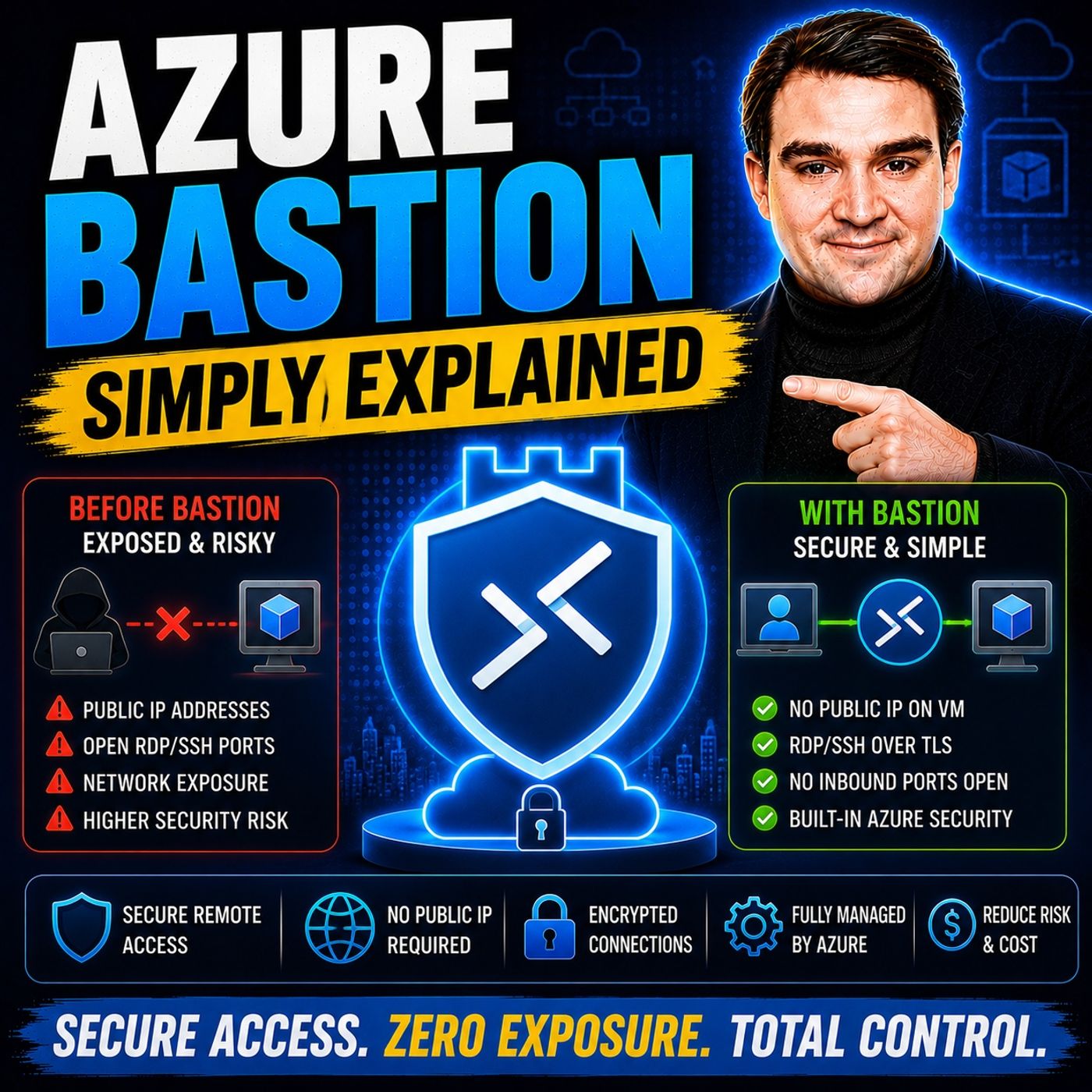
Azure Bastion - Simply Explained
Show notes
Secure remote access is one of the biggest challenges in cloud infrastructure. For years, administrators connected to Azure virtual machines by assigning public IP addresses and opening RDP or SSH ports to the internet—or by maintaining jump boxes that required constant patching, monitoring, and hardening. While these approaches worked, they also created significant security risks and operational overhead. In this episode of m365.fm, we explain Azure Bastion in plain English and show how it provides secure, browser-based RDP and SSH access without exposing your virtual machines to the public internet. You'll learn why Azure Bastion has become a key building block of Microsoft's Zero Trust strategy and how it dramatically simplifies secure remote administration across Azure environments. WHY TRADITIONAL REMOTE ACCESS IS NO LONGER ENOUGH Public IP addresses and open management ports remain some of the most common attack vectors in cloud environments. We explain why traditional jump boxes create operational complexity, require continuous maintenance, and still expose organizations to unnecessary risk despite firewalls and network security groups. You'll discover how ransomware groups continuously scan for exposed RDP services, why maintaining hardened jump servers becomes increasingly difficult at scale, and how Azure Bastion eliminates these challenges by removing public endpoints entirely while providing secure, encrypted administrative access through the Azure platform. HOW AZURE BASTION WORKS Azure Bastion is a fully managed Platform-as-a-Service (PaaS) offering that provides secure RDP and SSH connectivity over HTTPS without requiring public IP addresses on your virtual machines. This episode explores the AzureBastionSubnet architecture, browser-based connections, TLS encryption, private virtual network communication, support for peered virtual networks, ExpressRoute, VPN connectivity, and network security best practices. We explain how Bastion creates a secure management tunnel while keeping your virtual machines completely isolated from direct internet access. By removing exposed management ports, organizations significantly reduce their attack surface without sacrificing administrator productivity. MICROSOFT ENTRA ID, ZERO TRUST, AND MODERN SECURITY One of the biggest advancements in Azure Bastion is its integration with Microsoft Entra ID. Learn how native Entra ID authentication replaces traditional local administrator accounts with centralized identity management, enabling Multi-Factor Authentication (MFA), Conditional Access, Privileged Identity Management (PIM), and Role-Based Access Control (RBAC) for Windows virtual machines. We explain the required Azure VM Login extensions, supported operating systems, Virtual Machine User Login and Virtual Machine Administrator Login roles, and why identity-based security aligns perfectly with Microsoft's Zero Trust architecture. You'll see how Azure Bastion shifts remote access away from network trust toward identity-based authorization backed by your organization's existing Microsoft security policies. CHOOSING THE RIGHT BASTION DEPLOYMENT The episode concludes with practical guidance for selecting the appropriate Azure Bastion deployment model. We compare the Developer, Basic, Standard, and Premium SKUs, discussing browser access, native client support, session recording, private-only deployments, file transfer capabilities, and pricing considerations. We also compare Azure Bastion with traditional jump boxes, highlighting the operational savings gained by eliminating virtual machine maintenance, patching, antivirus management, and infrastructure administration. Whether you're securing a handful of virtual machines or designing enterprise-scale Azure landing zones, this episode provides a practical roadmap for implementing Azure Bastion and modernizing remote administration using Microsoft's cloud-native security approach. Become a supporter of this podcast: https://www.spreaker.com/podcast/m365-fm-microsoft-365-azure-cloud-power-platform-ai--6704921/support.
Apple Podcasts · Spotify · YouTube · YouTube Music · Deezer
Host: Mirko Peters
Related articles
Transcript
Read the full transcript
Welcome to another episode of Microsoft Knowledge Nuggets here on M365. FM, I'm your host, Mirko Peters. Today's topic is one that almost anyone working with Azure has run into. You spin up a new virtual machine, and the default is a public IP address with RDP port 3389 open to the internet. If you've been doing this for a while, you've probably asked yourself the same question I did. Is this really the only way to get into my server? Here's the thing, every exposed port is a target, and ransomware gangs scan for open RDP constantly. It's not a question of if they'll find it, but when? By the end of this episode, you'll understand what as your bastion actually is, and how it provides a better way to access your VM securely, we'll look at the old way, why it's broken, and the better way, plus the new EntraID integration that makes it even simpler than you'd expect it. The old way, jump boxes, and public RDP. So let's start with the old way. The traditional setup goes like this. You deploy a VM, give it a public IP, and open RDP port 3389. Then you add a network security group rule to restrict who can get in. Maybe you limit it to your office IP range, or a VPN endpoint. That's the basic pattern. But there's another model that's been around for years, the jump box. Think of it like a security checkpoint. You have to pass through it before you can reach the rest of your network. A jump box is a single VM that acts as a gateway into your private network. You RDP into that box first, and then from there, you hop to other servers inside your network. It's a simple idea that worked for years, and it still works in small environments today. The catch is that it only works if you harden it, patch it, monitor it, and never make a mistake. The problem isn't that it can't work. It's that it takes constant work to keep it safe. So here's the real problem. Jump boxes are just regular VMs. They need OS updates, antivirus, security baselines, and someone to manage all of that. They have public IPs with RDP or SSH ports exposed. Even if you restrict those ports with NSG rules, they're still discoverable. They still get scanned every single day. At scale, managing jump boxes gets messy fast. You've got multiple VMs across regions, inconsistent configurations, patch drift, one team hardens theirs, another doesn't. And the hidden cost nobody talks about is the hours of admin time spent, patching, hardening, and troubleshooting these boxes. I've seen estimates around three hours per month just for maintenance. That's real money. So what if there was a service that handled all of this for you, one that removes the public endpoint entirely and gives you a cleaner, safer way in? What is Azure Bastion? So here's the simplest definition I can give you. Azure Bastion is a fully managed power service that gives you secure RDP and SSH access to Azure VMs without exposing any public IPs on those VMs. That's it, no public IPs, no open ports, no exposed management endpoints, think of it like a secure tunnel. You connect to Bastion over HTTPS and Bastion connects to your VM privately inside the virtual network. Your browser talks to Bastion on port 443, the same port you use for secure websites. Bastion then talks to your VM using RDP or SSH, but that conversation stays inside your virtual network. The outside world never sees it. Now here's the key difference from a jump box. Bastion is not a VM, it's not something you patch or maintain. Microsoft handles all of that. The OS updates, the security hardening, the scaling, it's all taken care of for you. You just deploy it and use it. For basic use, you connect from the Azure portal right in your browser. No extra client software needed, no VPN client to install, no RDP client to configure. Just your browser and your Azure login. Your VMs stay private, no public IP required, no RDP port exposed to the internet. And here's the thing about modern security models. Bastion fits into a zero trust framework. Access is gated by identity and policy, not by network location. You don't get in because you're on the right IP range. You get in because you're the right person with the right permissions. Let's talk about how it actually works under the hood, because the architecture is simpler than you might think. How Azure Bastion works. Bastion deploys into a dedicated subnet in your virtual network. And that subnet must be named as your Bastion subnet with a 26 or larger address space. About 64 IP addresses minimum, which gives you room for the service to operate and scale. That subnet is exclusive to Bastion, so nothing else can live there, no VMs, no other services, nothing. This keeps things clean and secure. And you know exactly what's in that subnet and what it's doing. And when you connect through the portal, your browser opens a TLS session to Bastion's public IP on port 4443 encrypted. So nobody can see what you're doing. Then Bastion initiates RDP or SSH to your target VM over the private network. So the VM sees the connection coming from inside the virtual network, not from the internet. And it doesn't even know the outside world exists. Bastion can serve VMs in the same vnet in pureed vnet and with the right SKU even on-premises machines connected by ExpressRoute or VPN. That means you can use one Bastion deployment to reach VMs across multiple networks as long as they're connected and in the same tenant. Now a smart way to lock things down further is to use network security groups to only allow RDP and SSH from the Bastion subnet. That way, even if someone somehow got onto your virtual network, they still couldn't reach those management ports. They'd have to go through Bastion, which means they'd need the right identity and permissions first. This alone is already a big improvement over jump boxes, but there's a new feature that takes it even further and it's all about identity. The Entra ID integration. This changes everything. For years, there was one catch with Bastion that bugged a lot of people. You still needed local VM accounts, user names, passwords or SSH keys that you had to manage on each machine. So while Bastion solved the network security problem, you were still stuck with the old identity problem. Different passwords on different VMs accounts that never got cleaned up when someone left the team the whole mess. Then in 2025, Microsoft changed that. They added native Entra ID authentication for Bastion and it changed everything. Now you can log into a Windows VM through Bastion using your work identity with no local account and no password to remember. Just your Entra ID credentials. The same username and password you use for your email, your Teams, your SharePoint. That's it. Entra ID brings MFA and conditional access policies to your VM login. So the same policies that protect your email and your apps now protect your servers. If your company requires MFA for accessing sensitive data, that same MFA prompt shows up when you try to RDP into a VM. And if your conditional access policy blocks sign-ins from untrusted locations, that applies to your servers inherit the same security posture as the rest of your environment, there are a few requirements you need to know about. The VM has to run Windows 10, 20, 8, 2 or newer or Windows Server 2022 and you need the AAD login extension installed on the VM. You also need the right R-back roles assigned to your users. There are two roles here. Virtual machine user login for standard access and virtual machine administrator login if someone needs admin rights. It's a clean separation that lets you give people exactly the level of access they need. Nothing more. When everything is set up correctly, Entra ID shows up as the default authentication type in the Bastion Connect blade. And it's just one click to get in. No typing a username, no hunting for a password, no copying an SSH key. Just click and connect. This is where the old jumpbox model really falls apart because with Bastion and Entra ID together, you get something a jumpbox can never give you. Identity-based access backed by your full security stack, not just a local account on a VM. Eskies, pricing and real-world reality. So let's talk money. Everyone wants to know what Bastion actually costs. There are four tiers. Developer, Basic, Standard and Premium. Developer is free. It's meant for testing, not real work. You can only connect one VM at a time and it runs on shared infrastructure. Great for learning, but don't put anything important there. Basic starts around 0.19s per hour, about $140 a month. It works for small setups, but you lose a few things. No native client support, no file upload or download, no shareable links. Fine for basic portal access, but nothing fancy. Standard is 0.29s per hour, about $210 a month, that comes with two instances by default. And this is where you actually get the good stuff. Native client support, so you can use your normal RDP or SSH client instead of the browser. Shareable links for temporary access, file upload and download, IP-based connections to reach on-premises machines through ExpressRoot or VPN. Premium is 0.27 per hour, about $200 a month, also with two instances. Yes, it's slightly cheaper than Standard per hour. Premium adds session recording and private only deployment, that means Bastion itself doesn't need a public IP. That's a big deal for compliance heavy environments. Now here's the comparison that really matters. A jump box VM might only cost you 35 hours to 50 dollars a month in compute and storage, but that's not the real cost. The hidden costs, patching, hardening, monitoring, managing that VM, often push the real total past $200 a month. Three hours of admin time, at $60 an hour, is $180 right there, add the VM cost and you're at $220 or more. So Bastion Standard at $210 a month starts looking pretty reasonable when you factor in everything you're not paying for anymore. For most production environments, Standard or Premium is the right call. The cost difference between them and a properly maintained jump box is small and the security and operational winds huge. Let's put it all together and see how these pieces fit into one clear picture. The big picture, how it all connects. Let's zoom out and see how this all fits together. The old model looked like this, a public IP on your VM, an open RDP port, a jump box that needed constant care and local accounts scattered across every machine. Each piece was a separate problem you had to solve. You had to work security, patching, identity management, credential rotation, that's a lot of moving parts. And if any one of them failed, you had a breach. Now look at the new model with Bastion, no public IPs on your VMs, no exposed ports, a managed service that Microsoft keeps patched and hardened and identity based access with MFA and conditional access. Suddenly the complexity drops off a cliff. Here's how the pieces divide the work. Bastion handles the network security layer. It's the how you get in. It makes sure your VMs are invisible to the internet and that every connection goes through a secure managed tunnel. Entra ID handles the identity layer. It's the who you are and are you allowed. It makes sure only the right people with the right permissions and the right device posture can connect. Together they give you something no jump box can match. A clean separation between network access and identity control. You don't need to trust the network. You don't need to trust the IP address. You trust the identity. And that identity is backed by your full security stack. This is the direction Microsoft is pushing. And it's the direction cloud security is heading. The real power isn't any individual product. It's how they work together. Your first steps. Getting started with Bastion. So where do you start? Let me give you a simple path. First, you need to decide whether you're starting fresh or migrating from existing jump boxes. If you're starting fresh, you're in the best position. But if you're migrating, don't worry. Bastion can coexist with your existing setup while you move things over. Next pick your sec view. The developer's view is free and great for testing, but for production, go with standard or premium. It costs difference from basic as small and you get features you'll actually use. Then you deploy Bastion into your virtual network. Create the Azure Bastion subnet with a 26 address space, configure your SKU and deploy the service. That's the bulk of the work done. After that, if you want to enter ID login, enable the AAD login extension on your Windows VMs and assign the right R-back roles to your users. You'll need virtual machine user login for standard access and virtual machine administrator login for admin access. That's it. Finally, and this is important. Just public IPs from your VMs and lock down your NSGs to only allow traffic from the Bastion subnet. If you leave a public IP on a VM, you've undone most of the benefit. Here's the single most impactful move you can make today. Enable Entra ID authentication on your most critical VMs first. That's where you get the biggest security win. The VMs that store customer data, financial records, intellectual property. Start there, get comfortable with the workflow, then roll it out across your environment. So that's the system. Three pieces that replace the old way of remote access. Once you see how Bastion, private networking and Entra ID fit together, the fix is obvious. Start with Entra ID on your critical VMs. That's your most impactful move today. Subscribe for more breakdowns like this and drop a comment if something clicked.