


 Apple Podcasts
 Spotify
 Youtube Music
 Spreaker
 Podchaser
 Amazon Music
 Azure Bastion - Simply Explained
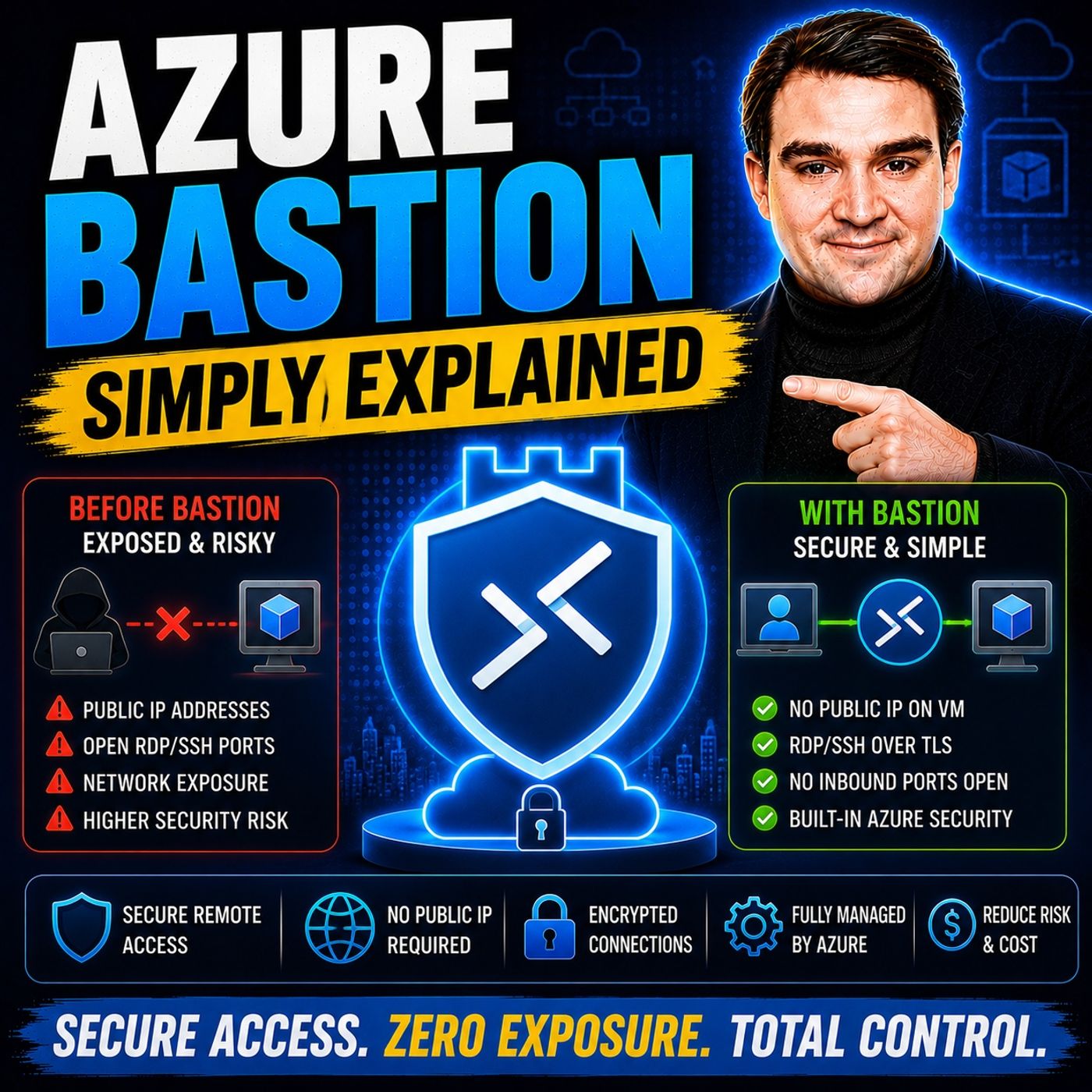
Azure Bastion is Microsoft's managed remote access service that lets you securely connect to Azure virtual machines without exposing them to the public internet. Instead of opening RDP or SSH ports, Azure Bastion provides browser-based access through the Azure portal, significantly reducing the attack surface while improving security and simplifying remote administration.
In this episode, you'll learn what Azure Bastion is, how it works, and why it's becoming a best practice for managing Azure virtual machines. The discussion explains how Bastion enables secure RDP and SSH connections, integrates with virtual networks, and eliminates the need for public IP addresses on your servers. You'll also discover how it supports Zero Trust security principles and strengthens your overall Azure environment.
The episode explores practical scenarios such as securely managing production servers, supporting hybrid environments, enabling remote administration for IT teams, and protecting critical workloads from common network attacks. You'll also learn how Azure Bastion works alongside Azure Firewall, Network Security Groups, Microsoft Defender for Cloud, and Azure Virtual Networks to create a secure management architecture.
By the end of this episode, you'll have a clear understanding of Azure Bastion, its key benefits, common deployment scenarios, and why it's an essential component for securing remote access in modern Azure environments.
Quick answer: Azure Bastion provides secure RDP and SSH access to Azure virtual machines through the Azure portal without public IP addresses on those VMs. This episode explains where Bastion fits in a secure network design, the deployment choices to make, and how to provide safer administrator access.
Azure Bastion is a fully managed service from Microsoft that provides secure and seamless remote access to your virtual machines. In today’s cloud-driven world, ensuring secure access to your VMs is crucial. You want to protect your resources from unauthorized access while maintaining productivity. Azure Bastion plays a vital role in cloud security by eliminating the need for public IP addresses and exposing your VMs to potential threats. With Azure Bastion, you can connect securely through the Azure portal, keeping your environment safe and sound.
Key Takeaways
- Azure Bastion provides secure access to virtual machines without exposing them to the public internet.
- You can connect to your VMs directly from the Azure Portal using a web browser, eliminating the need for additional software.
- Azure Bastion supports both Windows and Linux VMs, making it versatile for different users.
- The service enhances security by removing public IP addresses, reducing the risk of unauthorized access.
- Azure Bastion simplifies management by handling OS patching and monitoring, allowing teams to focus on core tasks.
- Deployment of Azure Bastion is quick, typically taking about 10 minutes for standard setups.
- While Azure Bastion is cost-effective, users should monitor usage to avoid unexpected charges.
- It integrates with Azure Active Directory for better identity management and access control.
Azure Bastion Overview

Key Features of Azure Bastion
Azure Bastion is a fully managed PaaS service that transforms how you access your virtual machines. Instead of relying on traditional jump servers, Azure Bastion offers a more secure and efficient way to connect to your VMs. Here are some key features that set Azure Bastion apart:
- Browser-Based Access: You can initiate SSH or RDP sessions directly from the Azure Portal. This means no need for client software or VPNs, making it incredibly convenient.
- Platform-Agnostic Access: Whether you're using Windows, macOS, or Linux, Azure Bastion works seamlessly across all platforms without additional dependencies.
- Identity-Based Access: With Azure Bastion, you can enforce contextual policies using Role-Based Access Control (RBAC) and Conditional Access. This ensures that only authorized users can access your resources.
- No VM Management Required: Forget about the hassle of OS patching or monitoring the host machine. Azure Bastion takes care of that for you.
- Built-in High Availability: As a fully managed service, Azure Bastion eliminates the need for complex high availability setups. You can trust that your connections will remain stable and secure.
- Reduced Operational Overhead: By using Azure Bastion, you free up resources that would otherwise go into managing IaaS jump boxes. This allows your team to focus on what really matters—your core business functions.
- Monitoring and Auditing: Azure Bastion integrates with Azure Monitor, providing you with logs and insights to keep track of access and usage.
By eliminating the need for public IPs, Azure Bastion significantly enhances your cloud security. You connect securely over HTTPS, ensuring that your VMs are not directly accessible from the internet. This design reduces the attack surface and addresses common security flaws found in traditional setups.
How Azure Bastion Works

Connectivity Options
Azure Bastion operates through a secure architecture that ensures your virtual machines remain protected while allowing you to connect easily. At the heart of this service is the secure management tunnel. This tunnel creates a safe pathway for your connections, allowing you to access your VMs without exposing them to the public internet. Here’s how it works:
- Managed VM: Azure Bastion deploys a managed virtual machine within your virtual network. This VM acts as a gateway for your connections.
- Public IP Address: The service uses a public IP address that is only accessible through the Azure Portal. This limited exposure helps keep your resources secure.
- TLS on Port 443: Azure Bastion uses Transport Layer Security (TLS) on port 443 for secure RDP and SSH sessions. This encryption protects your data as it travels across the network.
- Azure Active Directory: By integrating with Azure Active Directory, Azure Bastion enhances security through robust authentication methods, ensuring that only authorized users can access your resources.
- Dedicated Subnet: A specific subnet in your virtual network is required for Azure Bastion to function properly, further isolating it from other network traffic.
This architecture not only simplifies your access but also significantly reduces the risk of unauthorized entry.
When it comes to accessing your virtual machines, Azure Bastion offers a browser-based access method that stands out from traditional RDP and SSH clients. Here’s why this method is beneficial:
- You don’t need to expose public IP addresses or open ports, which are common vulnerabilities in traditional setups.
- Azure Bastion provides secure connectivity over TLS, minimizing the attack surface and protecting your VMs from threats.
- It integrates seamlessly with Azure Active Directory, enhancing identity management and ensuring that only the right people can connect to your resources.
- Unlike traditional methods that require public IP exposure, Azure Bastion allows you to connect securely within your virtual network.
This approach not only simplifies your workflow but also aligns with best practices in network security. For example, if you have a team managing multiple VMs, you can standardize access patterns using Azure Bastion. This centralization helps maintain control and oversight, ensuring that your organization adheres to security policies.
Benefits of Azure Bastion
Cost-Effective Remote Access
When you think about remote access, security and cost are likely top of mind. Azure Bastion offers a unique solution that enhances security while also being cost-effective. Here’s how it benefits you:
-
Enhanced Security: By eliminating public IP addresses, Azure Bastion significantly reduces the attack surface for your virtual machines. Without public IPs, your VMs cannot be directly accessed from the internet. This setup minimizes the risk of scanning and brute-force attacks, providing you with better protection from external threats.
-
Simplified Management: Managing remote access can be a headache, especially with traditional jump servers. Azure Bastion simplifies this process by allowing you to connect securely through the Azure portal. You don’t have to worry about maintaining public IPs or managing complex infrastructure. This streamlined approach means you can focus on what really matters—your core business functions.
-
Cost Savings: Using Azure Bastion can lead to significant cost savings. Here’s how:
- You eliminate the need for public IP addresses, which reduces operational costs.
- The service simplifies management, decreasing administrative tasks and associated costs.
- Azure Bastion removes the complexities of maintaining traditional infrastructure, further contributing to your savings.
Additionally, Azure Bastion supports compliance requirements for regulated industries. It ensures that your virtual machines do not have public IP addresses, which reduces the risk of data breaches. You also benefit from encrypted connections that protect data in transit.
| Compliance Requirement | Azure Bastion Support |
|---|---|
| No Public IP Addresses | Reduces risk of data breaches |
| Encrypted Connections | Protects data in transit, aiding compliance with regulations |
Deploy Azure Bastion
Deployment Models
Before you dive into deploying Azure Bastion, you need to ensure you have everything set up correctly. Here are the prerequisites you should check off your list:
- Configure virtual networks and virtual machines within those networks.
- Set up virtual network peering if necessary.
- Deploy Azure Bastion in one of your VNets.
- Verify permissions for accessing the resources.
- Ensure you have the correct permissions to connect to a virtual machine via Azure Bastion.
Once you have these prerequisites in place, you can follow these simple steps to deploy Azure Bastion:
- Prerequisites: Make sure you have an Azure subscription, a virtual network with at least one VM, and Azure CLI installed.
- Create the Bastion Subnet: Set up a dedicated subnet named
AzureBastionSubnetwith a minimum size of /26. This subnet is crucial for the Bastion service to function properly. - Create a Public IP for Bastion: Allocate a Standard SKU public IP address for Bastion. This IP will be used to connect securely through the Azure portal.
- Deploy Azure Bastion: Use the Azure CLI to create the Bastion service with the necessary parameters. This step is where the magic happens!
- Create a Test VM (No Public IP): Deploy a VM without a public IP to confirm that access is only through Bastion. This ensures that your setup is secure and functioning as intended.
You might wonder how long it takes to deploy Azure Bastion. Generally, it takes about 10 minutes for a default or custom SKU, while the Developer SKU can deploy in just seconds.
| SKU Type | Deployment Time |
|---|---|
| Default/Custom | Approximately 10 minutes |
| Developer | Deploys in seconds |
While deploying, you may encounter some common challenges. Here’s a quick overview of potential issues and how to resolve them:
| Problem | Description | Resolution |
|---|---|---|
| Failed to add subnet error | A subnet error occurs during deployment. | Add a subnet named AzureBastionSubnet to your virtual network before deployment. |
| Deployment failures | Deployment fails with errors. | Review error messages and consider raising a support request if necessary. Deployment failures may be due to subscription limits. |
| Moving virtual network to another resource group | Moving a virtual network with Bastion is not directly supported. | Delete Bastion first, then move the virtual network, and redeploy Bastion afterwards. |
| Force-tunneling Internet traffic | Advertising a default route over ExpressRoute or VPN. | Force-tunneling with Azure Bastion is unsupported in this scenario. Ensure the virtual network can communicate with necessary internal endpoints. |
By following these steps and being aware of potential challenges, you can successfully deploy Azure Bastion and enjoy secure access to your virtual machines.
Drawbacks of Azure Bastion
While Azure Bastion offers many benefits, it’s important to consider some drawbacks that might affect your decision. Understanding these limitations can help you make an informed choice about whether Azure Bastion is the right fit for your organization.
First, let’s talk about functionality. Azure Bastion primarily supports RDP and SSH connections to Azure VMs. This means you can’t use it for other protocols, which might limit your options. Here are some key limitations:
| Limitation | Description |
|---|---|
| Supported Protocols | Only supports RDP and SSH connections to Azure VMs. Other protocols are not available. |
| IPv6 Support | Currently only supports IPv4, blocking organizations transitioning to IPv6-only environments. |
| Azure Virtual Desktop (AVD) Support | Does not work with AVD, leading to user confusion regarding connection methods. |
| File Transfer | Limited file transfer capabilities; no drag-and-drop or shared drives via the portal. |
You might find that limited file transfer options require you to use CLI commands for simple tasks. This can be frustrating, especially if you’re used to more straightforward methods. Additionally, users have reported confusion due to the lack of AVD support, even though they are using RDP. Performance issues can also arise, particularly when accessing high-color graphics or active content.
Now, let’s discuss the cost aspect. Azure Bastion incurs hourly charges based on the selected SKU and instances. For organizations with large-scale deployments, costs can escalate quickly. Here are some considerations:
- Azure Bastion incurs hourly charges based on the selected SKU and instances.
- Costs can escalate quickly with multiple instances and high outbound data transfer rates.
- Organizations must estimate and manage their usage to prevent unexpected expenses.
If you’re planning to deploy Azure Bastion across multiple VMs, you’ll want to keep a close eye on your usage. Some users have found that performance issues made their sessions unusable, leading them to create a new public IP for RDP connections, which improved performance significantly. Upgrading to the Standard SKU can also enhance performance, but it comes with additional costs.
In summary, Azure Bastion offers a secure and efficient way to access your virtual machines without exposing them to the public internet. By centralizing remote access, you reduce potential entry points and enhance your overall security posture. Key benefits include browser-based access, no public IPs, and seamless integration with Azure Active Directory.
Whether you're managing enterprise IT, DevOps pipelines, or hybrid cloud environments, Azure Bastion simplifies your operations while safeguarding sensitive data. If you're looking to bolster your cloud security, consider implementing Azure Bastion for a streamlined and secure remote access solution.
Remember, a secure environment is a productive environment! 🚀
FAQ
What is Azure Bastion?
Azure Bastion is a managed service that provides secure, browser-based access to your Azure virtual machines without exposing them to the public internet.
How does Azure Bastion enhance security?
By eliminating public IP addresses, Azure Bastion reduces the attack surface. It uses a secure management tunnel over HTTPS, ensuring your VMs remain protected from external threats.
Can I use Azure Bastion for all types of VMs?
Yes, Azure Bastion supports both Windows and Linux VMs. You can connect to any VM within your Azure virtual network securely.
Do I need to install any software to use Azure Bastion?
No, you don’t need to install any client software. You can access your VMs directly through the Azure Portal using your web browser.
Is Azure Bastion cost-effective?
Yes, Azure Bastion can save you money by reducing the need for public IPs and simplifying management. It helps lower operational costs while enhancing security.
How long does it take to deploy Azure Bastion?
Deployment typically takes about 10 minutes for standard SKUs. The Developer SKU can deploy in just seconds, making it quick and efficient.
Can I integrate Azure Bastion with Azure Active Directory?
Absolutely! Azure Bastion integrates seamlessly with Azure Active Directory, allowing you to enforce identity-based access controls and enhance security.
What are the prerequisites for deploying Azure Bastion?
You need an Azure subscription, a virtual network with at least one VM,
🎧 Listen to this episode
Want a practical explanation of Azure Bastion? This episode breaks down the topic in clear language and shows why it matters for Microsoft 365, Azure, Power Platform, security, AI, and modern work.
Listen to this episode if you want to:
- Understand the key concepts behind Azure Bastion
- See how it fits into the wider Microsoft technology ecosystem
- Learn where it can create practical value for your organization
Discover more practical Microsoft conversations on M365 FM.
Last reviewed: July 2026.
Who Should Listen
This episode is for Azure administrators, architects, developers, and IT leaders who need a practical foundation before designing, governing, or operating this service.
🎧 You Should Also Listen To
- Azure Private Link — A practical next step for extending this topic.
- Azure Network Security Groups — A practical next step for extending this topic.
- Azure Virtual Network — A practical next step for extending this topic.
🚀 Want to be part of m365.fm?
Then stop just listening… and start showing up.
👉 Connect with me on LinkedIn and let’s make something happen:
- 🎙️ Be a podcast guest and share your story
- 🎧 Host your own episode (yes, seriously)
- 💡 Pitch topics the community actually wants to hear
- 🌍 Build your personal brand in the Microsoft 365 space
This isn’t just a podcast — it’s a platform for people who take action.
🔥 Most people wait. The best ones don’t.
👉 Connect with me on LinkedIn and send me a message:
"I want in"
Let’s build something awesome 👊
1
00:00:00,000 --> 00:00:03,320
Welcome to another episode of Microsoft Knowledge Nuggets here on M365.
2
00:00:03,320 --> 00:00:04,840
FM, I'm your host, Mirko Peters.
3
00:00:04,840 --> 00:00:08,120
Today's topic is one that almost anyone working with Azure has run into.
4
00:00:08,120 --> 00:00:09,800
You spin up a new virtual machine,
5
00:00:09,800 --> 00:00:15,320
and the default is a public IP address with RDP port 3389 open to the internet.
6
00:00:15,320 --> 00:00:16,840
If you've been doing this for a while,
7
00:00:16,840 --> 00:00:19,280
you've probably asked yourself the same question I did.
8
00:00:19,280 --> 00:00:21,600
Is this really the only way to get into my server?
9
00:00:21,600 --> 00:00:23,880
Here's the thing, every exposed port is a target,
10
00:00:23,880 --> 00:00:27,000
and ransomware gangs scan for open RDP constantly.
11
00:00:27,000 --> 00:00:29,200
It's not a question of if they'll find it, but when?
12
00:00:29,200 --> 00:00:32,520
By the end of this episode, you'll understand what as your bastion actually is,
13
00:00:32,520 --> 00:00:35,520
and how it provides a better way to access your VM securely,
14
00:00:35,520 --> 00:00:37,520
we'll look at the old way, why it's broken,
15
00:00:37,520 --> 00:00:42,280
and the better way, plus the new EntraID integration that makes it even simpler than you'd expect it.
16
00:00:42,280 --> 00:00:45,640
The old way, jump boxes, and public RDP.
17
00:00:45,640 --> 00:00:47,440
So let's start with the old way.
18
00:00:47,440 --> 00:00:49,080
The traditional setup goes like this.
19
00:00:49,080 --> 00:00:53,760
You deploy a VM, give it a public IP, and open RDP port 3389.
20
00:00:53,760 --> 00:00:56,480
Then you add a network security group rule to restrict who can get in.
21
00:00:56,480 --> 00:00:59,960
Maybe you limit it to your office IP range, or a VPN endpoint.
22
00:00:59,960 --> 00:01:01,360
That's the basic pattern.
23
00:01:01,360 --> 00:01:04,680
But there's another model that's been around for years, the jump box.
24
00:01:04,680 --> 00:01:06,160
Think of it like a security checkpoint.
25
00:01:06,160 --> 00:01:09,680
You have to pass through it before you can reach the rest of your network.
26
00:01:09,680 --> 00:01:13,600
A jump box is a single VM that acts as a gateway into your private network.
27
00:01:13,600 --> 00:01:16,320
You RDP into that box first, and then from there,
28
00:01:16,320 --> 00:01:18,640
you hop to other servers inside your network.
29
00:01:18,640 --> 00:01:20,800
It's a simple idea that worked for years,
30
00:01:20,800 --> 00:01:23,000
and it still works in small environments today.
31
00:01:23,000 --> 00:01:27,120
The catch is that it only works if you harden it, patch it, monitor it, and never make a mistake.
32
00:01:27,120 --> 00:01:28,560
The problem isn't that it can't work.
33
00:01:28,560 --> 00:01:31,360
It's that it takes constant work to keep it safe.
34
00:01:31,360 --> 00:01:32,880
So here's the real problem.
35
00:01:32,880 --> 00:01:34,600
Jump boxes are just regular VMs.
36
00:01:34,600 --> 00:01:39,200
They need OS updates, antivirus, security baselines, and someone to manage all of that.
37
00:01:39,200 --> 00:01:42,640
They have public IPs with RDP or SSH ports exposed.
38
00:01:42,640 --> 00:01:45,960
Even if you restrict those ports with NSG rules, they're still discoverable.
39
00:01:45,960 --> 00:01:48,840
They still get scanned every single day.
40
00:01:48,840 --> 00:01:52,720
At scale, managing jump boxes gets messy fast.
41
00:01:52,720 --> 00:01:56,720
You've got multiple VMs across regions, inconsistent configurations, patch drift,
42
00:01:56,720 --> 00:01:58,600
one team hardens theirs, another doesn't.
43
00:01:58,600 --> 00:02:02,880
And the hidden cost nobody talks about is the hours of admin time spent, patching, hardening,
44
00:02:02,880 --> 00:02:04,200
and troubleshooting these boxes.
45
00:02:04,200 --> 00:02:07,480
I've seen estimates around three hours per month just for maintenance.
46
00:02:07,480 --> 00:02:08,760
That's real money.
47
00:02:08,760 --> 00:02:11,440
So what if there was a service that handled all of this for you,
48
00:02:11,440 --> 00:02:15,880
one that removes the public endpoint entirely and gives you a cleaner, safer way in?
49
00:02:15,880 --> 00:02:17,240
What is Azure Bastion?
50
00:02:17,240 --> 00:02:19,240
So here's the simplest definition I can give you.
51
00:02:19,240 --> 00:02:24,320
Azure Bastion is a fully managed power service that gives you secure RDP and SSH access
52
00:02:24,320 --> 00:02:27,720
to Azure VMs without exposing any public IPs on those VMs.
53
00:02:27,720 --> 00:02:31,640
That's it, no public IPs, no open ports, no exposed management endpoints,
54
00:02:31,640 --> 00:02:33,240
think of it like a secure tunnel.
55
00:02:33,240 --> 00:02:37,960
You connect to Bastion over HTTPS and Bastion connects to your VM privately inside the virtual network.
56
00:02:37,960 --> 00:02:43,080
Your browser talks to Bastion on port 443, the same port you use for secure websites.
57
00:02:43,080 --> 00:02:46,120
Bastion then talks to your VM using RDP or SSH,
58
00:02:46,120 --> 00:02:48,560
but that conversation stays inside your virtual network.
59
00:02:48,560 --> 00:02:50,320
The outside world never sees it.
60
00:02:50,320 --> 00:02:52,280
Now here's the key difference from a jump box.
61
00:02:52,280 --> 00:02:55,160
Bastion is not a VM, it's not something you patch or maintain.
62
00:02:55,160 --> 00:02:56,440
Microsoft handles all of that.
63
00:02:56,440 --> 00:03:00,840
The OS updates, the security hardening, the scaling, it's all taken care of for you.
64
00:03:00,840 --> 00:03:02,080
You just deploy it and use it.
65
00:03:02,080 --> 00:03:05,320
For basic use, you connect from the Azure portal right in your browser.
66
00:03:05,320 --> 00:03:09,840
No extra client software needed, no VPN client to install, no RDP client to configure.
67
00:03:09,840 --> 00:03:11,760
Just your browser and your Azure login.
68
00:03:11,760 --> 00:03:16,240
Your VMs stay private, no public IP required, no RDP port exposed to the internet.
69
00:03:16,240 --> 00:03:18,480
And here's the thing about modern security models.
70
00:03:18,480 --> 00:03:20,760
Bastion fits into a zero trust framework.
71
00:03:20,760 --> 00:03:24,360
Access is gated by identity and policy, not by network location.
72
00:03:24,360 --> 00:03:26,600
You don't get in because you're on the right IP range.
73
00:03:26,600 --> 00:03:29,440
You get in because you're the right person with the right permissions.
74
00:03:29,440 --> 00:03:31,400
Let's talk about how it actually works under the hood,
75
00:03:31,400 --> 00:03:34,080
because the architecture is simpler than you might think.
76
00:03:34,080 --> 00:03:35,560
How Azure Bastion works.
77
00:03:35,560 --> 00:03:38,960
Bastion deploys into a dedicated subnet in your virtual network.
78
00:03:38,960 --> 00:03:43,840
And that subnet must be named as your Bastion subnet with a 26 or larger address space.
79
00:03:43,840 --> 00:03:48,880
About 64 IP addresses minimum, which gives you room for the service to operate and scale.
80
00:03:48,880 --> 00:03:53,960
That subnet is exclusive to Bastion, so nothing else can live there, no VMs, no other services, nothing.
81
00:03:53,960 --> 00:03:55,560
This keeps things clean and secure.
82
00:03:55,560 --> 00:03:58,200
And you know exactly what's in that subnet and what it's doing.
83
00:03:58,200 --> 00:04:03,480
And when you connect through the portal, your browser opens a TLS session to Bastion's public IP on port 4443 encrypted.
84
00:04:03,480 --> 00:04:04,920
So nobody can see what you're doing.
85
00:04:04,920 --> 00:04:09,800
Then Bastion initiates RDP or SSH to your target VM over the private network.
86
00:04:09,800 --> 00:04:14,160
So the VM sees the connection coming from inside the virtual network, not from the internet.
87
00:04:14,160 --> 00:04:16,200
And it doesn't even know the outside world exists.
88
00:04:16,200 --> 00:04:23,240
Bastion can serve VMs in the same vnet in pureed vnet and with the right SKU even on-premises machines connected by ExpressRoute or VPN.
89
00:04:23,240 --> 00:04:29,960
That means you can use one Bastion deployment to reach VMs across multiple networks as long as they're connected and in the same tenant.
90
00:04:29,960 --> 00:04:36,440
Now a smart way to lock things down further is to use network security groups to only allow RDP and SSH from the Bastion subnet.
91
00:04:36,440 --> 00:04:39,440
That way, even if someone somehow got onto your virtual network,
92
00:04:39,440 --> 00:04:41,280
they still couldn't reach those management ports.
93
00:04:41,280 --> 00:04:45,320
They'd have to go through Bastion, which means they'd need the right identity and permissions first.
94
00:04:45,320 --> 00:04:52,040
This alone is already a big improvement over jump boxes, but there's a new feature that takes it even further and it's all about identity.
95
00:04:52,040 --> 00:04:55,280
The Entra ID integration.
96
00:04:55,280 --> 00:04:56,800
This changes everything.
97
00:04:56,800 --> 00:05:00,560
For years, there was one catch with Bastion that bugged a lot of people.
98
00:05:00,560 --> 00:05:02,520
You still needed local VM accounts,
99
00:05:02,520 --> 00:05:07,160
user names, passwords or SSH keys that you had to manage on each machine.
100
00:05:07,160 --> 00:05:11,880
So while Bastion solved the network security problem, you were still stuck with the old identity problem.
101
00:05:11,880 --> 00:05:17,320
Different passwords on different VMs accounts that never got cleaned up when someone left the team the whole mess.
102
00:05:17,320 --> 00:05:19,520
Then in 2025, Microsoft changed that.
103
00:05:19,520 --> 00:05:23,680
They added native Entra ID authentication for Bastion and it changed everything.
104
00:05:23,680 --> 00:05:29,960
Now you can log into a Windows VM through Bastion using your work identity with no local account and no password to remember.
105
00:05:29,960 --> 00:05:31,640
Just your Entra ID credentials.
106
00:05:31,640 --> 00:05:35,200
The same username and password you use for your email, your Teams, your SharePoint.
107
00:05:35,200 --> 00:05:39,680
That's it. Entra ID brings MFA and conditional access policies to your VM login.
108
00:05:39,680 --> 00:05:43,320
So the same policies that protect your email and your apps now protect your servers.
109
00:05:43,320 --> 00:05:46,920
If your company requires MFA for accessing sensitive data,
110
00:05:46,920 --> 00:05:51,040
that same MFA prompt shows up when you try to RDP into a VM.
111
00:05:51,040 --> 00:05:59,120
And if your conditional access policy blocks sign-ins from untrusted locations, that applies to your servers inherit the same security posture as the rest of your environment,
112
00:05:59,120 --> 00:06:08,600
there are a few requirements you need to know about. The VM has to run Windows 10, 20, 8, 2 or newer or Windows Server 2022 and you need the AAD login extension installed on the VM.
113
00:06:08,600 --> 00:06:12,000
You also need the right R-back roles assigned to your users.
114
00:06:12,000 --> 00:06:12,880
There are two roles here.
115
00:06:12,880 --> 00:06:18,560
Virtual machine user login for standard access and virtual machine administrator login if someone needs admin rights.
116
00:06:18,560 --> 00:06:22,600
It's a clean separation that lets you give people exactly the level of access they need.
117
00:06:22,600 --> 00:06:23,440
Nothing more.
118
00:06:23,440 --> 00:06:28,760
When everything is set up correctly, Entra ID shows up as the default authentication type in the Bastion Connect blade.
119
00:06:28,760 --> 00:06:30,440
And it's just one click to get in.
120
00:06:30,440 --> 00:06:34,520
No typing a username, no hunting for a password, no copying an SSH key.
121
00:06:34,520 --> 00:06:35,560
Just click and connect.
122
00:06:35,560 --> 00:06:42,480
This is where the old jumpbox model really falls apart because with Bastion and Entra ID together, you get something a jumpbox can never give you.
123
00:06:42,480 --> 00:06:48,040
Identity-based access backed by your full security stack, not just a local account on a VM.
124
00:06:48,040 --> 00:06:50,200
Eskies, pricing and real-world reality.
125
00:06:50,200 --> 00:06:51,360
So let's talk money.
126
00:06:51,360 --> 00:06:54,160
Everyone wants to know what Bastion actually costs.
127
00:06:54,160 --> 00:06:55,240
There are four tiers.
128
00:06:55,240 --> 00:06:57,200
Developer, Basic, Standard and Premium.
129
00:06:57,200 --> 00:06:58,600
Developer is free.
130
00:06:58,600 --> 00:07:00,320
It's meant for testing, not real work.
131
00:07:00,320 --> 00:07:03,640
You can only connect one VM at a time and it runs on shared infrastructure.
132
00:07:03,640 --> 00:07:06,000
Great for learning, but don't put anything important there.
133
00:07:06,000 --> 00:07:10,280
Basic starts around 0.19s per hour, about $140 a month.
134
00:07:10,280 --> 00:07:13,080
It works for small setups, but you lose a few things.
135
00:07:13,080 --> 00:07:16,720
No native client support, no file upload or download, no shareable links.
136
00:07:16,720 --> 00:07:19,120
Fine for basic portal access, but nothing fancy.
137
00:07:19,120 --> 00:07:24,960
Standard is 0.29s per hour, about $210 a month, that comes with two instances by default.
138
00:07:24,960 --> 00:07:27,160
And this is where you actually get the good stuff.
139
00:07:27,160 --> 00:07:32,000
Native client support, so you can use your normal RDP or SSH client instead of the browser.
140
00:07:32,000 --> 00:07:36,160
Shareable links for temporary access, file upload and download, IP-based connections to reach
141
00:07:36,160 --> 00:07:39,640
on-premises machines through ExpressRoot or VPN.
142
00:07:39,640 --> 00:07:44,280
Premium is 0.27 per hour, about $200 a month, also with two instances.
143
00:07:44,280 --> 00:07:47,320
Yes, it's slightly cheaper than Standard per hour.
144
00:07:47,320 --> 00:07:50,920
Premium adds session recording and private only deployment, that means Bastion itself
145
00:07:50,920 --> 00:07:52,240
doesn't need a public IP.
146
00:07:52,240 --> 00:07:54,000
That's a big deal for compliance heavy environments.
147
00:07:54,000 --> 00:07:56,120
Now here's the comparison that really matters.
148
00:07:56,120 --> 00:08:00,640
A jump box VM might only cost you 35 hours to 50 dollars a month in compute and storage,
149
00:08:00,640 --> 00:08:02,160
but that's not the real cost.
150
00:08:02,160 --> 00:08:07,520
The hidden costs, patching, hardening, monitoring, managing that VM, often push the real total
151
00:08:07,520 --> 00:08:09,120
past $200 a month.
152
00:08:09,120 --> 00:08:14,360
Three hours of admin time, at $60 an hour, is $180 right there, add the VM cost and you're
153
00:08:14,360 --> 00:08:16,400
at $220 or more.
154
00:08:16,400 --> 00:08:21,000
So Bastion Standard at $210 a month starts looking pretty reasonable when you factor in everything
155
00:08:21,000 --> 00:08:22,520
you're not paying for anymore.
156
00:08:22,520 --> 00:08:25,840
For most production environments, Standard or Premium is the right call.
157
00:08:25,840 --> 00:08:30,080
The cost difference between them and a properly maintained jump box is small and the security
158
00:08:30,080 --> 00:08:32,920
and operational winds huge.
159
00:08:32,920 --> 00:08:36,520
Let's put it all together and see how these pieces fit into one clear picture.
160
00:08:36,520 --> 00:08:39,040
The big picture, how it all connects.
161
00:08:39,040 --> 00:08:41,640
Let's zoom out and see how this all fits together.
162
00:08:41,640 --> 00:08:47,000
The old model looked like this, a public IP on your VM, an open RDP port, a jump box that
163
00:08:47,000 --> 00:08:51,040
needed constant care and local accounts scattered across every machine.
164
00:08:51,040 --> 00:08:53,560
Each piece was a separate problem you had to solve.
165
00:08:53,560 --> 00:08:57,760
You had to work security, patching, identity management, credential rotation, that's a lot
166
00:08:57,760 --> 00:08:58,760
of moving parts.
167
00:08:58,760 --> 00:09:01,160
And if any one of them failed, you had a breach.
168
00:09:01,160 --> 00:09:05,920
Now look at the new model with Bastion, no public IPs on your VMs, no exposed ports, a
169
00:09:05,920 --> 00:09:09,880
managed service that Microsoft keeps patched and hardened and identity based access with
170
00:09:09,880 --> 00:09:11,640
MFA and conditional access.
171
00:09:11,640 --> 00:09:13,840
Suddenly the complexity drops off a cliff.
172
00:09:13,840 --> 00:09:15,960
Here's how the pieces divide the work.
173
00:09:15,960 --> 00:09:17,640
Bastion handles the network security layer.
174
00:09:17,640 --> 00:09:19,040
It's the how you get in.
175
00:09:19,040 --> 00:09:22,960
It makes sure your VMs are invisible to the internet and that every connection goes through
176
00:09:22,960 --> 00:09:25,120
a secure managed tunnel.
177
00:09:25,120 --> 00:09:27,120
Entra ID handles the identity layer.
178
00:09:27,120 --> 00:09:29,640
It's the who you are and are you allowed.
179
00:09:29,640 --> 00:09:33,400
It makes sure only the right people with the right permissions and the right device posture
180
00:09:33,400 --> 00:09:34,400
can connect.
181
00:09:34,400 --> 00:09:36,400
Together they give you something no jump box can match.
182
00:09:36,400 --> 00:09:40,040
A clean separation between network access and identity control.
183
00:09:40,040 --> 00:09:41,480
You don't need to trust the network.
184
00:09:41,480 --> 00:09:43,480
You don't need to trust the IP address.
185
00:09:43,480 --> 00:09:45,000
You trust the identity.
186
00:09:45,000 --> 00:09:47,920
And that identity is backed by your full security stack.
187
00:09:47,920 --> 00:09:50,000
This is the direction Microsoft is pushing.
188
00:09:50,000 --> 00:09:52,000
And it's the direction cloud security is heading.
189
00:09:52,000 --> 00:09:54,160
The real power isn't any individual product.
190
00:09:54,160 --> 00:09:56,120
It's how they work together.
191
00:09:56,120 --> 00:09:57,280
Your first steps.
192
00:09:57,280 --> 00:09:58,680
Getting started with Bastion.
193
00:09:58,680 --> 00:09:59,680
So where do you start?
194
00:09:59,680 --> 00:10:01,080
Let me give you a simple path.
195
00:10:01,080 --> 00:10:04,640
First, you need to decide whether you're starting fresh or migrating from existing jump
196
00:10:04,640 --> 00:10:05,640
boxes.
197
00:10:05,640 --> 00:10:07,640
If you're starting fresh, you're in the best position.
198
00:10:07,640 --> 00:10:10,000
But if you're migrating, don't worry.
199
00:10:10,000 --> 00:10:13,800
Bastion can coexist with your existing setup while you move things over.
200
00:10:13,800 --> 00:10:14,960
Next pick your sec view.
201
00:10:14,960 --> 00:10:18,840
The developer's view is free and great for testing, but for production, go with standard
202
00:10:18,840 --> 00:10:19,840
or premium.
203
00:10:19,840 --> 00:10:23,440
It costs difference from basic as small and you get features you'll actually use.
204
00:10:23,440 --> 00:10:26,200
Then you deploy Bastion into your virtual network.
205
00:10:26,200 --> 00:10:31,200
Create the Azure Bastion subnet with a 26 address space, configure your SKU and deploy
206
00:10:31,200 --> 00:10:32,200
the service.
207
00:10:32,200 --> 00:10:33,760
That's the bulk of the work done.
208
00:10:33,760 --> 00:10:38,240
After that, if you want to enter ID login, enable the AAD login extension on your Windows
209
00:10:38,240 --> 00:10:41,160
VMs and assign the right R-back roles to your users.
210
00:10:41,160 --> 00:10:45,280
You'll need virtual machine user login for standard access and virtual machine administrator
211
00:10:45,280 --> 00:10:46,680
login for admin access.
212
00:10:46,680 --> 00:10:47,680
That's it.
213
00:10:47,680 --> 00:10:49,720
Finally, and this is important.
214
00:10:49,720 --> 00:10:54,080
Just public IPs from your VMs and lock down your NSGs to only allow traffic from the Bastion
215
00:10:54,080 --> 00:10:55,080
subnet.
216
00:10:55,080 --> 00:10:58,560
If you leave a public IP on a VM, you've undone most of the benefit.
217
00:10:58,560 --> 00:11:01,920
Here's the single most impactful move you can make today.
218
00:11:01,920 --> 00:11:05,240
Enable Entra ID authentication on your most critical VMs first.
219
00:11:05,240 --> 00:11:07,080
That's where you get the biggest security win.
220
00:11:07,080 --> 00:11:10,440
The VMs that store customer data, financial records, intellectual property.
221
00:11:10,440 --> 00:11:14,600
Start there, get comfortable with the workflow, then roll it out across your environment.
222
00:11:14,600 --> 00:11:15,600
So that's the system.
223
00:11:15,600 --> 00:11:18,240
Three pieces that replace the old way of remote access.
224
00:11:18,240 --> 00:11:23,320
Once you see how Bastion, private networking and Entra ID fit together, the fix is obvious.
225
00:11:23,320 --> 00:11:25,040
Start with Entra ID on your critical VMs.
226
00:11:25,040 --> 00:11:26,680
That's your most impactful move today.
227
00:11:26,680 --> 00:11:29,480
Subscribe for more breakdowns like this and drop a comment if something clicked.

Founder of m365.fm, m365.show and m365con.net
Mirko Peters is a Microsoft 365 expert, content creator, and founder of m365.fm, a platform dedicated to sharing practical insights on modern workplace technologies. His work focuses on Microsoft 365 governance, security, collaboration, and real-world implementation strategies.
Through his podcast and written content, Mirko provides hands-on guidance for IT professionals, architects, and business leaders navigating the complexities of Microsoft 365. He is known for translating complex topics into clear, actionable advice, often highlighting common mistakes and overlooked risks in real-world environments.
With a strong emphasis on community contribution and knowledge sharing, Mirko is actively building a platform that connects experts, shares experiences, and helps organizations get the most out of their Microsoft 365 investments.




