 EN
EN Deutsch
 Español
 Français
 Italiano
 Português
 Nederlands
 Polski
 Bahasa Indonesia
 Русский
 Українська
 العربية
 עברית
עברית हिन्दी
 日本語
日本語 한국어
한국어2026-07-15 · Season 3
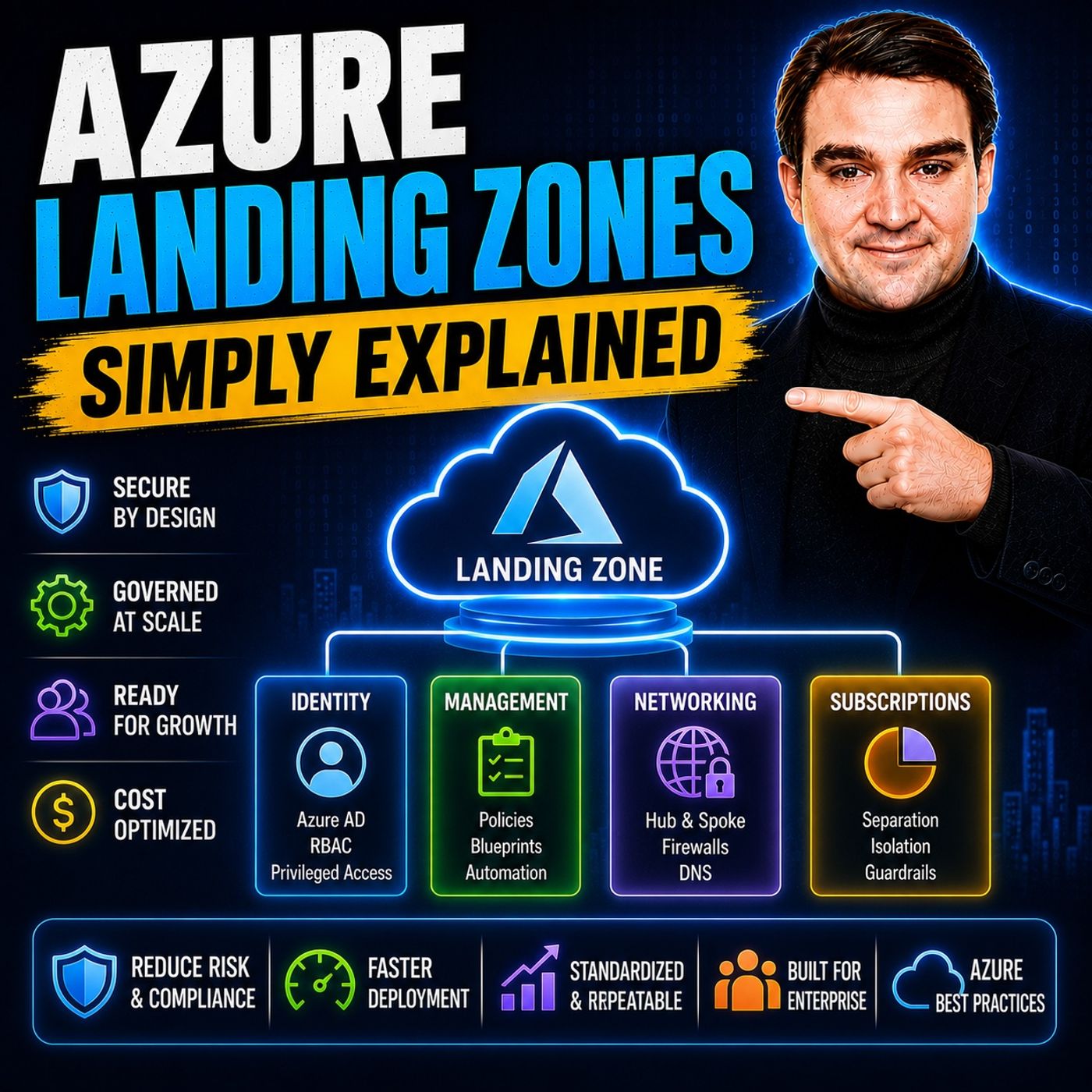
Azure Landing Zones - Simply Explained
Show notes
Building workloads in Azure is easy. Building an Azure environment that remains secure, scalable, compliant, and manageable for years is much harder. Without a solid foundation, organizations quickly end up with inconsistent subscriptions, overlapping networks, missing policies, unclear ownership, and rapidly increasing cloud costs. In this episode of m365.fm, we explain Azure Landing Zones in plain English and show why they have become Microsoft's recommended foundation for enterprise cloud adoption. You'll learn what a Landing Zone really is, why it isn't a product you simply deploy, and how it creates a governed platform that allows application teams to innovate without sacrificing security or operational control. Whether you're an Azure administrator, cloud architect, or IT leader, understanding Landing Zones is essential for building Azure environments that scale successfully. WHAT AN AZURE LANDING ZONE REALLY IS Despite the name, Azure Landing Zones are not a single Azure service. They are a pre-configured cloud environment where networking, identity, governance, monitoring, and security are already established before the first workload is deployed. We explain why subscriptions—not resource groups—form the primary isolation boundary, how Management Groups organize Azure environments at scale, and why Azure Policy enforces organizational standards automatically instead of relying on documentation or manual reviews. You'll discover how guardrails such as allowed regions, mandatory tagging, diagnostic settings, and security baselines are inherited across your Azure hierarchy, creating governance that is built directly into the platform. THE EIGHT DESIGN AREAS EXPLAINED Microsoft's Cloud Adoption Framework defines eight core design areas that together form a complete Landing Zone architecture. This episode breaks down identity and Microsoft Entra ID, billing and subscription design, Management Groups, networking, security, governance, management, and platform automation using practical examples that make each concept easy to understand. We also explore Hub-and-Spoke networking, Azure Virtual WAN, Azure Firewall, Microsoft Defender for Cloud, centralized Log Analytics, Azure Policy initiatives, Infrastructure as Code, subscription vending, and automated governance. By understanding how these components work together, you'll see how Azure Landing Zones create repeatable, enterprise-ready cloud platforms instead of isolated Azure subscriptions. PLATFORM LANDING ZONES VS. APPLICATION LANDING ZONES One of the most common sources of confusion is the difference between Platform Landing Zones and Application Landing Zones. We explain why platform subscriptions host shared services such as identity, networking, connectivity, monitoring, and security, while application subscriptions remain isolated environments owned by individual workload teams. You'll learn why separating these responsibilities improves scalability, simplifies governance, and allows centralized platform teams to support hundreds of Azure subscriptions without becoming operational bottlenecks. We also discuss common architectural mistakes, including placing shared services inside application subscriptions, and explain how proper separation creates a more maintainable Azure environment over the long term. BUILDING A SCALABLE AZURE FOUNDATION The episode concludes with practical guidance for implementing Azure Landing Zones without unnecessary complexity. Learn why starting with a Minimum Viable Landing Zone often delivers better long-term results than attempting to build a perfect enterprise architecture on day one. We explore Azure Landing Zone Accelerators, Policy Audit mode, IP address planning, subscription automation, Infrastructure as Code with Bicep and Terraform, and Microsoft's Cloud Adoption Framework recommendations for continuous platform evolution. Whether you're creating your first Azure environment or modernizing an existing cloud estate, this episode provides the practical knowledge needed to build a secure, scalable, and well-governed Azure platform that supports business growth for years to come. Become a supporter of this podcast: https://www.spreaker.com/podcast/m365-fm-microsoft-365-azure-cloud-power-platform-ai--6704921/support.
Apple Podcasts · Spotify · YouTube · YouTube Music · Deezer
Host: Mirko Peters
Related articles
Transcript
Read the full transcript
Welcome to another episode of Microsoft Knowledge Nuggets here on M365. FM, I'm your host, Mirko Peters. In this series, we take one Microsoft technology and explain it in plain English. Today's topic is one that almost everyone has heard of, but most people can't really explain as you're landing zones. Here's the picture. Imagine you inherit an Azure tenant where every team did their own thing. No naming convention, no policy, no network plan, subscriptions everywhere, some production, some testing, and you can't tell which is which. Nobody knows who owns what, the bill is a mystery, and when something breaks, finding the problem takes hours. That's the Cloud Chaos problem, and it's surprisingly common, more common than you'd think. Azure landing zones are what prevent this mess before it starts. By the end of this episode, you'll understand what a landing zone actually is, why the eight design areas matter, and how to avoid the most common mistakes. Grab your coffee and let's dive in. What actually is an Azure landing zone? Most people think an Azure landing zone is a product you click to deploy, but it's not. There's no button in the portal that says create landing zone. That's not how it works. A landing zone is a pre-configured environment with guardrails already in place, networking, identity, monitoring, policies, all wired in before any workloads arrive. Think of it like buying a house that already has electricity, plumbing, and a security system. You just move in and start working without having to run the wiring yourself. The main idea is that the subscription is the unit of isolation, not the resource group. A subscription is your blast radius boundary. You give a team a subscription because subscriptions carry their own quota limits, policy assignments, and billing. The landing zone wraps that subscription with everything decided centrally, which regions are allowed, which network they connect to, what tags are mandatory, and what they're forbidden from doing. So what actually enforces the rules? Azure policy, not documentation, not good intentions. It's a sign that management groups scope and does three jobs. Deny blocks things like this allowed regions or public IP addresses. Audit flags, non-compliant resources without blocking them. Deploy if not exists auto-remediates by deploying things like diagnostic settings to log analytics or Microsoft Defender plans. This is the difference between governance that's a wiki page and governance that's code. Teams move fast inside their box, but the platform team controls the box, not the contents. The big shift is letting teams have their own subscriptions while the central team sets the rules. Identity and governance, the front door, and the rule book. Here's the thing, a landing zone isn't just one thing. It's built from eight design areas. Let's dive into the first three. First up is Azure billing and the enter attendant. This is about getting your tenant and subscription set up correctly from the start. Sounds simple, but you'd be surprised how many organizations get this wrong. You need to think about your billing structure, your enrollment, and how everything connects to your enter attendant before you deploy anything. Your primary security boundary is identity and access management. Think of enter ID as the reception desk in an office building. It decides who gets in and what they're allowed to do. You want to use privileged identity management or PIM and enforce least privileged RBAC roles. Don't give everyone owner access. That's a recipe for disaster. Instead use PIM to ground temporary just in time access when someone actually needs it and set up recurring access reviews to clean up permissions that are no longer needed. The third design area is resource organization, management groups, subscriptions, and resource groups. Management groups sit above subscriptions and policies and role assignments inherit downward through the tree. The cloud adoption framework reference hierarchy starts at the tenant route, then an intermediate group for your organization. Below that you get platform, landing zones, decommissioned and sandbox. Platform holds your shared subscriptions, identity, management, connectivity. Landing zones split into corp for workloads that need on-premises connectivity and online for internet facing apps. Why does the structure matter? You assign policy once high in the tree and everything below complies automatically. Real-world example, a deny policy at the top blocks, disallowed regions for every subscription underneath. You don't have to configure it 50 times, set it once in it inherits. That's the real power of the management group hierarchy. Networking and security, the walls and the locks, identity and governance set the rules. But none of it works if the network is a mess. Network topology and connectivity is design area four, how your virtual networks are structured. There are two main patterns, hub and spoke, where you have one central virtual network as the hub and multiple spoke networks connecting to it. Or as your virtual one, Microsoft's managed version of that idea at a larger scale. The hub holds all your shared services. As your firewall for traffic inspection, express route or VPN gateways for on-premises connectivity, DNS resolution, things every workload needs. The spokes are where your workloads actually run. They peer into the hub so traffic flows through central services. But each spoke stays isolated from the others. Here's a common mistake. Teams create a giant peering mesh instead of using a hub connecting every virtual network to every other directly. That works for a while but gets messy fast. You end up with a spider web of connections nobody can trace. A hub simplifies everything. One place to manage, one place to secure. Plan your IP address ranges up front. This matters more than you think. One spokes peer into a hub, overlapping address spaces are painful to fix. You can't just change them. You have to tear down the peering, update the range and reconnect. If you have production workloads running, that's downtime, so pick your CEDR ranges early and make sure they don't overlap. Design area five is security recommendations, covering encryption, identity protection, threat detection and vulnerability management. Social Microsoft Defender for Cloud across all subscriptions as your baseline. It gives you post-chair management, recommendations, alerts and remediation guidance for everything in your environment. Use private endpoints to keep services off the public internet. Instead of accessing a storage account through a public IP, you give it a private IP inside your virtual network. Traffic never leaves the Microsoft backbone. It's more secure and simpler to manage. Put network security groups on every subnet and block inbound RDP from the internet by default. That should be standard. If someone needs remote access, they use Azure Bastion or a jumpbox, not a direct RDP rule. Real-world example, a deny policy that blocks public IP addresses on storage accounts. You assign the policy at the management group level and the moment someone tries to deploy a storage account with a public endpoint, the deployment fails. The error message tells them why and they have to use a private endpoint instead. No exceptions. That's governance that actually works. Not a suggestion in a document somewhere. Management, governance and automation, keeping it running. You've got your building with walls and locks, but what's actually happening inside? You need eyes on everything. Design area 6 is management. That's monitoring, backup, logging and the operational side of things. You want one central log analytics workspace where every subscription sends its logs. One place to query everything, set up alerts and troubleshoot. That's the goal. How do you make sure every single resource sends its diagnostic logs there? You don't do it by hand. You create a policy that says every resource must send its diagnostic logs to this log analytics workspace. You set that policy to run in deploy if not exists mode. The result, any new resource gets automatically configured. Nobody has to remember. It just happens. Design area 7 is governance using Azure Policy to enforce compliance. You bundle related rules into what's called a policy initiative or policy set. One initiative for security, another for compliance, another for cost management. Each one contains multiple policies that work together. Here's an example. A policy set that enforces encryption, tagging and allowed virtual machine sizes. You apply it at the management group level. Every subscription underneath inherits those rules. When a developer tries to deploy a VM, the policy checks that it uses in a proof size, has the required tags and uses encrypted disks. If any check fails, the deployment gets blocked or flagged right there. Let's be clear about the difference between governance that lives on a wiki page and governance that's actual code. A wiki page says, please tag your resources. Policy says you cannot deploy a resource without the required tags. One is a suggestion. The other is enforced automatically. One area 8 is platform automation and DevOps, infrastructure as code and CICD pipelines. Treat the landing zone itself as code, that means bicep, arm templates or terraform stored in source control. Every change goes through a pull request. Every deployment runs through a pipeline. No clicking around in the Azure portal. This is where subscription vending comes in. A repeatable pipeline that creates new subscriptions on demand. A team submits a request with parameters like cost center, network size and environment type. A pipeline creates the subscription, places it under the right management group, assigns budgets, configures the spoke network and peers it to the hub. All automated. Why does this matter? Because the new subscription is compliant, the moment it exists. The policies are already on the management group and the subscription inherits everything automatically. There's no window where it's ungoverned. No human has to remember to apply the rules. They're already there. This is what lets a platform team support hundreds of subscriptions without becoming a bottleneck. The automation does the heavy lifting and the team focuses on improving the platform instead of clicking through the portal for every single request. The platform versus application split, the most common confusion. So those are the eight design areas, but here's where most people get it wrong. There are two types of landing zones and mixing them up is the most common mistake I see. Platform landing zones and application landing zones. They serve completely different purposes. Platform landing zones are the shared foundation. Owned by the platform team, you've got an identity subscription that holds your domain services, a management subscription with log analytics and automation accounts, a connectivity subscription that holds the hub virtual network, Azure Firewall and ExpressRoute or VPN gateways. These are the shared services that every workload depends on. Application landing zones are where workloads actually run. These are the subscriptions that application teams get. They're many. They're disposable and they follow the same pattern every time. A team gets a subscription. It's placed under the right management group. It inherits the policies. It peers into the hub network and they start deploying. The difference in ownership matters. Platform zones are few. Maybe three to five subscriptions total. They're long lived and centrally managed by the platform team. Application zones are many. You could have dozens or hundreds. They're temporary. A workload gets deployed, runs for a while, then gets decommissioned. The subscription gets cleaned up and the pattern repeats. Here's the classic anti-pattern. Someone puts a shared firewall inside an application subscription or they deploy the ExpressRoute gateway in a workload subscription instead of the connectivity subscription. Now shared services are scattered across the environment. They know as where anything is. The platform team can't manage the firewall because it's in someone else's subscription and the application team doesn't want to maintain it. It's a mess. Keep shared services in the platform layer. The connectivity subscription holds the hub virtual network as your firewall and ExpressRoute gateway. Application subscriptions peer into it. They don't own any of it. They just use it. What this means for you is clear separation of responsibilities. The platform team controls the box. The guardrails, the shared services, the policies. The team's move fast inside it. They get a subscription that's already compliant, already connected, already monitored. They don't have to think about the foundation. They just build on top of it. How the piece is connected. The aha moment. So you know the individual building blocks now. But here's what really matters. They don't work in isolation. They work together as one connected system and that's where the whole thing clicks. Think about it this way. Identity decides who can walk through the front door. Governance then tells them what rooms they're allowed inside once they've entered. Networking controls how they move between those rooms. Many watches for threats around every corner. Management keeps the whole building running smoothly. An automation makes every single step repeatable so nothing gets forgotten. Each piece depends on the others. And together they create something much bigger than any single part. Let me give you a concrete example of how this interaction actually works. Imagine a new team needs to deploy a workload. They submit a request through the subscription vending pipeline. And that pipeline automatically creates a brand new subscription. It places that subscription under the right management group, which means the subscription immediately inherits all the policies living on that group. Encryption requirements, allowed regions, mandatory tags, logging configurations, everything it needs. The pipeline also configures the spoke network and peers it to the hub. Diagnostic settings start sending logs straight to the centralized log analytics workspace while defender for cloud activates protection. The whole subscription ends up compliant, connected and monitored within minutes with zero human intervention. That's the real difference between cloud chaos and cloud control. In the messy environment I described at the start, every single one of those steps depends on someone remembering to do it and people forget or they do it differently every time or they don't do it at all. But with a proper landing zone, it's automatic. The system enforces itself and the team can move fast without breaking things. Here's where most organizations stumble. They treat the landing zone like a one time project, deploy it, check the box and move on. But a landing zone is a living platform as you release new features constantly. Your compliance requirements shift over time, your business grows, the landing zone has to grow with it or it starts working against you. The operating model actually matters more than the technical templates. Who owns the landing zone? How does it evolve? How are exceptions handled? If your only answer is the platform team manages it? That's not enough. You need real processes. You need a proper backlog. You need to treat the landing zone like a product, not a project. Here's a real world example. A platform team supports 200 subscriptions without becoming a bottleneck. And the secret is subscription vending combined with policy inheritance. The team doesn't click through the portal to create each subscription. The pipeline handles that automatically. They don't manually configure logging for each workload, policy enforces it consistently. They don't review every deployment for compliance. The compliance dashboard just shows them the exceptions. They focus on the outliers instead of the routine work. And that's the difference between a platform that scales and one that strangles the business. Actionable takeaways. Start small, grow smart. So what do you actually do on Monday morning? Here's the honest answer. Do not try to build the full enterprise scale hierarchy on day one. That's a trap you want to avoid. You'll spend months designing for scenarios that may never show up and you'll never actually ship anything real. Instead, start with a minimum viable landing zone. Or MVLZ. The core components are simple. One management group hierarchy. A few core policies like region restrictions and encryption and mandatory tags, basic networking with a single hub virtual network and one spoke, and centralized logging to a log analytics workspace. That's enough. Just as your virtual one on day one, and you don't need a complex policy initiative packed with 200 rules, you just need enough guardrails to be safe and no more. Then onboard your first real workload into that MVLZ, not a test VM, an actual workload your team cares about, watch how the policies behave, see what breaks, learn from the friction, then iterate from there. Add more policies as you need them, expand the network when you need to, and let the landing zone grow with your organization naturally. Let me give you three concrete takeaways you can put to use right now. Take away one, deploy the Azure landing zones accelerator from the portal into a test tenant. It costs nothing, it takes about an hour, and it teaches you more about how management groups, policies and inheritance actually work than any diagram or documentation ever will. You can see the hierarchy, watch the policies apply in real time, and experiment without breaking anything that matters. Take away two, turn on policies in audit mode first, not deny mode, audit mode lets you see exactly what's non-compliant in your environment without blocking anyone. Watch the compliance dashboard, and I promise you'll be surprised by how many resources are quietly breaking the rules you thought were obvious. Once you understand your landscape, you can flip the important policies to deny mode. But start with audit, so you don't shut down your own teams before you know what you're dealing with. Take away three, plan your IP address ranges and management group hierarchy before you deploy anything. I know that sounds boring, but changing them later is genuinely painful. Overlapping IP ranges mean tearing down network, peering, and restructuring management groups means moving subscriptions and re-evaluating policy assignments. Get these two things right up front and you save yourself weeks of rework down the road. The common pitfalls are pretty straightforward. Overengineering leads to analysis paralysis that stops you from ever deploying. Underengineering leaves you without any guardrails, which is just cloud chaos with a different name. And treating the landing zone as a one time project instead of a living platform guarantees you'll fall behind. Avoid those three traps. And you're already ahead of most organizations. Remember the goal isn't a perfect landing zone. The goal is a governed foundation that lets teams move fast without creating chaos. Start small, iterate, let policy do the heavy lifting for you. So that's as you're landing zones in plain English, they're not some complicated enterprise concept. Think of them as a govern subscription with guardrails built in. The eight design areas are just the questions you need to answer before you start deploying. Identity networking, security management, governance, automation, answer them once, build them into the foundation and every workload after that gets the benefit. That's the best thing you can do right now. Deploy the accelerator into a test tenant and watch how policies inherit. That one hour will teach you more than any diagram ever could. Subscribe for more plain English breakdowns like this and drop a comment if something clicked. I read everyone.