 EN
EN Deutsch
 Español
 Français
 Italiano
 Português
 Nederlands
 Polski
 Bahasa Indonesia
 Русский
 Українська
 العربية
 עברית
עברית हिन्दी
 日本語
日本語 한국어
한국어2026-07-14 · Season 3
Azure DevOps - Simply Explained
Show notes
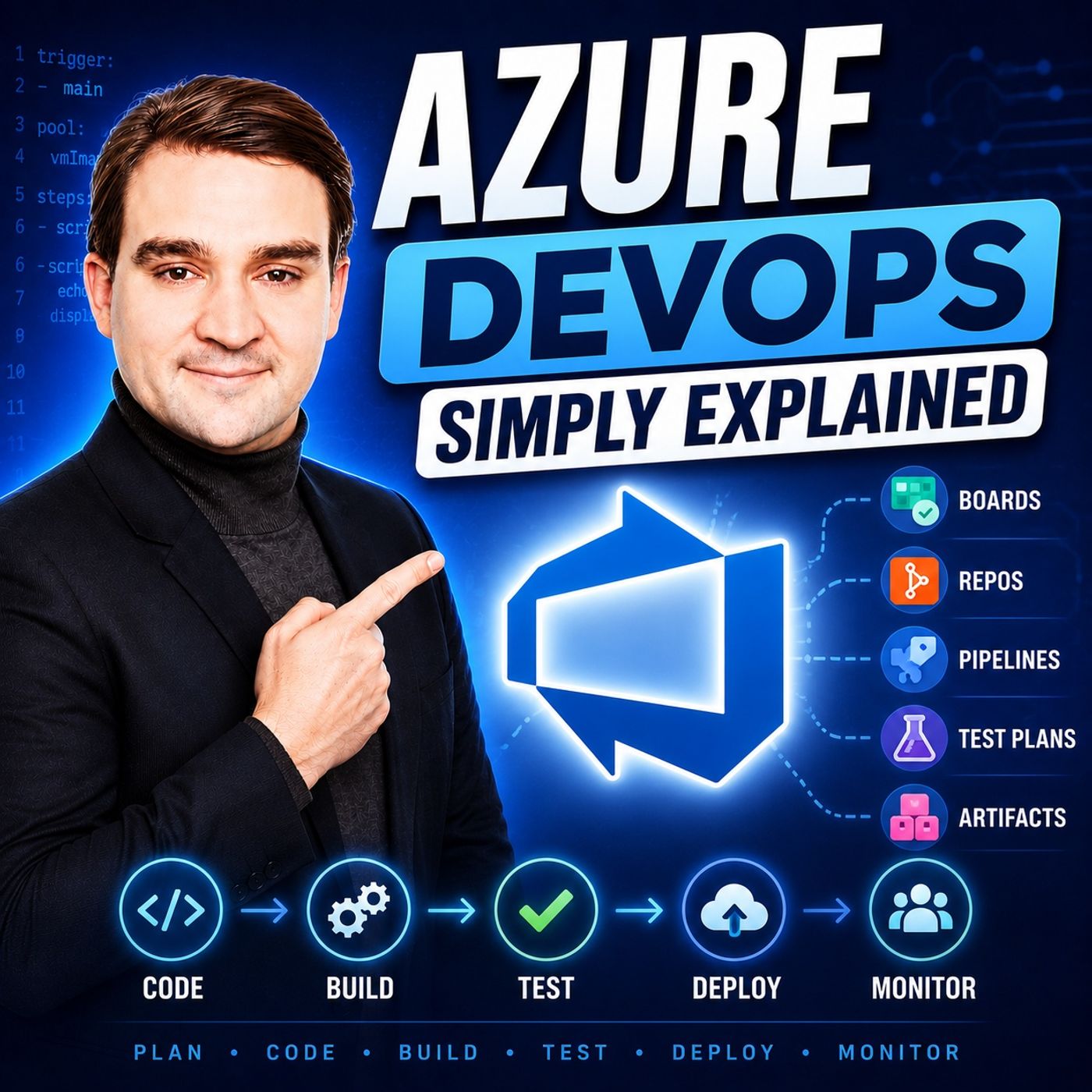
Azure DevOps is one of Microsoft's most comprehensive platforms for software development, yet many people mistakenly believe it's only for developers. In reality, Azure DevOps brings together project planning, source control, automation, testing, and package management into one connected ecosystem. In this episode, we explain Azure DevOps in plain English, exploring how its five core services work together to streamline the entire software development lifecycle. Whether you're a developer, project manager, DevOps engineer, IT professional, or simply curious about modern software delivery, this episode provides a practical introduction without unnecessary complexity. WHAT IS AZURE DEVOPS? Azure DevOps is Microsoft's integrated platform for managing every stage of software development, from the first project idea to production deployment. Instead of using separate tools for planning, coding, testing, deployment, and collaboration, Azure DevOps combines everything into one unified environment. The platform consists of five tightly integrated services—Azure Boards, Azure Repos, Azure Pipelines, Azure Test Plans, and Azure Artifacts—allowing teams to work more efficiently while maintaining complete visibility across every stage of development. AZURE BOARDS – PLAN AND TRACK YOUR WORK Every successful software project starts with proper planning. Azure Boards provides agile project management through backlogs, Kanban boards, sprints, dashboards, epics, features, user stories, tasks, and bug tracking. Teams can organize work, prioritize features, monitor progress, and collaborate in real time. Unlike spreadsheets or physical whiteboards, Azure Boards connects every work item directly to code changes, builds, tests, and deployments, providing complete traceability throughout the project lifecycle. AZURE REPOS – SECURE VERSION CONTROL Azure Repos offers enterprise-grade Git repositories where development teams securely store and manage their source code. Features such as branching, pull requests, code reviews, commit history, and merge validation allow multiple developers to work on the same project without overwriting each other's work. Every code change can be linked directly to work items in Azure Boards, making it easy to understand why changes were made and which business requirements they support. AZURE PIPELINES – AUTOMATE EVERYTHING Azure Pipelines is the automation engine behind Azure DevOps, enabling Continuous Integration and Continuous Delivery (CI/CD). Whenever developers commit code, pipelines automatically build applications, execute tests, validate quality, and deploy software across development, testing, staging, and production environments. Using YAML-based pipeline definitions, organizations eliminate repetitive manual deployment tasks, reduce human error, and accelerate software delivery while maintaining consistency across every release. AZURE TEST PLANS – BUILD QUALITY INTO EVERY RELEASE Reliable software requires structured testing. Azure Test Plans provides comprehensive support for manual testing, exploratory testing, test cases, test suites, and defect management. Test failures automatically generate linked work items inside Azure Boards, creating a seamless feedback loop between quality assurance and development teams. This integrated approach helps organizations identify issues earlier, improve release quality, and reduce costly production incidents. AZURE ARTIFACTS – SHARE CODE THE SMART WAY As development teams grow, reusable components become increasingly important. Azure Artifacts serves as a centralized package repository supporting NuGet, npm, Maven, Python, and Universal Packages. Teams can publish, version, and securely share internal libraries across multiple projects without duplicating code. Combined with Azure Pipelines, Artifacts enables fully automated package creation and distribution, simplifying dependency management while promoting code reuse throughout the organization. HOW THE FIVE SERVICES WORK TOGETHER The true power of Azure DevOps lies in the integration between its services. Work begins in Azure Boards, developers implement features using Azure Repos, Azure Pipelines automatically builds and deploys applications, Azure Test Plans validates quality, and Azure Artifacts distributes reusable components. Every stage is connected, allowing organizations to track requirements from initial planning through deployment while maintaining complete visibility across the entire development lifecycle. AI AND THE FUTURE OF DEVOPS Microsoft continues expanding Azure DevOps with AI-powered capabilities through Copilot integration. Intelligent work item creation, automated pull request reviews, discussion summaries, and AI-assisted development workflows are transforming how software teams collaborate. As these capabilities mature, Azure DevOps is evolving beyond project management into an intelligent engineering platform that helps teams build higher-quality software faster and with greater confidence. GETTING STARTED WITH AZURE DEVOPS Azure DevOps offers a generous free tier, making it easy for individuals and small teams to begin exploring the platform without upfront costs. The best approach is to start small by creating a project, organizing work in Azure Boards, storing code in Azure Repos, and gradually introducing automated pipelines and testing as your project grows. By adopting Azure DevOps incrementally, teams can steadily improve collaboration, automation, and software quality without becoming overwhelmed. KEY TAKEAWAYS Azure DevOps is far more than a collection of developer tools—it's a unified software engineering platform that connects planning, coding, automation, testing, package management, and collaboration into one integrated ecosystem. By eliminating disconnected workflows and automating repetitive processes, Azure DevOps enables teams to deliver software faster, improve quality, increase visibility, and adopt modern DevOps practices that scale from small projects to enterprise environments. Become a supporter of this podcast: https://www.spreaker.com/podcast/m365-fm-microsoft-365-azure-cloud-power-platform-ai--6704921/support.
Apple Podcasts · Spotify · YouTube · YouTube Music · Deezer
Host: Mirko Peters
Guests
Related articles
Transcript
Read the full transcript
Welcome to another episode of Microsoft Knowledge Nuggets on M365. FM, I'm your host, Mirko Peters. Today's topic is one that almost everyone has heard of, but few can actually explain. What exactly is as your DevOps? Is it just a tool for developers or is it something much bigger? So you want to build software. Maybe it's a website, maybe it's a mobile app, maybe it's something that helps your company run better. And you sit down to plan it out. You need a tool to track tasks. You need some way to store code. You need a way to test your work. And you need to actually get it out to people. Before you know it, you're juggling five different tools from five different companies. One for task management, another for code, a third for testing, a fourth for deployment. And none of them talk to each other. It's a mess. Microsoft looked at that chaos and built something to fix it. It's called Azure DevOps, and it's not just another tool to add to your pile. It's one connected platform that handles the entire software development lifecycle, planning, coding, testing, deploying, all in one place. By the end of this episode, you'll understand what Azure DevOps actually is and how the five core pieces fit together. Think of it like a modern office building, word and Excel are individual rooms you work in. Microsoft 365 is the entire building with security and filing systems. Azure DevOps is the same idea. It's the whole building for software development, not just a single room, so what exactly is Azure DevOps? Here's the simplest definition. Azure DevOps is a connected platform for the whole software development lifecycle. That's a mouthful, so let's break it down. 20 years ago, if you wanted to build software, you'd buy separate products for everything. One tool for tracking bugs, another for managing source code, a third for automating builds, a fourth for testing, a fifth for deploying, and you'd spend half your time just getting them to share data with each other. Microsoft looked at this complexity and thought, what if all these services work together under one roof, so they build Azure DevOps? It's not one tool. It's five services that work together. Azure boards for planning, Azure repos for code, Azure pipelines for automation, Azure test plans for quality, Azure artifacts for sharing packages, each one does its own job, but they're all connected. Let's go back to the office building analogy. The reception desk manages who comes in, that's your identity service. The offices are where people work. That's boards and repos. The mailroom handles packages, that's artifacts. The security team protects the building, that's your access controls and policies. Each has a job, but they're all under one roof. They share information, they work together, that's the whole point. And here's the best part for beginners. Azure DevOps has a free tier. You can create an account, start a project, and use the core features without paying anything. Five free users get full access. Unlimited stakeholders get limited access for free, so you can literally start today with zero cost and figure out if it works for you. No credit card required, no sales call. Just go to devichedazure.com and create an account. So let's walk through the five services, one by one, starting with the place where all your work begins. Azure boards, your projects command center. So as your boards is where you plan and track your work, think of it as your projects command center. If you've ever used sticky notes on a wall to track tasks, you already understand the basic idea. But instead of physical sticky notes that fall off and get lost, boards gives you a digital can-band board that everyone on your team can see an update in real time. Let's break it down. You start by creating work items. A work item is anything you need to track. A user story, a feature, an epic, a task, or a bug. Each one has fields for description, priority, status, and who it's assigned to. You organize these work items into a backlog, which is just a prioritized list of everything you need to do. You can group them into hierarchies, epics at the top, features underneath, user stories under those and tasks under the stories. That gives you a clear picture of what you're building and why. Then you plan sprints. A sprint is a fixed period of time, usually two weeks, where your team commits to completing a set of work items. You drag items from your backlog into a sprint, and suddenly you have a plan. Everyone knows what they're working on, and when it's due, you also have queries. Queries let you search and filter your work items. Show me all bugs assigned to Sarah that are high priority. Show me all user stories in the current sprint that are still active. Queries are powerful because they turn your data into answers. You can save them, share them, and use them to build dashboards. And dashboards are where it all comes together. You can create custom dashboards with widgets that show burn-down charts, velocity, work item counts, and more. Your team gets a live view of progress without anyone having to write a status report. Let me give you a quick example. Imagine a small team building a website. The product owner creates an epic called customer portal. Under that, they create features like user registration and order history. Under user registration, they create user stories like, as a customer, I want to create an account with my email. Under that story, developers create tasks, build registration form, set up email verification, write unit tests. Each task gets assigned to someone. The team tracks progress on the Kanban board. Everyone can see what's done, what's in progress, and what's coming next. Now compare that to using Excel or a whiteboard. Excel is static. You email a spreadsheet, someone updates it, emails it back, and by the time you get it, it's out of date. A whiteboard is better for brainstorming, but it's not searchable. It's not connected to anything. And if someone erases something, it's gone. Bords is live. It's searchable. It's connected to your code, your tests, and your deployments. When someone updates a work item, everyone sees it instantly. So you've planned your work, you know what needs to be built. But you need somewhere to store the actual code. That's where Azure Repos comes in. Azure Repos, your code's permanent home. So you've planned your work. You know what needs to be built. But you need somewhere to store the actual code. That's where Azure Repos comes in. Azure Repos is version control for your code using Git. Git is the industry standard, and most developers already use it. Repos gives you a place to host your Git repositories right inside Azure DevOps. Here's the bookwriting analogy. Imagine you're writing a book with a team of authors. You could email chapters back and forth. Someone edits chapter three, emails it, someone else edits it again. And pretty soon you have files named Final chapter three, V2, sent, actual, DocX. And nobody knows which version is the real one. That's what software development looked like before version control. With Git and Azure Repos, everyone works from the same central repository. You create a branch, think of it as your own copy of the book where you can make changes without affecting anyone else. You write your chapter, test it, and when you're ready, you create a pull request. That's a request to merge your changes back into the main book. Other authors review your changes, leave comments, and catch mistakes. Once everyone approves, your changes get merged in. And the whole history is tracked. You can see exactly who changed what, when and why. This is why beginners should care. No more messy file names or wondering if you're working on the latest version. No more accidentally overwriting someone else's work. It gives you a safety net. You can experiment, make mistakes, and roll back if something breaks. And it's like having an undo button for your entire project. And here's where the connection to boards comes in. You can link your commits and pull requests directly to work items. When a developer fixes a bug, they include the bug ID in their commit message. And that commit gets linked to the work item in boards. Suddenly you have full traceability. You can see exactly which code changes were made for each feature or bug fix. Product managers can click a work item and see the actual code that was written. Developers can look at a commit and see which user story it belongs to. Everything is connected. So now your code is stored and tracked. It's safe. It's versioned. But it's just sitting there. How do you actually get it to run? How do you turn that code into a working application that people can use? That's where Azure Pipelines comes in. Azure Pipelines, the automation engine. Azure Pipelines is the automation engine that builds, tests, and deploys your code automatically. In plain English, it takes your code and turns it into a running application without you having to do it by hand. Think of it like a bakery. Imagine you run a bakery and you bake each loaf of bread by hand for every single customer order. That's what manual deployment looks like. Someone writes code, you manually copy it to a server, you manually run the build, you manually check if it works. It's slow, it's error prone. And if you get a lot of orders, you simply can't keep up. That's where Azure Pipelines comes in. You automate the whole process. You set it up once and it runs automatically every time someone changes the code. This is called CICD. Continuous integration and continuous delivery. Here's what continuous integration means. Every time a developer pushes code to the repository, the pipeline automatically builds the application and runs tests. If something breaks, you know immediately. Not two weeks later when someone tries to deploy right away. The developer gets notified, they fix it, and they push again. Bugs get caught early when they're cheap to fix, not late when they're expensive. Continuous delivery means that built and tested code gets automatically deployed to your environments. First, to a test environment where QA can verify it. Then to staging where you can do final checks. Then to production where real users see it. Each stage can have approvals built in. A manager might need to approve the production deployment. A QA lead might need to sign off on the test results. The pipeline handles all of that. Let's break down the key features. You have YAML files, stages, approvals, and agents. YAML is a simple text file where you define your pipeline. It lives in your repository alongside your code, which means your pipeline is versioned just like your code. You can see who changed it when and why. Stages let you break your pipeline into logical sections. Build, test, deploy. Approvals let you gate deployments so only authorize people can push to production. Agents are the machines that actually run your builds. Microsoft provides hosted agents, or you can run your own. Why does this matter for beginners? Because manual deployments are the number one source of production incidents. Someone forgets the step. Someone copies the wrong file. Someone deploys to the wrong environment. Pipelines eliminate all of that. They run the same way every single time. No human error. No forgotten steps. And they're fast. One team I read about saw their manual deployments drop from several hours to just 10 or 15 minutes after setting up Azure pipelines. That's not a small improvement. That's a transformation. So your code is built, tested, and deployed. But before you ship it to customers, you need to make sure it actually works. Not just that it compiles, but that it does what it's supposed to do. That's where Azure Test plans comes in. Azure Test plans, quality without the guesswork. So your code builds. It deploys, but does it actually work? Not just on your machine, not just the happy path. Does it work when someone types the wrong thing? Or when the network is slow or when a thousand people use it at once? That's where Azure Test plans comes in. Test plans is structured testing, a manual testing, and exploratory testing. Think of it like a pilot's pre-flight checklist. Pilots don't just get in the plane and hope for the best. They have a checklist. Check the flaps. Check the fuel. Check the instruments. Every single time because missing one thing can be catastrophic. Software is the same. A bug in production can cost you money, customers, and reputation. Test plans gives you that checklist. Here's how it works. You create test cases. Each test case describes a specific thing to test. Log in with a valid username and password. Try to log in with an invalid password. Try to submit the form without filling in required fields. Each test case has steps to follow and expected results. Your testers run through these cases step by step and mark each one as pass or fail. If a test fails, they can log a bug directly from the test case. That bug gets created as a work item in boards assigned to the right developer and linked back to the test. Full traceability. You can group test cases into test suites. Maybe you have a test suite for the checkout process. Another for user registration. Another for the admin panel. Then you organize those suites into test plans for different releases or sprints. You can see exactly what's been tested, what's passed, what's failed, and what hasn't been tested yet. The connection to boards is where it gets powerful. When a test fails, it creates a bug directly in boards. The developer sees it. They fix it. They push the fix. The pipeline builds and deploys the new version. The tester runs the test again. It passes. The bug gets closed. All of that happens inside one platform. No emailing spreadsheets, no copying bug reports between systems, it's all connected. I'll be honest with you. Beginners often overlook test plans. Testing feels like extra work. You just want to ship your code, you want to see it live. But here's the thing. Every single developer I've talked to has a story about a bug that hit production and caused the disaster. A payment system that charged customers twice. A login page that crashed under load, a feature that deleted data instead of saving it. Those bugs are always the ones that could have been caught with a simple test. This is cheap insurance. It takes a little time up front, but it saves you a lot of pain later. As your team grows, you'll run into another problem. You'll start writing the same code over and over. Utility Functions, login components, API wrappers. You'll copy and paste code between projects and pretty soon you have five different versions of the same thing, all slightly different, all potentially buggy. That's where Azure Artifacts comes in. Azure Artifacts share your building blocks. Azure Artifacts is a package manager for your code libraries and the best way to think about it is like Lego blocks. Instead of building every single piece from scratch each time, you grab pre-built blocks and snap them together. When someone on your team builds a logging library, they publish it to Artifacts and then everyone else can pull it into their projects with just one line of code. No copying files, no emailing, zip archives, and no wondering which version is the latest. Here's the Lego analogy in more detail. Imagine you're building a castle. You could carve every single brick by hand, which is writing everything from scratch. Or you could grab pre-made bricks and focus on the unique parts of your castle. And that's using Artifacts. The bricks are your shared libraries. The castle is your application and you still need to build the unique parts, but you don't need to reinvent the wheel every time. Artifacts supports multiple package types. You get for the neat, NPM for JavaScript, Maven for Java, Python packages, and Universal packages for anything else. You create a feed that's your private package repository and you publish packages to it. You set upstream sources so you can also pull public packages from Nuget, org or NPMGS.com through the same feed. Everything in one place. Why does this matter? It gives time, ensures consistency and manages versions. When you update a shared library, you publish a new version and projects that use it can upgrade when they're ready. They're not forced to update and they're not stuck on an old version because nobody can find the latest copy. It's controlled and organized. And it connects directly to pipelines. Your build pipeline can publish packages to Artifacts automatically and your deployment pipeline can consume packages from Artifacts so the whole flow is automated. Code gets built, tested, packaged, published and consumed, all without anyone manually copying files around. So now you've seen all five services. Boards for planning, repos for code, pipelines for automation, test plans for quality and Artifacts for sharing. But the real magic isn't any single service. It's how they all work together. Let me show you what that looks like in practice. The big picture, how it all fits together. Let me show you what this looks like in practice with a real scenario where a team is building a new feature. Step one. The product owner opens Azure Boards and creates a user story like, as a customer, I want to reset my password. They add acceptance criteria, assign it to the current sprint, set the priority. And that work item now exists in the system. Step two. The developer opens Azure Repos, pulls the latest code and creates a new branch from the work item. Boards even lets you do this directly from the story. The branch name automatically includes the work item ID. They write the code, commit it and in the commit message they include fixes number 142. That's the work item number. The commit is now linked to the user story in Boards. Step three. The commit triggers Azure Pipelines automatically. The pipeline picks up the code, restores dependencies, runs the build and runs unit tests. If any test fails, the pipeline stops and the developer gets notified. If everything passes, the pipeline deploys to a test environment and the developer can see their code running live before anyone else touches it. Step four. The QA Engineer opens Azure Test plans, finds the test suite for password reset, runs the manual test cases, follows the steps and verifies the feature works. But they find a bug. The error message is misspelled. They click Create bug directly from the test case and a new work item appears in Boards linked to the original user story. The developer sees it, fixes it, pushes the pipeline runs again, the tester reruns the test and it passes. Step five. The feature is done and the team publishes the shared authentication library to Azure Artifacts. Now other teams can use it in their projects. The password reset component is available as a package so any team building a new feature that needs authentication can pull it in with one line of code. No rewriting, no copying, just a reference. Once the connected building in action, each service is a room. Boards is the planning room, repos is the code library, pipelines is the factory floor, test plans is the quality inspection station and artifacts is the warehouse. But the real power isn't any single rooms, it's the hallways connecting them. The work item links to the code, the code triggers the pipeline, the pipeline deploys to test, the test creates bugs back in boards, the finish package goes to artifacts, everything talks to everything else. And here's where it gets interesting. AI is coming to Azure DevOps. Azure DevOps is already rolling out co-pilot integrations like work item assistance that help you write better user stories, AI that can summarize long discussion threads, and co-pilot code review that automatically reviews pull requests. It's still early but the direction is clear. Azure DevOps is becoming an intelligent platform, not just a collection of tools. So what's the best way to get started? You don't need to adopt all five services at once. Pick one. Start with boards, create a project, track a few tasks, and see how it feels. Then add repos when you're ready, then pipelines, one step at a time, your first step. So here's the core idea. Azure DevOps isn't five separate tools, it's one connected platform. Boards, repos, pipelines, test plans, and artifacts all work together. The value isn't any single piece, it's how they fit. Here's your first step, head to dev.azure.com and create a free account, then start a new project. Explore boards, create a user story, drag it across the Kanban board, see how it works, here's your challenge. Pick one small project, anything will do. Pack it in boards for a week, add tasks, update status, and see what it feels like to have your work visible and organized. Next episode will dive into Azure Pipelines. We'll build your first CI/CD pipeline step by step, and you'll see how to automate builds and deployments from scratch. Subscribe on your favorite podcast platform and share this episode with someone starting their DevOps journey.