


 Apple Podcasts
 Spotify
 Youtube Music
 Spreaker
 Podchaser
 Amazon Music
 Azure DevOps - Simply Explained
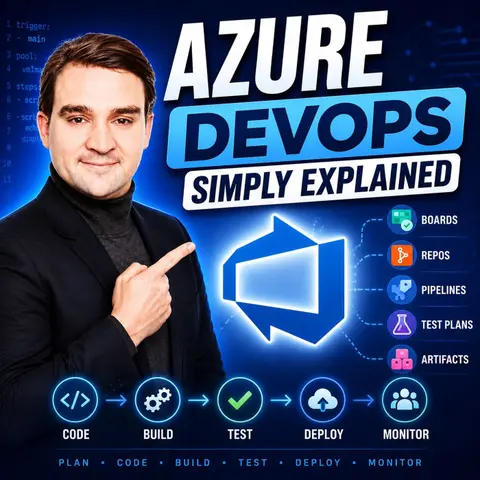

Azure DevOps is Microsoft's all-in-one platform for planning, developing, testing, and delivering software. Instead of using separate tools for project management, source control, build automation, testing, and deployments, Azure DevOps brings everything together into a single platform. It helps development and operations teams collaborate more effectively while automating repetitive tasks throughout the software development lifecycle.
In this episode of Microsoft Knowledge Nuggets, Mirko Peters explains Azure DevOps in plain English, making complex DevOps concepts easy to understand for both technical and business audiences. You'll learn how Azure Boards, Repos, Pipelines, Test Plans, and Artifacts work together to support modern software development. The episode breaks down concepts like Continuous Integration (CI), Continuous Deployment (CD), Git repositories, YAML pipelines, and automated testing using practical, real-world examples instead of technical jargon.
The discussion explores how Azure DevOps enables teams to deliver software faster while improving quality and reducing manual work. You'll discover how development teams automate builds, deployments, infrastructure provisioning, and testing, allowing new features and bug fixes to reach customers more quickly and reliably. The episode also explains how Azure DevOps integrates with Microsoft Azure, GitHub, Visual Studio, Terraform, Bicep, and other modern development tools, making it a flexible platform for organizations of every size.
Whether you're a developer, IT administrator, project manager, or business leader, this episode provides a practical introduction to Azure DevOps, its core services, real-world use cases, and best practices. By the end, you'll understand why Azure DevOps has become a key platform for modern software delivery and how automation, collaboration, and continuous improvement help organizations build better applications faster.
Quick answer: Azure DevOps is the focus of this M365 FM episode, which explains what it does, where it fits in the Microsoft ecosystem, and the architecture, security, governance, or operational choices that matter before teams adopt or manage it.
Azure DevOps is a comprehensive platform designed to streamline your software development process. It brings together various tools that enhance collaboration and efficiency among teams. In today's fast-paced development landscape, Azure DevOps stands out by automating processes, which allows you to identify issues early. This integration fosters a culture of DevOps that breaks down traditional silos, enabling real-time collaboration between development, QA, and operations teams. With Azure DevOps, you can track key performance indicators through customizable dashboards, making it easier to plan and strategize effectively.
Azure DevOps continues to hold a notable market share, indicating its strong position in the DevOps landscape despite facing competition from various other platforms.
Key Takeaways
- Azure DevOps integrates tools for project management, version control, CI/CD, testing, and package management in one platform.
- Utilize Azure Boards to manage projects effectively with customizable Kanban boards and real-time dashboards.
- Automate your build and deployment processes with Azure Pipelines to reduce errors and speed up delivery.
- Enhance code quality by using Azure Test Plans for both manual and automated testing within your development workflow.
- Leverage Azure Artifacts to manage and share code packages, promoting code reuse and reducing duplication.
- Implement CI/CD pipelines to streamline your development process and enable rapid, reliable software releases.
- Foster collaboration by integrating Azure DevOps with communication tools like Microsoft Teams or Slack.
- Regularly review and optimize your Azure DevOps projects to maintain efficiency and adapt to changing needs.
Azure DevOps Overview
Azure DevOps is more than just a set of tools; it’s a complete platform that transforms how you approach software development. It integrates various functionalities that support the entire software development lifecycle. This integration allows you to manage everything from project planning to deployment in one cohesive environment.
In today’s fast-paced tech world, you need tools that enhance collaboration and streamline processes. Azure DevOps does just that. By breaking down silos, it fosters real-time communication between development, QA, and operations teams. This leads to faster delivery and improved reliability, which are essential for staying competitive.
Let’s take a closer look at the main components of Azure DevOps and how they work together:
| Component | Description |
|---|---|
| Azure Boards | Interactive tools for managing software development projects, supporting Scrum, Kanban, and Agile. |
| Azure Repos | Version control toolkit for managing application code, tracking changes over time. |
| Azure Pipelines | Automates building and testing code, supports CI/CD for various projects. |
| Azure Test Plans | Tools for improving code quality through manual and automated testing. |
| Azure Artifacts | Manages and shares code packages from a unified platform, supporting various package types. |
These components work together seamlessly. For example, Azure Repos allows you to manage your code effectively, while Azure Pipelines automates the build and deployment processes. This integration enhances collaboration and automation throughout the software development lifecycle. Unlike traditional tools that often operate in silos, Azure DevOps provides a unified experience that accelerates your workflow.
Utilizing Azure DevOps leads to faster delivery, improved collaboration, and enhanced reliability. These benefits enable you to respond swiftly to market changes while maintaining high quality. You can also optimize costs in your CI/CD pipelines, thanks to its integration with Azure Cost Management, which gives you better visibility and control over cloud spending.
Azure DevOps Services
Azure Boards
Azure Boards is your go-to tool for managing software development projects. It provides a rich set of features that help you plan, track, and manage your work effectively. With Azure Boards, you can utilize agile methodologies like Scrum and Kanban to keep your team organized and focused. Here are some unique features that make Azure Boards stand out:
- Customizable Kanban Boards: Tailor your boards to fit your workflow. You can create columns that represent different stages of your process, making it easy to visualize progress.
- Backlogs: Prioritize tasks and manage your work items efficiently. You can create user stories, bugs, and tasks, ensuring that your team knows what to focus on next.
- Dashboards: Get real-time insights into your project’s health. Use customizable widgets to track key metrics and performance indicators.
Azure Boards integrates seamlessly with other Azure DevOps services, enhancing your overall DevOps workflow. For instance, it connects with Azure Repos to link code changes to work items, ensuring that everyone stays aligned.
Azure Repos
Azure Repos provides a secure and scalable version control system for your source code. It supports Git repositories, allowing you to manage your code changes effectively. Here’s what makes Azure Repos essential for your development process:
- Cloud-hosted Git Repositories: Store your code in the cloud, making it accessible from anywhere. This flexibility supports remote work and collaboration.
- Pull Requests: Facilitate code reviews and discussions. You can request feedback from your team before merging changes, ensuring code quality.
- Branch Policies: Enforce rules for your branches, such as requiring a minimum number of reviewers before merging. This helps maintain code integrity.
By using Azure Repos, you can track changes over time and collaborate without the risk of overwriting each other’s work. This service plays a crucial role in the DevOps workflow by ensuring that your code is always in a stable state.
Azure Pipelines
Azure Pipelines automates your build and deployment processes, making it a vital component of your CI/CD strategy. With Azure Pipelines, you can streamline your development workflow and deliver software faster. Here are some key features:
- CI/CD Automation: Automate the entire process from code commit to deployment. This reduces manual errors and speeds up delivery.
- Multi-platform Support: Build and deploy applications across various platforms, including Windows, Linux, and macOS. This flexibility allows you to cater to diverse environments.
- Complex Workflows: Create sophisticated workflows that include multiple stages, approvals, and conditions. This ensures that your deployments meet all necessary criteria before going live.
Azure Pipelines integrates with Azure Boards and Azure Test Plans, allowing you to execute tests automatically as part of your deployment process. This integration enhances the quality of your software and ensures that you deliver reliable applications.
| Core Service | Unique Features |
|---|---|
| Azure Repos | Cloud-hosted Git repositories, pull requests, branch policies, CI/CD integration, semantic code search. |
| Azure Pipelines | CI/CD automation, multi-platform support, complex workflows, container support, deployment to various environments. |
| Azure Boards | Agile tools for planning and tracking, customizable Kanban boards, integration with Slack and Teams. |
Azure Test Plans
Azure Test Plans is a crucial service within Azure DevOps that helps you ensure the quality of your software. It provides a comprehensive suite of tools for managing your testing efforts, whether you’re conducting manual tests or automating them. Here’s what you can expect from Azure Test Plans:
- Test Case Management: You can create, manage, and organize test cases easily. This feature allows you to define what needs to be tested and track the results effectively.
- Manual Testing: With Azure Test Plans, you can execute manual tests directly from the web interface. This makes it simple to log defects and track issues as they arise.
- Automated Testing Integration: You can integrate automated tests into your pipelines. This means that every time you deploy your code, your tests run automatically, ensuring that new changes don’t break existing functionality.
Tip: Use Azure Test Plans to create a testing strategy that fits your team’s workflow. This will help you catch bugs early and improve overall software quality.
Azure Artifacts
Azure Artifacts is another essential service that allows you to manage and share packages across your organization. It supports various package types, including NuGet, npm, and Maven, making it a versatile tool for developers. Here’s how Azure Artifacts can benefit you:
- Package Management: You can create and host your own packages, making it easy to share reusable components with your team. This promotes code reuse and reduces duplication of effort.
- Versioning: Azure Artifacts helps you manage different versions of your packages. You can easily roll back to previous versions if needed, ensuring stability in your applications.
- Integration with CI/CD: By integrating Azure Artifacts with Azure Pipelines, you can automate the process of publishing and consuming packages. This streamlines your workflow and enhances collaboration among team members.
| Feature | Azure Test Plans | Azure Artifacts |
|---|---|---|
| Test Management | Create and manage test cases, execute manual tests | Create and host packages, manage versions |
| Automation | Integrate automated tests into CI/CD pipelines | Automate package publishing and consumption |
| Collaboration | Log defects and track issues in real-time | Share reusable components across teams |
By leveraging Azure Test Plans and Azure Artifacts, you can enhance your development process. These services not only improve the quality of your software but also foster collaboration among team members. With Azure DevOps, you have everything you need to deliver high-quality applications efficiently.
Implementing Azure DevOps: CI/CD Pipeline
Project Setup
Setting up your CI/CD pipeline in Azure DevOps is straightforward. Follow these essential steps to get started:
- Create a new project in Azure DevOps. This will be the foundation for your development efforts.
- Create a new pipeline. This is where you define how your code will be built and deployed.
- Use a sample YAML configuration for your application. YAML makes it easy to manage your pipeline as code.
- Add a release pipeline for deployment. This step ensures that your application can be delivered smoothly to production.
- Create a Service Connection. This allows Azure DevOps to communicate with your deployment targets securely.
By following these steps, you’ll establish a solid foundation for your CI/CD pipeline, enabling you to track progress and deliver software efficiently.
Build Pipelines
Build pipelines are crucial for automating your build processes. They help you compile your code, run tests, and package your application for deployment. Here’s why you should leverage build pipelines in Azure DevOps:
- Automation: Automate your build processes to save time and reduce human error. This leads to faster feedback loops and more reliable releases.
- Integration with Testing: Azure DevOps allows you to integrate automated testing into your build pipelines. This means that every time you commit code, your tests run automatically, ensuring that new changes don’t break existing functionality.
- Scalability: You can run builds in parallel across multiple agents, which speeds up the process significantly.
With Azure DevOps, you can achieve a deployment speed that allows for more than 10 production deployments each day with zero-downtime releases. This level of efficiency is a game-changer for teams looking to implement modern DevOps practices.
Application Deployment
When it comes to deploying your application, Azure DevOps offers various strategies to ensure smooth transitions. Here are some deployment strategies you can use:
| Deployment Strategy | Application Types |
|---|---|
| Any language/any platform | .NET, Node.js, Java, Python, Ruby, Android, iOS, etc. |
| Flexible deployment targets | VMs, Kubernetes, serverless (Azure Functions), web apps across clouds |
| Approval gates | Pre-deployment and post-deployment approvals (manual or automatic) |
| Rollback/recovery strategies | Blue-green deployments, canary releases, rolling updates |
| Progressive deployment | Blue/green, canary, feature flags, rolling updates |
In case of deployment failures, Azure DevOps simplifies rollback and recovery. You can revert to the last known good state quickly, minimizing downtime. This automation significantly enhances disaster recovery by enabling rapid and consistent responses to outages or failures.
By implementing CI/CD pipelines in Azure DevOps, you not only streamline your development process but also enhance the reliability of your deployments. This approach allows you to deliver updates smoothly and respond to market changes swiftly.
Best Practices for DevOps
Collaboration Tips
Effective collaboration is key to successful DevOps practices. Here are some tips to enhance teamwork within your organization:
- Utilize Azure Boards: This tool helps you manage projects efficiently. Create user stories, manage backlogs, and track progress to keep everyone aligned.
- Integrate with Communication Tools: Use platforms like Microsoft Teams or Slack to facilitate real-time discussions. This integration allows you to receive notifications about project updates directly in your chat channels.
- Encourage Agile Practices: Implement Agile ceremonies such as sprint planning and daily stand-ups. These practices enhance team collaboration and keep everyone focused on shared goals.
By fostering a collaborative environment, you can break down silos and improve communication across teams.
Maintenance Strategies
Maintaining your Azure DevOps projects over time is crucial for long-term success. Here are some effective strategies:
- Integrate bug management into your Agile process. This supports continuous improvement and rapid iterations.
- Utilize Azure DevOps workflows and automation to enhance bug management. Automated notifications and custom states can streamline your processes.
- Establish a well-defined work item hierarchy. This helps organize project activities effectively.
- Define clear criteria for converting issues into bugs versus tasks. Consistency is key to maintaining clarity.
- Leverage Azure DevOps’s integration capabilities. This can streamline workflows and improve traceability.
- Conduct regular review meetings. These meetings help update task progress and bug status, fostering collaboration.
- Invest in training and change management. Ensure your team members are proficient in using Azure DevOps features.
By implementing these strategies, you can reduce maintenance overhead and keep your projects running smoothly.
Monitoring and Feedback
Monitoring your projects is essential for tracking health and performance. Here are some tools and practices to consider:
- Real-time tracking of CI/CD pipelines: Integrate Azure DevOps with monitoring tools like Datadog. This allows you to correlate events with infrastructure data.
- Event tagging: Automatically include relevant tags for Azure DevOps events. This helps filter notifications based on specific conditions, such as failed builds.
- Visual correlation: Overlay events on timeseries graphs to analyze the impact of deployments on application performance.
- Deployment Gates: Use Datadog Monitors as gates in Azure DevOps. This ensures deployments only proceed when certain health conditions are met.
Regularly reviewing usage data can help you identify performance bottlenecks. By maintaining audit logs and analyzing usage pages, you can optimize tools and processes for better results.
By following these best practices, you can enhance collaboration, streamline maintenance, and improve monitoring within your Azure DevOps projects.
In summary, Azure DevOps offers a powerful suite of tools that can transform your software development process. By enhancing collaboration, improving efficiency, and enabling faster release cycles, it empowers teams to deliver high-quality software. Here are some key benefits you can expect:
| Benefit | Description |
|---|---|
| Improved Efficiency | Track KPIs and optimize workflows with real-time data. |
| Enhanced Collaboration | Foster communication across departments, uniting your team. |
| Increased Productivity | Streamline processes to boost overall business productivity. |
| Faster Release Cycles | Quickly deploy new systems and applications. |
| Built-in Security and Compliance | Ensure security and control directly in your pipelines. |
To dive deeper into Azure DevOps, check out these resources:
| Resource | Description |
|---|---|
| Study guide for Exam AZ-400 | Comprehensive guide on Azure DevOps solutions. |
| Learning Materials for Microsoft Azure | A compilation of resources for beginners. |
| DevOps resource center - Azure DevOps | Central hub for learning about DevOps practices. |
Explore these features and resources to unlock the full potential of Azure DevOps in your projects!
FAQ
What is Azure DevOps?
Azure DevOps is a cloud-based platform by Microsoft that integrates tools for software development. It supports project management, version control, CI/CD, testing, and package management, all in one place.
How does Azure DevOps support CI/CD?
Azure DevOps automates the Continuous Integration and Continuous Delivery (CI/CD) process. It allows you to build, test, and deploy applications quickly, reducing manual errors and speeding up delivery.
Can I use Azure DevOps for open-source projects?
Yes! Azure DevOps supports open-source projects. You can create public repositories and collaborate with others while utilizing its powerful tools for project management and CI/CD.
Is Azure DevOps free to use?
Azure DevOps offers a free tier with limited features. This allows small teams to explore its capabilities without any upfront costs. You can upgrade to paid plans for more advanced features.
How do I get started with Azure DevOps?
To get started, sign up for an Azure DevOps account. Create a new project, set up your repository, and begin configuring your CI/CD pipelines. Microsoft provides extensive documentation to help you along the way.
What programming languages does Azure DevOps support?
Azure DevOps supports various programming languages, including .NET, Java, Python, Node.js, and more. You can build and deploy applications across multiple platforms seamlessly.
Can I integrate Azure DevOps with other tools?
Absolutely! Azure DevOps integrates with numerous third-party tools and services, such as GitHub, Slack, and Jenkins. This flexibility enhances your workflow and collaboration.
How can I learn more about Azure DevOps?
You can explore Microsoft’s official documentation, online courses, and community forums. These resources provide valuable insights and tutorials to help you master Azure DevOps.
🎧 Listen to this episode
Want a practical explanation of Azure DevOps? This episode breaks down the topic in clear language and shows why it matters for Microsoft 365, Azure, Power Platform, security, AI, and modern work.
Listen to this episode if you want to:
- Understand the key concepts behind Azure DevOps
- See how it fits into the wider Microsoft technology ecosystem
- Learn where it can create practical value for your organization
You may also enjoy these related M365 FM episodes:
- Azure DevOps in 2026: The Quiet Backbone of Enterprise AI
- Azure Infrastructure as Code and DevOps with Maik van der Gaag [MVP]
- Power BI Version Control with GitHub and Azure DevOps
- GitHub vs Azure DevOps for Microsoft Fabric CI/CD
- Use Agentic AI in DevOps Safely
Discover more practical Microsoft conversations on M365 FM.
Last reviewed: July 2026.
Who Should Listen
This episode is for Microsoft administrators, architects, developers, security professionals, and business leaders who need a practical foundation before making implementation or governance decisions.
🎧 You Should Also Listen To
- Infrastructure as Code — A closely related next step that adds useful context and practical depth.
- Azure Resource Manager — A closely related next step that adds useful context and practical depth.
- Azure DevOps — A closely related next step that adds useful context and practical depth.
🚀 Want to be part of m365.fm?
Then stop just listening… and start showing up.
👉 Connect with me on LinkedIn and let’s make something happen:
- 🎙️ Be a podcast guest and share your story
- 🎧 Host your own episode (yes, seriously)
- 💡 Pitch topics the community actually wants to hear
- 🌍 Build your personal brand in the Microsoft 365 space
This isn’t just a podcast — it’s a platform for people who take action.
🔥 Most people wait. The best ones don’t.
👉 Connect with me on LinkedIn and send me a message:
"I want in"
Let’s build something awesome 👊
1
00:00:00,000 --> 00:00:03,040
Welcome to another episode of Microsoft Knowledge Nuggets on M365.
2
00:00:03,040 --> 00:00:04,760
FM, I'm your host, Mirko Peters.
3
00:00:04,760 --> 00:00:07,160
Today's topic is one that almost everyone has heard of,
4
00:00:07,160 --> 00:00:08,640
but few can actually explain.
5
00:00:08,640 --> 00:00:10,000
What exactly is as your DevOps?
6
00:00:10,000 --> 00:00:12,720
Is it just a tool for developers or is it something much bigger?
7
00:00:12,720 --> 00:00:13,880
So you want to build software.
8
00:00:13,880 --> 00:00:16,200
Maybe it's a website, maybe it's a mobile app,
9
00:00:16,200 --> 00:00:18,600
maybe it's something that helps your company run better.
10
00:00:18,600 --> 00:00:20,000
And you sit down to plan it out.
11
00:00:20,000 --> 00:00:21,400
You need a tool to track tasks.
12
00:00:21,400 --> 00:00:23,160
You need some way to store code.
13
00:00:23,160 --> 00:00:24,800
You need a way to test your work.
14
00:00:24,800 --> 00:00:26,880
And you need to actually get it out to people.
15
00:00:26,880 --> 00:00:29,280
Before you know it, you're juggling five different tools
16
00:00:29,280 --> 00:00:30,760
from five different companies.
17
00:00:30,760 --> 00:00:33,000
One for task management, another for code,
18
00:00:33,000 --> 00:00:35,440
a third for testing, a fourth for deployment.
19
00:00:35,440 --> 00:00:36,800
And none of them talk to each other.
20
00:00:36,800 --> 00:00:38,080
It's a mess.
21
00:00:38,080 --> 00:00:40,720
Microsoft looked at that chaos and built something to fix it.
22
00:00:40,720 --> 00:00:43,320
It's called Azure DevOps, and it's not just another tool
23
00:00:43,320 --> 00:00:44,200
to add to your pile.
24
00:00:44,200 --> 00:00:46,440
It's one connected platform that handles
25
00:00:46,440 --> 00:00:48,480
the entire software development lifecycle,
26
00:00:48,480 --> 00:00:52,360
planning, coding, testing, deploying, all in one place.
27
00:00:52,360 --> 00:00:54,480
By the end of this episode, you'll understand
28
00:00:54,480 --> 00:00:57,640
what Azure DevOps actually is and how the five core pieces
29
00:00:57,640 --> 00:00:58,440
fit together.
30
00:00:58,440 --> 00:01:00,200
Think of it like a modern office building,
31
00:01:00,200 --> 00:01:02,760
word and Excel are individual rooms you work in.
32
00:01:02,760 --> 00:01:04,920
Microsoft 365 is the entire building
33
00:01:04,920 --> 00:01:06,800
with security and filing systems.
34
00:01:06,800 --> 00:01:08,520
Azure DevOps is the same idea.
35
00:01:08,520 --> 00:01:10,640
It's the whole building for software development,
36
00:01:10,640 --> 00:01:14,240
not just a single room, so what exactly is Azure DevOps?
37
00:01:14,240 --> 00:01:15,600
Here's the simplest definition.
38
00:01:15,600 --> 00:01:17,280
Azure DevOps is a connected platform
39
00:01:17,280 --> 00:01:19,520
for the whole software development lifecycle.
40
00:01:19,520 --> 00:01:21,200
That's a mouthful, so let's break it down.
41
00:01:21,200 --> 00:01:23,520
20 years ago, if you wanted to build software,
42
00:01:23,520 --> 00:01:25,280
you'd buy separate products for everything.
43
00:01:25,280 --> 00:01:28,400
One tool for tracking bugs, another for managing source code,
44
00:01:28,400 --> 00:01:31,080
a third for automating builds, a fourth for testing,
45
00:01:31,080 --> 00:01:33,560
a fifth for deploying, and you'd spend half your time
46
00:01:33,560 --> 00:01:35,520
just getting them to share data with each other.
47
00:01:35,520 --> 00:01:37,720
Microsoft looked at this complexity and thought,
48
00:01:37,720 --> 00:01:40,200
what if all these services work together under one roof,
49
00:01:40,200 --> 00:01:41,480
so they build Azure DevOps?
50
00:01:41,480 --> 00:01:42,240
It's not one tool.
51
00:01:42,240 --> 00:01:44,000
It's five services that work together.
52
00:01:44,000 --> 00:01:46,120
Azure boards for planning, Azure repos for code,
53
00:01:46,120 --> 00:01:49,320
Azure pipelines for automation, Azure test plans for quality,
54
00:01:49,320 --> 00:01:51,120
Azure artifacts for sharing packages,
55
00:01:51,120 --> 00:01:53,120
each one does its own job, but they're all connected.
56
00:01:53,120 --> 00:01:55,400
Let's go back to the office building analogy.
57
00:01:55,400 --> 00:01:57,320
The reception desk manages who comes in,
58
00:01:57,320 --> 00:01:58,920
that's your identity service.
59
00:01:58,920 --> 00:02:00,600
The offices are where people work.
60
00:02:00,600 --> 00:02:02,040
That's boards and repos.
61
00:02:02,040 --> 00:02:04,800
The mailroom handles packages, that's artifacts.
62
00:02:04,800 --> 00:02:06,640
The security team protects the building,
63
00:02:06,640 --> 00:02:08,680
that's your access controls and policies.
64
00:02:08,680 --> 00:02:10,760
Each has a job, but they're all under one roof.
65
00:02:10,760 --> 00:02:13,960
They share information, they work together, that's the whole point.
66
00:02:13,960 --> 00:02:15,520
And here's the best part for beginners.
67
00:02:15,520 --> 00:02:17,120
Azure DevOps has a free tier.
68
00:02:17,120 --> 00:02:19,040
You can create an account, start a project,
69
00:02:19,040 --> 00:02:21,280
and use the core features without paying anything.
70
00:02:21,280 --> 00:02:22,920
Five free users get full access.
71
00:02:22,920 --> 00:02:25,400
Unlimited stakeholders get limited access for free,
72
00:02:25,400 --> 00:02:27,480
so you can literally start today with zero cost
73
00:02:27,480 --> 00:02:29,080
and figure out if it works for you.
74
00:02:29,080 --> 00:02:31,240
No credit card required, no sales call.
75
00:02:31,240 --> 00:02:33,760
Just go to devichedazure.com and create an account.
76
00:02:33,760 --> 00:02:36,320
So let's walk through the five services, one by one,
77
00:02:36,320 --> 00:02:39,240
starting with the place where all your work begins.
78
00:02:39,240 --> 00:02:42,200
Azure boards, your projects command center.
79
00:02:42,200 --> 00:02:44,840
So as your boards is where you plan and track your work,
80
00:02:44,840 --> 00:02:47,080
think of it as your projects command center.
81
00:02:47,080 --> 00:02:49,960
If you've ever used sticky notes on a wall to track tasks,
82
00:02:49,960 --> 00:02:51,960
you already understand the basic idea.
83
00:02:51,960 --> 00:02:54,560
But instead of physical sticky notes that fall off and get lost,
84
00:02:54,560 --> 00:02:56,440
boards gives you a digital can-band board
85
00:02:56,440 --> 00:02:58,840
that everyone on your team can see an update in real time.
86
00:02:58,840 --> 00:02:59,760
Let's break it down.
87
00:02:59,760 --> 00:03:01,800
You start by creating work items.
88
00:03:01,800 --> 00:03:03,880
A work item is anything you need to track.
89
00:03:03,880 --> 00:03:08,080
A user story, a feature, an epic, a task, or a bug.
90
00:03:08,080 --> 00:03:10,880
Each one has fields for description, priority, status,
91
00:03:10,880 --> 00:03:12,080
and who it's assigned to.
92
00:03:12,080 --> 00:03:14,280
You organize these work items into a backlog,
93
00:03:14,280 --> 00:03:17,440
which is just a prioritized list of everything you need to do.
94
00:03:17,440 --> 00:03:18,880
You can group them into hierarchies,
95
00:03:18,880 --> 00:03:20,560
epics at the top, features underneath,
96
00:03:20,560 --> 00:03:23,320
user stories under those and tasks under the stories.
97
00:03:23,320 --> 00:03:26,440
That gives you a clear picture of what you're building and why.
98
00:03:26,440 --> 00:03:27,640
Then you plan sprints.
99
00:03:27,640 --> 00:03:30,520
A sprint is a fixed period of time, usually two weeks,
100
00:03:30,520 --> 00:03:33,560
where your team commits to completing a set of work items.
101
00:03:33,560 --> 00:03:35,800
You drag items from your backlog into a sprint,
102
00:03:35,800 --> 00:03:37,480
and suddenly you have a plan.
103
00:03:37,480 --> 00:03:39,920
Everyone knows what they're working on, and when it's due,
104
00:03:39,920 --> 00:03:41,000
you also have queries.
105
00:03:41,000 --> 00:03:43,440
Queries let you search and filter your work items.
106
00:03:43,440 --> 00:03:46,280
Show me all bugs assigned to Sarah that are high priority.
107
00:03:46,280 --> 00:03:48,080
Show me all user stories in the current sprint
108
00:03:48,080 --> 00:03:49,080
that are still active.
109
00:03:49,080 --> 00:03:52,080
Queries are powerful because they turn your data into answers.
110
00:03:52,080 --> 00:03:54,880
You can save them, share them, and use them to build dashboards.
111
00:03:54,880 --> 00:03:56,520
And dashboards are where it all comes together.
112
00:03:56,520 --> 00:03:58,480
You can create custom dashboards with widgets
113
00:03:58,480 --> 00:04:01,640
that show burn-down charts, velocity, work item counts, and more.
114
00:04:01,640 --> 00:04:03,440
Your team gets a live view of progress
115
00:04:03,440 --> 00:04:05,880
without anyone having to write a status report.
116
00:04:05,880 --> 00:04:07,080
Let me give you a quick example.
117
00:04:07,080 --> 00:04:09,080
Imagine a small team building a website.
118
00:04:09,080 --> 00:04:12,680
The product owner creates an epic called customer portal.
119
00:04:12,680 --> 00:04:15,280
Under that, they create features like user registration
120
00:04:15,280 --> 00:04:16,920
and order history.
121
00:04:16,920 --> 00:04:20,360
Under user registration, they create user stories like,
122
00:04:20,360 --> 00:04:23,520
as a customer, I want to create an account with my email.
123
00:04:23,520 --> 00:04:26,480
Under that story, developers create tasks,
124
00:04:26,480 --> 00:04:29,920
build registration form, set up email verification,
125
00:04:29,920 --> 00:04:31,400
write unit tests.
126
00:04:31,400 --> 00:04:33,320
Each task gets assigned to someone.
127
00:04:33,320 --> 00:04:35,280
The team tracks progress on the Kanban board.
128
00:04:35,280 --> 00:04:37,600
Everyone can see what's done, what's in progress,
129
00:04:37,600 --> 00:04:38,880
and what's coming next.
130
00:04:38,880 --> 00:04:41,280
Now compare that to using Excel or a whiteboard.
131
00:04:41,280 --> 00:04:42,280
Excel is static.
132
00:04:42,280 --> 00:04:44,440
You email a spreadsheet, someone updates it,
133
00:04:44,440 --> 00:04:47,840
emails it back, and by the time you get it, it's out of date.
134
00:04:47,840 --> 00:04:49,720
A whiteboard is better for brainstorming,
135
00:04:49,720 --> 00:04:50,720
but it's not searchable.
136
00:04:50,720 --> 00:04:51,920
It's not connected to anything.
137
00:04:51,920 --> 00:04:53,920
And if someone erases something, it's gone.
138
00:04:53,920 --> 00:04:54,760
Bords is live.
139
00:04:54,760 --> 00:04:55,440
It's searchable.
140
00:04:55,440 --> 00:04:58,040
It's connected to your code, your tests, and your deployments.
141
00:04:58,040 --> 00:04:59,520
When someone updates a work item,
142
00:04:59,520 --> 00:05:00,720
everyone sees it instantly.
143
00:05:00,720 --> 00:05:03,440
So you've planned your work, you know what needs to be built.
144
00:05:03,440 --> 00:05:05,360
But you need somewhere to store the actual code.
145
00:05:05,360 --> 00:05:07,160
That's where Azure Repos comes in.
146
00:05:07,160 --> 00:05:09,360
Azure Repos, your code's permanent home.
147
00:05:09,360 --> 00:05:10,600
So you've planned your work.
148
00:05:10,600 --> 00:05:11,920
You know what needs to be built.
149
00:05:11,920 --> 00:05:13,800
But you need somewhere to store the actual code.
150
00:05:13,800 --> 00:05:15,360
That's where Azure Repos comes in.
151
00:05:15,360 --> 00:05:18,440
Azure Repos is version control for your code using Git.
152
00:05:18,440 --> 00:05:21,720
Git is the industry standard, and most developers already use it.
153
00:05:21,720 --> 00:05:24,240
Repos gives you a place to host your Git repositories
154
00:05:24,240 --> 00:05:25,960
right inside Azure DevOps.
155
00:05:25,960 --> 00:05:27,360
Here's the bookwriting analogy.
156
00:05:27,360 --> 00:05:29,800
Imagine you're writing a book with a team of authors.
157
00:05:29,800 --> 00:05:31,600
You could email chapters back and forth.
158
00:05:31,600 --> 00:05:35,160
Someone edits chapter three, emails it, someone else edits it again.
159
00:05:35,160 --> 00:05:38,200
And pretty soon you have files named Final chapter three,
160
00:05:38,200 --> 00:05:41,400
V2, sent, actual, DocX.
161
00:05:41,400 --> 00:05:43,320
And nobody knows which version is the real one.
162
00:05:43,320 --> 00:05:46,120
That's what software development looked like before version control.
163
00:05:46,120 --> 00:05:50,200
With Git and Azure Repos, everyone works from the same central repository.
164
00:05:50,200 --> 00:05:52,920
You create a branch, think of it as your own copy of the book
165
00:05:52,920 --> 00:05:55,640
where you can make changes without affecting anyone else.
166
00:05:55,640 --> 00:05:57,720
You write your chapter, test it, and when you're ready,
167
00:05:57,720 --> 00:05:58,960
you create a pull request.
168
00:05:58,960 --> 00:06:02,200
That's a request to merge your changes back into the main book.
169
00:06:02,200 --> 00:06:05,360
Other authors review your changes, leave comments, and catch mistakes.
170
00:06:05,360 --> 00:06:08,000
Once everyone approves, your changes get merged in.
171
00:06:08,000 --> 00:06:09,360
And the whole history is tracked.
172
00:06:09,360 --> 00:06:11,880
You can see exactly who changed what, when and why.
173
00:06:11,880 --> 00:06:13,440
This is why beginners should care.
174
00:06:13,440 --> 00:06:17,000
No more messy file names or wondering if you're working on the latest version.
175
00:06:17,000 --> 00:06:19,440
No more accidentally overwriting someone else's work.
176
00:06:19,440 --> 00:06:20,560
It gives you a safety net.
177
00:06:20,560 --> 00:06:23,640
You can experiment, make mistakes, and roll back if something breaks.
178
00:06:23,640 --> 00:06:26,360
And it's like having an undo button for your entire project.
179
00:06:26,360 --> 00:06:28,640
And here's where the connection to boards comes in.
180
00:06:28,640 --> 00:06:32,000
You can link your commits and pull requests directly to work items.
181
00:06:32,000 --> 00:06:35,680
When a developer fixes a bug, they include the bug ID in their commit message.
182
00:06:35,680 --> 00:06:38,160
And that commit gets linked to the work item in boards.
183
00:06:38,160 --> 00:06:39,600
Suddenly you have full traceability.
184
00:06:39,600 --> 00:06:43,400
You can see exactly which code changes were made for each feature or bug fix.
185
00:06:43,400 --> 00:06:46,880
Product managers can click a work item and see the actual code that was written.
186
00:06:46,880 --> 00:06:50,080
Developers can look at a commit and see which user story it belongs to.
187
00:06:50,080 --> 00:06:51,560
Everything is connected.
188
00:06:51,560 --> 00:06:53,320
So now your code is stored and tracked.
189
00:06:53,320 --> 00:06:53,960
It's safe.
190
00:06:53,960 --> 00:06:54,880
It's versioned.
191
00:06:54,880 --> 00:06:55,920
But it's just sitting there.
192
00:06:55,920 --> 00:06:57,400
How do you actually get it to run?
193
00:06:57,400 --> 00:07:00,880
How do you turn that code into a working application that people can use?
194
00:07:00,880 --> 00:07:02,960
That's where Azure Pipelines comes in.
195
00:07:02,960 --> 00:07:05,080
Azure Pipelines, the automation engine.
196
00:07:05,080 --> 00:07:08,080
Azure Pipelines is the automation engine that builds, tests, and
197
00:07:08,080 --> 00:07:09,560
deploys your code automatically.
198
00:07:09,560 --> 00:07:12,600
In plain English, it takes your code and turns it into a running application
199
00:07:12,600 --> 00:07:14,360
without you having to do it by hand.
200
00:07:14,360 --> 00:07:15,560
Think of it like a bakery.
201
00:07:15,560 --> 00:07:19,840
Imagine you run a bakery and you bake each loaf of bread by hand for every single customer order.
202
00:07:19,840 --> 00:07:21,560
That's what manual deployment looks like.
203
00:07:21,560 --> 00:07:25,200
Someone writes code, you manually copy it to a server, you manually run the build,
204
00:07:25,200 --> 00:07:26,440
you manually check if it works.
205
00:07:26,440 --> 00:07:28,200
It's slow, it's error prone.
206
00:07:28,200 --> 00:07:30,480
And if you get a lot of orders, you simply can't keep up.
207
00:07:30,480 --> 00:07:32,280
That's where Azure Pipelines comes in.
208
00:07:32,280 --> 00:07:33,960
You automate the whole process.
209
00:07:33,960 --> 00:07:38,200
You set it up once and it runs automatically every time someone changes the code.
210
00:07:38,200 --> 00:07:39,880
This is called CICD.
211
00:07:39,880 --> 00:07:42,400
Continuous integration and continuous delivery.
212
00:07:42,400 --> 00:07:44,400
Here's what continuous integration means.
213
00:07:44,400 --> 00:07:47,360
Every time a developer pushes code to the repository,
214
00:07:47,360 --> 00:07:50,560
the pipeline automatically builds the application and runs tests.
215
00:07:50,560 --> 00:07:52,320
If something breaks, you know immediately.
216
00:07:52,320 --> 00:07:55,480
Not two weeks later when someone tries to deploy right away.
217
00:07:55,480 --> 00:07:58,680
The developer gets notified, they fix it, and they push again.
218
00:07:58,680 --> 00:08:02,560
Bugs get caught early when they're cheap to fix, not late when they're expensive.
219
00:08:02,560 --> 00:08:07,160
Continuous delivery means that built and tested code gets automatically deployed to your environments.
220
00:08:07,160 --> 00:08:10,160
First, to a test environment where QA can verify it.
221
00:08:10,160 --> 00:08:12,520
Then to staging where you can do final checks.
222
00:08:12,520 --> 00:08:14,480
Then to production where real users see it.
223
00:08:14,480 --> 00:08:16,440
Each stage can have approvals built in.
224
00:08:16,440 --> 00:08:19,120
A manager might need to approve the production deployment.
225
00:08:19,120 --> 00:08:21,400
A QA lead might need to sign off on the test results.
226
00:08:21,400 --> 00:08:23,080
The pipeline handles all of that.
227
00:08:23,080 --> 00:08:24,440
Let's break down the key features.
228
00:08:24,440 --> 00:08:27,120
You have YAML files, stages, approvals, and agents.
229
00:08:27,120 --> 00:08:30,080
YAML is a simple text file where you define your pipeline.
230
00:08:30,080 --> 00:08:32,600
It lives in your repository alongside your code,
231
00:08:32,600 --> 00:08:35,160
which means your pipeline is versioned just like your code.
232
00:08:35,160 --> 00:08:37,440
You can see who changed it when and why.
233
00:08:37,440 --> 00:08:40,360
Stages let you break your pipeline into logical sections.
234
00:08:40,360 --> 00:08:42,280
Build, test, deploy.
235
00:08:42,280 --> 00:08:46,200
Approvals let you gate deployments so only authorize people can push to production.
236
00:08:46,200 --> 00:08:48,560
Agents are the machines that actually run your builds.
237
00:08:48,560 --> 00:08:51,760
Microsoft provides hosted agents, or you can run your own.
238
00:08:51,760 --> 00:08:53,360
Why does this matter for beginners?
239
00:08:53,360 --> 00:08:57,000
Because manual deployments are the number one source of production incidents.
240
00:08:57,000 --> 00:08:57,920
Someone forgets the step.
241
00:08:57,920 --> 00:08:59,280
Someone copies the wrong file.
242
00:08:59,280 --> 00:09:01,000
Someone deploys to the wrong environment.
243
00:09:01,000 --> 00:09:02,320
Pipelines eliminate all of that.
244
00:09:02,320 --> 00:09:04,200
They run the same way every single time.
245
00:09:04,200 --> 00:09:04,960
No human error.
246
00:09:04,960 --> 00:09:05,800
No forgotten steps.
247
00:09:05,800 --> 00:09:06,720
And they're fast.
248
00:09:06,720 --> 00:09:09,800
One team I read about saw their manual deployments drop from several hours
249
00:09:09,800 --> 00:09:13,160
to just 10 or 15 minutes after setting up Azure pipelines.
250
00:09:13,160 --> 00:09:14,480
That's not a small improvement.
251
00:09:14,480 --> 00:09:15,640
That's a transformation.
252
00:09:15,640 --> 00:09:17,760
So your code is built, tested, and deployed.
253
00:09:17,760 --> 00:09:19,240
But before you ship it to customers,
254
00:09:19,240 --> 00:09:20,720
you need to make sure it actually works.
255
00:09:20,720 --> 00:09:23,600
Not just that it compiles, but that it does what it's supposed to do.
256
00:09:23,600 --> 00:09:25,760
That's where Azure Test plans comes in.
257
00:09:25,760 --> 00:09:28,320
Azure Test plans, quality without the guesswork.
258
00:09:28,320 --> 00:09:29,320
So your code builds.
259
00:09:29,320 --> 00:09:30,960
It deploys, but does it actually work?
260
00:09:30,960 --> 00:09:33,560
Not just on your machine, not just the happy path.
261
00:09:33,560 --> 00:09:35,680
Does it work when someone types the wrong thing?
262
00:09:35,680 --> 00:09:39,480
Or when the network is slow or when a thousand people use it at once?
263
00:09:39,480 --> 00:09:41,160
That's where Azure Test plans comes in.
264
00:09:41,160 --> 00:09:45,000
Test plans is structured testing, a manual testing, and exploratory testing.
265
00:09:45,000 --> 00:09:47,120
Think of it like a pilot's pre-flight checklist.
266
00:09:47,120 --> 00:09:49,440
Pilots don't just get in the plane and hope for the best.
267
00:09:49,440 --> 00:09:50,400
They have a checklist.
268
00:09:50,400 --> 00:09:51,280
Check the flaps.
269
00:09:51,280 --> 00:09:51,960
Check the fuel.
270
00:09:51,960 --> 00:09:53,080
Check the instruments.
271
00:09:53,080 --> 00:09:55,480
Every single time because missing one thing can be catastrophic.
272
00:09:55,480 --> 00:09:56,840
Software is the same.
273
00:09:56,840 --> 00:10:00,320
A bug in production can cost you money, customers, and reputation.
274
00:10:00,320 --> 00:10:01,880
Test plans gives you that checklist.
275
00:10:01,880 --> 00:10:02,800
Here's how it works.
276
00:10:02,800 --> 00:10:04,200
You create test cases.
277
00:10:04,200 --> 00:10:07,240
Each test case describes a specific thing to test.
278
00:10:07,240 --> 00:10:09,680
Log in with a valid username and password.
279
00:10:09,680 --> 00:10:11,960
Try to log in with an invalid password.
280
00:10:11,960 --> 00:10:15,080
Try to submit the form without filling in required fields.
281
00:10:15,080 --> 00:10:18,000
Each test case has steps to follow and expected results.
282
00:10:18,000 --> 00:10:22,280
Your testers run through these cases step by step and mark each one as pass or fail.
283
00:10:22,280 --> 00:10:25,560
If a test fails, they can log a bug directly from the test case.
284
00:10:25,560 --> 00:10:29,680
That bug gets created as a work item in boards assigned to the right developer and linked
285
00:10:29,680 --> 00:10:30,840
back to the test.
286
00:10:30,840 --> 00:10:31,840
Full traceability.
287
00:10:31,840 --> 00:10:34,160
You can group test cases into test suites.
288
00:10:34,160 --> 00:10:36,320
Maybe you have a test suite for the checkout process.
289
00:10:36,320 --> 00:10:38,080
Another for user registration.
290
00:10:38,080 --> 00:10:39,480
Another for the admin panel.
291
00:10:39,480 --> 00:10:42,920
Then you organize those suites into test plans for different releases or sprints.
292
00:10:42,920 --> 00:10:46,160
You can see exactly what's been tested, what's passed, what's failed, and what hasn't been
293
00:10:46,160 --> 00:10:47,160
tested yet.
294
00:10:47,160 --> 00:10:49,360
The connection to boards is where it gets powerful.
295
00:10:49,360 --> 00:10:52,240
When a test fails, it creates a bug directly in boards.
296
00:10:52,240 --> 00:10:53,240
The developer sees it.
297
00:10:53,240 --> 00:10:54,240
They fix it.
298
00:10:54,240 --> 00:10:55,240
They push the fix.
299
00:10:55,240 --> 00:10:56,760
The pipeline builds and deploys the new version.
300
00:10:56,760 --> 00:10:58,160
The tester runs the test again.
301
00:10:58,160 --> 00:10:59,160
It passes.
302
00:10:59,160 --> 00:11:00,160
The bug gets closed.
303
00:11:00,160 --> 00:11:01,480
All of that happens inside one platform.
304
00:11:01,480 --> 00:11:05,200
No emailing spreadsheets, no copying bug reports between systems, it's all connected.
305
00:11:05,200 --> 00:11:07,000
I'll be honest with you.
306
00:11:07,000 --> 00:11:09,160
Beginners often overlook test plans.
307
00:11:09,160 --> 00:11:10,400
Testing feels like extra work.
308
00:11:10,400 --> 00:11:13,200
You just want to ship your code, you want to see it live.
309
00:11:13,200 --> 00:11:14,320
But here's the thing.
310
00:11:14,320 --> 00:11:17,960
Every single developer I've talked to has a story about a bug that hit production and
311
00:11:17,960 --> 00:11:19,360
caused the disaster.
312
00:11:19,360 --> 00:11:21,840
A payment system that charged customers twice.
313
00:11:21,840 --> 00:11:26,200
A login page that crashed under load, a feature that deleted data instead of saving it.
314
00:11:26,200 --> 00:11:29,800
Those bugs are always the ones that could have been caught with a simple test.
315
00:11:29,800 --> 00:11:31,040
This is cheap insurance.
316
00:11:31,040 --> 00:11:34,320
It takes a little time up front, but it saves you a lot of pain later.
317
00:11:34,320 --> 00:11:37,000
As your team grows, you'll run into another problem.
318
00:11:37,000 --> 00:11:39,040
You'll start writing the same code over and over.
319
00:11:39,040 --> 00:11:41,400
Utility Functions, login components, API wrappers.
320
00:11:41,400 --> 00:11:44,880
You'll copy and paste code between projects and pretty soon you have five different versions
321
00:11:44,880 --> 00:11:48,480
of the same thing, all slightly different, all potentially buggy.
322
00:11:48,480 --> 00:11:50,320
That's where Azure Artifacts comes in.
323
00:11:50,320 --> 00:11:52,640
Azure Artifacts share your building blocks.
324
00:11:52,640 --> 00:11:55,960
Azure Artifacts is a package manager for your code libraries and the best way to think
325
00:11:55,960 --> 00:11:58,080
about it is like Lego blocks.
326
00:11:58,080 --> 00:12:01,400
Instead of building every single piece from scratch each time, you grab pre-built blocks and
327
00:12:01,400 --> 00:12:02,520
snap them together.
328
00:12:02,520 --> 00:12:05,880
When someone on your team builds a logging library, they publish it to Artifacts and then
329
00:12:05,880 --> 00:12:09,160
everyone else can pull it into their projects with just one line of code.
330
00:12:09,160 --> 00:12:13,280
No copying files, no emailing, zip archives, and no wondering which version is the latest.
331
00:12:13,280 --> 00:12:15,560
Here's the Lego analogy in more detail.
332
00:12:15,560 --> 00:12:17,040
Imagine you're building a castle.
333
00:12:17,040 --> 00:12:20,760
You could carve every single brick by hand, which is writing everything from scratch.
334
00:12:20,760 --> 00:12:24,640
Or you could grab pre-made bricks and focus on the unique parts of your castle.
335
00:12:24,640 --> 00:12:25,800
And that's using Artifacts.
336
00:12:25,800 --> 00:12:27,240
The bricks are your shared libraries.
337
00:12:27,240 --> 00:12:30,920
The castle is your application and you still need to build the unique parts, but you don't
338
00:12:30,920 --> 00:12:33,280
need to reinvent the wheel every time.
339
00:12:33,280 --> 00:12:35,440
Artifacts supports multiple package types.
340
00:12:35,440 --> 00:12:41,000
You get for the neat, NPM for JavaScript, Maven for Java, Python packages, and Universal
341
00:12:41,000 --> 00:12:42,560
packages for anything else.
342
00:12:42,560 --> 00:12:47,120
You create a feed that's your private package repository and you publish packages to it.
343
00:12:47,120 --> 00:12:52,040
You set upstream sources so you can also pull public packages from Nuget, org or NPMGS.com
344
00:12:52,040 --> 00:12:53,280
through the same feed.
345
00:12:53,280 --> 00:12:54,280
Everything in one place.
346
00:12:54,280 --> 00:12:55,280
Why does this matter?
347
00:12:55,280 --> 00:12:58,320
It gives time, ensures consistency and manages versions.
348
00:12:58,320 --> 00:13:02,760
When you update a shared library, you publish a new version and projects that use it can
349
00:13:02,760 --> 00:13:04,000
upgrade when they're ready.
350
00:13:04,000 --> 00:13:07,000
They're not forced to update and they're not stuck on an old version because nobody can
351
00:13:07,000 --> 00:13:08,000
find the latest copy.
352
00:13:08,000 --> 00:13:09,560
It's controlled and organized.
353
00:13:09,560 --> 00:13:10,960
And it connects directly to pipelines.
354
00:13:10,960 --> 00:13:14,800
Your build pipeline can publish packages to Artifacts automatically and your deployment
355
00:13:14,800 --> 00:13:18,680
pipeline can consume packages from Artifacts so the whole flow is automated.
356
00:13:18,680 --> 00:13:23,560
Code gets built, tested, packaged, published and consumed, all without anyone manually
357
00:13:23,560 --> 00:13:25,080
copying files around.
358
00:13:25,080 --> 00:13:27,080
So now you've seen all five services.
359
00:13:27,080 --> 00:13:31,080
Boards for planning, repos for code, pipelines for automation, test plans for quality and
360
00:13:31,080 --> 00:13:32,560
Artifacts for sharing.
361
00:13:32,560 --> 00:13:35,320
But the real magic isn't any single service.
362
00:13:35,320 --> 00:13:37,080
It's how they all work together.
363
00:13:37,080 --> 00:13:39,760
Let me show you what that looks like in practice.
364
00:13:39,760 --> 00:13:42,080
The big picture, how it all fits together.
365
00:13:42,080 --> 00:13:45,960
Let me show you what this looks like in practice with a real scenario where a team is building
366
00:13:45,960 --> 00:13:47,800
a new feature.
367
00:13:47,800 --> 00:13:48,800
Step one.
368
00:13:48,800 --> 00:13:53,200
The product owner opens Azure Boards and creates a user story like, as a customer, I want
369
00:13:53,200 --> 00:13:54,880
to reset my password.
370
00:13:54,880 --> 00:13:58,840
They add acceptance criteria, assign it to the current sprint, set the priority.
371
00:13:58,840 --> 00:14:00,800
And that work item now exists in the system.
372
00:14:00,800 --> 00:14:01,800
Step two.
373
00:14:01,800 --> 00:14:05,560
The developer opens Azure Repos, pulls the latest code and creates a new branch from the
374
00:14:05,560 --> 00:14:06,560
work item.
375
00:14:06,560 --> 00:14:08,720
Boards even lets you do this directly from the story.
376
00:14:08,720 --> 00:14:11,840
The branch name automatically includes the work item ID.
377
00:14:11,840 --> 00:14:16,680
They write the code, commit it and in the commit message they include fixes number 142.
378
00:14:16,680 --> 00:14:17,920
That's the work item number.
379
00:14:17,920 --> 00:14:20,520
The commit is now linked to the user story in Boards.
380
00:14:20,520 --> 00:14:21,520
Step three.
381
00:14:21,520 --> 00:14:23,760
The commit triggers Azure Pipelines automatically.
382
00:14:23,760 --> 00:14:28,240
The pipeline picks up the code, restores dependencies, runs the build and runs unit tests.
383
00:14:28,240 --> 00:14:32,160
If any test fails, the pipeline stops and the developer gets notified.
384
00:14:32,160 --> 00:14:36,080
If everything passes, the pipeline deploys to a test environment and the developer can see
385
00:14:36,080 --> 00:14:39,680
their code running live before anyone else touches it.
386
00:14:39,680 --> 00:14:40,680
Step four.
387
00:14:40,680 --> 00:14:45,520
The QA Engineer opens Azure Test plans, finds the test suite for password reset, runs the
388
00:14:45,520 --> 00:14:50,040
manual test cases, follows the steps and verifies the feature works.
389
00:14:50,040 --> 00:14:51,600
But they find a bug.
390
00:14:51,600 --> 00:14:53,000
The error message is misspelled.
391
00:14:53,000 --> 00:14:57,360
They click Create bug directly from the test case and a new work item appears in Boards linked
392
00:14:57,360 --> 00:14:58,680
to the original user story.
393
00:14:58,680 --> 00:15:03,080
The developer sees it, fixes it, pushes the pipeline runs again, the tester reruns the
394
00:15:03,080 --> 00:15:04,640
test and it passes.
395
00:15:04,640 --> 00:15:05,640
Step five.
396
00:15:05,640 --> 00:15:10,000
The feature is done and the team publishes the shared authentication library to Azure Artifacts.
397
00:15:10,000 --> 00:15:11,920
Now other teams can use it in their projects.
398
00:15:11,920 --> 00:15:15,280
The password reset component is available as a package so any team building a new feature
399
00:15:15,280 --> 00:15:18,480
that needs authentication can pull it in with one line of code.
400
00:15:18,480 --> 00:15:20,600
No rewriting, no copying, just a reference.
401
00:15:20,600 --> 00:15:23,960
Once the connected building in action, each service is a room.
402
00:15:23,960 --> 00:15:28,860
Boards is the planning room, repos is the code library, pipelines is the factory floor,
403
00:15:28,860 --> 00:15:33,280
test plans is the quality inspection station and artifacts is the warehouse.
404
00:15:33,280 --> 00:15:37,400
But the real power isn't any single rooms, it's the hallways connecting them.
405
00:15:37,400 --> 00:15:41,160
The work item links to the code, the code triggers the pipeline, the pipeline deploys to test,
406
00:15:41,160 --> 00:15:44,920
the test creates bugs back in boards, the finish package goes to artifacts, everything
407
00:15:44,920 --> 00:15:46,120
talks to everything else.
408
00:15:46,120 --> 00:15:47,440
And here's where it gets interesting.
409
00:15:47,440 --> 00:15:49,400
AI is coming to Azure DevOps.
410
00:15:49,400 --> 00:15:52,920
Azure DevOps is already rolling out co-pilot integrations like work item assistance that help
411
00:15:52,920 --> 00:15:57,840
you write better user stories, AI that can summarize long discussion threads, and co-pilot
412
00:15:57,840 --> 00:16:00,800
code review that automatically reviews pull requests.
413
00:16:00,800 --> 00:16:03,000
It's still early but the direction is clear.
414
00:16:03,000 --> 00:16:06,680
Azure DevOps is becoming an intelligent platform, not just a collection of tools.
415
00:16:06,680 --> 00:16:08,160
So what's the best way to get started?
416
00:16:08,160 --> 00:16:10,600
You don't need to adopt all five services at once.
417
00:16:10,600 --> 00:16:11,680
Pick one.
418
00:16:11,680 --> 00:16:17,080
Start with boards, create a project, track a few tasks, and see how it feels.
419
00:16:17,080 --> 00:16:21,320
Then add repos when you're ready, then pipelines, one step at a time, your first step.
420
00:16:21,320 --> 00:16:22,800
So here's the core idea.
421
00:16:22,800 --> 00:16:26,640
Azure DevOps isn't five separate tools, it's one connected platform.
422
00:16:26,640 --> 00:16:30,360
Boards, repos, pipelines, test plans, and artifacts all work together.
423
00:16:30,360 --> 00:16:32,640
The value isn't any single piece, it's how they fit.
424
00:16:32,640 --> 00:16:37,200
Here's your first step, head to dev.azure.com and create a free account, then start a new
425
00:16:37,200 --> 00:16:38,200
project.
426
00:16:38,200 --> 00:16:42,560
Explore boards, create a user story, drag it across the Kanban board, see how it works,
427
00:16:42,560 --> 00:16:43,560
here's your challenge.
428
00:16:43,560 --> 00:16:45,880
Pick one small project, anything will do.
429
00:16:45,880 --> 00:16:49,760
Pack it in boards for a week, add tasks, update status, and see what it feels like to have your
430
00:16:49,760 --> 00:16:51,760
work visible and organized.
431
00:16:51,760 --> 00:16:53,600
Next episode will dive into Azure Pipelines.
432
00:16:53,600 --> 00:16:58,160
We'll build your first CI/CD pipeline step by step, and you'll see how to automate builds
433
00:16:58,160 --> 00:17:00,040
and deployments from scratch.
434
00:17:00,040 --> 00:17:03,040
Subscribe on your favorite podcast platform and share this episode with someone starting
435
00:17:03,040 --> 00:17:04,360
their DevOps journey.

Founder of m365.fm, m365.show and m365con.net
Mirko Peters is a Microsoft 365 expert, content creator, and founder of m365.fm, a platform dedicated to sharing practical insights on modern workplace technologies. His work focuses on Microsoft 365 governance, security, collaboration, and real-world implementation strategies.
Through his podcast and written content, Mirko provides hands-on guidance for IT professionals, architects, and business leaders navigating the complexities of Microsoft 365. He is known for translating complex topics into clear, actionable advice, often highlighting common mistakes and overlooked risks in real-world environments.
With a strong emphasis on community contribution and knowledge sharing, Mirko is actively building a platform that connects experts, shares experiences, and helps organizations get the most out of their Microsoft 365 investments.




