 EN
EN Deutsch
 Español
 Français
 Italiano
 Português
 Nederlands
 Polski
 Bahasa Indonesia
 Русский
 Українська
 العربية
 עברית
עברית हिन्दी
 日本語
日本語 한국어
한국어2026-07-17 · Season 3
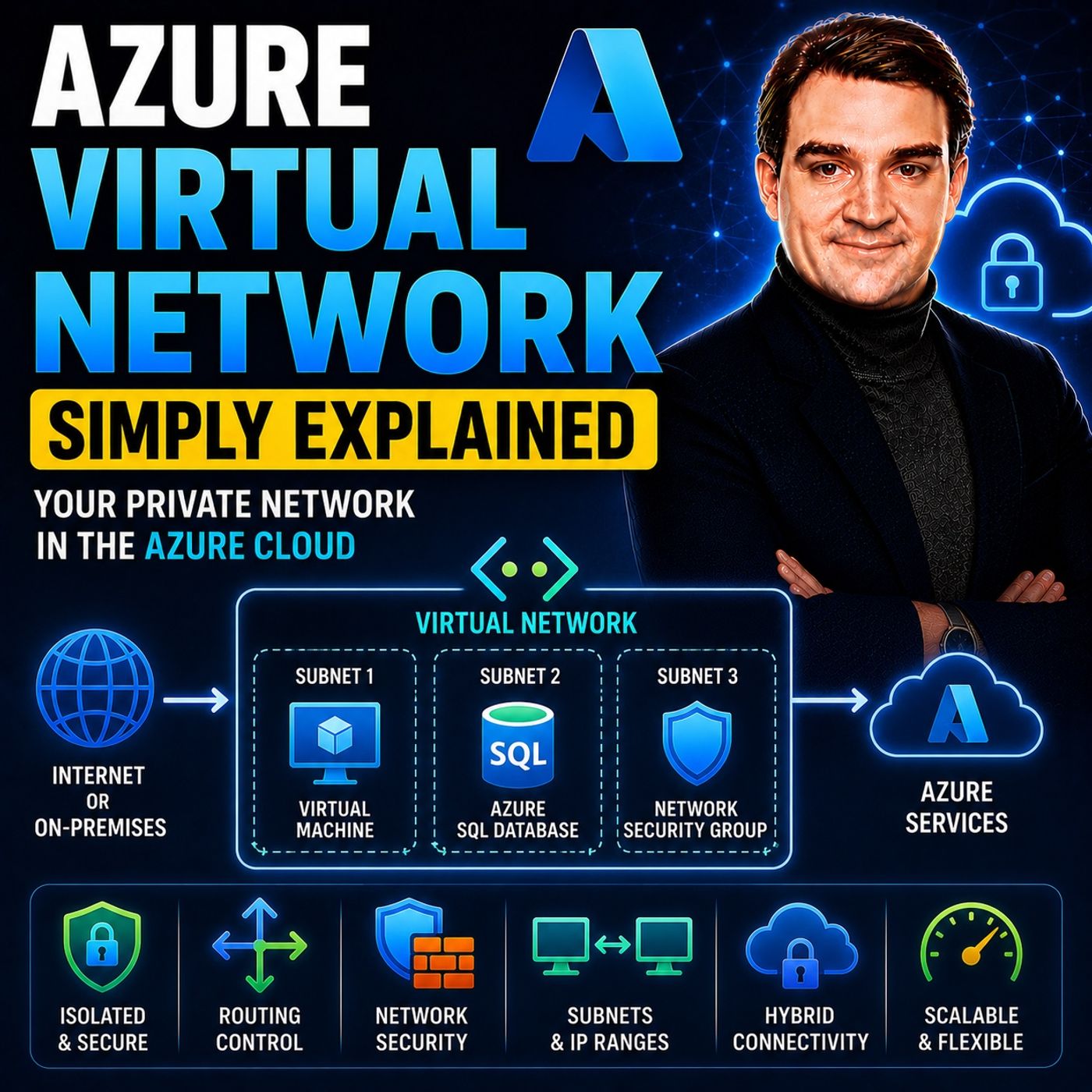
Azure Virtual Network - Simply Explained
Show notes
An Azure Virtual Network (VNet) is your own private network inside Microsoft Azure. It provides the secure foundation for virtually every cloud workload you deploy, including virtual machines, databases, containers, Kubernetes clusters, and many Platform-as-a-Service solutions. Just like a physical network in a traditional data center, a VNet defines your private IP address space, isolates your resources from other customers, and gives you complete control over connectivity, security, and routing. Every modern Azure architecture starts with a well-designed Virtual Network because it serves as the networking backbone for everything that runs in your cloud environment. PLANNING YOUR NETWORK BEFORE YOU BUILD Creating a VNet isn't simply about clicking a button—it requires careful planning. When you create a Virtual Network, you choose its IP address space using CIDR notation, determining how many resources your network can support. Selecting the right address range is essential because overlapping IP ranges can prevent future connectivity with on-premises environments or other Azure networks. Designing with future growth in mind allows you to scale applications without rebuilding your networking architecture later. A properly planned VNet becomes the foundation for hybrid cloud deployments, disaster recovery, and enterprise-scale Azure environments. SUBNETS, PRIVATE IPS, AND NETWORK ISOLATION Inside every Virtual Network are subnets, which divide the larger network into smaller, logical sections. Instead of placing every workload into one large network, organizations typically separate web servers, application servers, databases, and management resources into dedicated subnets. This improves organization while creating clear security boundaries between application tiers. Resources receive private IP addresses for internal communication, while public IP addresses are assigned only when internet access is required. By minimizing public exposure and keeping most workloads on private addresses, organizations significantly improve the security of their Azure infrastructure. CONTROLLING TRAFFIC WITH NSGS AND ROUTING Azure Virtual Networks provide far more than simple connectivity. Network Security Groups (NSGs) act as virtual firewalls that control inbound and outbound traffic based on IP addresses, ports, and protocols. They can be applied to entire subnets or individual network interfaces, allowing administrators to enforce granular security policies. Azure also includes powerful routing capabilities through Route Tables and User-Defined Routes (UDRs), enabling traffic to pass through firewalls, VPN gateways, or other network appliances before reaching its destination. Together, routing and NSGs give organizations complete control over how traffic flows throughout their Azure environment. CONNECTING NETWORKS ACROSS AZURE AND BEYOND Most enterprise environments consist of multiple Virtual Networks rather than just one. Azure Virtual Network Peering securely connects separate VNets using Microsoft's global backbone network, allowing applications to communicate with low latency and high bandwidth without using the public internet. VNets can also connect to on-premises environments through VPN Gateway or Azure ExpressRoute, creating seamless hybrid cloud architectures. Large organizations commonly adopt a Hub-and-Spoke design, where shared networking services such as firewalls, monitoring, and gateways reside in a central hub while individual applications operate in isolated spoke networks. This architecture improves scalability, simplifies management, and centralizes security. WHY EVERY AZURE PROFESSIONAL MUST UNDERSTAND VNETS Azure Virtual Networks are one of the most important building blocks in the Microsoft cloud. Nearly every Azure service relies on networking, making VNets essential knowledge for cloud administrators, developers, architects, and security professionals. Understanding IP addressing, subnet design, security groups, routing, and network peering allows you to build scalable, secure, and highly available cloud solutions. Whether you're deploying a single virtual machine or designing a global enterprise platform spanning multiple regions, your success depends on building a strong networking foundation—and that foundation always begins with Azure Virtual Network. Become a supporter of this podcast: https://www.spreaker.com/podcast/m365-fm-microsoft-365-azure-cloud-power-platform-ai--6704921/support.
Apple Podcasts · Spotify · YouTube · YouTube Music · Deezer
Host: Mirko Peters
Guests
Related articles
- Fixing Notification Problems on Samsung Devices and Microsoft Teams
- Troubleshooting Microsoft Teams VPN Issues
- Bandwidth Optimization: Strategies for Effective Microsoft Teams Collaboration
- Troubleshooting Network Issues in Microsoft Teams
Transcript
Read the full transcript
What is an Azure Virtual Network? Most people hear that term and think it's just another setting you flip on when you're deploying a virtual machine, something you check a box for and then forget about. But here's the truth, an Azure Virtual Network isn't just a setting. It's the foundation of everything you build in Azure. Every virtual machine, every database, every app service, every function you deploy, they all sit inside one. And if you don't understand how they work, you're flying blind. By the end of this episode, you'll understand what a VNet actually is, how it works, and why every single resource you deploy depends on it. We'll cover what a VNet is, how IP addresses work, subnet security, routing, and how to connect VNet together, grab your coffee and let's dive in. What is a VNet? The private cloud network. Let's start with the simplest definition. An Azure Virtual Network, or VNet for short, is your own private network inside Azure. Think of it like a private office building. Only people you allow can get in, you control who comes through the door, who gets to which floor and who's locked out entirely. Before VNet's existed, things were different. You deploy a virtual machine in the cloud, and it was basically exposed to the internet by default. No private network around it. Anyone who knew the IP address could try to connect. But that was a security nightmare, what changed? Azure gave you the ability to create isolated private network spaces. You define a boundary. You decide what goes inside it. Nothing outside that boundary can get in unless you explicitly allow it. One thing to know upfront, your VNet lives in a specific Azure region. It's not global. Create a VNet in West Europe, and that's where it stays. Resources in a different region can't just hop into it. They'd need their own VNet, or you'd need to connect them later. When you create a VNet, you define the IP address space yourself. Azure doesn't pick it for you. You decide the range of IP addresses your resources will use. That's a big responsibility, and we'll talk about how to get it right in the next section. Here's the key point. VNet's are the foundation. Every virtual machine, every database, every app service, every Azure function you deploy sits inside one. Without a VNet, your resources have no private network context. They're just floating in the cloud with no boundaries, no isolation, no security. So what does this mean for you? If you're building anything in Azure, start with a VNet first, not after you've deployed your resources. Before your VNet is the land you're building on, you wouldn't build a house without buying the land first, right? Same idea. IP addressing and CIDR choosing your address space. So let's dive in. When you create a VNet, the first big decision is picking an IP range. You do that using CIDR notation. CIDR is short for classless interdomain routing, but all that really means is you're saying, "I need this many IP addresses." Why does this matter? Because the range you choose determines how many resources you can fit in your virtual network. Here's how it works. CIDR uses a slash and a number like 16 or 24. That number tells you the size of the address space. A 16 gives you about 65,000 IP addresses. That's a lot. A 24 gives you about 250, which is perfect for a small team or a single application tier. So when you're designing your VNet, you need to think about how many resources you'll have and how you want to group them. Now you can't just pick any IP range. Azure follows the RFC 1918 standard, which sets aside private IP ranges for internal networks. You have three options. The 10.xx-dx range is the largest given you plenty of room to grow. The 172.xx-dx range is a bit smaller, but still useful. And the 192.168x-dx range is the one you probably have at home on your router. Here's the thing. Your VNet's address space cannot overlap with any other network you plan to connect to. This is a common mistake. Many people pick a range that looks familiar, only to find out later that it conflicts with their corporate network. So if your company's office network uses 10.0.0 to RFC 1918, don't use that same range in Azure. If you try to connect them later, they'll clash and traffic won't know where to go. Let me give you a concrete example. Imagine you're building a hybrid setup where Azure connects back to your on-premises data center and your data center uses 10.0, 20.0, and San Josejo 16. If you create a VNet with the same range, you'll have two networks fighting over the same IPs. Think about it. Two networks using the same IP range can't communicate properly. It's like two houses with the same address. The mail gets confused. That's a problem you don't want to solve after the fact, so plan ahead and pick a unique range. And here's a planning tip. Choose a larger range than you think you need. You might think you'll only need a 24 now, but as your application grows, you'll wish you had a 16. You can't easily change it later. Once your VNet is created and you've deployed resources, changing the address space is messy. It's possible, but it's not something you want to do on a live system. So give yourself room to grow. What does this mean for you? Think of your VNet's address space like buying land. Get enough for future growth. If you think you need a small plot by a medium one, you'll thank yourself later. That's the key takeaway. Plan your address space with future growth in mind. Subnets? Dividing your network. So you've got your VNet and you've picked your address space. Now what? You don't just dump everything into one big pool. That's where subnets come in. Subnets are one of the fundamental building blocks of your VNet. They let you organize and secure your resources. A subnet is a smaller section of your VNet's address space. If your VNet is the building, subnets are the individual rooms. You wouldn't put your server room, your reception desk, and your break room all in the same open space, right? Same idea here. It's a simple concept, but it makes a huge difference in how you manage your network. Different resources go in different subnets. Your web servers go in one subnet, your databases in another, and your application logic in a third. Why? Two reasons. Security and organization. Let's talk about security first, because that's usually the most important. Security first. If someone breaks into your web server, you don't want them to have direct access to your database. Separate subnets create a natural barrier. The attacker would have to cross that boundary and you can control exactly what crosses. You can also use network security groups to control traffic between subnets. That's a topic for another video. But it's worth knowing that subnets are the foundation for that security. Organization second. When everything has its place, managing it is easier. You know which subnet contains your front end resources and which one holds your back end data. You can apply policies and rules to the whole subnet at once instead of configuring each resource individually. That saves time and reduces errors. Now here's a detail that catches people off guard. Azure reserves five IP addresses in each subnet for its own internal purposes like routing and DNS. So if you create a subnet with a 24 range giving you two and 56 addresses, you actually only get two and 51 usable ones. It's a common gotcha. You plan for two and 56, but you only get two and 51. So always add a little extra when you size your subnets. The good news is you can add subnets after creating the vnet. You're not locked into the ones you set up during creation. So if you realize you need a separate subnet for management tools or monitoring systems, add it later, no problem, but it's still better to plan them upfront. Adding subnets later is possible, but you might need to move resources around which can be disruptive. But here's the best practice. Use separate subnets for different tiers of your application from the start. Think about your application architecture. Typically you have a front end tier that handles user requests, a back end tier that processes business logic and a data tier that stores information. Each of these should have its own subnet. Don't wait until you're in production to realize you need to split things apart. That's a lot harder when resources are already deployed. What does this mean for you? Subnets are how you keep your network organized and secure. They're the rooms in your building. Plan them early and give each tier of your application its own space. That's how you keep your network clean and secure. Public first private IPs, who can see what? Let's talk about IP addresses because not all IP addresses are the same. When you deploy a resource inside a VNet it gets a private IP address by default. That's the address it uses to talk to other resources inside the VNet. Think of it like an internal phone extension. Only people inside the building can reach it. Private IPs are only accessible from inside the VNet or from networks connected to it. If you're sitting at home on your laptop you can't reach a private IP in Azure. It's not on the internet, it's inside your private network. So how do you make a resource reachable from the internet? You give it a public IP address. That's the address visible to the outside world. Like having a published phone number instead of an internal extension. Here's the key thing. Public IPs are optional. You assign them explicitly because Azure never gives your resources a public IP unless you ask for it. That's by design, the default should be private and public should be a deliberate choice. And this is where a lot of beginners make a mistake there. They give public IPs to everything. Their web server, their database, their back-end API, all get one. That's a security risk. Your database doesn't need to be reachable from the internet and neither does your back-end API. Only the front-end resources that users actually interact with should have public IPs. Now public IPs come in two flavors. Static and dynamic. A static public IP stays the same even if you stop and restart the resource. A dynamic public IP can change. If you're running a production application, you probably want static IPs so your users can always find you. If you're testing something, dynamic might be fine. You can also use something called a public IP prefix which lets you reserve a block of addresses. Instead of creating them one at a time, you reserve a range and then assign individual addresses from that range. Useful if you know you're going to need multiple public IPs for a project. What does this mean for you? Private IPs are the safety fault. They're the internal phone extension. Public IPs are a deliberate choice you make only when you need something reachable from the outside. And when you do need them, think about whether you need static or dynamic and whether a prefix makes sense. Network security groups controlling traffic. So you've got your vnet, your subnets, your IP addresses sorted out. But how do you actually control what traffic is allowed in and out? That's where network security groups come in. And NSG is the gatekeeper that controls what traffic enters and leaves your resources. Think of it as a bouncer at the door of a club, checking IDs, looking at the guest list, and turning away anyone who shouldn't be there. Every piece of traffic that tries to reach your resource has to go through this bouncer first. NSG's work with rules. Each rule says either allow or deny based on four things. The source IP address, the destination IP address, the port number, and the protocol. So you can say allow traffic from my office IP address on port 443 or deny all traffic from the internet on port 22. That kind of control. Now here's a powerful feature. You can attach an NSG to a subnet or directly to a single VM's network interface. If you attach it to a subnet, that NSG applies to everything inside, every VM, every database, every resource, it's a blanket policy. If you attach it to a specific VM's network interface, it only applies to that one machine. You can even do both. A subnet level NSG for broad rules and the NIC level NSG for exceptions. The default rules that Azure creates are pretty sensible. They allow all traffic within the vnet, so your resources can talk to each other. And they deny all traffic from the internet, so nothing from outside can reach your resources unless you explicitly allow it. That's a good starting point. Let me give you a common example. Say you're managing a Linux virtual machine and you need to SSH into it. You'd create an NSG rule that allows inbound traffic on port 22, but you don't want to allow SSH from everywhere. That's asking for trouble. So you restrict it to your own IP address, so only you can SSH in and everyone else gets blocked. Same idea for RDP on port 3389 for Windows machines. What does this mean for you? NSGs are your first line of defense and the best part. They're free. There's no extra cost for using them, so there's no excuse not to set them up. Every subnet, every resource, should have an NSG attached. Start with the NIOL and only open what you need. Root tables and routing, directing traffic. Now let's talk about routing, because once you've decided what traffic is allowed, you need to decide where it actually goes. Here's the thing, Azure automatically creates system routes for every subnet. You don't have to do anything. Think of it like a default GPS that knows the basic roads. Traffic within the VNet, traffic to PIRD VNet, traffic to the internet. It all just works out of the box, but sometimes the default GPS doesn't take you where you want to go. That's when you need user-defined routes or UDRs. These let you override Azure system routes and take control of the path traffic follows. How does it work? You create a root table. You add your custom routes. Then you associate that root table with a subnet. From that point on, traffic leaving that subnet follows your rules instead of the defaults. Let me give you a concrete example. Say you want all internet traffic from your VNet to go to a firewall first. Maybe you need to inspect it, log it, block malicious sites. The default system route sends internet traffic directly out. That's not what you want. So you create a route that says any traffic going to 0.0, be it routes on 0.0, 0.0, which means anywhere on the internet should go to the firewall instead. That's a user-defined route. Root tables use something called next hop. That's the destination where traffic gets sent next. You have a few options. You can send it to a virtual appliance like a firewall you can send it to a virtual network gateway which is how you connect to on-premises networks. You can send it directly to the internet or you can send it to none which basically drops the traffic. The key thing to understand is that routing is how you control the path traffic takes through your network. System routes are a good default but they're not always right for your situation. If you need traffic to go through an inspection point or to a specific gateway or to be blocked entirely, you need user-defined routes. What does this mean for you? Rooting is how you tell traffic where to go. And you have the power to override Azure's defaults whenever you need to. Start with the system routes, understand what they do and then add custom routes when your architecture demands it. VNet Peering, connecting networks. So far we've been talking about a single VNet. One building, one private network. But what happens when you have multiple VNets? Maybe you've got one for your production environment and another for testing. Or maybe you're running applications in different Azure regions. By default these VNets are completely isolated. They can't talk to each other. They're like separate buildings with no roads between them. That's where VNet Peering comes in. It lets you connect two VNets privately. And I mean privately, traffic between Peered VNets stays on the Microsoft backbone network. It never touches the public internet. That means low latency, high bandwidth, and no exposure to outside threats. Here's something that surprises people. Peering works across regions too. That's called global peering. You can have a VNet in West Europe peered with a VNet in Southeast Asia and traffic between them stays on Microsoft's private network. No VPN gateways, no public IPs, just a direct private connection. But there's a rule you absolutely cannot break. Peered VNets must have non-overlapping address spaces. If both VNets try to use the 10.0.0 on zero, 16 range, they can't be peered. The IP addresses would clash and Azure wouldn't know which network a packet belongs to. So remember that earlier planning tip about choosing your address space carefully. This is why. If you think you might peer VNet later, make sure their ranges don't overlap from the start. Now here's a detail that trips people up. Peering is non-transitive. What does that mean? Let's say VNet A is peered with VNet B and VNet B is peered with VNet C. VNet A does not automatically reach VNet C through B. They're not connected. Each peering is a direct link between exactly two VNets. If you want A to talk to C, you need a separate peering between A and C. So how do you handle this at scale? You use a hub and spoke architecture. One central VNet, the hub, is peered with many other VNets. The spokes. The hub might contain shared services like a firewall, a VPN gateway or monitoring tools. The spokes contain your individual workloads. Each spoke peers directly with the hub but spokes don't peer with each other. If a spoke needs to reach another spoke, traffic goes through the hub. That keeps things organized and gives you a central place to apply security policies. What does this mean for you? Peering is how you build networks that span multiple VNets and regions. It's the bridge between your buildings, plan your address spaces so they don't overlap. Remember that peering isn't transitive and consider a hub and spoke design when you start growing beyond a single VNet. How it all connects? The big picture. So let's step back and see how these pieces actually fit together. That's where the real power is. You start with a VNet. That's your private space in Azure. Think of it as your land. Inside that land, you create subnets. Those are your rooms. One for web servers, one for databases, one for management tools. Each subnet gets its own block of addresses carved from the VNet's address space. Then you add security, network security groups attached to your subnets. They control what traffic is allowed in and out. Your web subnet allows traffic from the internet on port 443. Your database subnet only allows traffic from the web subnet on port 1933. The bouncer at each door knows exactly who is allowed. Next, you set up routing. Maybe you want all outbound internet traffic to go through a firewall for inspection. You create a root table, add a custom root and link it to your subnets. Now traffic follows the path you designed instead of Azure's default. And finally, you connect everything together. You peer your VNet with other VNets. Maybe a hub VNet that holds your firewall and shared services. Now, your application spans multiple networks but it all works as one connected system. Here's the aha moment. None of these pieces work in isolation. A VNet without subnets is just empty space. Subnets without NSGs are wide open. Roting without a clear design sends traffic to the wrong place. Peering without planning creates address conflicts. They are a system. Each piece depends on the others. Let me give you a concrete example. Imagine a web application. Your web server sit in a public subnet with an NSG that allows HTTPS traffic from the internet. Your application server sit in a private subnet that only accepts traffic from the web subnet. Your database sits in another private subnet that only accepts traffic from the app subnet. A root table forces all outbound traffic through a firewall in the hub VNet for logging and inspection. And the whole thing is peered with your corporate network so your internal team can manage it. That's the real value, not any single feature. It's how they all work together. 20 years ago, you would buy separate servers, configure physical routers, and manage firewalls per device. Everything was manual, slow and expensive as your gives you all of this as a service. You define it with a few clicks or a script, and it just works. What does this mean for you? Once you see how these pieces fit together as your networking becomes predictable, you are not guessing, you are designing. And when something breaks, you know exactly where to look because you understand the system. So here is what I want you to take away from this episode. First, the most important step you can take. Create a VNet with a well-planned address space before you deploy anything. That single decision affects everything downstream. Second, use subnets to separate your application tiers. Web servers, app servers, databases, give each one its own room. And third, start with NSGs. They are free. They are powerful. And they dramatically improve your security from day one. Your VNet is the foundation of everything you build in Azure. Get it right, and everything else gets easier. Get it wrong, and you will spend your whole time fighting your network. Subscribe on your favorite podcast platform and share this with someone who is starting their Azure journey. Drop a comment if something clicked. I will see you in the next episode.