 EN
EN Deutsch
 Español
 Français
 Italiano
 Português
 Nederlands
 Polski
 Bahasa Indonesia
 Русский
 Українська
 العربية
 עברית
עברית हिन्दी
 日本語
日本語 한국어
한국어2026-07-17 · Season 3
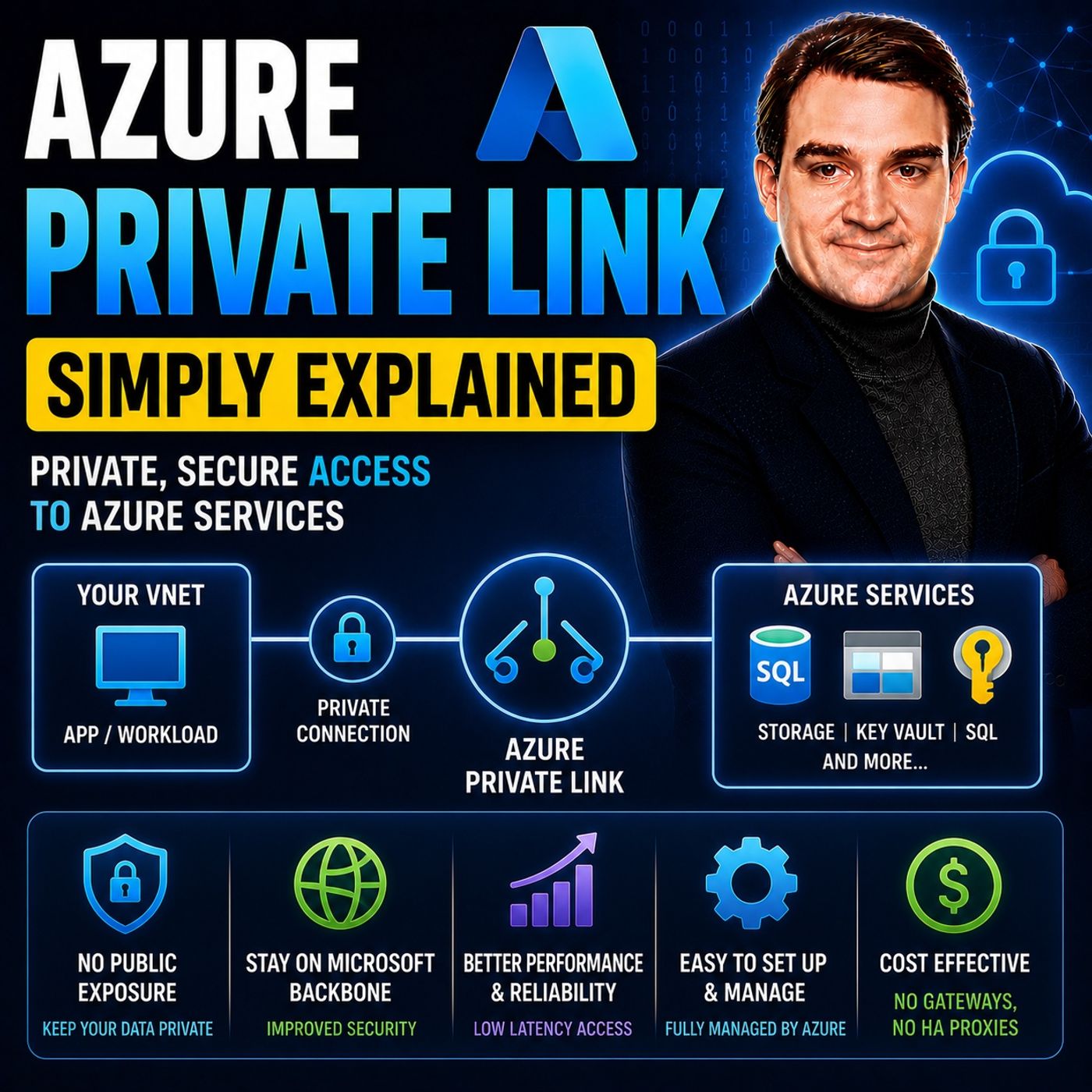
Azure Private Link - Simply Explained
Show notes
Azure Private Link is Microsoft's networking service that enables secure, private connectivity between your Azure Virtual Network and Azure Platform-as-a-Service (PaaS) resources such as Azure Storage, Azure SQL Database, Key Vault, Cosmos DB, and many other services. Instead of accessing these services through their default public endpoints, Private Link creates a private endpoint with its own private IP address inside your virtual network. As a result, all traffic remains on Microsoft's private backbone network and never traverses the public internet, significantly reducing your attack surface while improving security and compliance. WHY PRIVATE LINK EXISTS Many Azure services are internet-accessible by default. Even if your virtual machines and storage accounts exist within the same Azure subscription, communication with a Storage Account or SQL Database normally uses a public endpoint protected only by authentication and firewall rules. While encrypted, the network path still travels over public internet infrastructure. Azure Private Link eliminates this unnecessary exposure by providing a direct private connection. Instead of routing traffic outside your virtual network and back into Azure, communication stays entirely within Microsoft's global backbone, creating a far more secure architecture for sensitive workloads and regulated environments. HOW PRIVATE ENDPOINTS AND PRIVATE DNS WORK The foundation of Azure Private Link is the Private Endpoint, a virtual network interface that receives a private IP address from your subnet. Your applications continue using the same Azure service URL, but Azure automatically redirects DNS resolution through a Private DNS Zone. Instead of resolving to a public IP address, the service name resolves to the private endpoint inside your virtual network. From the application's perspective, nothing changes—the connection string remains identical—but the network path is completely different. Traffic flows directly from your workload to the private endpoint and across Microsoft's private backbone, completely bypassing the public internet. PRIVATE LINK VS VPN, EXPRESSROUTE, AND SERVICE ENDPOINTS Azure Private Link is often confused with other networking technologies, but each serves a different purpose. VPN Gateway securely connects on-premises networks to Azure over the public internet. ExpressRoute provides a dedicated private connection into Microsoft's network but does not automatically privatize Azure PaaS services. Service Endpoints restrict which virtual networks can access a public endpoint, but the service itself still remains publicly reachable. Azure Private Link goes one step further by assigning a private IP directly inside your virtual network, removing public exposure entirely. For maximum security, many enterprise architectures combine ExpressRoute with Private Link to achieve fully private connectivity from on-premises environments to Azure services. PRIVATE LINK ISN'T JUST FOR MICROSOFT SERVICES Azure Private Link also enables organizations to publish their own applications privately through Private Link Service. Instead of exposing applications behind public load balancers or building complex VPN connections for every customer, software vendors can publish services through a Standard Load Balancer and allow customers to connect using their own private endpoints. This creates secure, private connectivity between separate Azure environments without network peering or public internet exposure. It has become an increasingly popular solution for SaaS providers that need to deliver enterprise-grade connectivity while maintaining strict security and isolation between customers. SECURITY, COMPLIANCE, AND BEST PRACTICES Azure Private Link dramatically reduces network exposure by eliminating public endpoints for sensitive Azure services. However, one common mistake is assuming that creating a private endpoint automatically disables the public endpoint—it does not. Administrators should explicitly disable public network access after validating the private connection. Proper Private DNS configuration is equally important, especially for hybrid environments where on-premises clients require DNS forwarding or Azure DNS Private Resolver. While Private Link introduces additional costs for private endpoints and data processing, it provides substantial security benefits for production workloads, financial services, healthcare, government organizations, and any environment where compliance, Zero Trust networking, and data privacy are business-critical requirements. Become a supporter of this podcast: https://www.spreaker.com/podcast/m365-fm-microsoft-365-azure-cloud-power-platform-ai--6704921/support.
Apple Podcasts · Spotify · YouTube · YouTube Music · Deezer
Host: Mirko Peters
Related articles
Transcript
Read the full transcript
Welcome to another episode of Microsoft Knowledge Nudgets here on M365. FM, I'm your host, Mirko Peters. Today's topic is one that almost everyone has heard of, but few can explain clearly. Azure Private Link. You've probably seen the option when setting up a storage account or a SQL database. But what does it actually do? And do you really need it? Here's the thing most people get wrong. They assume that because the service runs inside Azure, it's automatically private, that it somehow walled off from the internet by default. That's not true, not even close. Most as your past services, storage, SQL, key vault, they ship with a public endpoint right out of the box. That means anyone on the internet can reach them as long as they have the right URL and credentials. By the end of this episode, you'll understand what private link actually is, why it exists and how it keeps your traffic off the public internet. We'll break it down using simple analogies. No marketing fluff, no jargon, just plain English. The old way, public endpoints everywhere. Let's start with the problem. Before private link existed, every Azure PASS service got a public endpoint by default. You create a storage account, Azure gives you something like my storage account. Blob.co.windows.net, that URL resolves to a public IP address. Anyone with internet access can try to connect to it. Now imagine you have a virtual machine running inside your own Azure Virtual Network, that VM needs to read some files from Blob Storage. You'd think the traffic would stay inside Azure, right? Both resources are in the same cloud, but that's not how it works. The VM has to leave your virtual network go out over the public internet and then come back into Azure to reach that storage account. It's like you're standing in one room of an office building and you need to get something from the supply closet in the same building. But instead of walking down the hallway, you have to go outside, walk around the block, and come back in through a different door. It makes no sense, but that's exactly what was happening. This is a real problem. Your data is traveling over the public internet. Even though both resources are sitting inside Microsoft's own data centers, that traffic is encrypted, sure. But it's still exposed to the open internet. It's still passing through routers and switches that you don't control. And if someone managed to intercept that traffic, they could see what you're sending. There's a common myth here. A lot of people think, well, it's in my subscription, so it's private. That's not how it works. Your subscription is a billing and management boundary, not a network boundary. By default, your Azure services are reachable from the internet. The only thing protecting them is the authentication and authorization layer, the keys, the passwords, the firewall rules. But the network path itself is public. So Microsoft looked at this and said, there has to be a better way. And they built it. They called it private link. The solution, private endpoint as a network interface card. Private link is the overall service, but the core piece you need to understand is the private endpoint, a virtual network interface card or NIC that sits inside your virtual network and connects to a past service. Here's how it works. You create a private endpoint for your storage account, and as your builds a virtual nick inside your virtual network with a private IP from your subnet, that NIC connects to the storage account through private link on the backend. So from your VM's viewpoint, the storage account now looks like it lives inside your own network with a private IP, just like any other resource. When your VM sends traffic to that storage account, it hits the private IP of the NIC and travels over the Microsoft backbone network. Never the public internet. It never leaves Azure's internal infrastructure. Think of it like that secure hallway in the office building. Instead of walking outside and around the block, you just walk down the corridor into the supply closet. Direct connection, no detour. Now here's a nuance, a lot of people miss. Enabling a private endpoint does not turn off the public endpoint automatically. They can both exist at the same time. If you create a private endpoint, but never touch the public endpoint settings, your storage account is still reachable from the internet. You have to explicitly disable public network access to lock it down completely. Many people think creating the private endpoint is enough. It's not. You have to tell Azure, I only want private access. Let me clear up another myth while we're here. Private link is not the same as a VPN or express route. They solve different problems and we'll get into that comparison later. For now, just know private link is about accessing a specific service, not connecting your whole network to Azure. So you've got your private endpoint and your VM can reach the storage account over a private IP. But how does your VM actually find that storage account? It used to resolve the public URL to a public IP. Now it needs a private IP. How does that work? That's where DNS comes in and that's what we'll look at next. DNS, the secret source that makes it all work. So you've got your private endpoint and your VM can reach the storage account over a private IP. But here's the thing, your VM doesn't know that IP. It knows the storage accounts URL, something like my storage account, blob.core.windows.net, that's the name it uses to connect. So how does it find the private IP instead of the public one? This is where DNS does the heavy lifting. When you create a private endpoint and choose to integrate with a private DNS zone, which you should Azure automatically creates one for you. For a blob storage account, that zone is called private link, blob.core.windows.net. Inside that zone, Azure adds an A record that maps your storage account name to the endpoint's private IP. Now here's the clever part. The original public URL still resolves. But instead of returning a public IP directly, it returns a name record that points to the private zone. So the resolution chain goes like this, your VM asks for the storage account URL, DNS returns at C name pointing to my storage account, private link.blog.core.windows.net, which lives in the private DNS zone linked to your virtual network. DNS resolves it to the private IP, your VM connects to that private IP, and traffic never touches the public internet. Think of it like a reception desk in an office building. Someone walks in and asks for the supply closet, and the receptionist doesn't send them outside. They point them to the correct hallway inside. The private DNS zone is that receptionist redirecting traffic to the right place without leaving the building. Now how this works depends on where your VM is. If it's in the same virtual network as the private endpoint, the private DNS zone is linked. So resolution happens automatically. If it's in a peer network, you need to link the zone to that peer network too. For on-premises machines through VPN or ExpressRoute, it gets more involved. You typically set up a DNS forwarder or use Azure DNS private resolver to make sure queries reach the private zone. But for most scenarios inside Azure, the basics are handled for you. DNS can get complex in larger environments, but for the standard case, a VM in the same virtual network as the private endpoint. Azure handles it automatically. You don't need to touch a thing. Let's see this in action with a real example. Real-world walkthrough, private link with Azure storage. Let's make this real. Say you've got a virtual machine running inside your Azure virtual network. That VM needs to grab files from an Azure blob storage account. It's a common setup. Maybe an app storing user uploads, or a data processing job reading from a container. Without private link, here's what happens. Your VM looks up to storage accounts, public URL, and gets a public IP address. Traffic leaves your virtual network, goes out over the public internet, then re-enters Azure to reach the storage account. That run trip is unnecessary. Both resources are already in Azure, but the data takes a detour through the open internet anyway. With private link, you deploy a private endpoint for the storage accounts, blob sub-resource. That's the specific part that handles blob data. Azure creates a virtual niki in your virtual network with a private IP, sets up the private DNS zone and the whole DNS resolution chain we talked about kicks in. Now when your VM resolves the same URL, my storage account, blob.co.windows.net. It gets the private IP instead of the public one. Traffic flows from the VM to the private endpoint, then over the Microsoft backbone to the storage account. It never leaves Azure's internal network. Here's the key point. Your application doesn't change. No modifying connection strings, no updating config files, the URL stays the same. The only thing that changes is how that URL resolves. From the app's perspective, it's still connecting to the same storage account. But behind the scenes, the traffic path is completely different. And if you want to go all the way, you can disable the public endpoint entirely. That means your storage account is only reachable through the private endpoint. Zero internet exposure. No one can even attempt to connect from the outside. One more thing worth noting. Storage accounts have multiple sub-resources. Blob is one, but there's also file, table and queue. Each one can have its own private endpoint. You could have one for blob traffic and a separate one for file traffic. Or use a single endpoint that covers all of them, depending on your needs. Now you might be wondering, how is this different from other Azure connectivity options? VPN, express route, service endpoints. They all sound similar. Let's clear that up. Private link versus VPN versus express route versus service endpoints. So how does private links stack up against VPN, express route and service endpoints? They all sound like they do the same thing, but they're actually solving different problems. And in many cases, you'd use them together. Start with VPN. A virtual private network connects your on-premises network to Azure over the public internet. It creates an encrypted tunnel between your site and Azure. Traffic is encrypted, sure, but it's still traveling over the public internet. The tunnel is secure that the road it's on is public. Private link doesn't replace VPN. It works alongside it. You might use a VPN to connect your office to Azure, then use private link to access your storage account privately from that connection. Express route is different. It gives you a dedicated private circuit from your data center to Azure. Traffic never touches the public internet at all. It's like having your own private road straight into Microsoft's network, but here's the catch. Express route alone doesn't give you private access to past services. It connects your network to Azure, but your storage account still has a public endpoint. You'd combine express route with private link to get true private access to those services. Service endpoints are an older technology. They let you restrict access to an Azure service, so only traffic from your virtual network can reach it. But here's the thing, the service still has a public endpoint. You're just adding a firewall rule that says, only allow traffic from this vnet. The endpoint itself is still exposed to the internet. Private link is more secure because the endpoint is truly inside your vnet. It has a private IP. There's no public endpoint to attack. Let me give you a simple way to think about it. VPN is a secure tunnel through a public road. Express route is a private road that goes straight to Azure. Service endpoints are a guard at the public gate who checks IDs. Private link is a direct hallway inside the building. You never go outside at all. So which one should you use? It depends. For connecting your office to Azure, VPN or express route are your options. For accessing past services privately, private link is the gold standard. And for the strongest security, combine them. Express route to get your traffic into Azure privately, then private link to access your services privately from there. But private link isn't just for Microsoft services. You can also use it for your own applications, private link service, hosting your own private endpoints. Here's something a lot of people miss. Private link isn't just for consuming Azure services. You can also use it to expose your own applications to the world. That's exactly what private link service was built for. Imagine your as-sass provider. You've got an application running on virtual machines behind a standard load balancer and your customers need access. Traditionally, you had two options. Expose everything to the internet or set up a VPN between your network and theirs. Both have big downsides. Public exposure opens you up to security risks and VPNs are complex to manage and maintain. Private link service cuts through that. You create the service, attach it to your standard load balancer, and then your customers can create a private endpoint in their own virtual network. Private endpoint connects directly to your service. No peering, no VPN and absolutely no public exposure. The traffic travels from their private endpoint across the Microsoft backbone straight to your service. It never touches the internet. Your service gets a globally unique alias, something like my app, guid.region. Azure, private link service. That alias is what customers use to connect. And you're in full control over who can see it. You can restrict visibility by our back roles, specific subscriptions, or let anyone with the alias request a connection. Every connection request comes to you for manual approval so you always know exactly who's connecting. For SAS providers, this is a huge shift instead of opening firewall rules or managing complex VPN configurations, you just hand your customer the alias. They create a private endpoint, you approve it, and that's it. Done. One limitation though. Private link service only works with standard load balancer is not basic. If you're still on a basic load balancer, you'll need to upgrade first. That's a small price to pay for the security and simplicity you get in return. Now all the security sounds great. But what does it actually mean for your compliance needs and your budget? Security, compliance, and cost considerations. Let's talk about what private link really means for your compliance requirements and your wallet. First, the security side. Private link reduces your attack service by eliminating public endpoints entirely. That's the headline benefit. Instead of a storage account or SQL database reachable from anywhere on the internet, you've got a resource that only responds to traffic from inside your virtual network. No public IP to scan, no open port to probe. The attack service shrinks dramatically. There's another benefit that doesn't get enough attention, data leakage prevention, each private endpoint maps to a specific resource instance. Not the whole service, not every storage account in your subscription. Just that one. So if someone compromises a workload in your virtual network, they can't use that private endpoint to reach other storage accounts. They're locked to the one resource you approved. For security teams, that containment is a big deal. On the compliance front, private link checks a lot of boxes. Regulations like HIPAA, GDPR, and PCI often require that sensitive data never travels over public networks. Private link gives you a clean way to prove that. Your traffic stays on the Microsoft backbone and you can point to the audit logs and say, "Here's the proof." For regulated industries, that alone can justify the investment. Now let's talk about cost because this is where people get surprised. Private link is not free. You pay a per hour charge for each private endpoint plus data processing fees for the traffic that flows through it. Depending on your usage, it can be two to three times more expensive than using a public endpoint with firewall rules. That adds up quickly, especially if you have many endpoints. So here's the honest take. Private link isn't always the right choice. If you're running a dev or test environment with no sensitive data, public endpoints with proper firewall rules are probably fine. If you're hosting a public website meant to be accessible from the internet, private link doesn't help you. But for production workloads in regulated industries, finance, healthcare, government, private link is often mandatory. It's the cost of doing business securely. Now before you implement this, there are a few gotchas to watch out for. Implementation gotchas. What beginners miss? Let me save you some headaches. There are the most common mistakes people make when they first set up private link. First up, you have to disable the public endpoint after creating the private endpoint. This is the biggest gotcha. A lot of people create the private endpoint and assume that's enough, but it's not. The public endpoint stays active by default, which means your traffic can still go over the internet. You have to go into the networking settings and explicitly turn off public network access. If you skip the step, you haven't actually secured anything. Next, DNS resolution for on-premises clients requires extra setup. If you've got machines in your office connecting through a VPN or express route, they won't automatically resolve your private endpoints IP. The private DNS zone is linked to your Azure virtual network, not to your on-premises DNS servers. You need to set up a DNS forwarder or use Azure DNS private resolver to make those queries reach the private zone. A lot of people overlook this and then wonder why their on-premises apps can't connect. Also, private endpoints don't magically work across regions. If your virtual network is in West Europe and you create a private endpoint for a storage account in East US, it won't work. The private endpoint has to be in the same region as the virtual network. The past service can be in a different region, but the endpoint itself must match the vnet's region, plan accordingly. One more thing, network security groups affect the private endpoint, NIC. The private endpoint creates a virtual ennick in your subnet. That NIC is subject to the same NSG rules as anything else in that subnet. If you block traffic to the NIC subnet, the endpoint won't work. Make sure your NSG rules allow the traffic you need. The most common mistake overall, creating the endpoint but forgetting to update DNS for on-prem users. You set everything up perfectly in Azure. Your VMs can reach the storage account privately, but your on-premises team calls and says nothing works. That's because their DNS servers don't know about the private zone. Fix that first and you'll save yourself a lot of troubleshooting. Let's wrap up with a simple takeaway. Here's what you need to remember. Azure Private Link lets you place private endpoints inside your virtual network. Those endpoints connect to past services like storage and SQL over the Microsoft backbone. Next stays off the public internet, that's the core idea. You don't need to remember every detail we covered today. Just understand this one thing. Azure services don't have to be public. By default they are, but they don't have to be. Private Link gives you a way to change that. Here's your challenge. Next time you deploy an Azure service that holds sensitive data, ask yourself one question. Should this be reachable from the internet? If the answer is no, you know what to do. If this episode helped you connect the dots, share it with a colleague who's new to Azure and hit subscribe. Next time we'll look at how to combine private link with ExpressRoot for maximum security.