


 Apple Podcasts
 Spotify
 Youtube Music
 Spreaker
 Podchaser
 Amazon Music
 Azure ExpressRoute - Simply Explained
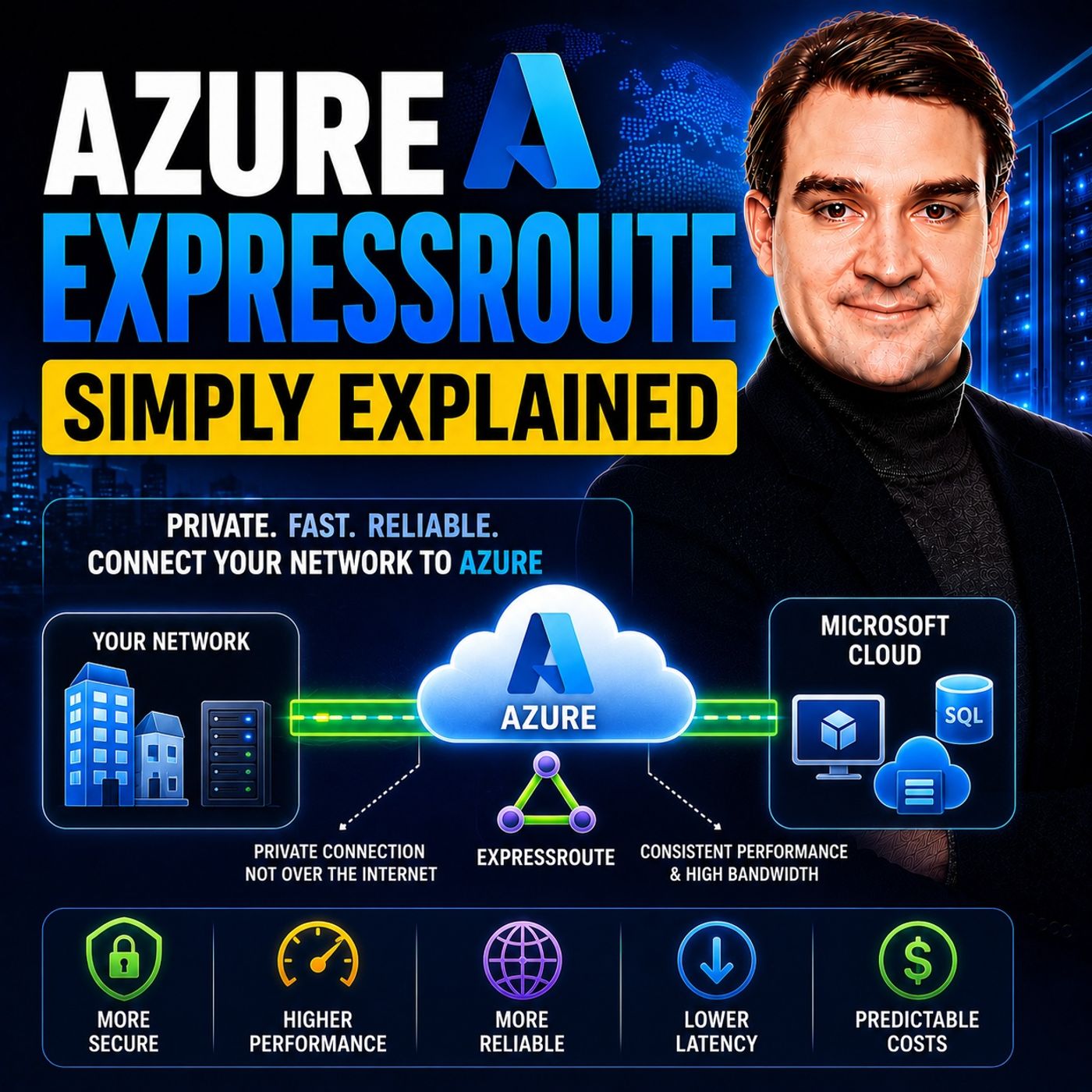
Azure ExpressRoute is Microsoft's dedicated private network connection for securely connecting on-premises infrastructure to Azure without sending traffic over the public internet. Designed for enterprise and mission-critical workloads, ExpressRoute delivers predictable performance, low latency, higher reliability, and enhanced security, making it the preferred connectivity option for organizations with demanding networking requirements.
In this episode of Microsoft Knowledge Nuggets, Mirko Peters explains Azure ExpressRoute in simple terms and shows how it differs from traditional VPN connections. You'll learn how ExpressRoute establishes a private connection through a connectivity provider, why businesses choose it for hybrid cloud architectures, and when its additional performance and reliability justify the investment.
The episode covers key concepts including ExpressRoute circuits, private and Microsoft peering, BGP routing, redundancy, ExpressRoute Gateways, FastPath, Global Reach, and bandwidth options. It also explains how ExpressRoute integrates with Azure Virtual Networks, Microsoft 365, Azure Virtual WAN, and hybrid networking scenarios while providing resilient, enterprise-grade connectivity backed by Microsoft's global network.
You'll also learn the differences between Azure ExpressRoute and Azure VPN Gateway. While VPN Gateway offers encrypted connectivity over the public internet, ExpressRoute provides a dedicated private connection with more consistent latency, higher throughput, and enterprise-level availability. Understanding when each solution is appropriate is essential for designing secure, scalable, and cost-effective hybrid cloud environments.
Quick answer: Azure ExpressRoute is covered in this M365 FM episode with a practical focus on what it is, how it works, and the decisions that matter for architecture, adoption, security, governance, or day-to-day operations.
Azure ExpressRoute is a service that connects your on-premises infrastructure directly to Microsoft Azure. This connection bypasses the public internet, allowing you to establish a private network link. With Azure ExpressRoute, you gain a secure and reliable way to access Azure services. This dedicated connection offers several advantages over traditional VPN connections. For instance, while Azure ExpressRoute provides an encrypted private link with reduced attack surfaces, VPNs over public internet share paths, making them less secure. Additionally, Azure ExpressRoute ensures better reliability by being isolated from public congestion, unlike VPNs that depend on ISP performance.
Key Takeaways
- Azure ExpressRoute provides a private connection from your on-premises infrastructure to Microsoft Azure, enhancing security and reliability.
- By bypassing the public internet, ExpressRoute reduces exposure to security threats, making it ideal for sensitive data.
- The service offers low-latency connectivity, ensuring consistent performance for mission-critical applications.
- ExpressRoute supports high bandwidth, ranging from 50 Mbps to 100 Gbps, accommodating various workload demands.
- Utilizing ExpressRoute can improve data transfer speeds, making it suitable for large-scale data migrations and backups.
- The service includes multiple resiliency options, ensuring continuous connectivity even during failures.
- Planning your ExpressRoute connection carefully is crucial for successful implementation and optimal performance.
- Azure ExpressRoute is beneficial for industries like healthcare and finance, where secure and reliable cloud connectivity is essential.
Azure ExpressRoute Overview

Key Features
Azure ExpressRoute offers several core functionalities that enhance your organization's connectivity to Microsoft Azure. This service allows you to establish a dedicated, high-throughput, and private connection from your on-premises data centers to Azure cloud services. The connection is facilitated through a specialized network circuit known as an ExpressRoute circuit.
Here are some of the key features of Azure ExpressRoute:
- Private Connection: You gain a dedicated and private connection from your on-premises infrastructure to Azure, ensuring that your data remains secure.
- No Public Internet: Your data does not travel over the public internet, which significantly enhances security and reduces the risk of exposure to potential threats.
- Enhanced Security and Reliability: ExpressRoute connections are more reliable, with minimal latency and increased throughput. This reliability is crucial for businesses that depend on mission-critical applications.
- Connectivity to Microsoft Services: You can connect to various Microsoft cloud services, including Azure and Microsoft 365, seamlessly integrating them into your operations.
- Dynamic Routing: ExpressRoute utilizes Border Gateway Protocol (BGP) for dynamic routing between your on-premises network and Microsoft cloud services, ensuring efficient data flow.
- Layer 3 Connectivity: The service provides Layer 3 connectivity through connectivity partners, allowing for address-level access to Azure resources.
The role of Azure ExpressRoute in cloud connectivity cannot be overstated. It serves as a bridge between your on-premises environment and the Azure cloud, enabling you to leverage the full potential of cloud services while maintaining control over your data. By using Azure ExpressRoute, you can ensure that your applications run smoothly and securely, meeting the demands of your business and your customers.
Tip: Utilizing an Azure ExpressRoute Circuit monitoring tool is essential for ensuring the performance, reliability, and security of your dedicated connection to Microsoft Azure.
Azure ExpressRoute Benefits
Enhanced Security
When you use Azure ExpressRoute, you significantly enhance the security of your data. This service establishes a private connection that does not traverse the public internet. By avoiding public pathways, you reduce exposure to common security risks associated with internet communications. This dedicated WAN link ensures that your data remains secure and is not subject to the vulnerabilities of public internet traffic.
Azure ExpressRoute includes several key security features that protect your data in transit. The following table summarizes these features:
| Security Feature | Description |
|---|---|
| MD5 Hash Authentication | Secures messages between on-premises routers and Microsoft routers, ensuring data integrity. |
| IPsec VPN over ExpressRoute | Adds end-to-end encryption for traffic over the ExpressRoute private peering. |
| Application Layer Encryption | Requires applications to encrypt sensitive data before transmission using TLS/SSL or other methods. |
These features work together to create a robust security framework, making Azure ExpressRoute an ideal choice for organizations in regulated industries. By keeping sensitive traffic off the public internet, you can meet compliance requirements and ensure the integrity of your data.
Improved Performance
Azure ExpressRoute also offers improved performance for your applications. The service establishes a dedicated private connection that bypasses the public internet, leading to lower and more consistent latencies. This is accomplished through a direct Layer 2 or Layer 3 connection via a partner network, ensuring predictable performance and enhanced reliability.
Organizations benefit from the following performance advantages:
- Low-latency connectivity: This feature reduces network overhead, enhancing application performance.
- High-volume data transfer capabilities: You can ensure rapid and reliable data movement, which is crucial for large-scale operations.
- Seamless access to Microsoft Cloud Services: This capability supports large user bases accessing services like Office 365 and Dynamics 365 concurrently.
With a documented uptime SLA of 99.95%, Azure ExpressRoute guarantees high availability. This reliability is essential for mission-critical workloads that cannot afford downtime.
Reliable Connectivity
Reliability is a cornerstone of Azure ExpressRoute. The service provides multiple options for ensuring consistent connectivity. For instance, you can implement high resiliency by connecting multiple sites within the same metropolitan area to Azure. This setup allows you to split a single circuit across two sites, mitigating edge-site isolation and failures.
The following table outlines the resiliency types offered by Azure ExpressRoute:
| Resiliency Type | Description |
|---|---|
| High Resiliency | Enables multiple sites within the same metropolitan area to connect on-premises networks to Azure. |
| Site Diversity | Splits a single circuit across two sites to mitigate edge-site isolation and failures. |
| ExpressRoute Metro | Provides higher site resiliency than Standard but less than Maximum, suitable for mission-critical workloads. |
By using Azure ExpressRoute, you can ensure that your applications run smoothly and securely, meeting the demands of your business and your customers. This reliability is particularly important for enterprises that require predictable performance and strong SLAs.
How ExpressRoute Works
Connection Types
Azure ExpressRoute offers various connection types to suit your organization's needs. These connections allow you to link your on-premises network directly to Microsoft Azure. You can choose from the following options:
- Layer 3 (IP-based) connections: These connections use Internet Protocol (IP) to facilitate communication.
- Layer 2 (Ethernet) connections: These connections provide a direct Ethernet link to Azure.
- Connectivity through cloud exchange colocation: This method allows you to connect through a third-party data center.
- Any-to-any IP VPNs (usually MPLS): This option enables multiple sites to connect to Azure.
- Point-to-point Ethernet networks: This connection type provides a dedicated link between your sites and Azure.
ExpressRoute supports three primary types of peering connections:
| Connection Type | Description |
|---|---|
| Private Peering | Connects to your VNets via an ExpressRoute gateway. |
| Microsoft Peering | Connects to Microsoft services that expose routes via this peering (availability and requirements vary). |
| Public Peering | Allows access to Microsoft public services, enabling broader service access. |
These connection types ensure that you can tailor your Azure ExpressRoute setup to meet your specific requirements.
Integration with Azure Services
Integrating Azure ExpressRoute with other Azure services enhances your cloud experience. You can connect to Azure Virtual Networks and other Microsoft services seamlessly. Here are some key integration points:
- Replication Traffic: ExpressRoute does not handle replication traffic between Azure regions. This traffic occurs within Azure.
- Failover Process: During a failover to a secondary region, you must follow specific steps to access Azure virtual machines using ExpressRoute.
- Networking Setup: It is crucial to provision networking components before a failover to ensure efficient recovery.
ExpressRoute circuits play a vital role in this integration. To connect your on-premises network to Azure, you can choose between layer 2 and layer 3 connections. Each type has specific configuration requirements. For layer 2 connections, you need to reserve two /30 subnets for each type of peering and configure routing accordingly.
Additionally, ExpressRoute circuits can coexist with VPN gateways. However, you must meet specific requirements, such as using a route-based VPN gateway and ensuring proper subnet sizing.
By understanding how Azure ExpressRoute works, you can leverage its capabilities to enhance your organization's cloud connectivity and performance.
Practical Use Cases for Azure ExpressRoute
Enterprise Applications
Azure ExpressRoute plays a vital role in enhancing enterprise applications. Many organizations rely on it to connect their on-premises systems with Azure services. This connection allows for stable private routing and higher throughput, which is essential for applications that require consistent performance.
Here are some specific use cases where Azure ExpressRoute excels:
| Use Case | Problem | Why ExpressRoute Fits | Example |
|---|---|---|---|
| Hybrid application connectivity | App tier in Azure, database on-premises | Stable private routing and higher throughput | On-prem AD DS/LDAP needs connectivity to Azure app services |
| Large-scale data ingestion | Slow internet transfer for large data | Dedicated bandwidth and predictable performance | Nightly ingestion of manufacturing telemetry from on-prem Hadoop |
| Backup and disaster recovery | VPN throughput limits | Higher, steadier throughput reduces RPO/RTO | Continuous database log shipping from on-prem SQL Server |
| Low-latency enterprise apps | Latency impacts user experience | Private routing reduces latency variability | Financial trading support apps require consistent connectivity |
These examples illustrate how Azure ExpressRoute supports critical enterprise applications, ensuring they operate smoothly and efficiently.
Hybrid Cloud Solutions
For large organizations, Azure ExpressRoute establishes a dedicated, private connection between on-premises infrastructure and Azure data centers. This connection enhances security and reliability. By bypassing the public internet, ExpressRoute significantly reduces latency and improves network performance. This setup is ideal for organizations with critical workloads that demand high availability.
With various peering types, including private peering, you can access Azure resources as if they were part of your local network. This seamless integration allows you to leverage the benefits of both on-premises and cloud environments effectively.
Data Transfer Scenarios
Azure ExpressRoute provides significant advantages in various data transfer scenarios. Here are some typical situations where it shines:
| Scenario Description | Advantage of Azure ExpressRoute |
|---|---|
| Low-latency connectivity to cloud services | Enhances application performance by reducing network overhead. |
| Accessing high-volume systems in the cloud | Facilitates rapid and reliable data transfer. |
| Consuming Microsoft Cloud Services (e.g., Office 365, Dynamics 365) | Supports concurrent access for many users. |
| Migrating large-scale on-premises systems to Azure | Ensures seamless performance for on-premises clients. |
| Data transfer that should not traverse the public internet for security reasons | Provides secure connections. |
| Large datacenters with many users accessing SaaS offerings | Optimizes access to cloud services for numerous systems. |
These scenarios highlight how Azure ExpressRoute can streamline data transfer processes, making it a valuable asset for organizations looking to enhance their cloud strategy.
Steps to Implement ExpressRoute
Planning Your Connection
Before you implement Azure ExpressRoute, careful planning is essential. You need to consider several factors to ensure a successful deployment. Here are key steps to guide your planning:
| Step | Description |
|---|---|
| Build redundancy, strengthen resiliency | Eliminate single points of failure by configuring multiple ExpressRoute circuits and diverse paths. |
| Anticipate potential failures | Plan mitigation strategies for potential failures, such as having a secondary circuit for redundancy. |
| Plan for site resiliency | Ensure high availability by choosing from Standard, High, or Maximum resiliency architectures. |
| Plan for regions and availability zones | Select multiple regions and availability zones to enhance resiliency. |
| Choose the right circuit SKU | Select from Local, Standard, or Premium SKUs based on your connectivity needs. |
| Plan for Active-Active connectivity | Configure active-active connections for higher availability. |
| Configure geo-redundant circuits | Set up circuits in multiple peering locations to avoid single points of failure. |
| Configure monitoring | Set up monitoring and alerts for circuit and gateway health. |
These steps will help you create a robust plan that meets your organization's needs.
Setting Up the Circuit
Once you have a solid plan, you can proceed to set up your ExpressRoute circuit. Here are the technical requirements you need to consider:
| Requirement Type | Details |
|---|---|
| Microsoft Enterprise Edge Router | Dual 10-Gigabit, 100-Gigabit, or 400-Gigabit Ethernet ports across router pair |
| Connectivity | Must support Layer 2/Layer 3 connectivity with VLAN tagging |
| VLAN Tagging | Supports both QinQ and Dot1Q VLAN tagging |
| IP Address Requirements | Must reserve specific subnets for IPv4 and IPv6 routing interfaces |
| BGP Sessions | Must support multiple BGP sessions per port and device |
| MTU | IP MTU must be set to 1,500 bytes |
| Additional Notes | Does not support Link Aggregation Control Protocol (LACP) or Multi-Chassis Link Aggregation (MLAG) |
For IPv4, reserve a /29 subnet or two /30 subnets for routing interfaces. For IPv6, reserve a /125 subnet or two /126 subnets. Ensure that the address ranges do not overlap with those used in Azure virtual networks.
Configuring Routing
After setting up the circuit, you need to configure routing between your on-premises network and Azure. Follow these steps:
| Step | Description |
|---|---|
| 1 | Connect an on-premises network to Azure using ExpressRoute with a site-to-site VPN as a failover connection. |
| 2 | Ensure the virtual network includes a GatewaySubnet with a /27 or larger address space. |
| 3 | Use PowerShell commands to manage the GatewaySubnet configuration. |
| 4 | Verify that your organization meets the ExpressRoute prerequisites. |
| 5 | Follow instructions to establish the ExpressRoute connection. |
For effective traffic management, create custom user-defined routes (UDRs) instead of modifying default routes. Use a route table associated with subnets to manage routing effectively. This approach allows for up to 400 UDRs by default, and up to 1,000 with Azure Virtual Network Manager.
By following these steps, you can successfully implement Azure ExpressRoute, ensuring a secure and reliable private connection for your organization.
Azure ExpressRoute offers a powerful solution for businesses seeking to enhance their cloud connectivity. By establishing a private dedicated connection, you ensure security and reliability. Here are some key advantages to consider:
| Feature/Advantage | Description |
|---|---|
| Private Dedicated Connection | Establishes a secure, private link between on-premises and Azure, enhancing reliability and security. |
| High Bandwidth Connectivity | Supports bandwidth from 50 Mbps to 100 Gbps, scalable to meet varying workload demands. |
| Resiliency & Redundancy | Dual paths to Azure ensure continuous service during failures, ideal for business-critical applications. |
| Security & Compliance | Traffic does not traverse the public Internet, reducing exposure to threats and supporting compliance. |
| Cost & SLA | Pricing based on bandwidth and circuit type, with a financially backed SLA for performance. |
| Key Use Cases | Suitable for hybrid cloud extensions, large data migrations, disaster recovery, and high-performance applications. |
As you plan your cloud strategy, consider how Azure ExpressRoute can fit into your organization's needs. Future trends indicate a growing focus on hybrid and multi-cloud architectures, increased network security, and the rise of edge computing. Embracing these trends will position your business for success in the evolving digital landscape.
FAQ
What is Azure ExpressRoute?
Azure ExpressRoute is a service that provides private connectivity between your on-premises infrastructure and Microsoft Azure. It bypasses the public internet, ensuring secure and reliable cloud connectivity.
How does Azure ExpressRoute enhance security?
Azure ExpressRoute offers a dedicated connection that does not traverse the public internet. This setup minimizes exposure to security threats, making it ideal for organizations requiring stringent data protection.
What are the benefits of using Azure ExpressRoute?
Using Azure ExpressRoute improves performance, enhances security, and ensures reliable connectivity. It supports high bandwidth and low latency, making it suitable for mission-critical applications and large data transfers.
Can I use Azure ExpressRoute for hybrid cloud solutions?
Yes, Azure ExpressRoute is perfect for hybrid cloud solutions. It allows seamless integration between on-premises infrastructure and Azure services, enabling you to leverage both environments effectively.
How do I set up Azure ExpressRoute?
To set up Azure ExpressRoute, plan your connection, establish the circuit, and configure routing. Follow the guidelines provided by Microsoft Azure to ensure a successful implementation.
What types of connections does Azure ExpressRoute support?
Azure ExpressRoute supports Layer 2 and Layer 3 connections. You can connect through cloud exchange colocation, point-to-point Ethernet networks, or any-to-any IP VPNs, depending on your needs.
Is Azure ExpressRoute suitable for data transfer?
Absolutely! Azure ExpressRoute is designed for high-volume data transfers. It provides a secure and efficient way to move large datasets without the risks associated with public internet traffic.
What industries benefit from Azure ExpressRoute?
Industries such as healthcare, finance, and government benefit significantly from Azure ExpressRoute. These sectors require secure, reliable, and high-performance cloud connectivity to meet compliance and operational demands.
🎧 Listen to this episode
Want a practical explanation of Azure ExpressRoute? This episode breaks down the topic in clear language and shows why it matters for Microsoft 365, Azure, Power Platform, security, AI, and modern work.
Listen to this episode if you want to:
- Understand the key concepts behind Azure ExpressRoute
- See how it fits into the wider Microsoft technology ecosystem
- Learn where it can create practical value for your organization
Discover more practical Microsoft conversations on M365 FM.
Last reviewed: July 2026.
Who Should Listen
This episode is for Microsoft 365 administrators, architects, IT leaders, and practitioners who need a practical understanding of Azure ExpressRoute before planning, implementing, or supporting it.
🚀 Want to be part of m365.fm?
Then stop just listening… and start showing up.
👉 Connect with me on LinkedIn and let’s make something happen:
- 🎙️ Be a podcast guest and share your story
- 🎧 Host your own episode (yes, seriously)
- 💡 Pitch topics the community actually wants to hear
- 🌍 Build your personal brand in the Microsoft 365 space
This isn’t just a podcast — it’s a platform for people who take action.
🔥 Most people wait. The best ones don’t.
👉 Connect with me on LinkedIn and send me a message:
"I want in"
Let’s build something awesome 👊
1
00:00:00,000 --> 00:00:04,960
Welcome to another episode of Microsoft Knowledge Nuggets here on M365, FM, I'm Mirko
2
00:00:04,960 --> 00:00:08,840
Peters and today's topic is one that almost everyone has heard of but few people actually
3
00:00:08,840 --> 00:00:10,560
understand Azure Express route.
4
00:00:10,560 --> 00:00:11,560
What exactly is it?
5
00:00:11,560 --> 00:00:14,240
Is it just a fancy VPN or is it something completely different?
6
00:00:14,240 --> 00:00:16,040
Imagine you start a new company tomorrow.
7
00:00:16,040 --> 00:00:19,400
You rely on cloud apps, file sharing and remote work.
8
00:00:19,400 --> 00:00:22,960
Every day your connection to Azure goes over the public internet.
9
00:00:22,960 --> 00:00:25,200
That's like taking a highway with unpredictable traffic.
10
00:00:25,200 --> 00:00:26,960
It works fine for checking email.
11
00:00:26,960 --> 00:00:31,920
But when you move critical data or run real-time applications, speed and reliability start
12
00:00:31,920 --> 00:00:33,840
to matter a lot.
13
00:00:33,840 --> 00:00:35,720
Azure Express route is the private lane.
14
00:00:35,720 --> 00:00:40,320
A dedicated physical link from your office or data center directly into Microsoft's network.
15
00:00:40,320 --> 00:00:44,000
By the end of this episode you'll understand what Express route actually is, how it's
16
00:00:44,000 --> 00:00:48,160
built and whether your business should use it instead of a regular VPN.
17
00:00:48,160 --> 00:00:49,760
The private highway analogy.
18
00:00:49,760 --> 00:00:54,000
Let's picture the public internet as a busy two lane highway shared with everyone.
19
00:00:54,000 --> 00:00:56,920
You can see the trees, commuters and sites here at all clock the same road.
20
00:00:56,920 --> 00:00:58,680
Your data packets get stuck in that traffic.
21
00:00:58,680 --> 00:01:02,800
Every time someone streams a movie or downloads a large file, your business traffic slows down.
22
00:01:02,800 --> 00:01:05,960
That's the reality of sharing the road with the entire world.
23
00:01:05,960 --> 00:01:09,560
Express route creates a private, reserved lane that connects your on-premises network directly
24
00:01:09,560 --> 00:01:13,000
to Azure so your traffic bypasses the internet entirely.
25
00:01:13,000 --> 00:01:17,120
That means consistent speed, lower latency and higher security because your data never touches
26
00:01:17,120 --> 00:01:18,120
the public road.
27
00:01:18,120 --> 00:01:19,120
This isn't magic.
28
00:01:19,120 --> 00:01:22,880
It's a physical or virtual connection made through a partner like Equinix Megaport
29
00:01:22,880 --> 00:01:26,200
or directly with Microsoft via something called Express route direct.
30
00:01:26,200 --> 00:01:30,640
The result is predictable performance with no bandwidth fights and a Microsoft SLA that
31
00:01:30,640 --> 00:01:31,800
guarantees uptime.
32
00:01:31,800 --> 00:01:32,800
Here's the thing.
33
00:01:32,800 --> 00:01:33,800
This is the big idea.
34
00:01:33,800 --> 00:01:35,840
A private connection instead of a public one.
35
00:01:35,840 --> 00:01:37,200
Everything else is just detailed.
36
00:01:37,200 --> 00:01:40,400
Once you understand that, the rest of Express route makes sense.
37
00:01:40,400 --> 00:01:41,400
Building blocks.
38
00:01:41,400 --> 00:01:42,400
Circuit.
39
00:01:42,400 --> 00:01:43,400
Peering.
40
00:01:43,400 --> 00:01:44,400
Gateway.
41
00:01:44,400 --> 00:01:45,400
So how does that private highway actually get built?
42
00:01:45,400 --> 00:01:47,160
Let's break down the main components.
43
00:01:47,160 --> 00:01:49,080
An Express route circuit is the core.
44
00:01:49,080 --> 00:01:51,840
The physical cable or virtual link you order from a provider.
45
00:01:51,840 --> 00:01:54,440
It comes with two connections for built in redundancy.
46
00:01:54,440 --> 00:01:56,400
If one link fails, the other keeps working.
47
00:01:56,400 --> 00:01:58,280
That's built into every circuit by default.
48
00:01:58,280 --> 00:02:01,320
On top of that circuit, you configure something called Peerings.
49
00:02:01,320 --> 00:02:04,800
These are separate doors that allow different types of traffic and there are two main ones
50
00:02:04,800 --> 00:02:06,320
you need to know about.
51
00:02:06,320 --> 00:02:08,840
Private Peering connects to your Azure virtual networks.
52
00:02:08,840 --> 00:02:12,320
That's where your VMs, databases and internal applications live.
53
00:02:12,320 --> 00:02:14,720
This is the door you use for your private workloads.
54
00:02:14,720 --> 00:02:19,160
Then Microsoft Peering connects to Microsoft's public services like Microsoft 365, Dynamics
55
00:02:19,160 --> 00:02:22,000
365 and Azure public endpoints.
56
00:02:22,000 --> 00:02:25,680
That's the door for accessing SaaS applications and other Microsoft services.
57
00:02:25,680 --> 00:02:29,600
Now, to connect the circuit to your Azure virtual network, you need an Express route virtual
58
00:02:29,600 --> 00:02:30,600
network gateway.
59
00:02:30,600 --> 00:02:34,600
Think of it as a special router that lives in your Azure network and speaks a language called
60
00:02:34,600 --> 00:02:38,000
BGP, border gateway protocol with the circuit.
61
00:02:38,000 --> 00:02:41,680
BGP is how both sides share routing information automatically.
62
00:02:41,680 --> 00:02:43,400
No manual route tables needed.
63
00:02:43,400 --> 00:02:45,720
The gateway comes in different sizes.
64
00:02:45,720 --> 00:02:49,300
You can create high performance, ultra performance depending on how much traffic you expect.
65
00:02:49,300 --> 00:02:53,420
There's also fast path, an optional feature that lets traffic bypass the gateway for even lower
66
00:02:53,420 --> 00:02:55,480
latency on high speed circuits.
67
00:02:55,480 --> 00:03:00,360
If you're running at 10 gigabits per second or higher, fast path can make a noticeable difference.
68
00:03:00,360 --> 00:03:05,360
These three pieces, circuit, peering, gateway, form the complete private highway from your
69
00:03:05,360 --> 00:03:09,880
office to your cloud workloads, each plays a specific role and together they create a connection
70
00:03:09,880 --> 00:03:12,600
that's reliable, fast and secure.
71
00:03:12,600 --> 00:03:15,000
Two ways to connect, provider versus direct.
72
00:03:15,000 --> 00:03:17,360
Most businesses go with the provider-based model.
73
00:03:17,360 --> 00:03:22,040
You work with a telecom partner like AT&T, Verizon, or a cloud exchange provider like Megaport
74
00:03:22,040 --> 00:03:23,040
or Equinix.
75
00:03:23,040 --> 00:03:26,600
The provider handles the physical connection from your location to the nearest Express route
76
00:03:26,600 --> 00:03:30,200
peering location and that's a Microsoft edge site where the actual handoff happens.
77
00:03:30,200 --> 00:03:33,760
You just give them a service key from your Azure portal and they take care of the rest.
78
00:03:33,760 --> 00:03:35,720
This approach is simpler and faster to set up.
79
00:03:35,720 --> 00:03:39,400
It supports bandwidth from 50 megabits per second all the way up to 10 gigabits.
80
00:03:39,400 --> 00:03:43,360
The provider manages the middle mile so you don't need to worry about the physical infrastructure
81
00:03:43,360 --> 00:03:45,960
between your office and Microsoft's network.
82
00:03:45,960 --> 00:03:47,880
The alternative is ExpressRoute Direct.
83
00:03:47,880 --> 00:03:51,520
With Direct you get two physical ports at a peering location that we're talking 1,100
84
00:03:51,520 --> 00:03:53,640
or even 400 gigabits per port.
85
00:03:53,640 --> 00:03:57,280
Direct is for high volume scenarios like huge data migrations, regulated industries that
86
00:03:57,280 --> 00:04:01,640
need physical isolation or connecting multiple clouds through a single set of ports.
87
00:04:01,640 --> 00:04:02,800
Here's the trade-off.
88
00:04:02,800 --> 00:04:06,400
Direct gives you more control and higher speeds, but you're responsible for managing the
89
00:04:06,400 --> 00:04:08,240
physical connection yourself.
90
00:04:08,240 --> 00:04:13,320
Cross-connects in the data center, coordinating with the facility and handling any gear issues.
91
00:04:13,320 --> 00:04:17,040
For 90% of businesses, the provider model is the right choice.
92
00:04:17,040 --> 00:04:19,040
Direct is for the top tier.
93
00:04:19,040 --> 00:04:23,240
Organizations that need maximum throughput or have specific compliance requirements.
94
00:04:23,240 --> 00:04:26,080
Staying connected, resiliency and redundancy.
95
00:04:26,080 --> 00:04:29,760
Every ExpressRoute circuit comes with built-in redundancy, two physical connections to two
96
00:04:29,760 --> 00:04:31,920
separate Microsoft Edge routers.
97
00:04:31,920 --> 00:04:34,880
If one link fails, the other keeps your traffic flowing.
98
00:04:34,880 --> 00:04:35,880
That's the default.
99
00:04:35,880 --> 00:04:36,880
But here's the thing.
100
00:04:36,880 --> 00:04:38,200
Microsoft wants you to think bigger.
101
00:04:38,200 --> 00:04:40,200
The real danger isn't a single broken fiber.
102
00:04:40,200 --> 00:04:42,280
It's losing an entire peering location.
103
00:04:42,280 --> 00:04:46,920
Imagine a fire in the data center, a construction crew cutting the main fiber or a power outage
104
00:04:46,920 --> 00:04:48,720
that takes out the whole facility.
105
00:04:48,720 --> 00:04:51,520
That's the kind of event that kills a single circuit.
106
00:04:51,520 --> 00:04:52,720
Even with redundant links.
107
00:04:52,720 --> 00:04:55,240
You have three levels of resiliency to choose from.
108
00:04:55,240 --> 00:04:56,680
Standard is what you get by default.
109
00:04:56,680 --> 00:04:58,320
Two links in one peering location.
110
00:04:58,320 --> 00:05:02,000
High resiliency gives you one link in each of two different peering locations within the
111
00:05:02,000 --> 00:05:03,400
same metro area.
112
00:05:03,400 --> 00:05:04,880
Maximum resiliency goes all the way.
113
00:05:04,880 --> 00:05:07,440
Two separate circuits in two different peering locations.
114
00:05:07,440 --> 00:05:08,720
Each with its own pair of links.
115
00:05:08,720 --> 00:05:09,720
That's the gold standard.
116
00:05:09,720 --> 00:05:13,360
You can lose an entire peering location and still have connectivity running.
117
00:05:13,360 --> 00:05:14,520
Why does this matter?
118
00:05:14,520 --> 00:05:17,680
Because ExpressRoot often carries mission critical workloads.
119
00:05:17,680 --> 00:05:18,880
Down time means lost revenue.
120
00:05:18,880 --> 00:05:21,640
A hospital can't afford to lose access to patient records.
121
00:05:21,640 --> 00:05:24,400
A trading firm can't afford even a few seconds of interruption.
122
00:05:24,400 --> 00:05:28,160
So the extra investment in redundancy makes sense for those scenarios.
123
00:05:28,160 --> 00:05:32,600
You can also pair ExpressRoot with a backup VPN as a lower cost failover option.
124
00:05:32,600 --> 00:05:36,280
When ExpressRoot is down, the VPN handles less critical traffic or serves as a backup
125
00:05:36,280 --> 00:05:38,000
path for essential services.
126
00:05:38,000 --> 00:05:40,200
Many enterprises use this hybrid approach.
127
00:05:40,200 --> 00:05:42,840
ExpressRoot for the important stuff VPN has a safety net.
128
00:05:42,840 --> 00:05:44,120
The key takeaway is simple.
129
00:05:44,120 --> 00:05:45,920
Don't assume one circuit is enough.
130
00:05:45,920 --> 00:05:47,080
Plan for the unexpected.
131
00:05:47,080 --> 00:05:50,920
Your connection is only as reliable as your weakest link.
132
00:05:50,920 --> 00:05:52,680
ExpressRoot versus side to side VPN.
133
00:05:52,680 --> 00:05:54,640
Here's a question I hear all the time.
134
00:05:54,640 --> 00:05:58,320
Both services connect your on-premises network to Azure, but they work very differently.
135
00:05:58,320 --> 00:06:00,320
A VPN uses the public internet.
136
00:06:00,320 --> 00:06:02,720
Your data is encrypted so it's secure and transit.
137
00:06:02,720 --> 00:06:07,280
But you're at the mercy of internet congestion, ISP routing decisions and variable latency.
138
00:06:07,280 --> 00:06:11,720
The highest VPN gateway SKU tops out around 1.25 gigabits per second.
139
00:06:11,720 --> 00:06:14,560
That's fine for many scenarios, but it's a hard ceiling.
140
00:06:14,560 --> 00:06:15,560
ExpressRoot is private.
141
00:06:15,560 --> 00:06:17,240
No internet involved.
142
00:06:17,240 --> 00:06:21,000
Latency is predictable because your traffic stays on Microsoft's backbone network.
143
00:06:21,000 --> 00:06:23,400
bandwidth goes up to 100 gigabits per second.
144
00:06:23,400 --> 00:06:27,560
Microsoft guarantees 99.9% uptime for the connection itself.
145
00:06:27,560 --> 00:06:29,160
Cost is where the rubber meets the road.
146
00:06:29,160 --> 00:06:30,400
VPN is much cheaper.
147
00:06:30,400 --> 00:06:34,320
A typical small to medium business pays double to low triple digits per month for their
148
00:06:34,320 --> 00:06:35,760
VPN gateway.
149
00:06:35,760 --> 00:06:39,480
ExpressRoot starts around high triple digits and can climb into thousands, especially once
150
00:06:39,480 --> 00:06:40,960
you add provider fees.
151
00:06:40,960 --> 00:06:45,480
The provider charges for the physical connection, the cross connects, the last mile circuits,
152
00:06:45,480 --> 00:06:46,680
the port fees.
153
00:06:46,680 --> 00:06:50,320
Those costs often exceed what Azure charges for the circuit itself.
154
00:06:50,320 --> 00:06:51,800
Setup time is another big difference.
155
00:06:51,800 --> 00:06:53,600
VPN can be provisioned in hours.
156
00:06:53,600 --> 00:06:56,200
You create the gateway, configure the tunnel, and you're done.
157
00:06:56,200 --> 00:07:00,480
ExpressRoot takes days to weeks because the provider must physically configure the connection.
158
00:07:00,480 --> 00:07:01,720
You can't speed that up.
159
00:07:01,720 --> 00:07:02,960
Security works differently too.
160
00:07:02,960 --> 00:07:04,920
VPN has built in Ipsack encryption.
161
00:07:04,920 --> 00:07:06,720
Your traffic is encrypted end-to-end.
162
00:07:06,720 --> 00:07:10,480
ExpressRoot gives you a private path, but it doesn't automatically encrypt everything.
163
00:07:10,480 --> 00:07:13,920
If you need encryption over the private link, you need additional measures like maxac
164
00:07:13,920 --> 00:07:15,560
on ExpressRoot direct.
165
00:07:15,560 --> 00:07:18,160
For most businesses, the private path alone is sufficient.
166
00:07:18,160 --> 00:07:21,880
But if your compliance requirements demand encryption at the network layer, you need to
167
00:07:21,880 --> 00:07:22,880
plan for it.
168
00:07:22,880 --> 00:07:23,880
So when do you use each one?
169
00:07:23,880 --> 00:07:28,360
VPN is great for test and development environments, small offices with light workloads, or is it
170
00:07:28,360 --> 00:07:29,680
backup connection?
171
00:07:29,680 --> 00:07:34,360
ExpressRoot is for production systems, high bandwidth applications, compliance driven environments
172
00:07:34,360 --> 00:07:36,400
or anything latency sensitive.
173
00:07:36,400 --> 00:07:37,960
Many enterprises use both.
174
00:07:37,960 --> 00:07:41,160
VPN for less critical traffic express route for the important stuff.
175
00:07:41,160 --> 00:07:42,600
The takeaway is straightforward.
176
00:07:42,600 --> 00:07:45,240
VPN is good enough for a lot of scenarios.
177
00:07:45,240 --> 00:07:49,120
ExpressRoot is overkill unless you really need the performance, the predictability, or the
178
00:07:49,120 --> 00:07:50,640
compliance benefits.
179
00:07:50,640 --> 00:07:53,720
Don't pay for a private lane if a public road works fine.
180
00:07:53,720 --> 00:07:55,840
When real businesses use ExpressRoot?
181
00:07:55,840 --> 00:07:58,440
So where does ExpressRoot actually make a difference?
182
00:07:58,440 --> 00:08:02,520
Let's walk through some real world examples where the theory becomes practical.
183
00:08:02,520 --> 00:08:03,680
Health care is a big one.
184
00:08:03,680 --> 00:08:08,720
Think about a hospital that needs to move large MRI and CT scan files from on-premises storage
185
00:08:08,720 --> 00:08:10,240
to Azure for analysis.
186
00:08:10,240 --> 00:08:13,520
Over the public internet, variable latency can slow things down.
187
00:08:13,520 --> 00:08:16,680
A radiologist waiting for images to load isn't just frustrated.
188
00:08:16,680 --> 00:08:19,120
They're potentially delaying patient care.
189
00:08:19,120 --> 00:08:23,680
ExpressRoot gives them consistent speed, so those images arrive exactly when expected.
190
00:08:23,680 --> 00:08:25,680
Finance is another clear example.
191
00:08:25,680 --> 00:08:28,720
Accounting applications need low predictable latency.
192
00:08:28,720 --> 00:08:31,480
Even 20 milliseconds of jitter can cost real money.
193
00:08:31,480 --> 00:08:35,920
In high frequency trading, that's the difference between executing a trade and missing the window
194
00:08:35,920 --> 00:08:37,480
entirely.
195
00:08:37,480 --> 00:08:40,680
ExpressRoot gives them a guaranteed path with performance they can count on.
196
00:08:40,680 --> 00:08:42,400
Now let's talk about manufacturing.
197
00:08:42,400 --> 00:08:46,680
Factories with IoT sensors send continuous data streams to Azure and an internet interruption
198
00:08:46,680 --> 00:08:48,520
could shut down a production line.
199
00:08:48,520 --> 00:08:53,160
If a sensor stops reporting, the system might assume a machine is down and trigger an emergency
200
00:08:53,160 --> 00:08:54,160
stop.
201
00:08:54,160 --> 00:08:58,760
ExpressRoot provides the reliability those continuous data streams need to keep everything running.
202
00:08:58,760 --> 00:09:01,240
Disaster recovery is a big use case.
203
00:09:01,240 --> 00:09:05,120
Organizations replicate entire data centers to Azure, which means moving terabytes of data
204
00:09:05,120 --> 00:09:06,120
continuously.
205
00:09:06,120 --> 00:09:10,480
ExpressRoot provides the high bandwidth and SLA needed for synchronous replication.
206
00:09:10,480 --> 00:09:14,200
With a VPN, you might struggle to meet your recovery time objectives because the connection
207
00:09:14,200 --> 00:09:16,160
simply can't handle the throughput.
208
00:09:16,160 --> 00:09:19,320
Large data transfers are another place where ExpressRoot really pays off.
209
00:09:19,320 --> 00:09:24,320
If you're moving terabytes or petabytes to Azure, media files, research data, historical archives,
210
00:09:24,320 --> 00:09:28,040
the unlimited data plan on ExpressRoot can actually be cheaper than paying internet egress
211
00:09:28,040 --> 00:09:29,040
fees.
212
00:09:29,040 --> 00:09:30,560
At scale, the math flips.
213
00:09:30,560 --> 00:09:34,240
The fixed cost of the circuit becomes more economical than paying per gigabyte for massive
214
00:09:34,240 --> 00:09:35,240
data transfers.
215
00:09:35,240 --> 00:09:37,240
There's also multi-site connectivity.
216
00:09:37,240 --> 00:09:41,880
With ExpressRoot global reach, you can connect two remote offices using the same circuit,
217
00:09:41,880 --> 00:09:45,880
routing traffic across Microsoft's backbone instead of going through Azure that can replace
218
00:09:45,880 --> 00:09:48,720
or supplement a traditional one connection for some scenarios.
219
00:09:48,720 --> 00:09:53,400
These are the situations where the extra cost of ExpressRoot pays for itself, avoid it downtime,
220
00:09:53,400 --> 00:09:55,760
faster operations and compliance requirements met.
221
00:09:55,760 --> 00:09:57,680
When you run the numbers, the question flips.
222
00:09:57,680 --> 00:09:59,680
It's not, can I afford ExpressRoot?
223
00:09:59,680 --> 00:10:01,800
It's, can I afford not to have it?
224
00:10:01,800 --> 00:10:03,240
The provisioning process.
225
00:10:03,240 --> 00:10:05,320
So you've decided ExpressRoot makes sense.
226
00:10:05,320 --> 00:10:06,600
How do you actually get one?
227
00:10:06,600 --> 00:10:09,800
This is where a lot of people get confused because it's not like flipping a switch.
228
00:10:09,800 --> 00:10:11,160
It's a two-step process.
229
00:10:11,160 --> 00:10:12,600
Step one happens in Azure.
230
00:10:12,600 --> 00:10:15,080
You create the ExpressRoot circuit in the portal.
231
00:10:15,080 --> 00:10:16,440
This part is fast.
232
00:10:16,440 --> 00:10:18,600
The resource appears in minutes.
233
00:10:18,600 --> 00:10:21,600
You give it a name, pick your bandwidth, choose your provider.
234
00:10:21,600 --> 00:10:22,600
But here's the catch.
235
00:10:22,600 --> 00:10:25,080
The circuit exists in Azure, but it's not usable yet.
236
00:10:25,080 --> 00:10:27,720
It's like ordering a highway exit that hasn't been built.
237
00:10:27,720 --> 00:10:29,680
Step two is where the real work happens.
238
00:10:29,680 --> 00:10:31,800
You take the service key from your circuit.
239
00:10:31,800 --> 00:10:33,480
That's a unique identifier.
240
00:10:33,480 --> 00:10:35,040
And you give it to your provider.
241
00:10:35,040 --> 00:10:39,560
They then configure the physical connection from your location to the Microsoft Edge router
242
00:10:39,560 --> 00:10:40,800
at the peering location.
243
00:10:40,800 --> 00:10:42,480
This is the part that takes time.
244
00:10:42,480 --> 00:10:45,840
Days, sometimes weeks, it depends on the provider's backlog whether cross-connects need
245
00:10:45,840 --> 00:10:50,240
to be patched manually and whether there's available capacity at the peering location.
246
00:10:50,240 --> 00:10:54,160
Once the provider finishes their work, the provider status in Azure changes from "not
247
00:10:54,160 --> 00:10:56,040
provisioned" to "provisioned".
248
00:10:56,040 --> 00:10:58,520
That's your signal that the physical connection is ready.
249
00:10:58,520 --> 00:11:02,680
Only now can you configure peering and connect it to your virtual network gateway.
250
00:11:02,680 --> 00:11:06,440
After that, you create a connection object that links the circuit to your gateway.
251
00:11:06,440 --> 00:11:10,160
The BGP session establishes automatically and routes start flowing.
252
00:11:10,160 --> 00:11:11,800
Your private highway is open for business.
253
00:11:11,800 --> 00:11:12,800
Total time?
254
00:11:12,800 --> 00:11:13,800
Azure side?
255
00:11:13,800 --> 00:11:14,800
Provider side?
256
00:11:14,800 --> 00:11:15,800
Potentially weeks?
257
00:11:15,800 --> 00:11:17,040
The lesson is simple.
258
00:11:17,040 --> 00:11:18,040
Plan ahead.
259
00:11:18,040 --> 00:11:20,640
Don't wait until you need the connection to start the process.
260
00:11:20,640 --> 00:11:23,800
Order your circuit weeks before your migration window.
261
00:11:23,800 --> 00:11:25,360
Is it right for you?
262
00:11:25,360 --> 00:11:29,120
After everything we've covered, the big question is, should you actually get ExpressRoot?
263
00:11:29,120 --> 00:11:30,400
Let's be honest about it.
264
00:11:30,400 --> 00:11:32,640
Start by looking at what you really need.
265
00:11:32,640 --> 00:11:36,400
If you have workloads demanding consistent latency or high bandwidth, ExpressRoot might
266
00:11:36,400 --> 00:11:37,400
be worth it.
267
00:11:37,400 --> 00:11:41,840
But if you're just moving small amounts occasionally, a VPN does the job just fine.
268
00:11:41,840 --> 00:11:46,240
For a small business with a few users and cloud apps, ExpressRoot would be overkill and
269
00:11:46,240 --> 00:11:47,240
too expensive.
270
00:11:47,240 --> 00:11:50,800
Don't let marketing convince you that you need a private highway when a regular road works
271
00:11:50,800 --> 00:11:51,800
fine.
272
00:11:51,800 --> 00:11:55,800
Now, if you're a midsize or enterprise company running critical applications in Azure,
273
00:11:55,800 --> 00:12:00,160
or you have compliance requirements or healthcare, finance, government, that's when
274
00:12:00,160 --> 00:12:02,480
ExpressRoot starts to make real sense.
275
00:12:02,480 --> 00:12:06,520
The cost becomes an investment in reliability rather than just an expense.
276
00:12:06,520 --> 00:12:08,000
Here's a practical approach.
277
00:12:08,000 --> 00:12:11,800
Start with a smaller circuit, say 50 to 100 megabits, and pair it with a backup v.
278
00:12:11,800 --> 00:12:15,520
P. N. that keeps costs down while giving you a private path when you need it.
279
00:12:15,520 --> 00:12:19,000
You can always upgrade the bandwidth later without tearing down the connection.
280
00:12:19,000 --> 00:12:22,160
And remember, ExpressRoot isn't an all or nothing decision.
281
00:12:22,160 --> 00:12:24,160
Many companies take a hybrid approach.
282
00:12:24,160 --> 00:12:26,880
Private circuit for critical traffic, public internet for everything else.
283
00:12:26,880 --> 00:12:30,680
You don't have to root all your traffic through ExpressRoot, just the stuff that matters.
284
00:12:30,680 --> 00:12:34,340
The right answer depends on your performance needs, your budget, and your tolerance for
285
00:12:34,340 --> 00:12:35,340
risk.
286
00:12:35,340 --> 00:12:38,520
Be honest about what you actually need, and choose accordingly.
287
00:12:38,520 --> 00:12:42,980
So that's ExpressRoot, a dedicated private link from your network straight to Azure, completely
288
00:12:42,980 --> 00:12:47,600
off the public internet so you get no traffic jams, built with redundancy, high bandwidth,
289
00:12:47,600 --> 00:12:48,760
and an SLA.
290
00:12:48,760 --> 00:12:51,600
But it costs more and takes longer to set up than a VPN.
291
00:12:51,600 --> 00:12:55,120
For many a VPN is enough for others, this private lane is essential.
292
00:12:55,120 --> 00:12:59,040
Know your workloads, choose smart, and subscribe to Microsoft Knowledge Nuggets for more plain
293
00:12:59,040 --> 00:13:00,440
English breakdowns like this one.

Founder of m365.fm, m365.show and m365con.net
Mirko Peters is a Microsoft 365 expert, content creator, and founder of m365.fm, a platform dedicated to sharing practical insights on modern workplace technologies. His work focuses on Microsoft 365 governance, security, collaboration, and real-world implementation strategies.
Through his podcast and written content, Mirko provides hands-on guidance for IT professionals, architects, and business leaders navigating the complexities of Microsoft 365. He is known for translating complex topics into clear, actionable advice, often highlighting common mistakes and overlooked risks in real-world environments.
With a strong emphasis on community contribution and knowledge sharing, Mirko is actively building a platform that connects experts, shares experiences, and helps organizations get the most out of their Microsoft 365 investments.




