 EN
EN Deutsch
 Español
 Français
 Italiano
 Português
 Nederlands
 Polski
 Bahasa Indonesia
 Русский
 Українська
 العربية
 עברית
עברית हिन्दी
 日本語
日本語 한국어
한국어2026-08-07 · Season 3
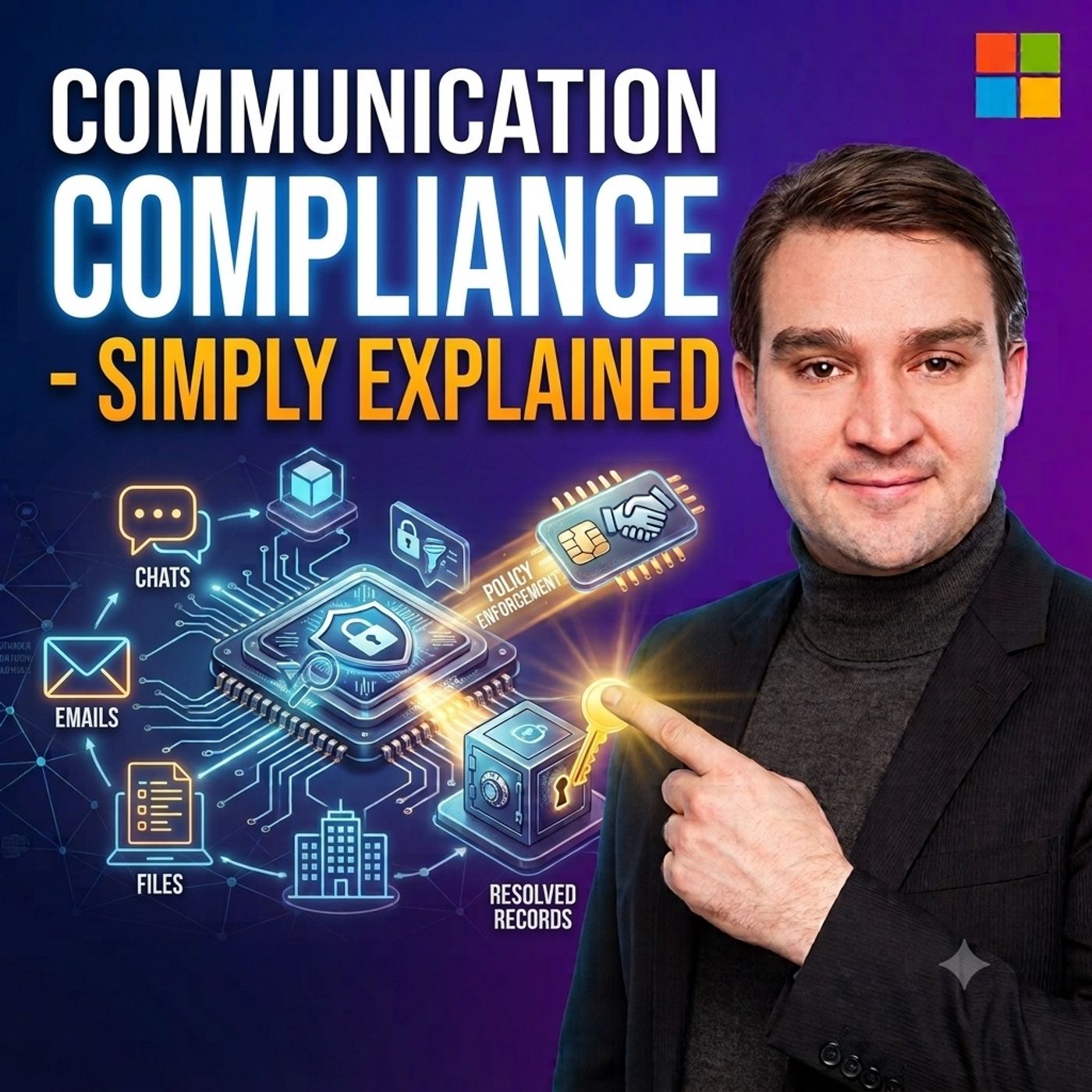
Communication Compliance - Simply Explained
Show notes
Business communication has evolved far beyond email. Employees collaborate through Microsoft Teams chats, Outlook emails, Viva Engage, Microsoft 365 Copilot, and other digital communication platforms every day. While these tools improve productivity, they also create new risks involving workplace misconduct, regulatory compliance, sensitive information, insider threats, and inappropriate communication. In this Microsoft Knowledge Nuggets episode, Mirko Peters explains Microsoft Purview Communication Compliance in plain English, showing how organizations can identify potentially risky workplace communications while balancing security, compliance, privacy, and fair human review. Whether you're an IT administrator, compliance officer, HR professional, security analyst, or Microsoft consultant, this episode explains how Communication Compliance helps organizations build safer and more compliant digital workplaces. UNDERSTANDING MICROSOFT PURVIEW COMMUNICATION COMPLIANCE Microsoft Purview Communication Compliance is designed to identify communications that may violate organizational policies, legal requirements, or regulatory obligations. Rather than monitoring every conversation indiscriminately, organizations create targeted compliance policies that define which users, communication channels, message directions, and risk scenarios require review. These policies can monitor Microsoft Teams conversations, Exchange Online email, Viva Engage discussions, Microsoft 365 Copilot prompts and responses, and supported third-party communication platforms connected through Microsoft Purview. The service detects potential policy matches while leaving the final decision to trained human reviewers who evaluate each situation within its full business context. BUILDING TARGETED COMMUNICATION COMPLIANCE POLICIES Communication Compliance policies form the foundation of every implementation. Organizations define specific business scenarios such as workplace harassment, inappropriate language, regulatory supervision, conflicts of interest, insider communications, customer interactions, or the exposure of sensitive information. Policies can target selected users, departments, security groups, external communications, internal conversations, or high-risk business units instead of monitoring the entire organization. Microsoft provides built-in templates that simplify deployment while allowing organizations to customize users, communication locations, reviewers, risk conditions, and compliance rules to match their own governance requirements and regulatory obligations. HOW MICROSOFT PURVIEW IDENTIFIES RISKY COMMUNICATIONS Microsoft Purview combines multiple detection technologies to identify communications that may require investigation. Sensitive Information Types detect structured information such as financial records, health data, personal identifiers, and confidential business information. Trainable Classifiers use machine learning to recognize communication patterns associated with harassment, threats, discrimination, and other behavioral risks beyond simple keyword matching. Organizations can further strengthen policies using custom keywords, phrase dictionaries, Optical Character Recognition (OCR) for text inside images, contextual conversation analysis, and configurable review sampling percentages. These technologies generate signals rather than conclusions, allowing reviewers to evaluate communications within their complete conversational context before determining whether any policy has actually been violated. HUMAN REVIEW, PRIVACY, AND RESPONSIBLE GOVERNANCE A fundamental principle of Microsoft Purview Communication Compliance is that technology supports human decision-making rather than replacing it. Messages that match compliance policies enter a secure review workflow where trained reviewers evaluate surrounding conversations, classify findings, document their decisions, and determine whether escalation is necessary. Potential issues may be dismissed, resolved through coaching, escalated to Human Resources, referred to compliance teams, or transferred into Microsoft Purview eDiscovery for formal legal investigations. Role-based access control, pseudonymization, reviewer accountability, privacy protections, and documented governance procedures help ensure investigations remain fair, proportionate, and aligned with applicable legal and organizational requirements. HOW COMMUNICATION COMPLIANCE FITS INTO MICROSOFT PURVIEW Microsoft Purview Communication Compliance operates alongside several complementary Microsoft Purview services. Microsoft Purview Audit records user activities and administrative actions across Microsoft 365. Content Search locates emails, documents, and messages relevant to investigations. Microsoft Purview eDiscovery manages legal cases, preserves evidence, and supports litigation workflows. Data Loss Prevention (DLP) helps prevent sensitive information from leaving the organization, while Communication Compliance focuses on reviewing communications that may indicate workplace misconduct, regulatory violations, or other organizational risks. Together, these services create a comprehensive Microsoft Purview compliance platform that helps organizations secure communications, protect sensitive information, maintain regulatory compliance, and strengthen enterprise governance across Microsoft 365. Become a supporter of this podcast: https://www.spreaker.com/podcast/m365-fm-microsoft-365-azure-cloud-power-platform-ai--6704921/support.
Apple Podcasts · Spotify · YouTube · Deezer
Host: Mirko Peters
Guests
Related articles
Transcript
Read the full transcript
A team's chat might feel like a quick private note, an email might feel like a message that disappears into someone else's inbox. But when you're using company systems, those messages can carry business records, sensitive data, and real workplace risks. Microsoft Perview Communication Compliance helps an organization find messages that may need attention. Think of Microsoft 365 like an office building. Communication Compliance isn't a guard reading every conversation in every room. Instead, it's a security process set up to look for specific concerns in selected rooms based on clear rules. By the end of this knowledge nugget, you'll understand what it can watch, how a flagged message gets reviewed, and where privacy fits into the process. Why companies need it? Work used to happen mostly in email. You'd send a message, attach a document, and wait for a reply. Now work moves much faster. People talk in teams, chats, channel posts, meeting messages, and shared workspaces. They also ask AI tools to summarize documents, write drafts, or answer questions based on business information. That's useful, but it creates more places where a risky conversation can happen. Imagine a manager sends an aggressive message in a private chat. Or someone shares customer health details in a channel with the wrong people. Maybe a sales employee makes a promise to an external customer that the company can't support. These aren't always loud, obvious events. They can sit inside hundreds of normal messages moving through the business each day. That's the problem of communication compliance addresses. It helps an organization spot communications that may break a company rule, create a legal issue, expose sensitive information, or harm another employee. The word may matters here. The system looks for signals. It doesn't decide who's right, who's wrong, or what someone intended. A message might contain harassment, threatening language, or discriminatory wording. It might include personal details such as health information or financial data. It could suggest a conflict of interest, where someone discusses business decisions with a party they shouldn't be dealing with. In some industries, the concern is also record-keeping. Financial firms, for example, may need to supervise business communications and show that concerns were reviewed. This doesn't mean every company needs to watch every worker all the time. A sensible use starts with a real business reason, maybe a regulated sales team communicates with customers. Maybe HR needs a process for handling reports of workplace harassment. Maybe a company handles sensitive patient or customer information and needs to know when it appears in the wrong type of message. The goal is targeted review, not curiosity. Now AI brings another communication space into the picture. When someone types a prompt into Microsoft 365 Copilot, they may include names, financial details, project plans, or text from a confidential document. The response can also become part of how work gets done. So for many organizations, AI, prompts, and responses need the same careful thinking as email and chat. You might be thinking, does this tool block a message before anyone sees it? No. Communication compliance is mainly about finding and reviewing possible problems after the communication exists. Other Pervue tools can warn or block certain data sharing actions. This tool brings a potential concern to trained people who can examine the situation properly. That human step protects both the company and the employee. Words can mean different things depending on the conversation. A phrase might look threatening by itself, but turn out to be part of a quote, a joke or a discussion about a customer complaint. On the other hand, a short message may only make sense when you see what came before it. So communication compliance finds the smoke, people decide whether there's actually a fire. The next question is simple. Which workplace conversations can it look at? And how does an organization tell it where to focus? What it can watch and what a policy does? Here's the thing. Communication compliance policy is simply a set of written instructions you give to Pervue. It tells the service three basic things, whose communications to look at, which places to check, and what kind of content might need review, think of it like a rule card for a specific business concern. A policy might say, review messages from this customer facing team when they go outside the company and contain certain terms. Another might say, watch internal teams messages in this department for language linked to workplace conduct. And here's the key. The policy doesn't have to cover everyone. That distinction really matters because a company might have a narrow rule for financial advisors, another for people handling patient information and a separate rule for a small team working on a confidential project. Each group has different risks so each policy can fit the work they actually do. So where do you look? The first choice is location. Exchange online covers business email. If you use Outlook at work, that's the service behind the scenes, delivering and storing your email. Microsoft teams covers both one-to-one chats and team conversations in channels. Viva Engage, which you might remember as Yammer, covers posts and conversations in that social style company space, then there's Microsoft 365 co-pilot. A policy can include co-pilot interactions so your organization can review prompts and responses when they fall within its defined purpose. Notice what this means. The policy follows the communication type, not just the app someone prefers. Some organizations also use business communication tools outside Microsoft 365. Those records can come into purview through data connectors where supported and set up by the organization. The connector brings the communication record into the compliance process so it can sit alongside the company's Microsoft 365 communications. But that doesn't mean purview automatically sees every app on someone's phone. The organization needs to connect that source and decide why it belongs in the process. Next, a policy can focus on the direction of a message. Internal means a conversation between people inside the company. Inbound means a message arriving from outside, like an email from a customer or partner. Outbound means someone inside sends a message to someone outside and that direction can change the risk completely. For example, a company may care most about sensitive details leaving the business so it focuses on information policy and outbound communication. A support team may need to review incoming customer messages for threats or abusive behavior. A workplace conduct policy may focus only on internal messages because it deals with how employees speak to each other. You can also choose who belongs in the policy. Instead of applying it to every employee, you can select specific users or groups. A group might represent a department, a job role, or a team that handles a certain type of data. That makes the policy more focused and easier to explain. Imagine a company with a small, mergers, and acquisitions team. They may work with confidential deal information and external advises. A policy for that group can look for the project terms, the outside domains involved, and the communication directions that create a real concern. There's no need to apply that same policy to the facilities team or the lunchroom staff. Microsoft provides templates to help you get started. A template is a starting point, not a finished company policy. There are templates for inappropriate text, sensitive information, regulated communications, conflicts of interest, and co-pilot interactions. The template gives you a common use case, then you choose the user's locations, reviewers, and conditions that fit your own rules. For instance, an inappropriate text template might help an HR team set up a workplace conduct policy, while a sensitive information template can help a privacy team focus on personal or financial data, and a conflict of interest template can help a compliance team examine communication between groups that should remain separate. The template saves setup time, but the policy still needs careful choices. A broad policy with unclear purpose can create far too much review work, while a narrow policy with a clear reason gives reviewers a better chance of finding the items that deserve attention. So, the policy tells PerView where to look, and which communications belong in scope. The next piece decides how PerView recognizes a possible match in the first place. How PerView finds risky messages? So, how does PerView decide that a message deserves a closer look? It uses a mix of patterns, language signals, and the specific rules an organization puts into its policy. The first method is called sensitive information types. That name sounds technical, but the idea is simple. PerView can look for patterns that resemble personal, health, or financial information. Think of things like credit card numbers, national ID numbers, bank details, or health-related records. A policy can use Microsoft's built-in definitions for these types of data, or an organization can create its own definitions when it uses special customer numbers, internal codes, or records that have a clear format. The system isn't reading a number and automatically deciding someone did something wrong. It sees a pattern that matches the policy, then sends that message into the review process if the other conditions also fit. A customer number in a protected internal process may be normal, but the same number sent outside the company may deserve attention. Another method uses trainable classifiers. A classifier looks beyond one exact word and examines the wording and meaning of a message to look for a type of communication, such as harassment, a threat, or discrimination. That matters because people don't always use the same words. One person may write an obvious insult while someone else may use a quieter pattern of repeated putdowns. A simple keyword list can miss that difference, but a classifier tries to recognize the broader kind of language involved. Still, it isn't a mind reader. A classifier can find a possible concern, but it can't fully understand a relationship, a joke, a quoted customer message, or the history behind a conversation. That limitation is exactly why trained people remain part of the process. Organizations can also use keywords and phrase lists. This works well when the risk involves language that is specific to the business. A financial firm may watch for terms that suggest an improper promise, or a company protecting a confidential project may watch for its project code name. Keywords are direct and easy to explain, but they can also create a lot of noise. If the word is too common, reviewers may get a long list of ordinary messages that have nothing to do with the risk. That's why strong policies often combine phrases with other details such as the group involved or whether the message went outside the company. There's also a setting called optical character recognition, or OCR, OCR reads text inside an image. Imagine someone sends a screenshot of a document instead of copying the text into a team's chat. Without OCR, a policy may only see an image, but with OCR turned on where it makes sense, Perview can try to read the words in that screenshot and check them against the policy conditions. This can help with image-based messages, but it should fit the actual risk. You don't turn it on just because you can. Then there's context. When a message matches a policy, reviewers can see nearby messages from the same conversation. That helps them understand whether one sentence was part of a work discussion, a quote, a joke, or something more serious. Take the phrase, "I'm going to destroy you." On its own, that sounds alarming, but in a chat about a video game, it means something very different. In a message aimed at a colleague after an argument, it may need immediate attention. The words matter, but the surrounding conversation often changes the meaning. Not every match needs the same level of review. A policy includes a review percentage, which controls how many matching messages are sent to reviewers. A narrow policy for a small, high-risk group may review every match, while a much broader policy with a large volume of messages may use a sample instead. The right percentage depends on the risk and the people available to review it. Checking everything sounds safer, but it can bury reviewers in ordinary messages and checking too little can miss patterns that matter. The policy needs a level that the review team can actually handle well. Before a policy reaches a wider group, it should be tested. Teams can test sample text against the policy conditions and see whether the expected messages match. They can adjust phrases, classifiers, and the review percentage when the results create too many false matches or miss the messages they expected to find. Good tuning takes time. It's better to start with a clear, limited purpose, learn from the early results, and refine the policy than to create a huge queue nobody can review properly. A match is only a signal. The next step belongs to trained reviewers who can look at the message, its context, and the facts around it. The human review process. So when per view finds a message that matches a policy, it goes into a review queue. That's where a trained person steps in to take a closer look, but a match doesn't mean someone broke a rule. It just means the message hits certain conditions the organization set. Maybe it contains a specific phrase, a data pattern, or a type of language the policy flags. The reviewer has to figure out what that match actually means in context. That's an important safeguard for everyone. Imagine a team's message with a phrase that triggers a threat policy. The wording might look serious, but the reviewer needs to see the whole conversation before making a call. They don't judge a single line in isolation. The review screen shows the flagged message along with nearby messages from the same conversation and that surrounding context can completely change the picture. Maybe that phrase came from a customer complaint and employee paste it into the chat. Or it could be part of training material, or it might be a genuine concern that only becomes clear when you read the replies around it. Reviewers then classify the item, they can market as compliant, meaning the message matched the policy but didn't break a rule. Or non-compliant, meaning action is needed, or they can market as questionable. Questionable is a handy option when the reviewer needs more info, wants a second opinion, or sees something that doesn't fit neatly into a simple yes or no. Real workplace situations often need that middle ground. The reviewer also adds notes explaining what they saw, why they chose a classification and what action followed. That way, if another reviewer, HR, or legal needs to understand the decision later, they don't have to guess, they can read the investigation trail. For a harmless match, the reviewer can dismiss it and record why it wasn't a concern. That feedback helps the organization improve the policy later, especially when the same harmless messages keep popping up. For a low-level issue, the response might be coaching. That could mean reminding someone about the right communication channel, explaining how to handle customer info, or pointing them to a company policy. Not every incident needs a formal case, when the message points to possible harassment, a serious threat, regulated conduct, or a sensitive data issue, the reviewer can escalate it. HR handles workplace conduct, legal examines, regulatory or contractual issues, and if it becomes a formal investigation, it moves into e-discovery where legal teams manage the case. The reviewer doesn't have to solve every problem alone. Their job is to make a sound first decision, document it, and bring in the right people when needed. Here's another important detail. If someone deletes a message after sending it, but that message matched a communication compliance policy, the organization can preserve a copy for the review period. So the message disappears from the user's view, but the review record stays available for the case handlers. That prevents an investigation from losing the communication it needs to examine. You might also hear about alerts. An alert calls attention to a pattern, like repeated matches or activity that reaches a certain level. It notifies the right people that something may need attention. But most day-to-day work happens in the policy review queue. That's where reviewers open matches, read context, record decisions, and decide if the item ends there or moves further. Giving reviewers access to real messages creates a second concern, though. Who gets to see this information and what stops that access from being misused? Privacy, access, and fair use. Now, reading real workplace messages is sensitive work. A chat might mention a personal problem, a customer situation, or a difficult conversation between colleagues. That's why an organization needs a clear business reason before creating a communication compliance policy. We want to see what people are saying isn't a good reason. A real risk, like a conduct concern, a regulatory duty, or handling sensitive data, gives the policy a defined purpose. The policy should stay as narrow as that purpose allows. For example, if the concern is a regulated sales group sending messages to external customers, focus the policy on that group and those outgoing communications. If its workplace conduct in a certain department, focus on internal messages in those channels. This keeps the policy tied to a known risk and reduces the number of ordinary messages that enter review. Less unnecessary review means less exposure to private information and a more manageable queue. Access needs the same care. Communication compliance uses a role-based access. In plain English people only get the permissions they need for their job. An administrator sets up policies but doesn't review every flagged item. A trained investigator reviews messages assigned to them but can't change the whole setup. Different jobs need different doors and not everyone needs a master key. Reviewers should understand the company rules, the review process and when to involve HR, legal or compliance. They also need to know their access carries responsibility. Reading a flagged message out of curiosity is never the purpose. Review activity can be tracked, creating accountability for how this sensitive information is handled. Per view can also hide people's real names during the first review stage. Instead, reviewers see pseudonymized identities like a label that lets them follow the conversation without immediately seeing who the person is. They assess the content first, then identity is revealed when needed for a proper response. That reduces unnecessary exposure and can help limit bias. Fannas also means separating roles where possible. The reviewer shouldn't be the manager involved in the dispute or someone with a personal interest in the outcome. A separate trained review group gives the process more distance and makes it easier to apply the same rules consistently. People should know the rules before a problem appears. Clear policies and notices should explain which channels may be monitored, the reasons and how information is handled. HR, legal compliance and privacy teams need to be involved early because rules and privacy requirements differ by country, region and industry. No software setting replaces that planning and remember a policy match is a lead not a verdict. Language changes with context. A phrase can be quoted, misunderstood, or part of a conversation that tells a very different story than one sentence alone. Once those guardrails are in place, communication compliance becomes one part of a larger per view process with other tools handling other parts of the investigation. Where it fits in Microsoft Per view, so where does communication compliance fit inside Microsoft Per view? Here's the simplest definition. Think of Microsoft Per view as a connected platform with different rooms for different jobs. Communication compliance is the room that focuses on the words people use, the messages they send and the surrounding conversation. It helps reviewers assess whether communication might create a conduct, data or regulatory concern. Now let's talk about the other rooms. Audit looks at actions, things like who accessed something who changed the setting or when an activity happened. Audit records the action while communication compliance looks at the content of a conversation. Next up is content search, which helps find messages and files using search terms. Picture a legal or compliance team that needs to locate emails containing a project name or files that mention a customer. Content search helps them find those items across the places included in the search. Then there's eDiscovery, which supports formal legal investigations. When a matter needs a legal case, eDiscovery provides a place to manage that case, preserve relevant information, and prepare material for legal review. Communication compliance can uncover the first concern, but eDiscovery handles the deeper legal process when one is required. Data loss prevention, often called DLP, has a different job. DLP can warn someone or block an action when sensitive information tries to leave through supported channels. It acts closer to the moment of sharing, while communication compliance reviews possible concerns in communications after the fact with a person deciding what the match means. Here's a real-world example. Imagine a team's discussion includes language that concerns a reviewer. The reviewer reads the context and adds notes. If it's harmless, the review ends there, but if it points to workplace misconduct, HR may take over. And if the discussion relates to a legal matter, the information may move into an eDiscovery case. Each tool has its own job, but they can support the same investigation. That's the practical picture of purview, connected rooms, clear responsibilities, and a record of what happened when a workplace communication needs closer attention. Use it with purpose. Communication compliance is a targeted review tool for workplace messages that can create risk. It isn't an automatic judge of people, and a policy match isn't a finding of misconduct. That distinction needs to stay at the centre of every setup. The software can spot a pattern, a phrase, or content that fits a rule, but only trained people following a fair process can decide what the communication means and whether any responses needed. If you're starting with communication compliance, don't begin by trying to cover every message, every channel, and every employee. Instead, pick one real risk your organization can clearly explain. Maybe it's a regulated team communicating with customers, a defined concern around sensitive data leaving through email or a workplace conduct process that needs a better way to bring possible concerns to the right people. Keep the first policy small. Choose a focused group, the communication locations that truly relate to that risk, and reviewers who know how to handle sensitive information, then test the conditions before you depend on the policy in real work. Look at what it finds. Are the matches useful? Are reviewers seeing too many ordinary messages? Or is the policy missing the types of communication it was built to catch? Those answers help you adjust the policy based on evidence instead of guesswork, a thoughtful setup protects more than company data or regulatory obligations. It also protects employees from unfair assumptions, unnecessary exposure, and a process that treats a machine signal like a final decision. That's the Knowledge Nugget. Communication Compliance helps people review risky workplace communication with purpose, boundaries, and human judgment. Subscribe on your favorite podcast platform, then continue with the next Knowledge Nugget on how Microsoft PerView protects work across email, files, teams and AI.