


 Apple Podcasts
 Spotify
 Youtube Music
 Spreaker
 Podchaser
 Amazon Music
 Microsoft Purview - Simply Explained
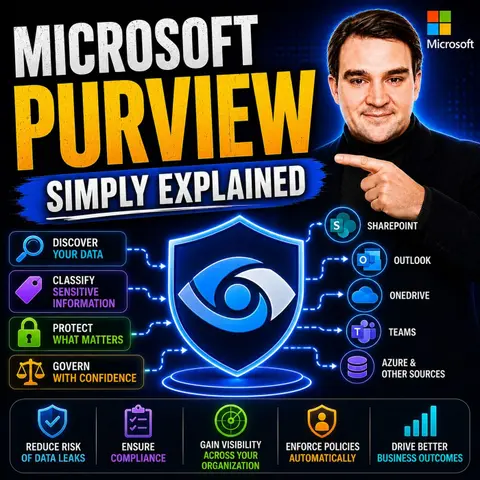

Microsoft Purview is Microsoft's unified platform for data security, compliance, and governance, helping organizations understand, protect, and manage their data wherever it lives. As businesses embrace Microsoft 365, Azure, SaaS applications, and AI, keeping sensitive information secure while meeting regulatory requirements has become more challenging than ever. In this episode of Microsoft Knowledge Nuggets, we explain Microsoft Purview in plain English and show how it helps organizations take control of their data throughout its entire lifecycle.
You'll learn what Microsoft Purview is, why it has become a critical part of Microsoft's security portfolio, and how it combines multiple capabilities into a single platform. We cover core features including Data Loss Prevention (DLP), Sensitivity Labels, Information Protection, Data Lifecycle Management, eDiscovery, Audit, Insider Risk Management, Communication Compliance, Compliance Manager, and Data Governance. You'll also discover how Purview classifies sensitive information, protects business data across Microsoft 365, Azure, and third-party environments, and helps organizations meet compliance requirements without slowing down productivity.
The episode also explores real-world scenarios such as preventing confidential documents from leaving your organization, automatically applying sensitivity labels, governing data for AI workloads, managing retention policies, investigating security incidents, and supporting legal discovery requests. We explain how Microsoft Purview integrates with Microsoft Entra ID, Microsoft Defender, Microsoft 365 Copilot, and Azure to provide a unified approach to securing and governing data across hybrid and multicloud environments. You'll also learn why strong data governance has become essential for responsible AI adoption and Zero Trust security strategies.
In today's data-driven world, managing information effectively is crucial. Microsoft Purview serves as a powerful data governance solution that helps organizations navigate the complexities of data management. It addresses common challenges you may face, such as siloed data and lack of visibility into sensitive information. These issues can complicate risk management and hinder compliance efforts.
As the demand for robust data governance solutions grows, the market is projected to expand significantly, with a compound annual growth rate of 10.6% from 2025 to 2035. This growth highlights the increasing need for effective tools like Microsoft Purview that empower you to protect and govern your data efficiently.
Key Takeaways
- Microsoft Purview is a powerful tool for effective data governance, helping organizations manage and protect their data.
- Key features include automated data discovery, sensitive data classification, and role-based access controls, enhancing data visibility and security.
- Implementing Microsoft Purview can significantly reduce compliance incidents and improve audit preparation times.
- Establish clear governance objectives and engage stakeholders early to ensure a successful implementation of Microsoft Purview.
- Regularly review and update governance policies to adapt to changing data needs and regulatory requirements.
- Utilize sensitivity labels to classify data based on sensitivity, ensuring appropriate protection measures are applied.
- Integrate Microsoft Purview with existing systems to enhance data governance and streamline compliance processes.
- By adopting Microsoft Purview, organizations can achieve better data management, reduce risks, and foster a culture of data stewardship.
Overview of Microsoft Purview
Microsoft Purview is a comprehensive suite of tools designed to protect and manage enterprise data. It plays a crucial role in data governance by emphasizing compliance, security, and visibility over data flows. With Microsoft Purview, you can gain insights into your data landscape, ensuring that sensitive information is well-governed and secure. Here are some key features of Microsoft Purview:
- Sensitivity labeling: Classify data based on its sensitivity level.
- Data loss prevention: Monitor and prevent unauthorized data sharing.
- Role-based access controls: Manage who can access specific data.
- Audit logs: Track data access and modifications for accountability.
These components facilitate structured, policy-driven governance in complex environments, allowing you to manage your data effectively.
Microsoft Purview evolved from Azure Data Catalog, which primarily served as a metadata repository. Over time, Microsoft recognized the need for a more robust solution that could address the growing complexities of data governance. As a result, Microsoft Purview emerged as an advanced successor, offering broader governance capabilities.
| Feature/Capability | Microsoft Purview | Azure Data Catalog |
|---|---|---|
| Status | Active, advanced successor | End of Life (EOL) |
| Governance Capabilities | Broader governance features | Limited to metadata repository |
| Automated Data Discovery | Yes | No |
| Sensitive Data Classification | Yes | No |
| Data Lineage Tracking | End-to-end tracking | Not available |
| Federated Governance Model | Yes | No |
| Security and Compliance Features | Enhanced features | Basic security controls |
| Concepts Introduced | Governance domains, data products, glossary terms | None |
| Role-based Access Control | Comprehensive system | Basic access controls |
This evolution reflects a shift towards a federated approach to data governance. Central data offices set governance rules while individuals in various roles govern data based on their understanding of its function. This model allows for a balance between centralized oversight and decentralized management, making it easier for organizations to adapt to their unique data needs.
Features of Microsoft Purview
Microsoft Purview offers a robust set of features that enhance your organization's data governance, security, and compliance efforts. Understanding these features can help you leverage the platform effectively.
Data Governance Capabilities
Data governance is essential for managing your organization's data assets. Microsoft Purview provides several capabilities that streamline this process:
- Automated Data Discovery: This feature enables you to identify and map data across your organization. It helps you understand where your data resides and how it flows.
- Sensitive Data Classification: Purview automatically classifies data, making it easier for you to locate sensitive information. This capability is crucial for effective data classification and governance.
- End-to-End Data Lineage: You can trace data from its origin to its current state. This traceability ensures transparency and accountability in data management.
- Compliance Management: Microsoft Purview assists you in managing compliance with regulations like GDPR. It provides structured approaches to ensure adherence to legal requirements.
- Access Control and Policies: You can implement protection measures to control who can access and use sensitive data. This feature enhances your overall data governance strategy.
- Data Searchability: The platform enhances your ability to search and discover organizational data efficiently, making it easier to find the information you need.
| Core Feature | Description |
|---|---|
| Automated Data Discovery | Enables the identification and mapping of data across the organization. |
| Sensitive Data Classification | Automatically classifies data to help locate sensitive information. |
| End-to-End Data Lineage | Provides traceability of data from its origin to its current state. |
| Compliance Management | Assists in managing compliance with regulations like GDPR through structured approaches. |
| Access Control and Policies | Implements protection measures to control who can access and use sensitive data. |
| Data Searchability | Enhances the ability to search and discover organizational data efficiently. |
Data Security Measures
Data security features are critical in protecting sensitive information. Microsoft Purview integrates several measures to safeguard your data:
- Sensitivity Labels: These labels help you identify and classify sensitive data effectively. They ensure that appropriate security measures are applied based on the data's sensitivity.
- Data Loss Prevention (DLP): DLP policies help prevent data breaches and unauthorized access. They monitor data movement and enforce rules to protect sensitive information.
- Insider Risk Management: This feature provides tools to manage and mitigate risks from insider threats. You can monitor user activities and detect potential risks before they escalate.
- Encryption Controls: Microsoft Purview offers mechanisms to protect data through encryption across various environments. This ensures that your data remains secure, even when accessed remotely.
- Data Discovery and Classification: This feature ensures that sensitive data is identified and managed throughout its lifecycle, enhancing your overall data security posture.
| Feature | Description |
|---|---|
| Sensitivity Labels | Helps in identifying and classifying sensitive data effectively. |
| Data Loss Prevention (DLP) | Policies that help prevent data breaches and unauthorized access. |
| Insider Risk Management | Tools to manage and mitigate risks from insider threats. |
| Encryption Controls | Mechanisms to protect data through encryption across various environments. |
| Data Discovery and Classification | Ensures sensitive data is identified and managed throughout its lifecycle. |
Compliance Tools
Compliance is a vital aspect of data governance. Microsoft Purview provides several tools to help you meet regulatory requirements:
- Audit: This tool allows you to investigate security breaches and track user activities. It provides insights into how data is accessed and used.
- Communication Compliance: You can detect inappropriate messages and monitor sensitive information sharing. This feature helps maintain compliance with communication regulations.
- Compliance Manager: This tool assists you in managing compliance requirements and preparing for audits. It simplifies the process of demonstrating adherence to regulations.
- Data Lifecycle Management: You can retain and delete content to meet compliance and regulatory requirements. This ensures that your organization follows best practices for data retention.
These compliance tools empower you to maintain a strong compliance posture while managing your data effectively.
- Audit: Investigate security breaches and track user activities.
- Communication Compliance: Detect inappropriate messages and monitor sensitive information sharing.
- Compliance Manager: Manage compliance requirements and prepare for audits.
- Data Lifecycle Management: Retain and delete content to meet compliance and regulatory requirements.
Benefits of Microsoft Purview
Microsoft Purview offers numerous benefits that enhance your organization's data management, security, and compliance efforts. By implementing this powerful platform, you can experience measurable improvements across various aspects of your data governance strategy.
Enhanced Data Management
With Microsoft Purview, you gain a comprehensive view of your data landscape. This visibility allows you to manage your data assets effectively. Organizations report significant improvements after adopting Purview. For instance, they experience:
| Improvement Type | Description |
|---|---|
| Compliance Incident Reduction | Reduction in data breaches or regulatory violations since implementing Purview controls. |
| Audit Preparation Time Savings | Faster production of audit reports and data lineage. |
| Label Coverage Success Rate | Percentage of sensitive/business-critical data with correct labeling and policy enforcement. |
| Self-Service Data Access Fulfillment | Time-to-access metric for approved user requests, indicating user satisfaction. |
| AI Readiness Score | Ability to trace and control data used for AI and analytics projects, supporting innovation. |
These improvements highlight how Microsoft Purview streamlines data management processes, making it easier for you to locate and utilize your data effectively.
Improved Security Posture
Data protection is a top priority for any organization. Microsoft Purview significantly enhances your security posture. A study by Forrester Consulting revealed that organizations using Microsoft Purview experienced a 30% reduction in the likelihood of data breaches. This statistic underscores the platform's effectiveness in enhancing data protection strategies.
Here are some key features that contribute to improved security:
- Microsoft Purview offers a unified platform for data governance and information protection.
- It enables organizations to discover and classify sensitive data effectively.
- The platform applies protection policies and monitors insider risks, which are crucial for preventing data breaches.
By leveraging these features, you can create a more secure environment for your sensitive information.
Streamlined Compliance
Compliance management can be complex and time-consuming. Microsoft Purview simplifies this process, allowing you to meet compliance requirements efficiently. The platform provides several tools that help you maintain a strong compliance posture:
| Benefit | Impact |
|---|---|
| Automated data discovery | Organizations gain visibility into their data, avoiding operational blindness. |
| Instant compliance reporting | Reduces the time to respond to compliance inquiries significantly. |
| Risk identification | Flags sensitive data in unsecured locations before breaches occur. |
| Productivity gains | Data analysts save over 10 hours per project, allowing more time for insights. |
| Audit confidence | Prepares organizations for audits with documented answers, reducing preparation time. |
With these capabilities, Microsoft Purview empowers you to manage your data compliance effectively, ensuring that you adhere to regulations while minimizing risks.
Utilizing Microsoft Purview
Implementation Steps
Implementing Microsoft Purview in your organization requires careful planning. Follow these steps to ensure a smooth deployment:
- Define Clear Objectives: Start by outlining what you want to achieve with Microsoft Purview. This clarity will guide your implementation.
- Establish Governance Policies: Create data governance policies that align with your regulatory requirements. These policies will help you manage data effectively.
- Data Classification and Tagging: Classify and tag your data assets. This step ensures consistent and accurate metadata management.
- Data Source Integration: Integrate various data sources into Purview. This integration allows for comprehensive data discovery.
- Data Lineage Tracking: Use Purview’s data lineage capabilities to track how data flows through your organization. This visibility is crucial for accountability.
- Collaboration and Access Control: Implement features that promote collaboration while defining access controls for sensitive data.
- Automation and Scheduled Scans: Set up automated scans and updates to keep your data catalog current.
- Performance Monitoring and Optimization: Regularly monitor Purview’s performance to ensure efficient data discovery.
Integration with Existing Systems
Integrating Microsoft Purview with your existing enterprise data systems enhances governance and visibility. Here are some key integration points:
- Microsoft Purview works seamlessly with ER/Studio Enterprise, improving data governance across on-premises, hybrid, and cloud environments.
- This integration automates governance tasks and enhances data lineage tracking, ensuring compliance with regulations.
- It fosters a secure and collaborative data environment by enabling a unified governance model. This model promotes consistent application of data policies across your organization.
By integrating Microsoft Purview with your existing systems, you gain better control over your data assets. This control facilitates improved decision-making and aligns with your organizational goals.
Best Practices for Governance
To maximize data governance with Microsoft Purview, consider these best practices:
- Role-Based Access Controls (RBAC): Enforce RBAC and attribute-based access controls (ABAC) to manage data access based on user roles.
- Establish a Governance Framework: Create a framework that aligns people, processes, and technology. This structure is essential for effective governance.
- Define Scope and Success Criteria: Clearly outline the scope of your governance efforts and establish success criteria to measure progress.
- Engage Data Owners and Stewards: Involve data owners in policy decisions and assign data stewards to maintain metadata accuracy.
- Regular Reviews and Updates: Conduct regular reviews of your governance policies and update them as necessary to adapt to changing needs.
By following these best practices, you can ensure that your data governance efforts are effective and sustainable.
Security Features in Microsoft Purview
Sensitivity Labels
Sensitivity labels play a vital role in protecting your organization's data. They help you classify data based on its sensitivity level. By applying these labels, you can ensure that sensitive information receives the appropriate protection. Here are some types of sensitivity labels you can use:
| Label Name | Description |
|---|---|
| Public | Data approved for public consumption with no special encryption settings. |
| General | Not for public viewing but can be shared externally; not encrypted. |
| Confidential \ All Employees | Encrypted data accessible to all employees; recommended as the default. |
| Confidential \ Specific People | Data shared with trusted individuals; encryption is optional. |
| Confidential \ Internal Exception | Data shared with trusted external individuals without encryption. |
| Highly Confidential \ All Employees | Only data owners can update or revoke; all employees can view. |
| Highly Confidential \ Specific People | Restricted access to specified individuals with chosen permissions. |
| Highly Confidential \ Internal Exception | Highly confidential data that does not require encryption, used cautiously. |
Using sensitivity labels allows you to identify the sensitivity of data across your organization. You can enforce appropriate protection settings based on data sensitivity. This ensures that protection remains with the content, regardless of its location.
Data Loss Prevention
Data loss prevention (DLP) is another critical feature of Microsoft Purview. It helps you mitigate risks associated with data breaches. Purview's AI-powered DLP engine performs deep content inspection. It validates patterns like credit card checksums and detects sensitive content in various formats. This capability significantly reduces false positives.
Additionally, the adaptive protection feature adjusts enforcement based on user behavior and risk signals. This tailored approach enhances data protection. You also receive real-time insights through the dashboard, allowing your security teams to prioritize critical issues effectively.
Monitoring and Auditing
Monitoring and auditing capabilities in Microsoft Purview ensure compliance and security. These tools help you track user activities and manage audit records across various Microsoft services. Here are some key capabilities:
| Capability | Description |
|---|---|
| Auditing Solutions | Tools for searching and managing audit records of activities performed across various Microsoft services. |
| Communication Compliance | Tools to detect and manage regulatory compliance and business conduct violations across communication channels. |
| eDiscovery | Tools to identify and deliver electronic information for legal cases, supporting searches in various Microsoft services. |
| Data Lifecycle Management | Tools to manage the lifecycle of organizational data, ensuring compliance with business, legal, and regulatory requirements. |
These monitoring and auditing features empower you to maintain a strong security posture. They help you ensure that your organization adheres to regulations while effectively managing sensitive data.
Governance Tools in Microsoft Purview
Microsoft Purview offers essential governance tools that help you manage your data effectively. These tools ensure that your organization adheres to data governance policies while maintaining compliance and security.
Policy Management
Effective policy management is crucial for data governance. Microsoft Purview provides tools that help you create and enforce policies tailored to your organization's needs. Here are some key features:
- Risk and Compliance Management: Purview enables you to manage compliance risks and regulatory requirements effectively. You can create communication compliance policies and enforce access controls to protect sensitive data.
- Data Loss Prevention (DLP): DLP policies prevent inappropriate sharing of sensitive information. This feature helps you safeguard your data from unauthorized access.
- Audit Logging: Purview includes comprehensive audit logging capabilities. You can track data access and modifications, ensuring accountability and transparency.
These features allow you to implement governance policies that ensure appropriate access to data based on role, sensitivity, and legal constraints. By mapping controls to data assets, you can monitor sensitive content and respond to audits effectively.
Data Stewardship
Data stewards play a vital role in maintaining data quality and governance. Within Microsoft Purview, data stewards have specific responsibilities:
- Artifact Management: Data stewards can create, update, and read artifacts and policies within their governance domain. They also have the ability to read artifacts from other governance domains.
- Implementation of Governance Decisions: In a structured governance operating model, data owners are accountable for how data is classified and accessed. Data stewards ensure that these decisions are implemented consistently across systems.
By empowering data stewards, you enhance your organization's ability to manage data effectively and maintain compliance with data governance policies.
Reporting and Analytics
Microsoft Purview provides robust reporting and analytics features that support informed decision-making. These features enhance your ability to understand and manage your data landscape:
| Feature | Description |
|---|---|
| Unified Catalog | A comprehensive catalog that simplifies data governance and enhances analytics report building. |
| Visibility and Confidence | Provides visibility across disparate data sources, ensuring confidence in data quality. |
| Searchable Data | Data is searchable and discoverable across Microsoft 365 apps, aiding informed decision-making. |
| Analytical Features | Offers oversight of data landscape, understanding data flows, dependencies, and optimization. |
| Data Quality Management | Built-in data quality management ensures reliable data for analytics and reporting. |
| End-to-End Lineage | Tracks data lineage, providing insights into data origins and transformations for better governance. |
These reporting and analytics capabilities empower you to make data-driven decisions while ensuring compliance with your data governance policies.
In summary, Microsoft Purview stands out as a vital tool for enhancing data governance and security. It offers comprehensive integration with Microsoft 365, Azure, and other platforms, making it easier for you to manage your data effectively. Key features like automated data discovery and sensitive data classification empower you to protect your information while ensuring compliance with regulations.
Consider implementing Microsoft Purview in your organization to streamline your data management processes. By doing so, you can achieve better visibility, reduce risks, and foster a culture of data stewardship.
Key Takeaways for Implementation:
- Assess your current state and set clear governance objectives.
- Engage all stakeholders early in the process.
- Start small and scale fast to maximize impact.
Embrace the future of data governance with Microsoft Purview and transform how you manage your data assets.
FAQ
What is Microsoft Purview?
Microsoft Purview is a data governance solution that helps you manage, protect, and govern your data across various environments. It provides tools for data discovery, classification, and compliance.
How does Microsoft Purview enhance data security?
Purview enhances data security through features like sensitivity labels, data loss prevention, and insider risk management. These tools help you classify and protect sensitive information effectively.
Can I integrate Microsoft Purview with existing systems?
Yes, you can integrate Microsoft Purview with existing data systems, including Microsoft 365 and Azure. This integration improves data governance and visibility across your organization.
What are sensitivity labels?
Sensitivity labels classify data based on its sensitivity level. They help you apply appropriate protection measures, ensuring sensitive information remains secure regardless of its location.
How does Microsoft Purview support compliance?
Microsoft Purview supports compliance by providing tools for audit logging, communication compliance, and data lifecycle management. These features help you meet regulatory requirements efficiently.
Is Microsoft Purview suitable for small businesses?
Yes, Microsoft Purview is suitable for organizations of all sizes. Its scalable features allow small businesses to implement effective data governance and security measures.
How can I get started with Microsoft Purview?
To get started, define your objectives, establish governance policies, and integrate your data sources. Follow the implementation steps outlined in the blog for a smooth deployment.
What benefits can I expect from using Microsoft Purview?
By using Microsoft Purview, you can expect enhanced data management, improved security posture, and streamlined compliance processes. These benefits lead to better data governance overall.
🎧 Listen to this episode
Want a practical explanation of Microsoft Purview? This episode breaks down the topic in clear language and shows why it matters for Microsoft 365, Azure, Power Platform, security, AI, and modern work.
Listen to this episode if you want to:
- Understand the key concepts behind Microsoft Purview
- See how it fits into the wider Microsoft technology ecosystem
- Learn where it can create practical value for your organization
You may also enjoy these related M365 FM episodes:
- Microsoft Purview for Copilot Security with Peter Rising [Microsoft]
- Shadow Data Discovery and Governance with Microsoft Purview
- AI Security and Microsoft Purview with Danilo Nogueira [Microsoft]
- Protect Microsoft Copilot with Purview, DLP, and Insider Risk with Alan Cox [MVP]
- Real-Time AI Sensitivity Labeling in Microsoft Purview
Discover more practical Microsoft conversations on M365 FM.
🚀 Want to be part of m365.fm?
Then stop just listening… and start showing up.
👉 Connect with me on LinkedIn and let’s make something happen:
- 🎙️ Be a podcast guest and share your story
- 🎧 Host your own episode (yes, seriously)
- 💡 Pitch topics the community actually wants to hear
- 🌍 Build your personal brand in the Microsoft 365 space
This isn’t just a podcast — it’s a platform for people who take action.
🔥 Most people wait. The best ones don’t.
👉 Connect with me on LinkedIn and send me a message:
"I want in"
Let’s build something awesome 👊
1
00:00:00,000 --> 00:00:07,000
Most people think protecting data is about building a strong wall around it, lock down the network, block the bad guys, and you are safe.
2
00:00:07,000 --> 00:00:11,000
Here's the thing, that wall does nothing once your data is inside and moving around.
3
00:00:11,000 --> 00:00:20,000
An employee with legitimate access can take a customer list and email it to their personal account, and the firewall just waves it through because the request came from a trusted user.
4
00:00:20,000 --> 00:00:25,000
Microsoft Perview gets mentioned everywhere these days, but what actually is it? It's not a single tool.
5
00:00:25,000 --> 00:00:36,000
It's a family of solutions all focused on one thing, protecting your data, not just your infrastructure. There are three pillars to understand, data governance, knowing what data you have, data security and protecting it.
6
00:00:36,000 --> 00:00:46,000
The data compliance, proving you follow the rules, by the end of this episode you'll see how these three pieces fit together and where to start, but to understand why Perview exists you have to understand the problem it solves.
7
00:00:46,000 --> 00:00:50,000
The real problem, why infrastructure security isn't enough?
8
00:00:50,000 --> 00:01:00,000
Most companies assume that if the network is locked down, the data is safe. 20 years ago, when everything lived inside a physical office, that was a fair assumption. It just isn't true anymore.
9
00:01:00,000 --> 00:01:08,000
Data lives everywhere now. Cloud apps, personal devices, email attachments, shared drives, team chat messages, scattered across environments you don't fully control.
10
00:01:08,000 --> 00:01:16,000
And once a user has legitimate access, once they're authenticated and inside the building, infrastructure security can't control what they do with that data.
11
00:01:16,000 --> 00:01:26,000
Consider this example, an employee downloads a customer list to a personal USB drive. The firewall didn't stop it and the intrusion detection system didn't catch it because the data wasn't intercepted.
12
00:01:26,000 --> 00:01:29,000
It was accessed by someone who had permission to see it.
13
00:01:29,000 --> 00:01:35,000
The security tools were looking for an attack from the outside, but the threat came from the inside. This is the fundamental shift.
14
00:01:35,000 --> 00:01:47,000
Protection needs to move from the infrastructure layer to the data layer itself. Instead of just guarding the building, you need to guard the files inside it. That's exactly what Perview does. It applies policies directly to the data, not just the system holding it.
15
00:01:47,000 --> 00:01:55,000
Think of it this way. Building security guards the door by checking IDs and making sure only the right people get in. But once they're in, building security doesn't follow them around.
16
00:01:55,000 --> 00:02:03,000
Perview is different. It puts a lock on the filing cabinet itself, meaning even if someone is inside the building, they can't open the cabinet unless they're supposed to.
17
00:02:03,000 --> 00:02:08,000
Perview is about locking the filing cabinet, but before you can lock it, you need to know what's inside.
18
00:02:08,000 --> 00:02:15,000
Pillar 1. Data governance. Know what you have. Knowing what data you actually own is the first step in any data protection strategy.
19
00:02:15,000 --> 00:02:21,000
That sounds obvious, but most organizations have no idea what's sitting in their sharepoint sites, file shares, or databases.
20
00:02:21,000 --> 00:02:30,000
They've got years of accumulated content like old project files, duplicate documents, and spreadsheets with customer information. Nobody remembers creating.
21
00:02:30,000 --> 00:02:39,000
Perview's data map solves this. It scans your entire environment across Azure, multi-cloud, and on-premises, and captures metadata about everything it finds.
22
00:02:39,000 --> 00:02:46,000
It answers questions like what kind of data it is, where it's stored, who owns it, and how sensitive it is. The data map builds a complete picture of your data estate.
23
00:02:46,000 --> 00:02:49,000
From there all that metadata gets organized into the unified catalog.
24
00:02:49,000 --> 00:02:56,000
Think of it like a library with a card catalog. Before the catalog existed, you had to walk through every aisle hoping to find what you needed.
25
00:02:56,000 --> 00:03:07,000
But with the catalog, you search once and know exactly which shelf holds which book. You can organize data into governance domains like finance, HR, and research and development, so business users can find what they need without asking IT.
26
00:03:07,000 --> 00:03:16,000
A financial analyst can browse the finance domain and see all the approved data sets, complete with descriptions and owners, data lineage shows, where data came from, and how it changed over time.
27
00:03:16,000 --> 00:03:20,000
If you're preparing for an audit and someone asks, where did this number come from?
28
00:03:20,000 --> 00:03:33,000
Lineage traces it back through every transformation, and that's critical when regulators want proof that your reports are accurate. The business glossary adds plain English descriptions so analysts can understand what a data set means, without tracking down the person who created it three years ago.
29
00:03:33,000 --> 00:03:43,000
Instead of seeing a table called Custod 223 V2 Final, they see customer orders 2023 Final version. Simple change, huge difference. Why does this matter?
30
00:03:43,000 --> 00:03:58,000
You can't protect data, you don't know, exists. If you don't know, there's a SharePoint site with customer social security numbers, you can't lock it down, and governance is the foundation everything else builds on. Once you know what data you have and where it lives, the next question is obvious. How do you protect the sensitive stuff?
31
00:03:58,000 --> 00:04:01,000
Pillar 2, data security, sensitivity labels.
32
00:04:01,000 --> 00:04:05,000
Governance tells you what data exists and security tells you what to do with it.
33
00:04:05,000 --> 00:04:26,000
The core tool for that is something called sensitivity labels. Think of sensitivity labels as digital tags that classify data based on how sensitive it is. Common ones you'll see are public, internal, confidential, and highly confidential. But you're not stuck with those. You can create custom labels that match your organization's needs. Maybe you want a label called HR data or financial results or client confidential.
34
00:04:26,000 --> 00:04:41,000
You decide, here's the thing about labels, they travel with the data, if a document is marked confidential and someone attaches it to an email, the label stays attached. It doesn't matter if the document is downloaded, copied to one drive or shared through teams, that label follows it everywhere.
35
00:04:41,000 --> 00:04:47,000
It's not a sticker on the filing cabinet, it's a watermark embedded in the paper itself. Labels can trigger automatic actions.
36
00:04:47,000 --> 00:04:57,000
You can encrypt the documents so only authorized people can open it. Access restrictions can block editing or printing and you can add headers, photos, or watermarks that say confidential right across the page.
37
00:04:57,000 --> 00:05:05,000
The label tells the system what to do and the system does it automatically. Labels get applied in three ways. Manual means the user chooses the label themselves.
38
00:05:05,000 --> 00:05:17,000
Automatic means purview detects sensitive content like a credit card number and applies the label on its own. Policy recommendation means the system suggests a label and the user confirms it. That middle option is where things get interesting.
39
00:05:17,000 --> 00:05:29,000
Here's an example, a document contains a credit card number. Purview's classification engine recognizes that pattern and before the document is even saved, auto applies the highly confidential label and encrypts it with no human intervention needed.
40
00:05:29,000 --> 00:05:39,000
The data is protected from the moment it's created, but labels don't just apply to individual files. They also apply to containers like SharePoint sites, Teams channels, and Microsoft 365 groups.
41
00:05:39,000 --> 00:05:48,000
That means you can say any team site labeled confidential blocks external sharing by default. You set the rule once and every site with that label inherits the protection.
42
00:05:48,000 --> 00:05:55,000
You don't have to configure each one individually, so labels tell you what something is. They classify it, market, and apply protection automatically.
43
00:05:55,000 --> 00:06:08,000
But what if someone tries to send that label data somewhere they shouldn't? Data loss prevention blocking the leaks labels classify DLP data loss prevention takes action. This is where the system stops being passive and starts blocking things in real time.
44
00:06:08,000 --> 00:06:16,000
DLP policies scan email documents chat messages and cloud apps for sensitive information. When it finds something risky, it can block the action entirely.
45
00:06:16,000 --> 00:06:25,000
Show a policy tip that warns the user, notifying administrator or just log the event for later review. You decide which response fits the situation. Let me give you a real example.
46
00:06:25,000 --> 00:06:36,000
An employee tries to email a spreadsheet with social security numbers to their personal Gmail account. DLP detects the sensitive data, recognizes the external recipient and blocks the message before it leaves your organization.
47
00:06:36,000 --> 00:06:41,000
The user gets a warning that says this message contains sensitive information and was not delivered.
48
00:06:41,000 --> 00:06:56,000
The action is blocked and it becomes a learning moment. No leak, no breach. DLP works across exchange, SharePoint, OneDrive, Teams, and even Windows endpoints. It doesn't matter where the data is or how someone tries to move it. If it contains sensitive information, the policy catches it.
49
00:06:56,000 --> 00:07:03,000
One thing worth knowing, you can run DLP policies in simulation mode first. That means you test what would be blocked without actually blocking anything.
50
00:07:03,000 --> 00:07:16,000
You get a report showing how many items would have been caught, what types of data triggered the policy and which users were involved. Then you adjust before turning enforcement on. It's a safe way to learn, without disrupting anyone's work. Best practice is to start small.
51
00:07:16,000 --> 00:07:23,000
Pick one type of sensitive data, credit card numbers, for example, and apply DLP to a small group of users. See what happens.
52
00:07:23,000 --> 00:07:42,000
Educate users with policy tips that explain why something was blocked. Then gradually expand enforcement as people get used to it. Those policy tips are powerful, by the way. Instead of just saying blocked, they tell the user, "This document contains sensitive data. Are you sure you want to send it? It gives them a chance to reconsider without feeling like the system is punishing them."
53
00:07:42,000 --> 00:07:52,000
Most people don't mean to leak data. They're just moving fast. So now we know our data. We're protecting it with labels and blocking leaks with DLP. But what happens when an auditor shows up asking for proof?
54
00:07:52,000 --> 00:08:12,000
Data compliance. Proof you follow the rules. Compliance is about proving your secure, not just being secure. You can have the best protections in the world. But if a regulator shows up and asks for evidence, you need more than good intentions. You need documentation, audit, trails, and a defensible process. That's where Perview's Compliance Manager comes in. It gives you a score based on how well you meet regulatory requirements.
55
00:08:12,000 --> 00:08:41,000
Imagine a credit score, but for compliance, the higher your score, the better your posture, and it changes as you take actions that improve it. Compliance Manager comes with built-in assessments for the major regulations you've probably heard of. GDPR for data privacy in Europe, HIPAA for healthcare information in the United States, ISO 27001 for information security management, FINRA for financial services, FedRAMP for government cloud services. And many more. Over 320 templates in total. If there's a regulation that applies to your industry, there's probably an assessment for it.
56
00:08:41,000 --> 00:08:50,000
Each assessment breaks down the regulation into controls. Every control is further broken down into improvement actions with step-by-step guidance. It tells you exactly what you need to do.
57
00:08:50,000 --> 00:09:02,000
Enable audit logging, configure sensitivity labels, set up retention policies. You're not guessing what compliance looks like. The system tells you you assign these improvement actions to people in your organization. The IT admin gets the technical tasks.
58
00:09:02,000 --> 00:09:18,000
The compliance officer gets the policy documentation. The legal team gets the data subject request workflows. Everyone knows what they're responsible for, and you can track progress in real time. No more spreadsheets passed around by email. When someone completes an action, they upload evidence directly into compliance manager.
59
00:09:18,000 --> 00:09:29,000
That evidence can be screenshots showing a policy is configured correctly. It can be policy documents you've written. It can be audit logs pulled from the system. Everything lives in one place, organized by control, ready for the next audit.
60
00:09:29,000 --> 00:09:41,000
Here's the smart part. Compliance manager automatically scans your Microsoft 365 environment for some controls. If you've configured sensitivity labels, it detects that and gives you credit automatically. If you've enabled audit logging, it sees that too.
61
00:09:41,000 --> 00:09:54,000
You don't have to manually prove every single thing. The system checks itself. Audit logs in purview record every activity across your environment. Who accessed what document? When did they access it? From where? What did they do with it? Every action is logged in searchable.
62
00:09:54,000 --> 00:10:04,000
When an auditor asks, who saw this file and when? You have the answer in seconds, not days. He discovers he gives legal teams the ability to search across all your data. Email documents.
63
00:10:04,000 --> 00:10:18,000
Teams messages, sharepoint sites, and place holds on content relevant to investigations or lawsuits. If there's a legal dispute, you can preserve every piece of related data and produce it as evidence. No scrambling to find files, no worrying that someone deleted something important.
64
00:10:18,000 --> 00:10:43,000
Records management ensures that critical documents are retained for required periods and cannot be deleted early. If regulations say you must keep financial records for seven years, records management enforces that. Users can't delete them. Admins can't bypass the policy. The data stays until the retention period expires and then it's disposed of in a controlled way. Why does all this matter? Regulators don't care what tools you have. They don't care that you bought purview. They care that you can show a defensible process.
65
00:10:43,000 --> 00:10:54,000
You want to see that you identified risks, implemented controls, monitored compliance, and have evidence for every step. Compliance manager gives you that evidence in a format auditor's recognize. But here's something new that changes the picture.
66
00:10:54,000 --> 00:11:08,000
AI. AI governance. What changes when co-pilot shows up? Here's the simplest definition. Traditional data protection assumed humans access data. That assumption made sense for decades. A person logs in, searches for a file, opens it, reads it.
67
00:11:08,000 --> 00:11:28,000
The system knows who did what and can track every action. AI changes that calculation entirely. Co-pilot and other AI agents can access massive data estates in seconds. They don't read one file at a time. They scan across thousands of documents, summarize content, and surface information the user might not even know exists. That speed and scale creates a whole new category of risk. Imagine your data is like a filing cabinet.
68
00:11:28,000 --> 00:11:43,000
In the old world, each drawer needed a key. Only the right person could access the right file. Co-pilot is like a smart assistant that can open every drawer at once. If the keys are left in the locks. If your data isn't properly classified, co-pilot might surface sensitive information to someone who shouldn't see it.
69
00:11:43,000 --> 00:11:57,000
Not because the system is broken. Because the data was never labeled, a sharepoint side with customer PII that was set to anyone in the company can access suddenly becomes visible through AI in ways it never was before. The wall was always there. AI just found the door.
70
00:11:57,000 --> 00:12:20,000
So what does Pervue do about it? Pervue extends its existing controls to cover AI interactions. DLP policies now scan AI prompts and responses, not just emails and documents. If someone asks co-pilot a question that returns sensitive data, DLP can block it. Sensitivity labels are enforced on AI generated content. If co-pilot creates a summary of a confidential document, that summary inherits the same label and protection.
71
00:12:20,000 --> 00:12:31,000
Data security posture management for AI monitors, oversharing and misuse in real time. It watches how AI tools are being used, what data they're accessing and whether any policies are being violated.
72
00:12:31,000 --> 00:12:41,000
If someone starts asking co-pilot questions that suggest they are probing for data they shouldn't have, the system flags it. Compliance manager now includes pre-built assessments for AI regulations like the EU AI Act.
73
00:12:41,000 --> 00:12:54,000
If your organization uses AI tools you need to demonstrate compliance with these new rules. The assessment templates are already there, ready to use, the AI hub gives you visibility into which AI apps are being used in your organization and what data they access.
74
00:12:54,000 --> 00:13:02,000
You can see which employees are using co-pilot, which third party AI tools are connected and what kind of data is flowing through them, no blind spots.
75
00:13:02,000 --> 00:13:06,000
Pervue can also retain AI prompts and responses for audit trails.
76
00:13:06,000 --> 00:13:17,000
If a regulator asks what did that employee ask the AI and what did it tell them? You have the record. Prompts, responses, timestamps, user identity, everything preserved for investigation or compliance review.
77
00:13:17,000 --> 00:13:23,000
Think of it this way, the same three pillars we've talked about, governance, security and compliance, still apply to AI.
78
00:13:23,000 --> 00:13:34,000
But the stakes are hired, if your data wasn't locked down before AI will expose every crack. Pervue gives you the tools to fix those cracks before they become breaches. Those three pillars aren't separate projects, they work together in a loop.
79
00:13:34,000 --> 00:13:44,000
How the three pillars connect? So how does it all fit together? Governance finds the data, security protects it, compliance proves you followed the rules, three separate jobs, one connected system.
80
00:13:44,000 --> 00:13:52,000
But here's the thing many people miss, they don't just work in sequence, they reinforce each other. A compliance audit reveals a gap in your data classification.
81
00:13:52,000 --> 00:13:58,000
Maybe you missed a sharepoint site with unlabeled customer data. That gap feeds back into governance, which updates the data maps can.
82
00:13:58,000 --> 00:14:08,000
Governance finds the new data, security applies protection, compliance checks it off, the loop keeps turning, let me walk you through a real scenario. The data maps scans your environment.
83
00:14:08,000 --> 00:14:19,000
It finds a sharepoint site with customer PI that was never labelled. Nobody knew it was there. Pervue's classification engine detects the sensitive content and auto applies a highly confidential label with encryption.
84
00:14:19,000 --> 00:14:29,000
That label triggers a DLP policy you already configured. Any email forwarding that label to an external address gets blocked automatically. Compliance manages sees that the control is implemented and gives you score credit.
85
00:14:29,000 --> 00:14:39,000
The audit log records the entire process, who found the data when the label was applied, what policy blocked the action. When the next audit comes around you have the full story ready to present.
86
00:14:39,000 --> 00:14:56,000
That's the power of Pervue as a unified platform. It's not three separate tools that happen to share a portal. It's one engine where each part feeds the others. The integration is automatic. Once your governance is in place, once you've scanned your environment and classified your data, security and compliance benefit without extra configuration.
87
00:14:56,000 --> 00:15:02,000
You don't have to rebuild your labels for compliance manager. You don't have to re-scan for DLP. It all shares the same foundation.
88
00:15:02,000 --> 00:15:13,000
Most organizations fail at data protection because they treat these as disconnected initiatives. They have a governance team that doesn't talk to security. A compliance officer who works from a different spreadsheet.
89
00:15:13,000 --> 00:15:23,000
An IT team that implements policies without understanding what the business needs. Pervue forces those conversations to happen by making the dependencies visible. You can't do compliance well without governance.
90
00:15:23,000 --> 00:15:26,000
You can't do security well without knowing what data you're protecting.
91
00:15:26,000 --> 00:15:35,000
So where do you start? Not by turning everything on at once. Start with governance. Find your data, classify it. The rest will follow. That's the knowledge nugget for today. Your first steps.
92
00:15:35,000 --> 00:15:40,000
So let's get started. Open Pervue's data explorer and see what sensitive information already exists in your environment.
93
00:15:40,000 --> 00:15:50,000
You might be surprised at what you find. Credit card numbers sitting in email attachments, social security numbers in old SharePoint sites, medical information in Teams chats you forgot existed.
94
00:15:50,000 --> 00:16:00,000
Don't try to fix everything on day one. Just look, focus on the biggest risks first, financial data, medical records, personal information. Those are the ones that get you in trouble with regulators.
95
00:16:00,000 --> 00:16:04,000
Put your energy there before worrying about that internal memo about the office holiday party.
96
00:16:04,000 --> 00:16:14,000
Next, apply sensitivity labels to that critical content, but don't roll it out to everyone yet. Start with a small group of users. Let them test it, get comfortable with it, and give you feedback.
97
00:16:14,000 --> 00:16:23,000
You'll catch configuration mistakes before they affect the whole company, then set up a DLP policy and test mode. Run it in simulation so you can see what would be blocked without actually blocking anything.
98
00:16:23,000 --> 00:16:34,000
Review the reports, adjust your rules, then turn enforcement on gradually. Use compliance manager as your roadmap. It shows you exactly what needs to happen to meet the regulations your industry follows.
99
00:16:34,000 --> 00:16:39,000
You don't have to figure this out on your own. The assessments tell you what to do in what order and how to prove you did it.
100
00:16:39,000 --> 00:16:48,000
Here's the single most powerful thing you can do right now. Run the data classification scan. Just run it. Knowing what you have changes everything, everything else flows from that one step.
101
00:16:48,000 --> 00:16:55,000
Microsoft purvew isn't one product. It's a system for making sure your data is found, protected, and defensible. Start with governance.
102
00:16:55,000 --> 00:17:05,000
Layer on security. Use compliance to stay honest. The framework works for traditional data and AI alike. Yes, AI too. Because it's built for the world most of us are already living in.
103
00:17:05,000 --> 00:17:12,000
If you gave you the big picture, subscribe to Microsoft Knowledge Nuggets on M365 FM. Drop a comment with what you want to explain next. Thanks for listening.

Founder of m365.fm, m365.show and m365con.net
Mirko Peters is a Microsoft 365 expert, content creator, and founder of m365.fm, a platform dedicated to sharing practical insights on modern workplace technologies. His work focuses on Microsoft 365 governance, security, collaboration, and real-world implementation strategies.
Through his podcast and written content, Mirko provides hands-on guidance for IT professionals, architects, and business leaders navigating the complexities of Microsoft 365. He is known for translating complex topics into clear, actionable advice, often highlighting common mistakes and overlooked risks in real-world environments.
With a strong emphasis on community contribution and knowledge sharing, Mirko is actively building a platform that connects experts, shares experiences, and helps organizations get the most out of their Microsoft 365 investments.




