 EN
EN Deutsch
 Español
 Français
 Italiano
 Português
 Nederlands
 Polski
 Bahasa Indonesia
 Русский
 Українська
 العربية
 עברית
עברית हिन्दी
 日本語
日本語 한국어
한국어2026-08-02 · Season 3
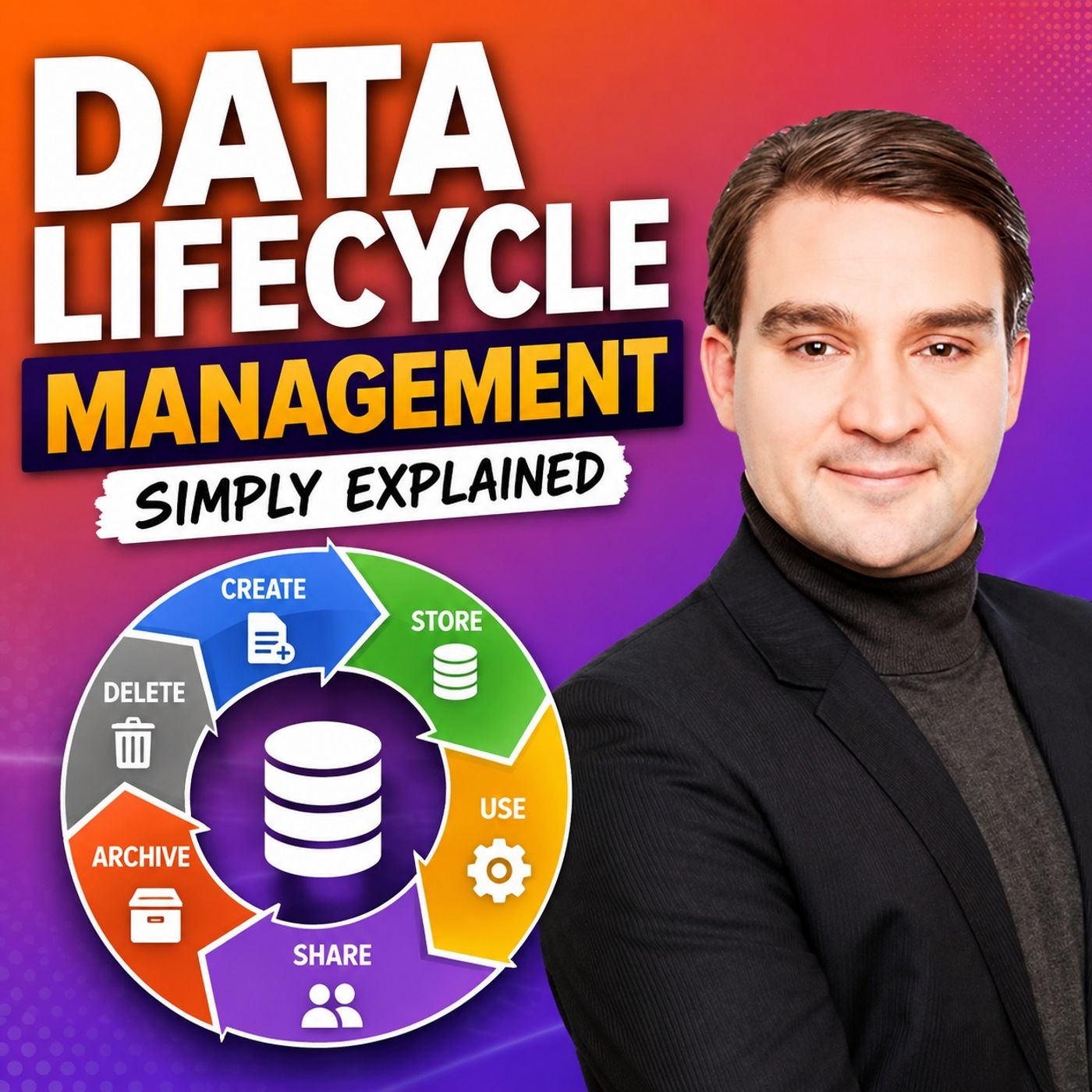
Data Lifecycle Management - Simply Explained
Show notes
Microsoft Purview Data Lifecycle Management helps organizations control how long information should be kept, when it should be reviewed, and when it should be securely deleted. Instead of allowing emails, Teams chats, SharePoint documents, OneDrive files, and other Microsoft 365 content to accumulate indefinitely, lifecycle management ensures every piece of information follows a defined business, legal, or regulatory process. This reduces storage costs, minimizes compliance risks, improves search efficiency, and ensures outdated or unnecessary information is removed in a controlled manner rather than remaining in the environment forever. UNDERSTANDING THE DATA LIFECYCLE Every piece of business information follows a natural lifecycle. It is created, actively used, retained for business or legal purposes, reviewed when necessary, and eventually disposed of once it no longer provides value. Microsoft Purview supports this complete journey through retention settings that prevent premature deletion while also ensuring content is not kept longer than necessary. Organizations can choose to retain content, delete content after a defined period, or combine both approaches by retaining information first and automatically deleting it later. A successful lifecycle strategy always begins by understanding why information exists before deciding how long it should remain. RETENTION POLICIES VS. RETENTION LABELS Retention Policies provide organization-wide rules that apply to entire Microsoft 365 locations such as Exchange Online mailboxes, SharePoint sites, OneDrive accounts, or Microsoft Teams chats. They are ideal when large amounts of similar content require identical retention behavior. Retention Labels, on the other hand, apply directly to individual emails or documents. This allows important business records, such as signed contracts or official agreements, to receive different retention periods than drafts or everyday working documents stored in the same location. Labels may be applied manually by users or automatically by Microsoft Purview based on predefined conditions, creating much more granular control over business-critical information. SCOPES, CONFLICT RESOLUTION, AND RETENTION LOGIC Microsoft Purview determines where retention rules apply by using either static scopes or adaptive scopes. Static scopes target specific users, mailboxes, or SharePoint sites, making them suitable for stable environments. Adaptive scopes automatically include users or locations based on Microsoft Entra ID attributes such as department or job title, significantly reducing administration in large organizations. When multiple retention rules overlap, Purview follows predictable conflict rules. Retention requirements always take priority over deletion, longer retention periods override shorter ones, and item-level retention labels can override broader location-based policies. This ensures organizations never delete information that must legally or operationally remain available. HOW ALL THE COMPONENTS WORK TOGETHER Data Lifecycle Management works by combining policies, labels, scopes, and automated retention into one consistent governance framework. A general retention policy can protect everyday content across Microsoft 365 while retention labels provide special treatment for important records. Adaptive scopes ensure policies automatically follow organizational changes, and retention continues to protect required content even if users accidentally delete files or emails. It is also important to understand that lifecycle management only controls how long information exists. It does not determine who can access content or how it is is shared. Those responsibilities belong to Microsoft Purview Sensitivity Labels and Data Loss Prevention (DLP), which complement lifecycle management as part of a complete Microsoft Purview governance strategy. BEST PRACTICES FOR BUILDING A RETENTION STRATEGY A successful Data Lifecycle Management implementation starts with understanding where information is stored across Exchange Online, SharePoint, OneDrive, Microsoft Teams, and AI-generated content. Business owners should define why each type of information exists, how long it must be retained, and what should happen when that retention period expires. Begin with broad, low-risk retention policies before introducing more granular retention labels for specialized records. Use adaptive scopes where organizational structures frequently change, clearly document every retention policy, carefully test automatic deletion before enabling it in production, and regularly review overlapping rules with compliance, legal, records management, and business stakeholders. By following this structured approach, organizations can reduce compliance risk while ensuring information remains available for exactly as long as it is needed—and no longer. Become a supporter of this podcast: https://www.spreaker.com/podcast/m365-fm-microsoft-365-azure-cloud-power-platform-ai--6704921/support.
Apple Podcasts · Spotify · YouTube · Deezer
Host: Mirko Peters
Related articles
Transcript
Read the full transcript
Hello everyone and welcome to another episode of Microsoft Knowledge Nuggets here on M365. FM, I'm your host, Mirko Peters. Imagine someone asks, "How long do we keep this email?" Then someone else asks the same question about a team's chat, a file in one drive, a shared document in SharePoint and a signed contract. For years, many organizations treated each one as a separate problem. Email had its own set of rules, shared files followed another. Personal files stayed somewhere else, chats just kept growing, and records often ended up in a folder called "Final Final Archive". It feels safer to keep everything forever, right? Nothing can disappear by mistake, but here's the catch. Keeping everything creates a different problem. Old content piles up, people struggle to find the current version. Sensitive information sticks around long after anyone needs it, and if a legal request or security incident happens, you've got far more data to search, review, and protect it. That's where Microsoft purview data lifecycle management steps in. In plain English, it helps your organization decide how long content should stay, what happens when someone deletes it early, and what should happen when its useful life ends. Think of Microsoft 365 like a modern office building. Exchange online is the mail room where your email and calendar live. SharePoint is the team filing room. One drive is your personal desk drawer. Teams is the conference room where conversations happen all day. And now AI interactions can generate even more business content. Every email, file, chat, and record enters that building at some point. It gets used, it may need to stay for a while, then eventually it needs a clear decision. Keep it, review it, or remove it. Without rules, the building fills up with boxes, nobody owns, and files, nobody understands. By the end of this episode, you'll understand what data lifecycle management controls, where it works across Microsoft 365, and how the major pieces fit together. We'll keep this simple. First, we need to answer the question behind every retention rule. How long should this data exist? Building block one, the data lifecycle from creation to disposal. Data lifecycle management sounds like a big phrase, but the idea is simple. It means setting rules to keep data for the right amount of time, then reviewing or deleting it when that time ends. A file doesn't need the same treatment forever just because it was useful once. Think about the normal life of a piece of business content. Someone creates it, people use it. The organization keeps it because it has a business, legal, or regulatory reason to stay. Later, someone may need to review it before it goes. Then if the organization approves, the content is disposed of. That's the lifecycle in a nutshell. Created, used, retained, reviewed, and disposed of. Now, disposed of doesn't mean somebody randomly cleans up a folder on a Friday afternoon. It means the organization made a decision ahead of time. It knows why the content can be removed when that moment arrives and who should check it if a human decision is needed. Let's use a customer contract as an example. At the start, someone creates a draft in a word document. That draft may move back and forth through email. A few people discuss changes in teams. Then the customer signs the final version and the organization stores that signed contract with the rest of the project files. Those things are related, but they may not all need to live for the same amount of time. An early draft might only matter while people negotiate the deal. A casual team's message like "I've added the latest pricing" may have a short life. The final signed contract may need to stay much longer because it proves what both sides agreed to. This is why one rule for everything rarely works well. Pervue gives you three basic choices for how content should behave. The first choice is "keep only", "you keep the content for a set time" or "you keep it until someone makes another decision". The point is to prevent it from disappearing too early. The second choice is "delete only". Content can stay while people need it, but when it reaches a certain age, Pervue removes it. This often fits content with a short-use for life where the organization doesn't need to preserve it against early deletion. The third choice is "keep first" then delete later. This is the pattern many organizations need for normal business records keep the content for the required period. When that period ends, remove it automatically or send it for review. Each choice answers a different question. Do we need to guarantee this stays? Do we need to make sure this doesn't stay too long? Or do we need both? Keeping everything forever can sound like the safest choice, especially when people worry about losing a file they might need later. But all data brings its own risk. Old customer details may still exist in forgotten folders. Old drafts may confuse people trying to find the real agreement. Old chats and emails can become part of a search during an investigation, even when nobody has looked at them in years. And if an account or location is compromised, more retained data means more data exposed. So retention isn't only about keeping content, it's also about removing content when there's no reason to keep it. There's an important difference here. Accidental deletion is a mistake. A user deletes the wrong email. Someone overrides the document. A team removes a folder without realizing what sits inside it. Life cycle disposal is different. That happens because the organization agreed on a rule. The content reached the end of its approved lifespan and purview followed that instruction. One is an error. The other is planned housekeeping. For you, the starting point isn't a random number like three years, five years or seven years. Start with the reason. Why does this content exist? Who needs it? Is there a legal, regulatory, financial or business reason to keep it? And when that reason ends, should the content disappear or should someone review it first? Those answers create the rule. The number of years comes after that. Deciding the time is only half the job, though, because purview also needs to know where that rule belongs. Building block two, retention policies, the building wide rules. Once you know how long content should stay, the next question is simple. Where should that rule apply? Retention policies answer that question. A retention policy acts as a broad rule for a whole location in Microsoft 365, covering mailboxes in exchange online, a sharepoint site, one drive accounts or team's messages. Think of it like a rule posted at the entrance to one floor of your office building, and everyone on that floor follows the same rule because the space has one shared purpose. You don't need each person to stop, read every file and decide how long it should stay. The rule already applies because the content lives there. That saves a lot of guesswork. Imagine a company wants to keep all teams chat messages for two years, then remove them after those two years pass. Nobody should need to tag every message or remember whether a chat from Tuesday needs two years or two months. The organization creates one retention policy for teams chat messages, and purview applies that rule across the chosen people or locations. So every covered message follows the same lifespan. That's a good fit for broad, repeatable content. Teams chats are high volume and move fast, so most people don't stop mid-complication to think about what records category a message belongs to. A building wide rule handles that common content in the background. The same idea works for a department sharepoint site. Say the operations team has one sharepoint site for its working documents, containing meeting notes, process guides, planning files, and day-to-day team documents. If that whole site meets the same retention period, a policy can cover the site and its connected files. People can still create, edit, move, and delete their working files as part of normal work. But when the policy requires content to stay, a user deleting a file doesn't necessarily end that retention requirement. Purview can preserve the content behind the scenes for the required period. That part often surprises people. A user may think they deleted that email last month or that file is gone from the team site and from the user's point of view, it may be gone, but from the organization's retention point of view, purview can still keep a preserved copy while the required period continues. This isn't meant to turn every deleted file into something users can see forever. It means an organization can meet its agreed rule even when people clean up, make mistakes, or leave the company. That makes retention policies useful for content where consistency matters more than individual choices. A company may decide that all mailboxes in a certain department need the same rule because that department handles the same kind of work, so the policy applies to those mailboxes as a group. Or perhaps the business wants one common rule for AI interactions because those interactions can arrive in large numbers and users shouldn't need to decide the lifespan of every prompt or response. Again, that's a policy job. The rule applies based on location, not because a person made a choice for each item. There is a limit though. A retention policy looks at the place where content lives, not the business meaning of every individual file inside that place. A SharePoint site might contain an early contract draft, a final signed contract, a meeting agenda, and a lunch menu. A broad policy can apply one baseline rule across that site, but it can't naturally tell the final signed contract apart from the draft just because both documents sit in the same library that would be like giving every folder in one filing cabinet the exact same disposal date even though some folders contain rough notes and others contain binding agreements. Sometimes that's fine and often it's exactly what you want. Use retention policies when you have a clear repeatable rule for a whole location especially for high volume content such as chat messages or AI interactions. They reduce user effort, create consistent outcomes, and help keep common content under one shared rule, but when one file needs a different life from everything around it, the container-wide approach becomes too blunt. Building block three. Retention labels. The files own filing card. A retention policy works well when the location tells you what to do, but sometimes the location tells you almost nothing. One SharePoint library can hold drafts, final agreements, meeting notes, invoices, and documents people no longer need. And one mailbox can hold casual conversations right next to an email that confirms a major business decision. That's when retention labels help. A retention label is an item-level rule attached to one specific piece of content such as an email or a document. Think of a filing cabinet. Every folder inside it has a small card on the front that tells you what the folder contains, how long it stays in the cabinet, and what should happen when that time ends. The cabinet itself may contain hundreds of folders, yet not every folder follows the same schedule. That's the difference a label creates. The instruction belongs to the item, not just the place where it sits. Let's go back to the contract example. During a negotiation, a team creates several drafts, revising the wording, comparing versions and sending comments back and forth. Those drafts matter, while the deal is active, but they may not need the same long term treatment as the sign agreement. Once both sides sign, that final contract becomes a different kind of content because it proves the agreement, so the organization might apply one retention label to drafts, with a shorter lifespan and another label to sign contracts with a longer one. Both files might live in the same sharepoint site, or even sit in the same document library, but their labels tell per view that they have different business meanings and different instructions. That makes labels useful when the type of content matters more than its storage location. How does the label get onto the content? Sometimes a person applies it manually, which works when someone understands the business meaning of the item. A legal team member might know that an email confirms a final decision or a contract manager might know the document has moved from draft to sign agreement, and they choose the right label as part of their normal work. Still, people are busy and may forget or not know which label applies, and some organizations have far too much content for users to sort every item by hand. Per view can also auto-apply labels when it can identify content through defined conditions, such as matching a known type of information, words used in a document, or another condition the organization has set up. The point is simple. When Per view can reliably recognize a content type, it can apply the label without asking a user to remember every rule. But before relying on automatic labels, test them carefully because a label with the wrong condition can classify the wrong items, and a retention rule can affect content long after people forget why it was applied. Labels can also support records. A record needs stronger control because the organization must treat it as an official version, not just another working file. For example, the final sign contract may need to stay put, and people shouldn't casually edit it, replace it, or delete it because they want a cleaner folder. Using content as a record gives it that tighter treatment. It tells the organization that this item has reached a point where normal day-to-day editing should stop. When a label's retention period ends, Per view can follow different next steps. Some content can be deleted automatically because the business already agreed it no longer needs it, while other content needs a human check first. That's where disposition review comes in, rather than deleting the item immediately, the system can send it to the right people for review, and they can decide whether it should be removed, or whether there is a reason to keep it longer. The right choice depends on the content. Routine drafts may be safe for automatic deletion, while a former record may need someone to look at it before it goes. So use retention labels when you need the rule to follow the content itself, especially when two items in the same mailbox or SharePoint site have different jobs, different life spans, or different end-of-life steps. One complication remains. A labeled item can also sit inside a location covered by a broader retention policy, so Per view needs clear rules for deciding which instruction wins. In blog 4, scope and conflict rules, who gets which rule? A retention rule also needs an audience. You might know that finance content needs one schedule and HR content needs another, but Per view still needs a way to identify the right people, mailboxes and sites. That job is called scope. A static scope is the simple option. When you create the policy, you choose named users, mailboxes, SharePoint sites, OneDrive accounts, or other locations. You pointed the exact target and say, "This rule applies here." That works well when the target won't change much. Maybe you have one dedicated SharePoint site for a project. Maybe a small legal team has a known group of mailboxes, or perhaps a fixed list of executive accounts needs one common rule. Static scope is direct. You choose the targets, and the policy stays with those targets until an administrator changes it. But organizations change all the time. People join, people change jobs, departments grow, teams reorganize. If someone moves from sales into finance, do you want an administrator to remember every rule that should now apply to that person's email files and messages? Probably not. That is where adaptive scopes help. An adaptive scope uses details about people, groups, or sites to decide who belongs under a rule. Those details can include a department, job role, or location. Think of Entra ID as the reception desk for your digital office. When someone arrives, the reception desk knows who they are and where they belong. It can see details such as their department or job title. Per view can use those details to place the person under the right retention rule. Imagine an employee moves into the finance department. Their account changes to show finance as their department. An adaptive scope that looks for finance staff can recognize that change, so the finance retention policy can follow their account. Nobody needs to rebuild a list by hand every time a person changes roles. That makes adaptive scopes a good choice for larger organizations where membership moves often. They reduce the ongoing admin work because the rule follows the organization's own details. Still, adaptive isn't automatically the better choice every time. A fixed project site doesn't need a moving target. A short list of named mailboxes may be easier to manage as a static scope. Use static scope when the target is simple and stable. Use adaptive scope when the target should move as people, groups or sites change. Then there is the harder question, what happens when more than one rule applies to the same content? Per view has conflict rules for that. Start with the safest idea. Retention beats deletion. If one rule says content must stay and another rule says content should be deleted, Per view won't delete the content while the retention requirements still applies. When two retention rules apply for different lengths of time, the longer retention period wins. If one policy keeps content for three years and another needs it for seven, Per view keeps it for seven. The stronger obligation stays in place. Labels can also take priority over a broad policy because a label gives Per view a more specific instruction for that individual item. The site may have a general rule while one document inside that site carries its own label because it needs different treatment. Per view can follow that item level instruction. Deletion rules work differently when deletion is all that remains. If multiple deletion instructions apply, the shortest deletion period wins. That sounds complicated at first, but the pattern is sensible. Keep content when any rule requires it. Keep it for the longest required time. Then once no retention requirement remains, don't keep it longer than the deletion rules allowed. This is exactly why overlapping rules need planning. Don't create policies because a number of years sounds reasonable. Write down why the rule exists, who it covers, where it applies, how long it lasts, and what should happen at the end. Give every policy a clear name too. A name that tells you the audience, location, duration, and final action is far easier to understand than something vague like retention policy for. Before you create the settings, map three things. Map your people, map your locations, map your content types. Once those maps are clear, life cycle management starts to look less like a pile of settings and more like a connected system. How the parts connect? One rule book for your digital office. Put the pieces together and you get one rule book for your Microsoft 365 content. You set the normal rules for broad areas. Labels deal with the individual items that need special treatment. Scopes decide which people, sites, and groups enter each policy. Imagine an employee starts a contract draft in one drive. They share it with co-workers through teams where the team discusses changes. Later, the final signed version moves into a share point site where the project files belong. The draft and the final contract may travel through different places, but the organization can still apply clear instructions at each stage. A broad retention policy can set a baseline for the employee's working area. That baseline covers ordinary content, without asking the employee to make a records decision every time they save a file or send a message. Once the contract becomes the final signed version, a retention label can give that one document a longer lifespan. The location has its normal rule. The special document has its own instruction. If the employee changes department or moves to another location, an adaptive scope can update the baseline rule that applies to their account, based on the details held in Enter ID. The policy follows the person's role instead of relying on an old list that someone forgot to update. Retention also protects required content when a user deletes it early. The user may remove an email, file, or message from their view, but the retention requirement can continue behind the scenes until its time ends. Recovery tools handle a different problem. They help restore content after accidental deletion or unwanted changes. Version history, recycle bins, and other recovery options are about getting work back after something goes wrong. Retention is about meeting an agreed lifespan. Retention is about undoing a mistake. It also helps to know what data lifecycle management does not control. Retention decides how long content must remain. It doesn't decide who can open the document. It doesn't decide whether someone can share it with an outside person. Sensitivity labels and data loss prevention, often called DLP, handle those kinds of protection and sharing controls. A sensitivity label can mark content and apply protection. DLP can monitor or block risky sharing. Data lifecycle management handles the time question. How long does this content stay and what happens when that time ends? That is the full picture. You're not trying to keep everything. You're not trying to delete everything. You're deciding what should stay, why it should stay, and when it can leave on purpose. From there, you can build a safe first plan without jumping straight into a wide deletion rule. Actionable takeaways. Start by mapping out where your content actually lives. Exchange online, SharePoint, OneDrive, Teams, and even AI interactions if you're using them. The locations go to each business owner and ask for simple questions. What data exists, why keep it, how long should it stay, and what happens when that time's up. Keep it small at first. Pick one low risk, broad policy, and don't try to create dozens of exceptions on day one. Here's a quick test to keep things straight. If a rule applies to a location that's a policy, if it applies to one special item, that's a label. And if it follows changing stuff, that's an adaptive scope. Always agree on deletion before you enable it and use review where a human needs to decide. From every policy clearly, test older content carefully and check overlaps with legal, records, compliance, and the business owners. Pick one content type this week. Define its lifespan in plain English, then build the rule around that decision.