 EN
EN Deutsch
 Español
 Français
 Italiano
 Português
 Nederlands
 Polski
 Bahasa Indonesia
 Русский
 Українська
 العربية
 עברית
עברית हिन्दी
 日本語
日本語 한국어
한국어2026-08-19 · Season 3
Dynamics 365 Inventory Management - Simply Explained
Show notes
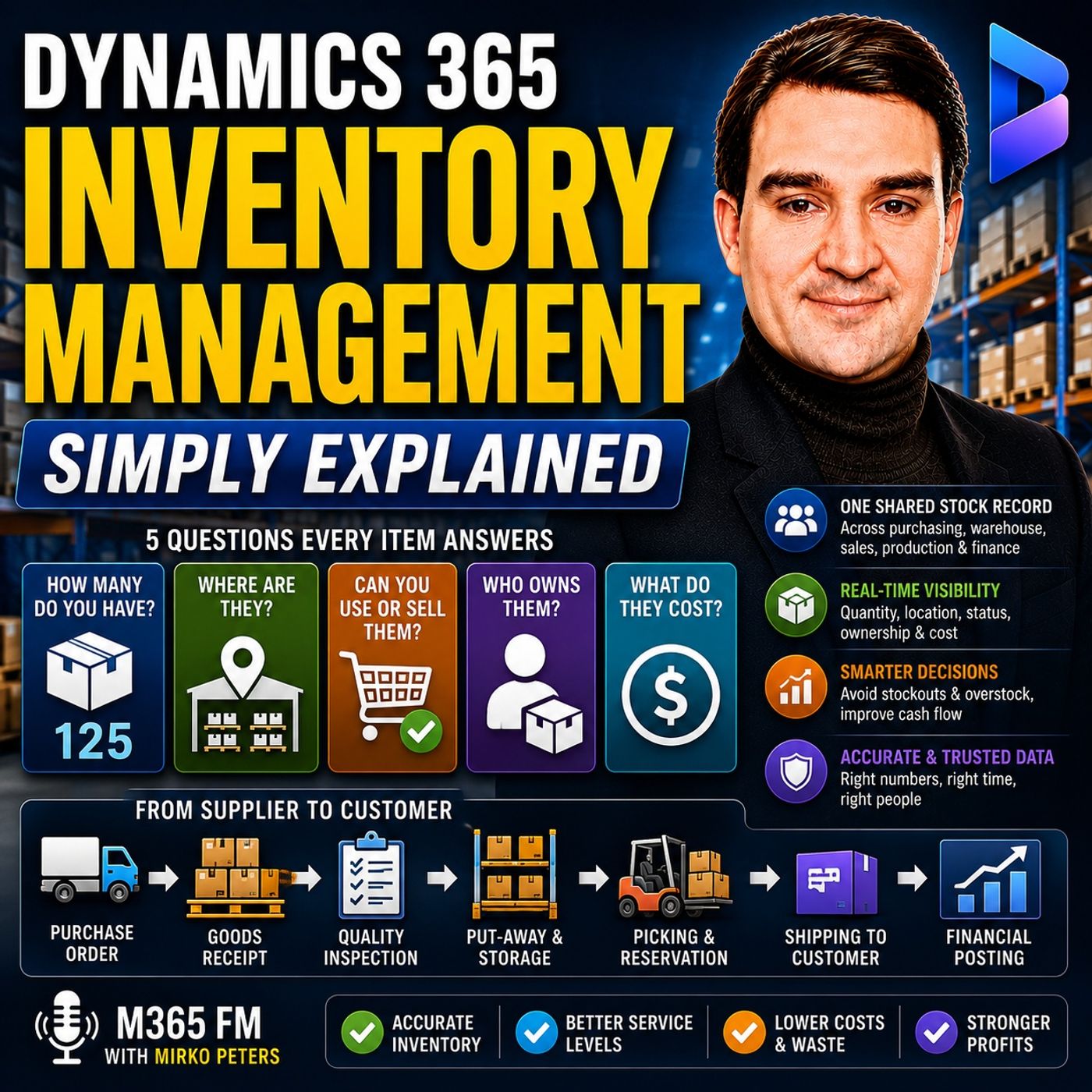
Dynamics 365 Inventory Management gives businesses one shared record for the products, materials, parts, and other stock moving through their organization. Instead of purchasing, warehouse, sales, production, and finance maintaining separate versions of inventory information, Dynamics 365 connects quantities, locations, availability, ownership, movements, and financial value. In this episode of M365 FM, Mirko Peters explains how Dynamics 365 Inventory Management works from supplier receipt to customer shipment — including inventory dimensions, reservations, transfers, costing, cycle counting, safety stock, consignment inventory, and the connection between inventory and finance. ㅤ WHAT IS DYNAMICS 365 INVENTORY MANAGEMENT? Inventory Management provides a shared stock record across the business. For every item, organizations need to answer five fundamental questions: How many do we have? Where are they? Can we use or sell them? Who owns them? And what are they worth? Dynamics 365 brings those answers together. Purchasing records incoming goods, warehouse teams record movements, sales records what leaves, production records materials consumed, and finance receives the financial value associated with those transactions. ㅤ WHY INVENTORY MANAGEMENT MATTERS Too little inventory creates stockouts, delayed customer orders, lost sales, and potentially interrupted production. Too much inventory creates a different problem: money becomes trapped on warehouse shelves. Products also carry risks while sitting in inventory. They can expire, become damaged, go out of style, or simply stop selling. Inventory management therefore isn't about maximizing stock. The objective is maintaining enough inventory to satisfy demand without unnecessarily tying up working capital. ㅤ MORE THAN FINISHED PRODUCTS Inventory doesn't only mean products waiting to be sold. A manufacturer might track raw materials such as wood, screws, fabric, or components. Materials being transformed into products can become work in progress, while completed products become finished goods. Businesses may also track spare parts, packaging, replacement components, cleaning supplies, and materials required for service operations. Dynamics 365 provides a common inventory structure for these different types of stock. ㅤ THE DIGITAL RECORD BEHIND EVERY ITEM Every inventory item needs an identity inside Dynamics 365. This normally includes an item number, description, and unit of measure. Units of measure become particularly important when organizations purchase and sell products differently. A supplier might sell something by the box while customers purchase individual packs. Dynamics needs to understand the relationship between those units so purchasing, sales, warehouse, and finance teams interpret inventory quantities consistently. ㅤ PRODUCT VARIANTS Some products have multiple variations. Clothing might differ by size and color, while manufactured products can have different styles or configurations. Dynamics 365 can distinguish between these combinations rather than treating them as one generic quantity. The organization can therefore know that it has twelve black medium shirts in one warehouse and six white large shirts somewhere else rather than simply knowing that eighteen shirts exist. ㅤ INVENTORY DIMENSIONS EXPLAINED Inventory dimensions are labels that help Dynamics distinguish where inventory is located and exactly which inventory is being tracked. Storage dimensions describe location. These can include site, warehouse, and the specific location within a warehouse. Tracking dimensions identify particular inventory through information such as batch numbers and serial numbers. Together, these dimensions transform a generic stock quantity into information people can actually use operationally. ㅤ SITES, WAREHOUSES AND LOCATIONS A site represents a broader business location such as a factory or distribution center. Within a site, organizations can operate multiple warehouses. Locations provide another level of detail by identifying where inventory physically sits inside the warehouse. Instead of telling someone that a component is somewhere inside Warehouse A, Dynamics can provide a specific aisle, rack, shelf, or bin location. This becomes increasingly important as warehouse size and inventory complexity increase. ㅤ BATCH AND SERIAL NUMBER TRACKING Batch numbers identify groups of products received or produced together. They become important when organizations need to track expiration dates, quality information, supplier history, or product recalls. Serial numbers identify individual units. A laptop, medical device, or industrial machine can therefore maintain its own identity throughout inventory processes. This can support warranty claims, servicing, returns, and precise traceability. ㅤ FROM PURCHASE ORDER TO GOODS RECEIPT Inventory can begin its operational journey with a purchase order. The purchase order records what the organization expects to receive, the quantity ordered, the supplier, and the intended destination. When the shipment arrives, employees compare the physical delivery with that expectation. Once the goods receipt is recorded, Dynamics knows the inventory has physically arrived. This creates an important distinction between inventory that has merely been ordered and inventory that is actually present. ㅤ QUARANTINE AND INVENTORY STATUS Physically receiving inventory doesn't necessarily mean it should immediately become available. Some goods require quality inspection, expiry checks, testing, or regulatory verification. Dynamics can represent inventory in quarantine or assign a status preventing it from being used prematurely. Warehouse employees can see that the inventory exists while sales and production understand that it isn't currently available for consumption or customer orders. ㅤ PUT-AWAY AND INTERNAL MOVEMENTS After receiving and inspection, goods normally need to move from the receiving area into their appropriate storage locations. Dynamics records these internal movements so the system reflects where inventory physically resides. This means the inventory history doesn't stop when a delivery enters the building. It continues as stock moves between receiving areas, storage locations, warehouses, and sites. ㅤ TRANSFER ORDERS Organizations frequently move inventory between warehouses or sites. A transfer order records this movement. When goods leave the sending warehouse but haven't yet arrived at the destination, Dynamics can represent them as inventory in transit. The stock therefore hasn't simply disappeared from the system. The sending location knows what left, the receiving location knows what to expect, and discrepancies can be investigated against a documented movement. ㅤ INVENTORY RESERVATIONS When a customer places an order, inventory can be reserved specifically for that demand. Reservation means the quantity is no longer simply available for anyone to promise. It has been allocated to a particular requirement. This reduces the risk of two salespeople promising the same limited stock to different customers and becomes especially valuable when availability is low or delivery commitments are important. ㅤ PICKING, PACKING AND SHIPPING Once inventory is committed to an order, warehouse employees can pick the goods from their storage locations, prepare them for shipment, and dispatch them to the customer. When the goods ship, Dynamics records that inventory has left the warehouse and updates the available quantity. The transaction history can therefore provide a connected chain from supplier receipt through internal storage and eventually customer delivery. ㅤ RETURNS, CORRECTIONS AND ADJUSTMENTS Real inventory processes aren't perfect. Customers return products, items become damaged, workers discover incorrect quantities, and physical stock sometimes differs from the quantity recorded in the system. Dynamics can record returns, counting differences, movement corrections, and inventory adjustments. These records provide a history showing what changed and can help organizations identify recurring problems such as inaccurate receiving, damaged stock, incorrect locations, or missing warehouse movements. ㅤ THE FINANCIAL VALUE OF INVENTORY Inventory isn't only a physical quantity. It represents money the organization has already invested. When goods arrive, warehouse teams see additional units while finance needs to understand the corresponding inventory value. When inventory leaves, finance needs to recognize the financial impact of that movement. Dynamics connects the operational inventory record with the company's financial records so quantity and value remain connected. ㅤ ITEM GROUPS AND THE GENERAL LEDGER Item groups help organize similar products and influence how inventory transactions connect with financial accounts. Organizations might create separate groups for raw materials, spare parts, and finished products. The associated financial configuration determines which general ledger accounts receive the accounting impact of purchases, sales, adjustments, production activities, and other inventory transactions. This connection helps warehouse operations and finance work from the same underlying item activity. ㅤ Become a supporter of this podcast: https://www.spreaker.com/podcast/m365-fm-microsoft-365-azure-cloud-power-platform-ai--6704921/support.
Apple Podcasts · Spotify · YouTube · Deezer
Host: Mirko Peters
Guests
Related articles
Transcript
Read the full transcript
Welcome to another Knowledge Nugget on M365 FM. I'm your host, Mirko Peters. Today we're talking about inventory management. The stock you can't see can cost you. Can you answer five questions about a single item in your warehouse this second? How many do you have? Where are they? Can you sell them? Who owns them and what do they cost? For most businesses, those answers live in completely different places. A spreadsheet says one thing, a warehouse can't says another, and finance has a third number. Think of Dynamics 365 inventory management like a shared filing cabinet for every box, part, and product your company handles. When stock moves, it's record moves to, by the end of this episode, you'll follow one item from supplier delivery to customer shipment O, including the money attached to it. Why inventory management exists? Imagine you sell coffee machines. A customer places an order, but the warehouse has none left, so sales promises a delivery date anyway, purchasing rushes to call a supplier, and the customer may decide to buy somewhere else. That's a stock out. Two little stock means delayed orders, lost sales and unhappy customers. It can also stop production entirely out if you build machines and run out of one small part, the whole line may wait, but filling every shelf with extra stock doesn't solve the problem. Every box on a shelf represents money your company already spent, you pay to store it, and some goods can break, expire, go out of style, or simply stop selling. That money can't pay a supplier, fund a new project, or cover payroll while it sits in the warehouse. Inventory management helps you find the middle ground, you need enough stock to meet customer demand, but not so much that your warehouse turns into a very expensive storage room. An inventory doesn't only mean finished products ready for customers. A furniture maker tracks wood, screws, fabric, and painters raw materials. Once workers start building a chair, those partly completed chairs become work in progress, and when the chair is ready for sale, it becomes a finished good. A company might also track spare parts, cleaning supplies, packaging, or replacement parts for service work, or those may not appear in the final product, but the business still needs them to keep running. Now picture the old way of doing this. Purchasing keeps a list of what it ordered, warehouse staff can't what arrived, sales tracks customer orders, production tracks what it used, and finance tracks the cost. Each team works hard, but with separate lists, the numbers drift apart. Someone receives a delivery, but updates the spreadsheet later. Someone moves a pallet to another warehouse, but forgets to tell sales. Someone ships an order, but finance doesn't see the cost until days later. That creates arguments over a simple question. How much stock do we actually have? Dynamics 365 Inventory Management gives these teams one shared stock record. Purchasing records incoming goods, warehouse staff record movements, sales records what leaves, production records materials used, and finance sees the value behind those movements. Nobody needs to build a new version of the same spreadsheet every Friday. The goal isn't to make warehouses feel more technical, it's to give people a current shared answer when they need one. Can we fulfill this order? Where should we send the next delivery? Why does the physical count differ from the system? To answer those questions, dynamics needs more than a product name and a number. It needs a clear record of what changed each time an item moves. The digital record behind every item. Welcome to another episode of Microsoft Knowledge Nuggets here on M365. FM, I'm your host, MocoPeters. Today we're talking about what happens inside Dynamics 365 when stock moves from one place to another. So what exactly does Dynamics 365 record when an item changes hands or changes location? Here's the simplest definition. It tracks five things. How much you have? Where it sits, whether you can use it, who owns it and what it costs. That sounds straightforward, but each part answers a different business question. Let's break it down. Quantity tells you how many coffee machines are there? Location answers which building, warehouse, or shelf holds them. Status says can we sell them or are they waiting for inspection? Ownership explains do we own these machines yet? Or is a supplier storing them here? And cost answers, what value sits in this stock? The starting point for all of this is the product record. Every item needs an identity inside the system. That's usually an item number and a clear description. You also define the unit you counted in our each box, pallet, kilogram, or meter. This is where small things can turn into big problems. If purchasing buys coffee filters by the box, but sales sells them by the pack, Dynamics needs to understand how those units relate. Otherwise, one team thinks it has 10 boxes while another thinks it has 10 individual filters. That's a recipe for confusion. Some products also come in variations. A t-shirt might come in small, medium, and large. It could be black, blue, or white. A single product can have different sizes, colors, styles, or configurations. The system can treat each combination as its own stock record. So you don't just have a t-shirt. You might have 12 black medium t-shirts in one warehouse and six white, large t-shirts somewhere else. That's the kind of detail that matters when a customer asks for something specific. Dynamics uses inventory dimensions to keep those details straight. That phrase sounds technical, but it simply means the labels that help the system tell one piece of stock from another. They answer two practical questions. Where is the item and which exact item is it? Let's break it down into the major components. First, there are storage dimensions. These describe the place where stock sits. Dynamics can track a site, a warehouse, and a location within that warehouse. Think of it like an item address. The site represents a broad business place, a, like a factory area or distribution center. Inside that site, you might have several warehouses. Perhaps one for received goods, one for finished goods, and one for returns. Then you can go deeper. A location points to the precise spot inside the warehouse, like an aisle, rack, shelf, and bin. So instead of telling a warehouse worker, the machine parts are somewhere in warehouse A. The system can say, check aisle four, rack two, shelf three, bin one. That saves time when someone needs to find stock quickly. Storage dimensions tell you where it sits, but tracking dimensions tell you which stock it is. Batch numbers U, sometimes called lot numbers O, group items that arrived or were produced together. They matter when goods have expiry dates, test results, or a supplier record you might need later. Imagine a food company receives two deliveries of the same source. The jars look identical, but one batch expires in June and the other in September. If a quality issue appears, the business needs to find the affected batch without pulling every jar from every shelf. Serial numbers go even further. A serial number identifies one individual item, one laptop, one medical device, or one industrial machine. That helps with repairs, warranty claims, returns, and recalls because you can trace one exact unit. When you open the on-hand view in Dynamics, you don't get one vague company-wide number. You can see stock by site, warehouse, location, batch, serial number, and other details your business needs. You can also see whether quantity is physically present, available for use, reserved for an order, or held back. This is why a product name alone isn't enough. The final building block is the item transaction history. Each time stock arrives, ships, transfers, gets counted, receives a correction, or goes into production, Dynamics records a transaction. That history gives people a way to investigate instead of guess. If the count looks wrong, you can look back at the item record and ask which movement changed this number. That's the magic of it. Next, let's follow one item through its daily journey because these records become much easier to understand when stock starts moving. From supplier delivery to customer order. Imagine your coffee machine business order is 100 water pumps from a supplier. The purchase order starts the journey. It records what you expect, how many units you ordered, who will send them, and where they should arrive. Before the truck reaches your building, the business already has a clear expectation. That matters because an expected delivery isn't stock, you can sell. When the shipment arrives, someone checks the delivery against the purchase order. Did the supplier send the right pumps? Did they send a hundred or 98? Did they arrive at the right warehouse? Once the goods receipt is recorded, Dynamics knows the pumps physically arrived. The system can increase the physical stock record, but that doesn't always mean the pumps are ready for a customer order. Some goods need inspection first. A food company may check a batch for damage or expiry dates, and manufacturer may test a part before it enters production. A business handling regulated goods may need proof that the shipment meets its rules. In Dynamics, stock can go into a quarantine area or receive a status that prevents people from using it too early. Warehouse staff can see that the pumps arrived. Sales and production can also see they aren't available yet. That avoids a painful mistake, or promising a customer stock that still needs approval. After inspection, the pumps move from the receiving area to their normal storage location. This is called put away, although the real work might involve a forklift, a pallet truck, or someone carrying a small box to a shelf. The movement matters. A delivery dock is not where the pumps belong for the next six months. The warehouse team needs them in the right place, so someone can find them when an order comes in. Dynamics records the internal move from receiving to the assigned warehouse location. Now imagine demand changes at another site. Your main warehouse holds 80 pumps. A service center in another city needs 24 repair work. You don't want the service team to simply take them from a shelf and hope somebody updates a list later. A transfer order records the request and the movement between warehouses or sites. While the goods travel, dynamics can treat them as in transit, they haven't disappeared and they also haven't arrived at the destination. That gives both locations a clearer picture. The sending warehouse knows the stock lift. The receiving warehouse knows what it should expect. If the truck arrives short, the difference has a record that someone can investigate. Then a customer places an order. The sales order tells the business what the customer wants and when they need it. If stock exists and the business chooses to commit it to that customer, dynamics can reserve the quantity. Reservation means those pumps are no longer just general stock. They are set aside for a specific order, so another salesperson doesn't promise the same units to someone else. This matters most when stock is low or when one customer has a delivery deadline you need to meet. The warehouse then picks the pumps from their storage location. For a simple operation, a worker may print a picking list and collect the goods. In a large operation, warehouse management can direct that work through mobile scanning and warehouse rules. The inventory record stays involved either way. After picking, the order moves through packing and shipment. Once the goods ship, dynamics records that the pumps left the warehouse. The quantity available to the business changes and the item history now shows a complete chain from supplier receipt through internal storage and customer delivery. But real warehouse work rarely follows a perfect straight line. A customer might return a pump because it arrived damaged. A worker may discover two units broken on a shelf. During a stock count, the physical number may differ from the number in the system. Dynamics can record returns, counting differences, movement corrections and manual adjustments. These actions shouldn't become a quiet way to erase mistakes. They create a trail that tells people what changed when it changed and why. That trail helps teams find patterns. Maybe the same location keeps producing count errors. Maybe a supplier shipment often arrives short. Maybe returned goods need a clearer inspection process before they go back into stock. Quantity tells you what happened to the pumps. But every pump also carries a cost and that is where warehouse activity connects directly with finance. Subscribe on your favorite podcast platform and share this with someone starting their journey. The money attached to stock. So those pumps sitting on your warehouse shelves, they're more than just physical objects waiting to ship. Their money the company has already spent and that money stays in the company's financial records as an asset until the pumps are sold, used, written off or leaf stock in some other way. That simple link changes how you look at a receipt. Here's the thing, oh, when 100 pumps arrive, the warehouse team sees 100 units. But finance also needs to know the value that just got added to inventory. And when those pumps ship out to a customer, the warehouse sees shelf space opening up while finance needs to record the cost of goods leaving. Dynamics connects those two views automatically. That's where item groups come in. Think of an item group as a way to organize similar products so the system knows how to handle their finances. For example, you might put spare parts in one group, finished coffee machines in another and raw materials in a third. Behind the scenes, those groups tell dynamics which general ledger accounts should receive the financial side of every purchase, sale, adjustment or production activity. Now you don't need to be an accountant to follow this. The general ledger is simply the company's main financial record, AU, the official account book, where finance tracks everything. Assets, costs, sales, the whole picture. Inventory management sends all those stock related amounts into that record using the rules you've set up in your item groups. That means at month end, the warehouse team and finance team aren't comparing two different systems and arguing about whose number is right. They're both looking at the same item activity in dynamics, but there's still one big question that needs answering. What does one pump actually cost? That depends on the costing method you choose. A costing method is just the rule dynamics users when it assigns a cost to stock leaving inventory. Let me give you an example. Five hostains for first and first out, say you buy 50 pumps in January for $20 each, then another 50 in February for $24 each. When you ship 10 pumps using FIFO, dynamics treats the oldest pumps as leaving first AU, so those 10 come from your January batch at $20 each. This method often fits goods where you physically want to use older stock before newer stock, like food, medicine or anything that can become outdated. Weighted average takes a different approach. Instead of keeping January's cost and February's cost separate for every outgoing unit, it blends the cost of all available units into one average. So if you buy similar pumps at different prices, the system calculates an average cost per pump based on total stock value divided by total units. That makes sense when individual units get mixed together and you don't need to track each delivery separately. Moving average also uses an average, but the average changes every time new stock arrives at a new price. Standard cost works differently, oh, the company sets an expected cost for an item then records any differences between that planned cost and what you actually pay. Each method answers the same question in its own way. What cost should follow this item out of inventory? But costs don't just change when you receive a delivery or ship an order. A manufacturer might issue raw materials into production, then bring finished goods back into stock with a new cost attached. A cycle count correction can change inventory value. Damaged goods written off can reduce it. That's exactly why inventory can't sit apart from finance. If your warehouse records show 500 pumps, but finance thinks you have the value of 450, you've got a problem, AU, even if nobody notices it on the warehouse floor. Every decision about profit, cash purchasing, and sales depends on both the quantity and the cost being accurate. Once dynamics keeps those records together, you can look beyond just today's count and start making smarter stock decisions every day. Visibility, reordering, and daily control. Once you can trust your stock records, daily decisions get a whole lot easier. A buyer doesn't have to call around every warehouse and ask someone to physically check for an item. They can see exactly what's on hand across sites, warehouses, and locations, oh, including stock that's in transit or waiting for inspection. And that distinction matters. You might own 500 units total, but only 300 are actually available to promise to customers. Some are in transit, some are waiting for quality checks, and some are already reserved for other orders. Dynamics helps you see the usable quantity, not just the biggest possible number. That clear view also supports better reordering. Every business needs to know when to buy more. But the answer isn't just about today's quantity. You also need to think about how fast the item sales, how long your supplier takes to deliver, and how much buffer stock you want in case demand spikes suddenly. That extra cushion is called safety stock. Think of it as your backup plan for the day's things don't go as planned. A supplier delivers late, a customer places a bigger order than usual. A production line uses more material than expected. Without that buffer, one surprise can stop everything. But too much buffer? You're back to storing money on shelves. Dynamics gives you the data to set those stock levels more carefully and to review them when demand or supplier lead times change. But all of this only works if your system records match the real world. That's why counting inventory is still part of daily control. Some teams do a full stock take once a year, while others count smaller groups of items throughout the year. Oh, that's called cycle counting. The process is straightforward. You count what's actually on the shelf, compare it to what Dynamics says should be there, and investigate any difference before posting a correction. That difference could come from damage, theft, a missed scan, a wrong location, or an old mistake from a previous movement. The correction fixes the number. The investigation fixes the process. Dynamics can also help you spot stock that's been sitting too long. Inventory aging shows you items that haven't moved in a while. That's crucial for goods with expiry dates, seasonal products, old spare parts, or items customers don't want anymore. Catch that old stock early, and you have options. You can sell it at a discount, move it to a location where demand is higher, return it if your agreement allows, or simply stop buying more. Wait until your shelves are full of outdated stock, and those options disappear. Not every item deserves the same level of attention either. ABC Analysis helps you sort items by their financial impact. A small number of items might account for most of your inventory value. Oh, those need close accounts, tighter reorder decisions, and more careful review. Low-cost items that move frequently, they can have simpler controls. The goal isn't to treat everything the same. It's to spend your time where a mistake would cost the business the most. There's also a special case worth knowing, consignment inventory. Imagine a supplier puts their parts in your warehouse, but the supplier still owns them. The stock is right there next to your production team, ready to use when needed, but it doesn't become your inventory until you actually take ownership. Dynamics contract that difference, oh, your team sees the parts are on site while finance keeps the ownership clear. When you use that part, the system records the ownership change and the cost becomes yours. This is great. When you need quick access to stock without paying for everything upfront. All of this works because purchasing, sales, production, warehouse, and finance teams are all working from shared data. Reports can pull from the same stock history. Other business systems can connect to that history too, rather than creating another separate list. Still, one common mix-up can confuse new dynamics users. Inventory management and warehouse management work closely together, but they don't mean the same thing. That's a topic for another knowledge nugget. Inventory management and warehouse management related not the same. Let's clear up a common point of confusion. Inventory management and warehouse management solve different problems. Inventory management keeps the company wide record of stock. It answers the big questions. How much do we have? Where is it recorded? Can we use it? And what is it worth? That record follows stock everywhere through purchasing, sales, production, transfers, returns, and counts. Warehouse management is about the physical work inside the warehouse. It guides workers through receiving goods, putting them away, picking orders, and loading shipments. In more detailed setups, workers use mobile devices to scan barcodes and track pallets with license plate numbers. Think of it this way. Inventory management is the master filing cabinet. It holds the complete stock story for the whole business. Warehouse management helps people carry out the work on the warehouse floor using the information in that cabinet. One records the story. The other helps workers handle stock accurately and quickly at the physical location. Not every company needs the same depth. A small distributor might start with clear item records, warehouses, transfers, and counts. A larger operation with many workers, bins, pallets, and fast-moving orders may need deeper warehouse processes. But either way, every department needs the same item history. Conclusion. One shared stock story dynamics. 365 Inventory Management records the full life of stock, from supplier receipt and storage through customer shipment and financial value. It's one shared stock story for your entire business. Thanks for watching another Knowledge Nugget. Subscribe for more episodes with me, Mirko Peters, on M365 FM. And watch the next episode to see how Dynamics 365 Supply Chain Management connects purchasing, warehouses, and planning around that same shared stock record.