 EN
EN Deutsch
 Español
 Français
 Italiano
 Português
 Nederlands
 Polski
 Bahasa Indonesia
 Русский
 Українська
 العربية
 עברית
עברית हिन्दी
 日本語
日本語 한국어
한국어2026-08-21 · Season 3
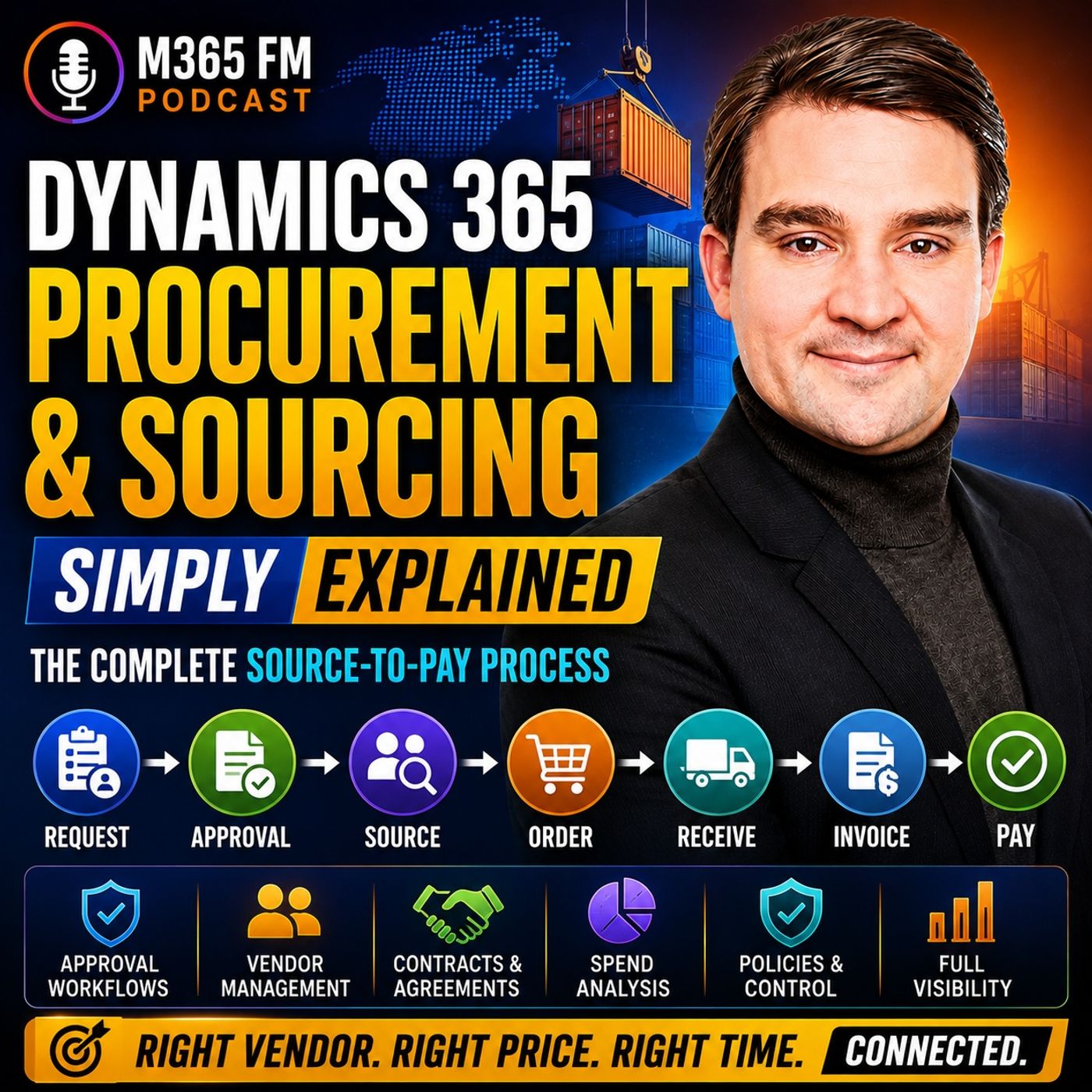
Dynamics 365 Procurement and Sourcing - Simply Explained
Show notes
What happens when someone at work needs a new laptop, raw materials for production, safety equipment, consulting services, or even a cleaning contract? In many organizations, purchasing still involves emails, spreadsheets, approval messages, vendor quotes, delivery notes, and invoices spread across different systems. https://www.m365.fm/categories/dynamics-talk/ Procurement and Sourcing connects these activities into one controlled source-to-pay process. In https://www.m365.fm/dynamics-365-procurement-and-sourcing-simply-explained/ of M365 FM, Mirko Peters explains how https://www.m365.fm/dynamics-365-supply-chain-management/ connects purchase requisitions, sourcing, vendors, RFQs, purchase orders, receiving, invoice matching, approvals, Accounts Payable, and vendor payments. WHAT IS DYNAMICS 365 PROCUREMENT AND SOURCING? Procurement and sourcing are closely related, but they describe different parts of the purchasing process. Sourcing focuses on finding and selecting the right vendor. The organization considers products, prices, delivery dates, terms, discounts, and the vendor's ability to meet its requirements. Procurement manages what happens when the organization actually buys something: the request, approval, purchase order, receipt, invoice, and eventually payment. Together, these activities create the source-to-pay process. SOURCE-TO-PAY EXPLAINED Source-to-pay describes the complete journey from identifying a business requirement to paying the supplier. The organization identifies what it needs, finds or selects an appropriate vendor, creates an order, receives the goods or services, processes the vendor invoice, and eventually pays the supplier. The individual steps aren't particularly unusual. The value comes from keeping them connected. Instead of approvals disappearing into email and invoices arriving without context, Dynamics 365 maintains the purchasing trail from the original request through payment. DIRECT VS INDIRECT PROCUREMENT Businesses typically purchase two broad categories of goods and services. Direct procurement covers goods or services directly connected to what the company produces or sells. A furniture manufacturer purchasing wood, screws, and fabric is buying direct materials. Indirect procurement covers products and services required to operate the business but which don't become part of the finished product. Examples include laptops, office furniture, training, repairs, cleaning, software, and legal services. Dynamics 365 can support both types while maintaining controlled purchasing processes. PURCHASE REQUISITIONS A purchase requisition is an internal request to buy something. An employee can specify what is required, the quantity, and potentially where the purchase should be delivered. Importantly, the requisition doesn't yet create a commitment with a vendor. That gives the organization an opportunity to review the requirement, check budgets, apply purchasing policies, and obtain the appropriate approvals before money is committed. PROCUREMENT CATALOGS Common purchases can begin through procurement catalogs. Think of the catalog as the organization's approved internal shopping shelf. Instead of somebody entering a vague request for "safety gloves," employees can select an approved product with an established description, supplier option, and price. Catalogs simplify purchasing for employees while helping the organization guide demand toward products and suppliers it already understands. PROCUREMENT CATEGORIES Not every purchase belongs in a product catalog. Organizations also purchase consulting, repairs, training, legal services, and other requirements that might not have a traditional item number. Procurement categories allow these purchases to be classified according to what the organization is buying. Examples could include safety supplies, computer equipment, professional services, building repairs, or training. This allows purchasing controls and spend analysis to work even when the purchase isn't a physical inventory item. APPROVAL WORKFLOWS A purchase shouldn't automatically proceed simply because somebody requested it. Dynamics 365 can use approval workflows, spending limits, purchasing policies, and budget controls to determine who needs to review a request. A small purchase might require one manager's approval. A larger expenditure could additionally require a budget owner or purchasing manager. The approval path can depend on factors such as amount, department, category, and company policy. Dynamics 365 records those approvals as part of the purchasing history. REQUEST FOR QUOTATION When the organization hasn't already selected a supplier, purchasing can create a Request for Quotation, commonly called an RFQ. Several vendors can receive the same requirements and provide their prices and commercial terms. One vendor might offer the lowest price but require three weeks for delivery. Another might cost slightly more but deliver next week. Dynamics 365 keeps those responses connected with the sourcing process so buyers can compare options before making a decision. VENDOR MANAGEMENT Vendor records contain information required for the organization's purchasing relationship with suppliers. Vendor catalogs can describe products available from particular suppliers, while approved vendor lists can identify which suppliers are permitted for specific products. This helps organizations control where employees and buyers purchase goods. Instead of choosing a supplier simply because somebody found one online, the purchasing process can guide users toward vendors the organization has already approved. PURCHASE AGREEMENTS A purchase agreement records longer-term commercial arrangements between the organization and a vendor. For example, the business might agree to purchase a particular quantity or spend a certain amount over an established period in return for agreed commercial terms. When purchases occur under that agreement, buyers don't need to renegotiate the complete arrangement every time. This is particularly useful for frequently purchased goods and strategic vendor relationships. TRADE AND REBATE AGREEMENTS Trade agreements can record vendor prices or discounts that apply during particular periods. If a supplier agrees to provide safety gloves at a discounted price for six months, Dynamics 365 can maintain that pricing arrangement. Rebate agreements address another scenario: the supplier returns money when agreed purchasing quantities or spending thresholds are reached. Together, these capabilities help organizations maintain negotiated commercial conditions within the purchasing process instead of relying on individual buyers to remember them. THE PURCHASE ORDER Once the organization knows what it needs and who will supply it, the purchasing decision becomes a Purchase Order, or PO. The purchase order formally describes what the organization intends to buy. It identifies the vendor, products or services, quantities, prices, delivery requirements, and payment terms. The PO becomes the central commercial record that purchasing, warehouse employees, finance teams, and the supplier can work against. HOW PURCHASE ORDERS ARE CREATED Purchase orders can originate from several sources. An approved purchase requisition can become a PO. A buyer can release purchases against an existing purchase agreement. Planned demand can create planned purchase orders that later become real orders. Buyers can also manually create purchase orders when they already know exactly what needs to be purchased and which supplier should provide it. Different purchasing scenarios can therefore enter the process differently while ultimately creating the same controlled purchase record. PURCHASE ORDER APPROVAL AND CONFIRMATION The organization can require internal approval before a purchase order becomes an external commitment. This separates two important decisions. First, the organization approves spending its own money. Then the purchase order can be confirmed with the vendor, establishing the agreed products, quantities, prices, delivery dates, and terms. This creates a clearer purchasing process than sending an order externally before the appropriate internal approval has occurred. DELIVERY SCHEDULES Not every purchase order arrives in one delivery. A supplier might deliver part of an order immediately and the remainder the following week. Delivery schedules allow one purchase order to contain planned deliveries across multiple dates. The organization maintains one connected purchasing record while representing what is actually expected to happen operationally. DIRECT DELIVERY Some purchased goods never need to enter the organization's own warehouse. With direct delivery, a supplier ships products directly to the organization's customer. Dynamics 365 can connect the customer sales order with the corresponding vendor purchase order. This eliminates an unnecessary warehouse stop while maintaining the relationship between the customer demand and the supplier fulfilling that demand. SUPPLEMENTARY ITEMS AND CHARGES Purchase orders can contain more than the primary item being purchased. Dynamics 365 can suggest supplementary products that may be required, optional, or included with another item. Charges such as freight and handling can also be associated with the purchase order or individual lines. This matters because the advertised product price doesn't necessarily represent the complete purchasing cost. Keeping additional charges connected to the order provides a clearer view of what the purchase actually costs. Become a supporter of this podcast: https://www.spreaker.com/podcast/m365-fm-microsoft-365-azure-cloud-power-platform-ai--6704921/support.
Apple Podcasts · Spotify · YouTube · Deezer
Host: Mirko Peters
Guests
Related articles
Transcript
Read the full transcript
What happens when someone at work needs a new laptop, raw materials for production or a cleaning service? In many companies, the old answer meant email, spreadsheets, paper forms, and somebody trying to track down an invoice weeks later. Welcome to another episode of Microsoft Knowledge Nuggets on M365, FM. I'm Mirko Peters, and today we are looking at procurement and sourcing A.O., the connected processor company uses to buy goods and services from vendors. Think of it like one front desk in an office building. Every request, approval, order, delivery, invoice, and payment passes through the same place. We will follow one purchase all the way from the first request through the controls working behind the scenes. One, what procurement and sourcing actually covers? Procurement and sourcing might sound like a long name for buying things, and it is about buying, but the two words describe different jobs. Sourcing is the work of finding and choosing the right vendor. Think of a company that needs gloves, helmets, safety signs, and protective glasses. Before anyone places an order, someone has to decide who can supply the right products at an acceptable price by the required date under terms of the company accepts. That is sourcing. Procurement starts once the company needs to manage the actual purchase. It covers the request, the approvals, the purchase order, the delivery, the invoice, and the payment. Together, this process is called source to pay. The name describes the full path. A business identifies a need, chooses a supplier, sends an order, receives the goods or service, gets an invoice from the vendor, and then finance pays the vendor. Each step connects to the next. You would think that is obvious, but many businesses still run these steps in separate places. An employee sends a request by email, a manager approves it in a chat message. A buyer keeps order details in a spreadsheet. The warehouse checks a paper delivery note. Accounts payable receives an invoice that has no clear link to the order. People can still buy things that way, but they lose the thread. A buyer cannot know that the warehouse already received part of an order. Finance can end up paying the same invoice twice if it arrives through two different channels. Managers only discover the cost after the money has left the company. When someone asks who approved this, the answer means a long search through inboxes. Dynamics 365 puts that trail into one connected platform, procurement and sourcing lives inside Dynamics 365, supply chain management, where a company handles the movement and availability of goods, and it connects with finance and accounts payable for recording invoices, tracking what it owes, and processing payment. So purchasing does not sit alone in a corner. The warehouse can record that goods arrived, finance can see the invoice tied to that purchase, and accounts payable can check what was ordered against what arrived, and what the vendor built. Each team sees only the part they need, while the purchase remains one connected record. Now there are two types of buying. Direct procurement covers goods or services tied to what a company produces or sells. A furniture maker buying wood, screws and fabric is buying direct materials. Without those materials, it cannot build the product itself. Indirect procurement covers the things that keep the business running, but do not become part of the item sold AU laptops, office furniture, training, repairs, cleaning, software or legal advice. Both are important, but they often start in different ways. Production demand can tell the company it needs more parts, and employee can request a new monitor, a facilities manager can need a repair service. Dynamics 365 handles all these different needs while keeping the purchasing path clear. Let us use one simple example through this episode. Imagine a warehouse manager notices the team needs new safety equipment, oh, some helmets are damaged, the supply of protective gloves is low. The manager needs enough equipment for the team, and the company needs a clear record before money is committed. That purchase starts with a need, and every controlled purchase starts when someone asks for something. Two, from internal request to the right vendor. Here's how the whole buying process starts, your warehouse manager spots a need for safety equipment, and the first record created inside Dynamics 365 is a purchase requisition. A purchase requisition is an internal request to buy something. It tells the company what a person needs, how much, and often where it should go. Notice that this request doesn't promise anything to a vendor yet. That distinction keeps the early part of buying under your company's control. The warehouse manager can request 20 helmets and several boxes of gloves, but no supplier receives an order until the right people review it. For common purchases, the request may start in a product catalog. Think of the catalog as your company's approved shopping shelf. Instead of typing a vague request like safety gloves, the employee can choose an approved product with a known description, supplier option, and price already attached. That saves time, but it also keeps people from buying random products that don't meet company rules. Not every request fits inside a catalog though. A company may need a one-time repair, a consultant training, or a service that isn't stored as a physical product. In that case, Dynamics 365 can use a procurement category. A procurement category group spending by what it is. For example, the company could use categories such as safety supplies, building repairs, legal services, or computer equipment. The requester can describe what they need and place it in the right category, even when there isn't an item number on a shelf. Now, a request shouldn't simply turn into a purchase because someone clicked submit. The company can set spending limits, budget checks, and approval workflows. A small request for gloves might go to the warehouse manager. A larger request for safety equipment might also need approval from the department budget owner or purchasing team. The route can change based on the amount the department or the purchasing rule tied to that type of spend. That means people don't need to remember every approval rule themselves. Dynamics 365 sends the request through the right path, while the request keeps its history inside the system. Suppose the manager requests a large amount of equipment and the company doesn't yet know which vendor should receive the business. Purchasing can create a request for quotation, often called an RFQ. An RFQ asks several vendors to bid for the same need. The buyer sends the requirements, such as helmet type, glove size, quantities, and requested delivery date. Each vendor can return a price and their terms. Maybe one vendor costs less but can't deliver for three weeks. Another costs a little more but can supply everything next Tuesday. The buyer can compare those answers before choosing. Price matters but it isn't the only thing. Delivery dates, product details, discounts, and the vendor out himself's ability to meet the request all shape the choice. The system keeps the bids connected to the request rather than leaving the comparison buried in a string of emails. Before a buyer selects anyone, Dynamics 365 also keeps vendor records. A vendor record contains the company details needed for purchasing, such as the vendor out, TM, as name and the information used for the business relationship. Vender catalogs can show the products that a vendor supplies and vendors can publish those catalogs to help keep the information current. For tighter control, a product can have an approved vendor list. This tells the buyer which vendors the company has approved for that product. It guides the choice and can stop someone from selecting a supplier the company never intended to use. Some vendor relationships also involve terms negotiated ahead of time. A purchase agreement records a longer term deal between the company and a vendor. The company may agree to buy a certain quantity or spend a certain amount over a period and the vendor agrees to the related terms. Trade agreements record vendor prices or discounts that apply during specific dates. So if the safety equipment vendor has agreed to give a lower price on gloves for the next six months, Dynamics 365 can store that arrangement instead of asking every buyer to remember it. Re-bate agreements can also track cases where a vendor pays money back after the company reaches a purchase amount of volume. By this point, the company knows what it needs, who can supply it and what terms apply. The search is over, but the vendor still needs a formal order. Three, the purchase order, the company out-hams written promise. The buyer has chosen the safety equipment vendor. Now the company needs a purchase order, usually called a PO. A purchase order is the formal document that tells the vendor exactly what the company intends to buy. It names the vendor, lists the items or services, shows the quantity and agreed price and includes the delivery date and payment terms. For our warehouse, the PO might list 20 helmets, 10 boxes of gloves, and a delivery date for next Tuesday. It turns a buying decision into a clear record that both sides can work from. Nobody needs to guess which glove type the company asked for, how many units it expects, or which price the buyer agreed with the vendor. A purchase order can begin in several ways. Most often, it comes from an approved purchase requisition. The warehouse manager asked for the safety equipment, the right people approved that request and purchasing turns it into a PO. It can also come from a purchase agreement. If the company already arranged a longer term deal with the safety vendor, the buyer can create a release order against that agreement instead of building every detail from scratch. Sometimes demand creates the order. A company may plan to buy materials because it expects future production needs and Dynamics 365 can create planned purchase orders from that demand. When the company releases a planned order, it becomes a real purchase order. Then there are direct purchases, a buyer may create a PO manually when there is no earlier requisition, agreement, or planned demand behind it. This can happen when a buyer already knows what the company needs and which vendor will supply it. Different starting points, same destination. Before the purchase order moves forward, the company can require approval. The buyer prepares the order, but the order may need an internal sign off based on the company auto amounts rules before it reaches the vendor. That separates two decisions. First, the company approves its own commitment, then the company confirms the order with the vendor, showing that both sides have agreed on what will happen. A confirmed PO is more than an internal note. It records that the order has reached the vendor and an agreement exists around the purchase. Dynamics 365 also saves buyers from retyping the same information every time they order from a familiar vendor. The vendor record can fill in details such as delivery information, payment terms, and other usual settings. The buyer still checks the order and can change details when the situation calls for it, but the normal information starts in the right place. That reduces typing and keeps repeated orders more consistent. Delivery does not always happen in one box on one day. Imagine the vendor has all the gloves now, but only half the helmets are ready. A delivery schedule lets the company split one purchase order into planned deliveries across different dates. The PO can show that 10 helmets arrive next Tuesday, the remaining 10 arrive a week later, and the gloves arrive with the first shipment. One order remains connected, while the delivery plan matches what can actually happen. Some purchases never arrive at the company at all. Direct delivery means the vendor ships the product straight to the company, irutmscustomer. For example, a business sells a specialist item but does not keep it in its own warehouse. It can create a sales order for the customer and a related purchase order for the vendor. The vendor ships directly to the customer, while Dynamics 365 connects the related sales and purchasing steps behind the scenes. This avoids an unnecessary stop at the company out-hym as own warehouse and keeps the customer order and vendor order tied together, so people can follow the same item through both sides of the transaction. A purchase order can include more than the main item. Some products need related items. When the company orders helmets, it may also need replacement vises or mounting parts. Dynamics 365 can propose supplementary items, which might be required, optional, or included at no extra cost. The buyer sees the related need while building the order, rather than discovering it after the main shipment arrives. Then there are charges. Frate, handling, and similar costs can belong on the purchase order too. A charge may apply to the whole order or to a particular order line depending on how the company needs to record it. That matters because a low-product price does not tell the full cost if delivery adds a large fee. Recording the charge with the order keeps that cost connected to the purchase instead of leaving it on a separate note. The vendor now has a confirmed order with clear items, prices, dates and terms, but a confirmed order only records what the company expects to happen. Dynamics 365 still needs proof when the goods or services actually arrive. Four, receiving goods and checking the invoice. The truck pulls up to the warehouse with the helmets and gloves. Before anyone marks the order complete, the warehouse team needs to check what actually arrived. They register the arrival, compare the shipment to the purchase order, and post a product receipt against that order. A product receipt is simply the system out here Mr. Léz's record that goods showed up. Hero Tems, the thing. The PO lists 20 helmets and 10 boxes of gloves, but the driver delivers only 10 helmets and all 10 boxes of gloves. The warehouse posts what it actually received, not what the company hoped would arrive. The remaining 10 helmets stay open on the purchase order until the vendor delivers them or the buyer changes the order. That keeps the record honest. Once the product receipt posts, the purchase order changes. The system now separates the ordered quantity from the received quantity, so buyers, warehouse staff and finance can see where the order sits without calling each other. For stock items, receiving also updates inventory. The gloves appear as available stock, ready for the warehouse team to use. If the items belong to a specific project, a fixed asset, or a direct delivery, Dynamics 365 can record the purchase against that intended use instead. The company knows more than our wayboat gloves, how it knows whether the gloves arrived, how many arrived, and where they belong. Not every purchase reaches a loading dock though. Imagine the company hires a safety trainer for a day, pays for software access, or brings in an outside repair service. There outgums no pallet to count, and no warehouse arrival to register. For services and other non-physical purchases, the company can use a simpler route. Depending on how it sets up the purchase, it can register receipt on the purchase order without a warehouse step, or it can move straight to the vendor invoice. The same question still applies, did the company receive what it agreed to buy? For a training service, the answer might be that the training took place. For a repair, someone confirms the work is complete. The record does not need a box or barcode to prove the company received something, then the vendor invoice arrives. The invoice enters accounts payable, the part of Dynamics 365 that records what the company owes vendors and prepares payments. The invoice links back to the purchase order, so accounts payable does not treat it as an isolated bill with no history. This is where a simple check prevents a lot of trouble. Dynamics 365 compares three things, what the company ordered, what the company received, and what the vendor billed. People call this matching. Plain English, does the bill match the deal? The purchase order might show 20 helmets at an agreed price. The product receipt might show only 10 helmets arrived so far. If the vendor sends an invoice for 20, the system can show the difference before the company pays. That outams three way matching. The three records are the purchase order, the product receipt, and the invoice. When they agree, accounts payable has a clear path forward. When the price differs, the invoice quantity exceeds the received quantity, or a line appears that nobody ordered, the company can stop and investigate. Maybe the vendor sent the invoice early, maybe freight appeared as a separate amount that the buyer needs to check. Maybe the vendor simply typed the wrong quantity. The point is not to assume bad intent. It out means to catch a difference while the company can still ask a clear question, rather than after payment leaves the bank. Each invoice also needs a place in the company, O, TM, CS financial records, that euthams the job of accounting distributions. They tell Dynamics 365 how to record the cost. The safety gloves might belong to warehouse operating costs. A new forklift might belong to a fixed asset account. A project purchase might need its cost recorded against that project. One invoice can even split across more than one place. For example, if two warehouse teams share an order of gloves, the company can divide the cost between their departments. Finance can then see where the money went, without trying to rebuild that answer later from a vague invoice description. After the invoice matches and any needed checks finish, it can move through an approval process. Posting the invoice records, the amount, the company owes the vendor an accounts payable. The bill is now a payable. Payment terms help determine when it is due. Accounts payable can prepare the due invoices for payment and once the company processes that payment, Dynamics 365 clears the vendor balance for that invoice. The order has now moved from an expected delivery to a recorded cost and a completed payment. But this trail does more than pay one bill. It gives the company a usable record of every decision and every handoff tied to that purchase. Five, controls visibility and better vendor decisions. A connected purchase record also lets the company control buying before a problem reaches finance. Purchasing policies set the ground rules. They guide what employees may request, which vendors they can use and when a purchase needs approval before anyone commits company money. Think about the safety equipment request. The company might require warehouse staff to choose approved safety products while only the purchasing team can choose a new vendor. A small replacement order may need one approval but a large order for a whole new team may need a budget owner and a purchasing manager. The rules sit inside the process. People don't know what to do that need to search for a policy document. Guess who needs to approve something or forward an email until somebody replies. Dynamics 365 can root the request based on the department, the amount, the type of purchase or the policy attached to it. That root is called a workflow. A workflow gives requests, purchase orders, and invoices a clear path from one person to the next. Each person can approve, reject, or send the record back for changes and the system records the action. No more wondering whether an approval happened in a long email chain. This also helps when someone is away. The work does not disappear into that person out in box with no sign of where it stopped. The company can see the current step and act on it. Vendors can take part two when the company uses the vendor portal. The vendor portal gives a vendor a place to view requests for quotation or purchase orders shared with them. They can respond to a request for quotation and they can confirm an order directly when the company sends a confirmation request. That gives both sides the same document to work from. Instead of a buyer sending a PDF, then waiting for a reply, then typing the reply back into the system, the vendor can confirm the details through the connected process. The buyer can see the response without rebuilding the record by hand. Once purchases move through the system, the company also collects useful information without creating another spreadsheet. Spend analysis answers a simple question, where is the money going? A purchasing manager can review spending by vendor, product procurement category, or department. Maybe the company thinks it buys gloves from one supplier, but the records show several teams buying similar gloves from different vendors. Maybe a department spends more on outside repairs than expected. Those details give the company a reason to ask better questions before the next purchase. Vendor performance analysis looks at the vendor side of the same story. Buyers can compare purchasing and delivery results when they decide who should receive future orders. A low price on paper may not look so attractive if the vendor repeatedly delivers late, ships incomplete orders or cannot meet the agreed terms. The company can use its own purchase records when it reviews that vendor relationship. Then there is the audit trail. An audit trail lets someone trace a purchase through its full history. They can start with the original request, see who approved it, review the purchase order, check the receipt, find the invoice, and see the payment that cleared it. That record helps finance and audit teams, but it also helps ordinary people answer ordinary questions. Why did we buy this? Who chose this vendor? Did the goods arrive? Has the invoice already been paid? The answer sits with the purchase record. Go back to the office building from the start. The purchasing desk, the receiving dock, and the finance desk have different jobs, but they are all looking at parts of the same purchase instead of passing loose papers between separate rooms. Our warehouse manager, our TMS, request for helmets and gloves now has a full history. The request followed the company policy, the right people approved it, the vendor supplied the equipment, warehouse staff recorded the delivery. Accounts payable match the invoice and paid it. One simple distinction keeps all of these building blocks clear. Sourcing helps the company choose who to buy from while procurement manages what happens after the company decides to buy. Ah, conclusion, one connected record from need to payment. Here's the big picture. Procurement and sourcing takes all those scattered handoffs and turns them into one tracked company process. A request doesn't vanish into an inbox and approval doesn't live only in someone's memory and an invoice doesn't arrive without a clear link to the decision behind it. Instead, the company has one connected record that follows the purchase all the way through that gives you a clear answer when you need one. You can see the order as the buyer. The warehouse sees what's expected. Finance knows what the company owes and manages to see exactly where spending is going, buying still involves people, vendors, goods, services and decisions. Dynamics 365 doesn't remove those things. It keeps the record of them together so you can buy with fewer loose ends and fewer surprises. Subscribe on your favorite podcast platform and share this knowledge nugget with someone starting to learn Dynamics 365 procurement and sourcing.