 EN
EN Deutsch
 Español
 Français
 Italiano
 Português
 Nederlands
 Polski
 Bahasa Indonesia
 Русский
 Українська
 العربية
 עברית
עברית हिन्दी
 日本語
日本語 한국어
한국어2026-10-09 · Season 4
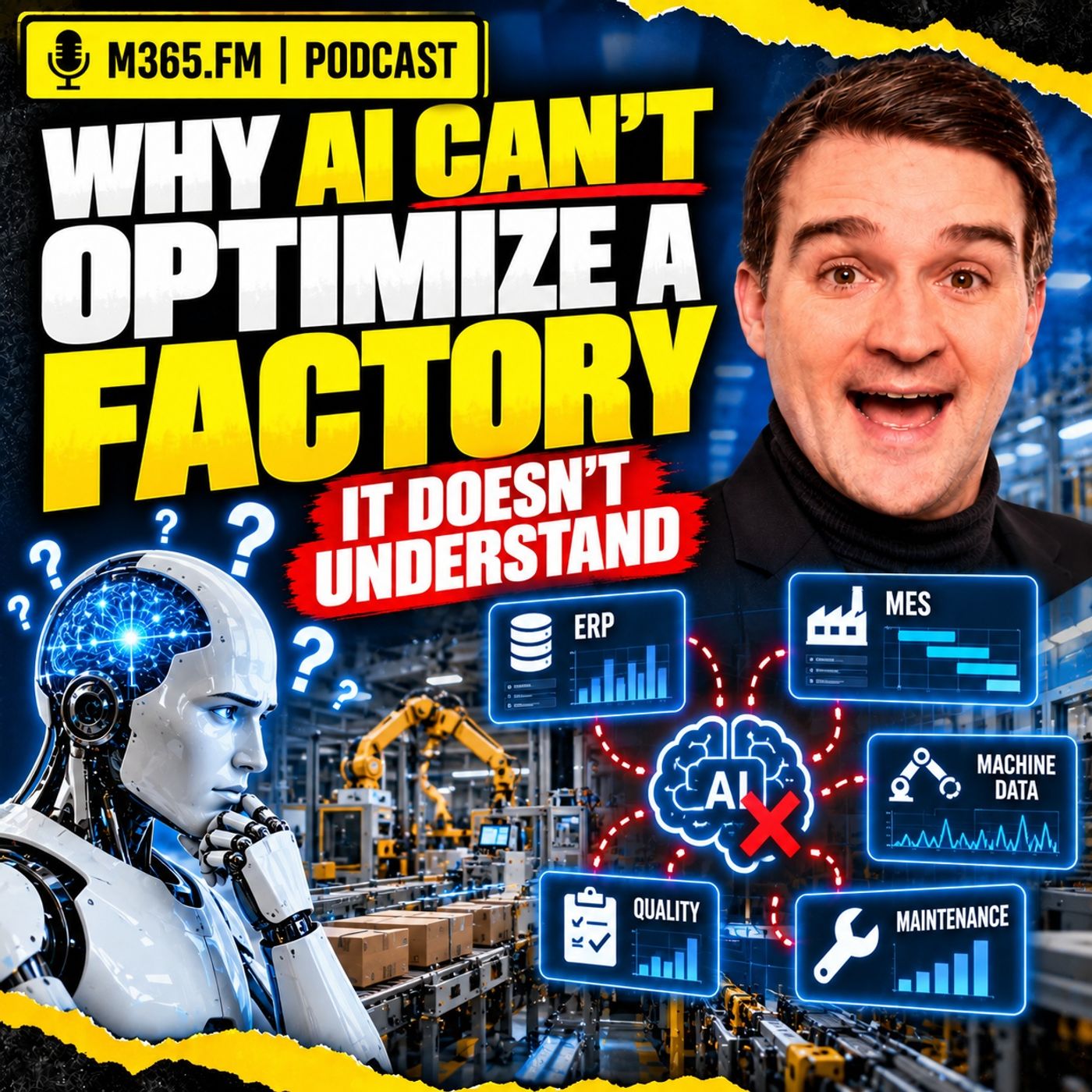
Why AI Can't Optimize a Factory It Doesn't Understand
Show notes
A machine stops in the middle of production. ERP knows the customer orders and due dates, MES knows which operation stopped, maintenance knows the repair status, and the machine layer knows the fault code and exact timestamp. Then someone asks the obvious question: what should we do now? https://www.m365.fm/categories/copilot-talk/ can summarize the alarm, find patterns in historical downtime, and explain what probably happened. But unless it also understands which product was running, which orders depend on that operation, which machines are approved alternatives, which tools are available, which operators are qualified, and which quality or process rules apply, it cannot safely optimize the response. That is not primarily an AI problem. It is a factory-context problem. DATA IS NOT THE SAME AS CONTEXT Factories already produce huge amounts of data. ERP, MES, maintenance, quality, historians, PLCs, IoT platforms, and spreadsheets all hold useful facts. The problem is that those facts often remain disconnected.A machine stop code by itself does not tell you whether the event happened during production, changeover, maintenance, or a batch with a strict processing window. A machine can appear idle while still being unusable because the required fixture is unavailable or the qualified operator is not on shift. Context connects the event to the operating situation around it. That includes: • Asset and resource identity • Active operation and work order • Product and revision • Route and alternate routes • Material and batch status • Tooling and fixtures • Skills and shift coverage • Quality restrictions • Maintenance status • Capacity and downstream dependencies • Customer commitments WHY DASHBOARDS ARE NOT ENOUGH Power BI and operational dashboards are excellent for showing what changed. They can expose downtime, growing queues, late orders, scrap, or available capacity. But showing a problem is different from deciding what production should do next. A dashboard may show that another machine is available. It does not automatically know whether that machine is approved for the current product revision, whether the fixture is already reserved, whether quality must approve the transfer, or whether moving the job creates a new bottleneck downstream. Once reports start containing dozens of special-case calculations and planners still export the result to Excel to test alternatives, the missing piece is usually not another visualization. It is an explicit model of the factory rules behind the decision. PREDICTION IS NOT OPTIMIZATIONPrediction can tell you that a machine is likely to fail or that an order has a high probability of being late. That is useful, but it does not tell you what to do. Optimization has a different job. It evaluates possible actions against the rules and constraints of the factory. For example, after a machine failure, an optimizer might test whether affected work can remain on the original resource, move to an approved alternate machine, change sequence, or use overtime. A feasible plan has to respect real conditions. Safety limits, process approvals, material compatibility, operator certification, tooling, quality restrictions, maintenance windows, and sequence rules cannot simply disappear because another machine looks free. AI, OPTIMIZATION, AND RULES HAVE DIFFERENT JOBS Generative AI can help planners understand the situation, search connected information, compare alternatives, explain trade-offs, and create a useful handover. Predictive models can estimate risk. Optimization engines can search for feasible schedules. Deterministic rules can verify that a proposed action respects known production conditions. These components can work together, but they should not be confused with each other. A language model can produce a convincing explanation. That does not prove a production plan is executable. PRODUCT, PROCESS, RESOURCE A useful factory model starts with Product, Process, and Resource. Product describes what is being produced, including revision, material, batch rules, and customer-specific requirements. Process describes the operations, sequence, setup conditions, inspections, alternate paths, and rules required to manufacture it. Resource describes what can perform that work. A resource can be a machine, tool, fixture, furnace, test station, transport device, or person. The important part is the relationship between them. The question is not: “Which machine is free?” The useful question is: “Which available resource can perform the next required operation for this exact product and order under the approved process, tooling, material, quality, staffing, and timing conditions?” KNOWLEDGE GRAPHS WITHOUT THE HYPE A knowledge graph provides one way to represent those connected factory relationships. Instead of storing machines, operations, orders, tools, and materials as isolated records, the graph also represents the relationships between them. A machine can perform an operation. The operation belongs to a route. The route belongs to a product revision. A work order requires that route. A fixture may be required for the operation. The fixture may currently be committed to another job. This makes questions such as “why can’t this order move to Machine 7?” much easier to explain. The answer should not simply be “not feasible.” It should explain that Machine 7 supports the operation but the required fixture is unavailable, the product revision lacks approval, or a downstream quality condition blocks the route. A DIGITAL TWIN NEEDS A JOB A live dashboard is not automatically a digital twin. A useful twin represents a defined part of the physical operation and connects structure, state, rules, and source data around a specific purpose. An asset twin might support maintenance decisions. A line twin might help understand flow and bottlenecks. A production-system twin might connect equipment state to orders, routes, materials, people, quality rules, and delivery commitments. The important question is not “do we have a digital twin?” It is “which user, decision, and time window does this twin support?” ASSET IDENTITY IS FOUNDATIONAL One physical machine can have several identities. Maintenance may use an asset number. MES uses a production resource. ERP uses a work center. The IoT layer sees a controller or tag path. Those identifiers do not need to disappear, but their relationships must be governed. If an AI system guesses that two similar machine names represent the same physical asset, every later decision can be wrong even though the underlying data is technically clean. Asset mappings therefore need ownership, effective dates, source references, and change management. CONSTRAINTS ARE PART OF THE DATA A route may be technically possible and still be unacceptable for production. Hard constraints can include: • Safety limits • Approved recipes • Material compatibility • Machine capability • Operator certification • Quality release • Tool availability • Maintenance restrictions Other constraints represent trade-offs rather than absolute limits. An additional changeover may be acceptable to protect an urgent delivery. Overtime may be allowed for one customer commitment but not another. The system should expose those trade-offs rather than hide them inside an opaque recommendation. CLEAN DATA IS NECESSARY — BUT NOT ENOUGH Accurate timestamps, complete events, standardized identifiers, and reliable interfaces are essential. But a perfectly clean table still does not explain what “available,” “complete,” or “capacity” means. A machine may be mechanically available but unavailable for the current operation. Production may call an order complete when machining finishes while quality still considers the batch unreleased. The semantic model defines those meanings and connects them to the systems that own each fact. That is what gives AI enough context to reason without filling gaps with assumptions. PLANNED STATE AND ACTUAL STATE Factories change continuously. The schedule describes what should happen. The shop floor reports what is actually happening. A useful decision model needs both. Planned state includes expected routes, assigned resources, production times, maintenance windows, material arrivals, and due dates. Actual state includes current machine condition, quantities produced, scrap, queues, real material availability, quality holds, and actual execution progress. Replanning comes from comparing those views while preserving the time and version of the rules that applied when the decision was made. THE THREE-LAYER ARCHITECTURE A practical architecture can be thought of in three layers. The operational layer includes ERP, MES, maintenance, quality, PLCs, historians, and OT systems. These remain the systems that run the factory and own their respective facts. The data and context layer connects those facts. It handles ingestion, identity, history, semantic definitions, relationships, source ownership, and traceability. The decision layer includes dashboards, simulation, optimization, workflows, and AI assistants that help people understand options and make decisions. Those layers should work together without turning AI or the cloud into the direc Become a supporter of this podcast: https://www.spreaker.com/podcast/m365-fm-microsoft-365-azure-cloud-power-platform-ai--6704921/support.
Apple Podcasts · Spotify · YouTube · Deezer
Host: Mirko Peters
Related articles
Transcript
Read the full transcript
Here's the problem most manufacturers don't talk about. A machine stops mid-production run. The planner gets an alarm, checks the MES, opens the ERP, and within minutes, the simple question turns complicated, which customer orders are now at risk. The ERP knows the plan and the ship dates, the MES knows the operation stopped, and the machine control layer has the fault code timestamp, and maybe a temperature reading from right before the stop. Each system holds part of the story, so you ask an AI assistant, what should we do? It can find patterns and downtime data, summarize the alarm, maybe even suggest a likely cause, but unless it knows which product ran on that machine, which order depends on it, what could run elsewhere, and what production rules apply. It can't judge the consequence. That's not a failure of AI. It's a context problem. Factories produce more than sensor readings and work orders. They produce relationships, a machine handles some operations, but not others. A tool fits one product family, but fails a quality check for another. An operator works nights, but not days. A late material delivery turns a sensible replay into a bad call. AI needs that working knowledge before it can help with optimization. So let's follow one disruption through a normal factory day. A three hour machine failure shows exactly where raw data ends and real operational understanding has to begin. A three hour failure is never just a machine failure. Picture a plant running several product variants through shared work centers. Machine four handles a machining operation that appears in the root for a group of high priority orders and it stops during an active run. Maintenance gets the alarm, production sees the machine state go down, and the MES logs that the current operation didn't finish. On paper, it sounds contained, fix machine four and restart it. But production doesn't pause around a machine just because the machine paused. There's already work waiting in front of that operation. Parts in queue with material allocated, tools ready, a plant start time. Other parts have left the machine in wait for inspection or the next step. The failure cuts through a chain of work that keeps moving even when one asset stops. Say maintenance estimates a three hour outage, that estimate matters, but it doesn't answer the plan is real question. Can the queue orders wait? Is there another machine that can take the work and would moving that work create a new bottleneck downstream? A second machine might show as available in the MES, but it's scheduled for a different product family for the next six hours. Moving the order could require a change over, a different fixture, a tool check, and an operator with the right certification. If the order has tight quality requirements, the alternate route may need approval before anyone schedules it. None of that appears in a simple downtime alarm. Let's make it concrete. Machine four runs an operation for an order due tomorrow morning. The order has enough material for the planned batch, but the next operation has limited capacity because another order already occupies that work center. If the first operation finishes late, the downstream station may miss its loading window. The customer commitment shifts from an ERP date to a real factory problem. Can the downstream station work late, is overtime approved? Does that create a staffing issue? Would it delay a higher priority order? Can the plan ship partial quantities or does the order need to go out complete? A planner often knows these answers because the planner knows the planned. That knowledge lives in experience, daily conversations, paper notes, maintenance habits, and sometimes a spreadsheet that nobody wants to admit still runs part of production. And honestly, Excel survives for a reason. It gives planners a place to combine things the formal systems haven't connected. They pull the schedule from one system, capacity from another, material status from somewhere else, then add the rules people carry in their heads. That doesn't mean planners resist modern systems. It usually means the systems don't yet cover the full decision. The immediate loss might be three hours of machine time, but the operational consequences last much longer. Work piles up, downstream stations, wait or change sequences, operators move to other tasks, quality checks shift, and delivery risks spreads to orders that never touched machine for directly. Even the repair has context. Maintenance might need a spare part, a lockout procedure, and after restart, a warm-up run, first off inspection, or process check before the machine is ready. Machine available doesn't always mean machine ready for this order. So the planner doesn't eat another red alarm on a dashboard. The planner needs options. Option one, keep work on machine four and accept a controlled delay. Option two, move selected orders to another resource, but only the ones with the right tooling and approved root. Option three, change the downstream sequence to protect tomorrow's order while a lower priority order waits. Each option carries trade-offs. Each depends on facts from different parts of the business and the shop floor. Before we ask AI to choose among those options, we need to ask a simpler question. What can each existing system actually answer about the situation? Every system knows something, nobody knows the whole situation. Let's start with ERP, the enterprise resource planning system. It holds the business side of production, demand, sales orders, planned work orders, purchase material, inventory positions, and promised ship dates, often with a planning horizon well beyond the current shift. For a planner dealing with an outage, ERP can answer which orders matter commercially, which materials are expected, and which dates the plant has committed to. That's useful. But here's the catch. ERP usually works from planned capacity and planned routes, so it may not know that a machine stopped 10 minutes ago, or that a tool is sitting in inspection. The MES operates much closer to execution. It records which work order enter the work center, how many units pass through an operation, where work and progress sits, and whether a step past or failed. It can tell you that an operation started, paused, completed, or produced scrap. That gives the plant a record of work moving through the process. Yet an MES may not carry every commercial rule from ERP, and it may not know the real condition of a spare part in the maintenance store. It knows a lot about execution, but it doesn't automatically hold the full reason for a planning decision. Below that, the control layer deals with the physical event. A programmable logic controller, or PLC, sees inputs and outputs in milliseconds, detecting an interlock, a fault, a motor state, a pressure limit, or a cycle signal. An IoT layer can collect those signals, standardize them, wear practical, and move selected events into systems outside the machine network. A historian may retain time series process data so engineers can study what happened before, during, and after a stop. That data can be precise, but it can also be deeply local. A tag like M4 Drive fault tells a controls engineer something useful, but it doesn't tell a production planner whether the fault affects a customer delivery. The tag describes a signal, not the work that depends on the machine, the approved alternatives, or the people needed to carry out a change. Maintenance adds another part of the picture. It's system may track work requests, asset records, plan service, repair history, spare parts, and technician activity. A maintenance lead can judge whether a fault looks like a quick reset, a known recurring issue, or a job that needs a supplier call, but maintenance planning follows its own rules. The system may identify the asset by a maintenance number that doesn't match the work center code in the MES. Nobody did anything wrong. The systems just grew around different jobs. Quality carries another set of facts. Inspection results, non-conformance records, product release rules, sampling plans, and process approvals can decide whether work can move or restart. A schedule that ignores quality rules isn't a schedule. It's a wish list with dates. Then there's the information that rarely fits neatly anywhere. A shift supervisor knows that one alternate machine has been temperamental since a recent repair, an operator knows the fixture for a product is available, but only after a colleague finishes a current run. A production planner knows a customer may accept a partial shipment, even though the ERP order doesn't state that clearly. This is why spreadsheets keep showing up between formal systems. They fill gaps, letting people create temporary links between orders, capacity, people, and local rules, because the decision crosses system boundaries. Sometimes that spreadsheet becomes a carefully managed planning tool, sometimes it becomes a file called schedule final, really final V7, but both situations point to the same issue. The plant needs a shared way to connect facts. As a Microsoft MVP, I spend a lot of time around Azure, Fabric, Power BI, and Power Platform projects. Bringing ERP, MES, Maintenance, Quality, and IoT data into a shared environment can remove a lot of manual effort and improve access, traceability, and real-time visibility. Still, collection doesn't create common meaning if ERP calls something a production order, MES calls it a work order, maintenance knows only the asset, and the IoT feed knows a tag path, putting every record in one data platform doesn't tell the system how those records relate. You've gathered the pages, but you haven't connected the story. That brings us to the real challenge. Data only becomes operational understanding when the factory can state what each fact means, what it connects to, and which rules govern the decision. The difference between data and context. A production system can record a temperature of 92 degrees, a stopcode, a cycle count, and a timestamp. Those are facts, accurate and timestamped, easy to store in a data platform. Still, none of those facts explains the operational meaning on its own. Take a machine stopcode, the same code may appear during an automated changeover, during a planned maintenance task, or halfway through a batch that must not sit idle beyond a defined time. The code looks identical in a table, but the production consequence doesn't. Context answers the questions around the signal. Which asset produced this event? Which physical location that asset occupies, what operation ran at the time? Which product, batch, and work order that operation belonged to? Which shift owned the work, what condition triggered the alarm, and which rules limit the next action? That's the difference. Data tells you that an event occurred, context tells you what that event means in the factory and what it may affect next. Think about a cycle count from a press. On its own, a count rising every few seconds may suggest normal production, but connected to the planned operation, the target quantity, the material lot, the current tool, and the inspection rule, and the same signal can tell a different story. Maybe the press runs at the expected rate, but produces parts from a material lot now blocked by quality, maybe it reaches the planned quantity, but the operation still can't close, because a required inspection hasn't passed. Or maybe the count looks low, only because the machine entered a planned trial run after a tool change. The number didn't change, but its meaning changed. That's why data projects can look successful and still struggle when people ask for action. You can ingest millions of machine events, join them to production records, and build clean reports. Yet if the model doesn't state how an event relates to an order, a root, a resource limit, and a production rule, an AI system can only infer. An inference can be risky in a factory. A generic AI model may read that machine force stopped, see that another machine looks idle, and suggest moving work. That sounds sensible until you add the missing facts. The other machine may lack the approved fixture, it may only run the product after a setup process. The available operator may not hold the required certification, or the batch may sit at a stage where re-routing breaks a quality rule. The AI didn't fail because it lacks language skills. It failed because nobody gave it the factory's working relationships. This is where the phrase "Somantic Layer" comes in. It sounds more abstract than it needs to, but it's simply a shared way to state what records mean and how the factory connects them. It can state that this event came from this asset, that the asset performs this operation under these conditions for this product family, that the operation belongs to this root which fulfills this work order, and it can also state the limits, approved tools, material rules, quality gates, maintenance status, and available capacity. You're moving from rows of records to a model of the operating situation. That model doesn't need to copy every detail from ERP, MES, quality, or maintenance. In fact, it shouldn't pretend it owns all the source truth. The source system still managed their own records and the semantic layer connects the facts that a decision needs while keeping a clear path back to where each fact came from. This also changes how you think about AI. Rather than asking an AI assistant to optimize production, you can ask it a grounded question, which orders face risk from this stop, which approved resources could run the affected operation, and which constraints block each option. Now the answer can include reasons. It can say an alternate resource exists, but is unavailable until a current order ends, that another root would need a quality approval, or that the material allocation prevents a move. Those aren't just answers. They are operational explanations that a planner can challenge, confirm, or act on. Relationships are the unit of understanding. A larger pile of rows doesn't create them automatically, even when every row sits in the same lake house. You need to name the entities, connect them with explicit rules, and keep the model close enough to the live factory that its answers still hold when decisions need to happen. Once you see that distinction, dashboards start to look different, too. A dashboard can show a change, but the moment someone asks, what production should move next, the problem shifts from reporting to decision making. Why a dashboard cannot run the factory? Power BI can give a plant a clearer view of what's happening. You track OEE, downtime, output, scrap, late orders, and work in progress across shifts, lines and plants, all in one place, so production leaders can ask better questions. That's useful, but a dashboard still reports a view of the factory after someone has chosen the measures, joined the data, and decided what each measure means. Picture that planner from our machine-outage scenario opening a report. It shows machine-fall down, a growing queue before the operation, and several orders with rising delay risk. Maybe it even shows available capacity at other work centers. Useful information, but still not a production decision. The planner looks at the same report and immediately adds things the report can't know. They remember one alternate machine has a tool change booked later in the shift, an operator can run the product, but only after finishing a quality check. One customer order can move, another needs to stay together as a batch. Most reports depend on that human layer. The planner reads the numbers, checks the floor, calls maintenance, talks to quality, and weighs the commercial impact. That doesn't mean the dashboard failed. It means the dashboard has a defined job. It answers questions like, what changed? Where is the queue building? Which work center lost time? Those are reporting questions, and they matter because people need a shared view before they can act. The next question changes the work completely. What should move next? That means a list of allowed actions, the rules around each action, and an estimate of the effects that follow. A report can show resource B looks free. It doesn't automatically know whether resource B can legally and technically run the affected operation at that moment with the material tool, process settings, and people actually available. You can put more logic into a dashboard. Add calculated measures, drill through paths, exception lists, and alert rules, build an excellent operational cockpit. I'm not arguing against that. In many plans, it's the right next step because teams first need trusted visibility. But there's a point where the report starts carrying decision logic that belongs somewhere more explicit. You see it when measures turn into long chains of special cases. You see it when planners export data because the report can't test a realistic option. You see it when the answer needs a note beside it saying, this only applies if the fixture is free and quality approves. That note doesn't just contain a reporting caveat. It contains a factory rule. Excel often takes over at this point because it lets the planner work through the messy part. They copy an order list, move a few rows, add a comment about tooling, changes start time, and check whether the plan still seems plausible. It's flexible, it's fast. And it can become fragile when five people edit different versions under pressure. The spreadsheet isn't the root problem. It's a sign that the planning decision needs relationships and constraints that haven't found a proper home. There's also a timing issue. A daily dashboard may help a manager spot a trend yet an outage demands a response while the shift still has time to recover. People need current facts, but current facts alone won't tell them which action protects delivery without causing a worse problem later in the route. So don't ask a dashboard to run the factory. Ask it to make the factory easier to see, easier to question and easier to trust. Then give the decision process its own model of resources, work, limits, and consequences. That move from reporting to action forces a distinction that gets lost in a lot of AI conversations. A system that predicts a problem doesn't necessarily know how to choose the best feasible response. Prediction is not optimization. A system can predict that a machine may fail soon. It can predict that an order now carries a high risk of missing its due date. Both can help a planner act earlier, but neither prediction chooses the plan. Think about the difference in the machine four case. A predictive model might examine past faults, vibration reading, cycle patterns, or maintenance records then estimate that the machine faces a higher chance of failure. That gives maintenance a reason to inspect it before the shift loses production time. A late order model works similarly. Compare current progress, queue time, expected run time, and past production patterns, then flag and order as likely to finish late. Again, useful. The system has identified risk, but then somebody still needs to decide what to do. Optimization has a different job. It searches through possible actions and selects options that meet the rules you've said. In production, that might mean testing which orders can move where they can move when they can start and what each choice does to the rest of the schedule. That word feasible matters a lot. A schedule can look attractive because it cuts late orders or increases machine use. Yet, it may fail the moment it reaches the shop floor. The material might not be at the alternate machine. The tool might be in use, a setup may take longer than the remaining shift. The sequence may break a process rule. Maintenance may have reserved the resource. Quality may need to approve the change. So an optimizer needs more than a target like reduced lateness. It needs the rules that define a plan the factory can actually execute. Some rules aren't negotiable. Safety limits, approved recipes, material compatibility, and operator certification belong in that category. If an alternate machine can't run a process safely or within an approved quality window, the system must remove it from the option set. Other rules involve trade-offs. A plan may accept over time to protect a customer date. It may accept an extra change over to prevent a much larger delay. It may choose to keep a lower margin order waiting if that protects a contractual commitment. There isn't always one mathematically perfect answer because people still decide which business cost they want to accept. That's why optimization needs clear objectives and those objectives need owners. Do you want to protect due dates first, reduce change overs, avoid over time, keep a line stable, limit energy use during peak periods, each goal pulls the schedule in a slightly different direction. A planning team needs to state those priorities instead of hoping an AI model somehow picks up the unwritten rules of the plant. Generative AI has a place here, but its role needs to stay clear. A conversational assistant can explain why an order carries risk. It can answer questions in plain language. It can gather the facts of plan or needs, compare scenarios, and help create a handover note for the next shift. That can remove a lot of searching across systems. But it shouldn't act like a hidden scheduling engine. Language models generate likely text based on patterns in their input. They don't naturally prove that a production plan obeys every material rule, capacity limit, sequence rule, and quality restriction. You can ask one to suggest a replay and it may produce something that sounds entirely reasonable. A confident sentence doesn't reserve a tool or qualify an operator. This is why the architecture needs distinct jobs. Predictive models estimate likelihoods, optimization engines search for feasible choices within stated limits. A generative AI layer helps people ask questions, understand results, and move work through an approved process. And deterministic checks, rule based checks that produce the same result from the same inputs, verify that a proposed action meets the conditions you've defined. Those parts can work together. They just shouldn't pretend to be the same thing. Take a planner asking, can we still ship order 8.1 scene on time after machine four stops? A prediction might answer, risk is high. That's a warning. An optimization process might respond, there are two feasible schedules that preserve the date, but one needs overtime and the other moves a lower priority order. That's a decision option. Then the AI assistant can explain the trade-off in language the planner, production supervisor, and customer service team can discuss. It can also point back to the facts and rules behind the answer, rather than inventing a cheerful plan from a few rows of data. So when someone says they want AI to optimize production, I'd ask a few practical questions. What decision should improve which options counters allowed, which constraints must never be broken, and who decides between the remaining trade-offs? Those questions define what factory understanding really means, what factory understanding actually means. Let's define what factory understanding actually means. It doesn't need to copy the judgment of a planner with 20 years on the floor. It needs a working model of the things involved in a decision, the links between them, and the conditions that limit what can happen. For production, I start with product, process, and resource. The product is what the plant needs to produce. That sounds obvious, but it means more than a part number. It may include a revision, a product family, a batch rule, a material grade, a customer-specific requirement, and quality conditions that apply only to that product. A process describes how that product moves through the plant, including the required operations, their sequence, possible alternate steps, inspection points, set-up needs, and rules for what counts as complete. Two products may use the same machine, but follow different process rules, and that difference decides whether a replan works or creates scrap. Then you have the resources. A resource can be a machine, a fixture, a cutting tool, a furnace zone, a test station, a forklift, or a person. Production planning often treats capacity as if it lives inside a work center, which can work for broad planning. On the floor capacity depends on much more. A machine may sit idle because the required tool isn't available. The tool may be ready, but the certified operator starts on the next shift. Or the machine supports only an older product revision. Available isn't the same as capable. This is where factory understanding becomes practical. The model needs to state that a particular asset can perform a certain operation and describe the limits around that capability like supported materials, size ranges, approved recipes, tool requirements, and quality approvals. It also needs the current condition of the asset, running, stopped, under maintenance, waiting for a check, or released for production. Not every decision needs every detail. That point matters. If you're only reviewing weekly OEE, you don't need a live model of every fixture and shift handover. But if you want to re-root an order after a machine stop you probably do, the model should fit the decision, not become a giant archive of factory trivia that nobody can keep current. Or does sit in the same model, connected to the production route they need to follow? Each order carries a quantity, due date, priority, current execution state, and material status, along with customer rules like whether partial delivery is allowed. With that connection, the system can ask a better question, not which machine is free, but which available resource can perform the next required operation for this order, using an approved process with the needed tool, material, and person available within the remaining time. That's a longer question. It's also much closer to the question a planner is already answering. People belong in the model when they limit the action. A shift plan tells you who's expected on site, a skills record states who can perform a task, and a local rule may require two people for a setup or an engineer's approval before a route changes. So you don't need to reduce people to rows in a scheduling table, but pretending skills, shift coverage, and approval rules don't exist doesn't make them disappear from the decision. Plant rules matter for the same reason. Some work must run in a fixed sequence, some batches can't wait too long between steps, some resources need cleaning after a certain material, and some orders must stay on a name line due to customer approval. These rules shape the available choices before anyone compares cost or due date risk. Think of factory understanding as a working map of what the plant can do right now. What it plans to do next and what it must not do. That map connects the product to its process, then connects the process to the resources that can carry it out, including their current state, limits, tools, people, and location. It also keeps orders attached to the commitments the plant needs to meet. Once those links exist, AI has something concrete to work with. It can search, explain, compare, and support a decision without treating the factory as a collection of unrelated records. There's a common name for this sort of connected model, a knowledge graph, knowledge graphs without the hype. A knowledge graph sounds like one of those terms that comes with a lot of expensive slides. Strip that away and the idea is fairly plain. It's a model of connected facts. Instead of keeping a machine, operation, work order, and material lot as separate records that only meet when someone writes a report query, the model stores the links between them as part of the factory knowledge. Take the outage on machine four. The graph can state that machine four performs a named machining operation that operation belongs to a root for a product, the root fulfills a work order, and the work order supports a customer order with a due date. Each of those statements has a direction and a meaning. Machine four can perform operation 20. Operation 20 requires fixture A for a certain product family. fixture A sits at a specific location and currently supports another job. The order needs operation 20 before it can move to inspection. These aren't loose notes. There are stated relationships that software can query, test, and explain that changes the sort of question the system can handle. A normal database query might join tables across ERP, MES, maintenance, and quality. There's nothing wrong with that. Most factory systems rely on relational databases and do many jobs extremely well, but the query often starts from a question someone already knows how to frame, like which work orders stopped at this work center, which as is generated this alarm or which orders ship this week. A graph becomes helpful when the question follows a chain of relationships that crosses several business and shop floor domains. For example, you can ask which open orders depend on this failed asset, which of their next operations can run on approved alternate resources, and which of those alternatives are blocked by tooling, maintenance, or a quality rule. You can still answer that with tables, joins, and well-written logic. The graph doesn't give you supernatural powers, what it gives you is a way to represent the relationship path directly, making it easier to reuse, inspect, and govern. Think of it less as a replacement database, and more as a connected index of factory meaning. The nodes in that index can represent an asset, an operation, a product, an order, a person, a tool, or a location. The links state the relationship, can run, requires, belongs to, uses, depends on, sits, ad or needs approval from. The names don't matter much. The meaning does. If a planner asks why an order cannot move to an alternate machine, the system should not return a blank result and expect the planner to guess. Instead, it should follow the relationship path and say that the machine supports the operation, but the approved fixture is unavailable until a current job finishes, or that the root allows the machine only for a prior product revision. That explanation makes the model useful in a real conversation. It also makes gaps visible. If no relationship exists between an operation and an approved alternate resource, the system can't safely pretend one exists. That may expose missing engineering data, or a process rule that only lives in a senior operator's head. Either way, the gap becomes work the plan can address. A knowledge graph does not replace ERP. ERP still owns the commercial order, material plan, and formal production data. It doesn't replace the MES, which records execution on the floor. It doesn't replace the historian that retains time series signals or the maintenance system that manages repair work. Those systems remain the sources that run their own parts of the factory. The graph connects the facts needed for a cross-system decision. It can keep links back to the source record. So a planner or engineer can check where an answer came from, rather than trusting a black box with good grammar. That boundary matters because factories change, orders update, machines get repaired, product revisions shift. A graph must receive those changes and manage its own relationship rules, but it shouldn't quietly become a second ERP or a shadow MES. Start smaller than most people expect. Pick one decision where people repeatedly chase facts across systems, define the entities involved, and the links that determine which actions are allowed. Then test the questions with the people who live with the decision every day. If the model can explain a blocked re-root in terms of planner recognises, you're on the right track. If it can only draw a pretty web of equipment tags, you've built an expensive directory. One more distinction will help because knowledge graphs and digital twins often get pushed together as if they mean the same thing. They don't. Digital twin. Model with a job. Not a marketing label. A knowledge graph describes relationships, but a digital twin goes one step further. It takes a model of something real and puts it to work for a specific operational job. That difference sounds small, but it keeps a lot of factory projects honest. You don't need a digital twin because the term sounds modern. You need one when a live representation of an asset, a line, or a production system actually helps somebody make a better decision. Let's start with an asset twin. It represents a physical machine and the facts that matter for a particular use. Current operating state, maintenance status, supported operations, installed tooling, process limits, and recent events. The twin doesn't need every signal from every controller. A control system already handles fast machine behaviour. The twin carries the part of the machine's state that other systems need when they ask wider operational questions. A line twin works at a different level. It connects the machines, buffers, work centres, and flow rules that shape how work moves through one production area. When a machine stops, the line twin can help describe where work will pile up, where starvation might hit, and which parts of the line need attention first. From there you can move up again to a production system twin. This model connects production work to orders, routes, materials, people, quality rules, and delivery commitments. It doesn't replace the systems that own those records. It gives the plant a current, connected representation for decisions that cross those systems. The level matters because digital twin often gets used as though every factory needs one giant model of everything. That's rarely a useful starting point. A machine engineer needs an asset twin to support maintenance or process diagnosis. A production manager needs a line twin to understand flow and capacity. A planner dealing with late orders needs a production system twin that connects equipment state to the work depending on it. Each twin needs a job. If you can't name the user, the decision, and the time window, you're just collecting data under a more expensive label. I've seen people call a dashboard a digital twin because it shows live machine status. A live dashboard can be very useful, but it doesn't become a twin simply because the numbers refresh often. A screen with colored machine icons tells you which assets stopped, but it won't represent their capabilities, current production role, operating limits, or the effects of a change. The same goes for attack hierarchy. Organizing PLC tags by site, line, machine, and sensor helps with data access, but it still doesn't state that a certain machine only processes a particular product under a defined recipe after a quality release using an approved tool. A digital twin needs relationships in state. It also needs govern source data. If the MES reports one asset status, maintenance reports another, and a manual spreadsheet carries the current truth, the twin can't quietly choose which ever source looks convenient. The plant has to state which source owns which fact, how often the twin updates, and what happens when sources disagree. That's less glamorous than a 3D factory model, but it's where the work sits. For a production twin, current state also means more than machine running or machine stopped. Fas, sabale, t'gue, le thin, t'ah, the model needs to know which work order currently uses the asset. Where the batch sits in the root, whether the material remains released, whether a repair blocks restart, and whether the next operation still has capacity, only include facts that support the job. A twin build for outage impact needs different detail from one build for energy analysis or preventive maintenance. There's no prize for modeling every nut, bolt, and historical event in the plant. You'll spend a long time keeping it current and most of it won't help the decision you set out to improve. So I use the term digital twin with some discipline. If it reports status, call it a dashboard. If it organises signals, call it a tag model. Both are useful. They just have different jobs. Reserve twin, for when it represents a defined part of the physical operation, keeps relevant state connected to source truth and supports a real decision or action. Once the model has a clear job, the next test is simple. Can it turn a shop floor event into a clear statement about the business and production consequence from shop floor signal to business consequence? Let's follow a failure event from the machine into a decision process. When the PLC detects a fault and stops the cycle and edge gateway picks up the event with its time, fault state, and source tag, then passes it into the wider data path without putting cloud services in the control loop. That separation matters because the machine must stay safe and predictable even if a networking drops or an analytic service goes offline. Once the event reaches the data and context layer, the first job isn't AI, its identification. The system needs to establish which physical asset produced the event, rather than treating a tag path as if it already carries complete production meaning. After that, it asks a time bound question, what was this asset doing when the fault occurred? At that time, machine four was running Operation 24 Work Order 81 and Seen. The MES provides the execution state, quantity completed, quantity remaining, and the active batch where the process uses batches. The production model connects that operation to the root, the product revision, and the planned next step that turns a machine event into an operational event. The system can now state something more useful than machine four stopped at 1017. It can say, "Machine four stopped during Operation 20 on Work Order 817". The order has quantity remaining. Its next required operation is inspection followed by assembly. The planned completion time now falls outside the current schedule. Notice what changed. The fault code didn't get more accurate, but the system gained the relationships around it. From there, the impact path continues to other orders waiting in the queue for the same operation. Orders downstream that depend on work, leaving machine four, and orders due close enough that a delay affects shipment. A production consequence rarely follows a single straight line. One order might wait without risk because it has scheduled slack, while another has none, and a third might not ship soon, but uses material that blocks an urgent order if the queue builds wrong. That's why a useful system traces dependencies rather than just listing affected work orders. It also checks capacity in the places that matter next, whether downstream inspection can absorb a delayed batch later in the shift, whether another resource has an approved route, and if an alternate exists when it becomes free in whether using it displaces higher priority work. The answer should stay explainable. Instead of an anomaly score with no operational meaning, a planner needs a statement like, "This failure puts two orders at risk. One can recover on the original machine if repair completes before the next planned slot." The other needs an alternate resource, but the current option conflicts with a tooling reservation. That gives people something they can test. Maintenance can challenge the repair estimate. Production can check tooling status. Quality can confirm the alternate route, and customer service can decide whether to contact the customer. The system hasn't replaced those roles. Just reduce the time spent finding the part of the story each role needs. This also creates a cleaner handoff between systems. The PLC and Edgelayer report, what the equipment detected, the MES provides execution truth ERP provides demand and commitment data, maintenance contributes repair status, quality contributes release and process conditions, and the context layer connects those facts around the decision while preserving a path back to source systems. Tools like Azure, Fabric and Power BI can support parts of this flow. Azure for secure event intake and processing, Fabric for shared operational data, Power BI for exposing impact. But none of those tools can decide on their own that one event belongs to one asset, one active operation and one customer promise. The factory has to model and maintain those links. There's a practical point here too, not every machine event deserves a business impact trace. A brief plan stop needs no response, but a fault during a constrained operation on an urgent order might trigger a much deeper assessment. So the model needs rules for when to follow the chain, how far to follow it, and who receives the result. Otherwise you've built a very intelligent way to send people more alerts. The aim isn't to turn every alarm into an executive incident. The aim is to recognize when a shop floor event changes the available production choices, then explain that change clearly enough for people to act. And before any of this can work consistently, the factory needs to solve a problem that sounds basic but breaks this chain all the time. The same machine often has more than one identity. The asset identity problem. Here's the problem most manufacturers don't talk about. A fault event only becomes useful when the system can name the thing that produced it. You'd think that's basic, but it causes more trouble than any AI project ever admits to. Picture one physical machine on a production line, maintenance calls it asset 0, 4, 2, and C. The MES calls it Workcenter M4. ERP knows it as a capacity group called CNC-CLB. And in the IoT feed, the fault comes from a tag path a controls contractor wrote years ago. All four names can refer to the same machine, but none of them prove it to the other systems. When the data platform receives an event from that tag path, it needs a reliable way to resolve that event to the physical asset. From there it can link to the MES Workcenter, the maintenance record, and any planning resource tied to that equipment. Without those mappings, the data might look connected while the actual chain breaks at the first joint. People usually reach for fuzzy matching or AI when they hit this wall. Those tools can help find likely matches, especially in all data, but a production decision needs more than a likely match. It needs a governed identity that people trust. You don't want a system to re-root work because it gets the two similar machine names referred to the same asset. Now here's where it gets nastier. Names change, a machine moves to another line, a controller gets replaced. Maintenance restructures its asset hierarchy. Engineering changes the Workcenter model after a layout change. Someone adds a new gateway and creates a fresh namespace for tags. None of those changes are unusual, plants evolve. But if nobody owns the mapping between physical assets, business resources, and technical signals, the context layer slowly drifts away from the floor. Then an AI assistant answers with confidence using a relationship that stopped being true six months ago. That's a very polite way to create a bad production decision. Tag names create a separate issue. A PLC tag usually describes an electrical or control concept. A motor overload, a conveyor zone, a valve state, a cycle complete signal. Controls engineers meet that detail. Yet a tag rarely states the production meaning a planner needs. A tag called Station 12 a run doesn't tell you whether Station 12 means a machine, a test rig, a packing cell, or one unit inside a larger automated line. It doesn't say whether the signal belongs to a resource that can run a specific order and it definitely doesn't tell you which work order ran at the time. So you need a layer of master data and mapping rules between those worlds. The mapping may state that a group of tags belongs to a controller, the controller connects to a physical asset and the asset supports one or more production resources in the MES. That mapping should include location, line, ownership, status, and effective dates because those relationships change over time. Effective dates matter more than people expect. If a controller gets swapped during a retrofit, a signal from last year may need a different interpretation from a signal collected today. The system should preserve that history rather than rewriting the past to fit the new layout. This work can feel less exciting than talking about co-pilots. It lives in master data workshops, asset registers, naming rules, and difficult conversations about which system owns which identifier. But it's the work that lets you connect the dots between IT and OT. A sensible model doesn't force one ID to replace every other ID. Each system can keep the identifier it needs for its own job. The context layer holds the mappings, the source of each mapping, and the rules for resolving one identity to another. That makes the result traceable. If a planner questions why an alarm links to a certain work center, the system can show the mapping path instead of replying with a vague machine name. Ownership needs to be equally clear. When a new machine arrives, who creates the asset identity? Who links it to the MES resource? Who maps the incoming signals? When equipment moves? Who updates the location and capacity relationship? When an old machine leaves service? Who closes the links? So it doesn't remain an available option in a planning model? Those aren't admin details. They decide whether real-time visibility refers to the real factory. You don't need perfect asset data across the whole enterprise before you start. You do need dependable identity for the assets involved in the decision you want to support. Start there. Test the mappings with maintenance and production, then extend them as the use case grows. Once the system knows which machine it is dealing with, another mapping challenge appears. The plant must also describe what that machine can do for a given product through a given process. Product process and resource context. Once the asset identity is clear, you can ask a more useful question, what can this machine actually do for this product under this process? That question sits at the center of production planning. A machine lists a loan count answered because capacity doesn't come from equipment names. Capacity comes from the relationship between a product, the process it needs, and the resources that can carry out that process. Think about the product first. The product isn't just a part number from ERP. For a real production decision, it may mean a specific revision, material grade, customer variant, batch size, or approved manufacturing condition. A planner might see two orders with the same base part number, and assume they can move together. But one order may use a revised drawing, a different raw material lot, or a customer rule that changes the route. The product definition needs enough detail to tell those cases apart. Then comes the process. The process describes the work needed to turn material into a finished product. It defines operations, the expected sequence, set up conditions, inspections, and points where the plant must check quality before work can continue. It can also describe alternate paths, but alternate doesn't mean unrestricted. Take a machining operation. Engineering may approve it on machine 4 and machine 7, yet machine 7 may only qualify for certain dimensions, a named tool set, or a particular product revision. It may need a different set up. The process model needs to express that difference in a way planning systems can test. Otherwise, alternate resource becomes a vague label, and vague labels create bad replans. The resource side covers the things required to perform the process. Machines, work centers, and more. A fixture can limit production just as much as a machine, and so can a test rig, a furnace zone, a shared tool, a trained operator, or even a space in a buffer. Physical availability only answers part of the question. A machining center might sit idle because the required fixture remains on another machine. A test station might have open time, but the order can't enter it until inspection releases the prior operation. A person may work that shift and still lack approval for a customer-specific process. The resource exists, but it doesn't support the action you need. That's why product, process, and resource links need to be explicit. The model can state that product revision B requires operation 20. It can state that operation 20 can run on machine 4 or machine 7. It can then state the conditions that apply to each route. The supported material grade, needed fixture, set up duration, approved program, tool status, and any release needed before the work begins. Those relationships turn planning from broad capacity arithmetic into a test of what the factory can actually execute. Let's make that concrete with the machine 4 failure. The planner sees that machine 7 has spare time later in the shift. That's a starting point, not an answer. The context model checks whether machine 7 supports the exact product revision, whether the fixture is free, whether the program is approved, and whether moving the work changes the expected finish time enough to create a downstream issue. Maybe machine 7 can take part of the affected work, but not the full batch. Maybe it can run the operation only after a change over that would disrupt another order. Maybe the work can move, but the next inspection station can't absorb it until tomorrow. Each result can be valid as long as the model exposes the reason that also gives engineering, planning, and production a common place to discuss the rule. If the model blocks a move that people know is safe, somebody can review the process approval. Perhaps the alternate route exists in practice, but hasn't entered the formal route data. If the model permits a move, nobody would accept the missing condition becomes visible. Instead of letting that knowledge stay buried in a shift hand over, the plant can put it where the next planner and the next system can use it. This work shouldn't try to capture every bit of plant knowledge in one giant model. Start with the decisions where rerouting, sequencing, or capacity trade-offs happen often enough to justify the effort. Model the product details, process steps, and resource facts that decide whether an option is possible. The goal is a model that can answer a very practical question. Can this order run here, now, and under the conditions the plant accepts? That question still needs one more layer. A route may be technically possible, but production rules can still rule it out. Constraints are part of the data. A route can be technically possible and still be something you'd never actually run. That's where constraints come into the model. A constraint is basically a condition that limits which production actions the plant can take and it needs the same clear treatment as an order, a machine, or material record. Some constraints are hard limits. Nobody should be negotiating them under pressure just because an order looks late. Safety rules belong here. So do machine limits, approved recipe ranges, material compatibility rules, and operator certifications. If a process needs a certified person and available person without that certification, doesn't count as capacity. If a material can't run through a machine because of contamination risk, an empty machine doesn't count as an alternative. The planning system needs to remove those options before anyone even starts comparing them. Take a coding operation. The line might appear free, the product may fit physically, and the needed quantity may sit in the queue. But if the previous run used the material that requires cleaning before this product can enter the line that cleaning rule changes the plan. If the required recipe hasn't been approved for a new product revision, the line can't simply try it and see. That isn't a detail for someone to remember later. It is part of the production fact pattern. Other constraints allow judgment, but they still need to be visible. Changes are a common case. A plant may choose to add a changeover to protect an urgent delivery, but that choice carries a cost in time, risk, and disruption to the rest of the schedule. Campaign rules work in a similar way. Some plants, group products by color, material, or process condition because frequent switching creates waste, cleaning work, or unstable output. The planner may break a campaign rule, but they should see the cost before they do it. Maintenance windows also belong in the decision. A resource may appear available in the MES schedule, while maintenance has reserved it for an inspection that can't move without creating another risk. Staffing creates the same kind of limit. A machine can run only if the right people, shift coverage, and support roles exist when the plan calls for them. Then there are commercial rules. A due date is more than a date field. One customer may accept a partial shipment, another may require a complete order, one late order may carry a contract penalty, another may carry a high customer relationship risk that never appears in a standard priority code. I wouldn't suggest hiding all that inside an opaque score. The planner needs to understand why one order moves ahead of another, especially when the decision creates a delay elsewhere. So the model should state the rule, its source, and the person or team that owns it. Engineering may own an approved process limit, quality may own a release condition, maintenance may own an outage window, planning may own a sequencing rule, customer service, or commercial leadership may own an order priority decision. Without ownership constraints become folklore, someone remembers them until they leave the business, move shifts, or simply aren't available when the machine stops. Then a system built on partial information fills the gap with an assumption, which is exactly what you don't want when physical production sits behind the decision. Constraints also change over time, a qualification can expire, a tool can move, a temporary deviation can allow a route for a limited period, a maintenance job can shift after a repair. The model needs to capture when a condition applies, not just whether it exists somewhere in a document, that doesn't mean every factory rule must become machine readable on day one. Some rules need human review because they rely on judgment or unusual circumstances, but the system should at least identify where that review belongs. Instead of presenting a recommendation as though the rule never existed. For machine four, this changes the replant question again. The question isn't whether another machine has spare hours, it's whether another machine can run the affected work under the approved product, process, quality, tools, staffing, maintenance, and commercial conditions. If only one alternative remains after those checks that's useful, if none remain that is useful too, because the planner can stop chasing an option, the plant can't execute. Clean data helps, but clean data alone won't capture these conditions. A perfectly accurate table can still leave the system unable to explain what a record permits, blocks, or changes. Why better data quality is necessary but not enough? When teams hit these problems, the first response often sounds sensible, clean the data. And yes, they should, if machine events arrive late, if timestamps use different time zones, if quantities don't reconcile between MS and ERP, or if nobody knows which version of a route applies, then no planning model will earn trust. Bad data creates bad decisions faster. There's no clever AI workaround for that. Accurate timestamps matter because production depends on sequence. If a system can't tell whether an inspection happened before or after a process step, it can't reliably decide whether the batch can move, complete tag data matters too, because a missing state change may turn normal production into a false downtime event. But clean data only tells you that the recorded facts are dependable. It doesn't tell you what those facts permit. Think about two tables that both contain clean, complete, well-governed records. One table list available machine hours. Another list's open work orders. You can join them, sort them, and publish them in a report. Yet the results still won't answer whether work order 817 can run on a certain resource this afternoon. That answer depends on meaning outside the rows. Does available mean the machine has no scheduled order? Or does it mean the machine is released by maintenance? Has the correct tool and has a qualified operator assigned? Does complete mean the final part, left the machine, the quantity passed inspection, the batch posted to inventory, or the order closed in ERP? Different teams often use the same word for different states. Nobody is necessarily wrong. They may simply speak from different parts of the process. A production supervisor may call an operation complete when the planned quantity leaves the work center. Quality may call it incomplete until the inspection result passes. Finance may see completion only after transaction posts in ERP. If a data model treats those states as one field called complete, it creates confusion with perfect technical accuracy. The fix is a shared semantic model. That means defining what the business terms mean, which systems applies each fact and how those facts connect in a given decision. It turns a familiar word into a statement people can test, for example. The model may define production availability as a resource that is technically ready, released for use, not reserved for maintenance, compatible with the operation, and staffed for the planned time window. That definition may not fit every plant or every decision. It doesn't need to. The point is that the definition is explicit. Capacity needs the same care. A planning system may calculate rated capacity from standard hours and scheduled shifts. The floor may see usable capacity as whatever can run with current tooling, materials, people and maintenance conditions. Both views can help problems start when a replant treats rated capacity as usable capacity without checking the conditions around it. This is why data quality scores can be misleading. You can measure null values, duplicate records, late events, and failed interfaces. Those checks matter. Yet a table can receive a high score while nobody agrees how it should drive a production decision. A better test asks a more practical question. When the system tells a planner that an order can move, can the planner trace the statement back to the source facts, the business definitions, and the rules that produced it? If the answer is no, you don't have enough context yet. The semantic model creates a common layer for that context. It doesn't overwrite the ERP definition of an order or the MES definition of execution. Instead, it states how those definitions relate when the plant asks a cross-system question. That separation keeps ownership clear. ERP can remain the source for customer dates and formal work orders. MES can remain the source for shop floor execution. Maintenance and quality can retain their own records and approval rules. The context model connects the parts that need to meet when someone must decide how to respond. So improve the data, fix broken interfaces, standardize identifiers, track missing events, just don't stop there. A factory can have clean tables and still lack a shared answer to simple words like available, capacity, complete, and done. Until those words carry a greed meaning in the decision model, AI will still fill the gaps with assumptions. The factory changes faster than the model. Here's another problem that shows up as soon as you build a semantic model. The factory doesn't hold still while you're modeling it. A schedule might look fine at shift start, then drift within an hour. A machine slows, an operator finds scrap, material arrives late, or a quality check holds a batch longer than planned. The model has to handle that movement or it becomes a very accurate description of a factory that no longer exists. That's why plant state and actual state need to sit side by side. Plant state tells you what the plant intended to do. It covers the production schedule, expected runtimes, assigned resources, booked maintenance windows, expected material arrivals and target completion dates. Planning needs that view because it gives people a starting point to work from. Actual state tells you what production has actually done so far. It includes current machine condition, quantity produced, quantity rejected, work waiting in queues, material actually received, and work orders that started later, or earlier than planned. Neither view works alone. If you only use plant data, a schedule can look healthy even after the floor is moved away from it. If you only use actual data, you know where things are, but you can't judge the effect against the plan you were trying to meet. Take the same machine outage. At 8 in the morning, the plan might place work order 811 team on machine 4 until noon, then send it to inspection. At 10, the machine stops. By 11, maintenance revises the repair estimate. Meanwhile, another order finishes early on an alternate resource. Those changes shift the choices available to the planner. A model that only reads the morning schedule will miss the new opening on that alternate resource. A model that only reads live machine status may miss that using the opening would push a higher priority order past its delivery commitment. Replanning depends on both the intended route and the current position. Time also changes what the facts mean. An available tool at shift start may become unavailable after a technician assigns it to another job. A resource that supports a product revision today may lose that approval after an engineering change. A route that applied to work released last month may not apply to work released after a revision date. So the model needs effective time, not just current values. When did this relationship apply? When did the machine move? Which recipe version governed that batch? Which maintenance state was active when the stop occurred? These questions matter when people need to explain a decision later? Or when an AI system tries to learn from past events? Event history supports that work. The plan doesn't need to store every thought someone had during a shift. But it does need a trace of operational events that change the situation. Machine stops, repair updates, quantity postings, quality holds, route changes, material releases, and planner decisions. That history gives you traceability. It also gives you a basis for learning. Over time you can compare planned duration against actual duration. You can study how often the certain failure created downstream delay. You can see whether a re-root commonly worked or whether it caused quality issues extra setup time or trouble at the next operation. But learning from history only works if you preserve the context that existed at the time. A record that says "machine 4 stopped" tells you very little by itself. A record that connects the stop to the active order, product revision, route version, resource condition, and later outcome gives you something far more useful. You can ask whether the repair estimate was right. You can ask whether the chosen replan protected the due date? You can examine where the model missed a constraint. That also means the model needs change control. Engineering can revise a root. Mente nons can change an asset structure. Quality can revise in approved process condition. Planning can alter a capacity rule. Those changes shouldn't silently overwrite the past. Because past production happened under prior conditions. The model needs to know which version applied and when. This sounds like extra effort because it is extra effort. A living factory model needs care. But a static model becomes unreliable quickly, especially once people use it to support decisions under pressure. So don't treat context as a one-time data project. Treat it as an operational model that receives current events, keeps planned an actual state apart, retains enough history to explain change, and manages the versions of the facts that shape production decisions. Once you accept that, the next question becomes practical. Where does this model sit? And how do the operational systems, data services and decision tools work together without creating another disconnected layer? The architecture in three working layers. Once you treat factory context as a living model, the architecture becomes easier to talk about. Not simple, but easier because each part has a clear job. I think of it in three working layers. The first is the operational layer. This is where production work happens and where the source facts begin. Your ERP holds demand, work orders, material plans and customer commitments. Your MS records execution on the shop floor, maintenance manages asset work and repair status, quality owns inspection results, holds and release decisions. Closer to the physical process, PLC's control equipment, historians retain detailed machine and process signals over time. IoT gateways may collect events from controllers and pass selected data into IT systems. Each system works to its own time scale and risk level. Because a controller protecting a machine has a very different job from a planning system reviewing tomorrow's schedule. That separation should stay. Production equipment shouldn't depend on a cloud connection before it can stop safely, run safely, or respond to a local control condition. A decision service can inform people about a disruption, but it shouldn't sit in the direct command path to equipment by default. That would turn an information project into a plant availability risk. Nobody needs that. Above the operational layer sits the data and context layer. This is where information from those source systems becomes available for shared analysis and cross-system decisions, without pretending that the source systems no longer own their own facts. Data ingestion brings in events, transactions, status changes, master data and reference data. Storage retains the records at the level needed for the decision. Some information arrives as live events, other information updates on a schedule. A routing revision may change far less often than a machine state, and the architecture should respect that. Then comes the semantic work. This layer defines what an asset, work order, operation, material, tool and location mean in the decision model. It also keeps the relationships between them. An event from a controller can connect to a physical asset. That asset can connect to a production resource. The resource can connect to the operations it supports, subject to the conditions the plant has defined. A graph can fit here when the decision depends on traversing those relationships. A semantic model can fit here when teams need consistent business definitions for analytics and planning. In many cases you'll use both. The product choice matters less than making the meaning explicit and keeping it governed. The data and context layer also needs traceability. When a result says an order sits at risk, people need to trace it back through the event execution record, route, capacity condition and delivery commitment that produced that conclusion. Otherwise, the model becomes another system, people consult only when it agrees with the spreadsheet. The third layer is the decision layer. This is where people consume information and act on it. Power BI reports may monitor production, state and exceptions. Simulation can test the likely result of a schedule change under stated assumptions. Optimization can search for feasible plans within the constraints that belong to the model. Workflow can route a proposed decision to the planner, supervisor, quality team or maintenance team that needs to approve it. A co-pilot or conversational interface can sit here too. But it needs to query grounded facts and defined rules. It can help a planner ask which orders are exposed by this outage and it can gather the reason and alternate route fails. It can prepare an explanation of the trade-offs between two feasible options. It should not invent a production instruction and send it to a machine. That line needs to stay clear. Decision support can move quickly but physical control, safety interlocks and local operating limits remain in the operational layer under the systems and people responsible for running the equipment. Think about how the layers work when machine force stops. The operational layer records default, the work in progress, the maintenance response and the production status. The data and context layer connects those facts to the affected order, route, resources and constraints. The decision layer shows the impact, tests available actions, explains the trade-offs, and routes the chosen action through the right approval path. Each layer needs the others but they shouldn't collapse into one giant platform with unclear ownership. That's the architecture that actually scales, source systems running operations, a context layer connecting meaning across IT and OT and decision tools helping people choose what to do next, where Azure fits. So where does Azure actually belong in this picture without turning the whole thing into a cloud-first story that ignores how a plant really runs? As you give you the building blocks for secure connectivity, integration, event processing, storage and AI services, it gives IT teams a managed place to move selected operational data, apply security controls, connect enterprise systems, and run workloads that need more scale than a local server can handle. But here's the thing, Azure doesn't know what your machine tags mean. That meaning still comes from your asset model, your process rules, your mess configuration, your engineering data, and the people who understand how the line runs. Azure can host and process the information. It can't infer an approved route, a quality restriction or a maintenance rule, just because a fault event shows up with a timestamp. Let's trace the path from a machine to a production decision. Near the equipment, a PLC detects a state change or an alarm. An industrial gateway edge computer or existing historian connector can collect that event locally. That local layer can filter noise, buffer data during an outage, and send only the information that serves a wider business or planning need. This local boundary protects the plant. If a cloud service slows down, if an internet connection drops or if an integration job fails, the machine will still follow its local logic, safety functions, interlocks, emergency stops and control loops, those belong close to the physical process under the responsibility of the systems designed for that job. Azure belongs beyond that boundary. From there, Azure can receive events through secure integration paths and distribute them to the services that need them. A machine stop might reach a stream processing service, a data store, a maintenance workflow, or a data platform used for wider analysis. A work order update from ERP may arrive through a separate integration path at a slower pace because it doesn't need the same response time as a fault signal. Those paths shouldn't all work the same way. A machine event may need near real-time handling because a planner needs to assess an active disruption. A root revision can arrive through a scheduled update. Maintenance status might change only when a technician updates a work order. The architecture needs to account for those different rhythms, rather than pushing every record through one universal pipeline and hoping for the best. Failure handling matters just as much. What happens if the gateway loses its connection? Does it retain events locally and send them later? How does the platform detect duplicate messages after reconnecting? Which system owns the final status if an event reaches Azure before the MES has posted the related execution update, those sound like integration details. They're really decision details. If the context model treats delayed or duplicated events as current truth, it can tell a planner that a machine remains down after maintenance has released it. Or it can link a fault to the wrong production state because the event sequence arrived out of order. Good architecture doesn't remove these cases. It identifies them and defines how the system handles them. Identity and security also belong in this part of the design. Azure can help apply access control, managed identities, encryption network boundaries, and monitoring around data and services. That matters when production, maintenance, quality, and commercial information meet in one decision float. Not everyone who can view an OEE report should automatically see customer commitments, maintenance notes, or detailed process data. Permissions need to follow the decision context. OT and IT teams also need clear ownership. OT owns the safe operation of equipment and often owns the local data collection rules near the line. It owns enterprise integration, identity, cloud operations, and many of the services that keep data available for business use. Neither group can build this alone because the hard work sits in the handoff between a physical event and its production meaning. As a Microsoft MVP, I spend a lot of time looking at where Azure fits in industrial architecture. I'd be careful with one assumption, sending data to Azure doesn't complete OT, IT conversions. It starts the work. Azure gives you a controlled way to connect systems, process data, run models, and support workflows beyond the plant boundary. The factory still needs to decide which events matter, who owns each source, how late or missing data changes a result, and which decisions remain with people on the floor. Build the event path around latency, failure modes, ownership, and plant risk. Then Azure becomes a useful part of an architecture that actually scales, rather than another place where production data goes to wait for someone to explain it. Where Microsoft Fabric fits. Microsoft Fabric becomes relevant once the factory needs a shared place to work with operational and enterprise data, without creating a fresh copy of every record for every team. That sounds obvious. In practice, it's where many data programs slow down. Production data may sit in a historian or a mes database. Order and material facts may sit in ERP, maintenance has its own system. Quality has another. Each team exports what it needs, often into a report model, a local database, or inevitably a spreadsheet that becomes more trusted than the system it came from. Fabric can provide a common analytics environment for that wider set of data. It can support ingestion, engineering, analysis, and governed reporting in one Microsoft platform. For manufacturers already using Microsoft data services, that can reduce the number of handoffs between isolated reporting projects. The point isn't to move everything into Fabric just because it exists. Some production data needs to stay close to the plant. Some detailed high-frequency signals belong in specialist historians. Some execution data stays in VS because that system manages the transaction and the operational workflow. Fabric fits when people need to combine selected facts from those places for analysis, planning support, and cross-system decisions. One Lake matters in this conversation because it creates a shared data foundation across Fabric workloads. Rather than every reporting team building another private extract, teams can work from govern data products where the architecture and access rules allow it. That can reduce duplication and cut down on arguments about which copy of a work order table people should trust this week. But shared storage doesn't create shared meaning. You can bring an mes event, an ERP order, a maintenance status, and a PLC alarm into the same Fabric environment. They may still refer to the same machine with different IDs. They may still use different definitions of availability. They may still fail to state which routing rule blocks an alternate resource. Fabric gives you a place to bring data together. The factory still needs to connect the facts correctly. This is where Fabric's data engineering and data science capabilities can support the wider context work. You can prepare data from several sources, manage transformations, retain history, and build analytical views that planners, engineers and analysts can use. You can also support machine learning workloads where a model has a clear question and grounded input data. For example, a team may combine repair history, machine events, execution data, and schedule facts to study patterns around recurring disruption. That can be useful. Yet the result only becomes operationally sound when the model can distinguish a stop on an unconstrained resource from a stop during an operation that puts a committed order at risk. The data platform supplies the material. The context model supplies the meaning. Power BI fits at the consumption end of that flow. A semantic model in Power BI can define shared measures in terms for business audience. It can help avoid a situation where production, finance, and supply chain all calculate the same metric differently from the same records. That sort of governance matters. Still, a Power BI semantic model shouldn't become a hidden substitute for all factory relationships and planning rules. Measures can express business logic, reports can support people who need to monitor operations. But complex production contexts may also need relationship models and rule services outside the report layer, especially when the question crosses live execution, process approval, asset capability, and planning constraints. Keep the jobs separate. Fabric can help organize and govern the data used across analytics and decision support. Power BI can make that information available to the people who needed. Azure services can handle integration, event parts, security, and workloads that sit around the data platform. None of those products automatically resolves whether a machine can process a product revision on a given shift. That answer comes from the model your engineering planning, quality, and operations teams agree to maintain. It needs a home, clear ownership, and rules for change, building the semantic layer. Before you touch a schema, a graph database, or start building a data engineering backlog, you need a clear purpose for that semantic layer. So start with the decision people actually struggle to make. Don't begin with every table you can access or every tag in the historian. Ask a planner or supervisor a dead simple question when a disruption happens. What's the one thing you need to know before you can act with confidence? That answer usually points straight to the first model. For an outage impact question, you might need to know the affected asset, the current operation, the active order, the remaining quantity, the approved alternatives, and the conditions that block those alternatives. Maybe delivery commitments, tool status, equality release. But you definitely don't need to model every object in the plant just to answer that one question. That alone keeps the project from spiraling. I'd start by naming the core entities in language people already use asset, production resource operation, work order, material, tool, person, location. And depending on the decision, you might add batch recipe inspection result, maintenance job, or shift names matter because the model has to make sense to people outside the data team take asset versus production resource. And asset is the physical machine maintenance works on a production resource is the capacity object planning schedules. They might point to the same equipment, but they don't always mean the same thing. Treat them as identical just because the labels look alike. And you're creating problems down the line. Once the entities are clear, define the relationships as full-blown statements. An asset supports a production resource. That production resource can perform an operation. An operation belongs to a root for a specific product revision. A work order requires that root. A tool is approved for a resource during a time window. And a person is qualified for a defined process. These statements might sound too simple, but they expose exactly what the factory needs to know and what it doesn't. If nobody can state which resources can perform an operation, you've found a planning problem before you've even got to an AI problem. Next up, rules. Some relationships are constant. A work order always belongs to a product. Others shift with time, status, or conditions. A resource may perform an operation only when a tool is installed, a recipe is approved, and a qualified person is present. The semantic layer needs to hold those conditions in a way the decision process can check. Keep the wording close to how planners, engineers, and quality teams actually talk. If the model uses labels nobody on the floor recognizes people won't push back when they get something wrong. That's dangerous. The model has to support a practical conversation. Why did the system reject machine 7? Because the fixture is reserved until the night shift. That answer should trace back to an actual rule and source record, not a mysterious calculation buried in a pipeline. Source ownership stays in place as you build this out. The semantic layer doesn't own the work order, just because it links to one. ERP still owns the formal order, MES owns execution status, maintenance owns repair status, quality owns release decisions, the semantic layer keeps references, interprets them for the decision, and records which source supplied them. That distinction matters when data changes. If a planner spots a wrong due date, they should correct it in the system that owns that due date, not patch the semantic layer until the next refresh overrides it. The context model can hold derived facts where needed, but it shouldn't become an unofficial replacement for systems people already trust. You'll also need a way to handle uncertainties. Sometimes the source data doesn't yet confirm whether a repair will take two hours or six. Sometimes a routing exception exists only in an engineering note waiting for approval. The model shouldn't turn unknown into known. It should preserve the uncertainty and show that a decision depends on a fact still in flight. That's way more useful than false precision. You can build this layer in Microsoft Fabric Azure Services, a graph platform, a manufacturing application, or a mix. The technical home matters, but the model matters more. A perfect platform can't rescue unclear definitions or orphaned relationships. So start from a decision question. Name the things involved, state how they connect, attach rules, time, sources, and ownership. Then test the model with the people who actually face that decision under pressure. If it can't answer their questions in plain language, it's not ready for AI yet. Choose a decision, not an AI demo. Once you can describe the context, fight the urge to build a broad AI demo. Pick one decision that happens often, creates real pressure and currently relies on too many phone calls, spreadsheets, and assumptions. Machine outage impact is a good example. Clear trigger, real time limit, consequences everyone already understands. Picture a planner getting notice that a constrained machine has stopped. They don't need a chatbot that explains the history of artificial intelligence. So they need to know which orders are at risk, which alternatives are still allowed, and who has to approve a change before the shift loses more time. That gives the project a clean boundary. First define who owns the decision. In some plans, the production planner owns the first re-plan. In others, the shift supervisor decides whether to move work while central planning adjusts the formal schedule later. Quality, maintenance, and engineering may each hold a veto on part of it. Write that down before you build a thing. Then define the decision window. Is the team deciding within minutes because work is active? Do they need an answer before the next shift? Or does the disruption affect a plan for the next day? The answer drives data freshness, integration design, and how much human review should be in the flow. A system that refreshes every hour might work for one planning question and fall flat for another. Next name the inputs the decision actually needs. For an outage that could be current execution state from MS, repair status from maintenance, routing and resource rules, material position, tool availability, and customer commitment data. You don't need every signal available. You need enough trusted facts to decide whether a proposed action is feasible. That difference keeps the work grounded. I'd also define the escalation path early. Suppose the system finds no approved alternate resource. Does it notify engineering to review a temporary route? Does it send a planner an impact assessment that requires a manual decision? Does customer service need a heads up because a delivery date might move? An answer without a next action just becomes another report. Keep the operational tests simple. Can the team assess impact faster than they do today? Does the system catch conditions people often miss during a rushed replay? Can users trace the recommendation back to the facts and rules behind it? Those are stronger tests than asking if the AI response sounds impressive. This is where many projects go off track. Someone builds a conversational assistant because it's easy to demo. You type, "What should we do about machine 4?" It responds in polished language and everyone nods because the interface looks familiar. But what does it know? If it can't name the active order, check the approved route, identify the tooling conflict, and say where its information came from, then it's not supporting a production decision. It's producing plausible text around a production problem. The factory already has enough of that, usually in email threads. A narrow decision use case forces better questions. What counts as a successful outcome? Which fact needs near real-time arrival? Which facts can update less often? When should the system stay quiet? Because the disruption has no material effect? What uncertainty should stop it from proposing an action? Those questions expose the work needed in the semantic layer. They also stop teams from treating AI as the first architectural choice. You might eventually add a co-pilot, analytics, predictive models, workflow, or scheduling software around that same decision. Each has its place. But the first goal stays grounded. Help a named person make a defined production choice with fewer blind spots. For the outage example, the first release might just state the affected orders, remaining quantity, approved alternate resources and the conditions blocking each option. That alone can eliminate a lot of manual searching. Once people trust that view, you can ask a harder question. If several options are possible, how do you test their likely effect before recommending one? Simulation before optimization. Before a system recommends a new production plan, it needs to test what that plan might actually do. And that's where simulation comes in. A simulation takes a proposed action and plays it through a model of the factory. Not as a promise, but as a structured question. If we move this order, delay this operation, or use this alternate resource, what effects are likely to follow under the conditions we know right now. For the machine 4 outage, imagine the plan as sees two possible moves. The first moves the affected order to machine 7 later today, while the second holds the order until machine 4 returns and protects downstream work of changing the inspection sequence. Neither option should be judged by spare machine time alone. The simulation needs to consider setup duration, the queue already waiting at machine 7, expected repair time, material availability, and the capacity of the next operation. It also needs to account for yield risk if the alternate machine has a different process history for that product. That's a more honest way to plan. A schedule often looks neat because it assumes every duration, arrival and output rate will behave exactly as planned. But production doesn't work like that. The estimates change, material deliveries, miss slots, batches fail inspection, and tools reach their way limits earlier than expected. Simulation gives those uncertainties a place in the decision. You don't need to pretend you know the exact future. Instead, you can test reasonable cases. What if the repair takes another hour? What if it takes most of the shift? Or what if machine 7 produces at a lower rate during the first run? Because the team needs extra setup time. The result should show the effect of those assumptions. Maybe moving the order to machine 7 protects one due date only if the repair runs long. But if machine 4 returns quickly, the changeover on machine 7 creates more disruption than it avoids. Or perhaps both options expose a downstream bottleneck, which means the planner needs to look beyond the failed machine before moving anything. That's useful because it turns a rushed response into a comparison of consequences. A good simulation also respects the rules already present in the model. It doesn't test a schedule that requires an unavailable fixture and unapproved route, or a person who isn't qualified for the process. Because there's little value in comparing attractive plans that the factory cannot run. So the simulation starts with feasible options, then explores how those options behave when uncertain conditions change. Think of it as a rehearsal for a production decision. You aren't trying to predict every detail of the next shift. Instead, you're trying to see which decision remains sensible when normal variation enters the picture. That distinction matters when people ask for an optimal plan. A plan can look optimal only because it assumes a single repair duration, a fixed output rate, and no delays anywhere else. But in a live plant, those assumptions can be wrong before the planner finishes the meeting. Simulation lets you see whether a choice holds up across more than one plausible condition. It also makes trade-offs easier to discuss. One option may protect a high priority order but increase overtime risk, while another may reduce changeovers, but leave a lower priority order exposed. And a third may keep the schedule stable, but depend on a repair estimate that maintenance cannot yet confirm. There may not be one perfect answer, but rather a set of options, each with a clear cost, assumption, and likely effect. That's where human judgment remains part of the process. The planner knows things that may not yet sit in the model, for example. A customer may accept a partial delivery, a supervisor may know a team can handle an unusual setup or maintenance may have more confidence in the repair than the status code suggests. Those facts should enter the decision through a clear review step, not through silent workarounds after the system produces a plan. Simulation also exposes missing context. If the team can't estimate the impact of moving in order, because the model lacks setup time, queue state, or yield assumptions, that gap becomes visible. Then you can decide whether collecting that fact will improve future decisions enough to justify the effort. That's a better use of the model than pretending it already knows everything. Once the team can simulate feasible alternatives and review their assumptions, optimization has a much clearer job. It can search through the options the factory accepts rather than chasing an elegant schedule that only works in software. Optimization has a different job than AI chat. Once you've simulated feasible options, optimization can do the work it's designed for. It searches through many possible schedules and resources assignments and finds choices that satisfy the rules you've given it while improving is stated business objective. That last part needs to stay explicit. An optimizer can't decide what your plan should care about unless you tell it. For the machine for outage, you might ask it to reduce late order risk while keeping change over slow and staying within normal shift coverage. Or you may decide that one customer order must ship first even if that pushes another order back. Those are different objectives and they can produce different schedules from the same set of facts. There isn't a neutral production plan. Every plan favors something. It may favor due date performance, throughput, lower overtime, fewer setups, lower energy use, stable campaigns, or reduced work in progress. Sometimes those aims work together, but often they conflict, especially when capacity has already tightened. So the optimizer needs both constraints and objectives. Constraints define what the plan can and cannot do. The model removes options that fail qualification, material, tooling, safety, maintenance, or root rules. Objectives rank the remaining options and tell the optimizer how to judge a feasible plan against another feasible plan. That distinction keeps the conversation honest. If a schedule moves a late order ahead of several others, the planer should know whether the system followed a declared customer priority rule, avoided a contract risk, or simply applied a weight that someone entered months ago, and nobody remembers. A schedule may be mathematically consistent but still deserve a challenge. Make the trade-offs visible. Suppose the optimizer finds a plan that protects the urgent order by adding an extra change over on machine 7 and shifting work into overtime. That may be the right decision, but it should present the decision as a choice with a cost, not as a mysterious answer stamped optimal. Production people need to see the price of the plan. This also explains why a generative AI and optimization belong in different parts of the decision flow. A large language model can understand a planer's question in normal language, retrieve approved facts. Explain why a route failed, compare scenario notes, and help prepare an escalation message. That's useful work, but a language model should not act as the scheduling engine just because it can write a convincing paragraph about a schedule. It doesn't naturally enforce every hard constraint in a production model, and fluent language can hide an infeasible answer surprisingly well. The factory doesn't benefit from a beautifully phrased plan that assigns a non-existent fixture to two machines. Optimization engines work differently. They search a defined problem space using rules, available capacity, time windows, and objective functions. Depending on the planning problem that may involve scheduling methods, constraint programming, mixed integer optimization, or specialist manufacturing planning software. The exact method matters to the engineering team, but the operational point stays simple. The engine tests options against the rules before it recommends them. Use deterministic checks around the result too. Before a proposed plan reaches a planner, verify that it still respects the current root approval, resource status, material condition, and time sensitive restrictions. Live production changes. A plan created 15 minutes ago may already rely on a tool that has moved, a machine that has stopped, or an order priority that customer service has changed. The result needs a freshness check. Generative AI can sit beside that process and make the result easier to use. A planner might ask why the system can't work order 8.1.0. 811mts on machine 4 rather than moving it, what effectary co-pilot should know before it speaks. So your optimizer found some feasible options, that's step 1. Now the co-pilot's job is to make those options usable. But here's the thing, before it answers a single planner question it needs more then a folder of reports and a handful of tables. It needs context that's grounded in reality. That means it has to know where each answer came from, when that source last updated, what assumptions are baked into the result and what gaps are still hanging open. Let's say a planner asks which orders are affected by the machine for outage. A useful answer lists the current outage status, the work orders tied to that machine, the remaining steps, and the due dates that fall within the repair window. It also tells you when the maintenance estimate was last updated. If the repair time is still uncertain, the co-pilot should say that clearly, rather than turning an estimate into a fact that shifts the whole tone. Instead of saying these orders will be late, it says something like, based on the current repair estimate and the approved schedule, these orders face due date risk. That estimate came from the active maintenance record and hasn't been confirmed by the technician yet. Now the planner has something they can actually evaluate. Source links matter because production questions cross teams. If a planner asks why an order can't move to another machine, the co-pilot needs to trace the full chain. The approved route, resource capability, tool assignments, quality status, staffing. It can't just say machine 7 is unavailable, that one phrase can hide very different problems. Maybe machine 7 is down or it's already running another order that can't move, or the fixture you need is tied up elsewhere, or quality hasn't signed off on that route for the current product revision. Those are different problems with different people who can fix them. A good conversational answer keeps those distinctions clear. Permissions deserve the same attention. A production supervisor needs machine status and work order info, not customer account details. A maintenance tech needs asset condition and repair history, not every planning priority rule. The co-pilot has to respect those boundaries, while still giving a useful answer based on the user's role. That means the co-pilot can't treat factory data as one open pool. It needs identity aware access across production, maintenance, quality planning and commercial data. When someone doesn't have access to a record, the system should be honest about it, say a restriction affects the recommendation without showing details they shouldn't see. And there's a practical reason beyond security. People trust systems more when they understand what the system knows, what it can't access, and where that answer came from. A good factory co-pilot should help people ask better questions, not the vague kind like, "How do we fix production?" But questions that point to a real decision, questions like which released orders face risk, if the repair runs to the end of shift, which alternate resources meet the approved root and current tool setup, what's blocking each rejected alternative, and which team needs to review the first feasible option. Those all connect to specific source facts and define checks. The co-pilot can pull those up, compare them and explain the results in language that matches the work people already do. The co-pilot can also suggest a workflow, maybe it prepares an impact note for the planner, sends a review request to quality for a root exception, or drafts a message to customer service when a commitment is at risk. But the human still decides whether to move forward. That line matters. The co-pilot should never invent a new root, override a quality hold, or issue a production instruction based on a vague question. Its job is to help people get to the right analysis and approval path with less manual digging. Sometimes the most useful answer it can give is, "I can't recommend a move yet because the repair estimate is unconfirmed and the only alternate root needs engineering approval." And that sounds less impressive than a confident paragraph. But on a real shop floor, it's far more valuable. Explainability, accountability and safety. A recommendation earns trust only when people can inspect the path that produced it. Say the system suggests moving work order 8-1-10 to machine 7. The planner shouldn't just get a green check and a sentence saying it's recommended, they need the facts behind it, the current outer record, the remaining quantity, the approved root, tool status, shift time available, and the delivery impact under the assumptions used. That explanation needs to stay specific. It should also show the constraint checks, did the move pass the product revision rule, is the fixture available for the full window has quality released that process path and does the plan conflict with another order already committed to that machine? If a condition fails, the system should say exactly why. Machine 7 can't run this order because fixture F12 is assigned to another approved operation until 6 o'clock PM. That gives the planner a real reason, a place to verify and a person or team who might be able to help. Saying alternative unavailable tells them nothing, trade-offs need to be part of the explanation too. Maybe the move saves the customer date but requires overtime, or it avoids overtime, but risks the late shipment if the repair takes longer than expected, or it keeps the current schedule stable but pushes a lower priority order into the next shift. People can make those calls, but they need to see the cost of each option. This is where accountability gets real. An optimizer generates feasible choices, a copilot explains them, but neither one owns the decision. A planner, supervisor, engineer, or whoever the plans rules designate needs to approve the action. That doesn't make the system less valuable, it gives it the right job. Some decisions take seconds because the risk is low and the rules are clear. Others need quality, maintenance, or engineering sign-off, because a root exception, product risk, or customer commitment is outside the planner's authority. The decision path should match the level of risk. A solid design records that whole path. The source facts at the time, the options considered, the constraints checked, who approved it, and any edits they made before releasing. If the planner rejects the recommendation, that matters too. It might show the model Mr. Condition, or it might show a human applied a business judgment the model hadn't learned yet. Without that record, teams can't learn from the outcome. Now, there's a separate boundary around safety and it needs to be crystal clear. Conversational AI, cloud analytics, and planning tools should stay outside safety and direct control paths. They can inform people, raise an exception, or prepare a proposed plan. But they should never bypass safety systems, right directly to a PLC, or change an interlock because someone asked confidently enough. The physical process has consequences. A production instruction can affect equipment condition, product quality, worker safety, or regulatory compliance. That's why control systems, safety functions, and local procedures keep their own authority. The AI layer supports the people who run those systems. It doesn't replace them. Take a quality hold during a disruption. The model might find that rerouting protects a due date, but if that hold is still active, the system has to treat it as a stop condition, not an inconvenient detail to explain away. The recommendation can say, "This option needs quality release before production continues." It can't decide the release doesn't matter anymore. That restraint is part of good engineering. Explainability also means talking about uncertainty. If maintenance hasn't confirmed the repair time, the system should say which scenarios depend on that estimate. If the material status came in late from another system, it should show how fresh that data is. A recommendation with unknowns can still be useful, but it needs to bring those unknowns into the approval conversation. False certainty causes more trouble than an honest heads-up. Over time, that builds a better working relationship between people and decision tools. Planners don't have to accept a black box answer because the system shows its reasoning. Engineers can fix a missing rule, quality can challenge an assumption, maintenance can update a repair condition, and every approved or rejected decision leaves a trail for the next one. Governance for a living factory model. A factory model doesn't stay useful because some project team built it carefully once. It stays useful because people treat its definitions, relationships and rules like part of normal operational work, so someone needs to own each piece of it. But that ownership can't sit only with IT. It can manage platforms and integration, but it can't decide whether a resource stays approved for a process after an engineering change. And it can't sit only with engineering either,