 EN
EN Deutsch
 Español
 Français
 Italiano
 Português
 Nederlands
 Polski
 Bahasa Indonesia
 Русский
 Українська
 العربية
 עברית
עברית हिन्दी
 日本語
日本語 한국어
한국어2026-10-11
What Happens When Sales Promises an Urgent Order
Show notes
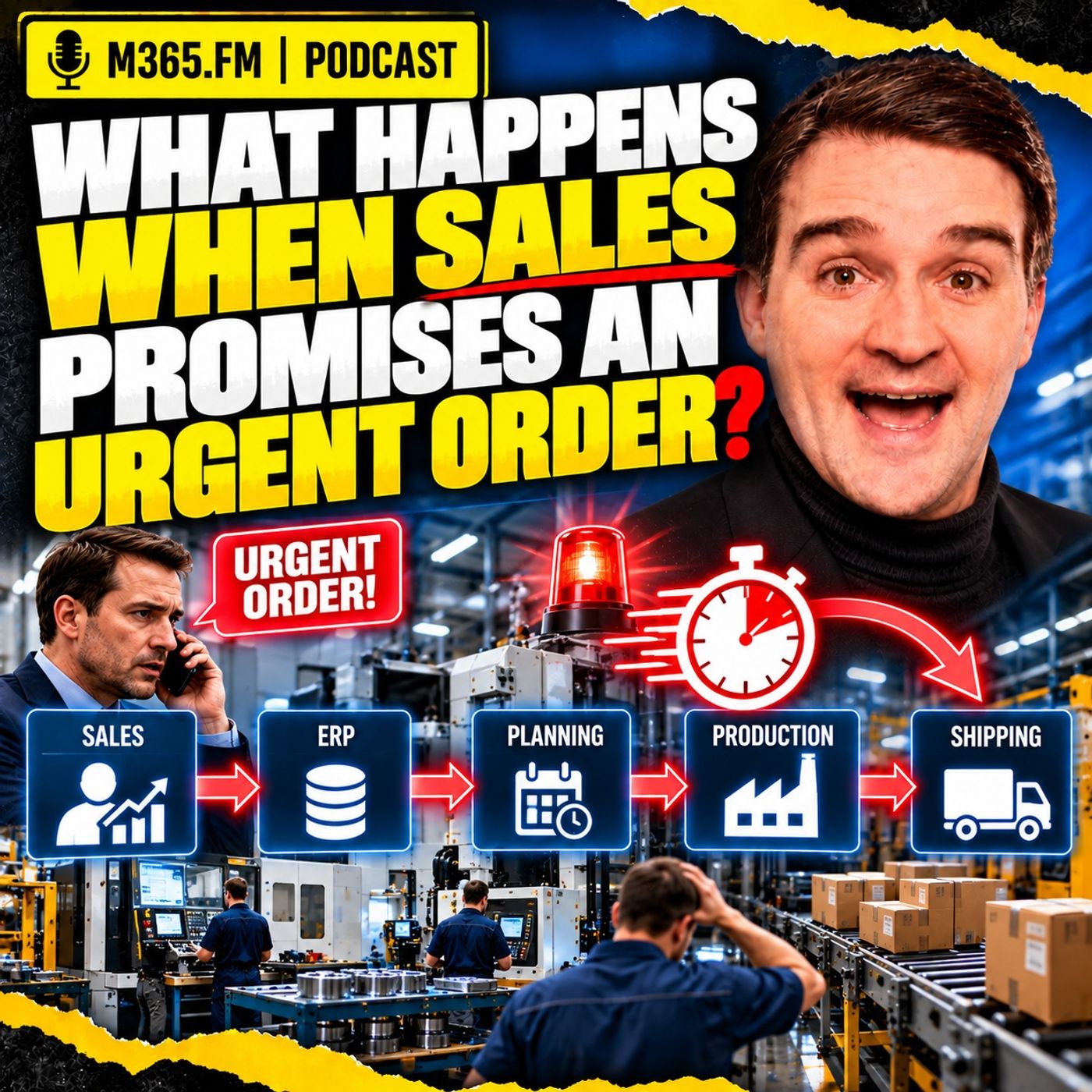
An urgent customer request sounds simple: sales promises a fast delivery date, marks the order as priority, and asks production to fit it in. But the new order does not enter an empty factory. It enters a schedule already filled with machine reservations, material allocations, setup plans, qualified people, inspection capacity, maintenance windows, and promises made to other customers. The real question is therefore not simply whether the urgent order can be produced, but which existing commitment absorbs the disruption when it moves forward. A PROMISE IS NOT A PRODUCTION PLAN A commercial promise tells the customer what the business intends to deliver. A feasible production date proves that there is actually a path through material, machining, assembly, inspection, packing, and shipping within the available time. ERP can hold requested dates, promised dates, production orders, materials, and routing information, but a priority flag does not create capacity. A CNC machine still has limited hours, inspection still needs qualified people and equipment, and shipping still has carrier cutoffs. Urgency changes priority; it does not remove physical constraints. FINITE CAPACITY EXPOSES THE REAL TRADE-OFF Infinite-capacity planning can place several orders against the same resource and leave the collision for production to solve later. Finite-capacity scheduling forces that conflict into the open. If the urgent order receives Tuesday morning on a CNC machine, another operation loses Tuesday morning. That displaced order may then miss assembly, inspection, or packing windows and lose far more time than the urgent order actually consumed. The first scheduling move therefore creates a chain reaction through the remaining route. MATERIAL DOESN'T OBEY PRIORITY FLAGS Inventory showing as available does not always mean it is usable for the urgent order. Material may already be allocated to another customer order, still be waiting for quality release, require a specific batch or supplier, or have traceability and shelf-life restrictions. Reallocating material can save the urgent customer while quietly creating a shortage somewhere else. The factory has not removed the constraint; it has transferred it. The same applies to fixtures, gauges, special packaging, test equipment, and other physical resources that multiple orders may depend on. MACHINE CAPACITY IS NOT USABLE CAPACITY A machine can have an open calendar slot and still be unavailable for the work. The required setter may not be on shift, an operator may lack the necessary certification, the fixture may be installed somewhere else, or the CNC program may not be released for the current product revision. Real capacity exists only when the machine, people, tools, material, process approvals, and time window come together. That is why an alternate machine is not automatically an alternate production route. A proven alternate route needs approved tooling, programs, quality checks, realistic cycle times, and people who can actually run the work. THE BOTTLENECK MOVES An urgent order may initially look like a machining problem. Once machining finds a solution, the pressure can move immediately to assembly, inspection, testing, packing, or even one person responsible for an approval. A bottleneck is not permanently attached to one machine. It is whichever constraint currently limits the flow of work toward shipment. This is why high equipment utilization does not automatically mean good delivery performance. A plant can have efficient machines and still ship late because the wrong work is waiting at the wrong constraint at the wrong time. THE SECOND-ORDER EFFECTS ARE WHERE THE DAMAGE SPREADS The visible effect of an urgent order is easy to see: it moves forward. The less visible effect is everything that moves backward. One displaced machining operation can delay an assembly component. That missing component can create partial work, additional handling, another inspection window, and finally a missed shipment. Another order may lose a fixture, material allocation, test bench, or skilled person even though it never shares the original machine with the urgent order. Factories operate through dependencies, not isolated departments. An urgent order changes product, process, and resource relationships throughout that network. DELIVERY DATES HAVE TO BE RECALCULATED When work moves, the old customer dates should not simply remain untouched in ERP. A displaced order needs a new feasible path through every remaining operation. Machining must finish before assembly can start, assembly must finish before inspection, and inspection must finish early enough for packing and the carrier cutoff. An order can technically finish production on its due date and still arrive late because the truck already left. Customer service therefore needs a realistic ship date and the assumptions behind it, not reassurance based on a date that the current production situation no longer supports. WHY EXCEL BECOMES THE EMERGENCY CONTROL ROOM In many factories, the planner pulls information from ERP, MES, production supervisors, purchasing, quality, maintenance, and supplier updates into one spreadsheet because that is the fastest way to rebuild the complete situation. Excel itself is not the problem. It is flexible and practical. The problem appears when the spreadsheet becomes the only place where the real production decision exists. Sales sees one date in ERP, planning sees another date in a workbook, and the shop floor follows a sequence changed during the previous shift. The deeper issue is missing shared context between the systems. CONTEXT CONNECTS THE FACTS A machine record, work order, material quantity, operator roster, and customer due date are useful facts. They become useful for urgent-order decisions when the relationships between them are explicit. The system needs to understand that: • This operation belongs to this work order • This work order supports this customer commitment • This operation can run on these approved resources • This material is allocated to this production order • This tool or fixture is required for this process • This person is qualified for this operation • This inspection must happen before shipment A knowledge graph or similar relationship model can help make those dependencies visible and traceable instead of leaving them inside spreadsheets and people's heads. WHERE MICROSOFT FABRIC AND POWER BI FIT Microsoft Fabric can provide a shared data foundation across ERP, MES, maintenance, quality, machine data, and planning information. It can help prepare, govern, history, and connect data used for cross-system analysis. Power BI can expose current load, orders at risk, material status, queue development, and delivery exposure so sales, planning, production, and customer service work from a more consistent view. But neither Fabric nor Power BI is automatically a finite-capacity scheduling engine. A scheduling or optimization layer still needs to test resource calendars, routing dependencies, setups, material availability, skills, maintenance windows, and other constraints before a production option can be considered feasible. SIMULATION BEFORE YOU MOVE THE WORK Instead of immediately pushing an urgent order to the front, simulation allows planning to test the consequences first. Possible scenarios might include: • Move the urgent order ahead of existing work • Add controlled overtime • Use an approved alternate route • Split the shipment • Offer a later delivery date • Decline the requested date when no safe feasible option exists Each option moves risk somewhere. Simulation makes those consequences visible before production starts changing machines, people, materials, and schedules. PREDICTION, SIMULATION, OPTIMIZATION, AND AI These technologies solve different problems. Prediction estimates what may happen. Simulation tests what happens if the plant chooses a specific response. Optimization searches across available options for the best schedule according to defined objectives and constraints. Generative AI can help planners understand those results, ask questions in natural language, summarize the trade-offs, and prepare communication for sales or customer service. AI should not invent finite-capacity schedule mathematics from a prompt. A fluent answer is not proof that the production plan is feasible. WHO GETS TO CALL AN ORDER URGENT? Urgency needs governance. A customer line-down situation is different from a late internal request. A contractual recovery is different from a strategic opportunity. A safety-related requirement may justify disruption that a normal expedite request does not. Without clear categories and decision rights, everything eventually becomes urgent and normal work becomes whatever nobody defended loudly enough. Production should be able to return a feasibility answer that explains what is possible, what conditions apply, and which existing commitments change if the request is accepted. Become a supporter of this podcast: https://www.spreaker.com/podcast/m365-fm-microsoft-365-azure-cloud-power-platform-ai--6704921/support.
Apple Podcasts · Spotify · YouTube · Deezer
Host: Mirko Peters
Related articles
Transcript
Read the full transcript
picture this. A customer calls sales late in the day because they need an order fast, whether because the supplier failed their own line is nearly stopping, or the order set in their process too long and they need a firm date before the next call. Sales recognizes an account that matters, a customer problem that feels real, and an opportunity to step in so they promise a delivery date and that order lands in ERP with one word attached, priority. That word travels fast, reaching a production planner before anyone's checked material, machine time, tools, labor skills, quality rules, or the work already committed to other customers. The new order is urgent, but it doesn't land in an empty plant. It enters a schedule already full of existing promises. Instead of asking if we can squeeze it in, the real question is which existing commitment absorbs the disruption. I'm not arguing against sales. A factory needs sales to listen to customers, especially when a customer has a real problem and production can't just say no to everything. The problem starts when urgency becomes a label on one order instead of a change to the whole production system, because that order has to use something. Material, machine time, maybe a skilled setter, an inspector, a fixture, a test bench, a packing slot, and a truck leaving before a carrier cut off. If those resources are already supporting planned work, the urgent order doesn't just move itself forward, something else moves back. That hidden cost often stays invisible at first. The salesperson sees a customer date, the planner sees a crowded schedule, and the supervisor sees what's actually on the shop floor, the setup that ran long, the job waiting for first off inspection, customer service sees a firm promise, each person sees a real piece of the problem, but no single view tells you what that promise will truly cost. In this episode, we'll trace that chain reaction. One hypothetical urgent order from the customer promise into the schedule, through capacity and material pressure, into shifting bottlenecks, and finally into the delivery dates that start shifting for other customers. Not every urgent order should be rejected, some clearly deserve priority, but someone needs to see the trade-off before the plant discovers it by accident. Let's make it concrete. Picture a plant already running close to plan with very little spare time hiding in the day, the factory scenario. This is a hypothetical scenario, but the mechanics will feel familiar if you work in discrete manufacturing. Picture a plant making machine and assembled industrial components. Raw stock and purchase parts come in, CNC machines cut and mill, parts move into assembly, inspection checks dimensions and paperwork, and finally packing gets the order ready for shipment. Nothing unusual about that flow, the plant doesn't run one product on one machine from start to finish. Different products share machines, people, tools, inspection and material handling. A single CNC cell may support multiple product families and assembly might wait for parts from several machining routes. Inspection can work smoothly most days, then turn into a queue when several complex jobs finish at once. The schedule already has confirmed work, orders with due dates next week, some needing to ship in a few days because of transport time, some already started, some waiting for components, some waiting for a certified operator. The plan also accounts, at least on paper, for machine calendars, shifts, setup, maintenance windows and inter-operation travel time. No planar starts from a blank page, now sales gets a request from a long-standing customer. They need a fixed quantity of a component the plant already makes, but in a much shorter lead time than normal, and they need a firm date because it supports their own production. Sales agrees to help so the urgent order enters the system with a requested chip date and a priority flag. The message to planning sounds simple, please fit this in, the customer needs it. Planning sees that same order very differently, it comes with a quantity, a product number, a date and commercial pressure, but it doesn't bring free machine time or material already set aside, or an extra operator on the next shift. Changing a priority field color in ERP won't create hidden capacity, that sounds obvious when you say it out loud, yet a lot of expedite work starts with the assumption that the plant will somehow find room. And often the plant does find room, good planners and shopfloor teams are experts at adapting, they know which job can wait, who can stay late, which supplier might answer a call, and which sequence can change without causing chaos. But experience and effort don't remove the constraint, they only decide where it will appear. In this scenario, the urgent product needs two machine parts, a purchased seal kit, assembly, final inspection and packing. The seal kit shows available in ERP. One CNC can produce the first part quickly, but already has workbooked, while the second part can run on several machines, though, not all have the right tooling installed. Assembly has capacity later in the week, but inspection is tight because another order needs a documented final release. From a distance, the order looks simple, but up close, it touches most of the plant. A planner now has practical questions, which work order loses time if the urgent order runs first? Does that displaced work contain a component needed by another assembly order? Can the material balance support both orders or does one customer lose allocated stock, who sets up the machine, and can that person do it on the shift with the slot? If the urgent job reaches inspection first, which inspection job waits, the plant needs facts, not drama, and those facts can change while the planner checks them. A machine finishes early, a setup runs long, material arrives late, or an operator reports an issue that never hit the system. That's why urgent order decisions create so much pressure. People are trying to make a commercial commitment while the physical system keeps moving. For this scenario, assume sales has already promised the customer a delivery date. That date sits in the order record looking firm, but a promised date and a feasible date aren't the same thing. A promise is not a production plan. When sales gives the customer a date, that's a commercial commitment. It tells the customer what the business intends to deliver. A production plan answers a completely different question. It asks whether there's a real path from raw material to shipped product inside the time available, while all the existing work keeps moving through the plant. Those two things should connect, but in practice, they often don't. An ERP system can hold three dates, requested, promised, and planned production. It can calculate requirements from bills of material, lead times, and rooting data. That gives the business a demand signal, purchasing needs it, planning needs it, and finance and customer service all need a common commercial record, but a date in ERP doesn't prove the plant can actually meet it. Here's the difference between an appointment in a calendar and a room that's actually reserved with the right people, equipment, and materials inside it. One is an intention, the other is a workable arrangement, a finite capacity schedule deals with that second problem. Finite capacity means the scheduler treats each resource as limited. A CNC machine only has so many usable hours in a shift. An inspection bench only works when an inspector and test equipment are both available. A packing station still needs enough time before the carrier collection. The schedule doesn't magically get extra hours, just because an order feels urgent. So when someone asks, can we make it? The planner can't answer from one date field, they need to break the question apart. Is all the material ready for this exact order? Does the approved process route match the product revision and customer rules? Is there booked capacity at every operation? Can qualified people run, set, inspect and release the work? Do the quality checks fit within the required window? And can the finished goods still leave in time? Each answer can change the final answer. You might have raw stock but lack of purchase component. You might have a machine slot, but no release program for that revision. You might complete the product on time, then miss the dispatch cut off by an hour. From the customer's point of view, the order is still late. This is where many ERP planning models need a careful reading. Some systems plan with what people call infinite capacity. The system takes demand, routing times and dates, then creates planned work without first proving that every work centre has enough room. That approach works well for rough planning. It helps you see expected load, helps purchasing, see future need, and can show rising demand before the shop floor feels it. But infinite capacity planning doesn't actually resolve collisions. If five work orders all require the same machine on the same afternoon, the plan can place all five there. On paper each order may look on time. In the plant, one runs first, another waits and the rest form a queue. The conflict doesn't disappear because the system calculated a date. It simply moves from planning into daily firefighting. A finite capacity schedule forces the collision into the open earlier. It puts operations onto actual resource calendars and asks what must move when a new operation takes a slot that doesn't make the decision easy, but it makes the consequence visible while somebody can still choose. Choice matters. The urgent order might deserve the slot if the customer faces a line stop. Another order might move with little customer impact. Over time might change the answer. The commercial promise might need revision before it reaches the customer. Those are business decisions, but they need a production fact base to stand on. A red priority flag doesn't create another machine, a qualified operator, an approved inspection route or a truck that waits after the loading gate closes. It tells people to examine the order sooner. That's useful, but it isn't capacity. So let's start with the first resource everybody tries to move when the urgent order lands. Machine time. The first schedule move. The planar starts with the route. Not the final ship date or the priority label, but the first operation that can physically begin the work. In our scenario, that means finding time on the CNC machine for the first machine part. The schedule already holds booked operations on that machine. Some may be running, others may sit in a queue. The planar looks for the earliest workable slot and inserts the urgent operation there. That word workable does a lot of work. A blank space in a machine calendar doesn't always mean usable time. The machine may need a different setup. The tool package might sit on another machine. The program might not be released yet. A maintenance window may block the apparent gap even if nobody has placed a work order there. So the planar doesn't just drag an order into an empty looking space. They check the sequence around it. Let's say the machine currently runs a family of parts that use the same fixture and similar tools. Incerting the urgent order may mean stopping that run, removing the fixture, loading another, calling the setter, loading tools, checking offsets and proving the first part. Then after the urgent batch, the team may need to set the machine back again. The order has consumed more than cycle time. It has consumed setup time, attention and sequence stability. A schedule that only counts the minutes when a tool cuts metal can look very efficient right up until somebody has to perform the change over. Final capacity scheduling puts this onto a real machine calendar. Think of the calendar as booked blocks of time on a named resource during actual shifts with known rules around when that resource can run. An operation needs a block long enough fitting after the previous operation releases the work and before the next operation can start. If the urgent order takes a block on the CNC machine, another booked operation can't occupy that same block. The system or the planar has to move something. Suppose the urgent operation takes Tuesday morning. That slot originally belonged to an order due later that week. The displaced operation doesn't disappear. It moves to Tuesday afternoon or Wednesday, or the next point where the machine tools and setup sequence permit. That looks like a small adjustment from a distance, but the original order may not move by the same number of hours. If it loses a morning slot and resumes after a different setup, it might lose the whole day. A maintenance break can sit in the next open period, or another high priority job may already hold the following slot. The calendar contains constraints not just gaps. Planners often face a choice between two imperfect moves. They can place the urgent job in the earliest available slot, which creates extra setups and interrupts a stable run. Or they can wait until the next natural sequence change, which may reduce disruption, but push the job later. Neither answer comes from a priority flag. It comes from the actual state of the machine schedule. Program release can change the picture too. A routing may show that the part runs on this CNC machine, and the standard time may look reasonable. Yet if engineering hasn't released the correct CNC program, the slot isn't ready. If the program exists but the revision doesn't match, the order still can't run. A planning system needs that status to claim the job fits. Maintenance deserves the same respect. A machine scheduled for planned maintenance isn't spare capacity. Moving maintenance to fit an urgent order may sound tempting when the machine runs well, but that decision creates a different type of risk. It should be visible as a conscious trade, not quietly erased from the calendar. Now the earliest machining slot still doesn't guarantee the earliest completed order. The urgent part may leave the CNC machine quickly, then wait because the next operation can't take it. Perhaps the next machine has its own booked work or the order requires a later process step that only runs on a certain shift. The first available slot only solves the first operation. Flow depends on the whole route. This is where a schedule stops being a list of work orders and starts behaving like a connected chain. One operation moves, then its successor needs a new time, and the order that lost its original slot needs a new path as well. A moved operation becomes a moved order, and the effects begin to spread. The order that gets pushed aside. When an urgent operation jumps the queue on the CNC machine, the order you had scheduled for that slot inherits the delay, it might sound straightforward, but the displaced order doesn't just lose machine time, it loses its entire planned path through the plant. Every later operation depended on the earlier one finishing when the schedule expected. Let's say that order needed machining on Tuesday morning, assembly later that day, inspection on Wednesday, and packing before Thursday's carrier collection. The schedule lined up those operations because the machining step was supposed to release parts on time. Once machining shifts, assembly may have nothing to work on. The assembly team might still have an open period on paper, but without the required machined components, that slot doesn't help anyone. They sensibly move to other work. Then when the displaced order reaches assembly later, the original slot is already taken. Here's where the confusion between a plan start date and an actual ready date shows up. A plan start date tells you when the schedule expected an operation to begin. An actual ready date tells you when the order or the required component can really arrive at that operation with all prior work complete. After one disruption, those dates can diverge very quickly. The next routing step cannot begin just because its calendar slot exists. It needs the work from the prior step, maybe an operator with the right skill, maybe a released inspection result before a subassembly can move forward. When the input isn't ready, the operation waits. When it waits, the time reserved for it may be used by another job that is ready. That's just normal shop floor behavior. Nobody should leave a capable assembly station idle for hours to preserve a booking for an order that hasn't arrived. But once another order fills that slot, the displaced order enters a queue, waiting behind work that got there first, that waiting is queue time, not processing time. The machino station might only need a short period for the operation, but the order may wait much longer because other work already sits ahead, and the resource can only process one job at a time. A small insertion creates a larger delay. The urgent order might take four hours on a CNC machine, but the displaced order may lose far more than four hours. It misses an assembly window, waits for the next available skilled operator, and arrives too late for an inspection booking. The delay grows at the handoffs. Thin buffers make this worse. A buffer is time, stock or available capacity that absorbs variation without changing the next commitment. Many plants run with deliberately small buffers because excess WIP, idle resources, and long lead times all cost money. That approach works well when the plan holds, but a tightly timed route leaves little room to recover. If the displaced order had half a day of slack before assembly, it might absorb the lost CNC slot without affecting its customer date. If it had no slack, every hour of delay becomes visible downstream. The order misses one planned handoff, then another, until a local scheduling move becomes a delivery risk. Take inspection as a common example. The displaced order reaches final inspection after its original window has passed. An inspector may already have a sequence of jobs arranged around customer documentation, test equipment, and release requirements. The order can't simply step in front of all of them without creating another set of displacements. Packing works the same way, though people tend to treat it as an afterthought. A product can be physically complete and still mischipment if packing capacity, export documents, customer labels, or the planned dispatch slot no longer fit. The customer doesn't see almost shipped. They see late delivery, so the planner needs more than a revised start time for the first operation. They need to ask step by step, when is this order truly ready for the next routing operation? Does that operation still have room, and if not, which work now moves? And does the latest completed operation still leave enough time for inspection and packing? That chain can run through several orders at once. One urgent order displaces order A at machining, order A arrives later assembly and takes a place that order B expected. Order B misses inspection nobody did anything irrational. Each team used the best available option in its own area. The trouble comes from the connections between areas. A local decision can preserve output at one work centre, while moving delivery risk to another part of the plant. That's why a schedule needs to follow the order across its entire route, not just report whether the first machine found a gap, and the schedule doesn't live on machines alone. Material doesn't obey priority flags. Machine time only tells part of the story. The urgent order also needs physical things and those things don't move just because you change the field in ERP. In our scenario, the order needs raw stock for the machined parts, a purchased seal kit, cutting tools and coolant, the correct fixture, protective packing, labels and the documents that travel with the shipment. Each item has its own availability rule, some sit in the warehouse, some wait at a supplier, and some exist on site but belong to work already planned. That distinction changes the answer. A stock balance might show enough seal kits for the urgent order, but when the planner checks the detail, most of those kits are already allocated to another work order with a near term ship date. The parts are on the shelf, but they aren't truly free. Taking them for the urgent order creates a second problem. The new customer gets the kits. Another customer now faces a shortage, unless purchasing can replace the stock before that original order reaches assembly. The plant hasn't solved the material constraint, it has transferred it from one commitment to another. This is why material packing matters. It links the specific supply such as a purchase order receipt, lot or stock quantity, to the work order that needs it. In plain language, it answers the practical question of which stock supports which customer commitment. Without that link, a planner sees a total quantity and may assume the order fits. With the link, they can see that using 20 seal kits for the urgent job removes 20 kits from an order already promised to someone else. That doesn't mean the urgent order can't go ahead. It means the decision needs an owner who can accept the other customer's risk, and even a visible stock balance doesn't prove the material is usable. A batch might still wait for incoming inspection, a lot may only be approved for a certain customer or product revision and shelf life can rule out older stock, especially with adhesives, coatings or seal materials. A customer specification may require traceability to an approved source. You may physically hold a substitute part, but it could need engineering approval, a quality review, or a change to the bill of material before production can touch it. Available inventory is account, but usable inventory is material that can legally and technically go into this order at this point in the process, with the required quality and traceability. Those aren't the same number, and many urgent order decisions fail in that gap. Fictures create a similar issue, though they are easy to overlook, the urgent product may need a fixture that exists only once. Another machine might look open, but it can't produce the part if the fixture is still bolted onto a different machine, waiting for inspection, or scheduled for repair. The same applies to special gauges, test adapters, returnable packaging, and even clean containers where the process requires them. A work order doesn't consume only material. It consumes access to resources. At this point, somebody usually calls the supplier. An expedite can be the right response. The supplier may hold stock, bring forward a delivery, split a shipment, or a range special transport, but an expedite doesn't erase risk. It can raise purchase cost, create pressure to accept a part before quality checks finish, or arrive after the internal receiving cutoff. That means the material reaches the gate but not the line. Transport can create its own false confidence. A supplier may confirm that the parts leave their site today, but that's not the same as confirming that they arrive, clear receiving, pass inspection if required, and reach the point of use before the operation needs them. A truck on the road isn't usable inventory either. A good material check follows the order all the way through. It checks what the urgent job needs, what is physically present, what is approved for use, what already supports another work order, and what supply can arrive in time with enough confidence to schedule against it. If material moves from one order to another, the schedule should show the newly exposed shortage immediately, otherwise the plant just postpones a difficult customer conversation. This is also where static lead time start to look thin, a purchase lead time tells you the normal replenishment pattern, but it doesn't tell you whether a supplier can respond today, whether a substitute meets the specification, or whether an allocated lot can safely change hands. Those details live across purchasing, warehouse, quality, engineering, and production. The urgent order has now pulled on machine time and material. Once material moves, labor often becomes the next pressure point. The labor constraint nobody sees in ERP. Here's the problem. Most manufacturers don't talk about. The material can be ready, the machine calendar shows open time, and you still can't run the urgent order because nobody with the right skills is available to do the work. Factories schedule real people with real knowledge, approvals, shift assignments, and limits, not anonymous labor. A CNC machine needs more than someone to press cycle start. It needs a setter who knows that specific machine, the fixture, the control, and the product family. A well cell needs a certified welder, final inspection needs a person approved to release that customer's documentation and maintenance may need a specialist before a machine goes back into service. ERP often records headcount, but that doesn't always tell planning who can actually perform a specific operation on a specific shift with the current product revision under the rules that apply in that plant. You might have 10 people on site according to the roster, but 0 people who can set up the urgent job safely and correctly. That skill-based capacity, the overlap between an available resource and an available person who is allowed and able to use that resource. Open time on a machine means very little if the qualified operator is on another shift, already committed to a set-up, absent, or tied up with a quality approval. The schedule needs both. Picture the urgent order taking a slot on a CNC machine overnight. On paper the slot looks good, machine runs material is staged, but the one setter who can prepare the special fixture works the day shift and is already assigned to recover a delayed order on another cell. Planning now has choices, none of them free. You can move the urgent operation to the day shift, ask the setter to work overtime, bring in someone else who may need support, or delay a different set-up and take that risk. The machine capacity never changed, but the usable capacity changed the moment the people constrained entered the picture. Certifications add another layer, a person might know how to do the work, but lack current approval for a regulated weld, a safety sensitive test, or a customer-specific inspection. In some plants that approval sits in a separate system, and in others, a supervisor just knows it from experience. Either way, a schedule that ignores it can create a plan that looks feasible right until the job reaches the station and then someone has to stop it. Shift patterns matter too. A work centre may run across several shifts while the required inspector only works certain hours, so a production order can finish at night, then wait until the next day for first off approval or final release. That wait is fine when it's planned, but it becomes a delivery risk when the schedule assumed a person would appear the exact moment the work finished. Absence changes the same calculation, people take leave, get sick, attend training, or get pulled into safety work, maintenance support, or a problem job that can't wait. Good planning doesn't pretend those things never happen. It gives supervisors and planners a way to see which skills are thin, where backup exists, and where one person creates a single point of failure. Local work rules need the same respect. Over time limits, rest periods, union agreements and sight rules aren't annoying details to work around after the schedule fails. They define the labour capacity the plant can actually use. If an urgent order requires a second shift but the plant can't staff that shift, lawfully or safely, then that capacity isn't available. Over time can still help, sometimes it's the best choice. A short overtime window may protect an important customer date without pushing several other orders back, but over time should be a controlled decision because it carries cost, fatigue risk, and often a follow-on effect the next day when the same people need recovery time or can't work another extended shift. Treating overtime as the automatic answer creates a schedule that only works if people keep absorbing the gaps. That approach eventually breaks. The planner may see a recovery path while the supervisor sees a team already stretched across changeovers, checks, handoffs, and problems that never fit neatly into standard times. Sometimes the most experienced person creates the largest ripple. Move a senior setter to the urgent machine and another cell may wait for setup. Move the only qualified inspector to release the urgent order and a different order loses its final release window. Pull maintenance support into one recovery action and another planned intervention slips. Each decision can look sensible in isolation, but taken together they change the flow across the plant. Routing changes and they're hidden cost. Once the planner sees pressure on the original machine, the obvious question becomes, can't we run it somewhere else? Sometimes you can. A second CNC machine may have the range, spindle speed, and work envelope to process the part or another assembly cell may look similar. A root sheet may even list an alternate resource, so the decision looks simple, move the urgent work there and protect the original schedule, but an alternate resource is not automatically an alternate production route. A rooting can list machine B as an option because the machine can physically perform the operation. That tells you something useful, but it doesn't tell you whether the machine has the correct fixture, loaded tools, approved program, trained people, and inspection method ready for this exact order today while still keeping the quality and cycle time assumptions behind the schedule. Think about a machine component that normally runs on one cell. Machine B may cut the same material, but maybe it uses a different chuck, needs a fixture that's currently committed elsewhere, or requires tool offsets that nobody has proven for this product revision. The program might exist, but it may have been written for a prior revision. It might run the part, but nobody has approved the part from that machine under the current customer requirement. Technically possible and approved for production are different states. That distinction feels slow when a customer needs parts, but those controls exist because the cost of a rushed routing change can appear later, after the work has consumed time and material. A part may fail inspection, a new setup may create variation that the normal cell controls well, or the team may produce a batch, only to discover that a customer traceability rule requires a process record, the alternate route can't provide. Now the urgent order hasn't recovered anything. It has created rework, scrap, equality hold, and another schedule problem. The original order still waits, while the expedited job returns to the front of the conversation. That's not a failure of the alternate machine, but a failure to treat the route as more than a name in a master data field. Routing flexibility needs evidence. Approve an alternate route has known tooling, a released program, documented process capability, approved quality checks, known material handling, and a realistic cycle time. People know how long the setup takes, where the first part goes for approval, and whether the machine produces the same result at the same rate, or whether the schedule needs different assumptions. That's usable flexibility. A listed alternate resource may only be a theoretical option, a reminder that engineering once believed the work could run there. It might even be correct under normal conditions, but a planner needs to know whether it's ready now, on this shift for this order, without moving a hidden set of constraints somewhere else. Material handling often exposes that gap. The alternate machine may sit in another part of the plant, so the work needs a different trolley, lifting device, staging area, or longer transfer path. If the product needs controlled handling, that move may need extra checks. None of this sounds dramatic, but it still changes the actual time from start to finish. Cycle time can change as well. Machine B might run the part but more slowly, or it may run faster at the cutting operation while needing a longer setup and more frequent inspection. A planner who substitutes the standard cycle time from machine A into the new route can produce a neat schedule that falls apart on the shop floor. Local speed can also create a downstream problem. Suppose the alternate machine releases the urgent parts earlier than expected. That sounds like progress until those parts arrive at a shared wash station, inspection bench, or assembly area that already has worked cute against it. The urgent order has escaped one constraint, and added pressure to the next shared process. Or consider the opposite case. The alternate route keeps the original CNC machine stable, but produces parts with a different finish that needs an extra inspection step. The change protects one work centre and adds work elsewhere, so if nobody models that added step, the recovery plan only looks better because the schedule stopped counting part of the work. This is why planners need more than root names and nominal capacity. They need to ask practical questions. Which tooling moves with the order? Is the program released for this machine and revision? Does quality accept this process path? Can the work move through the plant safely and on time? What cycle time should planning use and which shared operation now receives the load? A good alternate route can save an urgent order. While a week one can turn a late order into a quality problem, the difference comes from whether the route is proven under the conditions where the plant wants to use it, not whether a system drop down contains another machine name. So let's follow the urgent order into the point where all these choices start to concentrate. The bottleneck. The bottleneck moves. So here's what happens when an urgent order drops in. At first glance it looks like a machining problem. The planner needs a slot on a CNC machine, so that machine gets all the attention. But the minute those parts leave machining, the pressure doesn't just disappear. It moves somewhere else, and that's where things get interesting. That's how bottlenecks behave. A bottleneck is whatever limits the flow of work during a given period. It could be a machine, but just as easily an assembly cell, a test bench, an inspection area, a fixture, or even one person who has to approve a certain process. That resource determines how fast the whole system can turn available work into finished, shippable product. And it's not a permanent label stuck to one machine. On a normal week, the constrained point in this plant might sit in machining. Demand for one product, family fills a CNC cell and work weights in front of it. Then the urgent order shows up, takes priority at that cell, and the planners find a way to squeeze its parts through. So far so good. But now those parts arrive earlier, assembly. And assembly has to drop everything to handle the urgent components while still dealing with its original workload. The assembly team might complete the urgent order, but everything else starts waiting. A queue forms in front of assembly. That original machining constraint becomes less visible because assembly now controls the flow, or the shift could happen at inspection. The urgent order has a strict release requirement. It needs inspection before packing, and the inspection team gives it priority. That might protect the customer date, but it pushes several normal jobs into a growing inspection queue. From a production standpoint, those products are complete, but they aren't released. They can't ship, cash, space, and customer commitments all sit in the same queue. That's a bottleneck shift in action. The resource that limited flow yesterday may not be the one limiting it today. An urgent insertion changes the sequence of work, the arrival times at later operations, and the mix of products moving through the plant. You can't just assume the old constraint still tells you where to focus. And a utilization report won't give you the full picture either. A machine can show very high utilization and still not be the reason customer deliveries are late. Meanwhile, another resource might run at a lower average utilization while holding up every urgent job because each order needs it near the end of its route. The percentage tells you how busier resource was. It doesn't tell you which queue is actually controlling delivery dates. That distinction matters. Imagine inspection runs at a moderate load across the week. On Tuesday afternoon, four jobs arrive at once because machining and assembly both released work late, and then the urgent order jumps to the front. Inspection might have spare time on Thursday, but those spare hours can't help the orders that needed release before Wednesday's carrier collection. Average load hides timing. You spot a bottleneck when work starts collecting in front of a resource when orders miss planned handoffs and when people start asking why completed parts aren't moving. Work in process climbs. Supervisors may shuffle people, reorder jobs, or ask one department to hold finished work because the next department can't take it. Those are the operational signals the plant might still produce a decent number of parts that day. Equipment might still report good performance. Yet customer orders can still become late because the wrong work is waiting in the wrong place at the wrong time. Throughput is not the same as activity. This is where the theory of constraints gives planners a practical frame. Find the resource that's currently restricting flow. Protect its time from avoidable disruption. Make sure it receives ready work with material, tools, instructions, and people prepared. Then watch the system again because once that resource improves or the work makes changes the constraint can move. The urgent order can trigger exactly that movement. If machining used to hold the plant back and the team forces urgent work through machining first, the next shared step may become the new limit. Assembly inspection and packing don't suddenly have more room just because machining recovered. The pressure travels downstream with the work, so your schedule response needs to keep checking where the queue builds. Not just once at the start of the day and not only after an order misses its date. The planner needs current status from the shop floor plus a model that follows the route and shows where the next collision will happen. Otherwise, people keep solving yesterday's constraint while today's orders wait somewhere else and you can't protect a bottleneck you identified too late. Why OEE doesn't answer the urgent order question? When a plant starts talking about capacity, somebody will usually bring up OEE, overall equipment effectiveness. That makes sense. OEE measures how well equipment performs through three angles. Availability, performance, and quality. Availability asks whether the machine was ready to run when it should have run. Performance compares actual running speed with the expected speed. Quality looks at how much output met the standard without scrap or rework. Put those together and you get a useful view of how an asset performed over a given period. For equipment teams, that view can be genuinely helpful. If a CNC machine loses hours to unplanned stops, OEE can expose that loss. If the machine runs slower than its expected cycle time, the measure can start a useful investigation. If scrap rises after a tool change or a process adjustment, quality loss becomes visible in the same conversation, but OEE answers an equipment question. An urgent order creates an order question. A machine can report strong OEE while customer orders still miss their promised dates. In fact, a plant can run equipment efficiently all week and still send late shipments because the work that needs to move first can't get through the full production route at the right time. Think about a machine producing good parts at the expected rate. Its availability looks good. The operator runs it well, scrap stays low. The OEE report looks healthy. Yet the urgent order may still wait. Its material hasn't cleared inspection. Its first operation depends on a different resource. Or the machine is busy producing parts for work that doesn't support the urgent customer date. The asset performs well. The order remains at risk. OEE doesn't know the commercial meaning of a work order unless you connect that information to the equipment data. It doesn't know that one batch supports a customer with a line stop risk while another batch supports a delivery due next month. It doesn't know that a part completed at this machine still needs assembly, final inspection and packing before it becomes shipable. That context sits outside the OEE calculation. The measure also can't tell you which operation should run next. It can show that a machine has been productive. It can't decide whether you should interrupt the current sequence for the urgent job, keep running to reduce changeovers or reserve the next slot for an order that protects several downstream assemblies. Those decisions need order priorities, routing links, material status, labor availability and due date exposure. OEE contains none of those on its own. This doesn't make OEE less useful. It just means you need to put it in the right part of the decision. If a machine has a history of reduced availability or if current machine events show it's down, that information should affect the capacity assumption in your schedule. Don't book eight productive hours on a resource that only delivers five usable hours under current conditions. That's a sensible use of OEE related data. You can use equipment performance to improve standard times, expose loss patterns and test whether a schedule relies on capacity, the plant rarely achieves. The scheduler can then work with a more honest view of what each resource can deliver, but the schedule still needs to decide which order uses that capacity in what sequence and with what consequence for every other order. OEE doesn't perform that work. Another OEE dashboard won't produce a feasible recovery plan. It may tell you that the machine ran at a high rate while the planner tries to explain why three customer dates moved anyway. Both statements can be true and neither cancels the other. The distinction is simple, asset performance tells you what a resource delivered. Scheduling needs to decide how limited resource time should support customer commitments. One view helps estimate capacity. The other manages the consequences of using it, so planners need order context, not just asset performance data. The second order effects. Here's the problem most manufacturers don't talk about. The first order effect is easy to spot. An urgent order moves ahead in the queue. Someone changes its priority, reserves a machine slot, releases material and tells the next department to expect it. On a local schedule that can look like a clean recovery, the urgent job is moving and people can point to that as progress. But the second order effect sits right behind that first move and that's where the real damage starts. Other orders lose the path they were supposed to take through the plant, though not always their entire path at once. Sometimes they lose one operation, one fixture, one inspection slot or one material allocation. A production order relies on those things arriving together at the right time. Take an assembly order that needs four components, three show up on time, but the fourth belong to an order that lost its machining slot when the urgent job entered the plan. Assembly cannot complete the kit. Now the line builds what it can, stages incomplete work and moves on to another order. That response keeps people busy, but the customer order still waits for one missing part. At this point, the delay is no longer just a scheduling change. The plant holds work in process and material sits in partial assemblies. The team may need to handle the same work twice. Planning starts looking for a way to expedite the missing component while customer service asks whether a partial shipment could help. None of that appeared in the original request to fit in the urgent order. That's a third order effect. A late component creates an incomplete kit which creates extra handling and a possible partial shipment. That partial shipment brings extra packing, documents, transport decisions and a customer conversation. If the missing part needs special approval, the order may wait even after production catches up. The disruption spreads through dependencies. A dependency is simply a link where one thing cannot proceed without another. A product depends on its components. A routing operation depends on the prior operation finishing. A work center depends on the right tool, fixture, material and person. A shipment depends on the finished order reaching packing with its required documents. Each link can carry a delay forward. This is why work centers can look independent when they aren't. Machining may appear separate from assembly and assembly separate from inspection, yet they share physical resources and timing. A fixture can only support one job at a time. A gauge may need calibration before a specific inspection. A scarce material lot may only suit one product version. A tool setter may move between cells. Those shared resources create hidden coupling. Picture two orders with different product numbers and different routes. They may never touch the same CNC machine but both need the same special fixture before their first operation or the same inspection equipment before release. Move one job forward and the other job may wait without anybody seeing the connection in a simple work center load report. The recovery in one area can become a disruption somewhere else. A supervisor protects the urgent order by moving a fixture to another cell. That gets the urgent work started. The original cell then cannot run its next plant job so it switches to something else. Later the fixture returns but the original job has missed its plant handoff and now joins a queue at the next operation. Nobody made a bad decision. Each person responded to the pressure in front of them. The problem comes from seeing those decisions as separate when the factory experiences them as one connected system. Shared inspection equipment creates another common example. The urgent order reaches final inspection and needs a test rig. Inspection gives it priority because the ship date is close so a normal order misses its release. That normal order may support a larger assembly at the customer or it may need a carrier pickup that only runs on certain days. The inspection team protected one promise and exposed another. This is not a reason to never prioritize work. It's a reason to make the trade visible. If the urgent customer faces a real line stop that order may deserve the test rig but somebody should know which confirmed order lost its release, how far its date moved and who owns the customer conversation that follows. The same pattern appears with scarce material. Pull a controlled lot, a special coating, or a purchased component from one work order to support the urgent job and the first job may keep moving. The order that lost the material now waits. Its downstream operations may continue with other parts but sooner or later the missing item blocks completion. A factory does not run as isolated departments. It runs through product links, process links, and resource links. An urgent order changes all three. The visible move is the order at the front of the queue. The hidden moves are the jobs that lose access to the route, tools, material, and release capacity they expected. By the time customer service asks for an update, the original ERP dates may no longer describe anything useful. Delivery dates now need recalculation, not reassurance. When delivery dates start to cascade. Once the urgent order takes a place in the schedule, every displaced order needs a new feasible completion date, not a copied date from the ERP record, but a date that follows the work through the remaining operations based on when each operation can actually begin. That sounds like a small distinction, it isn't. A customer due date may mean the day the customer needs the goods. An internal due date tells production when the order should finish to protect that customer date. The promised chip date may sit somewhere between those two, then you have the carrier cutoff, which decides whether a finished order actually leaves the side that day. Those dates can all differ. Suppose a customer needs the order on Friday morning, your plant may need to ship on Thursday afternoon, packing may need the finished goods by midday for labels, documents, loading, and collection. Production may need to complete final inspection even earlier, so if a displaced order loses time at machining, the risk doesn't begin on Friday, it begins when the order misses its inspection window on Thursday morning or when it can't reach packing before the carrier closes its collection list. That's why a revised completion time alone isn't enough. The planner needs to calculate the remaining path. When can machining now finish? When will the components reach assembly? Can assembly complete the order before inspection needs it? Does inspection have a real slot? And once the product is released, can packing and dispatch still meet the shipment cutoff? Each answer moves the next answer. Cascading lateness happens when a delay changes the readiness of work that depends on it. The first order slips. A later operation then loses its expected input, that operation either waits or takes other work that is ready. The delayed order arrives later and meets a new queue. The date keeps moving because the route keeps reacting, take an assembly order that needs a late machine component. The assembly line may have open time people may be ready, and the work instructions may be released. None of that completes the order if one required part hasn't arrived. The open assembly time doesn't travel backward and produce the missing component. Instead the line uses the time for other work or the team begins partial assembly if the process permits it. When the missing component finally arrives, the original order needs a new assembly slot, a new material issue, a new check, and it now competes with orders that were already waiting. A visible gap in one department doesn't prove the order can recover. This catches people out because capacity is often viewed by area. The assembly shows free time, inspection shows a late slot, and packing has room tomorrow morning. But the order can only use those slots if its prior work reaches each stage in the right sequence. An order moves through time as well as through departments. The urgent order can also create a delayed date that looks technically acceptable but commercially useless. Imagine the displaced order finishes on the same day as its original customer due date. The schedule might show zero days late, yet if the carrier left several hours earlier, the customer receives the goods a day later. Production completed the work, but delivery still failed. Customer service needs that level of detail when they speak to the customer. They don't need a date copied from a planning field that nobody has checked since the urgent order arrived. They need to know what changed, how confident the plant is in the revised date, and what assumptions still carry risk. Confidence matters because schedules work with uncertain inputs. A material receipt may still wait for confirmation a machine may be running behind plan, or an inspection release may depend on a test result. In those cases the best answer may not be it will ship Thursday. A more honest answer could be Thursday is feasible if the material clears incoming inspection by Tuesday afternoon. If it doesn't, Friday becomes the earliest realistic ship date. That gives customer service something useful. They can explain the position clearly, ask whether a partial shipment helps, and decide when to alert the account team. Most of all, they stop passing on a promise that the plant has already lost confidence in. This is not about giving customers excuses, it's about stopping the organization from treating dates as fixed after the conditions behind them have changed. A feasible date should move when the route, material, capacity, or dispatch path changes. Otherwise, the date becomes a wish with a customer name attached. Most plants discover all of this through manual effort first. Excel becomes the emergency control room. Here's the problem most manufacturers don't talk about. A planner sits down with Excel because the other systems won't talk to each other. They pull open orders from ERP, check the MES for actual operation status, call the machining supervisor to find out what's really on the machine instead of what the schedule thinks, then call assembly and receiving about that expedited material. It might start as a few columns. Order number, customer date, current operation, material status, next constraint, a revised ship date. Within an hour, that spreadsheet becomes the only place where the chain reaction makes sense to the person trying to manage it. The planner isn't avoiding the systems or choosing manual work, each system holds one piece of the puzzle and nobody has connected those pieces well enough to answer the urgent question in one place. ERP carries the commercial order and its dates, MES logs execution events though those can arrive late or need confirmation, and the supervisor knows the machine shown as available is actually tied up with a difficult setup. Purchasing says the supplier promised a delivery, but receiving says nothing has reached the gate, so the spreadsheet becomes a working model of the factory for that moment, the only one that reflects reality. The planner adds notes, no standard reporting clues, material on truck, not received, inspector only available after lunch. Alternate route needs approval, customer may accept part shipment, those notes carry the context behind the numbers and without them the schedule sounds far more certain than the plant actually feels. Here's the thing, Excel is not the problem, plenty of plants still use it because it's fast, flexible and close to the work. A good planner can test a sequence, sought by risk, drop in a phone call update and share a clear view with the team in minutes. Excel is one of the most successful manufacturing tools Microsoft never intended to be a production control system, the real problem starts when the spreadsheet becomes the only place where the real decision lives. Sales sees the original promised date in ERP, the planner sees a revised date in their recovery file and the supervisor follows a printed dispatch list or a whiteboard sequence changed on the last shift. Each person acts on a date that made sense when they last checked and the dates no longer agree. Picture customer service calling sales for an update, sales checks ERP and tells the customer it ships Thursday, but the planner's workbook puts the earliest likely ship date on Friday, assuming material clears inspection. Meanwhile, the supervisor has moved the urgent job again because a tool problem interrupted the planned run. Nobody is trying to mislead anyone, they're working from different versions of a moving situation. The issue isn't effort, the decision path has split across systems, files, calls and local knowledge and the manual recovery view starts aging the second it gets saved. A machine can stop after the planner exports MS data, scrap can change the available quantity for a component, a supplier receipt can arrive, fail inspection or come incomplete, and an operator might report a setup problem that shifts the next workable slot. Every new event invalidates part of the spreadsheet and changes delivery risk for several orders, so the planner exports again, edits again, calls again, sends another file. That cycle works fine for a small number of exceptions, especially with experienced people who know the planned well, but it breaks down when urgent orders come off and product routes share scarce resources or several people change the schedule at the same time. You end up with a recovery plan that lives inside one person's head. If that person isn't available, nobody can explain it, that's a risky operating model, spreadsheets aren't the problem. The problem is the factory has outgrown a disconnected view of its own commitments. The workbook carries links between orders, materials, machine slots and customer dates that should exist as shared facts, not private knowledge in a file. I wouldn't start by trying to ban Excel, but that usually just removes a tool before you replace the reason people needed. Start by asking what the planner has to assemble manually during an urgent order event, which data comes from ERP, which execution facts come from MES, which constraints only show up through a supervisor call, and which date becomes the agreed customer date and who owns it. Those questions expose the gap. The deeper issue isn't missing data, it's missing relationships. Data tells you what exists, context tells you what breaks. A machine status says machine 12 is running, a work order says order 7-H4 is due this week, inventory shows 80 units in stock, and the labor roster tells you who's assigned to the next shift. Those are useful facts, but on their own they don't explain the urgent order decision. None of those records tells you where the machine 12 runs an operation for order 7-H4, whether those 80 units are allocated to that order, or whether the person on the next shift has the approval needed to run that product. The facts exist, but their links sit in different places or inside people's heads, and that's exactly the gap that makes urgent orders difficult. Context connects a customer promise to the route required to fulfill it, linking each operation to the one before it, and each operation to the machine, tools, material, and qualified people it needs. It also connects a stock quantity to the work order that expects to consume it. Without those links, you can ask, do we have capacity? With those links, you can ask if we put this urgent order ahead of the current job, which confirmed orders lose a feasible path to their promised chip date. That's a much better question. Here's the architecture view, simplified. Think of a factory fact as a noun, a machine, an order, a material lot, an operator, a customer date, and context as the verb between them. This operation runs on this machine, this material lot supports this work order. This operator can approve this inspection. This work order supports this customer commitment. The plant runs through those relationships. A knowledge graph gives you one way to model them. In plain terms, it's a map of linked factory facts. Instead of storing machine 12 order 784 and a stock record as isolated rows that only meet inside the report, the model records how they relate and let's the system follow those links. You don't need to treat this as a mysterious AI concept, picture maintenance event that takes machine 12 out of service. The graph can follow from that machine to the operations plan there, then to the work orders waiting for those operations. From each work order, it can follow to require tools, allocated material, qualified operators, downstream operations, and the delivery dates attached to the customer order. That's how a machine outage becomes a list of consequences rather than a red status light. The system might identify an urgent order that can't start because its fixture is still on the stock machine. Another order could move to a qualified alternate resource, but only if a specific operator works that shift. A third order has no alternate route and now threatens a carrier cut off. Each answer comes from connected facts. A rules engine uses those links to apply defined policies. For example, it can flag every customer commitment exposed by a resource outage or block a material reassignment when it creates a shortage on another confirmed order. Those rules are only as good as the context they can inspect, and AI has the same requirement. You can ask an AI assistant to explain schedule risk, summarize the orders affected, or prepare a draft update for customer service. But if it only receives an order list and a machine alarm, it can produce fluent language around incomplete information. It cannot reliably reason about the impact because it doesn't know the root dependencies allocation rules or qualifications behind the records. Fluent isn't the same as informed. The same goes for available to promise logic. It sounds simple. Can we commit a quantity to a customer on a given date? But the answer depends on the quality of the assumptions underneath. Does the inventory count include stock reserved for another customer? Does the purchase receipt date still hold? Does the bill match the current revision? Does the root use real cycle times and capacity? Can the plant actually complete, inspect, pack, and shift before the promise date? If those assumptions drift, available to promise becomes available to hope, that doesn't mean ERPS failed. It gives you the commercial rules, demand signal, supply records, and master data that any serious promise process needs. The work is to keep those facts governed, then combine them with what production knows right now. Ownership helps. Commercial rules, customer commitments, product definitions, purchasing records, and inventory policy belong in the ERP domain, while execution status, production completions, scrap, holds, and actual operation events belong in the MES domain. Neither system owns the full feasibility decision on its own. That decision crosses both. A feasible, urgent order response needs the business commitment from ERP and the current production truth from MES, then a model that connects product, process, resources, material, and dates without quietly changing the meaning of any of them. Once those sources connect, a data platform can help, but it can't invent meaning the organization has never defined. Microsoft fabric as the shared data layer. So here's the reality. When your ERP and MES data need to talk to each other, Microsoft fabric can give you that shared data layer that ties orders, events, machine signals, planning, and supply info together. But it's not about dumping everything into one big store and hoping the answers pop out. You're creating a governed space where data gets prepped, linked, and used under consistent rules, and that takes discipline. You'll need separate pipelines for ERP order changes, MES events, and maybe a third for machine signals or quality results. Each one has to know exactly what it's moving, how often, what happens when a source record changes, and who owns the meaning of that data. If you skip that, you're just centralizing confusion. A lakehouse pattern handles both raw operational history and prepared data the planners can trust. So you keep the source event as received, and then build a prepared view linking each operation completion to the correct work order, product revision, resource, and time. That separation matters because source data inevitably brings gaps, duplicates, late updates, and naming differences across systems. Take a typical scenario. A machine has an internal asset code, MES calls it a work center name, and ERP uses a cost center code. If those names don't map to the same physical resource, the shared layer can tell a very convincing story about the wrong machine. That's a problem when you're making urgent order decisions. You can't afford that ambiguity. Event identity needs the same care. When MES sends an operation completion, can you tell if it's a new completion or correction or retry from the interface? When quality releases a batch, does that release apply to the full quantity or just part of it? The decision model needs a clear answer before treating that event as available capacity or material. Time handling brings its own headaches, because ERP stores a planned finish date with no time. MES logs events down to the second, and machine data arrives in a different time zone all on top of shift boundaries that ignore calendar days. If your data model treats all those as the same type of time, a report could show work as available before it actually is. Now here's where it gets interesting. Fabric can help you prepare and govern that data, but it can't decide what a completion means in your plant. Keep that boundary clear. Microsoft Fabric connects, stores, transforms, manages access, and supports analysis. It provides the shared foundation for decision making. But dropping production data into a lake house doesn't turn Fabric into a finite capacity scheduler. Scheduling needs its own logic, operation sequences, machine calendars, setup rules, labor skills, material readiness, maintenance, and the policies that decide which order goes first. In some plants that logic lives in a dedicated system, in others it's a custom service or a mix. Fabric can supply trusted inputs and retain the results. It shouldn't quietly pretend to solve a constraint problem it wasn't designed for. The same goes for power BI semantic models. They give everyone shared definitions. So order means the same thing to sales, planning, quality, and customer service. You need agreed rules for late order, material available, operation complete, and promised ship date. Without those, your report might look clean, but teams will still argue about the numbers. As a Microsoft MVP, I work with Fabric, Azure, and Power BI architectures every day. The technology can support serious manufacturing decisions. But the real work starts after the connector succeeds. You still need to define identities, dates, ownership, and the rules behind each status. That's where architecture that actually scales starts. It's not about another report. It's about business definitions, stable enough that a planner can ask a hard question. Sales understands the answer, and the plant acts on the same facts. Reporting becomes useful when the model can actually answer operational questions. From dashboard to decision models and once your data has shared definitions, power BI gives you a much clearer operational view. Current load at a work center orders at risk, material running late, cues building up. For sales, planning, production, and customer service, that shared view stops a lot of debate because they're no longer working from different extracts and personal assumptions. That alone changes the urgent order conversation. Picture a planner getting a new priority order. The Power BI view shows the work center it needs, the hours already booked, the jobs waiting, and material status for each. It can also show that the urgent order has stock ready, while two confirmed orders behind it depend on the same constrained resource. Now everyone sees the pressure before anyone starts moving work. A report can also highlight where a delivery date is losing credibility by combining the planned end of an operation with its actual status, comparing the remaining route to the internal ship target, and putting material that hasn't cleared inspection next to the orders meeting it. A late purchase receipt appears beside the work at will delay, that gives teams real-time visibility, or at least as current as the source events allow, but a dashboard only describes the situation. It doesn't pick a response. This matters because a clean report can create false confidence. Someone sees a red-laid order count, clicks into affected orders, and assumes they understand the recovery plan, they understand the current problem, but they still don't know which schedule change produces the least damaging result. Those are different questions. A dashboard can answer which work center has the most load, but a planner needs to ask, if I place this urgent operation ahead of the queue, which orders move, and when does each finish? That question needs sequence, capacity, route dependencies, calendars, and work rules. A report alone can't test those conditions. Underneath that reporting layer sits the semantic model, and it matters more than most people realize. In plain terms, it's the shared set of definitions that tells every report and app what an order, operation, resource, inventory, and date actually mean. If sales calls an order on time because it hasn't passed the customer due date, but production calls it late. Because it missed the internal finish point, you don't have a reporting issue, you have two business definitions fighting over the same word. The semantic model should make that difference explicit. This model can distinguish a customer request date from a confirmed ship date, separate physical stock from allocatable stock, and define an operation state, planned, released, started, complete, or quality released, rather than lumping them all together. Those definitions let people ask better questions. For an urgent order, asking, "Do we have free capacity this week?" is too broad. Free capacity on Wednesday doesn't help if the order needs set up on Tuesday, material release before that, and inspection before carrier collection on Thursday. Instead, ask, "Which confirmed orders get delayed if this work centre takes the urgent job?" Then the system has to trace the impact through the actual schedule. Identify the displaced operation, follow the remaining steps, check for new constraints, and calculate revised finish and ship dates. That's decision work. Clearly presented results in Power BI can help a commercial manager compare affected commitments. See the risk of each option, and understand why a trade is recommended. It can also give a supervisor a focused view of jobs needing action on the next shift, but the report shouldn't pretend it's created a feasible schedule just because it looks tidy. A schedule becomes feasible only when the proposed sequence respects real resource time, operation dependencies, material state, and the plant's working rules. A visual might show a machine looking likely loaded, but it can't prove the urgent job fits between a maintenance window, a tool change, and the next operation without running the logic to test it. That distinction protects you from dashboard theatre, everyone sees the same problem in high definition, but nobody can tell the plant what to do next. The next layer tests those choices before the plant commits to them. Simulation before you move the worker. Before you touch the live schedule, you need a place to test the change, and that's what simulation does. It builds a safe model using the real constraints the plant works with every day, then lets planning compare options before a supervisor starts stopping jobs, moving tools, or calling people in for overtime. Think about that urgent order from the plant's perspective. The customer needs a fixed quantity by a fixed date, and the work has to go through machining, assembly, inspection, and packing. Your first instinct might be to jam it at the front of the queue, but simulation lets you ask what that decision actually does to every other order already competing for the same capacity. The model needs finite capacity, meaning a machine, person or test station only has the time that actually exists on its calendar. It can't process two jobs at once just because both carry a priority flag, and it also needs root rules. An order must follow approved operations in the required sequence, period. Material readiness matters just as much because a root might look open, while the parts needed for the first operation are still stuck at a supplier. Labor skills count two. A machine slot without a qualified operator isn't a workable slot. Calendar limits catch people off guard. Shifts end. Maintenance windows take equipment out of use, and some approvals only happen during certain working hours. Those details turn a rough schedule into something you can actually test. Now compare a few possible responses. You could move the urgent order ahead of existing work at controlled overtime on the constrained operation, or rooted through an approved alternate path. You could also split the shipment, sending the quantity the customer needs first, while the balance follows later. Or you could return a later date, or even decline the promise. That last option can feel uncomfortable, but it belongs in a serious feasibility process. If accepting the urgent order breaks several confirmed customer commitments, requires an unsafe work pattern, or depends on material that can't arrive in time, then yes, isn't automatically the responsible answer. Simulation gives that conversation evidence instead of gut feel. Take the option of moving the urgent order forward. The model might show it meets the urgent date, but pushes two existing orders past their ship cutoffs. Add overtime instead, and the urgent order might fit without moving those dates while labor cost and fatigue risk go up. Use an alternate route and capacity may open up the cycle time, quality approval, or rework exposure may shift. Each option moves risk somewhere. That's the whole point. A simulation doesn't tell you one option is morally correct. It shows the conditions and consequences attached to each option based on the rules and data you gave it. It's a model, not a guarantee. A production schedule always meets real world variation. A supplier misses a delivery, a first off part fails inspection, a machine stops, or an experienced supervisor spots a problem the model can't represent. So simulation should support a decision, not create a false sense that the factory has become predictable. Still, it's far better to test a choice before committing people and material to it, and the quality of the result depends on the quality of the inputs. If the routing claims any CNC machine can run apart, but only one has the right fixture and program, the simulation can create a neat schedule that can't run. If standard cycle times ignore normal setup work, the plan can look feasible until the first shift tries to execute it. Bad routing data creates very tidy fiction. The same applies to material status, labor rules, machine calendars, and quality holds. A model needs production rules that reflect how the plant really operates. You don't need perfection before you start, but you do need to know which assumptions could change the decision and which source owns each fact. Then the results become useful in a practical way. Planning can show sales which customer dates move under each choice. Production can see where the new queue forms. Finance can see where over time, supplier expedites, extra freight, or additional handling enters the picture. Customer service can prepare for commitments that need a conversation before the customer discovers the issue through a lay shipment. That changes the question from, can we squeeze it in or to which schedule option do we accept and which customer commitments does that option change? Simulation asks what could happen. Optimization selects among acceptable choices. Prediction, simulation, and optimization. People often use prediction simulation and optimization as if they mean the same thing, but they don't. Each one answers a different question. And mixing them up creates bad expectations very quickly. Prediction estimates what may happen. For example, a model might estimate a late supplier delivery, detect a machine running over cycle time after a specific setup, or identify a rising chance that a work order will miss its completion target. That can help planning act earlier, but a prediction doesn't decide what the plant should do. It can tell you that material may arrive late, but it can't decide whether you should protect the urgent order, move another order, approve overtime, or change a customer date. Simulation comes next, taking a stated option and testing the likely schedule result under the assumptions in the model. You say put the urgent order first on this machine, and the model follows the effect through the root, the resource calendars, the available material, and the work already planned. It answers a practical question. If we choose this option, what does it do? Maybe the urgent order reaches packing in time, but two other orders move beyond their ship cut off. Maybe the same order fits if the plant adds a shift on one operation, or maybe neither option works because final inspection becomes the new constraint. Simulation doesn't search every possible answer for you. It tests the scenario you choose. Optimization takes a different approach. You give the system a set of goals and a set of rules, and it searches for a schedule that meets those rules as well as possible, but it might test many sequence changes, alternate resource choices, and timing options that a planner would struggle to compare manually under pressure. But optimization needs clear instructions. What are you trying to optimize? Is the goal to meet the urgent customer dated any cost? To reduce total lateness across all customers, to avoid over time, to reduce changeovers, to protect revenue, or to distribute disruption fairly, instead of always pushing the same lower priority customers to the back. Those goals can collide. A schedule that reduces setup time may keep similar products together, but delay an urgent order. A schedule that protects the urgent customer may add over time and move several smaller orders. A schedule that maximizes revenue may not feel fair to a long-term customer whose order repeatedly gets displaced by larger accounts. The math can search, but it cannot choose the business policy for you. That policy needs to come from people who understand the commercial commitment, production risk, customer relationship, and cost of each choice. The scheduler can then work within those rules, instead of trying to guess what the organization means by, do whatever it takes. Generative AI belongs in a different part of this picture. An AI assistant can help a planner ask the right question, summarize the assumptions behind the scenario, explain why one option creates more late orders than another, or turn a scheduling result into a clear draft message for sales or customer service. Those are bounded tasks. The AI needs current, approved schedule facts, and a clear limit on what it can access, and it should point to the source information behind its answer. A person should review any recommendation before it turns into a machine change, an overtime request, or a new customer commitment. What it should not do is improvise deterministic schedule math from a chat prompt, because a fluent answer that sounds plausible is not proof that an order fits through a finite capacity route. Scheduling depends on exact constraints, sequence logic, calendars, material status, and rules that need formal checking. An AI can sit beside that logic and help people work with it, but it should not replace it with confident text, so think of the rules clearly. Prediction warns that a problem may be coming. Simulation tests are chosen response, optimization, searches for the best response against stated goals and constraints, and generative AI helps people understand, query, and communicate around those results when the context is controlled. None of those tools can settle the hardest part on their own. Who gets to define priority? The governance problem behind urgent who actually gets to call something urgent? That sounds political, but it's really a process question. When sales slaps an urgent label on an order, that label can mean half a dozen different things, maybe the customer, legitimately stops production without it. Maybe it makes up for a missed contractual promise. Maybe it protects the strategic account, or maybe the request just showed up late with a louder email than the rest. Those cases shouldn't all get the same response. A plant needs urgency categories, people can apply consistently, and each category needs enough detail to explain why this work deserves to jump ahead of confirmed orders. That doesn't mean building a committee for every exception. It means replacing a vague red flag with a reason that planning, production, and customer service can all understand. Take a safety related requirement that may demand immediate action even when it disrupts the plan. The customer outage might justify over time a different route or expensive freight. A contractual recovery may need a defined response because the business already missed a commitment. Each category carries a different trade off. A strategic account matters a lot, but that still doesn't create extra capacity. The decision might be right, yet somebody has to accept the commercial impact on the orders that get pushed. If urgency has no stated reason, planning can only react to whoever applies the most pressure, and that turns the schedule into a volume contest. Production needs the authority to return a feasibility result. Not a polite will try, but not an automatic rejection either. A feasibility result should state what the plant can do under current conditions, what assumptions it depends on, and which commitments change if the business accepts the request. Sometimes the answer is yes. Sometimes it's yes, but this other named order moves by this amount. Sometimes the plant can ship part of the quantity. Sometimes the requested date can't work without a supplier expedite, overtime approval, or a risk the business needs to own. That's not production resisting sales. That's production supplying the facts needed for a real customer promise. If planners only absorb every promise after it hits the schedule, the business hides the cost of that promise until somebody else discovers it later. Usually customer service, usually close to a mischipment. Customer service needs one agreed date. More than that, they need the reason behind any changed date. A person speaking to a customer shouldn't have to translate conflicting notes from sales, planning, and the shop floor into something that sounds confident. They need a date that the responsible teams have accepted plus the condition that could still alter it. The explanation can stay simple. The urgent request took capacity from this order, and the revised ship date depends on material release by Wednesday. That's far more useful than a date that looks certain in one system, while the factory treats it as wishful thinking. There also needs to be an escalation path when the trade gets serious. Some decisions involve revenue, others involve contractual penalty exposure, a customer outage, the cost of premium freight, quality risk, or the risk of pushing another customer beyond a hard commitment. No single planner, sales manager, or supervisor should have to carry every one of those choices alone. The escalation path defines who decides. It should be fast enough for an urgent request, but clear enough that people know when a choice moves beyond normal scheduling authority. The decision owner needs the affected orders, the likely dates, the cost and risk conditions, and the options still open. Then they can accept the trade with their eyes open. Without that process, urgent slowly loses its meaning. If every late request becomes urgent, normal work becomes the work that nobody defended loudly enough. The plant still has the same machines, people, material, and hours. It just has more red flags competing for the front of the queue. Urgent, without a decision rule, becomes a louder form of normal, and formal governance only works when every team sees the same current facts. A shared promise process. A shared promise process starts before the customer ever receives a date. Sales should enter the request with enough facts for the plant to assess it properly. That means the product and revision, the quantity, the requested delivery date, the delivery location, and any customer condition that changes the decision. Maybe the customer needs a partial shipment, maybe they need a full quantity in one delivery. Maybe a missed date stops their line. Those details change the feasible response. Urgent on its own tells planning almost nothing. It says someone wants an answer quickly. It doesn't say which route applies whether a substitute product is acceptable whether the order needs a special inspection or whether the customer can accept an earlier partial quantity. Sales holds much of that commercial context, so it needs to enter the process with the order. Then planning can run a fast feasibility check. This doesn't always need a full rescheduling exercise across every order in the plant. The response should match the size and risk of the request. But planning does need to test the current path. Material status, approved route, constrained resources, remaining capacity, and the order's place in the active schedule. The question isn't simply, can we produce this? A better version is, can we produce and ship this quantity by the state under current conditions without creating a trade that nobody has approved? That pushes the discussion beyond a standard lead time and into the work that actually needs to happen. Production then adds the practical limits that rarely fit into a sales request. A planner can see a machine calendar. A supervisor may know that the next available slot follows a complex setup, that the fixture needs checking, or that a scheduled maintenance task can't safely move. Quality may need to confirm whether the product needs first of approval, extra sampling, or a release before packing. Shift conditions matter too. A slot late in the day may look open, yet the qualified person may not work that shift. An overtime option may exist, but it may need approval or create fatigue concerns the plant doesn't want to normalize. The feasibility check needs those facts before the promise hardens. This is where capable to promise becomes useful. Capable to promise means, the date comes from what the factory can currently do, given material, root, resource, labor, and shipping limits. It doesn't come from a static lead time copied from a master data field, and it doesn't come from optimism because the customer matters. A standard lead time still has its place. It helps set expectations for normal demand. It helps sales plan. It gives customers a starting point, but an urgent request is not normal demand. It asks the plant to change the sequence of work already committed so the answer needs current constraints rather than a generic number. Think about the possible outcomes. The plant may accept the date because the work fits without moving an existing commitment. It may accept the date with a named trade where another order moves and the business accepts that impact. It may propose a partial shipment that solves the customer's immediate need while protecting the rest of the plan. Or it may return a later date. In some cases it should decline the requested commitment, not because the plant lacks ambition, but because the evidence shows the promise depends on material that isn't usable, capacity that isn't real, or a risk nobody should hide from the customer. The commercial owner then communicates the answer. That owner might sit in sales, customer service, or account management depending on how the business works. What matters is that one person owns the customer message and receives a decision backed by production facts, not a vague internal hope. They can state the accepted ship date. They can explain a partial delivery option. If the request can't fit, they can offer the earliest feasible alternative rather than waiting for the plant to fail silently against an impossible date. The customer may not like every answer, but customers usually prefer a clear answer early over a confident date that starts falling apart after materials move, machines queue, and the carrier deadline has passed. A promise earns trust when the business can explain the conditions behind it. This also changes the relationship between sales and production. Sales brings the customer need and commercial stakes. Planning tests the schedule. Production confirms what can run safely and reliably. The commercial owner takes the evidence back to the customer. Each group has a defined part in the decision instead of passing an urgent request over the wall and hoping the factory absorbs it. For that flow to work at speed, the factory needs a connected decision path. The decision architecture, layer by layer. Here's the thing most people skip when they talk about shared promise processes. A meeting and a handful of agreed rules won't cut it. You need a decision path that moves real-time facts from the shop floor to the person who owns the customer commitment, without turning every urgent order into a round of calls, exports, and private files. I think of it as layers. Each layer answers a different part of the question. Closest to production, the shop floor layer tells you what can physically happen. MES events show where work sits in its root, what quantity has completed, and where scrap or holds change the next step. Machine signals add run state, alarms, stop events. Quality status tells you whether parts can move, labor and maintenance input tells you whether a plant slot is actually workable. This layer needs trust, not volume. A thousand machine signals won't help if the planner can't tell whether an operation is ready for the next resource. And no schedule should assume a machine is free just because an interface stopped reporting. The shop floor layer needs clear states that planning can use with people able to correct the system when the physical situation doesn't match what was recorded. Above that sits the enterprise layer. This is where ERP brings in customer orders, product definitions, bills of material inventory, supplier commitments, purchase orders, and the dates sales promised. It also carries financial rules that affect the decision. A late order might carry a contractual penalty, an expedited shipment might need approval. A high cost material allocation might need a commercial decision before anyone moves it. The enterprise layer explains what the factory is trying to fulfill. It provides the demand, supply, and commercial conditions the decision must respect. The shop floor layer tells you what's happening. The enterprise layer tells you what's owed, but it doesn't decide whether the work actually fits. Between those layers and the schedule sits the context layer. This is where you model the links between product process and resources. The product needs a route, the route contains operations. Each operation needs resources, tooling, material, quality checks, and sometimes a person with a named skill or approval. A digital twin or knowledge graph can record those links so the system can follow the path from an urgent customer order to the resources it consumes and the other commitments it might disrupt. This layer turns records into a connected operating model. Without it, an urgent order shows up as a sales line, a work order, and maybe a resource booking. With it, the system can trace the order through the real conditions around it, which material supports it, which resource runs it, which operation has to finish first, and which later commitment loses time when that resource changes. Then comes the decision layer, and this is where finite scheduling checks whether the work fits into real calendars instead of theoretical capacity. Simulation tests possible responses before the plant actually moves anything. Optimization can search through permitted options when the rules and business goals are clear. Alerts can bring an exception to the right people before the schedule damage spreads, but the output should guide a person, not replace them. An alert that says urgent order risk isn't enough. The planner needs to see the affected orders, the assumptions, the available options, and the consequence of each one. A commercial owner needs the customer impact, a supervisor needs to know what has to change on the floor. Guided human approval connects those roles to one decision record instead of a chain of informal messages. The final layer is the experience layer. This is where people interact with the process through tools that suit their job. Power BI can give sales, planning, and production a shared view of order exposure and capacity pressure. Power apps can provide a focused form for an urgent order request, a feasibility review, or an approval. Workflow tools can root the decision to the right owner, record the outcome, and notify the people whose work changes. The design should fit the role. Sales doesn't need every machine alarm, a supervisor doesn't need a finance view of every customer commitment. Customer service needs an agreed date and a clear reason behind it. The planner needs the full constraint picture. Generic alerts send to everyone usually create noise, then get ignored with impressive consistency. Each layer has a job and none should pretend to do the job of the others. The MES does not replace ERP, fabric or another data layer does not replace finite scheduling, a dashboard does not replace a decision model, and a workflow does not turn an impossible date into a feasible one. Microsoft can fit across this architecture from integration and data management through reporting, apps workflow, and AI support, but specialized manufacturing logic still matters because the factory runs on real constraints, not just connected data, where Microsoft fits and where it doesn't. Microsoft fits well across the decision path, but it doesn't remove the need for manufacturing logic, operating rules, or human ownership. That part matters. Let's walk through where each piece belongs. Start with Azure and Microsoft fabric. They provide the technical foundation for bringing data together from ERP, MES, quality systems, planning tools, and selected shop floor sources. Azure supports integration services, identity security controls, storage, and AI services. Fabric supports shared data preparation, governed access, analytics, and the history needed to understand how a schedule changed over time. That foundation matters because an urgent order decision crosses many systems. A planner might need the current operation state from MES, the customer commitment from ERP, material status from quality and inventory, and a machine availability event from the floor. Those facts need a controlled route into the decision process. They also need access rules, not everyone who can view a production order should see customer pricing, supplier terms, or every workforce detail. Identity and governance aren't sidework. They decide who can see the data, who can approve a schedule override, and who can change a customer commitment. If an urgent order moves three confirmed orders, the system should show the impact to the people responsible for those orders. It should not turn a sensitive production decision into a shared spreadsheet with unclear access. Azure and Fabric can help build that controlled data and integration layer. They can retain source events, prepare consistent data sets, support analysis, and connect systems that were never designed to talk to each other directly. But they don't contain the factory's decision policy by default. They don't know which customer agreement overrides normal sequencing. They don't know whether over time needs a manager's approval, whether a process route has been qualified for a product revision, or whether a supervisor can safely move a maintenance task. Those rules need to come from the organization and the production systems that own them. The power platform fits closer to action. A power app can give sales a structured way to submit an urgent order request. Instead of sending a message marked urgent and hoping it finds the right person. The request can collect the customer need, quantity, require date, delivery conditions, and reason for the exception. That gives planning something they can actually assess. Power automate can route a request through an approval flow when the proposed schedule change crosses an agreed threshold, maybe a normal expedite stays with planning. Maybe a change that risks a contractual date goes to a commercial owner. The workflow can record the decision, the conditions attached, and the people who need to know. Let's be clear, a workflow is not a scheduler. It can move the right information and approval to the right role. It can make a decision traceable. But it still needs a feasibility result from planning logic that has checked real capacity, sequence, materials, and production constraints. Power BI fits at the shared operational view. It can give sales, planning, production, and customer service a common view of the urgency request, affected work, delivery exposure, and approved decision. Because the view rests on governed definitions, teams can discuss the same order state and date rule instead of debating whose export looks more current. That changes the tone of the discussion. Instead of sales asking whether the plant can somehow fit the order in, the conversation focuses on a visible choice. This state can work under these conditions. This customer order moves, if we accept it, this material shortage blocks the option unless purchasing changes the supply plan. Power BI makes that information easier to use. But it does not calculate a feasible sequence just by displaying a resource calendar. For that work, specialized scheduling or optimization tools often belong in the architecture. A finite capacity scheduler handles real calendars, operation order, setups, resource alternatives, labor limits, and constraint rules. An optimization engine can compare permitted schedule options against business goals that people have defined. Those tools solve a different problem from a data platform. Fabric can prepare the data that scheduling needs and store the schedule results for broader analysis. Power BI can present the impact. Power platform can guide approvals and follow-up work. The scheduling tool tests, whether the order can actually move through the plant without quietly breaking something else. That separation keeps the design honest. It also keeps responsibility in the right place. No Microsoft service, no planning system, and no AI assistant can clean up weak master data on its own. Product routes need ownership. Resource calendars need upkeep. Material status needs clear rules. Customer priorities need defined categories. Somebody needs the authority to accept a trade between one commitment and another. Technology can make that work visible and faster. It cannot decide without a business rule which customer should take the delay. It cannot know that a routing alternative exists only on paper, and it cannot create trust if teams keep different definitions in separate systems. Once that architecture exists, co-pilot becomes a more useful and safer interface. Co-pilot an industrial AI. Ask better questions first. Once the data, scheduling logic and approval path are in place, co-pilot becomes a genuinely useful tool, a quick answer system for people who need to know what's happening right now. It can tell you why an order moved, what risks come with a proposed change, and where to find the real facts instead of trusting a black box AI response. That's a much better fit than asking it to make decisions. Picture a sales manager asking, if I accept this urgent order by Friday which confirmed orders go late. That question looks simple, but behind it is a chain of checks. Accepted date, urgent order quantity, approved route, current schedule, material state, and dates already committed to other customers. Co-pilot can help turn that into something actionable. It might come back with a short explanation. Accepting the urgent order pushes it ahead of two planned operations at a constrained resource. It identifies the affected orders, shows the projected ship dates, and links each statement back to the schedule result, the ERP commitment and the current M.S. status. Those links matter because a planner should be able to ask where a date came from. A customer service person should be able to check if the order is still waiting for quality release. And a production manager should be able to see if the assumption depends on a machine calendar that changed mid-shift. Without source facts, an AI answer is just a polished guess. Let me break this down. There's a difference between retrieval, reasoning, and optimization. Retrieval finds approved information. The sales order, the work order status, the material allocation, the last approved schedule. Reasoning connects those facts into an explanation. For example, it can tell you that order 482 is at risk because its next operation shares an inspection station with the urgent work and the new sequence pushes it past the carrier cutoff. That explanation needs to stay grounded in the schedule result and the linked production facts. Optimization does something else. It searches for a feasible plan against stated rules. It tests timing, sequence, resource choices, labor limits, co-pilot can call or present the output of that process. But conversational text should never replace the formal schedule calculation. A smooth paragraph doesn't mean the machine time is actually booked. The same distinction applies when people ask co-pilot for a recommendation. You might ask, what's the least damaging way to meet this customer request? The assistant can present approved scenario results in plain language. It can compare over time with partial shipment. It can explain which dates move under each case. But it should never invent an option that the planning model hasn't checked. There's also a practical communication use case. After the business accepts a schedule trade, co-pilot can draft a customer update for review. It turns the approved facts into a message stating the delivery date, any partial shipment planned, and the condition behind it. That saves time, especially when the same decision affects several teams. Still, the draft must reflect the approved decision, not the assistant's guess about what sounds reassuring. Customer communication creates a new commitment and new commitments belong under the same controls as the original urgent request. Grounding isn't just a connection to a data store. The assistant needs approved data sources, current schedule context, and role-based permissions. A sales user may need to see customer dates and the approved impact. They may not need to see supplier terms, detailed labor data, or every quality note. A supervisor may need the flow actions but not the commercial margin. Access should follow the job. The system also needs a clear point in time. If co-pilot answers from yesterday's schedule while planning approved a new sequence an hour ago, that creates confusion at exactly the moment people need confidence. Responses should identify the schedule version, the data time, and any open assumptions. That makes uncertainty visible. Human approval remains part of the design. A person should approve a schedule override. A person should approve overtime where policy requires it. A person should approve a customer message. Co-pilot can prepare, explain, and root work, but the accountable decision owner still accepts the trade. Autonomous action needs hard limits. It may be reasonable for an assistant to create a draft exception record or notify the right planner when a risk threshold is crossed. It is a different matter to release a work order, move a production sequence, consume reserve material, or tell a customer a new date without review. Those actions change the factory, so ask co-pilot better questions and expect it to show its work. Ask which orders become late, why they become late, what assumptions drive the result, and which approved scenarios remain available. That turns AI into a practical part of the decision flow rather than another voice producing confident text around incomplete facts. No AI layer fixes a process that accepts promises without constrained checks. Exceptions need human judgment. Even with good schedule logic and current data, some urgent order choices need human judgment. Here's why. A scheduler can compare capacity, material, root rules, and promised dates, but the model may not know that one customer has accepted delays before and another will face a line stop. It may not know that a supplier has promised an expedite five times but only delivered twice. It may not know that a senior operator sees a quality risk in a route that looks fine in the rooting master. Those facts still affect the decision. Think about a proposed alternate machine. The model may show capacity, the right tooling, and an approved process route, but a supervisor may know the machine has been running unstable since a recent repair, or the next setup will take longer because a tool holder has where that isn't in the maintenance records yet. The machine looks available in the system, but it may not be a sensible choice. That isn't a failure of data science of finite scheduling. It's how production works. The plant contains formal rules, measured facts, and practical knowledge that people build through repetition, problems, and close contact with the process. A good decision process gives that knowledge a place. Quality risk is another area where human judgment matters. A schedule can show that an urgent order fits if it moves through a faster sequence. Quality may know that this product revision, material lot, or customer requirement, needs extra care. The technical route may still be approved, but the risk may not suit a customer deadline with no room for rework. Someone needs to weigh that risk before work moves. Supply or trust is another one. Purchasing may see a confirmed receipt date. The planner may see material as expected, but a buyer who works with that supplier every week may know the date depends on a carrier collection that often slips, a document still waiting for approval or a component that has failed incoming inspection before. The supply signal carries a date. The buyer carries context, sales carries context too, but from the customer side, sales may know the urgent request connects to a contract renewal, a product launch, a service outage, or a relationship that needs attention. That knowledge belongs in the decision, but sales also needs to see the cost of the request in operational terms. Not just production is busy. They need to see which confirmed orders move, how far they move, whether overtime or premium freight enters the plan and where quality or supply risk increases. A customer relationship matters, but so do the commitments already made to other customers. That is why human judgment shouldn't mean informal chaos. It should mean accountable choice, supported by evidence. The scheduler brings the tested schedule options. The supervisor brings the conditions on the floor. Quality and purchasing bring the risks behind apparently simple dates. Sales brings the commercial reason for the exception. Then someone with authority accepts the trade. Sometimes that decision will override the best schedule result that can be the right outcome. A genuine customer emergency may justify disruption that normal rules would reject, but the override should be explicit, because an exception that leaves no record quickly becomes a habit. Nobody can explain. Keep an override record. Record who changed the priority, why, which option they selected, which orders absorb the impact. Include the schedule version, the assumption still leading checking, and the person responsible for customer communication. This doesn't need to become a paperwork exercise. The record can sit in the workflow that handles the request. What matters is that later the plant can trace an urgent order back to a name decision, rather than trying to reconstruct it from messages, calendar invites, and a schedule that has changed 10 times. That also protects people. A planner shouldn't carry blame for a commercial override they didn't authorize. The supervisor shouldn't have to explain why the floor changed sequence when the decision came from a customer commitment. Sales shouldn't need to defend an urgent request without seeing the trade the plant accepted. Clear records put responsibility where it belongs. And over time, those records become more than an audit trail. They show which types of urgent orders keep returning, which assumptions repeatedly fail, and whether plant keeps accepting disruption without seeing the full cost. That record becomes part of how the plant learns. Learn from every expedite. Here's the problem with most expedite processes. An urgent order disappears from view the moment it ships. You need to track it from the first customer request through the final delivery. Capture when sales are asked when the plant accepted, what schedule changes happened?